SceneFlare logo

SceneFlare Review

Visit

One account for AI image generation, video generation, and task-specific editing tools

SceneFlare is an AI image and video creation platform for generating and editing visual content with multiple underlying models.

AI Panel Score

7.1/10

6 AI reviews

Reviewed

Facts checked against sceneflare.com

AI Editor Approved

About SceneFlare

SceneFlare organizes AI generation around two core workflows: image creation and video creation. For images, users can generate from text prompts or edit using reference photos, choosing among several underlying models. For video, generation options depend on the model selected, with some supporting text-to-video, image-to-video, reference-to-video, or video editing. Generation requires signing in and spending SceneFlare credits, and the specific inputs, settings, and credit costs vary by tool and model.

Beyond raw model access, SceneFlare packages a set of task-specific image tools: AI Product Photography for turning a single product photo into studio or lifestyle scenes, an AI Ad Image Generator with layout presets, AI Virtual Try On for previewing clothing on a person photo, a YouTube Thumbnail Generator that outputs 16:9 images from a video idea, Edit Text in Image for changing text within an uploaded image, Photo to Coloring Page, an AI Headshot Generator, an AI Hairstyle Changer, a Background Remover, and an Image Upscaler. On the video side, it offers preset video effects such as Hotel Lobby AI, which creates a 15-second duet with sound from two character photos. Supported models include GPT Image 2.5, GPT image 2, Nano Banana 2.1, Seedream 5.0 Pro, Seedream 5 Lite for images, and Seedance 2.5, Seedance 2.0, Seedance 2.0 Mini, MiniMax H3, Gemini Omni, HappyHorse, Wan 3.0 Prime, Wan 3.0, and Veo 3.1 for video, with additional models like Kling 4.0 and FLUX 3 listed as coming soon.

The platform is built for users who need both general-purpose image or video generation and narrower, task-specific outputs such as product photos, ad creatives, or headshots without switching between separate tools. Pricing is based on subscriptions and credit packs, with credit costs depending on the chosen tool and model, though specific price points are not detailed in the available material.

Features

AI

  • AI Ad Image Generator

    Generates static ad image concepts from one product photo using layout presets and editable prompts.

  • AI Hairstyle Changer

    Previews different hairstyles and hair colors on an uploaded portrait photo.

  • AI Headshot Generator

    Generates a professional headshot from a portrait photo with configurable style, clothing, and background.

  • AI Product Photography

    Creates studio and lifestyle product scenes from a single uploaded product photo, with review of labels, shape, and colors after generation.

  • AI Virtual Try On

    Combines a person photo and a clothing photo to preview tops, bottoms, or a full outfit on the person.

  • AI YouTube Thumbnail Generator

    Creates a 16:9 YouTube thumbnail from a video idea, optional headline text, and an optional reference photo.

  • Hotel Lobby AI Video Effect

    Creates a 15-second duet video with sound from two character photos, with optional lyrics or dialogue.

  • Multi-Model Image Generation

    Supports text-to-image and reference-image editing across multiple models including GPT Image 2.5, GPT Image 2, Nano Banana 2.1, Seedream 5.0 Pro, and Seedream 5 Lite.

  • Multi-Model Video Generation

    Supports text-to-video, image-to-video, and reference-to-video workflows across multiple models including Seedance 2.5, Seedance 2.0, MiniMax H3, Gemini Omni, HappyHorse, Wan 3.0 Prime, Wan 3.0, and Veo 3.1.

  • Photo to Coloring Page

    Converts a photo into a black-and-white outline coloring page with adjustable detail and background settings.

Core

  • Background Remover

    Removes the background from a single source image.

  • Edit Text in Image

    Changes words, prices, or dates within an uploaded image using written instructions and outputs a flattened image.

  • Image Upscaler

    Increases the resolution of a single source image.

Preview

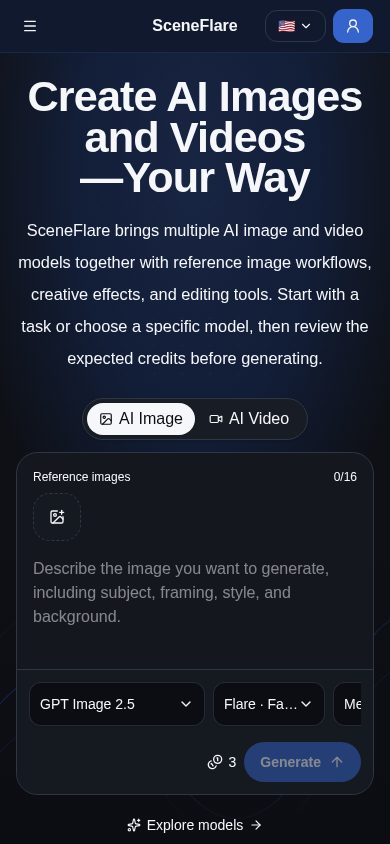
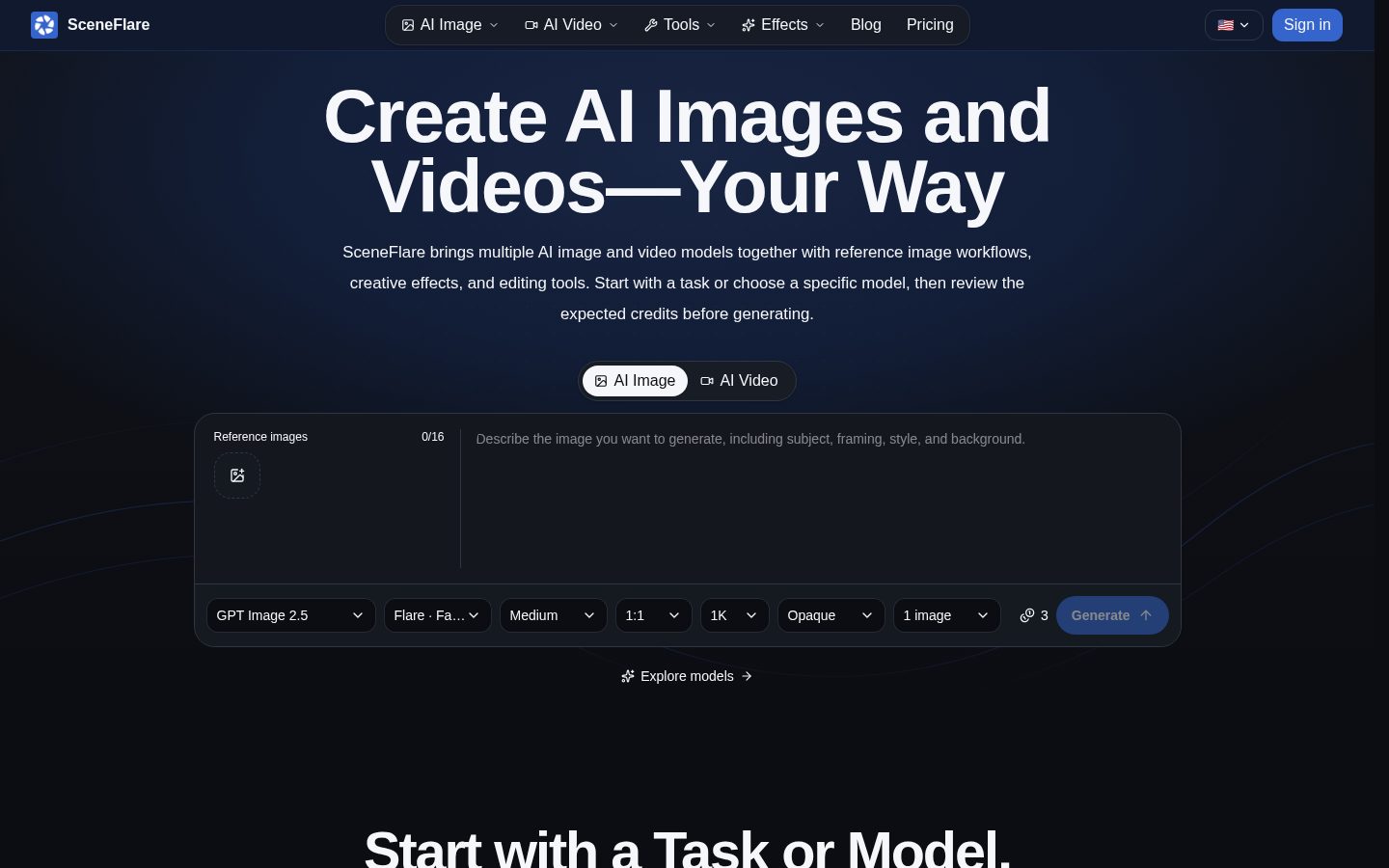
SceneFlare desktop previewSceneFlare mobile preview

Pricing Plans

Popular

Basic

$16.66/monthly

For steady weekly production.

  • 600 Credits, reset monthly
  • Image and video models
  • Prompt, edit, and reference tools
  • Results saved for 30 days
  • Commercial use with rights checks

Standard

$58.33/monthly

For teams creating every month.

  • 2200 Credits, reset monthly
  • Image and video models
  • Prompt, edit, and reference tools
  • Results saved for 30 days
  • Commercial use with rights checks

Pro

$108.33/monthly

For always-on creative production.

  • 4200 Credits, reset monthly
  • Image and video models
  • Prompt, edit, and reference tools
  • Results saved for 30 days
  • Commercial use with rights checks
  • Best price at scale

AI Panel Reviews

The Decision Maker

The Decision Maker

Strategic bet, vendor viability, timing, adoption approval
7.2/10

One login for a dozen image and video models, plus task tools nobody wants to build in-house.

“SceneFlare bundles model access with purpose-built tools like virtual try-on and headshot generation. The value is aggregation, not any single proprietary model.”

600 credits for $16.66 a month gets you into GPT Image 2.5, Seedream 5.0 Pro, Veo 3.1, and a dozen others without separate subscriptions. That's the pitch: one account instead of five. For teams tired of juggling model vendors, that's real time saved.

The task tools are the differentiator. Product Photography, Virtual Try On, Edit Text in Image, the Hotel Lobby 15-second duet effect — these are workflows, not raw prompts. That's harder to replicate than wrapping an API.

Two concerns. Credits don't roll over on subscriptions, so a slow month is wasted spend. And results only save for 30 days, which means your own archiving discipline matters. Aggregators live or die on which models they keep adding — worth watching whether Kling 4.0 and FLUX 3 actually ship as promised.

Competitive Positioning7.2

Breadth of named models (GPT Image 2.5, Seedance 2.5, Veo 3.1) plus task-specific tools like Virtual Try On beats single-model alternatives on flexibility.

Reputation Risk6.5

30-day result retention and no credit rollover on subscriptions create portability and planning risk I'd want clarified before scaling usage.

Speed to Value7.8

At $16.66/month with 600 credits and commercial rights included, a team can test product photography or headshot generation same-day.

Strategic Fit7.5

Consolidating image, video, and task tools into one account advances workflow speed, not just cost savings on existing tools.

Vendor Viability7.0

Pricing page is detailed and model list is current through Seedream 5.5 and Kling 4.0 listed as coming soon, suggesting active updates.

Pros

  • 600-4200 credits across tiers covers both light and heavy monthly use
  • Task tools like Virtual Try On and Product Photography skip custom prompt engineering
  • Commercial use with rights checks included on every plan

Cons

  • Subscription credits don't roll over, unlike credit packs
  • Results only saved for 30 days
  • Several listed models (Kling 4.0, FLUX 3) are still coming soon, not live

Right for

Teams generating product, ad, or headshot imagery weekly who don't want to manage separate model subscriptions.

Avoid if

Skip it if you need permanent asset storage or guaranteed access to a specific model long-term.

The Domain Strategist

The Domain Strategist

Craft and strategy in the product's domain — adapts identity per category, same lens
7.1/10

A model aggregator dressed as a production studio, not a production studio with taste.

“SceneFlare bundles a dozen-plus image and video models with task-specific tools into one credit system. The breadth is real, but the creative point of view underneath it is thin.”

Fourteen named models across image and video, plus presets like Hotel Lobby AI's 15-second duet effect — that's catalog depth, not craft depth. A design system succeeds when its primitives compose into something coherent; SceneFlare's primitives are other companies' models wearing a shared credit meter. The ceiling here is whoever ships the next great underlying model, not SceneFlare itself.

The task tools — Product Photography, Virtual Try On, Headshot Generator — are the more interesting bet. They're opinionated workflows, not raw prompt boxes, which matches how in-house creative teams actually brief work: by job, not by model name. But 'review labels, shape, and colors after generation' on the Product Photography tool tells me output fidelity still needs a human pass, every time.

Three years in, you're dependent on SceneFlare's model-licensing deals, not on a proprietary pipeline. If Seedance or Veo access lapses, your workflow breaks with it. At $16.66/month entry for 600 credits, it's a reasonable sandbox, but I wouldn't anchor a brand's visual identity to a tool whose core assets are all rented.

Category Positioning7.8

Sits as a model-agnostic aggregator at $16.66-$108.33/month, positioned against single-model tools rather than full production suites.

Domain Fit7.5

Task-specific tools like the Headshot Generator and Ad Image Generator match how brief-driven creative teams actually request work.

Integration Surface6.8

One account, one credit pool across image and video cuts tool-switching, though I couldn't confirm any API for pipeline integration.

Long-term Implications6.5

Three years of dependency on licensed third-party models, with Kling 4.0 and FLUX 3 still listed as coming soon rather than live.

Strategic Depth6.5

Breadth across GPT Image 2.5, Seedream, and Seedance models is wide but the craft layer is thin task presets, not a proprietary creative engine.

Pros

  • Single credit system spans both image and video across a wide model roster
  • Task-specific tools (Virtual Try On, Headshot Generator) deliver finished assets, not just raw generations
  • Commercial use rights baked into every subscription tier

Cons

  • Creative differentiation depends entirely on third-party model quality, not an in-house pipeline
  • Several advertised models (Kling 4.0, FLUX 3) aren't live yet
  • No visible API reference for teams wanting to pipe outputs into existing asset workflows

Right for

In-house teams who need fast, brief-driven assets like headshots, product shots, or ad concepts without managing separate model subscriptions.

Avoid if

Avoid if your brand needs a consistent, proprietary visual signature rather than output from whichever licensed model is live this month.

The Finance Lead

The Finance Lead

Money, total cost of ownership, contracts, procurement math
7.3/10

$16.66/month, 600 credits, no rollover. The meter resets whether you use it or not.

“Three tiers, all priced in public, no sales call needed. The real cost question is credit burn across models, not the sticker.”

Basic is $16.66/month billed yearly ($19.99 month-to-month), 600 credits. Standard jumps to $58.33 for 2200 credits. Pro hits $108.33 for 4200. That's a 6.5x price span for a 7x credit span — pricing scales close to linear, no steep bait-and-switch on the top tier.

Unused subscription credits don't roll over. Pay for 4200, use 3000, lose 1200. Every month. That's the real tax here, not the sticker. Video generation across models like Veo 3.1 or Seedance 2.5 likely burns credits faster than a background removal job, and costs vary by tool and model — so a team of five doing heavy video work could blow through Pro's 4200 by week two.

No term length or auto-renewal language visible on the pricing page I reviewed. Commercial rights included on every tier, which simplifies the invoice conversation with legal. Results expire at 30 days, so factor export time into your workflow, not just your budget.

Billing & Procurement7.4

Self-serve subscription with no sales call needed; $16.66-$108.33 range clears procurement thresholds at most companies.

Contract Flexibility6.5

No auto-renewal terms or cancellation process visible on the pages I reviewed; monthly billing implies low lock-in but unconfirmed.

Pricing Transparency8.2

All three tiers list exact prices and credit counts on the pricing page, no quote-gated tier.

ROI Clarity7.0

Finished-asset tools like Headshot Generator make output value easy to see, but credit cost per generation isn't itemized up front.

Total Cost of Ownership6.6

Credit costs vary by tool and model and non-rolling credits make 3-year burn hard to forecast without usage data.

Pros

  • Three tiers priced in public from $16.66 to $108.33/month
  • Commercial use with rights checks on every tier, no add-on fee
  • Linear-ish price-to-credit scaling, no hidden top-tier markup

Cons

  • Unused subscription credits expire monthly, no rollover
  • No visible term length or auto-renewal policy on the pricing page
  • Per-tool, per-model credit costs make true monthly spend hard to predict upfront

Right for

Teams with steady, predictable monthly output who can forecast credit burn by tool.

Avoid if

Avoid if your usage is spiky month to month, since unused credits don't carry forward.

The Domain Practitioner

The Domain Practitioner

Daily hands-on reality in the product's domain — adapts identity per category, same lens
7.2/10

A model switchboard for finished assets, not a timeline tool for cutting a sequence

“SceneFlare is built for turning a single reference photo into a deliverable fast, not for shot-to-shot video production. For producers who need coverage, b-roll variety, or shot consistency across a sequence, the model-picker workflow gets heavy fast.”

On a Tuesday deadline, picking between Seedance 2.5, Wan 3.0 Prime, and Veo 3.1 per shot isn't a creative choice, it's a tax. Each model has its own input quirks and credit draw, so building a consistent sequence means re-learning behavior shot by shot instead of trusting one engine's motion logic the way you would with a single dedicated video tool.

The Hotel Lobby AI preset — a 15-second duet with sound from two character photos — is the kind of task-specific shortcut that actually saves a producer time on social deliverables. But presets like that live next to raw model access with no visible guidance on which model handles camera movement or temporal consistency better, so you're testing blind.

Thirty-day result storage means anything you don't archive off-platform within a month is gone, which is a real problem for a production with a revision cycle longer than that. For a producer juggling client notes across six weeks, that's a scramble, not a convenience.

Day-3 Reality6.8

The novelty of multi-model access fades once you're re-testing prompts per model to match a prior shot's look.

Documentation Practitioner-Fit6.5

I couldn't find docs explaining model selection tradeoffs for motion quality or consistency, only a model list.

Friction Surface6.9

Per-model, per-tool input differences (text-to-video vs reference-to-video) force context-switching mid-session.

Power-User Depth7.5

A 14-model video roster with Veo 3.1 and Seedance 2.5 gives range, but advanced per-model settings aren't surfaced up front.

Workflow Integration6.5

No visible API reference means piping outputs into an edit bay or asset pipeline looks manual, via download only.

Pros

  • Hotel Lobby AI preset delivers a finished 15-second duet without manual prompt assembly
  • 14 video models including Veo 3.1 and Seedance 2.5 span a wide range of motion styles
  • Commercial rights checks run automatically, useful for client-facing deliverables

Cons

  • No single-model consistency across a sequence, each model behaves differently shot to shot
  • 30-day result storage forces fast archiving on any production with a longer revision cycle
  • No visible API path for pulling finished video into an existing edit pipeline

Right for

A solo producer or small studio turning around quick social or ad video deliverables without a dedicated edit pipeline.

Avoid if

Avoid if you need shot-to-shot visual consistency across a longer-form sequence with a multi-week revision cycle.

The Power User

The Power User

Daily human experience, onboarding, polish, learning curve, reliability
7.1/10

A model buffet with a lot of switches and not much of a map for day one.

“SceneFlare puts a dozen-plus image and video models and a pile of task tools behind one credit meter. The first session is going to feel like reading a menu with no descriptions until you've burned some credits finding out what each one does.”

Ten minutes in, you're staring at a model picker with names like Seedream 5 Lite, HappyHorse, and Wan 3.0 Prime, plus tools like the Hotel Lobby AI effect and a headshot generator. None of that means anything to a new user without trial and error, and trial and error costs credits you can't get back since unused ones expire monthly on the $16.66 Basic plan. That's homework dressed as a welcome screen.

Once you know the tools, the breadth is genuinely handy. Product photography, virtual try-on, and background removal sitting next to full video generation means less tab-switching between single-purpose apps. But the per-tool, per-model credit costs mean your first month is really a research project in disguise, figuring out which model is worth spending on for which job.

I couldn't find anything on mobile apps or a responsive mobile flow, which matters for a tool built around uploading reference photos on the go. Reliability-wise, the mechanics sound sane, 30-day result storage, rights checks baked in, but I didn't see anything about autosave mid-generation or what happens when a model run fails partway through.

Daily Polish6.8

Task tools like the Ad Image Generator and Coloring Page converter sound thoughtfully scoped, but the sheer model count risks a cluttered day-to-day picker experience.

Learning Curve6.7

The $16.66 to $108.33 tiers scale credits cleanly, but mastering which of a dozen-plus models suits which job is a month-three skill, not a day-one one.

Mobile Parity6.0

I couldn't find any mention of a mobile app or mobile-specific flow for a product built around uploading photos from a phone.

Onboarding Experience6.0

A roster spanning GPT Image 2.5 to HappyHorse to Seedance 2.5 means a new user burns real credits just learning the lineup before producing anything usable.

Reliability Feel6.9

Commercial rights checks and 30-day result storage on every tier suggest some operational discipline, though I found nothing on error handling mid-generation.

Pros

  • Task-specific tools like Virtual Try On and the YouTube Thumbnail Generator skip prompt writing entirely
  • Three public tiers from $16.66 to $108.33 scale credits from 600 to 4200 monthly
  • Commercial use with rights checks included on every tier, no separate license tier to buy into

Cons

  • Wide model roster (GPT Image 2.5, Seedream 5 Lite, Wan 3.0 Prime, and more) with no obvious guidance on which to pick for a given job
  • Unused subscription credits expire monthly, so a slow learning curve directly costs money
  • No visible mobile app or mobile-tailored flow for a photo-upload-heavy workflow

Right for

Freelancers and small teams who want one subscription covering both quick task tools and broader model experimentation.

Avoid if

Avoid if you need a predictable first-week experience without spending credits just to learn the model lineup.

The Skeptic

The Skeptic

Contrarian. Watch-outs, deal-breakers, broken promises, category patterns
6.6/10

A model aggregator wrapped in a headshot generator's clothes.

“SceneFlare's real product is a credit system sitting on top of other people's models. That's a fine business, but it means the roadmap isn't really SceneFlare's to control.”

Fourteen video models, a double-digit image model roster, and a single credit meter across all of it. That's the pitch. GPT Image 2.5, Seedream 5.0 Pro, Veo 3.1, all behind one login. Convenient, sure. But none of it is SceneFlare's. If Google reprices Veo access or MiniMax changes terms, the catalog shifts and you have no say.

I've seen this shape before: the aggregator layer that wins while underlying model pricing is generous, then gets squeezed when it isn't. Doesn't mean SceneFlare follows that path. Means I'd watch the model list for silent removals.

The task tools (Virtual Try On, Headshot Generator) are the actual defensible layer, packaged workflows a raw model API doesn't hand you. That's a real wrapper, not just a reseller move. Still, two of the headline models — Kling 4.0, FLUX 3 — are listed as coming soon, not live. Marketing ahead of inventory is a familiar tell.

Competitive Differentiation6.0

The model roster is the draw, but that roster belongs to GPT, Seedream, Veo and others, not SceneFlare itself.

Exit Portability5.5

Results save for only 30 days and there's no visible API, so pulling assets into another pipeline means archiving fast and manually.

Long-term Viability6.5

A blog and pricing page are visible; I couldn't find a changelog, so update cadence isn't confirmed either way.

Marketing Honesty6.5

Tagline promises 'one account' breadth, but Kling 4.0 and FLUX 3 are advertised while still coming soon.

Track Record Match7.0

Named tools like the YouTube Thumbnail Generator and Hotel Lobby AI effect describe concrete, narrow outputs rather than vague claims.

Pros

  • Single credit system covers both image and video across a wide model set
  • Task tools like Virtual Try On deliver finished assets without prompt engineering
  • Commercial use with rights checks included on all three tiers

Cons

  • Some headline models (Kling 4.0, FLUX 3) aren't live yet
  • No visible API for piping outputs into existing pipelines
  • Catalog depends entirely on third-party model deals staying favorable

Right for

Someone who wants one subscription to try many models and task tools without juggling separate accounts.

Avoid if

Avoid if you need a stable, owned pipeline that won't shift when a third-party model gets pulled.

Buyer Questions

Common questions answered by our AI research team

Pricing

What's included in SceneFlare's Basic plan?

The Basic plan costs $19.99/month (or $16.66/month billed yearly) and includes 600 credits that reset monthly, access to image and video models, prompt/edit/reference tools, results saved for 30 days, and commercial use with rights checks.

Pricing

Do unused credits roll over monthly?

No. Subscription credits reset every month, but unused subscription credits do not roll over. Credit packs, by contrast, stay until used.

Features

What image and video models does SceneFlare offer?

SceneFlare offers image models like GPT Image 2.6, GPT Image 2.5, GPT image 2, Nano Banana 2.1, Seedream 5.0 Flash, Seedream 5.0 Pro, Seedream 5 Lite, FLUX 3 Image Klein, Qwen Image 3.0, and Seedream 5.5, plus video models such as Kling 4.0, Seedance 2.5, Seedance 2.0, Seedance 2.0 Mini, MiniMax H3, Veo 3.1, FLUX 3 Video, Vidu Q4, PixVerse V6 Max, Gemini Omni, Wan 3.0, and HappyHorse.

Features

Can I use SceneFlare outputs commercially?

Yes. All subscription plans (Basic, Standard, and Pro) include commercial use with rights checks.

Features

How long are generated results saved?

Generated results are saved for 30 days under SceneFlare's subscription plans.

Product Information

  • Company

    SceneFlare
  • Pricing

    From $16.66/mo

About SceneFlare

SceneFlare is an AI content generation platform that converts text prompts or reference images into images, video motion, and visual effects.

Resources

Blog

Also in AI Video Generation