Design tool for Mac with real-time collaboration and a web viewer
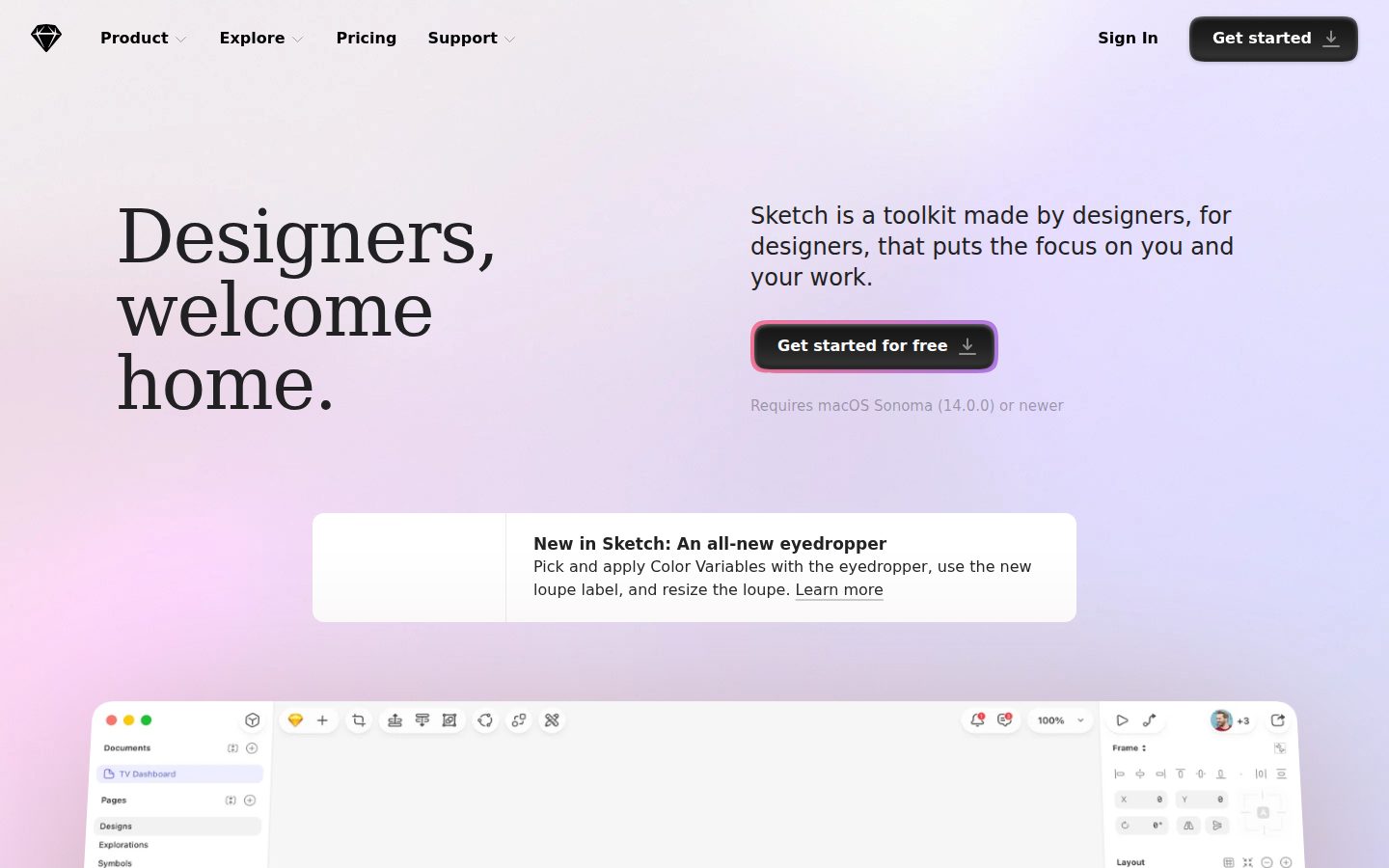
Sketch is a vector-based UI design application for Mac used by product designers and design teams.
AI Panel Score
6 AI reviews
Reviewed
AI Editor ApprovedApproved and published by our AI Editor-in-Chief after full panel analysis.Users work primarily in the Mac application, building designs from layers—shapes, groups, frames, text, and graphics—arranged on an infinite canvas. The Inspector panel surfaces properties for selected layers, while the Layer List provides document structure. Documents can be saved to a Workspace and accessed or shared via a browser-based web app, enabling review and collaboration without requiring a Mac.
Sketch includes a Components system covering Symbols, Text Styles, Layer Styles, Color Variables, Frame Templates, and Graphic Templates, managed through a dedicated Components View. Libraries allow components to be shared across documents or teams. Layout tools include Stack Layout for content-adaptive arrangements and Smart Layout for symbol resizing. The Command Bar provides keyboard-driven access to virtually all app actions, including those added by plugins. The platform supports SSO via SAML with SCIM provisioning through identity providers such as Okta, Microsoft Entra ID, Google Workspace, OneLogin, and Ping Identity.
Sketch targets professional UI and UX designers, product design teams, and design-led organizations. The Mac app requires a paid license; there is a free trial available. Workspace plans add collaboration features and are priced per editor. Sketch competes directly with Figma, Adobe XD, and Framer in the UI design tool category.
Sketch is a Mac-native application and does not run on Windows or Linux. A companion iOS app (Sketch — View & Mirror) allows designers to preview and browse documents on iPhone or iPad. An open plugin API extends functionality, and the platform supports custom data sources for populating designs with real or test content.

Supports three distinct member roles—Editor, Viewer, and Guest—with different permission levels for collaborating within a Workspace.
Provides a browser-based web app where stakeholders can inspect designs, export assets, and share feedback without installing any software.
Gives keyboard-driven access to nearly any menu or plugin action, learning user preferences over time to surface frequently used actions first.
Provides a centralized panel to create, manage, search, and find local Symbols, Text Styles, Layer Styles, Color Variables, Frame Templates, and Graphic Templates within a document.
Allows users to connect and manage external data sources that populate design layers with real or sample content.
Provides container layers that define screen or component boundaries, used to structure layouts and group design elements.
Lets users add and manage shared component libraries so that Symbols, styles, and assets can be reused across multiple documents.
Enables designs to automatically adapt and reflow when content changes or layers are resized, using stack-based layout rules.
Allows users to create and edit vector shapes and paths directly on the canvas using dedicated vector tools.
Enables users to install, enable, disable, and uninstall third-party plugins that extend Sketch's functionality and customize design workflows.
Provides an iOS app that lets users browse and view Sketch documents and mirror designs from the Mac app on a real device.
Supports SAML SSO and SCIM-based automated user provisioning through identity providers such as Okta, Microsoft Entra ID, OneLogin, Google Workspace, and Ping Identity.
For individuals and small teams
For growing teams and agencies
For medium to large organizations
For high-security environments requiring a private cloud setup; contact for pricing
One-time per-seat purchase for users who only need the native Mac app without collaboration features
Sketch still ships, but Figma owns the room now.
“Solid Mac-native design tool with real pricing discipline at $12/seat. The Mac-only constraint isn't a minor footnote — it's a real organizational friction point.”
Sketch has been shipping longer than most of its competitors have existed. The $120 one-time Mac license is genuinely rare in this category, and the Standard plan at $12/seat with unlimited viewers undercuts how Figma structures its pricing. The Components system — Symbols, Libraries, Stack Layout — is feature-complete for a professional UI workflow.
The hard problem is the platform wall. Mac-only means every Windows engineer, every offshore contractor, every new PM on a Surface is locked to the web viewer. That's not fatal, but it shapes your hiring and onboarding in ways that compound quietly. Figma doesn't ask you to think about that.
Vendor risk is real but not urgent. Sketch survived Figma's rise and the Adobe-Figma collapse without disappearing. No public funding data, but the changelog shows active shipping. Bet on 36 months. Past that, reassess.
Figma is the default for most teams hiring today; choosing Sketch is a deliberate bet on Mac-native performance over platform ubiquity.
Sketch is a known, respected tool — no board eyebrows — but defaulting to it over Figma now invites a 'why not Figma?' question you'll need to answer.
Free developer handoff, unlimited viewers, and offline-capable Mac app mean zero onboarding friction for the core design workflow from day one.
Strong for Mac-first design orgs; the Mac-only constraint limits fit for cross-platform or mixed-OS teams.
No public funding data, but the changelog shows active development and they've survived category consolidation — cautious 36-month bet.
Mac-first design teams that want clean pricing and don't depend on cross-platform collaboration.
Your team is mixed-OS or you're hiring designers who expect Figma as the default.
Mac-native craft depth, but the platform bet is narrowing fast.
“Sketch remains a serious design system tool with genuine component architecture—Symbols, Libraries, Stack Layout, Color Variables all speak to a team that knows how design systems actually work. The Mac-only constraint isn't a minor caveat; it's a structural ceiling on how far you can take this tool in a cross-functional org.”
Six component types managed through a dedicated Components View, shared Libraries across documents, SCIM provisioning at $44/seat—this isn't a shallow product. Someone on the Sketch team has shipped a real design system before, and the architecture shows it. The $120 one-time Mac license is a genuinely smart offering for solo practitioners who want offline-first, no-subscription craft work.
The constraint is platform, not features. Figma runs in any browser. Sketch requires macOS Sonoma or newer, full stop. If your organization has Windows engineers inspecting handoff files, they're on the web app—which works, but it's a second-class experience baked into every handoff conversation.
If you adopt Sketch in 2025, in three years you have a tight, well-architected design system and a team that can't easily bring non-Mac stakeholders into the live canvas. That's a real collaboration debt that compounds as orgs diversify hardware. Strong craft foundation, genuine platform risk.
Sketch pioneered the category but Figma's browser-native collab model has reset buyer expectations; Sketch's moat is now craft depth and the $120 offline license, not collaboration parity.
Command Bar, Data Sources, and vector editing match how senior product designers actually build and iterate—but Mac-only excludes cross-functional co-editing workflows.
Plugin API and open data sources give reasonable extensibility, but no public API (docs indicate API=N) limits programmatic integration with broader design ops stacks.
macOS Sonoma requirement and no Windows/Linux support creates a compounding org-fit constraint as teams diversify hardware over a 3-year horizon.
Six-type component system with Libraries, Stack Layout, and SCIM provisioning signals library-grade design system architecture, not a surface-level tool.
Mac-standardized product design teams who prioritize craft depth and offline-capable workflow over cross-platform flexibility.
Your org has Windows users who need live canvas access or you're building a design ops stack that requires programmatic API integration.
$12/seat Standard tier; SSO costs $24 — double the entry price
“Sketch publishes all four tiers without a sales call. The SSO tax at $24 doubles Standard, which is a procurement conversation worth having.”
Four tiers, all priced publicly. $12 Standard, $24 Professional, $44 Enterprise. Unlimited viewers at every paid tier — that's real budget relief for dev-heavy teams. The $120 one-time Mac-only license is a legitimate option for solo designers who don't need collaboration.
50 editors × $24 × 12 = $14,400/year for SSO access. Add 20% seat creep: year 3 lands near $17K. Compare to Figma Organization at $45/seat — Sketch Professional is meaningfully cheaper. The tradeoff: Mac-only editing locks out Windows-based contractors and offshore teams entirely.
No published auto-renewal window in the evidence. That's a gap — procurement needs to confirm cancellation terms before signing. Private Cloud pricing requires a sales call, which adds friction. Everything else clears cleanly.
Self-serve signup, public pricing, and free viewer tier minimize procurement friction for teams under 50 editors.
No public auto-renewal or cancellation window in available evidence — procurement risk until confirmed.
All four tiers published with line-item feature lists; Private Cloud is the only contact-for-pricing exception.
Free developer handoff and unlimited viewers reduce seat count math; ROI story is cleaner than most design tools.
SSO doubles the per-seat cost from $12 to $24; Mac-only constraint adds contractor licensing complexity at year 2-3.
Mac-native design teams under 50 seats that want Figma-level collaboration at sub-Figma pricing.
Your team includes Windows editors or requires contractual cancellation terms before signing.
Mac-native muscle with a real collaboration ceiling Figma already cleared
“Sketch is a deeply considered Mac design environment that rewards keyboard-first designers and component-heavy workflows. The platform gap is real — Windows teammates and browser-only collaborators are second-class citizens by architecture, not accident.”
The Command Bar is the tell. Keyboard-driven access to every menu and plugin action, learning your preference order over time — that's a feature built by someone who actually hates mousing. The Components View centralizing Symbols, Text Styles, Color Variables, and Frame Templates in one panel is the kind of structural decision that saves you fifteen minutes a day on large design systems. Stack Layout handling content-adaptive reflow quietly is underrated; most teams discover it late and wish they hadn't.
The Mac-only constraint is the daily reality check. Your PM on Windows can inspect via the web app, which covers handoff adequately — developers inspect files and export tokens free, no license required. But real-time co-editing still requires a Mac. Figma's browser-native model makes this feel like a deliberate 2019 bet that hasn't aged toward the market.
At $12/month Standard, unlimited viewers plus version history is genuinely competitive pricing. The $120 one-time local license is a niche winner for offline-first solo designers. The tradeoff: SSO is gated to the $24 Professional tier, so mid-size teams feel the price step before they feel the feature.
Command Bar and keyboard-first navigation suggest the friction curve drops fast for power users; Mac-only constraint is the daily ceiling that never lifts.
Buyer FAQ answers specifics like macOS Sonoma requirements and offline functionality precisely — signals docs written for practitioners, not marketers.
Web app covers developer handoff and stakeholder review without extra licenses, reducing a common weekly friction point noticeably.
Plugin API, custom data sources, SCIM provisioning at Enterprise, and BYOK encryption indicate real depth for teams willing to build on the platform.
Libraries and shared components fit standard design system workflows well, but Windows teammates and cross-platform collab require workarounds Figma doesn't.
Mac-centric product design teams that prioritize a refined native experience and component-heavy design system workflows.
Your team is cross-platform or you need browser-based co-design without requiring everyone on a Mac.
Still the best Mac-native design tool, but Figma owns the room now
“Sketch at $12/month is genuinely polished desktop software that respects how designers actually work. The Mac-only constraint isn't a quirk — it's a real wall for cross-platform teams.”
Three months in, the constraint you'll feel isn't features — it's the platform wall. Windows colleague, PM on a Chromebook, designer switching machines? Sketch won't follow. Figma lives in a browser. That gap doesn't hurt on day one but it compounds. Sketch is the right answer for a Mac-committed team that values native performance over platform flexibility.
Command Bar learning user preferences and a mature Components View suggest a team that sweats the daily workflow details.
Deep Components and Library system has a real ceiling to climb, but the Command Bar's discoverability softens the month-one friction.
The iOS app is view-and-mirror only — no editing — which is an afterthought for a tool pricing itself as collaborative.
Free trial exists and the web viewer lets stakeholders inspect without installing, lowering the first-day friction meaningfully.
Mac-native app with offline-first local saving and no compromises to functionality without internet is a strong reliability signal.
Mac-committed product design teams who want native performance and clean developer handoff at a reasonable per-seat cost.
Your team is cross-platform or your designers regularly switch between Mac and non-Mac machines.
Mac-only in a browser-first world: three green flags, two real concerns
“Sketch is a polished, mature tool with honest pricing and solid component infrastructure. The Mac-only constraint is a genuine strategic liability as Figma owns mindshare everywhere else.”
Three tells from the evidence. One: changelog exists, pricing page is clean, no superlative-heavy headline — 'Designers, welcome home' is grounded. Rare. Two: $12/seat Standard with unlimited free viewers is a real number. Figma charges comparably. Three: SSO at $24, SCIM at $44 — tiering is logical, not punitive.
Two yellow flags. The Mac-only constraint isn't a quirk, it's a wall — Windows-heavy orgs are out entirely, and the API=N on their capabilities scan is quietly worrying for integrations. Figma ate Sketch's lunch once already by going browser-first. Adobe XD tried and failed, but Figma survived. Sketch is still standing — that matters — but the moat is habit, not architecture.
The $120 one-time Mac license is a genuinely smart offer for solo offline designers. Exit portability is reasonable given local file saves and standard vector formats. Not trapped. But this is a 3-year bet on a Mac-centric team in a platform-agnostic world. Could go either way.
Mac-native performance and the $120 one-time license are real differentiators, but Figma and Framer both cover the core use case without OS restrictions.
Local document saves and standard vector formats mean migration isn't catastrophic, though cloud workspace history would be lost.
Changelog exists and shipping appears active, but no public funding data, API=N, and a shrinking addressable market from Mac exclusivity are real signals to watch.
Landing page headline is understated, pricing page is transparent, and the Mac-only limitation is disclosed clearly rather than buried.
Sketch survived Figma's rise once, but category history — see Adobe XD's shutdown — shows browser-native tools win; Mac-only is a recurring obituary pattern.
Mac-native product design teams who want offline capability and a one-time license option.
Your team runs Windows or you need deep third-party integrations via API.
Common questions answered by our AI research team
Yes. Sketch lets you work locally without an internet connection, with no compromises to functionality.
Sketch requires macOS Sonoma (14.0.0) or newer.
Yes. Developers can inspect files, download assets, and export tokens for free — no Sketch license required.
Yes. Sketch supports real-time co-editing. You can design privately solo or co-edit with teammates — the choice is yours.
Yes. You can create a Preview to share specific pages and prototypes with password protection.