Superset logo

Superset Review

Visit

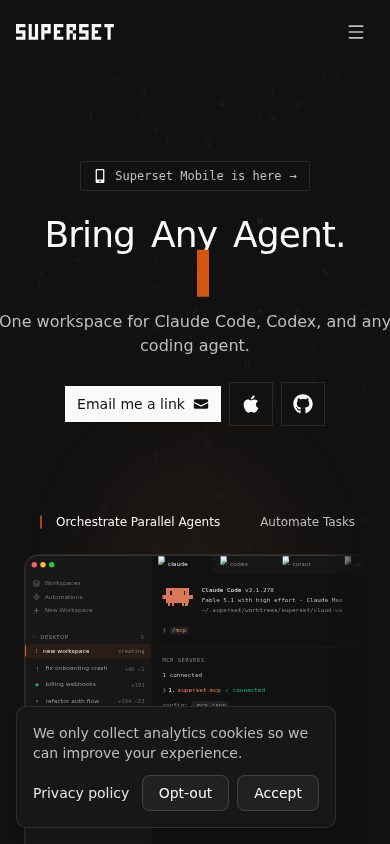
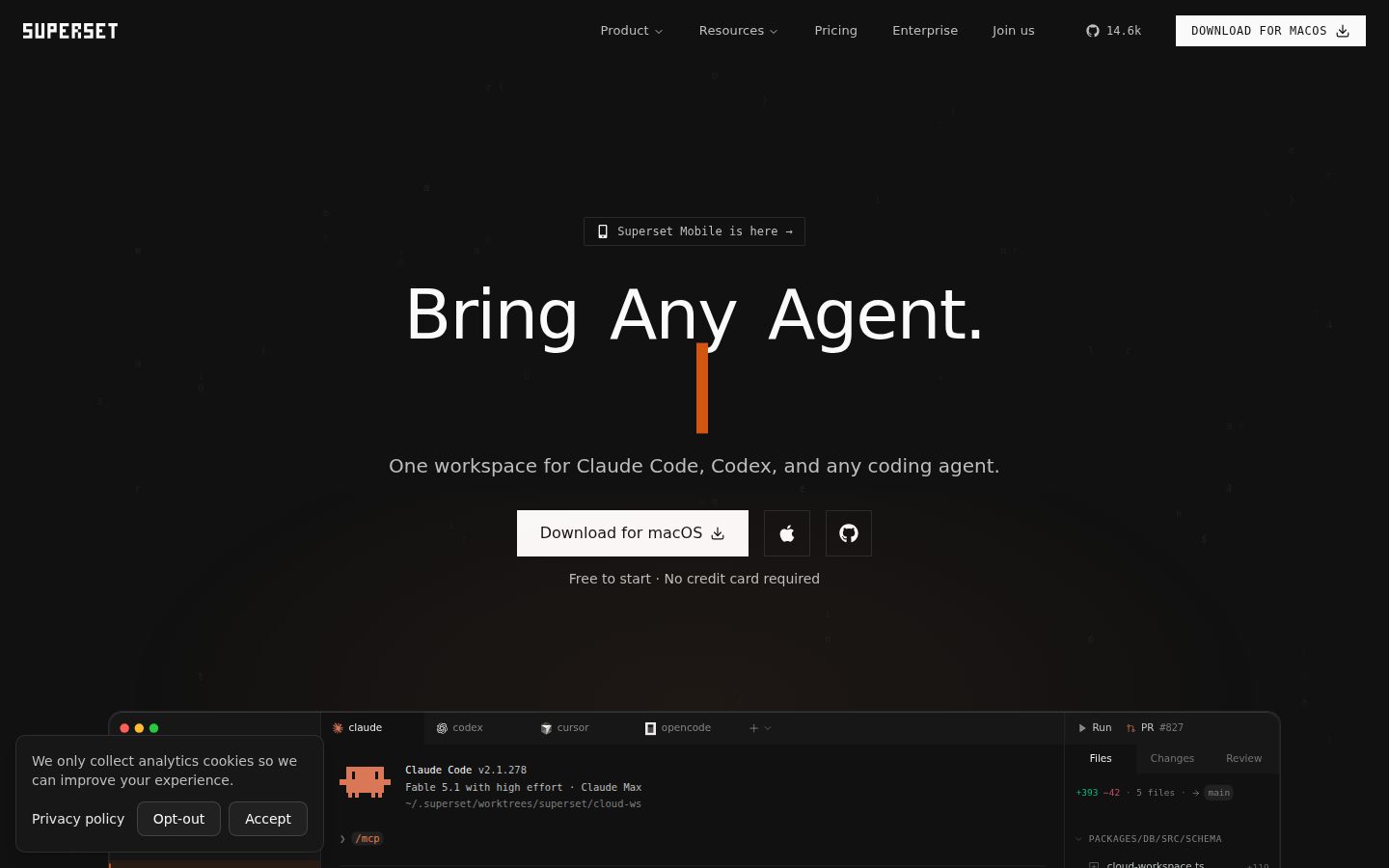
Bring any coding agent. Orchestrate them all.

Superset is a desktop workspace for orchestrating CLI-based coding agents like Claude Code, Codex, and OpenCode.

AI Panel Score

7.6/10

6 AI reviews

Reviewed

Facts checked against superset.sh

AI Editor Approved

About Superset

Superset gives developers a dashboard for launching, monitoring, and reviewing multiple coding agent sessions at once. Each task is checked out into its own Git worktree and branch, which separates the working files agents touch, though Superset notes this does not sandbox processes or prevent merge conflicts. From the dashboard, users can review diffs, manage ports, and track many concurrent agent sessions running against the same codebase.

Beyond the desktop app, Superset exposes an MCP server, a CLI, and a TypeScript SDK so agents or scripts can create workspaces, launch agents with a prompt, open terminals, and track tasks programmatically. It also supports automations, which run a prompt on a cron-like schedule in a fresh or existing workspace, useful for recurring maintenance-style agent runs. Superset does not proxy model API calls; users bring their own agent subscriptions and API keys, and the underlying code is source-available on GitHub under the Elastic License 2.0.

Superset is aimed at developers who run several CLI coding agents in parallel on one repository and want a shared workflow and review layer around them rather than a new coding agent itself. It offers a free tier plus paid seats, with full pricing at superset.sh/pricing.

Superset runs as a desktop application on macOS and Linux (with an experimental AppImage build); Windows is not yet supported. Programmatic access is available through a CLI (installable via Homebrew or a shell script), a TypeScript SDK (npm package @superset_sh/sdk), and an MCP server supporting OAuth or API key authentication.

Features

Automation

  • MCP Server

    Exposes a Model Context Protocol server with tools for tasks, workspaces, agents, automations, terminals, hosts, and projects so other agents or scripts can orchestrate Superset programmatically.

  • Scheduled Automations

    Lets users schedule recurring agent runs that execute a prompt on a cron-like schedule in a fresh or existing workspace.

Core

  • CLI

    Provides a command-line interface (installable via Homebrew or a curl install script) for interacting with Superset workspaces and agents.

  • Diff Review Dashboard

    Provides a dashboard to review diffs, manage ports, and monitor many concurrent agent sessions from one place.

  • Isolated Git Worktrees

    Runs each coding agent task in its own Git worktree and branch so multiple agents can work on the same repository without stepping on each other's changes.

  • Terminal Access

    Allows users to open terminals within workspaces to interact directly with running agent sessions.

Integration

  • A2A Agent Card

    Publishes an Agent-to-Agent capability card describing Superset's capabilities for discovery by other agents.

  • Agent Skills

    Provides official installable skills for the CLI and MCP server via the skills package (npx skills add superset-sh/skills).

  • Multi-Agent Support

    Works with any CLI-based coding agent, including Claude Code, OpenAI Codex, OpenCode, Gemini CLI, Copilot, and Cursor Agent.

  • TypeScript SDK

    Offers an installable TypeScript SDK (@superset_sh/sdk) for programmatic control of Superset workspaces and agents.

Security

  • OAuth and API Key Authentication

    Supports agent authentication via OAuth 2.1 with PKCE and dynamic client registration, or via API keys, for programmatic access to a user's Superset account.

Preview

Superset desktop previewSuperset mobile preview

Pricing Plans

Free

Free

For individuals getting started

  • 1 user
  • Local workspaces
  • Desktop app
  • CLI
  • No credit card required
Popular

Pro

$15/monthly

For teams that need more power ($20/mo billed monthly, or $15/mo billed yearly)

  • Unlimited users
  • Remote access
  • Automations
  • Linear integration
  • Slack integration
  • Mobile app

Enterprise

Contact sales

For organizations with advanced needs; custom pricing, annual billing only, contact sales

  • SAML SSO & SCIM provisioning
  • Audit logs
  • SOC 2 Type II report
  • Uptime SLA & dedicated support
  • Custom integrations
  • IP restrictions

AI Panel Reviews

The Decision Maker

The Decision Maker

Strategic bet, vendor viability, timing, adoption approval
7.8/10

A traffic controller for your coding agents, not another coding agent itself.

“Superset orchestrates Claude Code, Codex, OpenCode and others in isolated Git worktrees from one dashboard. It's a real category of problem — too many agents, one repo — solved with a sensible architecture, not a new model wrapper.”

Isolated Git worktrees per task is the right call. It doesn't sandbox processes or stop merge conflicts — Superset says so itself — but it stops agents from clobbering each other's files, which is the actual daily pain.

$15/month Pro tier with unlimited users, plus a real free tier with no credit card, is a low bar to clear. Enterprise adds SAML, SCIM, audit logs and a SOC 2 Type II report, which signals they expect real teams, not just solo tinkerers.

Local-first, source-available under Elastic License 2.0, no model proxy markup — you bring your own keys. Windows isn't supported yet, and this only works if you're already running multiple CLI agents in parallel. If you're not, skip it. If you are, pilot it for a sprint.

Competitive Positioning8.2

Agent-agnostic orchestration across Claude Code, Codex, OpenCode, Gemini CLI and Cursor Agent is a distinct lane from single-agent tools.

Reputation Risk7.0

Local-first storage and ELv2 source availability help, but no process sandboxing means agents can still conflict in ways users must catch.

Speed to Value7.8

Free tier with no credit card and a simple worktree model means teams can test value in a day, not a quarter.

Strategic Fit8.0

Solves a real coordination problem for teams already running multiple agents, not just a cost play on existing tools.

Vendor Viability7.5

CLI, SDK, MCP server, and a changelog I found all point to active building, though funding and team size are unclear.

Pros

  • Isolated Git worktrees let multiple agents run on one repo without stepping on each other
  • Free tier with no credit card, Pro tier at $15/month with unlimited users
  • Works with any CLI-based agent, plus deep-linking into Cursor, VS Code, JetBrains, Xcode
  • Source-available under Elastic License 2.0 for inspection

Cons

  • No sandboxing of processes or merge conflict prevention, by their own admission
  • Windows isn't supported yet, only macOS and Linux (with an experimental AppImage)
  • Doesn't replace or improve the underlying coding agents themselves

Right for

Teams already juggling multiple CLI coding agents on one codebase who need a shared review layer.

Avoid if

You run a single coding agent or need Windows support today.

The Domain Strategist

The Domain Strategist

Craft and strategy in the product's domain — adapts identity per category, same lens
7.8/10

An orchestration layer for agent sprawl, betting the control plane matters more than the agent itself.

“Superset treats coding agents as interchangeable compute you schedule and review, not as a product you lock into. The architecture is sound, but it puts Superset squarely in the path of whatever agent ecosystem wins next.”

The bet here is architectural: Superset doesn't compete with Claude Code or Codex, it sits above them as a dispatcher — MCP server, CLI, TypeScript SDK, and a dashboard for reviewing diffs across concurrent sessions. If you adopt this, in three years you've built review habits and automation scripts around Superset's workspace model rather than any single agent's CLI quirks. That's a reasonable hedge against agent churn, but it also means your team's operational muscle memory lives in a layer you don't control the roadmap of.

The scheduled automations feature — cron-style prompts against fresh or existing workspaces — is the part I'd actually build process around; that's real infrastructure, not a demo feature. Elastic License 2.0 on the source means you can audit it, which matters more than usual here since it's sitting between your repos and every agent's file writes.

Pricing is low-friction: free for solo use, $15/month unpacks remote access and automations, enterprise adds SAML/SCIM and a SOC 2 report for teams that need procurement sign-off. The constraint is platform — no Windows yet — which matters if your org isn't macOS/Linux-homogeneous.

Category Positioning7.8

Positions itself as orchestration infrastructure rather than another agent, a narrower but less contested lane than building yet another coding model.

Domain Fit8.0

Matches how teams running multiple CLI agents in parallel actually need to review and merge work, per the diff dashboard and terminal access.

Integration Surface8.2

CLI, TypeScript SDK, MCP server, and IDE deep-linking into Cursor, VS Code, JetBrains, and Xcode cover most of a real dev stack.

Long-term Implications7.0

Agent-agnostic by design, which hedges against any one agent's decline, but it inserts a new dependency layer between you and your repos.

Strategic Depth7.5

The worktree-per-task model and MCP/SDK surface are genuine infrastructure, not UI dressing around a single agent.

Pros

  • Scheduled automations turn agent runs into recurring infrastructure rather than one-off sessions
  • Elastic License 2.0 source availability lets you audit what touches your repos
  • SOC 2 Type II report and SAML/SCIM on Enterprise for teams needing compliance sign-off
  • $15/month Pro tier includes unlimited users, which is unusual seat economics for this category

Cons

  • Enterprise tier is quote-only with no visible price floor
  • No Windows support narrows who on a mixed-OS team can adopt it
  • Depends entirely on the health of third-party agent CLIs it orchestrates

Right for

Teams already running multiple CLI coding agents against shared repos who want one review and scheduling layer across all of them.

Avoid if

Avoid if your team is Windows-based or if you need a single vendor accountable for both the agent and the orchestration around it.

The Finance Lead

The Finance Lead

Money, total cost of ownership, contracts, procurement math
7.6/10

$15/month, unlimited users. That seat math doesn't happen twice in this category.

“Pro tier prices per account, not per head. Rare structure, and it changes the year-3 math entirely.”

Free tier: 1 user, local workspaces, no card required. Pro: $15/month flat, unlimited users, remote access, automations, Linear and Slack integration. Unit isn't seat-based on the pricing page — that's the whole story here. A 10-person team on Pro runs $180/year. A 50-person team runs the same $180/year, assuming one shared account. Compare any $20/seat competitor: 50 × $20 × 12 = $12K/year. The gap is the pitch.

Enterprise is quote-only, annual billing only, SOC 2 Type II and SAML/SCIM gating. No floor price shown, so budget that as an unknown until sales quotes it.

No auto-renewal terms published for Pro. No stated contract length beyond monthly. Billing model for the flat fee — per workspace, per org, per seat — isn't spelled out, and that ambiguity is a real finance-team question before you scale past a pilot.

Billing & Procurement7.0

Self-serve Free and Pro signup needs no sales call; Enterprise reintroduces a sales cycle for SSO, SCIM, and audit logs.

Contract Flexibility6.5

Monthly Pro billing looks low-commitment, but no renewal or cancellation terms are stated, and Enterprise locks to annual billing only.

Pricing Transparency8.0

Free and $15/month Pro tiers are listed with full inclusions; Enterprise alone is quote-only.

ROI Clarity6.8

Diff review dashboard and worktree isolation are measurable workflow wins, but Superset doesn't touch agent output quality, so productivity gains are hard to isolate from the underlying agent.

Total Cost of Ownership7.8

$15/month flat with unlimited users undercuts per-seat math badly if the unit holds at scale, but agent API keys and subscriptions are a separate, unbundled cost.

Pros

  • Pro tier priced flat at $15/month rather than per seat
  • Free tier requires no credit card, lowering procurement friction for a pilot

Cons

  • Enterprise has no visible price floor, so compliance-driven budgets can't be modeled upfront
  • Renewal and cancellation terms for Pro aren't published anywhere I could find

Right for

Teams who want to test multi-agent orchestration without negotiating seat counts first.

Avoid if

Avoid if your finance process requires published renewal and cancellation terms before signing.

The Domain Practitioner

The Domain Practitioner

Daily hands-on reality in the product's domain — adapts identity per category, same lens
7.8/10

A real worktree manager for parallel agent sessions, not another chatbot wrapper.

“Superset treats coding agents as processes you orchestrate, not a single chat window you babysit. The CLI and MCP server make it feel built for people who script their workflows, not just click through a dashboard.”

Isolated worktrees per task is the right primitive — it's the same mental model as `git worktree add` plus a branch-per-feature habit, just automated across however many Claude Code or OpenCode sessions you're running. The diff review dashboard is where I'd actually live day three, since watching five agent sessions in five terminal tabs doesn't scale past lunch.

The CLI, TypeScript SDK, and MCP server with OAuth/PKCE suggest someone building this actually scripts their own setup rather than clicking buttons. The Agent Skills package (`npx skills add superset-sh/skills`) is a nice touch for discoverability instead of burying advanced commands in a wiki page.

Tradeoff: this is pure orchestration, zero model improvement — Superset doesn't proxy API calls, so you're still at the mercy of whatever agent CLI you point it at. If Codex hangs, Superset just shows you a hung session faster.

Day-3 Reality8.0

Diff review dashboard and terminal access address the real pain of monitoring multiple concurrent agent sessions, not just launching them.

Documentation Practitioner-Fit7.6

The buyer Q&A answers read like they came from someone who's used worktrees and MCP auth, not marketing copy, though I couldn't find a dedicated API reference to confirm depth.

Friction Surface7.0

No Windows support and the experimental AppImage status on Linux mean setup friction varies a lot by OS.

Power-User Depth8.0

Scheduled automations, MCP tooling across tasks/workspaces/hosts, and an A2A agent card give power users real programmatic surface area beyond the dashboard.

Workflow Integration8.2

Deep-linking into Cursor, VS Code, JetBrains, and Xcode plus a CLI installable via Homebrew fits existing dev habits rather than forcing a new editor.

Pros

  • Git worktree isolation matches how experienced devs already branch for parallel work
  • CLI, SDK, and MCP server give scriptable control beyond the GUI
  • Agent Skills package makes advanced features discoverable via npx instead of buried docs

Cons

  • No Windows support cuts out a chunk of mixed-OS teams
  • Pure orchestration layer means it inherits every bug and rate limit of the underlying agent CLI
  • AppImage Linux build is explicitly experimental

Right for

Developers already running multiple CLI coding agents who want one dashboard and worktree layer to review their output.

Avoid if

Avoid if your team is Windows-only or you want a tool that improves the agents themselves rather than just organizing them.

The Power User

The Power User

Daily human experience, onboarding, polish, learning curve, reliability
7.6/10

A traffic controller for your agents, not a better driver.

“Superset's dashboard is where you actually feel the learning curve, not the worktree setup underneath it. The first ten minutes decide whether this becomes a daily habit or a tab you forget.”

Mobile app is listed on the $15/month Pro tier, which is a strange thing to see for a desktop-first developer tool. I have no idea what checking on a running agent from your phone actually feels like here, and that's the kind of detail that makes or breaks a feature instead of just existing as a bullet point.

The diff review dashboard is the real test of this product's daily feel, since it's where you'll spend the most repeated time once the novelty of parallel agents wears off. Managing ports and monitoring many concurrent sessions sounds great in a demo. Whether the dashboard tells you clearly which session needs your eyes right now, versus which one's just chugging along, is the thing that separates a tool you trust at month three from one you start double-checking.

Free tier with no card required makes the first hour low-risk. Onboarding into a multi-agent mental model, though, is homework no matter how clean the UI is.

Daily Polish7.0

The diff review dashboard and port management suggest real daily-use thinking, but I can't see how it handles session overload or failed-agent states.

Learning Curve7.5

Agent Skills installable via npx and a documented CLI/SDK/MCP trio suggest a real path from clicking around to scripting your own workflows.

Mobile Parity6.0

A mobile app appears on the $15/month Pro tier, but I found no detail on what it actually lets you do versus the desktop dashboard.

Onboarding Experience6.8

No-credit-card free tier lowers the barrier, but orchestrating multiple CLI agents at once is a conceptual leap no UI fully erases.

Reliability Feel7.3

Local-first storage and worktree-based isolation read as solid architecture, though Superset itself says it won't prevent merge conflicts or sandbox processes.

Pros

  • Diff review dashboard centralizes monitoring across many simultaneous agent sessions
  • Free tier with no credit card lets you test the orchestration model before paying
  • Agent Skills package gives a discoverable path into CLI and MCP features

Cons

  • Mobile app is mentioned on the Pro tier with no detail on what it actually supports
  • Orchestrating several agents at once is a workflow shift even with a clean dashboard
  • Superset's own documentation admits it won't prevent merge conflicts between agent branches

Right for

Developers already juggling multiple CLI coding agents who want one dashboard to watch and review all of them.

Avoid if

Skip it if you want a tool that improves the coding agent itself rather than just organizing several of them.

The Skeptic

The Skeptic

Contrarian. Watch-outs, deal-breakers, broken promises, category patterns
6.9/10

An orchestration layer that's only as durable as the CLIs it wraps.

“Superset doesn't write code, it manages the agents that do. That's an honest premise, but it means its whole value proposition rides on tools it doesn't control.”

No superlatives in the pitch — 'bring any agent, orchestrate them all' is a description, not a promise. That's a good sign. The SOC 2 Type II badge sits right in the page title, which reads like it's aimed at procurement checklists more than developers, worth noting for a tool still without Windows support.

The $15/month unlimited-user Pro tier is unusual pricing. Unusual enough that I'd want to see how it holds up once usage scales — flat pricing on infrastructure-adjacent tools has a habit of becoming per-seat later. Elastic License 2.0 source availability helps with trust, less with exit: your workflows live in Superset's dashboard and automations, not in portable config.

I've seen orchestration-layer plays before, wrapping someone else's model or CLI and betting on being the connective tissue. Some survive by becoming infrastructure. Some get swallowed when one underlying agent vendor ships the same dashboard natively. Nothing here tells me which path this is on yet.

Competitive Differentiation6.8

Multi-agent support across Claude Code, Codex, OpenCode, and Cursor Agent is a real niche, though it's a thin moat if any one vendor adds this natively.

Exit Portability6.0

Git worktrees are standard and portable, but automations, dashboard state, and SDK integrations are Superset-specific.

Long-term Viability6.7

A changelog and docs exist, and the $15/mo Pro tier plus Enterprise SOC 2 report suggest active commercial intent, but the team's scale is unclear.

Marketing Honesty7.8

Landing copy describes orchestration plainly and the docs admit no process sandboxing or conflict prevention.

Track Record Match7.0

Named features like the MCP server and diff dashboard are specific, but I couldn't verify real-world session counts or stability.

Pros

  • MCP server and TypeScript SDK give real programmatic control, not just a GUI
  • Free tier with no credit card lowers the cost of testing the orchestration model
  • Source-available under Elastic License 2.0 for anyone who wants to audit it

Cons

  • Entire value proposition depends on third-party agent CLIs it has no control over
  • Flat $15/month unlimited-user pricing looks generous now but could shift as usage grows
  • No Windows support limits adoption on mixed-OS teams

Right for

Developers already running multiple CLI coding agents on one repo who want a shared review layer around them.

Avoid if

Avoid if you need a Windows-native tool or want assurance this orchestration layer outlives shifts in the underlying agent market.

Buyer Questions

Common questions answered by our AI research team

Integration

Which coding agents does Superset support?

Superset works with any CLI-based coding agent, including Claude Code, OpenAI Codex, OpenCode, Gemini CLI, Copilot, and Cursor Agent, letting you pick a different agent for every task without changing your workspace or review flow.

Features

How does Superset avoid merge conflicts between agents?

Each task runs in its own isolated Git worktree and branch, so multiple agents work on separate branches without stepping on each other's changes. You review and merge the work yourself when ready.

Security

Does Superset store my code in the cloud?

No. Superset is local-first: repos, worktrees, terminal output, and agent sessions stay on your machine. Cloud sync only covers account and organization metadata.

Integration

Can I use Superset with Cursor or VS Code?

Yes. Superset natively supports deep-linking to IDEs like Cursor and VS Code (as well as Xcode, JetBrains IDEs, and any terminal) so you can open worktrees directly in your preferred editor.

Security

Is Superset's source code available for review?

Yes. Superset's full source is available on GitHub under the Elastic License 2.0 (ELv2), so you can inspect, audit, and contribute to the code with no hidden functionality.

Also in AI Coding Tools