
Tasklet Review
VisitRun your business on AI agents
Tasklet is an AI agent platform for delegating and automating business workflows across teams.
AI Panel Score
7.4/10
6 AI reviews
Reviewed
Run your business on AI agents
Tasklet is an AI agent platform for delegating and automating business workflows across teams.
AI Panel Score
6 AI reviews
Reviewed
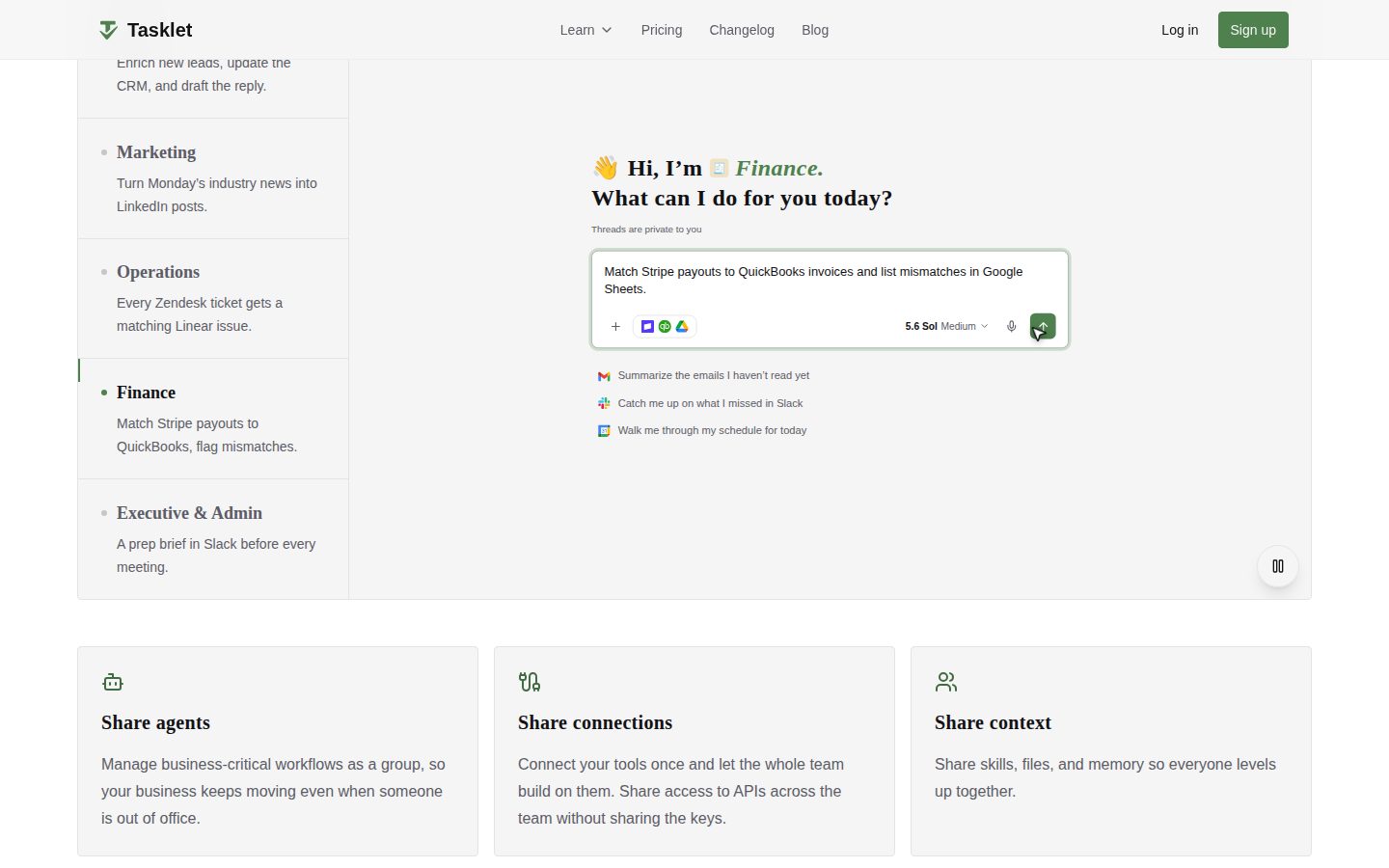
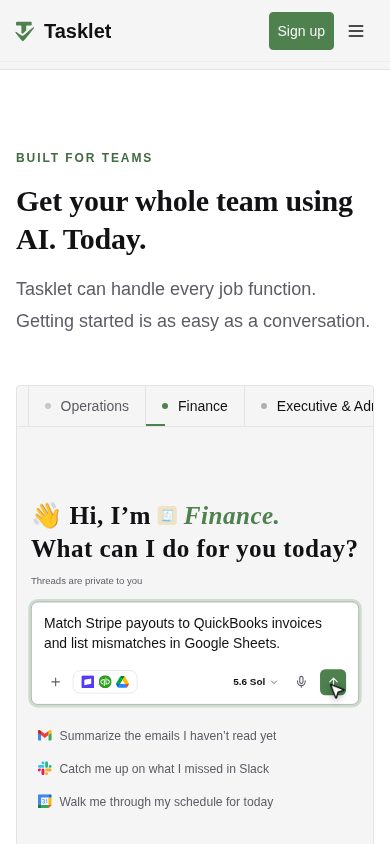
Using Tasklet, a user describes a goal in conversation with an agent, connects the tools needed (like Gmail, HubSpot, Slack, Zendesk, Linear, Stripe, or QuickBooks), and the agent carries out the task — such as drafting support email replies, enriching sales leads, matching payouts to invoices, or preparing meeting briefs. Once a workflow is validated, it can be turned into a recurring automation that runs on a schedule or in response to business events like a new email or a new CRM row, with the agent asking for human approval on steps that require it.
The website highlights several specific capabilities: agents can connect to thousands of SaaS tools, any MCP server, or any API, including private APIs, and when no API exists, the agent can use a built-in browser to operate older websites, internal apps, or vendor portals like a human would. Tasklet also supports "instant apps" — turning a prompt into a working internal tool such as a tracker or dashboard that is wired to real data and shareable with the team. Agents, tool connections, and context (skills, files, memory) can be shared across a team, and administrators get granular access controls, guardrails on what agents can do autonomously, spend analytics with per-agent credit caps, and a choice of underlying AI models from providers including Anthropic, OpenAI, Google, and open-source options like Kimi.
Users describe a goal in conversation and Tasklet creates an AI agent that can complete real tasks without a developer.
Tasklet gives access to multiple AI models (Anthropic Claude, OpenAI GPT, Google Gemini, open-source Kimi) in one place so teams can choose the best or cheapest model for each job.
Real-time analytics show where AI spend is going, with the ability to set credit caps per agent.
Agents can be scheduled or triggered by business events (new emails, Slack messages, CRM rows, tickets) to run workflows continuously without manual intervention.
Agents, their tool connections, and context can be shared across a team so workflows keep running even when someone is out of office.
Teams connect a tool once and share API access across members without exposing the underlying keys.
Skills, files, and memory can be shared across a team so everyone benefits from what an agent has learned.
Any prompt can be turned into live software (dashboards, trackers, calculators, approval workflows) wired to real data and tools, and shareable with the team.
When no API exists, agents use a built-in browser to access older websites, internal apps, and vendor portals like a human would.
Agents connect to thousands of SaaS tools, any MCP server, or any API, including private APIs.
The Tasklet app for Mac lets users open agents and threads in native tabs/windows and install instant apps to the Dock, with agents continuing to run in the cloud when the app is closed.
Granular permissions determine who can build, run, and connect agents, and what actions require human approval before proceeding.
A single console lets admins control agent behavior, visibility, and spend across the whole company.
Each agent runs in an isolated cloud environment, and the platform is SOC 2 compliant as attested by an independent auditor.
Usage-based pricing for teams — add unlimited team members for free and only pay for the work your agents actually do; no public per-unit rates listed on the page.
For larger or security-conscious organizations wanting a demo or custom setup; contact Tasklet via 'Book a demo' — no public pricing listed.

Org-wide credit pool instead of per-seat pricing is the real story here, not the agents.
“Tasklet bundles agent-building, browser automation, and shared team context into one console. No per-seat fee is the sharpest part of the pitch.”
$25/month gets you 10,000 credits, unlimited teammates, no seat tax. That pricing shape matters more than the agent demo — most competitors in this lane still charge per user, which punishes exactly the team collaboration Tasklet is selling.
The browser-based fallback for tools without an API is a real differentiator, not a gimmick. Vendor portals and ancient internal tools are where automation projects usually die, and letting an agent click through them like a human is a genuine capability, not a checkbox.
SOC 2 attestation and per-agent credit caps show someone thought about admin fear before launch. My hesitation: usage-based billing on autonomous 24x7 agents can run up fast if guardrails aren't tuned, and I couldn't find granular per-unit rates beyond the three named tiers. Pilot one workflow, watch the credit burn for 60 days, then decide.
No per-seat fee plus browser-based access to API-less vendor portals is a concrete edge over seat-priced agent tools.
SOC 2 and access controls are documented, but usage-based billing on autonomous agents needs clear cap defaults to avoid bill shock.
Turning a validated chat workflow directly into a scheduled automation shortens the path from idea to running process.
Shared agents and shared context across a team is a workflow shift, not just cheaper automation of what teams already do.
Named tiers ($25/$100/$250), SOC 2 attestation, and a changelog suggest active shipping, not a static landing page.
Teams ready to hand recurring, rule-bound work to agents and share one credit pool instead of per-seat licenses.
Skip it if you need predictable flat monthly costs rather than usage-based billing.

Isolated per-agent infrastructure and browser fallback make this a real integration platform, not a chatbot wrapper.
“Tasklet's architecture — isolated cloud environments per agent, browser-based access for API-less tools, SOC 2 attestation — reads like a team that's building for scale, not a demo. The open question is how much of your operational logic ends up encoded in their agent runtime versus your own systems.”
The isolated-cloud-per-agent design is the tell here. Most agent platforms run everything in a shared execution pool and bolt on tenant isolation later as a compliance patch; Tasklet built it in from the start, and SOC 2 attestation backs that up. That's the right call if you're routing Stripe, QuickBooks, and Zendesk credentials through shared connections — the blast radius of a single agent misbehaving stays contained.
The browser-fallback for API-less tools is the more interesting architectural bet. It means Tasklet isn't just an integration layer over documented APIs — it's making a claim on legacy internal apps and vendor portals nobody's ever going to build a clean API for. If that holds up under real vendor-portal UI drift, it's a durable moat. If it's brittle, you inherit a maintenance tax on every workflow that touches it.
Three years out: instant apps and shared context turn Tasklet into a place where institutional workflow logic lives, not just a task runner. That's a real dependency to weigh — migrating off a platform that's absorbed your team's tribal knowledge is a different problem than swapping a chatbot vendor.
Multi-model routing across Claude, GPT, Gemini and Kimi positions it as infrastructure rather than a single-model wrapper product.
Event-triggered automations against Gmail, HubSpot, Linear and Stripe map to how ops and RevOps teams actually operate today, with human approval gates for sensitive steps.
Thousands of SaaS integrations, any MCP server, and any API including private ones gives real breadth, though depth per integration is unverified from what I could see.
Shared agents and shared context accumulate operational knowledge inside the platform, which is valuable but raises the cost of ever leaving.
Isolated per-agent infrastructure plus a browser fallback for undocumented systems goes beyond typical prompt-to-webhook agent tooling.
Ops-heavy teams who need agents to operate legacy vendor portals and internal tools that have no API.
You need a fully predictable infrastructure cost model with no dependency on a vendor-hosted runtime.

$25 to $10,000 a month, in $5 steps. No seat tax, but no floor either.
“Org-level billing kills seat math, replaces it with a credit meter that's hard to forecast. No public per-credit rate makes year-1 budgeting a guess.”
Three named tiers: Starter $25/month for 10,000 credits, Pro $100/month for 40,000 credits, Custom $250/month for 100,000 credits. Custom amounts run $25 to $10,000 in $5 increments. No per-seat fee — unlimited team members share one pool. Fine for procurement, bad for forecasting: usage scales with agent activity, not headcount, so a busy quarter can blow past last quarter's bill with no seat count to warn you.
Credits-to-dollars conversion isn't published beyond the three tiers. That's the gap. $100/month buys 40,000 credits — what one drafted email or one lead enrichment costs in credits, I couldn't find. Year 3 TCO depends entirely on agent volume, and volume depends on adoption you can't predict at signing.
Enterprise tier is demo-gated, standard for SOC 2-compliant platforms selling into security-conscious buyers. No auto-renewal terms or contract length listed on the pricing page — worth asking before signing anything beyond Starter.
Self-serve tiers starting at $25/month avoid a sales call; only the top tier requires booking a demo.
Custom increments in $5 steps suggest negotiation room, but term length and renewal terms aren't visible on the pricing page.
Three tiers and a $25-$10,000 range are public, but the credit-to-task conversion rate isn't.
Per-agent credit caps and real-time spend analytics let you tie cost to specific workflows like invoice matching or lead enrichment.
No seat inflation risk, but usage-based credits make 3-year cost projection genuinely hard without a per-credit rate.
Teams comfortable managing a usage meter instead of a seat count.
Avoid if your finance team needs a fixed monthly number locked in before rollout.

Agents that hit real APIs and fall back to browser clicks when there's no API at all.
“Tasklet reads like it was built by people who've had to script around a vendor portal with no API. The browser-fallback path and MCP/API breadth are the interesting engineering bets here.”
The pitch that lands technically: agents connect to thousands of SaaS tools or any MCP server, and when there's no API, they drive a built-in browser against the vendor portal like a human would. That's the unglamorous integration work every automation engineer eventually hits — the internal app with no docs, the vendor that never shipped an API. Handling it natively instead of forcing a workaround through some other tool is a real design choice.
Day-3 concerns are less about capability and more about observability. Isolated per-agent cloud environments plus SOC 2 compliance cover the security box, and per-agent credit caps give you a spend ceiling to watch. But I couldn't find API reference docs in my pass over the site — for a platform built around 'any API, including private APIs,' that's the exact page a practitioner needs before trusting it with a Stripe or QuickBooks workflow.
Multi-model routing (Claude, GPT, Gemini, Kimi) is genuinely useful for tuning cost per task. Tradeoff: browser-driven steps are inherently slower and more brittle than a clean API call — that's the cost of the fallback, not a flaw unique to this platform.
Browser fallback and per-agent isolation suggest real production thought, but no visible API docs makes trust-building slower.
I couldn't find dedicated API reference docs, which matters for a platform pitching private-API and MCP connections.
Approval-gated steps and credit caps add checkpoints that are useful for control but add clicks across a busy week.
Instant apps, shared context, and multi-model selection (Claude, GPT, Gemini, Kimi) give real headroom past the basic agent-builder demo.
Event triggers off email, Slack messages, and CRM rows fit existing tool habits rather than demanding a new console-first workflow.
Teams with real integration debt — old internal systems, no-API vendor portals — who need agents that can actually reach those tools.
Avoid if you need fully hands-off automation with zero approval interruptions and can't tolerate browser-based steps being slower than an API call.

A solid agent platform on paper, but I can't tell you what a bad day looks like inside it.
“Tasklet packs a lot of real capability into one dashboard, from browser fallback to instant apps. What I can't judge from the outside is whether it feels calm or chaotic when an agent gets stuck mid-task.”
You describe a goal, connect Gmail or HubSpot or Stripe, and an agent goes and does the thing. That's the pitch, and the feature list backs it up: instant apps, shared context, per-agent credit caps starting at $25/month for 10,000 credits. What's missing from what I could find is the texture of using it daily. What does the agent say when it's stuck halfway through a task waiting on your approval? Does it sit there politely or does it look broken?
The Mac app is a good sign someone's thinking about how this lives on your desktop day to day, not just as a browser tab you forget about. But I couldn't find much on what happens when a browser-driven step against an old vendor portal times out mid-run, and that's the moment that actually tests a tool like this.
The admin console and SOC 2 badge suggest the backend is taken seriously. Whether the front-of-house moments feel that solid too, I genuinely don't know yet.
Instant apps and a native Mac app suggest attention to daily use, but I found no detail on empty states or error copy.
Shared agents and shared context should flatten the curve for new teammates, though multi-model choice adds a decision new users must learn to make.
Only a Mac desktop app is mentioned; no phone or tablet experience is described, so mobile access is an open question.
Describing a goal in plain conversation to spin up an agent is a low-friction start, and $25/month removes a sales-call barrier.
SOC 2 compliance and isolated per-agent environments signal backend rigor, but I couldn't find how the product surfaces failure mid-automation.
Teams comfortable running most of their day from a desktop who want one shared pool of agents instead of per-seat licenses.
Avoid if your team lives on phones and needs full mobile control over agents, not just cloud continuity.

Run your business on agents. Pay $25 to find out what that means.
“"Run your business on agents" is the kind of superlative that ages poorly once you're staring at a credit meter. The feature list is deep. The unit economics are opaque.”
"Run your business on agents" is a big promise for a product whose cheapest tier is $25/month for 10,000 credits. What's a credit worth in actual tasks? Not stated anywhere I could find. That gap between headline ambition and pricing-page vagueness is the first thing I'd want closed before rollout.
The capability list — instant apps, browser fallback for API-less tools, SOC 2, multi-model routing — reads specific, not aspirational. That's a point in its favor. I've seen agent platforms promise 'connects to anything' with three integrations live. Tasklet names Gmail, HubSpot, Zendesk, Stripe, QuickBooks specifically, which is the kind of detail that either holds up or gets quietly walked back.
Custom tier scales to $10,000/month with no stated ceiling above that, which tells me enterprise deals are handled off-page, standard for this category. Fine if you're negotiating. Less fine if you just want a number to plan around.
Org-level billing with unlimited seats and multi-model choice is a real structural difference from seat-priced competitors, though no named rival appears to compare against directly.
Shared context, connections, and instant apps built up over time create real lock-in even if the underlying models are swappable.
A changelog and blog suggest active shipping, but I couldn't find docs or an API reference for a platform built around private-API connections.
Claims are specific (named tools, named models, SOC 2) rather than vague superlatives, but 'run your business' oversells what's still task-level delegation.
Named capabilities like the browser fallback and instant apps are concrete, but there's no visible case study showing them working end to end.
Teams willing to run a pilot to learn Tasklet's actual credit burn before committing budget.
Avoid if you need a fixed monthly number to take to finance before you've run a single agent.
Common questions answered by our AI research team
Tasklet starts at $25/month (Starter, 10,000 credits), $100/month (Pro, 40,000 credits), or $250/month (Custom, 100,000 credits), with custom monthly amounts from $25 to $10,000 available in $5 increments.
No. Tasklet is billed at the organization level with no per-seat fees — you can add unlimited team members for free and everyone shares one credit pool, paying only for usage.
Yes. When a tool has no API, Tasklet agents can use a built-in browser to access older websites, internal apps, and vendor portals just like a human would.
Yes, Tasklet is SOC 2 compliant, reviewed and attested by an independent auditor.
Yes. Agents can run automatically based on business events like a new email, a Slack message, or a new CRM row, working 24x7 to keep processes moving even when you're offline.
Tasklet is an AI agent platform that lets companies delegate automated workflows and tasks to AI agents connected to their existing tools.