AI teaching tools for lesson plans, materials, and grading
TeachQuill is an AI-powered platform of teaching tools for K-12 and college educators.
AI Panel Score
6 AI reviews
Reviewed
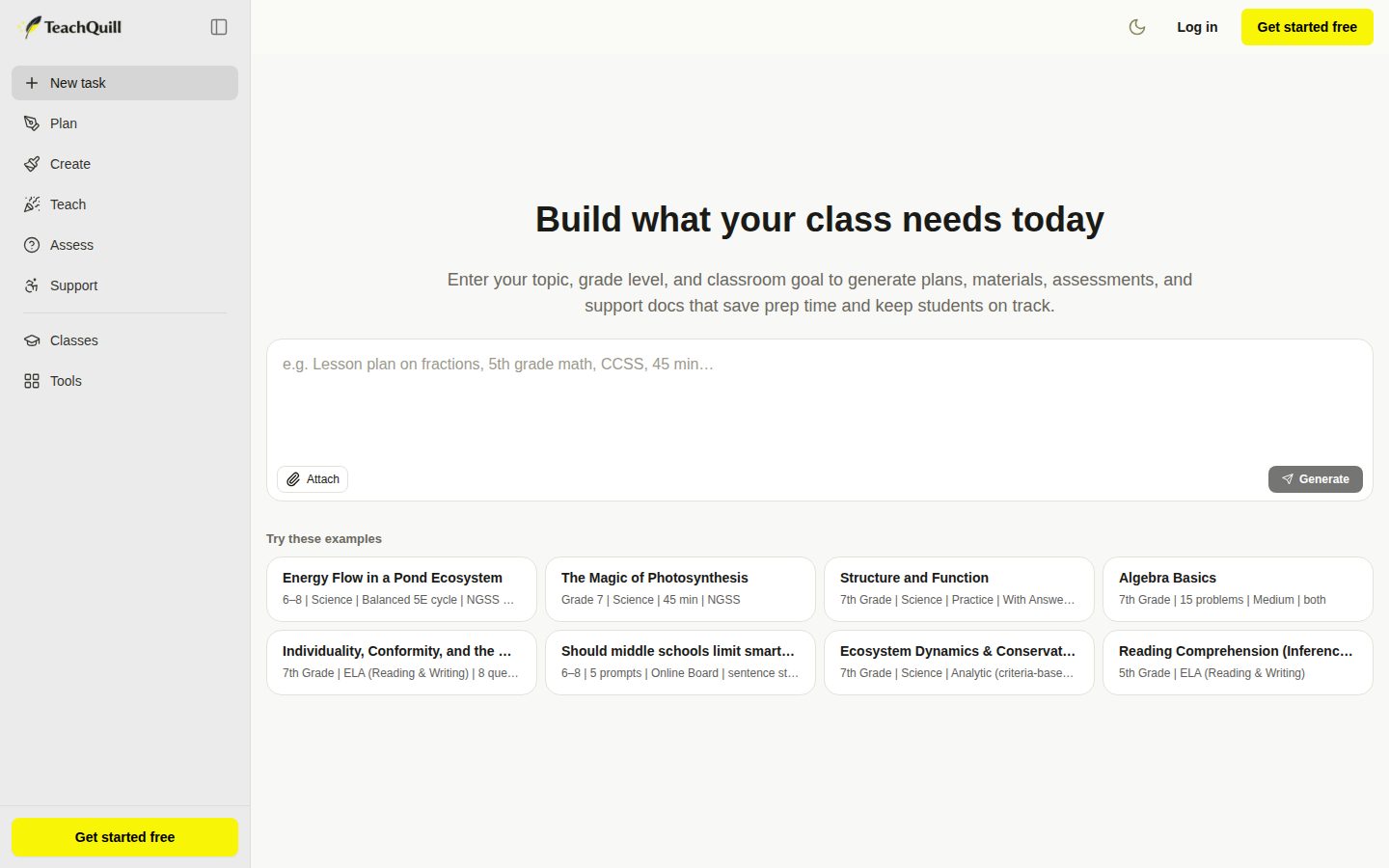
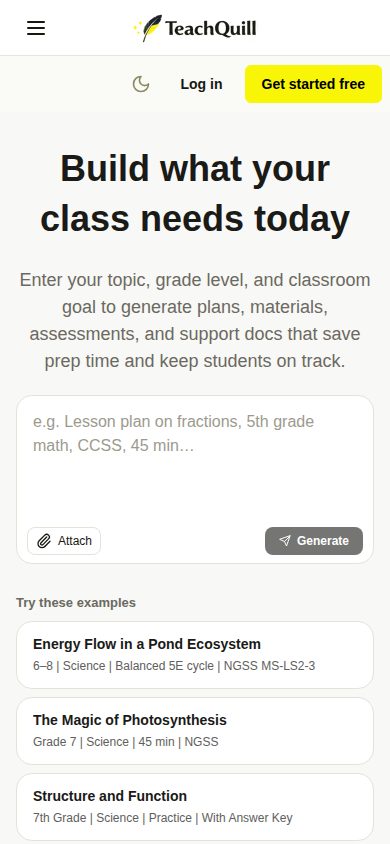
TeachQuill works from a single input box where a teacher describes what they need in plain language, such as a 45-minute NGSS-aligned photosynthesis lesson for 8th grade. The AI identifies the task type and routes it to the appropriate tool, generating a structured, standards-aligned draft in under 60 seconds. Outputs are organized into five stages of teacher workflow — Plan, Create, Teach, Assess, and Support — covering things like unit plans, worksheets, review games, rubrics, and IEP goals. Every output is editable inline before export, so teachers refine the draft rather than starting from a blank page or rebuilding generic AI content.
The platform includes over 100 named tools, such as a 5E Lesson Plan Generator, Sub Planner, Differentiated Instruction Generator, IEP Goal Generator, BIP Generator, Curriculum Mapper, Essay Feedback Generator, and Report Card Comments generator. It automatically differentiates materials into multiple levels (e.g., a fractions worksheet generated at below-grade, on-grade, and above-grade versions) and tags outputs with the specific standard addressed. For special education and ESL/ELL use cases, tools are described as IDEA-informed, FERPA-safe, and WIDA-aligned, and IEP or behavior plan generation does not require entering student-identifying information.
TeachQuill is aimed at K-12 classroom teachers, special education specialists, ESL/ELL instructors, department heads, college faculty, and substitute teachers. It uses a freemium pricing model: a free plan offers 30 daily refreshed credits and access to basic tools, a Pro plan at $15/month (billed annually, $25 month-to-month) adds 4,000 monthly credits, access to all tools, faster generation, and unlimited history, and a custom School & District plan adds admin dashboards, SSO/DPA support, and shared template libraries. It competes in the AI-for-education category alongside tools like MagicSchool AI and Curipod.
The product is web-based and states compliance with FERPA and COPPA, with student data not stored or used for model training. Standards alignment (CCSS, NGSS, TEKS, AP/IB, WIDA, C3) is described as built into the generation model and checked against official sources, and every tool's structure is stated to have been reviewed by practicing K-12 teachers, instructional coaches, and special education specialists.

Generates rubrics, assessment checklists, peer assessment forms, essay feedback, and report card comments to speed up grading and feedback.
Takes one text or worksheet and produces multiple leveled versions (below-grade, on-grade, above-grade) so students access the same content at their level.
Teachers describe a task in plain language (topic, grade level, goal) and the AI routes it to the appropriate tool and generates a structured, standards-aligned output.
Automatically tags and checks generated content against CCSS, NGSS, TEKS, AP/IB, WIDA, and C3 frameworks to ensure standards-aligned outputs.
Provides school and district admins a dashboard for seat management, usage analytics, reporting, and shared template libraries.
Creates worksheets, quizzes, slides, flashcards, and graphic organizers that are differentiated and export-ready, including math and vocabulary worksheet generators.
Produces Jeopardy-style review games, exit tickets, Socratic/discussion questions, debate topics, and choice boards ready for classroom use.
Saves generation history in unlimited folders so teachers can revisit, edit, and export previously created resources.
Creates IEP goals, BIPs, 504 plans, social stories, and visual schedules that are IDEA-informed and FERPA-safe, without requiring student identifying information.
Generates lesson plans, unit plans, curriculum maps, syllabi, and sub plans, including a 5E lesson plan generator and weekly/daily planners, for any grade or subject.
Allows teachers to review and edit any AI-generated output directly within the platform before using it in class.
Tailors available tools and workflows to specific educator roles such as K–12 teachers, SPED specialists, ESL/ELL instructors, department heads, college faculty, and substitutes.
Exports generated resources to PDF, Google Docs, Slides, DOCX, or plain text for printing, sharing, or further editing.
Ensures student data is never stored or used for model training, meeting federal education privacy and children's online privacy requirements.
Get started with essential tools
Standard teacher monthly usage
Empower your entire staff — custom pricing, contact sales
Solid teacher productivity tool, but this is a procurement decision for schools, not a boardroom one.
“TeachQuill does one job well: turning a teacher's plain-language request into a standards-aligned draft in under a minute. The question for us isn't whether it works. It's whether it's our bet to make.”
No public funding data, no team size, no docs or changelog. That's not disqualifying for a $15/month SaaS tool, but it means I can't tell you if this company exists in three years. Category norm for edtech tools at this price point is a two-year survival rate, not five.
What it does, it does cleanly. 100+ named tools, five-stage workflow (Plan, Create, Teach, Assess, Support), automatic differentiation into below/on/above-grade versions, FERPA/COPPA compliance without storing student PII. Competes directly with MagicSchool AI, which has more visible institutional traction.
This isn't a company-direction bet. It's a cost-saver for teacher prep time, and a district-level one at that. Pilot it in one school, watch renewal math at the $15/seat tier, don't bring it to the board as strategy.
MagicSchool AI and Curipod occupy the same space with more visible district adoption to date.
FERPA/COPPA compliance and no-PII IEP tools make this a safe, unremarkable choice to defend.
Sub-60-second generation and inline editing mean teachers see usable drafts on day one.
Saves teacher prep time on tasks already being done manually, not a new capability for the org.
No funding, team, or time-in-market data available; freemium pricing alone doesn't prove runway.
A single school or department piloting AI-assisted lesson prep at low cost and low commitment.
You need a vendor with visible funding and multi-year track record before a district-wide rollout.
Solid instructional-design coverage across five workflow stages, but the PD story is thin.
“TeachQuill covers the teacher production workflow well — planning, materials, grading, IEP support — with standards tagging built in. What's missing is any visible mechanism for building staff capacity, not just output.”
100+ named tools mapped to Plan, Create, Teach, Assess, Support is the right mental model — it mirrors how instructional coaches actually structure PD, not how a generic chatbot organizes prompts. The Differentiation Generator producing below/on/above-grade versions from one input addresses a real coaching pain point: teachers know they should differentiate, they just don't have the planning hours.
What concerns me over a 3-year horizon is that this is an output tool, not a capacity-building one. IEP Goal Generator and BIP Generator are IDEA-informed and skip student PII, which solves the FERPA problem, but nothing here trains a new teacher to write a goal without the tool. Compare to MagicSchool AI, which has leaned harder into district PD partnerships.
At $15/month annual (4,000 credits) versus $25 month-to-month, the Pro tier is cheap enough for individual adoption to outrun any district rollout plan, which is its own governance risk.
Sits credibly against MagicSchool AI and Curipod on breadth, priced lower at $15/month annual than most district-tier competitors.
The Plan/Create/Teach/Assess/Support structure mirrors actual teacher workflow stages rather than generic AI categories.
Exports to PDF, DOCX, Google Docs/Slides cover LMS workflows, but no API or SSO below the District tier limits rostering.
Strong on output generation, silent on staff capacity-building, meaning reliance grows without skill transfer.
100+ tools with standards tagging (CCSS, NGSS, TEKS, WIDA) shows real instructional design work, not a wrapper.
Individual teachers and small departments who need fast, standards-tagged drafts across planning, materials, and IEP documentation.
You need a district-wide PD strategy that builds staff instructional skill rather than just accelerating output.
$15/month annual, $25 monthly. Two tiers, no sales call needed.
“$15/seat annual for one teacher — the math is simple until district pricing shows up. Custom-quote tier for schools is the real gap.”
$15/month billed annually. $25 month-to-month. 4,000 monthly credits, all 100+ tools unlocked. One teacher, one year: $180. Cheap next to MagicSchool AI's district-first model, though feature parity on standards alignment (CCSS, NGSS, WIDA) looks close.
The individual math is clean. The district math isn't published. School & District tier is custom quote — no seat price, no credit allotment shown. That's where procurement friction lives, not in the Pro tier.
No stated auto-renewal terms for annual billing. No termination clause visible. Standard for freemium SaaS, but worth asking before signing a school-wide contract. Free tier's 30 daily credits work fine for evaluation — real due diligence before the district PO.
Simple card billing for individuals; DPA/SSO support 'upon request' signals district onboarding still needs a call.
No published auto-renewal or cancellation terms for annual billing found in evidence.
Individual tiers fully published at $15/$25; district tier hidden behind 'contact sales.'
Time-to-draft under 60 seconds is measurable; grading/planning hours saved isn't quantified anywhere.
$180/year per teacher is low, but district-scale credit needs and admin dashboard costs aren't quoted anywhere.
Individual teachers or small departments testing AI lesson-planning tools on a personal card.
You're a district buyer who needs firm per-seat numbers before board approval.
Grading pile still wins some days, but the Support stage earns a real spot in the workflow.
“TeachQuill's five-stage split (Plan, Create, Teach, Assess, Support) actually mirrors how a teaching week runs. Credits and standards-tagging are the real friction points once the novelty wears off.”
Sunday night lesson planning is where this either earns its keep or gets closed after ten minutes. The 5E Lesson Plan Generator and Sub Planner cut real prep time — under 60 seconds per draft is fast enough to not break flow. Differentiation into below/on/above-grade versions from one worksheet is the feature I'd actually build a Monday routine around.
Where it gets tested is credit math. Free tier's 30 daily refreshed credits sound generous until you're generating IEP goals, a rubric, and exit tickets back to back — Pro's 4,000 monthly credits at $15/month (billed annually, $25 month-to-month) is the real teacher tier. No API, no docs page listed, so troubleshooting standards-tagging errors (CCSS vs NGSS mismatches) means trusting the blog, not a manual.
Compared to MagicSchool AI, the 100+ named tools and IEP/BIP generators without student PII input are a genuine differentiator for SPED staff. Inline editing keeps it from feeling like generic AI slop dumped on a blank page.
Fast generation (under 60 seconds) and inline editing hold up past the demo, but credit limits bite by week two.
No public docs page or API listed; buyer questions cover basics but leave standards-verification methodology unclear.
30 daily free credits vs 4,000 monthly Pro credits creates real math-checking friction for heavy weekly users.
100+ named tools and role-based sets (SPED, ESL, dept head) scale well, but discoverability across that many tools is untested by the evidence.
The Plan/Create/Teach/Assess/Support structure maps directly onto actual teacher workflow stages.
A K-12 or SPED teacher who preps multiple leveled materials weekly and wants standards tagging built in.
Skip if you need API access or detailed technical docs to trust the standards-alignment claims.
One input box, 100+ tools — the pitch is speed, and on paper it delivers.
“TeachQuill's single-box-to-standards-aligned-draft workflow is the kind of thing that saves real Sunday-night hours. The question is whether it holds up after the credits run out mid-month.”
Here's what got my attention: 4,000 monthly credits on the $15 Pro plan, on top of 30 daily refreshed ones. That's the kind of number a teacher can actually do math on before buying, unlike tools that just say 'unlimited' and hope you don't ask questions. The differentiation generator — one worksheet becomes below-grade, on-grade, above-grade automatically — is the feature I'd actually open every day. That's not a demo trick, that's Tuesday night at 9pm.
Competes with MagicSchool AI and Curipod, and the standards tagging (CCSS, NGSS, TEKS, WIDA) plus FERPA/COPPA claims are table stakes now, not differentiators. What is a differentiator: no student PII required for IEP or BIP generation, which is the kind of detail that tells me someone who's actually dealt with a district privacy office was in the room.
No free trial on Pro, web-only, no mobile app mentioned anywhere in the evidence. For a job that happens in hallways and cars between periods, that's a real gap.
Inline editing and unlimited history on Pro suggest the team thought past the first draft, per the feature list.
100+ named tools organized into five workflow stages (Plan, Create, Teach, Assess, Support) aids discoverability.
Platforms listed as web only, no mobile app evidence for a workflow that happens between classes.
Single input box for plain-language task description is a low-friction start, no docs needed to begin generating.
Sub-60-second generation is claimed but no changelog or uptime data is public to verify consistency over time.
A classroom or SPED teacher who wants standards-aligned drafts fast and is fine editing on a laptop.
You need real mobile access or want to try paid tiers risk-free before committing.
100+ tools is a MagicSchool feature list, not a moat.
“TeachQuill looks competent and cheap, but so does everyone else in this space right now. No docs, no changelog, no funding signal visible.”
MagicSchool AI already owns this pitch — standards-aligned, IEP-safe, teacher-reviewed content generation. Curipod too. TeachQuill's 5E Lesson Plan Generator and IEP Goal Generator are solid named features, but '100+ tools' is the kind of superlative that inflates a spreadsheet more than a product.
Pricing is fair: $15/month annual, $25 month-to-month, 4,000 credits. Free tier's 30 daily credits is generous for trial use. FERPA/COPPA claims are specific and testable, which is good — no vague 'privacy first' hand-waving.
What's missing: no docs, no changelog, no visible funding or team page. Category norm for ed-tech tools at this stage is thin margins and fast pivots — BYJU'S, Chegg's AI push, a dozen 'AI teaching assistant' startups from 2023 didn't survive contact with district procurement cycles. Exit is easy — it's just documents, exports to DOCX/PDF. Staying power is the open question.
Feature set overlaps heavily with MagicSchool AI and Curipod; no unique wedge named beyond breadth.
Exports to PDF, DOCX, Google Docs, Slides — no lock-in on the content itself.
No docs, no changelog, no visible funding or team info — thin public signal for a 3-year bet.
Claims are specific and checkable (FERPA, credit limits) rather than pure superlative, though '100+ tools' inflates the count.
Matches the crowded 2023-24 AI-for-teachers wave; category norm is high churn and district budget resistance.
Individual teachers wanting a cheap, fast draft generator for lesson plans and IEP paperwork.
You need proof of a multi-year roadmap before rolling this out district-wide.
Common questions answered by our AI research team
TeachQuill Pro costs $25.00/month billed monthly, or $15.00/month when billed yearly (saving $120/year). It includes 4,000 monthly refreshed credits, access to all tools, faster generation, unlimited history and folders, and priority support.
The Free plan gives you 30 daily refreshed credits, access to basic tools, standard speed, basic export (copy/PDF), and limited history — no cost to get started.
Yes, TeachQuill is FERPA compliant. It does not store student Personally Identifiable Information (PII), and tools are designed so you never need to input student names.
Yes, generated resources can be exported to Google Drive, downloaded as PDFs, or shared via a direct link for easy collaboration with co-teachers and admins.
Yes, TeachQuill includes a dedicated Support stage with tools like an IEP Goal Generator, BIP Generator, 504 School Plan Generator, and differentiation tools that are IDEA-informed and FERPA-safe.
TeachQuill is an AI-powered platform that helps teachers create lesson plans, worksheets, quizzes, rubrics, and feedback.