AI that works inside the tools teachers already use
Brisk Teaching is an AI platform for K-12 teachers, schools, and districts that supports lesson planning and instruction.
AI Panel Score
6 AI reviews
Reviewed
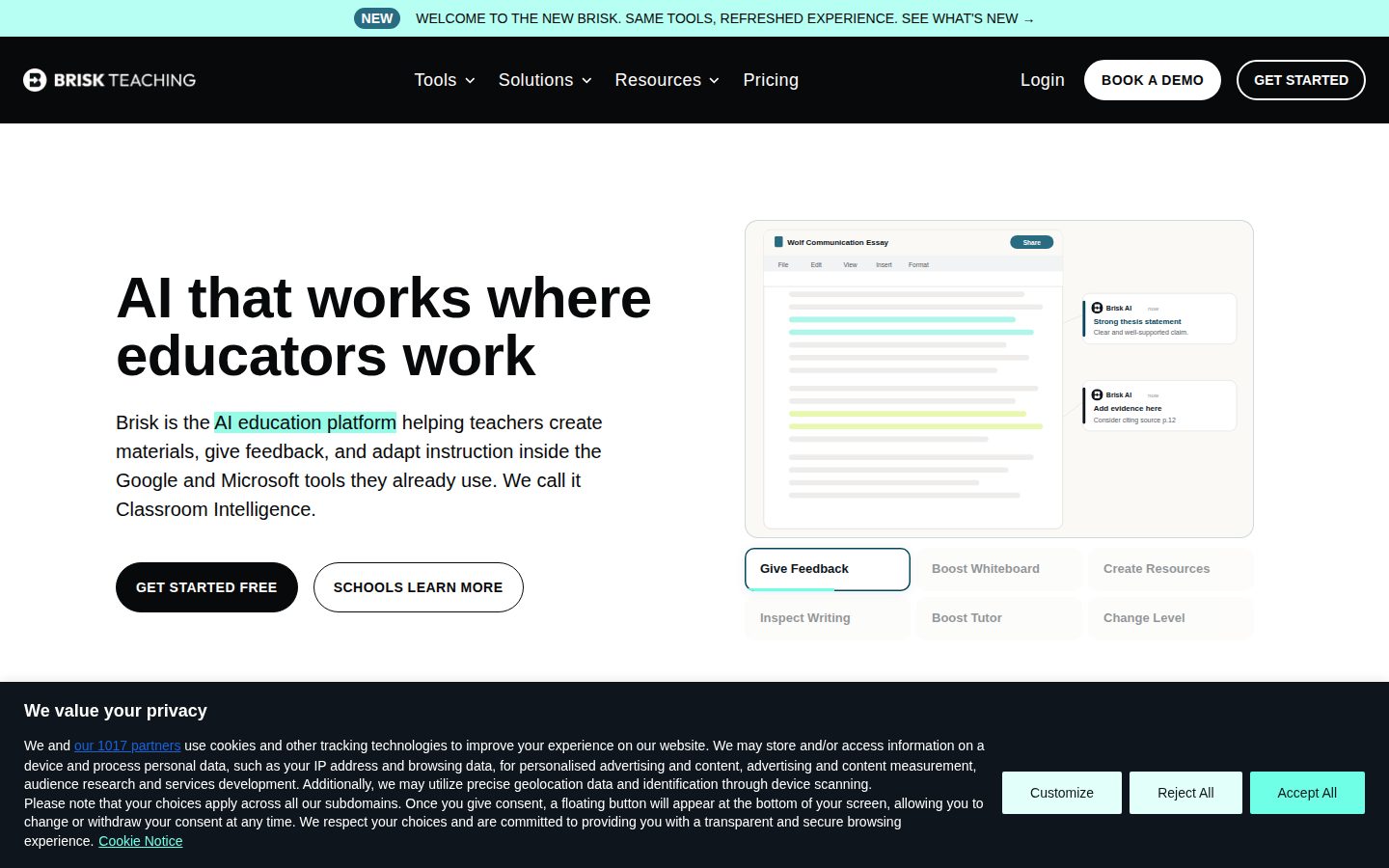
AI Editor ApprovedApproved and published by our AI Editor-in-Chief after full panel analysis.Teachers use Brisk primarily through a browser extension that adds AI capabilities to tools they already work in, including Google Docs, Slides, PDFs, and YouTube. Instead of switching to a separate application, educators can generate a presentation from an online article, create a quiz from a PDF, or adjust the reading level of a digital text without leaving their existing workflow. The platform also includes Brisk Next, a web-based hub for planning and instruction, and Brisk Boost, a student-facing AI workspace designed to keep teachers in control of how students interact with AI.
Specific tools include an AI Presentation Maker that turns articles, videos, or PDFs into editable Google Slides or PowerPoint decks customizable by grade and standard; a Lesson Plan Generator; a Rubric Generator; a Quiz Generator that outputs to Google Docs, Word, or Google Forms with embedded answer keys; an IEP Goal Generator for special education planning; a Math Problem Generator; and a Syllabus Generator. Brisk also supports text translation into more than 50 languages, feedback generation on student assignments, and a feature called Inspect Writing that replays how a student's writing developed over successive revisions.
Brisk is built for teachers, instructional coaches, and district leaders in K-12 education rather than individual consumers or higher-ed instructors specifically. It offers a free tier alongside paid plans, positioning it in the AI-for-education category alongside tools like MagicSchool AI and Curipod. Pricing and plan details are published on the company's website.
The product is delivered as a browser extension plus web applications (Brisk Next and Brisk Boost), and is built to work within existing school technology stacks such as Google Workspace and Microsoft Office rather than as a standalone system requiring separate infrastructure.

Builds interactive, AI-powered student activities such as tutors, quiz-me sessions, debates, exit tickets, and writing coaches complete with learning objectives and guardrails.
Adjusts the reading level of any article, document, or webpage to meet students where they are, generating a new leveled version of the file.
Writes personalized, rubric-aligned feedback on student essays and documents as inline comments for one student or an entire class at once.
Gives school and district administrators a centralized, nightly-updated view of teacher usage, hours saved, and a feature-by-feature breakdown, with CSV export for reporting.
Automatically generates quizzes with built-in answer keys from any content, working directly in Google Forms and Docs.
Instantly turns any article, video, or idea into a complete lesson set including presentations, guided notes, quizzes, rubrics, and worksheets.
Generates AI outputs grounded in a district's actual curriculum and standards so teachers get customized, standards-aligned content rather than generic material.
Translates lessons, feedback, and other classroom materials into 20+ languages to support differentiation for English learners and families.
Connects Brisk's tools to Claude so teachers can chat about their work and get ready-to-use links to instructional materials without switching browser windows.
Operates directly inside Google Docs, Slides, Forms, Classroom, YouTube, PDFs, Microsoft Word, PowerPoint, Canvas, and Microsoft 365 without requiring exports or copy-pasting.
Complies with K-12 student data privacy laws including FERPA and COPPA and is SOC 2 Type II and GDPR compliant, holding a 93% Common Sense Privacy Rating.
Supports role-based access controls and audit logging while encrypting all data in transit and at rest to protect student and teacher information.
For every teacher - free forever, self-serve access to AI tools inside the apps they already use
Custom pricing for schools & districts wanting standards alignment, cross-classroom insights, and tools for every teacher
Custom pricing for districts wanting curriculum fidelity at scale, built on their adopted curriculum and pacing
Free tier that actually works, plus a district upsell path that makes financial sense.
“Brisk sits inside Google Docs and Slides instead of asking teachers to learn new software. That's the whole pitch, and it's a good one.”
Zero dollars for the Educator plan, unlimited usage, 20+ tools. No credit card fight, no pilot approval needed — a teacher just installs the extension. That's how you win a bottoms-up market school districts can't move fast in.
The district tier is where this gets real. 93% Common Sense Privacy Rating, SOC 2 Type II, FERPA and COPPA compliance — that's the stuff that actually gets a purchase order signed, not the AI Presentation Maker.
Competitor is MagicSchool AI, same K-12 niche, same freemium model. Brisk's edge is the browser-extension approach versus a separate app — less switching cost, but you're dependent on Google Workspace staying the dominant school stack. No funding data public, so runway is a guess.
Competes directly with MagicSchool AI in the same freemium K-12 lane; extension-based delivery is the differentiator, not a moat.
93% Common Sense Privacy Rating and FERPA/COPPA/GDPR compliance make this an easy yes for a superintendent's board.
Free tier with unlimited usage means a teacher gets value day one with zero procurement delay.
Automates lesson planning and grading districts already do manually — real time savings, not just a cheaper version of existing spend.
No public funding data; time-in-market and team size unknown, but SOC 2 Type II suggests real operating maturity.
Districts already standardized on Google Workspace who want teacher AI adoption without a new procurement cycle.
Skip it if your district runs a non-Google, non-Microsoft LMS stack where the extension model won't fit.
Brisk's browser-extension model matches how teachers actually plan, but curriculum fidelity still needs district-level scaffolding.
“Brisk meets teachers inside Docs, Slides, and YouTube instead of asking for a workflow change, which is the right adoption model for K-12. The three-tier structure — Educator Free, Premium, Intelligence — shows they understand district procurement, not just classroom demos.”
Twenty-plus tools on the free tier, 35+ on Premium, and a Turbo model reserved for paid districts. That tiering tells me they've mapped the real buyer journey: teacher tries it free, district adopts once there's an admin dashboard and audit logging to justify the spend. The Curriculum-Grounded Outputs feature on Intelligence — pacing and scope-and-sequence built into generation — is the piece that separates this from a generic AI writing tool.
Competitors like MagicSchool AI and Curipod play in the same lane, but Brisk's bet on living inside Google Workspace and Microsoft 365 rather than being a destination app is the stronger three-year position. The tradeoff: that dependency means Brisk's ceiling is partly set by what Google and Microsoft allow extensions to do.
93% Common Sense Privacy Rating and SOC 2 Type II compliance clear the district IT bar most tools stall on.
Sits alongside MagicSchool AI and Curipod but differentiates on district-grade admin tooling and a 93% privacy rating.
Extension-based delivery inside Docs, Slides, Forms, and Canvas matches actual teacher workflow rather than demanding a new tool habit.
Native support across Google Workspace, Microsoft 365, Canvas, and a Claude connector covers the actual district tech stack.
Curriculum Intelligence tier locks districts into Brisk's model of their pacing guides, a real switching cost after adoption.
IEP Goal Generator and Inspect Writing go beyond generic content generation into real instructional craft.
District leaders who want a teacher-adopted AI tool that grows into standards-aligned, admin-monitored deployment.
You need transparent published pricing before bringing a proposal to your school board.
Free tier is real. District tiers say 'custom pricing' — the number that matters.
“Educator plan: $0/month, unlimited usage, forever. Premium and Intelligence tiers: no listed price anywhere.”
Educator Free: $0/month. 20+ tools, unlimited usage, standard model. Real free tier, no bait.
Premium and Intelligence tiers both list as 'Free' with 'custom pricing' underneath. That's not pricing. That's a sales call. Compare to MagicSchool AI, which at least publishes district tier ranges. Procurement can't budget against 'custom.' A district of 50 teachers scoping Premium has to negotiate blind, then face renewal at whatever number sales quotes year two.
TCO math is incomplete by design. Free tier costs $0 × 3 years = $0, fine for individual teachers. District tier: unknown seat price × unknown teacher count × unknown escalation. SOC 2 Type II and FERPA/COPPA compliance are documented, which helps procurement's security review but doesn't help the CFO's budget line. 93% Common Sense Privacy Rating is a real number — rare in this space, and worth something in the vendor risk column.
SOC 2 Type II, FERPA/COPPA compliance and IT approval packets ease district security review, but pricing still routes through sales.
No published term length or auto-renewal terms for Premium/Intelligence tiers in evidence provided.
Free tier fully disclosed; both paid tiers hide behind 'custom pricing' with no ranges.
Admin dashboard tracks 'hours saved' with CSV export — a measurable proxy, though self-reported.
Can't model 3-year cost for district tiers without a quote; free tier alone is $0 but capped in tools.
Individual teachers who only need the free tier and never touch district features.
You need to budget district-wide costs before talking to sales.
Lives in Docs and Slides where teachers already are — that's the whole pitch, and it mostly holds up
“Brisk skips the new-tab-new-login problem that kills most edtech AI tools by riding shotgun in Google Workspace. The Sunday-night lesson-planning test passes; the Thursday-afternoon power-user test is less clear from the evidence.”
Grading papers at 9pm, opening a browser extension beats opening a new platform. That's Brisk's real bet, and the extension-in-Docs-and-Slides model is the right call versus MagicSchool AI's more standalone feel. Quiz Generator dropping straight into Google Forms with an answer key, Rubric Generator, Change Reading Level — these map to actual Tuesday tasks, not demo-day tasks.
The free tier is genuinely unlimited usage on 20+ tools, which matters for a profession that pays out of pocket for classroom supplies. But the jump to Premium's 35+ tools, Turbo model, and Curriculum Intelligence is custom-priced district-only — an individual teacher wanting the good model has no self-serve path.
Docs situation is thin: no public documentation link in the evidence, just a blog and changelog. For a tool teachers are expected to self-serve onboard with, that's a gap. Power-user depth (IEP goals, Inspect Writing, Claude connector) looks real but discoverability outside admin-managed rollouts is unclear.
Living inside Docs/Slides means no new login fatigue by day three, a real advantage over standalone AI-ed platforms.
Evidence shows a blog and changelog but no dedicated docs page, thin for teachers expected to self-serve.
Free tier is unlimited on core tools, but Premium's 35+ tools and Turbo model are custom-priced and district-gated, not self-serve.
IEP Goal Generator, Inspect Writing, and a Claude connector show real depth, but rollout looks admin-controlled rather than individually discoverable.
Extension works across Docs, Slides, Forms, Classroom, PDFs, Canvas and Microsoft 365 without export/copy-paste steps.
A K-12 teacher or district already standardized on Google Workspace who wants AI without leaving their existing tools.
You're an individual teacher wanting Turbo-tier tools without district-level purchasing power.
Lives inside Google Docs instead of asking teachers to visit yet another app, and that matters.
“Brisk skips the separate-dashboard trap by working right inside Docs, Slides, and YouTube. The free tier is genuinely free forever, which is rare in this category.”
Most AI-for-teachers tools want you to log into a new site and copy-paste your lesson into it. Brisk's whole pitch is that it doesn't — it's a Chrome extension living in Docs, Slides, Forms, and YouTube, so the quiz generator or reading-level changer shows up where you're already working. That's the right instinct for anyone who's ever tried to get a teacher to adopt a 'one more tab' tool at 4pm on a Tuesday.
The free Educator plan is unlimited usage, forever, not a 14-day trial dressed up as generosity. Compare that to MagicSchool AI's tiered credit system and it's a real differentiator. The district tiers (Premium, Intelligence) are custom-priced, which means the actual cost is a black box until a sales call happens.
The 93% Common Sense Privacy Rating and SOC 2 Type II compliance are the kind of thing that gets a district IT department to say yes. Mobile is web-only through the extension, so this lives on a laptop, not a phone, which is fine for classroom use but worth knowing going in.
Embedding directly into Docs/Slides/YouTube instead of a separate app is a daily-use decision, not a demo decision.
20+ tools on free tier scale to 35+ on Premium, with curriculum-grounded outputs adding depth for districts without breaking simplicity for solo teachers.
Delivered as a Chrome/Edge extension plus web apps, with platforms listed as web only, so there's no dedicated mobile product.
Free-forever Educator tier with unlimited usage removes the usual trial-anxiety onboarding friction.
SOC 2 Type II and GDPR compliance signal operational maturity, though no public uptime or error-state data is available.
A K-12 teacher or district that wants AI tools inside Google Workspace without adding a new standalone app.
Skip it if your school runs mainly on tablets or phones rather than laptops with browser extensions.
$0 forever tier, but 'Premium' and 'Intelligence' both list price as 'Free' — pricing page needs work.
“Brisk's browser-extension approach is the right shape for the category. But the pricing table has a real honesty problem, and the moat versus MagicSchool AI isn't obvious yet.”
No API listed. No public docs. That's normal for K-12 edtech in 2024, but it means IT departments do diligence the hard way — through the Privacy Center and IT approval packets, not self-serve reading.
The 93% Common Sense Privacy Rating and SOC 2 Type II claim are specific and checkable, which is more than most 'AI for teachers' pitches offer. Good sign. The pricing page is a worse sign: Premium and Intelligence both display as 'Free' when they're actually custom quotes for districts. That's the kind of imprecision that erodes trust with a skeptical superintendent fast.
Exit is fine — it's a Chrome extension over Google Docs and Slides, so you revert to native tools with no lock-in. Differentiation versus MagicSchool AI and Curipod is thinner: curriculum-grounded outputs and the Claude connector help, but the core pitch (lesson plans, quizzes, feedback) is now category-standard, not a moat.
Curriculum-grounded outputs and Claude connector are notable, but core feature set overlaps heavily with MagicSchool AI.
It's a browser extension over Google Docs/Slides — remove it and native tools still work, no format lock-in.
Blog and changelog are active and SOC 2 Type II is real, but no funding figures or headcount are disclosed.
Pricing table lists custom-quote tiers as 'Free' — a specific, checkable inaccuracy on their own site.
Free-forever teacher tier plus paid district tier mirrors the successful Grammarly-for-schools and Canva Edu playbook.
Individual teachers who want free AI tools inside Google Docs and Slides without switching apps.
Avoid if you need transparent published pricing before looping in procurement.
Common questions answered by our AI research team
Yes, the Educator plan is Free Forever at $0/month, offering core tools like the Chrome & Edge extension, 20+ creation tools, Glow & Grow Feedback, and standard AI models for individual teachers.
Premium is built on your district's standards, rubrics, and classroom insights, with 35+ tools, Turbo language models, Batch Feedback insights, Brisk Boost for students, a district administrator dashboard, custom data privacy agreements, rostering, and a dedicated customer success team with onboarding and personalized professional development.
Yes, Brisk works directly inside Google Docs, Slides, YouTube, PDFs, and your LMS, letting teachers create materials and give feedback without leaving those tools.
Brisk Boost is a student-facing workspace offering safe, teacher-guided AI activities, including a Chrome extension that gives students instant writing feedback, with advanced plans adding learning insights and admin-controlled Boost School Hours access windows.
Brisk earned a 93% Common Sense Privacy Rating, the highest among AI tools for educators, and is recognized by leading education and privacy organizations, with a dedicated Privacy Center and IT approval packets available for schools.
Company
Brisk TeachingFounded
2023Pricing
FreemiumFree Trial
AvailableFree Plan
Available


Brisk Teaching develops an AI-powered Chrome extension, based in San Francisco, that helps teachers with lesson planning, grading, and instructional materials.