Kaggle logo

Kaggle Review

Visit

Datasets, notebooks, competitions, and courses for data scientists

Kaggle is an online community platform for data scientists and machine learning practitioners to compete, collaborate, and learn.

AI Panel Score

8.4/10

6 AI reviews

Reviewed

AI Editor Approved

What is Kaggle?

Kaggle is an online community platform for data scientists and machine learning practitioners to compete, collaborate, and learn. It hosts data science competitions where participants build predictive models against shared datasets for cash prizes and ranking points, and beyond competitions provides a cloud-based notebook environment, a repository of more than 500,000 public datasets, pre-trained models, and free courses, all accessible without local setup. It is free to use, including 30 GPU hours per week plus TPU access; enterprise competition hosting is quoted separately. Additional capabilities include a public API, an MCP Server for programmatic integration, benchmarks, and a tiered progression and ranking system. TopReviewed's six-seat AI review panel scored it 8.4/10, praising the entirely free model with no paywall on datasets, courses, or compute, while noting the absence of a paid tier means no SLA or dedicated support. It best fits data science teams wanting free GPU compute and a built-in talent development track.

About Kaggle

Users on Kaggle typically start by browsing competitions or datasets, then open a Notebook — a cloud-hosted Jupyter-compatible environment — to write and execute Python or R code directly in the browser. From there they can submit predictions to competition leaderboards, publish their notebooks publicly, or download datasets for use in external projects. The platform tracks contributions and performance through a tiered ranking system that progresses from Novice to Grandmaster across separate tracks for competitions, datasets, notebooks, and discussions.

Kaggle surfaces several distinct resource hubs beyond the competition feed. The Datasets section hosts thousands of community-contributed and official datasets available for direct download or in-notebook access. The Models hub provides a repository of pre-trained models that can be pulled into notebooks or competition workflows. The Benchmarks section publishes open leaderboards from AI labs and researchers for standardized model evaluation. A dedicated Learn section offers free, short-form courses on Python, SQL, machine learning, deep learning, and feature engineering — each pairing written lessons with in-browser coding exercises.

Kaggle is used by students, academic researchers, and working data scientists ranging from beginners entering their first tutorial competition to professionals competing for prize pools on industry-sponsored challenges. The platform is free to use with no paid subscription tier publicly listed. Comparable platforms include DrivenData, Zindi, and AIcrowd for competitions; Hugging Face for model and dataset hosting; and Google Colab for cloud notebook execution — Kaggle sits in the overlap of all three categories.

Kaggle exposes a command-line API (kaggle-api) and a Python library (KaggleHub) that allow programmatic access to competitions, datasets, and models outside the web interface. These tools enable automated dataset downloads, notebook submissions, and model retrieval within external pipelines. The web platform runs entirely in-browser with no client installation required.

Features

AI

  • Free GPU & TPU Access

    Grants users up to 30 hours per week of free GPU access (NVIDIA Tesla P100 and T4) plus TPU resources for accelerated machine learning workloads, with no local hardware required.

  • Kaggle Models

    Allows users to publish, discover, and reuse pre-trained machine learning models with versioning, metadata, and model cards for documentation and benchmarking.

Analytics

  • Kaggle Benchmarks

    Offers a dedicated benchmarking environment for trustworthy AI evaluation, allowing users to track and compare model performance across standardized tasks.

Collaboration

  • Discussion Forums & Community

    Hosts active discussion forums and Q&A sections where users share approaches, winning solutions, and code, fostering community-driven knowledge sharing around competitions and datasets.

  • Notebook Collaboration & Forking

    Enables multiple users to co-own and edit notebooks and allows any public notebook to be forked so others can copy and experiment with existing code.

Core

  • Cloud Notebooks (Kernels)

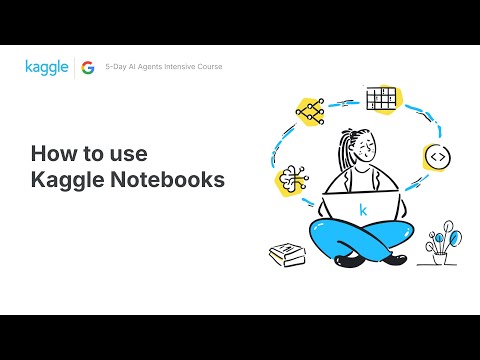
    Provides free cloud-based Jupyter notebook environments supporting Python and R with pre-installed libraries, handling all environment setup and dependencies automatically.

  • Kaggle Learn

    Delivers structured, free courses from Python basics to deep learning through interactive notebooks with integrated hands-on coding exercises and real datasets.

  • ML Competitions

    Hosts data science and machine learning competitions — including standard, two-stage, and code competitions — with public and private leaderboards and cash prizes up to $100,000.

  • Progression & Ranking System

    Tracks user achievements through a tiered ranking system (Novice to Grandmaster) based on competition medals, notebook votes, and dataset contributions across the platform.

  • Public Dataset Repository

    Maintains a repository of 500,000+ versioned, tagged public datasets spanning tabular, text, image, audio, and geospatial formats across domains like finance, healthcare, and climate.

Integration

  • MCP Server

    Powers AI agents and streamlines development workflows by exposing Kaggle's datasets, notebooks, and models as resources accessible via the Model Context Protocol.

  • Public API

    Provides a programmatic API supporting authentication, dataset downloads, notebook management, and competition submissions, with direct integration to Google Cloud Storage and BigQuery.

Preview

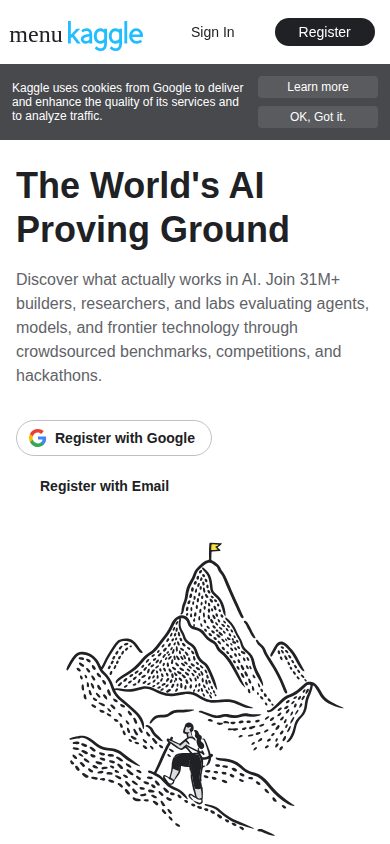
Kaggle desktop previewKaggle mobile preview

Pricing Plans

Popular

Free

Free

For all users — students, learners, data scientists, and ML engineers. Kaggle is entirely free to use for its core platform with no paywalls or hidden costs.

  • Access to 100K+ public datasets (upload, host, and download)
  • Kaggle Notebooks (in-browser Jupyter environment with pre-installed libraries)
  • 30 hours/week GPU compute (Tesla T4, 16 GB VRAM)
  • 20 hours/week TPU access
  • 20 GB working disk per notebook session
  • 9-hour max notebook session runtime
  • Participation in public ML competitions (many with prize money)
  • Free micro-courses and learning resources (no certification)
  • Public code sharing and community discussion forums
  • Dataset hosting with versioning
  • Integration with Google Cloud (BigQuery, Cloud Storage) — GCP charges apply separately for usage beyond free limits

Competition Hosting (Enterprise)

Contact sales

For organizations that want to host private or sponsored ML competitions, run internal company competitions, or access enterprise-grade support and custom analytics. Pricing is not publicly listed and requires contacting Kaggle/Google directly for a custom quote.

  • Private hosted ML competitions
  • Custom competition scope and data management
  • Internal company competition hosting
  • Custom analytics and reporting
  • Dedicated technical support
  • Custom quotes based on competition scope and compute requirements

AI Panel Reviews

The Decision Maker

The Decision Maker

Strategic bet, vendor viability, timing, adoption approval
8.5/10

Google-backed, free, and already used by millions — this isn't a risk.

Kaggle is free infrastructure for ML skill-building, benchmarking, and talent identification. Google LLC owns it, so the three-year viability question answers itself.

Google acquired Kaggle in 2017. It hasn't monetized it aggressively, which either means it's a talent pipeline play or a long-term ecosystem lock-in — either way, it's not shutting down. The 500,000+ public datasets and 30 free GPU hours per week make Hugging Face and Google Colab look narrow by comparison.

The tradeoff: Kaggle optimizes for public leaderboard performance, not production ML. Competition-winning code rarely ships to prod cleanly. If your team starts benchmarking themselves against Grandmaster rankings instead of real business outcomes, you've got a culture problem, not a tooling win.

For recruiting, skilling up junior data scientists, and evaluating models against standardized benchmarks, nothing else bundles this much for free. Pilot it with your ML team for 90 days on a real internal problem. The cost is zero. The downside is distraction.

Competitive Positioning8.0

Peers are already on it; not using it means your team is learning slower than competitors who are.

Reputation Risk9.0

Millions of builders and researchers use this — no board will raise an eyebrow.

Speed to Value8.5

Zero setup, free courses, and in-browser notebooks mean a new hire can be productive same day.

Strategic Fit7.5

Strong for ML upskilling and benchmarking; weak if you need production pipeline tooling.

Vendor Viability9.5

Google LLC ownership since 2017 makes this as durable as any vendor on the market.

Pros

  • Entirely free — 30 GPU hours/week, 500,000+ datasets, courses, competitions, no paywall
  • Google ownership removes vendor survival risk entirely
  • MCP Server and public API enable programmatic integration into real workflows
  • Tiered ranking system doubles as a talent-screening tool for hiring

Cons

  • No paid tier means no SLA, no dedicated support, and no contractual guarantees
  • Competition-optimized culture can drift from production-relevant work
  • Free GPU compute caps at 30 hours/week — serious training workloads will need GCP on top

Right for

Data science teams that want free GPU compute, benchmarking infrastructure, and a built-in talent development track.

Avoid if

You need a managed production ML platform with SLAs and enterprise support.

The Domain Strategist

The Domain Strategist

Craft and strategy in the product's domain — adapts identity per category, same lens
8.2/10

The world's most complete free ML training ground, with a real compute ceiling.

Kaggle is the default answer for practitioner skill development and benchmark-grade model evaluation. The 30 GPU hours per week ceiling matters for production-scale experimentation, but for learning pipelines and talent assessment it's unmatched.

500,000+ versioned datasets, free T4 GPU access, and a Grandmaster ranking system that the industry actually respects — Kaggle's depth is real. The Kaggle Learn track pairs structured courses directly into notebook exercises, which is the right pedagogy for applied ML. Someone at Google who's shipped actual learning infrastructure built this.

The compute cap is the structural constraint. Thirty GPU hours weekly with a 9-hour session max works for competition iterations and course exercises, but won't carry a serious fine-tuning or ablation workload. If your team is using Kaggle for anything beyond skill development and benchmarking, they'll hit that wall fast and route to Colab Pro or internal clusters. Hugging Face now rivals the model and dataset hosting story, and is closing ground.

For talent pipeline and team upskilling, though, the tiered ranking system across competitions, notebooks, and datasets gives you a credentialing signal no bootcamp produces. If we adopt Kaggle as our team's learning and benchmarking layer, in 3 years we have a measurable skills baseline and a community-sourced benchmark archive. That's worth a lot at zero cost.

Category Positioning8.8

Kaggle sits at the intersection of DrivenData-style competitions, Hugging Face-style model repos, and Colab-style notebooks — no single competitor covers that surface at zero cost.

Domain Fit7.8

Cloud notebooks with pre-installed libraries and 20 GB working disk match how practitioners prototype, but the 9-hour session cap constrains longer training runs senior teams actually run.

Integration Surface7.5

Public API with BigQuery and Google Cloud Storage integration is solid, and the MCP server for agent workflows is a forward-looking addition, though GCP overage costs need budgeting.

Long-term Implications8.0

Google ownership and the kaggle-api plus KaggleHub integration surface suggest this infrastructure isn't disappearing; the risk is Hugging Face absorbing the dataset and model hosting story.

Strategic Depth8.5

Competition-grade leaderboards, model cards via Kaggle Models, and the Benchmarks hub signal real ML infrastructure depth beyond basic notebook hosting.

Pros

  • 500,000+ public datasets with versioning covers almost any domain a team wants to prototype against
  • 30 GPU hours weekly free removes the hardware barrier for team upskilling entirely
  • Grandmaster ranking system produces credentialing signal that's actually respected in hiring
  • KaggleHub and the MCP server mean datasets and models pull directly into external pipelines

Cons

  • 9-hour notebook session cap and 30 GPU hours weekly won't support serious fine-tuning workloads
  • No paid tier means no SLA, no priority compute, no enterprise support path without a custom enterprise contract
  • Hugging Face is converging on the model and dataset hosting use case with a stronger API and community momentum

Right for

Data science teams that need a shared benchmarking layer, structured onboarding for junior practitioners, and a zero-cost competition environment for skill assessment.

Avoid if

Your team needs sustained multi-day training runs or a private, auditable compute environment for sensitive data.

The Finance Lead

The Finance Lead

Money, total cost of ownership, contracts, procurement math
8.5/10

$0 sticker, 30 GPU hours/week, 500K datasets — TCO math is simple

Kaggle is entirely free for individual users. No tiers, no SSO tax, no overage traps on the core platform.

$0/seat. No paid tier publicly listed. 30 GPU hours/week, 20 TPU hours/week, 20 GB working disk — all included. Year 1, year 2, year 3: $0 for a team using standard compute. That's a rare TCO story.

The one variable: GCP charges apply if teams push usage to BigQuery or Cloud Storage beyond free limits. No published overage rate on that boundary. That's the unpredictable line item — not the platform itself. Enterprise competition hosting has no public price, requires a sales call. Standard hostage pricing for that slice.

Compare to Hugging Face's Pro at $9/seat or Colab Pro at $10/month. Kaggle's 30 GPU hours beats Colab's free tier outright. Tradeoff: no certification on Kaggle Learn courses, which matters for procurement teams justifying training spend. The value is real; the paper trail isn't.

Billing & Procurement8.8

No invoicing, no vendor onboarding cost, no PO required — procurement friction is effectively zero for individual and team adoption.

Contract Flexibility9.5

No contract, no auto-renewal, no term length — walk away at zero cost, zero notice.

Pricing Transparency9.2

Single free tier, fully documented — 30 GPU hours, TPU access, compute limits all published without a sales call.

ROI Clarity7.2

Competition leaderboard rankings and Grandmaster progression are measurable; learning ROI has no certification output for procurement to cite.

Total Cost of Ownership9.0

$0 × 50 users × 36 months = $0; only risk is GCP overage with no published rate ceiling.

Pros

  • $0 all-in for standard use — 30 GPU hours/week included
  • 500,000+ public datasets, no download fees
  • No contract, no auto-renewal window, no exit cost
  • Public API and MCP server reduce integration overhead

Cons

  • GCP overage costs have no published rate cap
  • Enterprise competition hosting requires a sales call — no public pricing
  • Kaggle Learn courses carry no certification, limiting procurement justification
  • No offline or on-premise option — web-only

Right for

Teams needing cloud ML compute and datasets at zero licensing cost.

Avoid if

Your procurement process requires certified training outputs or predictable GCP cost ceilings.

The Domain Practitioner

The Domain Practitioner

Daily hands-on reality in the product's domain — adapts identity per category, same lens
8.2/10

Free GPU access and 500K datasets make Kaggle the default ML sandbox for most engineers

Kaggle is entirely free, ships 30 hours/week of T4 GPU access, and hosts 500,000+ public datasets — all without touching a local environment. It's the closest thing ML has to a universal on-ramp, but the ceiling is real once you're past competition workflows.

The compute story is genuinely strong. 30 hours/week on NVIDIA T4s, TPU access, 20 GB working disk per session, 9-hour max runtime — all free. For prototyping and competition work, that's enough to stay in flow without spinning up a GCP instance. The MCP server integration is a newer signal worth watching; exposing datasets and models as agent-accessible resources suggests someone is thinking past the browser.

Day-3 reality: the notebook environment is Jupyter-compatible but not Jupyter. Session state resets, package installs don't persist across sessions, and the 9-hour hard cap will interrupt longer training runs. Compared to Colab Pro or a proper remote dev setup, iteration loops for serious model development feel constrained. The kaggle-api CLI helps — programmatic dataset pulls and competition submissions reduce manual clicking — but the workflow is still centered on the web UI.

The tradeoff is straightforward: Kaggle optimizes for learning and competition, not production pipelines. Hugging Face wins on model hosting depth; Colab wins on notebook flexibility. But for benchmarking, structured datasets, and community-validated approaches, nothing free competes with this footprint.

Day-3 Reality7.5

Non-persistent package installs and 9-hour session caps create real friction for iterative training work beyond competition baselines.

Documentation Practitioner-Fit8.0

Kaggle Learn's courses pair written lessons with in-browser coding exercises on real datasets — clearly built by practitioners, not marketers.

Friction Surface7.2

Session resets, environment impermanence, and no offline mode accumulate into a noticeable weekly tax for engineers running longer experiments.

Power-User Depth8.2

The Grandmaster progression track, MCP server, public API, and Models hub with versioning and model cards give serious practitioners real depth to grow into.

Workflow Integration7.8

The kaggle-api CLI and KaggleHub library enable pipeline integration, but the core workflow remains browser-first and doesn't slot cleanly into local dev environments.

Pros

  • 30 hrs/week free T4 GPU — no credit card, no expiry
  • 500,000+ versioned public datasets with direct in-notebook access
  • kaggle-api CLI supports scriptable dataset downloads and competition submissions
  • Community discussion forums surface winning solution writeups that double as advanced documentation

Cons

  • Package installs don't persist across sessions — re-run environment setup every time
  • 9-hour hard session cap interrupts longer training runs
  • No paid tier for individuals who want more compute or persistent environments
  • Model hosting depth is thinner than Hugging Face for serious model-sharing workflows

Right for

ML engineers who want a free, zero-setup environment for competition work, dataset exploration, and benchmarking against community baselines.

Avoid if

You're running multi-day training jobs or need persistent, customizable notebook environments for production-adjacent workflows.

The Power User

The Power User

Daily human experience, onboarding, polish, learning curve, reliability
8.5/10

Half a million datasets, free GPUs, zero dollars — Kaggle is absurdly generous

Kaggle gives working data scientists and learners more free infrastructure than most paid platforms. The catch is it's built for the browser, and mobile is essentially decorative.

Free GPU access — 30 hours a week, Tesla T4, no credit card — is the kind of thing that used to cost real money. Pair that with 500,000+ public datasets and notebook forking, and Kaggle starts looking like Google quietly subsidizing the entire ML learning ecosystem. Which, given the Google LLC ownership, is basically what's happening. Compared to Hugging Face or Google Colab, Kaggle bundles more in one place: compute, data, courses, community, competitions. That overlap is a feature, not bloat.

Onboarding is genuinely smooth for people who already know what a Jupyter notebook is. For everyone else, the Kaggle Learn micro-courses do real work — Python basics to deep learning, all in-browser, no setup. The Novice-to-Grandmaster progression system gives beginners a reason to stay past week one.

The honest gap: this is a web-only product and mobile is read-only at best. If your workflow ever moves off a laptop, Kaggle doesn't come with you. Also, the 9-hour session cap will bite you mid-run eventually.

Daily Polish7.5

Notebook environment and forking feel well-considered, but the broader platform has the slightly cluttered feel of a community product that grew organically rather than by design.

Learning Curve8.2

The tiered ranking system from Novice to Grandmaster, combined with public notebook forking and discussion forums, scales surprisingly well from first hour to month three.

Mobile Parity4.5

Web-only platform with no mobile app — browsing is possible but running or editing notebooks on a phone is not a real use case.

Onboarding Experience8.5

Kaggle Learn courses with in-browser exercises plus the no-install notebook environment make first-hour friction genuinely low for new data scientists.

Reliability Feel7.8

Cloud notebooks with auto-managed dependencies feel solid; the 9-hour session ceiling and weekly GPU cap are real constraints that surface unpredictably.

Pros

  • 30 hours/week free GPU access with zero payment required
  • 500,000+ public datasets available in-notebook without any download step
  • Competitions with real cash prizes up to $100,000 give learners a concrete goal
  • Kaggle Learn courses are genuinely functional, not just marketing

Cons

  • 9-hour max notebook session will interrupt long training runs
  • Mobile experience is essentially non-existent for anything beyond reading
  • No paid tier means no clear path to more compute when you hit weekly limits
  • Platform can feel overwhelming — competitions, datasets, models, benchmarks, courses all compete for attention

Right for

Students and working data scientists who want a fully free, no-setup environment to learn, compete, and build a public portfolio.

Avoid if

You need mobile access or uninterrupted long-running compute that exceeds the 30-hour weekly GPU cap.

The Skeptic

The Skeptic

Contrarian. Watch-outs, deal-breakers, broken promises, category patterns
8.4/10

Google-owned, 500K datasets, free GPUs — hardest platform to argue against

Kaggle sits at the intersection of Hugging Face, Google Colab, and DrivenData — and mostly wins all three comparisons. Free, backed by Google, and deeply entrenched in the ML community.

Three green flags upfront. One: Google LLC ownership — this isn't a VC-runway story. Two: 30 hours/week free GPU access with Tesla T4 hardware, no credit card. Three: 500,000+ public datasets with versioning. That's infrastructure-level commitment, not a startup product.

The tradeoff worth naming: Kaggle optimizes for competition and learning, not production. If you're deploying models or building pipelines, you'll hit the 9-hour session limit and look elsewhere. Hugging Face beats them on model hosting depth. But for skill-building and benchmarking? The Grandmaster ranking system creates retention most platforms can't replicate.

Marketing says 'World's AI Proving Ground' — maybe overreaches slightly, but the Benchmarks feature and active leaderboards come close to supporting it. No paid tier publicly listed means no upsell pressure. Rare. Exit is clean — notebooks are standard Jupyter, API is open, data downloads freely.

Competitive Differentiation8.2

Competition layer plus free compute plus dataset repo plus courses in one free product — Hugging Face and Colab each match one slice, not all four.

Exit Portability8.5

Notebooks are Jupyter-compatible, datasets download freely, and the kaggle-api plus KaggleHub work outside the platform — low lock-in by design.

Long-term Viability9.2

Google LLC ownership with active feature shipping (MCP Server is recent) — as close to a safe long-term bet as the ML tooling space offers.

Marketing Honesty7.8

'World's AI Proving Ground' is a big claim, but the Benchmarks section and 500K+ datasets give it partial cover — not pure aspiration.

Track Record Match9.0

Google-acquired in 2017, still actively shipping MCP Server integration and Kaggle Models — matches the pattern of durable category infrastructure, not dead-end tooling.

Pros

  • 30 hrs/week free GPU — T4 hardware, no paywall
  • 500,000+ versioned public datasets, freely downloadable
  • Open Jupyter-compatible notebooks with no local setup
  • Google-backed with active shipping cadence — MCP Server, Models hub

Cons

  • 9-hour session cap makes it unsuitable for long training runs
  • No paid tier means no SLA, no enterprise support path for most users
  • Competition focus creates a skill-signaling culture that can feel gamified over practical

Right for

Students and working data scientists who want free GPU access, real datasets, and a credentialing signal without paying anything.

Avoid if

You're building production pipelines or need persistent compute beyond 9-hour sessions.

Buyer Questions

Common questions answered by our AI research team

Setup

Can I use Kaggle notebooks without installing anything?

Yes. Kaggle provides a cloud-based notebook environment that requires no local setup or installation.

Features

Does Kaggle offer free data science courses?

Yes. Kaggle offers free courses covering data science topics, accessible without any local setup.

Features

What kinds of prizes do Kaggle competitions offer?

Kaggle competitions offer cash prizes and ranking points to participants who build the best predictive models.

Features

Can I access pre-trained models on Kaggle?

Yes. Kaggle provides access to pre-trained models as part of its platform.

Pricing

Are public datasets on Kaggle free to use?

Yes. Kaggle hosts a library of public datasets available to users on the platform.

Also in Machine Learning Platforms