When I Work logo

When I Work Review

Visit

Workforce management software built for hourly and shift-based teams

When I Work is a workforce management platform for hourly and shift-based workplaces.

AI Panel Score

7.9/10

6 AI reviews

Reviewed

AI Editor Approved

What is When I Work?

When I Work is a workforce management platform for hourly and shift-based workplaces. It combines employee scheduling, time and attendance tracking, and team messaging in one mobile-first app, designed specifically for shift operations with GPS clock-ins, geofencing, auto-scheduling, and labor forecasting that help managers control costs and reduce manual coordination. The platform suits franchise operators and shift-heavy SMBs replacing spreadsheets and group texts across multiple locations. Pricing starts at $2.50 per user per month for the Essentials plan, with Pro at $5 and Premium at $8, and a free trial is available. Key capabilities include the auto-scheduler, OpenShifts, shift swapping, time-off request management, multi-location management, and payroll integrations with providers such as ADP, Rippling, QuickBooks, and Gusto. TopReviewed's six-seat AI review panel scored it 7.9/10, praising the closed attendance-to-payroll loop from GPS geofencing plus payroll sync while noting API access and SSO sit behind the $8 Premium tier.

About When I Work

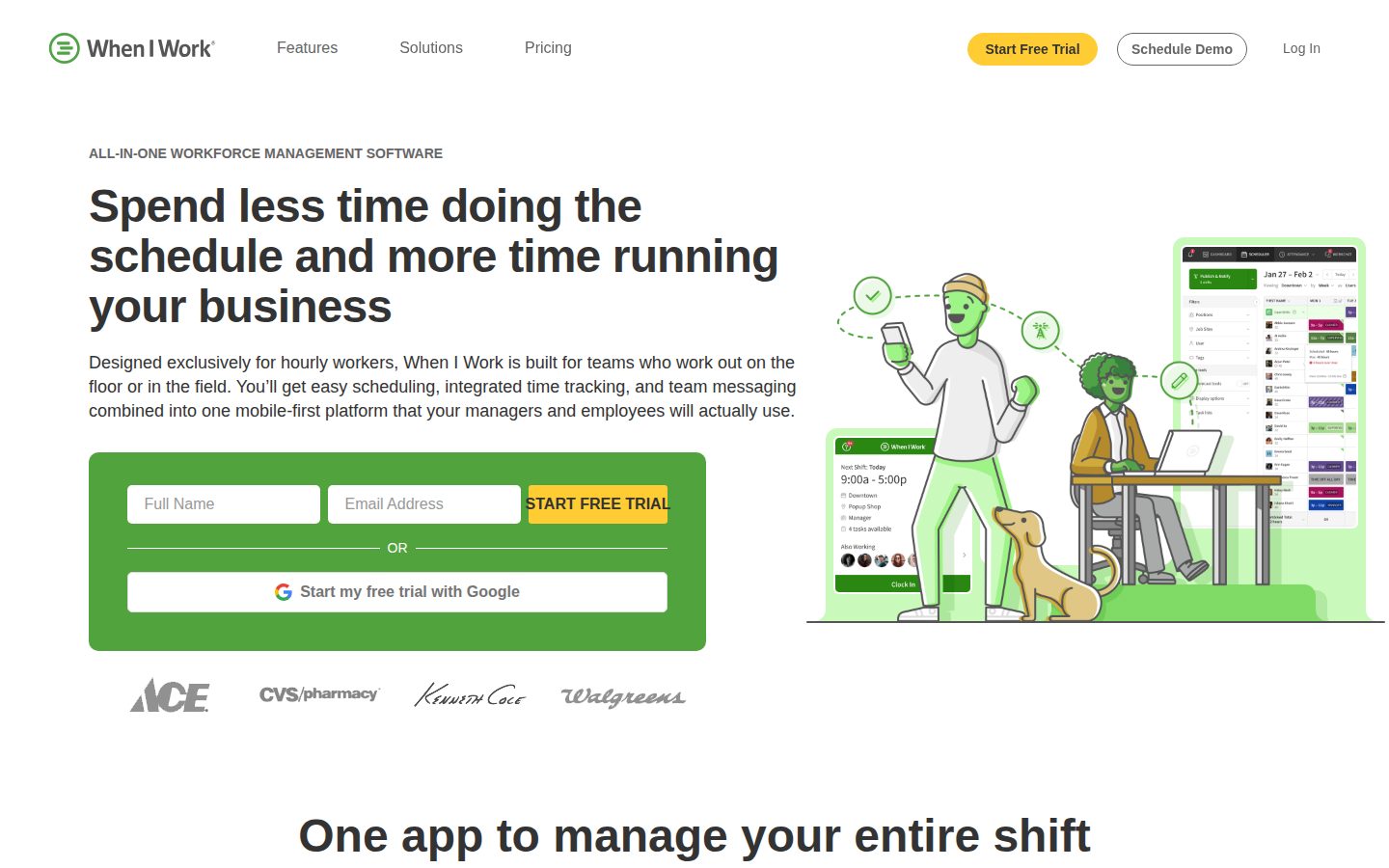
Managers use When I Work to build and publish employee schedules, fill open shifts, approve time-off requests, and monitor live attendance — all from a mobile app. Employees can view their schedules, swap shifts with coworkers, clock in and out, and message their team without leaving the same application. The platform is designed to replace spreadsheets, group texts, and disconnected point tools with a single unified workflow.

Distinctive capabilities include an auto-scheduler that matches shifts to employees based on availability, eligibility, and preferences; labor forecasting that compares scheduled hours against projected demand to prevent overstaffing; and GPS-enforced geofencing that verifies employee locations at clock-in. Multi-location management allows operators to oversee multiple sites, departments, and permission levels from one dashboard. When I Work integrates with payroll platforms including ADP, Rippling, QuickBooks, and Gusto to sync attendance and labor data without manual data entry.

The platform targets small to mid-sized businesses in industries such as restaurants, retail, healthcare, franchises, manufacturing, catering, and events — anywhere hourly or shift-based labor is the norm. Pricing starts at $2.50 per user per month with a 14-day free trial and no long-term contracts. Competitors in the workforce management and employee scheduling category include Homebase, Deputy, 7shifts, and Sling.

When I Work is available as a web application and native iOS and Android apps. A public API is available for custom integrations. The platform is described as requiring no IT involvement to set up, with onboarding measured in minutes rather than weeks.

Features

Analytics

  • Labor Forecasting

    Compares scheduled hours against future demand in real time to help managers protect profit margins and prevent overstaffing before it happens.

Automation

  • Auto-Scheduler

    Automatically assigns shifts by matching employees based on their eligibility, availability, and preferences to ensure peak coverage with zero conflicts.

Collaboration

  • Built-In Team Messaging

    Sends shift reminders, announcements, and direct messages within the same app where employees view their schedules, eliminating fragmented text chains.

  • Shift Swapping

    Allows employees to swap shifts directly in the app, with managers able to review and approve swaps in seconds without personal phone numbers or back-and-forth texting.

Core

  • Employee Scheduling

    Builds shift schedules in minutes, allows managers to offer OpenShifts to fill gaps, and notifies the team instantly without manual follow-up.

  • GPS Clock-Ins & Geofencing

    Verifies employee locations at clock-in using GPS and geofencing, preventing early arrivals and ensuring staff are on-site before recording attendance.

  • OpenShifts

    Posts open or unfilled shifts so eligible employees can claim them, allowing managers to fill scheduling gaps without individual outreach.

  • Time and Attendance Tracking

    Integrates time tracking directly with the schedule to reduce human error, track live clock-ins, and simplify payroll preparation.

  • Time-Off Request Management

    Enables managers to review and approve employee time-off requests directly from the mobile app in seconds.

Customization

  • Multi-Location Management

    Allows managers to oversee schedules, permissions, and workflows across multiple departments and job sites from a single centralized dashboard.

Integration

  • Payroll Integrations

    Syncs attendance and labor data with payroll platforms including Rippling, ADP, QuickBooks, and Gusto to eliminate manual data entry and ensure consistency.

Mobile

  • Mobile-First App

    Provides managers and employees full access to schedules, time tracking, messaging, and shift management from a smartphone without requiring a desktop or IT setup.

Preview

When I Work desktop previewWhen I Work mobile preview

Pricing Plans

Essentials

$3/monthly

For businesses who want to save hours building the schedule each week and enjoy more effective team communication.

  • Unlimited users
  • Auto Scheduling
  • Multi-week and multi-location scheduling
  • Schedule templates and forecast tools
  • In-app team messaging
  • Payroll and POS integrations
Popular

Pro

$5/monthly

For businesses who have more advanced scheduling and customization needs and want to streamline operations to save more time and money.

  • Everything in Essentials
  • Advanced scheduling with scheduling rules
  • Role permissions and labor sharing
  • Custom Unit Forecasting
  • Custom reporting
  • Allow overlapping OpenShifts

Premium

$8/monthly

For complex, scaled businesses who need even more enhanced scheduling and customization to streamline operations and be more efficient.

  • Everything in Pro
  • API key access
  • Webhooks
  • SAML/SSO

AI Panel Reviews

The Decision Maker

The Decision Maker

Strategic bet, vendor viability, timing, adoption approval
7.8/10

Solid shift-scheduling workhorse at $2.50 that replaces spreadsheets without drama.

When I Work does one thing well: hourly scheduling for small to mid-sized operations. At $5/seat for Pro, it's hard to argue with the math.

Fourteen years in market, mobile-first before mobile-first was a strategy. The GPS geofencing and auto-scheduler aren't gimmicks — they're the features that cut manager overhead in restaurants and retail by removing the phone-tag loop entirely. Payroll sync with ADP, Rippling, and Gusto means the data doesn't die in a spreadsheet. That's real time recovered.

The tradeoff: this isn't built for complexity. SSO lives at $8/user, API access same tier. If you're running a 500-person distributed workforce with HR policies layered in, you're looking at Deputy or a bigger platform. When I Work wins on simplicity, not depth.

At $2.50 entry with a 14-day trial and no contract, the board won't blink. Competitors like 7shifts and Homebase compete here, but When I Work's multi-location dashboard is cleaner for franchise operators. Pilot it with one location for 30 days.

Competitive Positioning7.5

Multi-location management and labor forecasting differentiate it from Homebase at the SMB tier, though 7shifts has a sharper restaurant focus.

Reputation Risk8.0

Known brand in the shift-scheduling category; no red flags, board conversation is straightforward.

Speed to Value8.5

No IT setup, 14-day free trial, onboarding measured in minutes — managers are scheduling by day one.

Strategic Fit7.5

Replaces spreadsheets and group texts with real workflow — that's genuine operational lift, not just cost shuffling.

Vendor Viability8.0

Long-in-market, established payroll partnerships with Rippling and ADP signal durable commercial relationships, not a startup gamble.

Pros

  • $2.50 entry price with no long-term contract removes procurement friction
  • Auto-scheduler and GPS geofencing handle the two biggest hourly manager headaches
  • Native payroll sync with ADP, Rippling, QuickBooks, and Gusto
  • Mobile-first app gives employees and managers the same tool — no adoption split

Cons

  • API access and SSO locked behind $8/user Premium tier — meaningful jump for larger orgs
  • No free plan; Homebase offers one for basic scheduling
  • Changelog not public — harder to assess release cadence and product velocity

Right for

Franchise operators or shift-heavy SMBs replacing spreadsheets and group texts across multiple locations.

Avoid if

You need deep HR policy enforcement or enterprise SSO without paying a per-seat premium.

The Domain Strategist

The Domain Strategist

Craft and strategy in the product's domain — adapts identity per category, same lens
7.8/10

Solid shift-management stack at $2.50/seat, but SSO gating signals enterprise ceiling early.

When I Work delivers a coherent, mobile-first scheduling and attendance system purpose-built for hourly operations. At $2.50-$8.00/seat, the price-to-feature ratio is genuinely strong for SMB operators running restaurants, retail, or franchises.

GPS geofencing, auto-scheduling, and payroll sync to ADP, Rippling, QuickBooks, and Gusto — that's a complete operational loop for shift-based labor. No IT involvement to onboard and no long-term contracts means the adoption friction is minimal. Someone thought carefully about the SMB buyer's actual constraints.

The architecture concern is SAML/SSO living at $8/seat on Premium, alongside API keys and webhooks. That's not a security philosophy, that's a revenue gate. If we're building any identity-layer standardization across a multi-site operation, we're paying full freight from day one, which changes the 3-year TCO math considerably against competitors like Deputy.

No public changelog is a flag. I can't assess how fast they're shipping or where the product is actually heading. The public API exists, but docs depth is unconfirmed — integrations beyond the named payroll partners are an unknown surface area until you're already committed.

Category Positioning7.8

Priced below Deputy and 7shifts at entry tier but feature-competitive; strongest for SMB multi-location operators, thinner case for enterprise.

Domain Fit8.5

Mobile-first design, shift swap workflows, and OpenShifts match exactly how hourly managers and frontline workers actually operate.

Integration Surface8.0

Named integrations with Rippling, ADP, QuickBooks, and Gusto cover the dominant SMB payroll stack; public API exists but docs depth is unverified.

Long-term Implications7.0

SSO gated to $8/seat Premium means identity standardization at scale costs more than initial pricing implies; TCO inflates faster than competitors.

Strategic Depth7.5

Auto-scheduler plus labor forecasting plus GPS geofencing is a coherent feature triad, but no changelog makes roadmap confidence low.

Pros

  • $2.50/seat Essentials tier includes auto-scheduling and multi-location — category-competitive price floor
  • GPS geofencing plus payroll sync creates a closed attendance-to-payroll loop without manual data entry
  • Shift swap and OpenShifts reduce manager coordination load at the workflow level, not just the UI level

Cons

  • SAML/SSO and API access gated to $8/seat Premium — identity and integration work costs three times the entry price
  • No public changelog means zero visibility into shipping velocity or roadmap commitment
  • Docs depth unconfirmed; custom integration risk is unknown until you're past the 14-day trial

Right for

SMB or franchise operators running 20-500 hourly employees across multiple locations who need scheduling and payroll sync without an IT team.

Avoid if

You need SSO or deep API integrations from day one without absorbing the Premium per-seat premium across your full headcount.

The Finance Lead

The Finance Lead

Money, total cost of ownership, contracts, procurement math
8.1/10

$2.50/seat all-in pricing, SSO at $8 — three tiers, zero sales calls.

When I Work publishes clean per-seat pricing across three visible tiers. At $5/seat Pro, it undercuts most of the shift-scheduling category on sticker.

Three tiers, all priced without a sales call. Essentials at $2.50, Pro at $5, Premium at $8. SSO lands on Premium — that's the category norm, not a surprise. 50-seat team on Pro: $5 × 50 × 12 = $3K/year. Add 30% seat creep over 3 years, you're at roughly $11.7K total. Call it $12K. That's half of what Deputy or 7shifts typically invoice at comparable feature depth.

Auto-scheduler, GPS geofencing, labor forecasting, and payroll sync to ADP, Rippling, and Gusto — all included before you hit Premium. No published overage rates visible, which is the right answer: usage appears seat-bounded, not consumption-based. Month-to-month contract structure eliminates the hostage dynamic common at this price point.

The tradeoff: API access is Premium-only at $8/seat. Teams needing custom integrations pay 60% more than Pro. Worth modeling that split before committing. ROI is measurable — labor forecasting versus actual hours is a real number managers can track weekly.

Billing & Procurement8.0

Per-seat, monthly billing with no IT setup requirement and payroll sync to Gusto, ADP, and Rippling cuts procurement friction significantly.

Contract Flexibility8.5

Month-to-month structure with a 14-day free trial and no stated long-term contract requirement reduces lock-in risk materially.

Pricing Transparency9.2

All three tiers priced publicly at $2.50/$5/$8 — no demo required, no "contact sales" gates.

ROI Clarity7.8

Labor forecasting compares scheduled hours to projected demand — that's a trackable overtime-reduction metric, not a vague productivity claim.

Total Cost of Ownership8.3

50 seats × $5 × 36 months = $9K baseline; seat creep lands year-3 closer to $12K, still low for the feature set.

Pros

  • Three tiers fully published — no sales call required
  • $5/seat Pro includes auto-scheduling, GPS geofencing, and labor forecasting
  • Month-to-month terms, no long-term contract disclosed
  • Payroll integrations to ADP, Rippling, QuickBooks, Gusto at no add-on cost

Cons

  • API access locked to $8 Premium tier — 60% jump from Pro
  • No changelog published, harder to evaluate roadmap velocity
  • SSO at Premium only, standard for category but still a budget line for IT teams

Right for

SMB shift-based operators under 200 seats who want scheduling, time tracking, and payroll sync without an enterprise contract.

Avoid if

Your team needs API integrations at scale without paying the $8 Premium premium on every seat.

The Domain Practitioner

The Domain Practitioner

Daily hands-on reality in the product's domain — adapts identity per category, same lens
7.8/10

$2.50/seat scheduling that actually replaces the group text

When I Work packs scheduling, GPS clock-ins, shift swapping, and team messaging into one mobile app at a price that won't start a budget conversation. The daily workflow is genuinely tight for shift managers — auto-scheduler, OpenShifts, and payroll sync cover the real pain.

Auto-scheduler matching employees on availability and eligibility is the right feature to lead with. That's the actual daily fight in shift work — not building the schedule, it's chasing down who's eligible and available. OpenShifts letting employees claim gaps without individual manager outreach removes another manual loop. GPS geofencing at clock-in is the kind of thing that pays for itself in one prevented time-theft incident. At $2.50/seat on Essentials, this is cheaper than Homebase's comparable tier.

The friction surfaces after day three: no changelog is visible, so you won't know what broke or improved without a support call. Docs quality is unknown from public evidence. Custom reporting and scheduling rules require jumping to Pro at $5/seat — that's where most real operations actually land.

The tradeoff is that SAML/SSO and API access are locked to Premium at $8/seat, which prices out smaller operators who still need clean integrations. For multi-location restaurant or retail managers replacing spreadsheets and group texts, though, this is a genuinely complete daily tool.

Day-3 Reality8.0

Mobile-first design with shift swapping, time-off approvals, and OpenShifts in one app suggests low daily fight — the core loop holds after the demo.

Documentation Practitioner-Fit6.5

No changelog is publicly visible and docs capability is flagged absent in the evidence, which suggests documentation written for onboarding, not daily use.

Friction Surface7.5

No visible changelog and unknown doc depth mean troubleshooting new behavior requires guesswork; core scheduling flow looks frictionless but edge cases are opaque.

Power-User Depth7.2

Custom unit forecasting and scheduling rules on Pro at $5/seat plus webhooks and API on Premium at $8/seat show a real progression, though API access gating may frustrate operators who need it early.

Workflow Integration8.2

Payroll sync with ADP, Rippling, QuickBooks, and Gusto eliminates the manual export step that kills shift managers every pay period.

Pros

  • Auto-scheduler with eligibility and availability matching removes the hardest daily coordination task
  • GPS geofencing enforces on-site clock-in without manual verification
  • OpenShifts lets employees self-fill gaps — cuts manager phone tag entirely
  • $2.50/seat Essentials includes multi-location and payroll integrations

Cons

  • No public changelog — silent updates are a daily ops risk
  • SAML/SSO locked to $8/seat Premium, overkill jump for small operators
  • Custom reporting requires Pro upgrade at $5/seat — most real operations need it from day one
  • Doc quality unknown; no evidence of practitioner-written guides

Right for

Shift managers in restaurants, retail, or healthcare running 10-200 employees across one or more locations who need to kill the spreadsheet-and-group-text workflow.

Avoid if

Enterprise operators needing deep SSO, API access, and compliance workflows without paying $8/seat for every hourly employee.

The Power User

The Power User

Daily human experience, onboarding, polish, learning curve, reliability
8.1/10

$2.50/user and it actually replaces the group text nightmare

When I Work is a genuinely complete scheduling and attendance platform built for shift-based teams who are still running things on spreadsheets and texts. At $2.50 to $8.00 per user, it's hard to argue with the value.

Three tiers, clean pricing, no long-term contracts. Auto-scheduling, GPS clock-ins, shift swapping, built-in messaging — all of it in one app that employees actually open on their phones. That's the pitch, and based on everything the product shows publicly, it largely delivers. The payroll integrations with ADP, Rippling, QuickBooks, and Gusto mean the data doesn't die in a spreadsheet after the schedule is built.

The mobile-first design is the real story here. This isn't a desktop tool with a hobbled app attached. Managers approve time-off, fill OpenShifts, and monitor live clock-ins from their phone. Employees swap shifts without texting the manager's personal number at 10pm. That alone is worth the price of admission for most shift-heavy operations.

The tradeoff is ceiling, not floor. Against Homebase or Deputy, When I Work wins on polish and mobile feel but API access is locked behind the $8 Premium tier. For a small restaurant, irrelevant. For a growing franchise operation that wants custom integrations, that's a real conversation.

Daily Polish8.2

Built-in team messaging and shift reminders living inside the same app as the schedule suggests someone actually thought about the daily friction points.

Learning Curve8.3

Auto-scheduler and OpenShifts are discoverable features that reduce manager burden early; labor forecasting adds depth for users who grow into it.

Mobile Parity9.0

Native iOS and Android with full scheduling, messaging, time tracking, and approvals — this is mobile-first in practice, not just in the tagline.

Onboarding Experience8.5

No IT required, 14-day free trial with no credit card, and onboarding described as minutes not weeks — that's a product confident in its first-run experience.

Reliability Feel7.8

No public changelog is a small yellow flag, but GPS geofencing and live clock-in tracking require solid infrastructure to function consistently.

Pros

  • Full scheduling, time tracking, and messaging in one app with no tab-switching
  • Auto-scheduler and GPS geofencing at the $2.50 Essentials tier — not paywalled features
  • Native mobile apps with real parity, not a read-only view
  • Payroll integrations with Rippling, ADP, QuickBooks, and Gusto eliminate manual data entry

Cons

  • API access locked to the $8 Premium tier — a friction point for growing operators who need custom integrations
  • No public changelog, which makes it harder to track what's actually improving
  • No free plan; Homebase offers one that When I Work doesn't match

Right for

Small to mid-sized businesses with hourly or shift-based teams who are still coordinating via texts and spreadsheets.

Avoid if

You need API integrations or custom webhooks without paying $8/user/month per seat.

The Skeptic

The Skeptic

Contrarian. Watch-outs, deal-breakers, broken promises, category patterns
7.6/10

Solid shift-scheduling workhorse — no changelog visible, but the bones are real

When I Work isn't promising to reinvent labor management. It's promising to replace spreadsheets and group texts. That's a calibrated pitch. The $2.50 entry tier with auto-scheduling included is aggressive pricing for the segment.

Three quick observations. One: 'ALL-IN-ONE' in the H1 is the kind of superlative that ages poorly, but the feature list actually backs it up — scheduling, GPS clock-ins, geofencing, messaging, payroll sync, all in one app. Two: no changelog visible. Can't verify shipping cadence. That's a yellow flag for a 'bet your ops on this' tool. Three: API access locked behind the $8 Premium tier. Homebase gives broader access earlier.

The auto-scheduler and OpenShifts combo is genuinely useful — not just marketing copy. Labor forecasting that compares scheduled hours against demand before overstaffing happens is the kind of thing deputy-class tools often bury in enterprise tiers. At $5/user on Pro, that's real value for a restaurant or retail SMB.

Exit portability is decent. Payroll data flows to ADP, Gusto, QuickBooks, Rippling. You're not trapped. The tradeoff: no public SLA page visible, and the 'onboarding in minutes' claim fits SMBs, not multi-site enterprises needing custom workflows.

Competitive Differentiation6.8

GPS geofencing and OpenShifts are solid but 7shifts and Deputy offer nearly identical feature surfaces; $2.50 entry price is the clearest differentiator.

Exit Portability7.2

Payroll integrations with ADP, Gusto, QuickBooks, and Rippling mean labor data isn't siloed, but no export documentation is visible in the evidence.

Long-term Viability7.0

No changelog, no public funding data — signals are neutral, not alarming; the Rippling partner deal suggests active commercial relationships.

Marketing Honesty7.5

'ALL-IN-ONE' is a stretch but the pricing page and feature list are specific and grounded — no phantom capabilities.

Track Record Match7.8

Focused SMB shift-scheduling tools with payroll integrations — Homebase and Deputy survived this exact niche; pattern is viable, not a cautionary tale.

Pros

  • Auto-scheduling included at $2.50/user — competitors often gate this higher
  • GPS geofencing and OpenShifts cover the core shift-chaos problems without add-on pricing
  • Payroll integrations with four major platforms reduce manual data entry risk
  • No long-term contract and 14-day free trial lower adoption risk

Cons

  • No changelog visible — can't verify how actively the product ships
  • API access requires $8 Premium tier — mid-market buyers hit this wall fast
  • No public SLA page in the evidence — support quality unverifiable
  • Feature surface nearly identical to Homebase and Deputy; no obvious moat

Right for

Small to mid-sized shift-based operations — restaurants, retail, healthcare — replacing spreadsheets and group texts at a tight per-seat budget.

Avoid if

You need custom API integrations or enterprise-grade SLAs before committing, since both require the $8 Premium tier or aren't publicly documented.

Buyer Questions

Common questions answered by our AI research team

Setup

What's included in When I Work's free trial?

The free trial gives complete access to scheduling, time tracking, and messaging for 14 days with no credit card required. Hotel, retail, and healthcare teams can test shift swaps, forecasting tools, and GPS clock-ins during the trial.

Security

Does the Premium plan support SAML/SSO?

Yes, SAML/SSO is included in the Premium plan at $8/user/month, along with API key access and webhooks, in addition to everything in the Essentials and Pro plans.

Features

Can When I Work manage schedules across multiple locations?

Yes, multi-location scheduling is supported. The multi-location plan lets you manage unlimited job sites and departments from one central platform, with each location managing its own shifts while sharing labor, reporting, and payroll data company-wide.

Pricing

How much does the Pro plan cost per user?

The Pro plan costs $5/user/month and includes everything in Essentials plus advanced scheduling, scheduling rules, role permissions, labor sharing, custom unit forecasting, custom reporting, and more.

Integration

Does When I Work integrate with Rippling payroll?

Yes, When I Work integrates with Rippling payroll. New When I Work customers can get their first six months of Rippling (payroll, HR, and benefits) completely free through the preferred partner offer.

Product Information

  • Founded

    2010
  • Pricing

    From $3/mo
  • Free Trial

    Available

Platforms

webiosandroid

About When I Work

When I Work is a Minneapolis-based workforce management platform offering employee scheduling, time tracking, and team communication tools for hourly workers.

Resources

API
Blog

Also in AI Workforce Management