Tripo AI logo

Tripo AI Review

Visit

AI-powered 3D model generation from images and text

Tripo AI is an AI-powered 3D modeling platform for generating, editing, and converting 3D models.

Holymolly Ltd. (trading as Tripo AI / Tripo by VAST)·Founded 2023·From $20/moFree PlanAI Creative ToolsAI APIsAI Design Tools

AI Panel Score

7.5/10

6 AI reviews

Reviewed

Facts checked against tripo3d.ai

AI Editor Approved

About Tripo AI

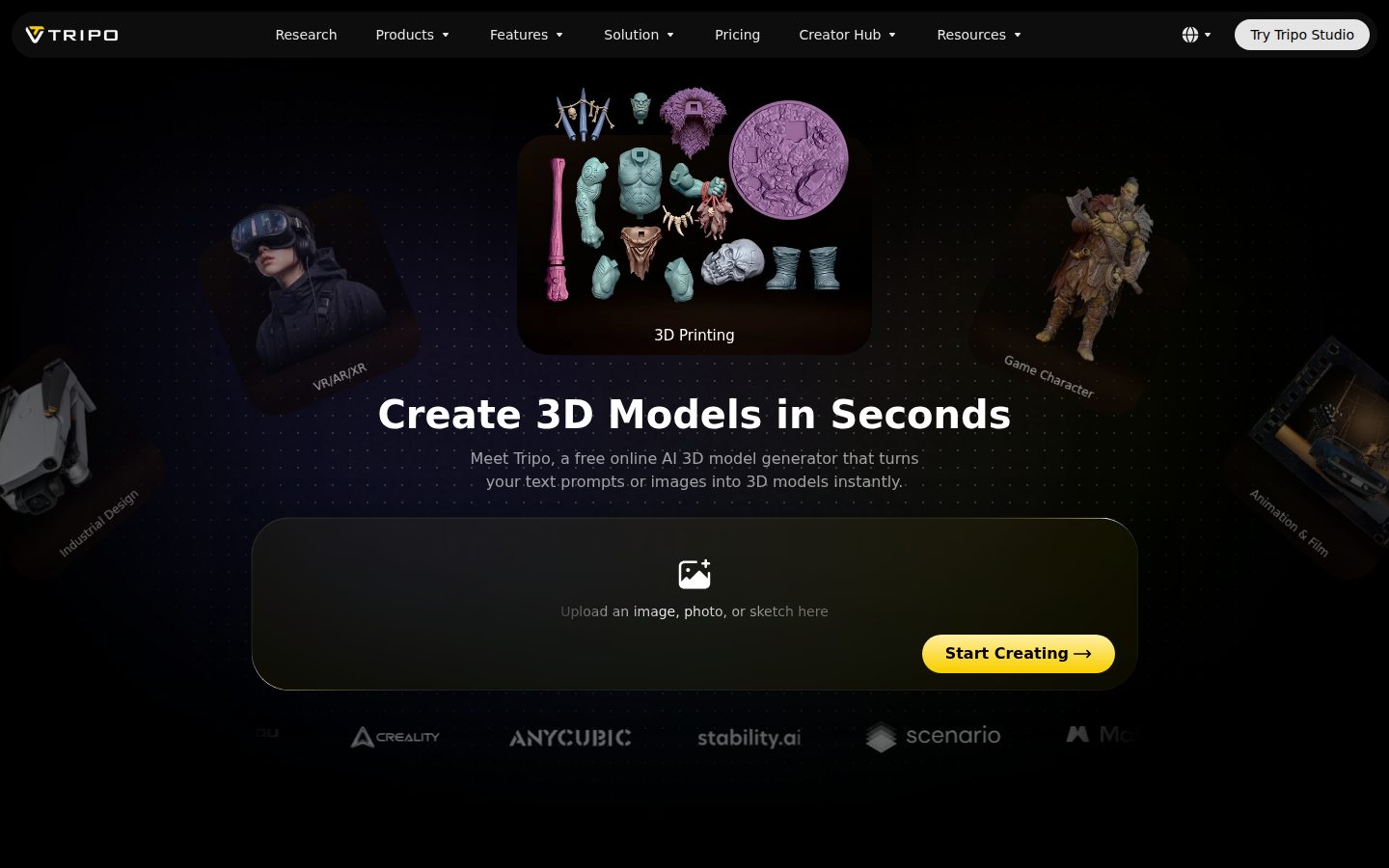
Users work with Tripo AI primarily through its studio interface at studio.tripo3d.ai, where a model is generated from either a 2D image or a text description. From there, the same workspace offers six core functions: Generate, Remesh, Segment, Rig & Animate, Stylize, and Texturing, allowing a single 3D asset to move from initial generation through cleanup and animation without leaving the platform.

Specific tools highlighted on the site include a segmentation tool that automatically detects and slices parts of a 3D model for further editing, an AI remesh tool that retopologizes meshes into clean quads for game or animation production, and an AI texturing tool that generates PBR materials and allows global style transfer or targeted repainting of specific areas. A rigging and animation tool applies automatic rigging with built-in motion support, and a stylize tool applies visual styles such as cartoon, painterly, toon-shaded, hand-drawn, or NPR. Separately, a 3D converter tool handles format conversion (STL, OBJ, FBX, 3MF, GLB, glTF, USDZ, PLY) and a free online 3D viewer supports viewing and sharing models across devices. Tripo also provides an API for integrating its image-to-3D and text-to-3D generation into external workflows.

The platform is aimed at users across 3D printing, game development, AR/VR, film, animation, education, eCommerce, VFX, product design, and architecture/interior design, spanning beginners through professional and subject-matter-expert users. The site states the interface is available in English, Simplified Chinese, Spanish, Korean, Russian, Portuguese, and Japanese.

Features

AI

  • 3D Generator (Image-to-3D & Text-to-3D)

    Generates high-quality, high-fidelity 3D models from either 2D images or text prompts.

  • 3D Segmentation Tool

    Automatically detects and slices parts of a 3D model to support further editing, texturing, and rigging.

  • Remesh 3D Model

    Automatically retopologizes 3D meshes into clean, low-poly optimized quad meshes ready for games, animation, or production.

  • Rigging & Animation

    Automatically rigs and animates static 3D models with one click, exporting models with built-in motion support.

  • Stylize 3D Model

    Applies distinct visual styles (cartoon, painterly, toon-shaded, hand-drawn, NPR, etc.) to generated 3D models.

  • Texturing 3D Model

    Generates detailed PBR materials, applies global texture style transfers, and allows repainting specific areas of a 3D model.

Collaboration

  • Game Hub

    An AI-powered 3D game creation platform where users can join challenges, share creations, compete, and connect with other game developers.

Core

  • 3D Converter

    Converts 3D models between major formats (STL, OBJ, FBX, 3MF, GLB, gLTF, USDZ, PLY) while preserving detail and fidelity.

  • 3D File Viewer

    A free, browser-based 3D viewer that runs across devices and platforms for fast-loading, detailed rendering and sharing of 3D models.

  • 3D Model Gallery

    Provides access to over 10 million downloadable 3D models across multiple formats, with 100,000 new models added daily.

Integration

  • API

    Allows developers to integrate Tripo's AI 3D modeling capabilities to convert images or text to 3D, automate workflows, and scale 3D projects.

Support

  • Affiliate Program

    A referral program offering up to 30% recurring commissions for 12 months to affiliates.

Preview

Tripo AI desktop previewTripo AI mobile preview

Pricing Plans

Free

Free

Best for Explorers

  • 200 Monthly Credits (~13 Models)
  • 1 Concurrent Task, Standard Queue
  • Public Models, Non-Commercial Use
  • Limited Edit History, Storage & Exports
  • Up to 4K Texture Generation & Edit

Pro

$20/monthly

Best for Creators; billed annually as $240.00/year

  • 3000 Monthly Credits (~200 Models)
  • 10 Concurrent Tasks, High Queue Priority
  • Private Models, Commercial Use
  • Unlimited Storage & Batch Exports
  • Smart Mesh Access, Multi-view to 3D, Smart Segmentation
Popular

Max

$90/monthly

Best for Professionals; billed annually as $1080.00/year - marked as Best Value

  • 25000 Monthly Credits (~1660 Models)
  • 100 Concurrent Tasks, Dedicated Queue Priority
  • Permanent Edit History, Unlimited Free Retries & Storage
  • Unlimited 8K Textures, 3 Free Pro Refines
  • Early Access to Beta Features, Exclusive Elite Club

Team

$55/monthly

Best for Teams & Studios; per seat, billed annually as $1980.00/year (regular $110/seat, 50% off)

  • 90000 Monthly Credits (~6000 Models)
  • 200 Concurrent Tasks, Dedicated Queue Priority
  • Everything in Max, Plus Free Generations
  • Shared Workspace & Assets
  • Centralized Billing & Administration

AI Panel Reviews

The Decision Maker

The Decision Maker

Strategic bet, vendor viability, timing, adoption approval
7.8/10

A full 3D pipeline in one studio, priced like a subscription, not a workstation license.

“Tripo AI takes a model from generation through rigging, texturing, and export without switching tools. The pricing ladder is unusually transparent, which is rare enough in this category to matter.”

Six functions, one workspace: Generate, Remesh, Segment, Rig & Animate, Stylize, Texturing. That's the pitch, and it's a real one — most image-to-3D tools stop at the mesh and leave you exporting to Blender for cleanup. Tripo keeps you inside studio.tripo3d.ai the whole way, including automatic retopology into clean quads, which is the unglamorous step that actually matters for game production.

Pricing is public and specific, which I like. Free gets you 200 credits (~13 models). Pro is $20/month, Max is $90/month with 25,000 credits, Team runs $55/seat. That's a real ladder, not a quote-a-sales-rep situation.

The gap: credits-based pricing means heavy users hit walls fast, and the ~200-model Pro tier is thin for a working studio. The 10-million-model gallery is a nice-to-have, not a differentiator anyone chooses on.

Competitive Positioning7.8

Bundling segmentation, remesh, rigging, and texturing in one studio is broader than a typical single-purpose image-to-3D generator.

Reputation Risk6.8

Free tier is explicitly non-commercial only, so commercial use requires a paid plan — a clear line but a trap for unaware small teams.

Speed to Value8.2

One-click rigging and automatic remeshing mean a usable game-ready asset with no separate tools, per the described workflow.

Strategic Fit8.0

Covers generation through rigging and export in one workspace, which advances teams past simple asset creation into production pipeline territory.

Vendor Viability7.5

Full pricing ladder, API, and six named tools point to active build-out; I couldn't find a public changelog to confirm cadence.

Pros

  • End-to-end pipeline: generation, remesh, rigging, texturing, and export without leaving the platform
  • Transparent, specific pricing tiers from $20 to $90/month plus per-seat Team plan
  • Supports 8 major 3D export formats including GLB, FBX, and USDZ
  • 10 million-model gallery adds ready-made assets alongside generation

Cons

  • Credits-based free tier (~13 models/month) is non-commercial only
  • Pro tier's ~200 models/month may be thin for daily studio use
  • Couldn't confirm platform or OS specifics beyond the browser studio

Right for

Game and 3D asset teams who want generation-to-rig-to-export in a single browser workspace.

Avoid if

Skip it if you need unrestricted commercial output at zero cost or heavy monthly volume on a budget tier.

The Domain Strategist

The Domain Strategist

Craft and strategy in the product's domain — adapts identity per category, same lens
7.6/10

Six tools in one studio, but the pipeline's real ceiling is mesh cleanliness at the production stage.

“Tripo AI compresses a full 3D asset pipeline — generate, remesh, segment, rig, texture, stylize — into a single browser workspace. That's a design-system win for the workflow shape, even if the finished-asset quality bar is still unproven at senior craft level.”

As a pipeline shape, this is right: Generate, Remesh, Segment, Rig & Animate, Stylize, Texturing living in one studio at studio.tripo3d.ai mirrors how a working 3D artist actually moves an asset, not how a toolmaker imagines they should. The AI remesh tool retopologizing into clean quads is the detail that matters — quad topology is the difference between an asset a game engine accepts and one that needs a human pass anyway.

The stylize tool's five presets (cartoon, painterly, toon-shaded, hand-drawn, NPR) give art direction a shared vocabulary fast, which is genuinely useful for a small team briefing freelancers. But a design system is only as deep as its edge cases, and I have no visibility into how the segmentation tool handles organic, non-hard-surface geometry versus the hard-surface demos this category tends to favor.

Three years in, the risk isn't the tool, it's the workflow lock: once rigging, texturing, and export all live in one proprietary studio, migrating a mid-pipeline asset elsewhere gets costly. The 8-format converter (including GLB, FBX, USDZ) mitigates that somewhat by keeping exit ramps open.

Category Positioning7.7

The 10-million-model gallery plus in-studio generation positions Tripo as both an asset library and a production tool, a dual role few competitors combine.

Domain Fit7.8

One-studio workflow from text/image to rigged, exportable asset matches how working 3D artists actually iterate rather than forcing tool-hopping.

Integration Surface7.3

An API for image-to-3D and text-to-3D generation lets the pipeline plug into external tools, but I found no docs to confirm depth of that integration.

Long-term Implications7.0

Keeping the full pipeline in one proprietary studio (studio.tripo3d.ai) risks workflow lock-in, offset somewhat by 8 export formats keeping assets portable.

Strategic Depth7.6

Six chained AI tools (segment, remesh, rig, texture, stylize) form a real production pipeline, not a single-trick generator, though mesh quality at complex/organic geometry is unverified.

Pros

  • Single studio covers generate, remesh, segment, rig, texture, and stylize without switching tools
  • Stylize presets give art direction a shared, fast visual vocabulary for briefing collaborators
  • AI remesh targets clean quad topology, the detail that determines game-engine readiness
  • 10 million-model gallery doubles as a reference and asset-sourcing layer alongside generation

Cons

  • Segmentation and remesh quality on organic, non-hard-surface geometry is unverified from what I could see
  • Full pipeline living in one proprietary studio raises switching costs if you outgrow it
  • No visible production case studies to confirm final export quality holds up beyond concept stage
  • Rigging is auto-applied, with no visible manual override path for non-standard skeletons

Right for

A small studio or solo 3D artist who wants one workspace to move an asset from concept to rigged export.

Avoid if

You need production-grade organic character topology validated before committing a pipeline to it.

The Finance Lead

The Finance Lead

Money, total cost of ownership, contracts, procurement math
7.6/10

Four tiers, real numbers, credits that decay fast at Pro.

“Pricing is public and clean: $20 to $90 monthly, plus a $55/seat Team tier. The credit math punishes anyone scaling past hobbyist volume.”

$20/month Pro, billed annually at $240/year. 3,000 credits, roughly 200 models. Max jumps to $90/month, $1,080/year, for 25,000 credits. That's a 4.5x price step for an 8.3x credit step — better unit economics at volume, worse if you don't need it.

Team adds $55/seat annually ($1,980/seat/year list, discounted from $110). Five seats: $9,900/year before overage. Credits are the real meter here, not seats — model usage, not headcount, drives cost.

Free tier caps at non-commercial use, so it's a demo, not a pilot. No mention of auto-renewal terms or cancellation windows anywhere I could find. Annual billing locks you in; monthly Pro at $20 is the safer entry while you measure real credit burn against the ~200 models/month cap before committing to Max or Team.

Billing & Procurement7.2

Self-serve monthly or annual billing with no sales call needed, per the published tiers.

Contract Flexibility6.0

Annual billing discounts are steep (50% off Team) but I found no cancellation or renewal terms.

Pricing Transparency8.5

Four tiers with exact monthly and annual figures listed, down to per-seat Team pricing.

ROI Clarity7.5

Credits-to-models ratio (25,000 credits ≈ 1,660 models) gives a concrete unit cost to measure against output.

Total Cost of Ownership7.0

Credit-based consumption means real cost scales with model output, not a flat seat fee.

Pros

  • Exact dollar figures across four tiers, no quote-gating
  • Credit-to-model ratios let you calculate real cost per asset
  • Monthly option on Pro avoids annual lock-in risk

Cons

  • No visible auto-renewal or cancellation terms
  • Free tier's non-commercial restriction blocks any real pilot
  • Team plan's per-seat pricing adds a second cost axis on top of credits

Right for

Studios that can forecast monthly model volume and want predictable credit-based billing.

Avoid if

Avoid if you need contractual clarity on renewal and exit terms before signing annual.

The Domain Practitioner

The Domain Practitioner

Daily hands-on reality in the product's domain — adapts identity per category, same lens
7.6/10

Six tools in one workspace, but Segment-to-Rig is where the real test happens

“Tripo AI packages generation, retopo, texturing, rigging and stylize into a single studio tab. Whether that pipeline holds up depends on how clean the auto-segmentation is on anything more complex than a hero prop.”

The pitch is the workspace stays open from Generate through Rig & Animate — no round-tripping to ZBrush or Substance for texturing. That's the right instinct. Retopo and UV work are usually where an asset pipeline dies, so an AI remesh that outputs clean quads and a texturing pass that does global style transfer plus targeted repainting is genuinely useful if the output needs minimal cleanup.

The open question is the segmentation tool. Auto-slicing parts of a mesh for editing is exactly the kind of feature that looks great on a simple prop and falls apart on anything with overlapping geometry or organic forms — I couldn't verify how it handles edge cases.

Stylize presets (cartoon, painterly, toon-shaded, NPR) suggest game-dev and VFX concept work over hard-surface product design. The gallery's 100,000 daily additions is a discovery surface, not a review one — no obvious way to vet quality before download at scale.

Day-3 Reality7.5

One-click rig and remesh reduce the usual manual retopo grind, but real payoff depends on how much cleanup each generation still needs.

Documentation Practitioner-Fit6.5

I couldn't find dedicated docs or a changelog to judge whether guidance comes from people who actually rig and texture, versus marketing copy.

Friction Surface7.2

Six functions in one tab is efficient, but a segmentation step that misreads geometry turns into a recurring manual-fix habit across a project.

Power-User Depth7.8

Smart Mesh Access and Multi-view to 3D on the Pro tier, plus 8K textures and Pro Refines on Max, suggest a real ceiling beyond the beginner generate-and-export loop.

Workflow Integration7.0

Format converter covers FBX, GLB, USDZ and five others, so export into existing engines looks straightforward, but everything routes through the browser studio rather than a native plugin.

Pros

  • Full pipeline from generation to rigged, textured export in one studio
  • Stylize presets give concept artists visual direction without a separate repaint pass
  • 8 export formats cover game engines, AR/VR and 3D printing pipelines

Cons

  • Segmentation quality on complex or organic meshes is unverified from what I could see
  • No visible docs or changelog to confirm advanced features are actually discoverable, not just listed

Right for

Solo game-dev and VFX artists who want a single tab to go from prompt to rigged, textured asset.

Avoid if

Avoid if your models are hard-surface product designs needing precise manual topology control rather than AI retopo.

The Power User

The Power User

Daily human experience, onboarding, polish, learning curve, reliability
7.4/10

One studio, six tools, and a credit meter you'll be watching by week two.

“Tripo AI packs generate-to-rig-to-texture into a single browser workspace with real pricing on the page. Whether it feels smooth day to day depends entirely on how fast your credits burn.”

First ten minutes here is actually kind of fun — drop in an image or a sentence, watch a model pop out, then poke at Remesh or Stylize without opening a second app. That's a real onboarding win, not homework. The six-function layout (Generate, Remesh, Segment, Rig & Animate, Stylize, Texturing) reads like someone who's actually made a game asset pipeline before, not a checklist of AI buzzwords.

Where it gets less fun is month three, when you're doing math on credits instead of making things. 3,000 monthly credits on the $20 Pro tier sounds generous until you're mid-project and the queue priority difference between Pro and the $90 Max tier starts mattering. Concurrent task counts (10 vs 100) tell me the free and Pro tiers are built for solo tinkering, not crunch.

I can't speak to how the mobile side holds up, or whether there's a native app at all — the studio reads browser-first. For a tool meant to fit into game dev and AR/VR pipelines, that's worth checking before you commit annually.

Daily Polish7.5

The single-workspace flow across six named tools suggests real UX thought, though I can't confirm micro-copy or empty-state handling.

Learning Curve7.6

Six named functions (rigging, segmentation, remesh, texturing) give a clear growth path from casual generation to production-grade export.

Mobile Parity6.0

Nothing confirms a mobile app; the browser viewer runs cross-device but that's not the same as a real mobile workflow.

Onboarding Experience7.8

Image-or-text-to-model in one studio with a 200-credit free tier gets you to a result fast without a sales call.

Reliability Feel6.8

Concurrent task limits (1 on Free, 10 on Pro, 100 on Max) imply queueing under load, but I found no error-state or autosave detail to judge.

Pros

  • Full pipeline from text/image to rigged, textured, exportable model in one workspace
  • Clear credit-to-task scaling across four named tiers ($20 to $90/month plus Team)
  • Stylize presets (cartoon, painterly, NPR) give quick creative range without extra tools

Cons

  • Concurrent task caps (1 on Free, 10 on Pro) could bottleneck anything beyond casual use
  • No visible mobile app confirmed, just a cross-device viewer
  • Jump from Pro to Max ($20 to $90) is steep if you outgrow credits fast

Right for

Solo creators and small studios who want one browser tool to go from prompt to rigged export.

Avoid if

Skip it if you need a confirmed native mobile workflow or heavy concurrent rendering on a budget tier.

The Skeptic

The Skeptic

Contrarian. Watch-outs, deal-breakers, broken promises, category patterns
6.8/10

Six tools, one workspace, zero named studios saying it shipped their assets.

“Tripo bundles generation, remesh, rigging, texturing and export into one studio at real prices. Whether the output survives contact with a production pipeline is the open question nobody's answered yet.”

$20 gets you Pro, $90 gets you Max, $55 per seat gets you Team. That's a real rate card, not a 'contact sales' wall. Credit costs scale predictably across tiers, which is more than most AI-generation tools bother showing upfront.

But pricing transparency isn't the same as production readiness. The segmentation and remesh tools promise clean quad topology for 'game or animation production' — that's a specific, checkable claim, and I've got no way to verify mesh quality from a features list. Auto-rigging with one click sounds great until you ask how it handles anything that isn't roughly biped.

Exit is fine on paper — eight export formats including FBX and GLB means your models leave with you. The gallery of 10 million models is a nice hook, but it's not the product; the generation pipeline is, and that's the part still unproven at scale. I couldn't find docs or a changelog to confirm how fast this actually ships fixes.

Competitive Differentiation6.7

Image-to-3D and text-to-3D generation is now a category with several players; the six-tool single-workspace pipeline is the differentiator, not the generation itself.

Exit Portability7.8

Eight export formats including FBX, GLB and USDZ mean your assets aren't locked to the studio interface.

Long-term Viability6.3

I couldn't find a changelog or docs site to confirm active maintenance cadence, though an API and affiliate program suggest ongoing operation.

Marketing Honesty6.8

Claims like 'high-fidelity' and 'production ready' remesh are the kind of superlative that needs a real portfolio behind it, and I couldn't find one.

Track Record Match6.5

Named capabilities (segmentation, rigging, PBR texturing) are specific, but no case studies or sample downloads confirm they hold up outside a demo.

Pros

  • Full pipeline in one studio: generate, remesh, rig, texture, export
  • Eight export formats keep models portable across engines
  • Transparent per-tier pricing from $20 to $90 monthly

Cons

  • No visible case studies or sample exports to confirm production-grade mesh quality
  • Couldn't find docs or changelog to gauge update cadence
  • Auto-rigging claim ('one click') unverified against non-standard model shapes

Right for

Solo creators and small teams who want one workspace for the full 3D asset pipeline and can tolerate some quality risk.

Avoid if

Avoid if you need contractual proof of mesh quality before committing a studio pipeline to it.

Buyer Questions

Common questions answered by our AI research team

Features

Can Tripo AI create 3D models from text?

Yes, Tripo AI generates 3D models directly from text prompts as well as from 2D images.

Features

Does Tripo AI support 3D model rigging?

Yes, Tripo AI provides rigging tools as part of its model processing pipeline, alongside remeshing, segmenting, texturing, and animating.

Features

Can I view 3D models in the browser?

Yes, Tripo AI includes a browser-based 3D viewer for viewing models directly online.

Features

Does Tripo AI offer premade 3D models to download?

Yes, Tripo AI offers a gallery of over 10 million downloadable 3D models.

Product Information

  • Company

    Holymolly Ltd. (trading as Tripo AI / Tripo by VAST)
  • Founded

    2023
  • Pricing

    From $20/mo
  • Free Plan

    Available

About Holymolly Ltd. (trading as Tripo AI / Tripo by VAST)

Tripo AI develops a generative 3D platform that converts text prompts, images, and sketches into 3D models for gaming, animation, and design.

Resources

Documentation
API
Blog

Also in AI Creative Tools