Viggle logo

Viggle Review

Visit

AI motion capture and character animation from a single video

Viggle is an AI animation platform for turning video or images into animated character content.

AI Panel Score

6.8/10

6 AI reviews

Reviewed

AI Editor Approved

About Viggle

Viggle works by taking two inputs: a character (an uploaded image or generated design) and a motion source (a video showing the movement to apply). The platform processes these through its motion model and outputs a video where the character performs the motion from the reference clip. Users interact with this through a web interface or a Discord bot, uploading assets and receiving rendered clips as output, with options to adjust motion strength, camera framing, and background handling.

The website highlights JST-1 as its proprietary motion model, positioned as capable of interpreting human movement in three dimensions rather than treating video as flat pixel data, which it says helps maintain consistency in limb movement and body proportions across frames. Additional capabilities referenced on the site include mixing multiple characters into one scene, applying motion to non-human or stylized characters, controlling camera angle changes, and generating longer-form animated sequences from short clips. The platform also supports text and image prompts as inputs for creating characters before motion is applied.

Viggle is aimed at individual content creators, animators, and social media producers who want to animate characters without traditional 3D rigging, motion capture hardware, or animation software expertise. It follows a freemium model with paid tiers for higher render volume, resolution, and priority processing. It competes with other AI video and animation tools such as Runway, Pika, and Kaiber, as well as traditional motion capture-to-animation workflows using tools like Adobe Character Animator.

Features

AI

  • JST-1 Motion Foundation Model

    Viggle's proprietary JST-1 video-3D foundation model understands physics and body mechanics to map motion and character consistency frame by frame.

  • Live (Real-Time Webcam Transformation)

    Enables real-time transformation via webcam, mapping a user's movements onto a chosen character instantly for livestreams or interactive content.

  • Text-to-Video Generation

    Allows users to generate character-driven video scenes from text prompts, combining prompt-to-scene creation with controllable motion.

Collaboration

  • Discord Community Platform

    Runs a large, active Discord community where users generate and share animations using slash commands and discuss techniques.

Core

  • Character Consistency

    Maintains a character's identity and appearance across every frame and scene, enabling reliable batch content production and A/B testing.

  • Full-Body and Lip Movement Transfer

    Generates full-body motion and lip movement transfer from a single still image, animating arms, legs, torso, and head naturally rather than just the face.

  • Mix (Motion Transfer)

    Lets users transfer movement from a template or reference video onto their own uploaded character image while preserving creative direction.

  • Motion Template Library

    Provides a browsable library of thousands of motion templates, including dances, memes, sports highlights, and cinematic scenes, for users to apply to characters.

  • Multi-Track Editing

    Enables timeline-based fixes such as adjusting timing, swapping objects, and handling multi-person scenes, tracking up to seven characters in one video.

Customization

  • Character Refine

    Improves identity fidelity of a character across multiple angles before motion-heavy generation passes.

  • Vertical Export Formats

    Supports exporting videos in vertical format optimized for platforms like TikTok, Instagram, and YouTube Shorts.

Integration

  • API Access with On-Demand Rendering

    Offers an API for on-demand video rendering priced per second of output, allowing developers to integrate Viggle's motion generation into other applications.

Preview

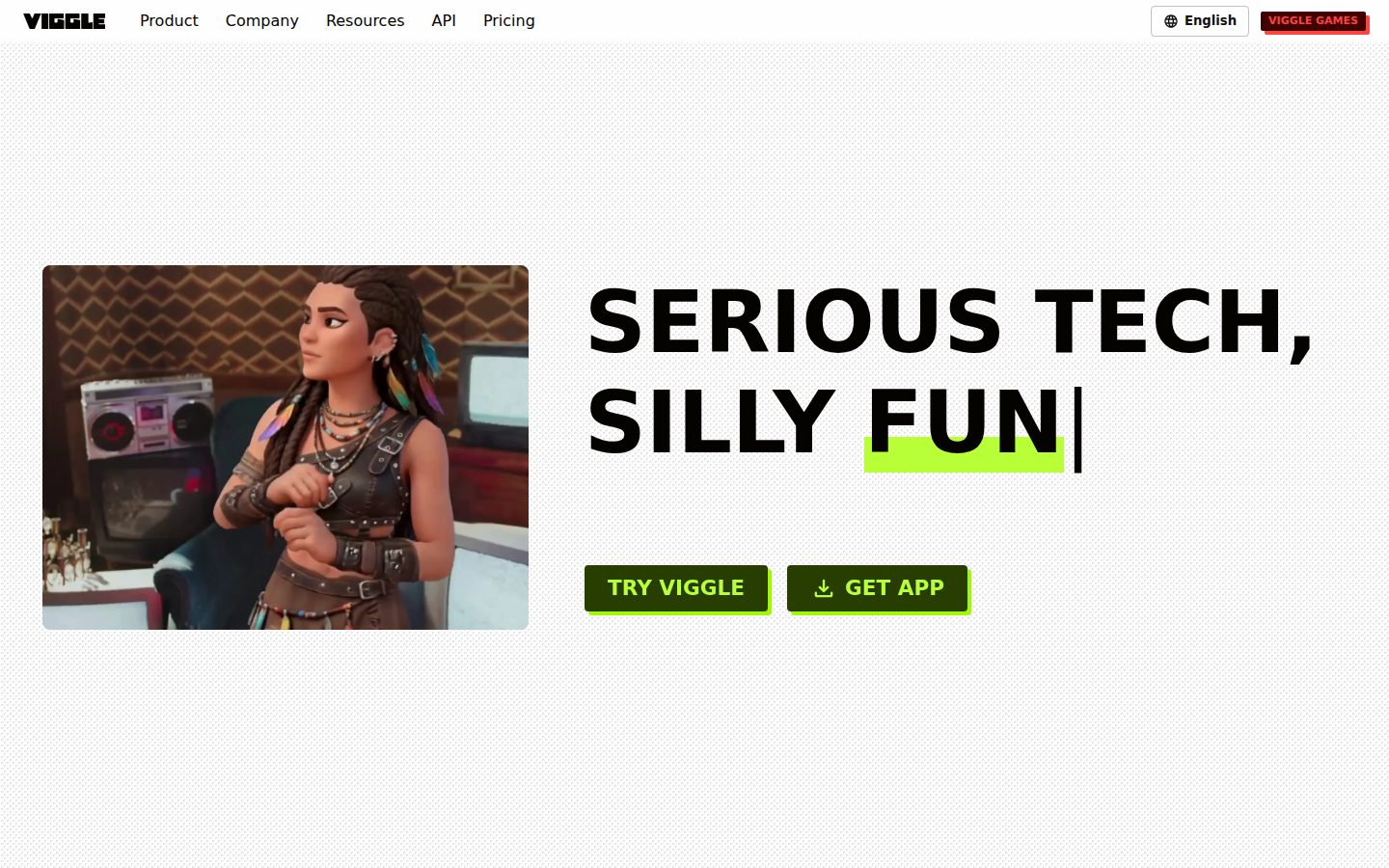
Viggle desktop previewViggle mobile preview

Pricing Plans

Free

Free

Get started with basic Viggle features at no cost

  • 5 free Viggle videos/day
  • 1 video generation at a time
  • Limited Multi-Track sessions/day
  • Limited Real-Time Swap sessions/day
  • 7-day asset & generation storage

Pro (Starter)

$7.99/monthly

Get started with more - for casual creators

  • 80 credits/month
  • Access to all models
  • Remove watermark
  • 4 video generations at a time
  • Unlimited Multi-track sessions
  • Permanent asset storage
Popular

Live

$15.99/monthly

For daily creators

  • 200 credits/month
  • Access to all models
  • Remove watermark
  • 6 video generations at a time
  • Unlimited Multi-track sessions
  • Stream 6+ hours in Real-Time Swap

Max (Power)

$63.99/monthly

For power users

  • 800 credits/month
  • Access to all models
  • Remove watermark
  • 10 video generations at a time
  • Unlimited Multi-track sessions
  • Unlimited sessions in Real-Time Swap

AI Panel Reviews

The Decision Maker

The Decision Maker

Strategic bet, vendor viability, timing, adoption approval
6.2/10

Fun tool, real Discord community, no fundamentals a board can point to.

Viggle animates a photo with motion from a reference clip, no rigging required. Cheap and viral-friendly, but this is a feature, not a company you build a strategy on.

$7.99 a month gets you 80 credits and JST-1, Viggle's motion model. It maps 3D human movement onto a still image without keyframing. The Discord bot and meme templates show real usage, not vaporware.

But three years out is the question. No funding data here, no team size, no changelog. Runway and Pika have raised real money and shipped broader video-gen roadmaps. Viggle looks like a single clever model wrapped in a consumer app, not a platform.

Two things: it's cheap enough to pilot for social content with zero risk, and it does one thing well. It's not a strategic bet, it's a $16/month toy for a marketing team's TikTok output. Fine for that. Nothing more.

Competitive Positioning5.8

Runway and Pika have broader roadmaps and funding visibility; Viggle wins narrowly on motion transfer specifically.

Reputation Risk6.0

Meme-and-dance positioning reads casual, not embarrassing, but it's not a name that signals sophistication to a board.

Speed to Value7.5

$7.99 tier with 80 credits and no rigging means usable output same day.

Strategic Fit5.5

Solves a narrow animation task cheaply; doesn't advance broader video or content strategy.

Vendor Viability4.5

No funding data, no team size, no changelog — Toronto-based per the about page, that's nearly all we know.

Pros

  • No rigging or keyframing required, motion applies directly from reference video
  • Cheap entry at $7.99/month with a working free tier
  • Multi-track editing tracks up to 7 characters, real feature depth for the price

Cons

  • No public funding or team data — viability is a guess
  • Narrow use case compared to Runway's broader generation suite
  • API docs exist, but no changelog I could find — weak signal for engineering-heavy adopters

Right for

Social content teams who want cheap, fast character animation without hiring an animator.

Avoid if

Skip if you need a video vendor with visible funding and a multi-year product roadmap.

The Domain Strategist

The Domain Strategist

Craft and strategy in the product's domain — adapts identity per category, same lens
6.9/10

Great motion transfer engine, thin character pipeline — a meme tool wearing a studio's clothes.

Viggle nails the mocap-without-rigging trick with JST-1, but the craft ceiling stops at content, not production design. Fine for social output, not for a brand system.

JST-1 is the real story here — motion transfer without rigging or keyframing is a genuine craft unlock, and Character Consistency plus 7-character multi-track tracking shows they've thought past single-clip gimmicks. But the Motion Template Library, built around dances, memes, and sports highlights, tells you who this was built for: creators chasing volume, not art directors building a character bible.

The Discord-first workflow and $7.99 Starter tier confirm the shape — this is a prosumer tool wearing an R&D coat. Compare it to Runway or Pika, both of which are building toward directable, shot-level control; Viggle's ceiling is motion fidelity, not scene craft.

Adopt this for three years and you get a fast animatic generator, not a pipeline. No rigging means no ownership of the underlying skeleton — you're locked into their model's interpretation of movement, permanently.

Category Positioning7.5

Sits ahead of Kaiber on motion fidelity, behind Runway/Pika on scene-level directability.

Domain Fit6.0

Built for social creators and Discord communities, not studios building repeatable character pipelines.

Integration Surface7.0

API access priced per second of output is a real integration path, with quickstart guides at docs.viggle.ai.

Long-term Implications6.0

No rigging means no portable skeleton — three years in, you're still dependent on their motion interpretation.

Strategic Depth7.0

JST-1's 3D-aware motion mapping is genuinely differentiated craft, but the toolset stops at motion, not composition.

Pros

  • JST-1 motion model produces convincing full-body transfer without rigging
  • Multi-track editing tracks up to 7 characters, useful for group scenes
  • Low entry price at $7.99/month for watermark-free output

Cons

  • No documented pipeline for brand-consistent, multi-project character libraries
  • Motion Template Library skews meme/social, not cinematic direction
  • Public docs exist at docs.viggle.ai; integration is priced per second of output

Right for

Solo creators and social producers who need fast, rigging-free character animation for short-form content.

Avoid if

Avoid if you need a directable, shot-level animation pipeline for brand or narrative production.

The Finance Lead

The Finance Lead

Money, total cost of ownership, contracts, procurement math
6.9/10

$7.99 gets you 80 credits. Watch how fast credits burn on Max tier math.

Four tiers, all visible, no sales call needed. Credit-based pricing hides the real per-video cost until you run the numbers.

Free tier: 5 videos/day, 1 at a time. Pro tier: $7.99/month, 80 credits, watermark removed. Live tier: $15.99, 200 credits. Max: $63.99, 800 credits. No published per-credit-to-video conversion that I could find — that's the invoice risk, not the sticker.

TCO scenario: solo creator on Live tier, 12 months, no seat creep since it's single-user. $15.99 × 12 = $191.88/year. Scale to a small team of 5 needing Max tier each: $63.99 × 5 × 12 = $3,839/year. Compare to Runway or Pika at similar per-seat ranges — category norm for credit-based video tools.

No API pricing published beyond 'per second of output' — undefined overage exposure. No annual discount mentioned. Month-to-month billing looks flexible, but credit ceilings mean real usage-based cost, not fixed seat cost. Procurement-friendly for individuals, murkier for teams scaling render volume.

Billing & Procurement7.0

Self-serve web signup, no sales call required, but no invoicing details for team accounts.

Contract Flexibility7.0

Monthly billing, no stated long-term lock-in that I could find, low switching cost.

Pricing Transparency7.5

Four tiers with credits listed publicly, but credit-to-video ratio isn't spelled out.

ROI Clarity6.0

Value is content output volume, but credits-per-video isn't disclosed, making ROI math incomplete.

Total Cost of Ownership6.0

Credit consumption at scale (Max tier, $63.99/mo) is unpredictable without real usage data.

Pros

  • Free tier available for testing before paying
  • Four transparent tiers, no sales call required
  • Unlimited Multi-Track sessions from Pro tier up

Cons

  • Credit-to-video conversion rate undisclosed
  • API pricing per-second with no published rate
  • Max tier at $63.99/month is a steep jump from Live

Right for

Solo creators testing character animation on a monthly budget under $16.

Avoid if

Avoid if you need predictable per-video cost for team-scale render volume.

The Domain Practitioner

The Domain Practitioner

Daily hands-on reality in the product's domain — adapts identity per category, same lens
7.2/10

Mocap without rigging, but the credit meter runs fast on any real production week

Viggle strips out rigging and keyframing entirely, mapping motion straight from reference clips onto stills via JST-1. Great for turnaround speed, rough for anyone budgeting a batch of client deliverables.

Motion transfer without a rig is the pitch, and it delivers on the basic ask: upload a character still, drop a reference clip, get a moving character back. No Adobe Character Animator triggers to build, no keyframes to babysit. That's a real time save on day one.

Day three is where the credit math bites. Pro tier is $7.99 for 80 credits — burn through those on a handful of Multi-Track sessions with seven-character scenes and you're upgrading mid-project. The free tier caps at 5 videos/day and one generation at a time, which kills any batch-testing workflow before it starts.

Discord is the real documentation — slash commands and community threads fill gaps a proper docs site should cover. Character Refine and camera control are genuinely deep features, but they're buried behind Discord search, not a manual. Compared to Runway or Pika, Viggle wins on motion fidelity, loses on onboarding clarity.

Day-3 Reality7.0

Rig-free motion transfer holds up past the demo, but credit consumption on Multi-Track scenes turns into a recurring budget fight.

Documentation Practitioner-Fit6.0

No changelog I could find; docs exist at docs.viggle.ai, but Discord threads still do a lot of the explaining.

Friction Surface6.8

Free tier's 1-generation-at-a-time cap and 7-day asset storage force constant re-uploads for anyone iterating daily.

Power-User Depth7.8

Multi-Track editing tracks up to seven characters and API access per-second pricing gives real headroom for advanced use.

Workflow Integration6.5

Web UI plus a Discord bot means producers juggle two interfaces instead of one pipeline.

Pros

  • No rigging or keyframing required to animate a still character
  • Multi-Track editing handles up to seven characters per scene
  • API access lets developers pipe rendering into other tools

Cons

  • Credit system (80/month on Pro) burns fast on multi-character or long-form work
  • Free tier limited to one generation at a time and 7-day storage
  • Documentation lives mostly in Discord rather than a proper knowledge base

Right for

Social content producers who need quick character animation without a mocap rig or 3D pipeline.

Avoid if

Avoid if you need predictable monthly rendering costs for high-volume client production.

The Power User

The Power User

Daily human experience, onboarding, polish, learning curve, reliability
7.2/10

Fun on day one, but the credit math will make you flinch by month two.

Viggle nails the party trick of turning a selfie into a dancing character, no rigging required. Whether it holds up as a daily tool depends on how fast you burn through those 80 credits.

The core trick works and it's genuinely fun: upload a photo, pick a motion template, get a dancing character out the other end. JST-1 doing 3D motion mapping instead of flat pixel-pushing is a real technical choice, and Character Consistency across frames is the thing that actually matters for anyone making more than one clip. That said, most of the interesting stuff (Live real-time webcam, Multi-Track with 7 characters) lives behind the $15.99 Live tier, and the free plan caps you at 5 videos a day with a watermark, so the honeymoon ends fast.

The Discord-bot-as-interface thing is charming for hobbyists and homework for anyone who just wants a clean web app like Runway or Pika.

Compared to Kaiber or Adobe Character Animator, Viggle's pitch is speed over control. Fine for memes, riskier for anything client-facing.

Daily Polish6.5

Discord slash-command workflow suggests the community layer got more love than the web UI's fine details.

Learning Curve7.5

Thousands of pre-built motion templates mean you're producing usable output in the first hour, no animation skill needed.

Mobile Parity5.0

Platform listed as web only, with no dedicated mobile app despite vertical export being a headline feature for TikTok and Shorts.

Onboarding Experience7.0

Motion template library and no-rigging pitch make the first video fast, but Discord-based flow adds friction for non-Discord users.

Reliability Feel6.5

1 video at a time on Free and queue-based rendering point to waits, not instant turnaround.

Pros

  • No rigging or keyframing required to animate a static image
  • Character Consistency and Multi-Track support up to 7 characters keep batch work coherent
  • Real-Time Live webcam mode is a genuinely distinct feature for streamers

Cons

  • Free plan capped at 5 videos/day and one generation at a time
  • Best features (Live streaming, unlimited multi-track) locked to $15.99+ tiers
  • Discord-centric workflow feels like extra steps if you just want a simple web app

Right for

Social creators and meme-makers who want fast character animation without touching rigging software.

Avoid if

You need a polished mobile-first workflow or professional-grade motion control for client work.

The Skeptic

The Skeptic

Contrarian. Watch-outs, deal-breakers, broken promises, category patterns
6.2/10

Meme animation with a physics-model pitch. Fun, but funding is invisible.

Viggle's Discord-first traction is real, and the motion transfer feature works as described. But no public funding data, though docs exist, and a Toronto-based team with no changelog give me pause on the 3-year horizon.

"Physics-aware foundation model" is the kind of superlative that gets attached to a lot of video tools right now. JST-1 might genuinely understand 3D human movement. Or it might be a solid motion-transfer pipeline with good marketing copy. Hard to tell from a meta description and an about page.

What's real: the Discord bot, the motion template library, credits-based pricing starting at $7.99. That's a working product with an active community, not vaporware. Character Consistency and Multi-Track editing (up to seven characters) sound like actual shipped features, not roadmap items.

What's missing: no changelog I could find link, no changelog, no visible funding round. Compare that to Runway or Pika, both of which have raised rounds and post publicly. Exit portability is weak — motion templates and character assets aren't a standard format you take elsewhere. Fine for meme content. I'd hesitate before building a business on it.

Competitive Differentiation6.8

Motion-transfer-onto-static-image is a real niche vs. Runway/Pika's text-to-video focus, but Kaiber covers similar ground.

Exit Portability4.5

API docs exist at docs.viggle.ai, but proprietary motion templates and a 7-day free-tier storage window push lock-in.

Long-term Viability5.8

No public funding figures or changelog I could find; API pricing is per-second and public API docs exist at docs.viggle.ai.

Marketing Honesty6.0

"Physics-aware foundation model" is aspirational language for what's demoed as motion transfer plus lip sync.

Track Record Match6.5

Discord-first growth mirrors Midjourney's early playbook, a pattern that's worked before.

Pros

  • Motion transfer onto static images works without rigging, per docs
  • Active Discord community with slash-command workflow
  • Freemium entry at $0, Pro tier at $7.99/month is cheap for the category

Cons

  • No funding data visible, though docs exist
  • Free tier storage capped at 7 days
  • Exit story is thin if character assets don't export cleanly

Right for

Social creators making meme or dance content who want cheap, rigging-free animation.

Avoid if

You need enterprise support guarantees or a documented API before committing budget.

Buyer Questions

Common questions answered by our AI research team

Features

Does Viggle require character rigging?

No. Viggle applies motion from a reference video directly onto a character image or model, producing animated output without rigging.

Features

What is JST-1 in Viggle?

JST-1 is Viggle's core motion model, described as understanding 3D human movement, allowing it to map realistic motion onto static or generated characters.

Features

Can Viggle animate static character images?

Yes. Viggle can take a static or generated character image and animate it by applying motion from a reference video using its JST-1 motion model.

Setup

Does Viggle need manual keyframing?

No. Viggle produces animated output without manual keyframing, applying motion directly from a reference video onto the character.

Features

How does Viggle transfer motion between videos?

Viggle uses JST-1, a motion model that understands 3D human movement, to map motion from a reference video onto a character image or model.

Also in AI Video Generation