AI wireframing tool for non-designers
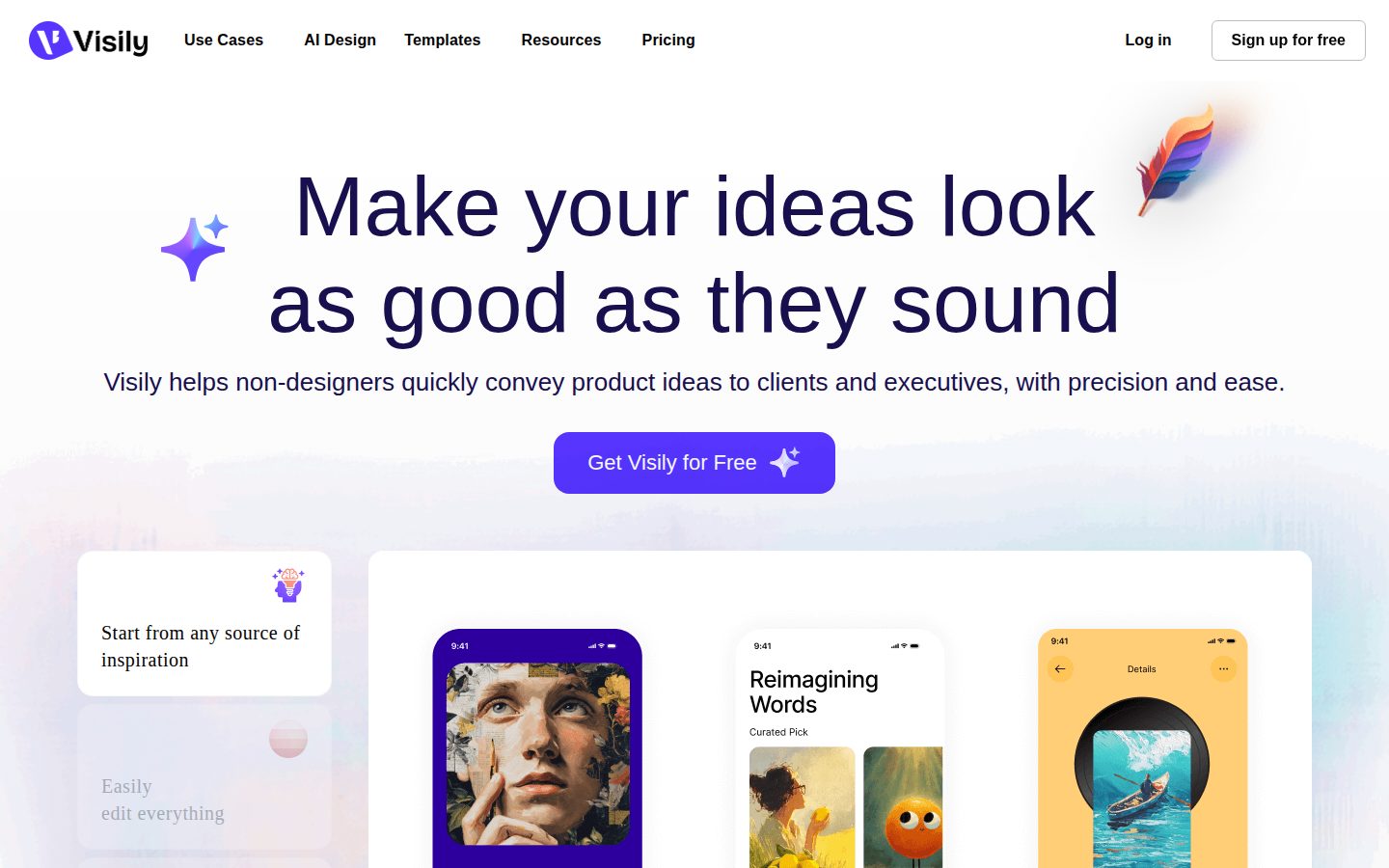
Visily is an AI-powered wireframing and prototyping tool for product managers, startup founders, and other non-designers.
AI Panel Score
6 AI reviews
Reviewed
AI Editor ApprovedApproved and published by our AI Editor-in-Chief after full panel analysis.In practice, users start a project in Visily by entering a text description, uploading a screenshot, importing a diagram, or selecting from a library of pre-built templates. The AI converts that input into an editable wireframe on a flexible canvas. From there, users can drag and drop components, adjust layouts, add annotations, and link screens together into a clickable prototype — all without writing code or learning professional design software.
Visily includes several specific AI features highlighted on its site: text-to-wireframe generation, screenshot-to-UI conversion, and an AI chat interface for editing designs. Other named capabilities include Smart Components, Auto-Prototyping, cursor chat, follower mode for live presentations, on-canvas commenting, shared asset libraries, and a Figma plugin for handing off work to design teams.
Visily is aimed at product managers, startup founders, content strategists, and other non-technical roles that need to communicate product ideas visually. It positions itself against professional tools like Figma, which it describes as too complex for non-designers, as well as simpler tools it characterizes as producing low-quality output. The product offers a free plan; paid plan pricing is not disclosed on the homepage.
Visily runs as a web-based application and includes a Figma plugin for teams that hand off work to designers using that platform.

Allows users to edit existing designs through an AI chat interface directly on the canvas.
Transforms diagrams into UI screens that can then be edited on the canvas.
Converts uploaded screenshots into editable UI mockup screens on the canvas.
Generates wireframes and UI screens from text descriptions entered by the user.
Automatically generates interactive prototype flows from designed screens to reduce manual linking work.
Enables live cursor-based chat on the canvas so collaborators can communicate in real time while viewing the same design.
Allows team members to follow another user's cursor and view as they navigate the canvas in real time.
Lets team members leave comments directly on the canvas to give feedback during the design process.
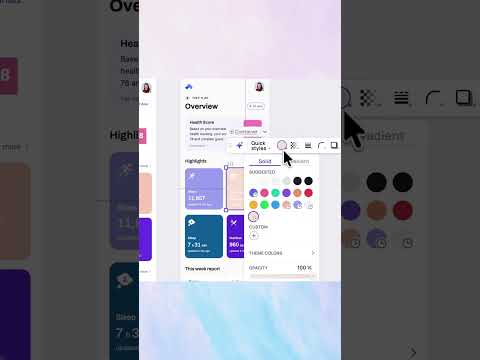
Provides a flexible drag-and-drop canvas where users can place, move, and edit UI components without design expertise.
Offers thousands of ready-made templates for mobile and web to help users start designing without a blank canvas.
Pre-built interactive components that fast-track the creation of polished, high-fidelity prototypes.
Integrates with Figma to allow handoff or continuation of designs between Visily and Figma workflows.
For trying things out
For solo professionals and small teams
For growing and large businesses
Custom plan for specific business needs — contact Visily to discuss
Visily turns non-designers into prototype shippers at $11/month.
“Solid AI wireframing for PMs and founders who'd otherwise block on Figma. The free tier is real and the Pro jump to $11 is an easy yes.”
Text-to-wireframe, screenshot-to-UI, diagram conversion — Visily ships the three inputs that actually matter to non-designers. Auto-Prototyping and Smart Components mean you're not hand-linking screens like it's 2018. That's a genuine capability gap closed versus Figma for anyone without design training.
The tradeoff: this isn't a Figma replacement. Designers on your team won't switch. The Figma plugin exists precisely because Visily is a handoff tool, not a destination. 300 AI credits on the free tier will run out fast if you're iterating seriously — upgrade math lands at $11/month, which the board won't question.
No public funding data, no changelog visible. That's the viability concern. But the pricing structure, the plugin ecosystem, and the feature breadth suggest a team that's been shipping. Pilot it with two or three PMs for 60 days before you make it a standard.
Correctly flanks Figma on the non-designer segment where Figma genuinely loses — that's a real and defensible market position.
Neutral-to-positive — well-positioned category, freemium model, Figma integration signals legitimacy to any technical board member.
Free plan gets you a working wireframe in one session; $11/month Pro tier with 3,000 AI credits removes the friction fast.
Unblocks PMs and founders from design bottlenecks; the text-to-wireframe and screenshot-to-UI features directly accelerate product communication cycles.
No public funding data and no changelog available — can't confirm runway or shipping cadence with confidence.
Product managers and startup founders who need to communicate UI ideas without waiting on a designer.
Your design team owns the wireframing process and already runs Figma end-to-end.
Visily closes the gap between product thinking and design handoff without requiring Figma fluency.
“A purpose-built wireframing layer for non-designers that generates credible high-fidelity output from text, screenshots, or diagrams. The Figma plugin makes the handoff story real, not theoretical.”
Text-to-wireframe plus screenshot-to-UI conversion is a genuinely useful pairing. A PM can photograph a competitor screen, convert it, strip it down, and hand something tangible to a design team — that workflow has real value. Smart Components and Auto-Prototyping suggest someone thought about the full prototype loop, not just the generation step.
The craft ceiling is clearly non-designer territory, which is fine because that's the explicit bet. But the component library depth isn't documented publicly — no component count, no token system, no design language specs. At $11/month Pro, the price signals SMB adoption, not design-system-grade infrastructure.
The Figma plugin is the architectural hinge. If that handoff layer is solid, Visily becomes a front-door tool for design teams managing stakeholder input. If it exports messy, ungrouped layers, it creates cleanup debt. That's the adoption risk worth pressure-testing before committing at Business tier ($29/month).
Sits clearly between Balsamiq-style lo-fi tools and Figma, with AI generation as the differentiator — a defensible lane the category hasn't fully commoditized yet.
Explicitly architected for non-designers feeding into designer workflows — cursor chat, follower mode, and Figma plugin all serve that handoff model.
Figma plugin plus export-to-code on the $11 Pro tier gives it a reasonable surface area for teams already running a Figma-centered stack.
If the Figma export quality is clean, this becomes a durable intake tool; if not, teams accumulate rework debt as usage scales.
Multi-modal input (text, screenshot, diagram) is genuinely differentiated, but no public evidence of token-level design system depth or component count.
Product managers and startup founders who need to communicate UI ideas to design teams without learning Figma.
Your design team needs component-level token fidelity or a shared design system they can actually build on.
$11/seat Pro tier, SSO only at $29 — clean structure for non-designer tooling
“Three visible tiers, no sales call required. $11/seat covers most solo and small-team use cases cleanly.”
Pricing page is public and honest. Starter at $0, Pro at $11/seat/month, Business at $29/seat/month. SSO lives at Business tier — category norm, but worth flagging. 50 seats on Business: $29 × 50 × 12 = $17,400/year. Add 20% seat creep, year 3 lands near $25K. Pro tier at $11 keeps small teams well under $10K annually.
AI credits are the unknown. Pro gets 3,000/month, Business gets 10,000. No published overage rate based on the pricing page. Heavy prompt-based workflows — text-to-wireframe, screenshot-to-UI, AI Chat Editing — burn credits fast. That's the invoice risk, not the sticker.
Compare to Figma at $15/seat for full design teams. Visily isn't competing there — it's the pre-Figma layer for PMs and founders. Figma plugin handles handoff. The tradeoff: Visily's credit ceiling creates unpredictable costs at scale; Figma's flat seat pricing doesn't.
Web-based self-serve signup, free Starter tier reduces procurement friction; Business tier adds SAML SSO and custom team management for enterprise onboarding.
Monthly billing available at all tiers; no public auto-renewal window or termination clause documented — category norm, but not confirmed.
All three paid tiers visible without a sales call; credit limits and SSO tier placement clearly stated on the pricing page.
PM and founder use case is concrete — fewer Figma handoff cycles, faster mockup iteration — but no published time-savings benchmarks to anchor the math.
No published overage rate for AI credits creates year-3 cost uncertainty, especially for teams with high AI-generation volume.
Product managers and startup founders needing fast mockups at under $10K/year.
Your team exceeds 50 seats and runs high-volume AI generation workflows where credit overages are unquantified.
Visily closes the PM-to-designer gap, but power users will hit the ceiling fast
“At $11/month Pro, Visily is a genuinely useful handoff accelerator for non-designers who need to sketch real screens fast. The AI input modes — text, screenshot, diagram — are the actual differentiator here.”
Screenshot-to-UI conversion is the feature that earns its keep. Drop a competitor's screen in, get an editable canvas back. That's not a demo trick — that's a real workflow shortcut for PMs doing competitive reference work. Auto-Prototyping handling screen linking automatically removes the most tedious part of early-stage wireframing. The 3,000 AI credits at Pro tier feels workable for solo use; whether that holds under daily team volume is unclear.
Day three is where the ceiling shows. Smart Components and pre-built templates get you to high-fidelity fast, but when you need to deviate — custom component states, deep layer control, design tokens — the canvas won't go there. Figma's layer panel and snapping are professional infrastructure. Visily isn't trying to be that, which is honest positioning, but a PM who outgrows it hits a hard wall.
The Figma plugin is the right escape valve. Design handoff from Visily into a real Figma file is the sensible workflow: sketch in Visily, finish in Figma. Version history only appears at Business tier ($29/month), which stings — losing draft history on an $11 plan is a daily risk for collaborative work.
Text-to-wireframe and screenshot conversion hold up post-demo, but component depth limits surface quickly for any non-trivial screen.
Blog exists but no public changelog or API docs, suggesting documentation is marketing-led rather than practitioner-maintained.
No changelog is public, version history locked to $29/month Business tier, and AI credit limits create a usage-anxiety loop on lower plans.
Smart Components and AI chat editing add depth, but no design token system or advanced component states means power-user ceiling arrives early.
Figma plugin creates a real handoff bridge; the web-only platform means no offline work and a browser tab context-switch cost every session.
Product managers and startup founders who need to communicate screen ideas to a design team without learning Figma.
You're a designer expecting professional layer control, snapping precision, or component state depth.
Figma without the design degree — and that's genuinely the point
“Visily solves a real problem: product managers and founders who need to show their idea, not just describe it. At $11/month for the Pro tier, it's priced like a tool that wants to stay out of your way.”
The pitch is honest. Text-to-wireframe, screenshot-to-UI, diagram conversion — these aren't gimmicks for this audience. A PM trying to unblock a sprint doesn't want to learn Figma's component system. They want something on screen in ten minutes. Visily's 300 free AI credits per month on the Starter plan let you feel that out before committing, which is the right call for a tool this unfamiliar to most buyers.
The feature set reads like someone actually interviewed a non-designer. Auto-Prototyping handles the tedious screen-linking work. Smart Components skip the blank-canvas dread. The Figma plugin for handoff is smart — it doesn't try to replace Figma, it feeds it. That's a mature product decision.
The tradeoff is real though: this is web-only, no mobile app. For a tool marketed as 'anyone can use it,' pulling out your laptop to sketch an idea mid-meeting is a friction point. And paid pricing isn't surfaced until you dig — the changelog is absent publicly, so it's hard to know how fast they're shipping.
Smart Components and Auto-Prototyping suggest care for daily friction, but no public changelog makes it hard to gauge how consistently the team sweats details over time.
Pre-built templates plus AI-assisted generation plus drag-and-drop canvas is a genuinely low ramp; the 10,000 AI credit Business tier at $29/month suggests the tool scales as usage deepens.
Web-only platform — no mobile app listed anywhere — which is a meaningful gap for a tool positioned around quick idea capture.
Text prompt, screenshot, or template as starting points means the blank canvas problem is basically solved — that's a genuinely welcoming first ten minutes.
Web-only architecture is stable by default, but no public docs or changelog means there's limited public signal on autosave behavior or error handling.
Product managers and startup founders who need to show an idea visually without learning professional design software.
You need to sketch and prototype on your phone or tablet while away from a computer.
Solid non-designer wedge, but the category graveyard is full of these
“Visily has a real use case and a clean feature set for PMs and founders who can't use Figma. No public funding data, no changelog — hard to call it a 3-year bet.”
Three tells. One: no changelog visible. Two: pricing page hides paid tiers until you dig. Three: 'no learning curve' is the kind of claim that ages poorly for any tool with AI credits, canvas editors, and component libraries. That said — the $11/month Pro tier with 3,000 AI credits and Figma export is a credible offer, not vaporware.
The Figma plugin is the right move. Ucraft, Mockflow, and half a dozen others died because they created a dead-end artifact. Visily at least hands off to where real designers live. Screenshot-to-UI and Auto-Prototyping are named features that match the actual non-designer workflow. Not just repositioned Balsamiq.
Two flags. No API. No public funding signal. Both matter for a 3-year commitment. If this is bootstrapped, that's fine — but I'd want to see a changelog before betting a product workflow on it.
Screenshot-to-UI and diagram conversion are specific capabilities that go beyond what Balsamiq offers, though Uizard runs nearly the same pitch.
Figma export and import on the $11 Pro plan means you're not fully locked in; designs can continue in the tool your real designers already use.
No changelog, no public funding data, and no API — three missing signals that make a multi-year commitment harder to justify based on available evidence.
'No learning curve' plus 'hi-fidelity in minutes' is aspirational copy that outpaces what AI wireframing tools consistently deliver in practice.
Matches the pattern of Uizard and early Mockplus — non-designer wedge, AI layer — some survived, several didn't; category is not settled.
Product managers and startup founders who need to communicate UI ideas to a design team without learning Figma.
You need a guaranteed 3-year vendor with SLA commitments, an API, or enterprise audit controls below the $29 Business tier.
Common questions answered by our AI research team
Yes. Visily is specifically designed to make high-fidelity prototypes accessible to people without design skills, using AI-assisted generation from text prompts, screenshots, or diagrams.
Yes. Visily can generate wireframes and UI mockups directly from screenshots, alongside text prompts and diagrams.
Visily includes Collaboration as a dedicated use case, enabling teams to work together on wireframes and prototypes.
Yes. Visily includes pre-built component libraries, Premade Themes, Smart Components, and UI Presets to accelerate design work.
Yes. Visily offers a free sign-up option, as indicated by the "Sign up for free" option on its homepage.