Yap Review
VisitPrivate dictation for Mac and Windows, half the price.
Yap is a dictation application for Mac and Windows that converts speech to text.
AI Panel Score
7.4/10
6 AI reviews
Reviewed
Facts checked against yapapp.cc
Private dictation for Mac and Windows, half the price.
Yap is a dictation application for Mac and Windows that converts speech to text.
AI Panel Score
6 AI reviews
Reviewed
Facts checked against yapapp.cc
Yap converts spoken words into text wherever your cursor is positioned, functioning as a system-wide dictation tool rather than one tied to a single application. Speech recognition runs locally on the device, so audio does not leave the computer during the process.
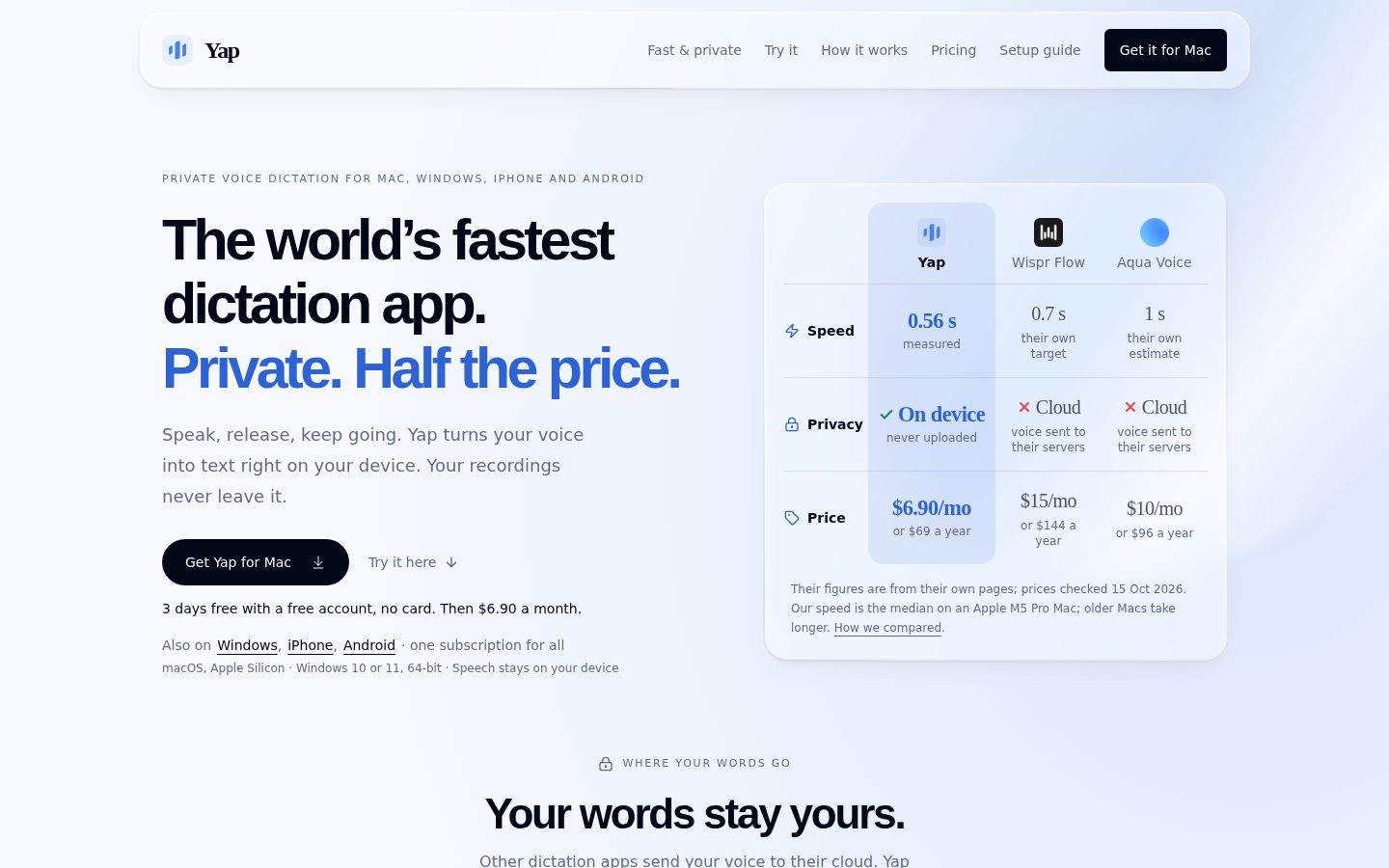
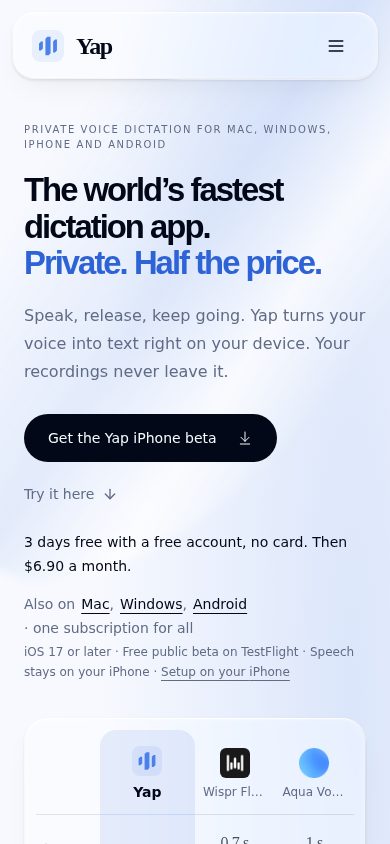
The product's stated differentiators are speed, privacy, and price. The website describes it as the fastest dictation app available and highlights that it does not upload audio or use spoken input to train models, positioning privacy as a core architectural choice rather than an add-on setting. It also markets itself as costing half as much as comparable dictation software.
Yap is built for Mac and Windows users who want dictation functionality without routing their voice data through external servers. A public pricing page is available on the website.
Automatically cleans up spoken input into polished, readable text as part of the dictation process.
Keeps a history of past dictations stored locally on the device for later reference.
Supports multiple languages and automatically detects which language the user is speaking.
Converts spoken words into clean, punctuated text by processing audio locally on the user's Mac or Windows computer.
Works across various applications on the desktop, letting users dictate text wherever they are typing.
Operates entirely on the user's device without uploading audio to the cloud, ensuring dictated speech stays private.
For users who want to pay month-to-month after a 10-day card trial
For users who want to save $13.80 a year by paying annually after a 10-day card trial

On-device dictation at $5.75 a month, with no cloud upload to worry about.
“Yap bets that local processing and a lower price beat the cloud dictation default. The pitch is narrow but clean: speed, privacy, 25 languages, half the cost.”
$6.90 a month, or $5.75 if you pay yearly. That undercuts the category default hard, and the pitch is specific: audio never leaves the device, none of it trains a model. For anyone dictating sensitive material, that architecture choice matters more than a feature list.
The feature set is tight, not deep. On-device dictation, auto language detection across 25 languages, system-wide text insertion, local history. No mention of team plans, admin controls, or enterprise compliance paperwork, so this reads as a single-user tool, not an org-wide rollout.
Tradeoff: on-device processing usually means living with whatever accuracy the local model delivers, since there's no cloud fallback to lean on. The 10-day card trial is a reasonable way to find out before committing. For a personal productivity habit, this is cheap enough to just try.
On-device processing plus half-price positioning is a clear architectural and price contrast with cloud-based dictation tools.
No audio upload and no training on user speech directly addresses the main objection to cloud dictation tools.
A 10-day trial and $6.90 entry price mean payback is nearly immediate if it fits someone's typing workflow.
Replaces an existing dictation workflow at lower cost rather than unlocking new capability.
Pricing page is complete and specific, but I couldn't find a changelog or docs to gauge build cadence.
Individuals who dictate regularly and want a private, cheap alternative to cloud-based tools.
Skip it if you need team deployment or enterprise compliance documentation.

A tight, single-purpose input tool — craft discipline over feature sprawl, which is the right call here.
“Yap commits to one job — cursor-level dictation — and does it with a clean architectural spine. The craft ceiling depends entirely on whether that discipline holds as the roadmap grows.”
Six features, one clear job. Automatic Transcription Cleanup plus System-Wide App Compatibility tells me the design brief was 'disappear into the user's existing workflow,' not 'build a destination app.' That's a craft decision I respect — dictation tools that try to become productivity suites usually end up mediocre at both.
The $6.90/month entry point (dropping to $5.75 annually) signals a tool built for individual creative and knowledge workers, not procurement committees. That's domain fit: writers, designers, and founders dictating at their cursor don't want a seat-management console, they want friction removed. The craft ceiling shows in the gaps — custom shortcuts and hands-free recording are listed as features, but I found nothing on voice-command depth or formatting intelligence beyond 'polished, readable text.'
Three years out, a single-surface tool like this either stays sharp and focused or stalls creatively while competitors add workflow layers. Right now it reads like the former.
Priced at $5.75-6.90/month against the category's usual cloud-dictation pricing, it stakes out a clear, defensible lane.
Cursor-level, system-wide insertion matches how individual creatives actually dictate across apps rather than within one.
System-Wide App Compatibility across Mac, Windows, iPhone and Android is a genuinely broad surface for a single-purpose tool.
A monthly subscription with no visible team tier keeps the roadmap narrow, which is a constraint as much as a feature.
Automatic Transcription Cleanup suggests real craft investment in the output layer, not just raw transcription.
A solo creative or writer who wants fast, unobtrusive dictation at the cursor without managing a bigger app.
Skip it if you need a dictation tool with deep workflow customization or team-level deployment features.

$5.75/month yearly, 10-day card trial. The math is clean, the terms aren't spelled out.
“Yap prices lower than most dictation tools and shows the full rate card up front. The trial structure needs a closer read before you hand over a card.”
$6.90 monthly, or $5.75 monthly billed yearly. Saves $13.80 a year. One tier, one feature set, no enterprise markup. 50-seat team math: 50 × $5.75 × 12 = $3,450/year. Compare that to typical dictation software running double, per the vendor's own framing, and the delta is real.
Both plans start with a 10-day card trial. That means card-on-file before you've tested accuracy on your workflow. Standard for subscription software, but worth flagging: no mention of refund policy or what happens if you cancel inside those 10 days versus after.
No visible team billing, no invoicing option, no annual PO path. Fine for an individual expense claim. A procurement team buying 50 seats will want consolidated billing Yap's page doesn't show. Local Dictation History is a nice privacy footnote, not a cost factor.
Card-based subscription only, no sign of invoicing or multi-seat billing for a team purchase.
Monthly option exists but the 10-day card trial's cancellation and refund terms aren't stated.
Two tiers, both priced in dollars, no quote-gate anywhere on the page.
Time saved on dictation is plausible but there's no benchmark or usage metric to point to.
$5.75/month yearly with one feature set means no add-on tax to budget around.
An individual or small team paying out of pocket on a card.
You need consolidated invoicing or a PO-based procurement process.

Clean, punctuated text at the cursor, but no word on latency under real mic noise.
“Yap positions itself as system-wide dictation with on-device recognition, but the sales copy doesn't tell me how it handles a noisy room or a bad mic. For a producer, that's the whole ballgame.”
Automatic Transcription Cleanup is the feature I'd actually test first — raw speech-to-text is cheap, but turning rambling dictation into readable copy without a separate edit pass is the real differentiator if it holds up. I can't tell from the site whether that cleanup step adjusts for crosstalk, plosives, or a hot mic, which matters more than any benchmark claim about speed.
System-wide insertion at the cursor is the right architecture — no app-switching, no clipboard dance. But audio work lives in edge cases: multiple speakers, overlapping dialogue, room tone bleeding into a take. Nothing here speaks to diarization or noise profiles, just clean single-speaker dictation.
Multi-language auto-detection across 25 languages is a real convenience for bilingual sessions, assuming the handoff between languages is instant and not laggy. At $5.75/month billed yearly, the price makes it easy to just try it on a real session instead of a demo sentence.
On-device dictation at the cursor should hold up daily, but there's no mention of how it behaves with background noise or multiple voices in a room.
I couldn't find technical documentation on how the cleanup model treats accents, plosives, or noisy audio, which is the detail a producer actually needs.
Automatic Transcription Cleanup reduces one editing pass, but unclear handling of crosstalk or overlapping speech could reintroduce friction in multi-voice sessions.
Custom shortcuts and hands-free recording suggest some depth, but nothing points to diarization, speaker separation, or audio-specific tuning.
System-wide compatibility across Mac, Windows, iPhone and Android under one subscription fits a cross-device production workflow without app-switching.
A producer doing solo voiceover notes or single-speaker scratch dictation across devices.
You need multi-speaker transcription or diarization for interview and panel audio.

A dictation app you set up once and probably never open again.
“Yap wants to live in your system tray, forgotten but working. Whether that's a compliment depends on how it behaves on day one.”
The pitch here is that Yap disappears into the background — dictate at your cursor, no window to manage, no app to babysit. That's the right instinct for a utility like this, but it also means the first ten minutes matter more than usual, because there's no dashboard to hand-hold you through setup, just a system-wide tool you either trust immediately or start second-guessing.
I didn't find anything describing what happens when recognition is uncertain, whether it shows a confidence state or just silently guesses and inserts. For a tool that writes directly into whatever you're doing, a wrong guess without a visible correction flow is the kind of thing that erodes trust by week two, not day one.
The $6.90 monthly or $5.75 annual pricing is refreshingly plain, and Custom Shortcuts plus hands-free recording suggest someone thought past the basic record-and-transcribe loop. But a tool meant to vanish into your workflow lives or dies on whether it recovers gracefully when it mishears you, and that part stays a question mark.
Automatic Transcription Cleanup and custom shortcuts show some craft, but I found no detail on error or correction states.
System-wide compatibility and 25-language auto-detection suggest a tool meant to need no manual, assuming it behaves predictably.
The subscription covers iPhone and Android alongside desktop, though I couldn't confirm the mobile apps match desktop functionality.
A 10-day card trial and two flat tiers keep signup simple, with no sales call friction.
On-device processing avoids upload failures, but nothing describes behavior when recognition is uncertain or interrupted.
Someone who wants dictation to quietly run in the background without opening a dashboard.
You need visible confidence or correction controls before trusting text inserted automatically.

World's fastest, per the headline. No benchmark anywhere near it.
“Yap's privacy architecture is a real claim with real specifics behind it. The speed claim is the kind of superlative that marketing teams reach for when there's nothing to measure it against.”
"World's fastest dictation app" sits in the H1. Fastest compared to what, measured how, I couldn't find. That's the tell that makes me read the rest more carefully, not less — because the privacy claims right next to it (on-device, no upload, no training) are specific enough to check and consistent across the pricing page and the buyer Q&A. That consistency buys some trust back.
Two tiers, $6.90 or $5.75 monthly, both behind a 10-day card trial. Clean. But Dragon's been in this exact lane for two decades and Apple's own dictation ships free on every Mac — Yap's pitch has to be privacy-plus-price, not speed, and the page knows it.
Local history is a nice exit story: your data's already on your machine if you leave. Company behind it, O-mega Enterprise Inc., isn't one I've tracked before. Fine. Just watch the update cadence before committing annually.
Privacy-first local processing at $5.75/month is a real angle in a category where cloud dictation and bundled OS tools are the default comparison.
Local dictation history means your transcripts stay on-device, which is a genuinely clean exit story if you leave.
I couldn't find a changelog or docs to gauge update pace; a blog and live pricing page are what I could confirm.
Privacy claims are specific and checkable; the 'world's fastest' headline has no benchmark behind it that I could find.
On-device processing and 25-language auto-detection are named and specific, but independent accuracy or speed comparisons aren't visible anywhere I looked.
Someone who wants dictation that stays on their machine and is willing to trust a privacy claim they can't independently verify.
You need proof of speed or accuracy claims before paying, not just a page that asserts them.
Common questions answered by our AI research team
Yap handles speech recognition on-device rather than routing audio through cloud servers.
No. Yap does not upload audio to servers; recognition happens locally on the device.
No. Yap does not use user speech for training.
Yap turns speech into text directly at your cursor, inserting transcribed text where you're typing.
Yap is a dictation app for Mac and Windows that converts speech to text on-device, without uploading audio to servers.