BackEngine logo

BackEngine Review

Visit

Business context for the AI your team already uses

BackEngine is a context layer that connects business tools to AI assistants like Claude for teams.

AI Panel Score

7.1/10

6 AI reviews

Reviewed

About BackEngine

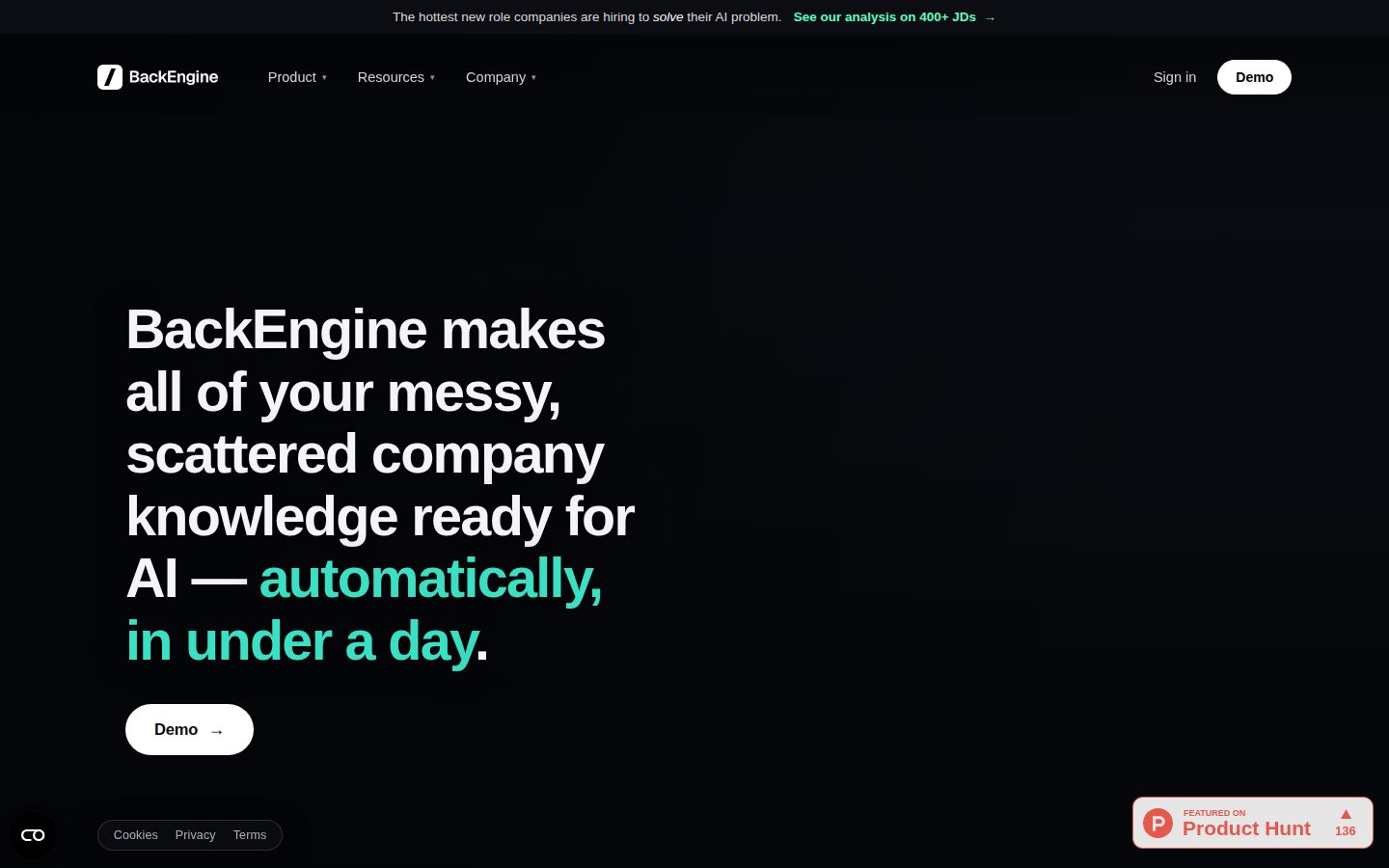
BackEngine sits between a company's existing business tools and the AI assistant a team already uses, such as Claude. It connects to systems where customer communications live, including CRM, call recordings, email, Slack, and support tickets, then reads and organizes that data in advance. Once connected, teams interact with it through a single command (/backengine) inside their AI, or on a schedule, for example receiving weekly account-risk summaries delivered to Slack. Setup requires about 15 minutes of authorization, and teams are typically live within two days without changing how they otherwise work.

The distinguishing mechanism is that BackEngine pre-processes and categorizes every data point into roughly 150 categories before questions are asked, so the same question returns the same answer for everyone. The website frames this against a direct app-to-AI connection, which it says samples and guesses rather than reading everything in advance. Security features include a permission model that governs what each person can ask about and see, per-customer encryption keys for data at rest and in transit, and SOC 2 and HIPAA compliance with BAAs available. BackEngine reads only communications tied to customer and prospect accounts a team designates, not internal or personal threads, and states that data is never pooled, sold, or used to train AI models. Supported connections include Salesforce, HubSpot, Zoom, Zoom Phone, Gong, Fireflies, Google Meet, Gmail, Google Calendar, Google Drive, Microsoft Outlook, Microsoft Teams, Slack, Granola, Fathom, Read AI, Clari Copilot, Aircall, Zendesk, Intercom, Jira, Gamma, and Enterpret. It also ships with a library of over 100 prompts and white-glove onboarding.

BackEngine is aimed at sales, post-sales, and product teams that manage customer accounts and want their AI assistant to answer questions grounded in call, email, ticket, and CRM data. Pricing is based on the number of customers tracked, with unlimited seats and AI agents included and no per-user cost. Case studies cited on the site include Tattle, which reports 2x account coverage per CSM and 40% faster time-to-insight, and Fossa, which reports 60% faster customer response times.

Features

AI

  • In-AI Query with /backengine Command

    Lets teams ask business questions inside the AI they already use (e.g., Claude) with a single command and get consistent, cited answers.

  • Pre-Processing & Categorization Engine

    Reads and organizes every connected data point into roughly 150 categories in advance of any question, enabling deterministic answers rather than on-the-fly sampling.

Automation

  • Scheduled Reports and Summaries

    Delivers recurring outputs, such as weekly account-risk summaries, automatically to channels like Slack on a set schedule.

Collaboration

  • Team-Wide Prompt Library

    Offers a shared library of over 100 prompts so teams can consistently query the same organized data set.

Core

  • Account-Level Data Joins

    Joins all communications and records per customer account so information from disparate tools is unified around the account rather than siloed by app.

  • Per-Customer-Tracked Pricing

    Charges based on number of customers tracked rather than per user, including unlimited seats and AI agents in the plan.

Integration

  • Multi-Source Data Connections

    Connects to CRM, call recordings, email, Slack, and support ticket systems including Salesforce, HubSpot, Zoom, Gong, Gmail, Outlook, Teams, Zendesk, Intercom, Jira, and others.

Security

  • Compliance and Trust Center

    Maintains SOC 2 and HIPAA compliance with available BAAs and a trust center documenting security practices.

  • Designated Communication Scope

    Reads only communications related to customer and prospect accounts a team designates, excluding internal or personal threads.

  • Per-Customer Encryption

    Encrypts data at rest and in transit using per-customer keys, ensuring data is never pooled or sold across customers.

  • Role-Based Permission Model

    Controls what each individual person can ask about and see based on a robust permissioning system.

Support

  • Quick Setup and Onboarding

    Provides roughly 15-minute authorization setup, live deployment within two days, white-glove onboarding, and a library of 100+ prompts.

Preview

BackEngine desktop previewBackEngine mobile preview

Pricing Plans

Contact Sales

Contact sales

Pricing requires contacting the vendor. BackEngine publishes no list prices: the fee is set by how many customers and prospects you track, seats and AI agents are unmetered, and the price is quoted via a demo with true-up only at renewal.

  • Priced by accounts tracked, not by people
  • Unlimited seats and AI agents included
  • Every connection included — no stripped-down tier
  • White-glove setup and dedicated CS
  • 100+ prompts to start

AI Panel Reviews

The Decision Maker

The Decision Maker

Strategic bet, vendor viability, timing, adoption approval
7.4/10

Pre-processes customer data into 150 categories so Claude stops guessing — smart, but priced opaquely.

BackEngine turns scattered CRM, call, and Slack data into structured context for AI assistants. The mechanism is sound; the pricing page isn't, and that matters at this stage.

150 categories, pre-processed before anyone asks a question. That's the whole pitch, and it's a real architectural choice, not a feature bullet — deterministic answers instead of an AI sampling live against your CRM and guessing.

Two things stand out. One: no per-user pricing, charged per customer tracked instead, unlimited seats included — good model if you've got a lean team touching a lot of accounts. Two: SOC 2, HIPAA, per-customer encryption, BAAs available — someone thought hard about the trust problem here, which matters when you're reading call recordings and support tickets.

But "contact sales" is the only pricing tier listed. No number, no floor, no way to size cost before a call. Fifteen-minute setup and two-day time-to-live are fast if true — the Tattle and Fossa numbers (2x coverage, 40% faster insight) are vendor-cited, not third-party verified.

Competitive Positioning7.6

Pre-processing into 150 categories for deterministic answers is a distinct architecture versus live-sampling AI queries against connected apps.

Reputation Risk7.5

SOC 2, HIPAA, BAAs, and per-customer encryption are named explicitly, which covers the compliance bar this use case demands.

Speed to Value8.0

15-minute authorization and live within two days, as claimed, is a fast payback window if accurate.

Strategic Fit7.8

Advances how teams already use Claude rather than replacing tools, per the /backengine command model.

Vendor Viability7.0

Complete pricing page structure and detailed security docs suggest active build-out, but no changelog or API docs visible.

Pros

  • Pre-processes data into ~150 categories for consistent, cited answers
  • Per-customer pricing with unlimited seats, not per-user
  • SOC 2 and HIPAA compliance with BAAs available
  • Fast claimed setup: 15 minutes to authorize, live in two days

Cons

  • No public pricing number, requires a sales call to size cost
  • Case study metrics (2x coverage, 40% faster insight) are vendor-sourced
  • No visible docs, API, or changelog to gauge engineering pace

Right for

Sales and post-sales teams managing many customer accounts who want Claude answering grounded in real account data.

Avoid if

Skip it if you need transparent pricing before looping in procurement.

The Domain Strategist

The Domain Strategist

Craft and strategy in the product's domain — adapts identity per category, same lens
7.8/10

A pre-processing layer that treats account knowledge as a taxonomy problem, not a retrieval problem.

BackEngine bets that categorizing data into roughly 150 buckets before a question is asked beats sampling on demand. That's a real information architecture decision, not a search feature.

Most AI-search tools in this category are retrieval engines wearing a knowledge management costume — they sample connected apps live and hope the answer is representative. BackEngine's pre-processing model, sorting every data point into ~150 categories before a query exists, is closer to how a taxonomy team would actually build a knowledge base: structure first, query second. That's the right instinct for consistency, and it's why the same question reportedly returns the same cited answer for everyone on a team.

The account-level join across CRM, calls, email, Slack, and tickets is the real asset — it's the governance layer most knowledge management programs never get funded to build. Designated communication scope and per-customer encryption keys show someone thought about data provenance, not just access control.

Three years in, the constraint is the fixed taxonomy itself: 150 categories is a defensible starting schema, not an evolving one, and there's no evidence yet of how it handles reclassification as the business changes.

Category Positioning7.6

Positions explicitly against direct app-to-AI querying, which it frames as sampling and guessing rather than reading everything in advance.

Domain Fit8.2

Account-level joins across CRM, calls, email, and tickets mirror how account teams actually think about knowledge, not how search tools think about documents.

Integration Surface8.0

Connects to Salesforce, HubSpot, Gong, Slack, Zendesk, Jira and more, and lives inside Claude via a single /backengine command rather than requiring a new tool.

Long-term Implications7.3

A fixed ~150-category schema is a strong day-one asset but creates a governance dependency on BackEngine's own taxonomy as the business evolves.

Strategic Depth7.8

Pre-processing into ~150 categories is genuine information architecture, ahead of live-sampling competitors, but the taxonomy's adaptability over time is unproven.

Pros

  • Pre-processing model gives deterministic, cited answers instead of live-sampled guesses
  • Account-level data joins unify communications the way account teams actually work
  • Per-customer encryption keys and designated communication scope show real data-governance thinking
  • Per-customer-tracked pricing with unlimited seats avoids per-user cost creep as adoption grows

Cons

  • Fixed ~150-category taxonomy is unproven at handling organizational or business-model change
  • No public per-unit pricing, so total cost of ownership is opaque until sales contact
  • No docs, API, or changelog surfaced, making governance auditability hard to assess from outside

Right for

Sales, post-sales, and product teams that need consistent, citable answers grounded in scattered customer data.

Avoid if

Avoid if your team needs transparent self-serve pricing or visibility into how the taxonomy evolves over time.

The Finance Lead

The Finance Lead

Money, total cost of ownership, contracts, procurement math
5.8/10

No price on the page. 'Contact Sales' is not a pricing tier.

Priced per customer tracked, not per seat — unusual model, zero published numbers. Unlimited seats sounds generous until you try to model year 3 cost.

No public per-unit price. Pricing model is 'per customer tracked,' unlimited seats included. That's a real differentiator — no seat-creep tax as headcount grows. But without a per-customer rate, I can't build a TCO model. 50-person team, 2,000 tracked accounts — what's the bill? Contact sales.

Case studies cite outcomes, not costs: Tattle gets 2x account coverage per CSM, Fossa gets 60% faster response times. Useful ROI signal, zero cost denominator. Can't compute payback without both sides.

No term length, no auto-renewal clause, no cancellation terms disclosed. SOC 2 and HIPAA with BAAs — good for procurement's security review, doesn't help finance's budget line. White-glove onboarding at 15-minute setup is cheap to deploy, expensive to price blind. Get the quote in writing before scoping this internally.

Billing & Procurement6.0

SOC 2 and HIPAA with BAAs eases security review; invoicing model and payment terms undisclosed.

Contract Flexibility5.5

No term length, renewal, or cancellation terms that I could find — silent, not scored down further.

Pricing Transparency3.5

Single 'Contact Sales' tier, no per-customer rate published anywhere I could find.

ROI Clarity7.0

Tattle's 2x coverage and 40% faster insight, Fossa's 60% faster response are concrete, measurable outcomes.

Total Cost of Ownership5.0

Unlimited seats is a real cost advantage but per-customer-tracked pricing has no disclosed rate to model 3-year spend.

Pros

  • No per-seat cost — unlimited seats and AI agents included
  • SOC 2 and HIPAA compliant with BAAs, per-customer encryption keys
  • Case study numbers (2x coverage, 60% faster response) are concrete

Cons

  • Zero published pricing — full quote requires a sales call
  • No contract term, renewal, or cancellation terms disclosed
  • Per-customer-tracked model makes cost hard to forecast at scale

Right for

Sales and post-sales teams with concentrated customer accounts who can get a quote before committing.

Avoid if

Avoid if procurement requires published pricing before a first call.

The Domain Practitioner

The Domain Practitioner

Daily hands-on reality in the product's domain — adapts identity per category, same lens
7.2/10

Pre-categorizing 150 buckets before the question is asked — sound methodology, unverified corpus quality

BackEngine's pitch is provenance: cited answers pulled from a pre-organized index instead of an LLM guessing live against your CRM. The mechanism is the right instinct for anyone who's had to defend a sourced claim, but from the outside I have no way to audit what's inside those 150 categories.

As a research question, the core claim is legitimate: on-the-fly sampling against live apps gives non-deterministic answers, same question different day. Pre-processing into roughly 150 categories before query time is a reasonable fix for that variance problem, and the /backengine command plus a 100+ prompt library suggests someone thought about repeatable queries, not just one-off asks.

What's missing is any documentation of the categorization taxonomy itself. Who defines the 150 categories? Can I inspect or correct one that's miscategorized? Citations are mentioned but no example of citation granularity — is it a Slack thread, a timestamp in a call recording, a ticket ID? For account-risk summaries landing in Slack weekly, provenance at that level of specificity matters.

Security posture is well-documented — SOC 2, HIPAA with BAAs, per-customer encryption keys, scoped to designated customer/prospect threads only. That's a credible trust foundation. The tradeoff: strong compliance evidence, thin methodology evidence. Case studies (Tattle's 2x coverage, Fossa's 60% faster response) are outcome numbers, not corpus-quality numbers.

Day-3 Reality7.0

15-minute setup and two-day live claim is fast, but no evidence shows what a wrong or stale categorization looks like in practice.

Documentation Practitioner-Fit6.0

No docs, API reference, or changelog that I could find — pricing page exists but the categorization methodology isn't documented anywhere visible.

Friction Surface6.8

Single-command query and scheduled Slack reports reduce friction, but per-customer pricing model means account list changes may require sales conversations.

Power-User Depth6.9

100+ prompt library and role-based permissions suggest depth, but no evidence of custom category definitions or query auditing for advanced users.

Workflow Integration7.8

Living inside an existing AI via /backengine avoids a new tool habit, which is the correct integration bet for adoption.

Pros

  • Pre-processing into ~150 categories addresses the real determinism problem with live AI-to-app queries
  • SOC 2 and HIPAA compliance with BAAs, plus per-customer encryption keys, is a documented trust baseline
  • Unlimited seats and AI agents under per-customer-tracked pricing removes per-seat friction for growing teams

Cons

  • No visible documentation of the categorization taxonomy or how citations are structured at the source level
  • Case study metrics (2x coverage, 40% faster insight) are outcome claims without methodology behind them
  • No public pricing, free trial, or free plan makes it hard to test corpus quality before committing

Right for

Sales and post-sales teams who need account-grounded, citable answers inside an AI they already use daily.

Avoid if

Avoid if you need to audit or customize the underlying categorization logic before trusting its citations.

The Power User

The Power User

Daily human experience, onboarding, polish, learning curve, reliability
7.2/10

It doesn't want to be a new app on your desktop, and that's the smart part

BackEngine skips the whole new-dashboard problem by living inside the AI you already open. The 150-category pre-processing idea is clever, but you're mostly trusting a pricing page you can't fully test yet.

No free trial, no free plan, pricing is 'contact sales' based on customers tracked. That's a real commitment ask for a tool you can't kick the tires on first. I get why — it's connecting to Salesforce, Gong, Zendesk, email, the whole customer data stack — but it means your first real experience of this thing is a sales call, not a sandbox.

The actual mechanism is the interesting bit. Instead of your AI sampling and guessing against live apps every time, BackEngine reads everything into roughly 150 categories ahead of time, so the same question gets the same answer twice in a row. That's the kind of consistency thing you don't appreciate until you've watched an AI tool confidently give two different answers to the same person in one afternoon.

Setup claims are attractive — 15 minutes to authorize, live in two days, white-glove onboarding, 100+ prompts ready to go. Tattle's case study (2x account coverage, 40% faster time-to-insight) suggests it earns its keep for account teams. Mobile and daily-use polish are just unknowns from what's public.

Daily Polish6.5

No changelog, blog, or docs page that I could find — can't see how much day-to-day care has gone into the interface itself.

Learning Curve7.5

The single /backengine command plus 100+ prompt library suggests a shallow learning curve since it rides inside a tool teams already use.

Mobile Parity6.5

Evidence is silent on mobile entirely — it lives inside Claude and Slack, so parity may be a non-issue or a real gap, unclear.

Onboarding Experience7.8

15-minute authorization and two-day live deployment with white-glove onboarding is a genuinely low-friction pitch.

Reliability Feel7.5

SOC 2, HIPAA with BAAs, and per-customer encryption keys signal a team that's thought about the boring-but-critical stuff.

Pros

  • Pre-processes data into ~150 categories for consistent, repeatable answers instead of live guessing
  • Works inside existing AI tools like Claude rather than adding a new interface to learn
  • SOC 2 and HIPAA compliance with BAAs, plus per-customer encryption keys
  • Case studies show concrete gains: Tattle's 2x account coverage, Fossa's 60% faster response times

Cons

  • No free trial or free plan, so you're committing before you can test it
  • Pricing is opaque — 'contact sales' with no public per-customer rate
  • No visible docs, blog, or changelog to gauge ongoing product care

Right for

Sales, post-sales, and product teams managing customer accounts across CRM, calls, email, and tickets who want consistent AI answers without switching tools.

Avoid if

You want to try before you buy or need a lightweight, low-commitment tool to test first.

The Skeptic

The Skeptic

Contrarian. Watch-outs, deal-breakers, broken promises, category patterns
6.9/10

150 categories, no docs, no API, contact-sales pricing. Grounded pitch, thin paper trail.

BackEngine's mechanism claim is specific and plausible — pre-categorize before the question hits, don't sample live. But the site has no docs, no API, no changelog, and pricing is a black box.

The pre-processing pitch is the most concrete thing here. 150 categories, joined per account, cited answers instead of live guessing against Salesforce or Gong. That's a real architectural claim, not just a superlative.

Case studies cite Tattle at 2x account coverage and Fossa at 60% faster response times — numbers, not adjectives. Good sign. But I couldn't find docs, an API reference, or a changelog. For a tool that says 'connects to everything,' that's a gap. No way to verify uptime, versioning, or what happens to your 150-category structure if you leave.

Exit story is murky. It sits between your tools and Claude — kill it and you're back to asking Claude directly, which is presumably the worse experience they're selling against. Fine if that's a clean fallback. Unclear if any of the categorization work is exportable. SOC 2 and HIPAA with BAAs is a solid trust signal for a team this size and stage.

Competitive Differentiation7.0

Pre-processing vs. live-sampling is a clear, named architectural distinction, though no rival is called out directly.

Exit Portability5.5

Sits as a layer over existing tools and Claude, but no stated data export path if you leave.

Long-term Viability6.0

No changelog, no docs, no public roadmap signal despite SOC 2/HIPAA compliance claims.

Marketing Honesty7.5

Claims are specific (150 categories, 15-minute setup, cited answers) rather than vague superlatives, and case study numbers are named.

Track Record Match6.5

Two named case studies with numbers, but no docs or API listed to verify the mechanism independently.

Pros

  • Concrete mechanism claim (150 categories, account-level joins) instead of vague AI marketing
  • SOC 2 and HIPAA with BAAs available
  • Case studies with real numbers (2x coverage, 60% faster response)

Cons

  • No docs, API, or changelog listed — hard to verify claims independently
  • Pricing is contact-sales only, no floor visible
  • Unclear data portability if you migrate off it

Right for

Sales and post-sales teams already living in Claude who want cited answers pulled from CRM and call data without switching tools.

Avoid if

Avoid if you need visible docs, an API, or transparent pricing before you'll even take the sales call.

Buyer Questions

Common questions answered by our AI research team

Integration

What data sources does BackEngine connect to?

BackEngine connects to a team's CRM, call recordings, email, Slack, and support tickets.

Features

How does BackEngine organize connected data?

BackEngine reads and organizes connected data into roughly 150 categories before any question is asked, pre-processing information rather than sampling it on demand.

Features

Does BackEngine give cited answers?

Yes, BackEngine provides consistent, cited answers rather than the AI sampling and guessing each time it's asked a question directly against connected apps.

Features

How is BackEngine different from asking AI directly?

Standard AI samples and guesses answers each time it queries connected apps directly, while BackEngine pre-organizes data into about 150 categories first, producing consistent, cited answers.

Setup

Do I use a new AI tool or my existing one?

You get answers inside the AI you already use, since BackEngine's pre-processing lets teams get consistent, cited answers within their existing AI tool rather than requiring a new one.

Also in AI Search & Knowledge