Browser Use logo

Browser Use Review

Visit

Hosted web agents and CDP-compatible stealth browsers for AI automation teams

Browser Use is a web agent and remote browser platform for developers who automate websites with AI agents.

Browser Use·Founded 2024·Usage-basedFree PlanAI Agents & AssistantsAI APIs

AI Panel Score

8.2/10

6 AI reviews

Reviewed

What is Browser Use?

Browser Use is a web agent and remote browser platform for AI startups, agent builders and browser-automation teams. Browser Use Agents take a plain-English task, run it in a managed stealth browser and return the result, while Browser Infrastructure gives your own code remote Chromium sessions over CDP, REST or SDKs. Pricing is usage-based with no subscription: eligible signups get a one-time $15 credit, top-ups start at $5 and never expire, browsers cost $0.02 per browser-hour plus proxy traffic, and agent runs add the model's token rate plus a 20% fee. Capabilities include automatic CAPTCHA solving, residential proxies in 195+ countries, persistent login profiles and human takeover for logins. TopReviewed's six-seat AI review panel scored it 8.2/10, praising pay-as-you-go credits that never expire while noting charges beyond browser time, such as $5-per-GB residential proxy traffic that is on by default. It fits teams moving Playwright scripts to cloud browsers. Browser Use publishes comparisons with Browserbase, Steel, Hyperbrowser and Anchor.

About Browser Use

Browser Use sells two things from one prepaid credit balance. With Browser Use Agents you post a natural-language task to the V4 API or start it from the cloud dashboard, pick a model, and an agent drives a real browser through the clicking, scrolling, logins and retries until it returns the result as text, which can be requested as JSON and validated in your own code, with a webhook when the run finishes. Follow-up turns continue in the same browser context, workspaces hold input and output files, a person can take over for logins, approvals or payments, and V4 agents can run on a schedule to watch a page for changes. With Browser Infrastructure you skip the agent: one POST starts a remote Chromium session, and the returned CDP URL plugs into existing Playwright or Puppeteer scripts without a rewrite.

Every cloud session runs on Browser Use's own hardened Chromium fork with stealth on by default, per-session fingerprint randomization drawn from macOS, Windows and Linux sets, automatic CAPTCHA solving, and managed residential proxies in 195+ countries with per-session country selection or your own proxy. Persistent profiles keep cookies, localStorage and login state, and a local-to-cloud sync copies selected cookies from a real Chrome into a cloud profile. Each session exposes a live URL that can be embedded for human review, and recording can be switched on for debugging. Secrets can be passed as sensitive-data placeholders the model never sees, logins and 2FA codes can come from a 1Password vault, and allowed and prohibited domain lists fence a session in. On Browser Use's own 71-site stealth benchmark its browsers reached 81% of protected sites against 77% for Anchor, the next provider, and on its 106-task Internal Bench Hard the agent solved 82% of tasks at $0.17 per solved task.

It is aimed at AI startups, agent builders and browser-automation teams. Hermes Agent ships it as its default browser driver, and Browser Harness plus an MCP server give coding agents such as Claude Code, Codex, Gemini CLI and Cursor a real browser. Pricing is usage-based with no subscription: eligible Google, GitHub or Microsoft signups get a one-time $15 credit, top-ups start at $5 and never expire, browsers cost $0.02 per browser-hour billed by the minute plus $5/GB for residential proxy traffic, and agent runs add the chosen model's token rate plus a 20% service fee on top of browser time. Concurrency starts at 10 sessions and rises to 1,000 with lifetime spend, while Enterprise agreements add custom concurrency, SLAs, HIPAA support and zero data retention. Browser Use publishes side-by-side comparisons with Browserbase, Steel, Hyperbrowser and Anchor.

Agents are driven through API V4 with Python and TypeScript SDKs, a REST API described by an OpenAPI 3.1 spec, webhooks, and integrations with n8n, OpenClaw and Hermes Agent; with a bring-your-own model key on eligible plans, the provider bills the tokens and Browser Use charges 20% of the published token rates. The open-source browser-use library (pip install browser-use) runs the agent loop locally against a local or cloud browser, and BU 2.0, a model built for web agents, can be called directly at $0.60 per 1M input tokens. Browser Use holds SOC 2 Type II and signs a DPA with EU Standard Contractual Clauses.

Features

AI

  • BU 2.0 web-agent model

    Purpose-built model for web agents that can be called directly through its own model API, including from open-source agents.

  • Model choice and bring-your-own key

    Runs agents on hosted models such as Claude Opus 5, Claude Sonnet 5, GPT-5.6, Gemini 3.6 Flash and Grok 4.5, with GPT-5.6 Luna as the default, or on your own provider key on eligible plans.

  • Natural-language web agents (API V4)

    Takes a task written in plain English, runs it in a managed stealth browser and handles the clicking, scrolling, logins and retries until it returns the completed work.

Analytics

  • Live view and session recordings

    Streams each session to a live URL that can be embedded for monitoring or takeover, and can record the browser as an MP4 for debugging and audit; recording is off by default for API runs.

Automation

  • Automatic CAPTCHA solving

    Solves CAPTCHAs inside every cloud browser without a separate solver service or add-on charge.

  • Human-in-the-loop takeover

    Lets a person step into a running agent session to handle authentication, approvals, payments or review.

  • Scheduled agents and web monitoring

    Puts V4 agents on a schedule with pause and resume controls, so a page described in one sentence can be watched and reported on when it changes.

Compliance

  • Enterprise compliance and data retention controls

    Covers SOC 2 Type II and a signed DPA with EU Standard Contractual Clauses, and adds HIPAA support, zero or custom data retention and EU data residency on request under enterprise agreements.

Core

  • Follow-up sessions and workspaces

    Continues follow-up turns in the same browser context and keeps input and output files in persistent workspaces.

  • Open-source browser-use library

    MIT-licensed Python framework, installed with pip install browser-use, for building and running browser agents locally with custom tools, configurable prompts and output schemas, and an optional connection to cloud browsers.

  • Persistent profiles and cookie sync

    Saves cookies, localStorage and login state in reusable browser profiles and copies selected cookies from a local Chrome into a cloud profile.

  • Residential proxies in 195+ countries

    Routes sessions through managed residential proxies with a country picked per session, or through a direct connection or your own proxy.

  • Structured JSON output

    Returns the agent's result as text that can be requested as JSON and validated in your own code, with webhook callbacks when a run finishes.

Integration

  • Browser Harness for coding agents

    Gives Claude Code, Codex, Gemini CLI, Cursor, Hermes Agent and OpenClaw browser control over CDP with accessibility-tree targeting, using the developer's own logged-in Chrome or cloud stealth browsers.

  • CDP-compatible remote browsers

    Starts a managed Chromium session with one API call and returns a CDP URL that existing Playwright or Puppeteer scripts connect to without a rewrite.

  • SDKs, REST API, webhooks and MCP server

    Exposes agents and browsers through Python and TypeScript SDKs, a REST API with an OpenAPI 3.1 spec, webhooks, an MCP server and integrations with n8n, OpenClaw and Hermes Agent.

Security

  • Sensitive-data placeholders, 1Password and domain lists

    Passes secrets as sensitive_data placeholders the model never sees, fills usernames, passwords and 2FA codes from a 1Password vault, and limits a session with allowed and prohibited domain lists.

  • Stealth Chromium with fingerprint randomization

    Runs every cloud session on a hardened Chromium fork with stealth on by default and per-session canvas, WebGL, font and navigator fingerprints drawn from macOS, Windows and Linux sets.

Preview

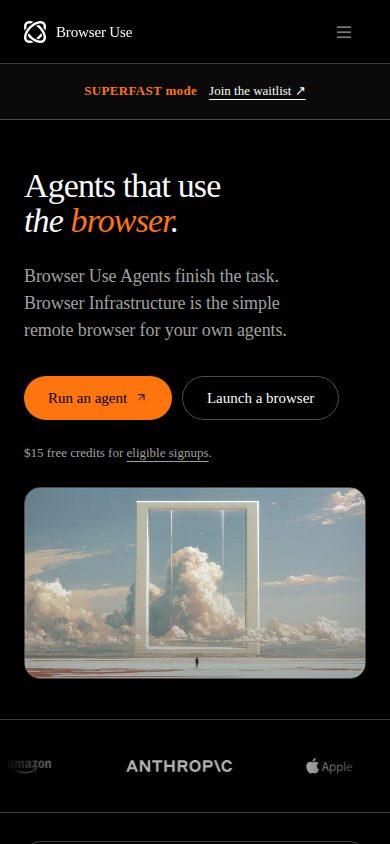
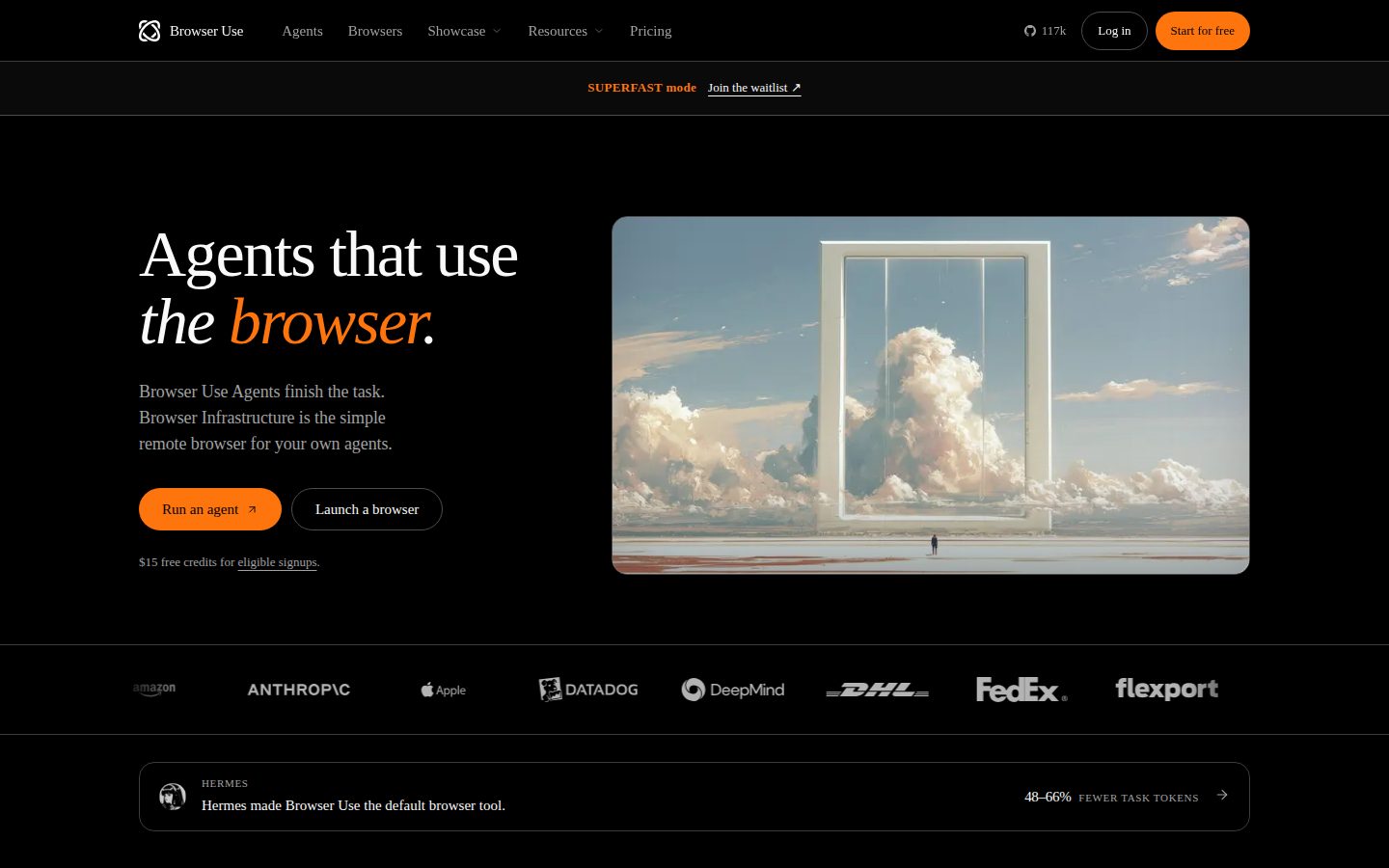
Browser Use desktop previewBrowser Use mobile preview

Pricing Plans

Free

Free

A one-time $15 credit for eligible new Google, GitHub or Microsoft signups, with no card required; it does not renew.

  • $15 signup credit, granted once per person
  • Email/password signups excluded
  • 10 concurrent sessions
  • Cost-efficient models only (default GPT-5.6 Luna)
  • CAPTCHA solving, webhook events and managed proxies in all locations

Browsers

$0.02/hourly

Pay-as-you-go remote browsers for your own agents and automation, billed per browser-hour with no subscription; credits start at a $5 top-up and never expire.

  • High-quality residential proxies at $5/GB, on by default
  • Direct connection or your own proxy at $0.20/GB
  • Billed by the minute with a 1-minute minimum
  • Stealth browser builds and CAPTCHA solving included
  • Concurrency from 10 to 1,000 sessions by lifetime spend

Browser Use Agents

$0.24/per 1M tokens

Hosted web agent billed at the chosen model's token rate plus a 20% service fee, plus browser time and traffic at the browser rates. $0.24 is the default GPT-5.6 Luna input rate per 1M tokens, fee included.

  • GPT-5.6 Luna: $0.24 input, $0.024 cached, $1.44 output per 1M tokens
  • Other hosted models up to $12 input and $60 output per 1M tokens (GPT-6 Astra)
  • Own model key: 20% of published token rates, provider bills tokens
  • A first top-up (minimum $5) unlocks every model

Enterprise

Contact sales

Custom agreement for teams running at scale, on pay-per-use rates with a negotiated annual credit pool.

  • 1,000+ concurrent sessions with custom concurrency
  • Custom SLAs and dedicated support
  • Custom data policy with HIPAA support and zero data retention
  • EU data residency on request

AI Panel Reviews

The Decision Maker

The Decision Maker

Strategic bet, vendor viability, timing, adoption approval
8.4/10

Browser Use lets you buy finished web tasks with $5 credits that never expire.

“Browser Use Agents take a plain-English task and hand back the completed work, with a person able to step in for logins or payments. There's no subscription, and concurrency grows from 10 sessions as lifetime spend rises.”

A $5 top-up is the whole commitment. Credits never expire and there's no subscription, so the exit cost of a wrong call is whatever's left in the balance. The changelog shows six releases between July 1 and August 24, and that's the shipping signal I want.

The strategic piece is Browser Use Agents. You post a plain-English task to API V4 and get finished work back, while Human-in-the-loop takeover lets a person step in for logins, approvals or payments. That's new capacity, not a cheaper version of something we already run.

The catch is scale: every project starts at 10 concurrent sessions, and 1,000 arrives only after $25,000 of lifetime spend unless you sign Enterprise, which is also where HIPAA support and zero data retention live. Pilot one workflow on the $15 signup credit, then escalate if it sticks.

Competitive Positioning8.5

The browser reached 81% of 71 protected sites on Browser Use's own benchmark at $0.02 per browser-hour, with CAPTCHA solving and proxies included.

Reputation Risk8.2

No subscription and non-expiring credits keep exit cost low, and SOC 2 Type II is in place with HIPAA and zero retention on Enterprise.

Speed to Value8.4

One API V4 call starts a task, and eligible signups get a one-time $15 credit without a card.

Strategic Fit8.3

Browser Use Agents add work capacity by returning finished results from a plain-English task rather than trimming an existing cost.

Vendor Viability8.6

The changelog shows six releases between July 1 and August 24, backed by an OpenAPI 3.1 spec and Python and TypeScript SDKs.

Pros

  • Credits start at a $5 top-up, never expire, and need no subscription.
  • Browser Use Agents return finished work from a plain-English task, with human takeover for logins and payments.
  • SOC 2 Type II is in place, and Enterprise adds HIPAA support and zero data retention.
  • The changelog shows steady releases through July and August 2026.

Cons

  • Concurrency starts at 10 sessions and reaches 1,000 only after $25,000 of lifetime spend.
  • The free $15 credit covers cost-efficient models only and excludes email/password signups.

Right for

Product teams who want web tasks finished without running browser infrastructure.

Avoid if

Teams who need hundreds of parallel sessions before building any spend history.

The Domain Strategist

The Domain Strategist

Craft and strategy in the product's domain — adapts identity per category, same lens
8.5/10

The hardened Chromium fork is the moat worth renting, and plain CDP access keeps the exit cheap.

“Browser Use runs every cloud session on its own hardened Chromium fork, which reached 81% of 71 protected sites in its benchmark against 77% for Anchor. Plain CDP access keeps browser code portable, while profiles, workspaces and scheduled agents are where the stickiness sits.”

Plain headless Chromium gets through 2% of the 71 protected sites in Browser Use's stealth benchmark. Their hardened fork gets through 81%, with Anchor next at 77%. That fork is the asset I'd underwrite, because anti-bot systems keep moving and somebody has to keep patching against them.

Browser Infrastructure exposes it over plain CDP, so our Playwright and Puppeteer code never learns a proprietary API. The stickier state sits above that line: persistent profiles holding login state, API V4 workspaces, scheduled agents. If orchestration stays in our repo, on the MIT-licensed library or our own model keys, the exit stays cheap.

The catch is that I couldn't find a self-hosted build of the fork. Run the open-source agent loop locally and the stealth, CAPTCHA solving and residential proxies stay in their cloud. At $0.02 per browser-hour I'd accept that: standardize the browser layer, keep the orchestration ours.

Category Positioning8.5

It sells both the hosted agent and the browser underneath, and lines itself up against Browserbase, Steel, Hyperbrowser and Anchor.

Domain Fit8.4

Two surfaces match how platform teams split work: API V4 for goal-driven agents and raw CDP browsers for code they already own.

Integration Surface8.7

Python and TypeScript SDKs, an OpenAPI 3.1 spec, webhooks, an MCP server and an n8n node cover most of a platform stack.

Long-term Implications8.0

CDP keeps browser code portable, but profiles, workspaces and scheduled agents build up state inside their cloud.

Strategic Depth8.8

Browser Use maintains its own Chromium fork with per-session fingerprints, reaching 81% of 71 protected sites where headless Chromium reaches 2%.

Pros

  • Its own hardened Chromium fork reached 81% of 71 protected sites in Browser Use's stealth benchmark.
  • Browser Infrastructure speaks plain CDP, so Playwright and Puppeteer code connects without a proprietary API.
  • Bring-your-own model keys and the MIT-licensed library keep model spend and the agent loop under your control.
  • Enterprise terms add EU data residency and zero data retention on request.

Cons

  • I couldn't find a self-hosted build of the stealth fork, so stealth stays tied to their cloud.
  • Profiles, workspaces and scheduled agents build up state that doesn't travel over CDP.

Right for

Platform teams who want stealth browsers underneath their own orchestration.

Avoid if

Teams who must self-host every layer of their browser stack.

The Finance Lead

The Finance Lead

Money, total cost of ownership, contracts, procurement math
8.4/10

250 browser-hours cost the same as one gigabyte of the residential proxy traffic that's on by default.

“Browser time is $0.02 an hour, but the residential proxy that's on by default bills $5 per gigabyte. Agent runs add the model's token rate plus a 20% fee, and bringing your own key doesn't remove it.”

Fifty sessions, eight hours a day, 22 days: 8,800 browser-hours. At $0.02 an hour, that's $176 a month. But residential proxies are on by default at $5/GB. At 1 GB per session per day, traffic adds $5,500. A direct connection at $0.20/GB makes it $220.

Browser Use Agents add tokens at the model rate plus 20%. The default, GPT-5.6 Luna, lists at $0.24 per 1M input and $1.44 output. Bring your own key and the 20% still applies, on published rates. BYOK moves the token invoice, not the fee.

No subscription. Credits never expire. Top-ups run $5 to $100,000, and auto-recharge needs a card on file. Fifty concurrent sessions unlock at $200 lifetime spend, so month one clears it. HIPAA and zero retention sit on Enterprise, priced by quote.

Billing & Procurement8.2

One credit balance covers browsers, traffic and tokens with card auto-recharge, while HIPAA terms need an Enterprise quote.

Contract Flexibility8.8

No subscription, non-expiring credits and top-ups from $5 leave nothing to renew or cancel.

Pricing Transparency9.0

Browser, proxy and per-model token rates are all published, down to cached-input prices, with no sales call below Enterprise.

ROI Clarity8.0

Browser Use publishes $0.17 per solved task on its own 106-task benchmark, and per-run cost caps are configurable.

Total Cost of Ownership7.9

Browser time is cheap at $0.02 an hour, but default residential traffic at $5/GB can dominate a heavy month.

Pros

  • Every browser, proxy and model token rate is published, including cached-input prices.
  • There's no subscription, and credits never expire.
  • Concurrency rises with lifetime spend, reaching 50 sessions at $200.
  • Per-run cost caps can be set on agent runs.

Cons

  • Residential proxy traffic at $5/GB is on by default and can outrun browser time.
  • The 20% service fee still applies when you bring your own model key.
  • HIPAA support and zero data retention need an Enterprise quote.

Right for

Automation teams who control proxy settings per workflow.

Avoid if

Buyers who need a fixed monthly invoice.

The Domain Practitioner

The Domain Practitioner

Daily hands-on reality in the product's domain — adapts identity per category, same lens
8.3/10

Closing Playwright won't stop a Browser Use session; an explicit stop call is the habit to learn.

“Browser Infrastructure takes existing Playwright and Puppeteer scripts over CDP, with stealth, CAPTCHA solving and saved logins built in. Teardown needs an explicit stop call, and Selenium can't attach to the remote endpoint.”

browser.close() doesn't stop the browser. Neither does a dropped CDP connection. On Browser Infrastructure the session keeps billing, and holds one of the 10 starting concurrency slots, until it times out or you PATCH it with a stop action. Every teardown path in the harness needs that call.

Past that, existing Playwright and Puppeteer suites attach to the returned cdpUrl with a one-line change. Stealth is on with no flag to set, and the docs say to stop clicking and wait about ten seconds while a CAPTCHA solves in place. Save a profile once, pass its profileId, and the suite stops logging in while those cookies stay valid.

But Selenium can't come along: the docs indicate its debugger_address only takes a local host:port, not a remote WebSocket. Agent runs carry their own gotcha, since API V4 hands back the result as a string you validate yourself.

Day-3 Reality8.0

Saved profiles and in-place CAPTCHA solving remove the usual re-login and challenge fights, but teardown needs an explicit stop call.

Documentation Practitioner-Fit8.8

The docs spell out close() semantics, Selenium's local-only debugger_address and CAPTCHA wait timing, the detail an engineer actually needs.

Friction Surface7.6

browser.close() doesn't end billing, and API V4 agent results come back as a string to validate yourself.

Power-User Depth8.3

Per-session proxy country, custom proxies, recording flags and an OpenAPI 3.1 spec go well past the one-line quickstart.

Workflow Integration8.4

Playwright and Puppeteer connect to the returned cdpUrl with one changed line, though Selenium can't attach remotely.

Pros

  • Existing Playwright and Puppeteer scripts attach to the returned cdpUrl with a one-line change.
  • Stealth is on by default, and CAPTCHAs are solved in place without a separate solver service.
  • Saved profiles carry cookies and login state between runs.
  • The docs flag real gotchas, including teardown semantics and CAPTCHA wait timing.

Cons

  • Closing the browser or dropping the CDP connection doesn't stop billing; only a stop call does.
  • Selenium can't attach, because its debugger_address only accepts a local host:port.
  • API V4 agent runs return the result as a string that you validate yourself.

Right for

QA engineers who run Playwright suites against protected sites.

Avoid if

Teams whose browser automation runs on Selenium.

The Power User

The Power User

Daily human experience, onboarding, polish, learning curve, reliability
8.2/10

Browser Harness lets your coding agent borrow your logged-in Chrome, which is either brilliant or slightly terrifying.

“Browser Harness gives Claude Code, Codex and Cursor a real browser, either your own logged-in Chrome or a cloud stealth session at $0.02 an hour. Setup is one pasted prompt, but local mode hands your agent everything your Chrome can reach.”

Chrome asks exactly once. You paste one setup prompt into Claude Code, Codex or Cursor, the agent installs the CLI and registers its skill, and Chrome pops a single remote-debugging permission. Click yes and that's the whole ceremony.

Browser Harness is the part that changes the day. Your agent drives your actual browser, open tabs and logged-in sessions included, writing small bits of Python against the accessibility tree instead of picking from a fixed menu of clicks. When the connection sulks, browser-use --doctor tells you why. Need stealth or parallel runs? One cloud browser per sub-agent, $0.02 an hour.

But that one click deserves more thought than it gets. Say yes and the agent has everything your Chrome has, cookies and all. Month three, I'd give it its own Chrome profile and send anything sensitive to a cloud browser.

Daily Polish8.2

The changelog shows small fixes like sticky run status, truncation reporting and background-tab recovery, the details daily users notice.

Learning Curve8.4

Browser Harness scales from a pasted setup prompt to writing Python against the accessibility tree, with --doctor for connection trouble.

Mobile Parity7.5

The changelog shows fixes for sending and stopping runs from a phone, but I couldn't find a native mobile app.

Onboarding Experience8.6

One pasted prompt installs the CLI and its skill, and eligible signups get a one-time $15 credit without a card.

Reliability Feel7.5

I can't judge feel from outside, though the changelog shows streaming stalls now retry automatically and cancelled runs no longer flip to completed.

Pros

  • One pasted prompt installs the Browser Use CLI and registers its skill with your coding agent.
  • Browser Harness drives your own logged-in Chrome, so the agent skips the login dance.
  • browser-use --doctor diagnoses a stuck Chrome connection.
  • Cloud stealth browsers for parallel sub-agents cost $0.02 an hour.

Cons

  • Local mode gives the agent your open tabs, cookies and logged-in sessions.
  • I couldn't find a native mobile app.

Right for

Developers who want their coding agent to check real web pages.

Avoid if

People who keep sensitive accounts logged in on their main Chrome.

The Skeptic

The Skeptic

Contrarian. Watch-outs, deal-breakers, broken promises, category patterns
7.6/10

82% on Internal Bench Hard is real, but Browser Use wrote that exam.

“Browser Use backs its accuracy and cost claims with benchmarks it designed or ran itself, though it publishes the methods, controls and limits. The exit is cheap, and the sharpest caveat is a live-view embed that looks read-only but isn't.”

Browser Use grades its own homework. The headline 82% comes from Internal Bench Hard, their 106-task set, where Browser Use Agents beat bare models like Opus 5 at 62%. Models, not rival agents. Online-Mind2Web is a public task set, but they ran it and scored it too.

Still. Scoring there is strict, with no partial credit, and the stealth test ships its controls and code in an open repo. The CAPTCHA page admits solving isn't guaranteed. That kind of candour is rarer than 82%.

The catch sits in the docs: a view-only live-view embed is a UI setting, not a permission, so anyone holding the URL can drive the browser. Exit is clean, though. Plain CDP, an MIT library, credits that never expire. Run ten of your own tasks before believing anyone's table.

Competitive Differentiation7.4

A $0.02 browser-hour with CAPTCHA solving included is a clear gap, while the stealth lead over Anchor is 4 points on Browser Use's own test.

Exit Portability8.2

Plain CDP, an MIT-licensed library and non-expiring credits make leaving cheap, though I couldn't find a way to export saved profiles.

Long-term Viability8.0

The changelog shows releases through July and August 2026, with a public status page, Discord and SOC 2 Type II in place.

Marketing Honesty6.8

'The most accurate web agent. And the cheapest.' rests on Browser Use's own 106-task benchmark, though the method and limits are disclosed.

Track Record Match7.6

Named capabilities back the claims, and the docs state real limits: CAPTCHA solving isn't guaranteed and view-only embeds aren't server-enforced.

Pros

  • The stealth benchmark's controls and code are public, and Internal Bench Hard gives no partial credit.
  • The docs state real limits, including that CAPTCHA solving isn't guaranteed.
  • Plain CDP and an MIT-licensed library keep the exit cheap.

Cons

  • Every headline benchmark was designed or run by Browser Use itself.
  • Internal Bench Hard compares the agent with bare models, not rival agents.
  • A view-only live-view embed doesn't stop anyone holding the URL from driving the browser.

Right for

Teams who will benchmark agents on their own target sites.

Avoid if

Buyers who pick vendors from published leaderboards alone.

Buyer Questions

Common questions answered by our AI research team

Pricing

How much does Browser Use cost?

Browser Use has no subscription: credits start at a $5 top-up and never expire, and eligible signups get a one-time $15 credit. Browsers cost $0.02 per browser-hour plus proxy traffic, and agent runs add the model's token rate plus a 20% fee.

Features

Is Browser Use open source?

Yes. The browser-use Python library is MIT licensed, installs with pip install browser-use and runs browser agents on your own machine or against cloud browsers. The hosted Agents and Browser Infrastructure products are billed separately.

Integration

Does Browser Use work with Playwright and Puppeteer?

Yes. Each Browser Infrastructure session is a remote Chromium reached over CDP, so existing Playwright and Puppeteer scripts connect by pasting in the session's connection URL, with no SDK or rewrite needed. Selenium is not supported for remote sessions.

Features

How many concurrent sessions does Browser Use allow?

Projects start at 10 concurrent sessions shared by agents and browsers. The limit rises with lifetime spend to 50 at $200, 250 at $1,000, 500 at $5,000 and 1,000 at $25,000, and Enterprise agreements go beyond 1,000.

Security

Is Browser Use SOC 2 compliant?

Browser Use is SOC 2 Type II compliant, with the audit report available under NDA. Enterprise agreements add HIPAA support, zero data retention, a signed DPA with EU Standard Contractual Clauses and EU data residency on request.

Alternatives to Browser Use

Who Browser Use competes with, and how each one differs

B
Browserbase

Browserbase is the more commercially mature managed browser platform: founded by Paul Klein IV, it has raised $67.5M total (including a $40M Series B at a $300M valuation, June 2025) and serves 1,000+ companies; its Stagehand SDK layers AI primitives (act/extract/observe) on Playwright rather than shipping a first-party agent like Browser Use does.

Bright Data logo
Bright Data8.1/10

Bright Data's Agent Browser is serverless cloud-browser infrastructure built on its own residential-proxy and anti-bot network (400M+ IPs across 195 countries), competing with Browser Use's Browser Infrastructure at the managed-cloud-browser layer, though Bright Data's core business remains proxies and data extraction rather than an agent framework.

Steel logo
Steel8.2/10

Steel.dev positions itself as the open-source, self-hostable alternative to managed cloud browsers — free to run on your own infrastructure — versus Browser Use's hosted-first, pay-per-browser-hour model.

Anchor Browser logo
Anchor Browser7.6/10

Anchor targets enterprise authenticated workflows with deterministic (non-vision) automation, a 1Password-integrated auth layer, and a built-in VPN instead of third-party proxies; Browser Use's own August 2026 stealth benchmark placed Anchor second at a 77% bypass rate versus its own 81%.

Hyperbrowser logo
Hyperbrowser7.7/10

Hyperbrowser bundles several hosted agent implementations with browser and web-data APIs under one credit-based pricing model, versus Browser Use's single first-party agent framework plus a separate browser-infrastructure product.

Product Information

  • Company

    Browser Use
  • Founded

    2024
  • Pricing

    Usage-based
  • Free Plan

    Available

Platforms

web

About Browser Use

Browser Use is a San Francisco-based startup that builds an open-source AI agent framework and cloud browser infrastructure so AI agents can navigate and interact with websites.

Resources

Documentation
API
Blog
Changelog

Also in AI Agents & Assistants