Hyperbrowser logo

Hyperbrowser Review

Visit

On-demand cloud browsers and sandboxes for AI agents and web scraping

Hyperbrowser is a cloud browser platform for developers running AI agents, web scraping and browser automation through an API.

Hyperbrowser·Founded 2021·From $30/moFree PlanFree TrialAI APIsAI Agents & AssistantsAI DevOps

AI Panel Score

7.7/10

6 AI reviews

Reviewed

Facts checked against hyperbrowser.ai

AI Editor Approved

What is Hyperbrowser?

Hyperbrowser is a cloud browser platform that gives developers on-demand Chrome sessions through an API, so AI agents, scrapers and automated tests run without a self-managed browser fleet. Pricing is credit-based at $0.001 per credit: a free plan includes 5,000 credits, paid plans start at $30 per month for Startup, Scale costs $100 per month, and Enterprise is quote-based with a 14-day trial. Sessions can add stealth mode, geo-targeted residential proxies and CAPTCHA solving on paid plans, and the same API key covers scrape, crawl, extract and web search endpoints, hosted browser agents, and isolated cloud sandboxes. TopReviewed's six-seat AI review panel scored it 8.1/10, praising the standard CDP endpoint that lets existing Playwright, Puppeteer and Selenium scripts connect by swapping one URL, while noting that HIPAA, SOC 2, Ultra Stealth and volume discounts sit on the quote-based Enterprise plan. It fits developers who want browsers, scraping endpoints and agent compute under one account.

About Hyperbrowser

You create a session from the Python or Node.js SDK or a single REST call and get back a WebSocket endpoint; your Playwright, Puppeteer, Selenium or other CDP-compatible script then drives a real Chrome browser running in Hyperbrowser's cloud rather than on your own servers. Each session has its own cookies, storage and cache, a live view URL you can watch or embed in your own app (optionally view-only), and an rrweb replay recorded by default, with MP4 video as an option. Profiles save cookies and local storage so a later session starts already signed in, and sessions can be placed in US Central, US East, US West or Europe West, with Asia South on Enterprise and Select plans.

Common jobs have their own endpoints: Fetch and Scrape return a page as markdown, HTML, links, a screenshot or JSON; Crawl walks a site with page limits and include or exclude URL patterns; Extract fills a JSON schema from one or more URLs using an AI prompt; and Search returns titles, URLs and snippets for a query. For agent work, one call starts a hosted task on Browser Use, the vendor's open-source HyperAgent framework, or computer-use models from Anthropic, OpenAI, Google, Meta, xAI and Jev, with the option to bring your own model API keys. Anti-bot tooling covers stealth mode (Ultra Stealth on Enterprise), residential proxies targeted by country, state or city, dedicated static IPs, ad blocking and CAPTCHA solving, and an MCP server exposes scrape, extract and crawl as tools for AI assistants, alongside LangChain, LlamaIndex and Stagehand integrations.

The fit is developers building AI agents, scrapers and automated browser tests who would rather not run their own browser fleet. Pricing is credit-based at $0.001 per credit: a browser hour costs 100 credits ($0.10), proxy data 10,000 credits per GB ($10) and a basic page scrape 1 credit, while API calls themselves are free. The Free plan includes 5,000 credits, one concurrent browser and 7-day data retention with no credit card required; Startup is $30 per month for 30,000 credits and 25 concurrent browsers; Scale, marked most popular, is $100 per month for 100,000 credits and 100 concurrent browsers; both paid plans bill usage beyond the included credits. Enterprise is quote-based, lists 1,000+ concurrent browsers, Ultra Stealth mode, HIPAA/SOC 2 and 180+ day data retention, and comes with a 14-day trial.

Sandboxes extend the same account to code execution: isolated cloud VMs for agentic workflows that the vendor says start in under 50ms, launched from base images or your own Docker image, with persistent volumes, memory snapshots, interactive terminals, outbound network controls and the hx command-line tool. They are billed at $0.045 per vCPU-hour and $0.015 per GiB-hour of memory.

Features

AI

  • AI structured extraction

    Pulls data from one or more URLs into a JSON schema you define, driven by a natural-language prompt.

  • Hosted AI browser agents

    Starts a Browser Use, HyperAgent or computer-use agent task on models from Anthropic, OpenAI, Google, Meta, xAI or Jev with one API call, optionally using your own model API keys.

  • HyperAgent framework

    Open-source framework that extends Playwright with natural-language page.ai(), page.perform() and page.extract() methods and caches actions so recorded runs replay without model calls.

Anti-detection

  • Stealth mode

    Applies anti-detection fingerprinting to sessions to get past bot protection, with a stronger Ultra Stealth mode on Enterprise plans.

Automation

  • Automatic CAPTCHA solving

    Detects and solves CAPTCHAs during a session on paid plans, can be toggled mid-session, and offers a manual evaluation call for Turnstile, Cloudflare challenge, reCAPTCHA, Amazon and AliExpress challenges.

Core

  • Cloud browser sessions API

    Starts an isolated cloud Chrome session with one SDK or REST call and returns a WebSocket endpoint, with its own cookies, storage and cache.

  • Persistent browser profiles

    Saves cookies, local storage, session storage and cache to a named profile that later sessions load, so logged-in state carries across runs.

Data Extraction

  • Scrape and Fetch API

    Loads a URL in a cloud browser and returns markdown, HTML, links, a screenshot, structured JSON or a branding profile.

  • Web Search API

    Runs a web search and returns result titles, URLs and snippets, with optional country targeting and filters such as file type or in-title terms.

  • Website crawling

    Crawls a site from a starting URL with page limits and include or exclude URL patterns, returning content from each page.

Infrastructure

  • Cloud sandboxes

    Runs code in isolated cloud VMs that the vendor says start in under 50ms, from base or custom Docker images, with persistent volumes, memory snapshots and the hx CLI.

  • Geo-targeted residential proxies

    Routes sessions through managed residential proxies targeted by country (100+ supported), state or city, and can switch or disable the proxy on a running session.

  • Static IPs

    Assigns dedicated, unshared IP addresses to sessions for allowlisted APIs and a consistent identity, allocated through a separate static IP plan.

Integration

  • MCP server

    Exposes scrape, structured extraction and crawl as Model Context Protocol tools that AI assistants such as Claude and Cursor can call.

  • Playwright, Puppeteer and Selenium support

    Connects existing Playwright, Puppeteer, Selenium or other Chrome DevTools Protocol scripts to a cloud browser by swapping the local connection for the session endpoint.

Monitoring

  • Live View

    Streams each running session to a URL you can open or embed in an iframe, with an optional view-only mode that blocks interaction.

  • Session recordings

    Records sessions as rrweb replays of DOM changes and interactions by default, with optional MP4 video recording.

Preview

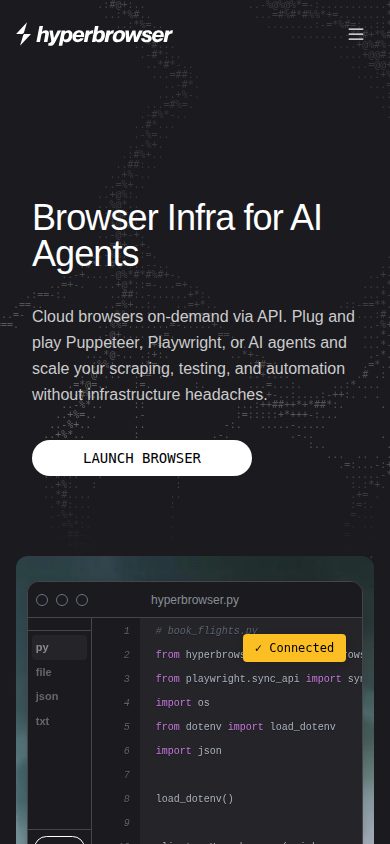
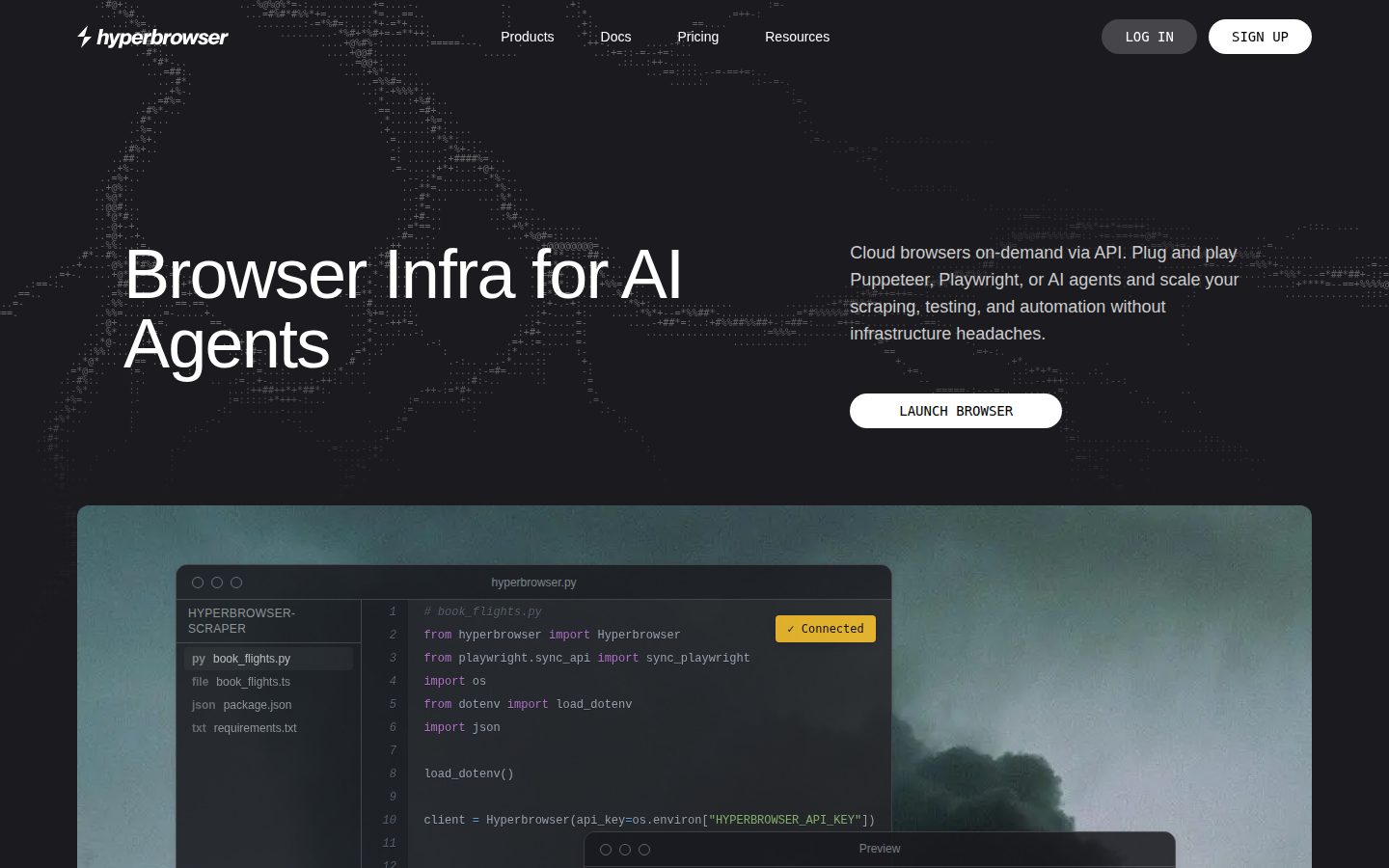
Hyperbrowser desktop previewHyperbrowser mobile preview

Pricing Plans

Free

Free

For individuals getting started with browser automation

  • 5,000 credits included
  • 1 concurrent browser
  • 7 days data retention

Startup

$30/monthly

For small teams needing more concurrency and stealth features, plus additional usage

  • 30,000 credits included
  • 25 concurrent browsers
  • 30 day data retention
  • Auto captcha solving
  • Basic stealth mode
  • Residential proxies
Popular

Scale

$100/monthly

For scaling teams needing higher concurrency and premium proxies, plus additional usage

  • 100,000 credits included
  • 100 concurrent browsers
  • 30 day data retention
  • Auto captcha solving
  • Basic stealth mode
  • Premium residential proxies

Enterprise

Contact sales

For high-scale operations needing unlimited credits, custom rate limits, and compliance; custom pricing via demo

  • Unlimited credits
  • Ultra stealth mode
  • 1000+ concurrent browsers
  • HIPAA/SOC 2
  • 180+ day data retention
  • Premium support

AI Panel Reviews

The Decision Maker

The Decision Maker

Strategic bet, vendor viability, timing, adoption approval
7.8/10

Credit-metered cloud Chrome for agent builders, priced like infrastructure not software.

“Hyperbrowser rents you isolated Chrome sessions over CDP, plus scrape, crawl, extract and sandbox endpoints on one key. The pricing is granular enough to model, which is the real signal here.”

$0.001 a credit, a browser hour at 100 credits, a scrape at 1. That's not marketing math, that's a vendor who wants you doing unit economics before you commit. Free plan gives 5,000 credits and one concurrent browser, Startup is $30 for 25 concurrent, Scale is $100 for 100. Clean ladder.

The actual product: Playwright, Puppeteer, Selenium scripts point at a WebSocket endpoint instead of a local browser. Stealth mode, residential proxies by city, auto CAPTCHA solving, persistent login profiles. HyperAgent and hosted computer-use agents on Anthropic, OpenAI, Google models mean this isn't just a scraping proxy with a new label.

Tradeoff: Enterprise is the only tier with HIPAA/SOC 2 and Ultra Stealth, so anything regulated means a sales call and an unknown number. Fine for a dev team prototyping agents. Riskier if compliance is the reason you're buying.

Competitive Positioning7.9

Bundling scrape, crawl, extract, hosted agents and sandboxes under one key and one credit system is broader than a single-purpose scraping API.

Reputation Risk7.0

SOC 2/HIPAA gated behind Enterprise with no listed price, so a compliance-heavy buyer inherits a negotiation, not a rate card.

Speed to Value8.2

One API call swaps into existing Playwright/Puppeteer code; free tier with 5,000 credits lets you test before paying.

Strategic Fit8.0

Fits a company actually building agents or scrapers, not just cutting cost on existing scraping infra.

Vendor Viability7.8

Docs, API reference, changelog and a granular pricing page all point to active build-out, not a thin wrapper.

Pros

  • Transparent, usage-metered pricing down to the credit
  • Drop-in for existing Playwright/Puppeteer/Selenium code via CDP endpoint
  • Hosted agent support across multiple model vendors plus an open-source HyperAgent framework
  • Sandboxes extend the same account to code execution, not just browsing

Cons

  • HIPAA/SOC 2 and Ultra Stealth locked to quote-only Enterprise tier
  • Asia South region restricted to Enterprise and Select plans
  • Credit consumption across proxies, CAPTCHA and browser hours adds a forecasting burden at scale

Right for

Developer teams building AI agents or scrapers who want cloud browser infrastructure without running their own fleet.

Avoid if

Skip it if your workload is regulated and you need SOC 2 or HIPAA terms locked in before you can even test.

The Domain Strategist

The Domain Strategist

Craft and strategy in the product's domain — adapts identity per category, same lens
7.8/10

A sane CDP endpoint that hides a credit-metering layer you'll need to model before you scale it.

“Hyperbrowser is a thin, well-shaped wrapper around a problem every agent team eventually builds badly in-house: disposable Chrome at scale. The architecture is sound; the question is what you're actually buying versus what you're renting by the hour.”

Architecturally this is the right call: session isolation per request, WebSocket handoff over CDP, and the choice to not reinvent Playwright's API surface. That's a team that understood the integration tax was the real risk, not the browser automation itself. Sandboxes sharing the same account and billed separately at $0.045/vCPU-hour is a sign of someone thinking about agent infra as a platform, not a point tool.

The constraint is the credit abstraction sitting over genuinely heterogeneous resources — browser hours, proxy GB, CAPTCHA solves, sandbox vCPU-time all collapse into one unit at $0.001 each. That's fine for a demo. At 100 concurrent browsers on the $100/month Scale tier, your FinOps model needs real instrumentation, not a dashboard glance.

Three-year view: swapping CDP endpoints later is cheap since your Playwright code doesn't change, so lock-in is shallow at the automation layer. The actual dependency is the hosted agent orchestration — Browser Use, HyperAgent, computer-use models — which is where your agent logic starts living on their infra, not yours.

Category Positioning7.5

Credit-based pricing from $0.001 undercuts rolling your own browser fleet, though Asia South being Enterprise-only caps where you can run it today.

Domain Fit8.2

CDP-native design means it drops into existing Playwright/Puppeteer codebases rather than demanding a rewrite around a proprietary SDK.

Integration Surface8.0

MCP server plus LangChain, LlamaIndex and Stagehand integrations mean it slots into an agent stack without custom glue code.

Long-term Implications7.3

Automation code stays portable, but hosted agent orchestration and profile-based session state create real migration friction later.

Strategic Depth8.0

Supporting Browser Use, HyperAgent and five model vendors' computer-use agents under one API call is deeper than a scrape-and-render wrapper.

Pros

  • CDP WebSocket handoff keeps existing Playwright/Puppeteer/Selenium scripts unmodified
  • Sandboxes bill separately at $0.045/vCPU-hour, extending one account past browser automation into code execution
  • Bring-your-own-model-key option on hosted agents avoids a second vendor relationship for inference

Cons

  • Unified credit pricing across browser hours, proxy GB and CAPTCHA solves obscures true per-workload cost until you're metering it yourself
  • Hosted agent orchestration ties your agent logic to their infra layer, a deeper dependency than the browser session itself

Right for

Teams already running Playwright or Puppeteer agents who want to stop operating their own headless Chrome fleet.

Avoid if

Skip it if you need predictable fixed infra costs rather than a metered credit system across five different resource types.

The Finance Lead

The Finance Lead

Money, total cost of ownership, contracts, procurement math
7.8/10

Credit math is honest. Three-year scale math takes a spreadsheet.

“Free to $30 to $100 is a clean public ladder. The real cost lives in credit burn rate, not the sticker.”

$30/month buys 30,000 credits. $100/month buys 100,000. A browser hour runs 100 credits, $0.10. Cheap in isolation. At scale, with proxy data at $10/GB and CAPTCHA solves layered in, a team doing heavy crawling can blow through the Scale tier's 100,000 credits inside a few weeks. Overage bills at the same $0.001 rate, so nothing's hidden — but nothing's capped either.

Free plan has no credit card requirement. That's a real zero-friction trial, not a 14-day clock. Enterprise is quote-only for HIPAA/SOC 2, Ultra Stealth and 1,000+ concurrent browsers — fine for regulated buyers, but it means your compliance tier has no visible ceiling.

Sandboxes add a second meter: $0.045/vCPU-hour, $0.015/GiB-hour. Two usage-based line items on one invoice. Procurement will want a consolidated forecast before signing, not after.

Billing & Procurement7.5

No-card free plan and self-serve paid tiers up to $100/month mean most teams skip a sales call entirely.

Contract Flexibility7.0

Monthly plans with no stated minimum term imply easy exit, though I couldn't find auto-renewal or cancellation terms spelled out.

Pricing Transparency8.5

All four tiers and per-credit rates are posted; only Enterprise hides behind a quote.

ROI Clarity7.2

Per-credit pricing on scrape, crawl and browser hours lets you cost a single job precisely, once you know your mix.

Total Cost of Ownership6.8

Credit, proxy and sandbox costs stack across three separate meters, making a stable year-3 number hard to pin down.

Pros

  • Transparent per-credit rate ($0.001) applies uniformly across browser hours, proxies and CAPTCHA
  • Free tier at 5,000 credits with no card required lowers evaluation cost to zero
  • Startup tier at $30/month includes stealth mode and residential proxies, not gated to higher tiers

Cons

  • Two separate usage meters (credits and sandbox vCPU/GiB-hour) complicate a single invoice forecast
  • Enterprise tier, the only one with HIPAA/SOC 2, carries no visible price floor or ceiling
  • 100,000 credits on the $100 tier can disappear fast under proxy-heavy or CAPTCHA-heavy workloads

Right for

Teams that can meter their own credit burn and want transparent usage pricing without a sales call.

Avoid if

Avoid if you need a fixed monthly cost you can forecast without tracking per-job credit consumption.

The Domain Practitioner

The Domain Practitioner

Daily hands-on reality in the product's domain — adapts identity per category, same lens
7.9/10

Swap one connection string and your Playwright suite runs in their Chrome fleet, not yours.

“Hyperbrowser's CDP handoff means existing automation scripts barely change. The deeper endpoints — crawl, extract, hosted agents — are where the real integration decisions live.”

First API call gets you a WebSocket endpoint and a live view URL. That's a fast loop for debugging — watching a scrape fail in real time beats grepping logs after the fact. rrweb replay by default is the right call; MP4 as an opt-in keeps storage sane.

The fight starts once you're past Scrape and Fetch and into Crawl or Extract. Extract's JSON schema plus natural-language prompt is powerful but non-deterministic by nature — your test suite now needs tolerance for AI output drift, not just network flakiness. HyperAgent's page.ai()/page.perform()/page.extract() layered on Playwright is a nice idea, but it's a new mental model on top of one you already know, and the caching-for-replay trick only pays off once you've written the run once.

MCP server support for Claude and Cursor is a good sign someone on the team actually ships agent tooling, not just browser infra. Static IPs sit behind a separate plan, which is one more thing to provision before a stable-identity workflow actually works end to end.

Day-3 Reality7.8

CDP endpoint swap is real and low-friction; Extract's AI-driven schema fill adds output variability you'll need to handle in tests.

Documentation Practitioner-Fit7.6

Docs and API reference cover SDK and REST paths with concrete endpoint behavior; I couldn't find deep troubleshooting guides for CAPTCHA edge cases.

Friction Surface7.0

Static IPs sit behind a separate plan and CAPTCHA solving sometimes needs proxies toggled on too — two extra provisioning steps before things 'just work.'

Power-User Depth8.0

HyperAgent's page.ai()/page.perform()/page.extract() and bring-your-own-model-key option give room to go deep past the basic scrape/crawl calls.

Workflow Integration8.2

Playwright/Puppeteer/Selenium scripts connect unmodified via WebSocket, the cleanest adoption path in the stack.

Pros

  • WebSocket CDP endpoint drops into existing Playwright/Puppeteer/Selenium code with a connection-string swap
  • Live view URL plus rrweb replay by default makes debugging failed runs fast
  • MCP server exposes scrape/extract/crawl directly to Claude and Cursor
  • hx CLI and Docker image support give sandboxes a real dev workflow, not just a code-run endpoint

Cons

  • Extract's AI-driven schema fill introduces output variability your test suite has to tolerate
  • Static IPs require a separate plan on top of the base session pricing
  • HyperAgent's page.ai()/perform()/extract() is a new abstraction layer to learn even if you already know Playwright
  • CAPTCHA auto-solving sometimes needs proxies enabled too, which isn't obvious until a run fails silently

Right for

Engineers who already have Playwright or Puppeteer scripts and want cloud execution without managing a browser fleet.

Avoid if

Avoid if you need fully deterministic extraction without reviewing AI-generated JSON schema output.

The Power User

The Power User

Daily human experience, onboarding, polish, learning curve, reliability
7.6/10

A dev tool, not a product, and it mostly knows it

“Hyperbrowser is built for scripts to talk to, not humans to click around. Judged as a daily API dependency rather than a UI, it holds up fine.”

There isn't really a day-3 feel here because there isn't much UI to live in. You're mostly in your own code, hitting an endpoint, reading a live view URL when something breaks. That live view plus the default rrweb replay is the one place I can imagine someone actually opening a browser tab to check on a running session, and it's a decent one.

Onboarding is a free plan with 5,000 credits, no card, one concurrent browser. That's a real try-before-you-buy, not a locked demo. But "welcome" for this category means good docs and clear error messages when a CAPTCHA fails or a proxy drops, and I can't judge that from a pricing page.

Mobile parity doesn't apply in the normal sense, you're not running Playwright from your phone. Learning curve is gentle if you already know Playwright or Puppeteer, steeper if you want HyperAgent's page.ai() abstraction, which is a second thing to learn on top of the first.

Daily Polish7.5

Live view, iframe embedding and rrweb replay by default suggest real attention to the debugging loop, which is the daily-use moment for this category.

Learning Curve7.5

The CDP handoff keeps the first hour short, but the HyperAgent page.ai()/perform()/extract() layer and separate sandbox vCPU billing add real surface area by month three.

Mobile Parity6.5

This is an API and SDK product for developers, so mobile isn't the natural surface and the evidence is silent on any companion app.

Onboarding Experience8.0

A no-card free plan with 5,000 credits and a drop-in CDP endpoint for existing Playwright or Puppeteer code is about as low-friction as this category gets.

Reliability Feel7.0

Session isolation, persistent profiles and recorded replays point to a thought-out failure path, but I couldn't verify error messaging or uptime from what I saw.

Pros

  • Free plan gives 5,000 credits with no card required
  • Live view URL and default rrweb replay make it easy to watch a session as it runs
  • Startup tier at $30/month already includes stealth mode and residential proxies

Cons

  • Mobile isn't a relevant surface, so there's no on-the-go monitoring beyond a browser tab
  • HyperAgent's page.ai()/perform()/extract() is an extra abstraction on top of Playwright knowledge you may already have
  • I couldn't independently confirm error-state quality or uptime history beyond what's listed

Right for

Developers who already write Playwright or Puppeteer scripts and want someone else to run the browser fleet.

Avoid if

Avoid if you need a visual, point-and-click product rather than something you drive entirely through code.

The Skeptic

The Skeptic

Contrarian. Watch-outs, deal-breakers, broken promises, category patterns
7.1/10

Browser-as-a-service for agents: real stack, but you're renting someone else's infra layer.

“Playwright/Puppeteer compatibility over CDP is the safety net here. The deeper you go into hosted agents and sandboxes, the more you're building on Hyperbrowser's abstractions, not your own.”

Browserless did cloud Chrome sessions years ago. Browserbase is doing it now. Hyperbrowser's pitch — one API key for scrape, crawl, agents, and sandboxes — is the consolidation play every infra vendor tries eventually. Sometimes it sticks. Sometimes it's five products wearing a trenchcoat.

The CDP handoff is the real differentiator and it's not new, it's just done cleanly: your Playwright script barely changes. That's good exit insurance for the browser layer. HyperAgent and the hosted computer-use agents are a different story — page.ai() and page.perform() are Hyperbrowser's syntax, not Playwright's, and that's logic you'd rewrite elsewhere.

Sandboxes at $0.045/vCPU-hour bolted onto a browser product is ambitious scope for what reads as a focused team. HIPAA and SOC 2 sitting Enterprise-only, quote-priced, means the compliance story is unverifiable at the $30 and $100 tiers most people actually buy.

Competitive Differentiation6.0

Cloud browser sessions are a known category; the sandbox bundling and multi-model agent hosting are the real wedge, not the browser part itself.

Exit Portability7.8

Standard CDP endpoint means Playwright/Selenium code ports easily; HyperAgent's custom methods and hosted agent logic do not.

Long-term Viability6.8

Docs, API reference and a changelog page suggest active maintenance; I couldn't confirm uptime history or incident response beyond what's listed.

Marketing Honesty7.2

Claims like sub-50ms sandbox starts are specific enough to check, which is more honest than vague superlatives — but unverified from outside.

Track Record Match7.0

Named endpoints (Scrape, Crawl, Extract, Search) with concrete limits back the core claim; agent orchestration claims are harder to independently verify.

Pros

  • CDP-compatible sessions mean minimal rewrite for existing automation scripts
  • Combines browser automation, agent hosting and code sandboxes under one account
  • Free tier with 5,000 credits and no card needed lowers the cost of a real test

Cons

  • HyperAgent's custom methods are a second abstraction layer beyond standard Playwright
  • HIPAA/SOC 2 compliance only exists at quote-priced Enterprise, unverifiable below that
  • Sandbox pricing is a separate meter from credits, adding a second line to forecast

Right for

Teams already writing Playwright or Puppeteer scrapers who want to offload browser infrastructure without rewriting automation logic.

Avoid if

Avoid if you need HIPAA or SOC 2 guarantees without an Enterprise sales call.

Buyer Questions

Common questions answered by our AI research team

Pricing

How much does Hyperbrowser cost?

Hyperbrowser has a free plan with 5,000 credits, then Startup at $30 per month and Scale at $100 per month, plus quote-based Enterprise pricing. Usage beyond the included credits is billed at $0.001 per credit, so a browser hour costs $0.10.

Features

Does Hyperbrowser work with Playwright and Puppeteer?

Yes. Each session returns a WebSocket endpoint that Playwright, Puppeteer, Selenium or any Chrome DevTools Protocol library can connect to, so an existing script runs on a cloud browser by swapping its connection URL.

Features

Can Hyperbrowser solve CAPTCHAs automatically?

Yes, on paid plans. With CAPTCHA solving enabled, sessions detect and solve challenges automatically, and solving can be switched on or off mid-session. Some sites also need proxies turned on for it to work reliably.

Integration

Which AI agents can run on Hyperbrowser?

Hyperbrowser hosts Browser Use, its open-source HyperAgent framework and computer-use agents built on models from Anthropic, OpenAI, Google, Meta, xAI and Jev. Each task starts with one API call, and you can pass your own model API keys.

Security

Is Hyperbrowser SOC 2 or HIPAA compliant?

HIPAA and SOC 2 are listed as Enterprise plan features. Hyperbrowser says its security program is aligned with the SOC 2 Trust Services Criteria and backed by third-party assessments, annual penetration tests and encryption at rest and in transit.

Alternatives to Hyperbrowser

Who Hyperbrowser competes with, and how each one differs

Product Information

  • Company

    Hyperbrowser
  • Founded

    2021
  • Pricing

    From $30/mo
  • Free Trial

    Available
  • Free Plan

    Available

Platforms

web

About Hyperbrowser

Hyperbrowser is a cloud browser infrastructure provider based in San Francisco that gives AI agents and automation scripts on-demand, API-controlled browser sessions with built-in proxy rotation and CAPTCHA solving.

Resources

Documentation
API
Blog
Changelog

Also in AI APIs