Capacity Desktop logo

Capacity Desktop Review

Visit

Turn your idea into a real app, no code required

Capacity Desktop is a no-code app-building platform for people without coding experience.

AI Panel Score

7.1/10

6 AI reviews

Reviewed

AI Editor Approved

About Capacity Desktop

To build with Capacity, a user types a description of their app idea in everyday language rather than technical terms. Instead of immediately generating output, Capacity first asks clarifying questions about what the app is for, who will use it, and how it should feel, then builds the app based on those answers. Once built, the app can be viewed and tested right away, and users can request changes by describing what looks wrong or what they want different, in plain words.

The apps produced are described as functioning like real products rather than demos: they can include member accounts, logins, saved information, and payment processing. Capacity states that the app, its data, and its members belong to the user, not the platform, and that users can export their app's code and leave at any time with no lock-in. Publishing is handled with one click to generate a shareable link, and a custom domain can be connected within minutes. If something breaks or doesn't work as expected, an "AI co-founder" feature diagnoses and fixes the issue based on a plain-language description of the problem, and is described as available at any time.

Capacity is aimed at people with no coding experience who want to build a functional app without hiring a developer. The first app is free to build, with no credit card required. Paid usage is based on a credit system, where credits are spent when building or changing an app and do not expire.

Features

AI

  • Bring-Your-Own AI Model

    Lets users connect their own accounts for Claude, GPT, Gemini, Grok, DeepSeek, Kimi and other models and switch models per task, paying providers directly at cost.

Analytics

  • AI Spend Dashboard

    Shows exactly what each AI session costs since users pay their model provider directly rather than buying marked-up credits.

Core

  • Full-Stack App Capabilities

    Generated apps can include member accounts, logins, saved information, and payments as with typical real-world products.

  • Live In-App Preview

    Runs the generated app directly inside Capacity so users can watch changes land in real time without switching tabs or setup.

  • Plain-English Spec Writing

    Writes a plain-English specification for every feature before building, allowing users to review and correct it prior to AI generation.

  • Prompt-to-App Generation

    Converts plain-English descriptions into working web, mobile, desktop, and game applications.

  • Version Snapshots & One-Click Restore

    Saves a snapshot after every AI step so users can restore any previous version in one click if a change breaks something.

Customization

  • Designer Templates

    Provides over 80 designer templates and matches app style to a described aesthetic like 'warm and friendly' or 'serious and premium'.

Integration

  • One-Click Publish (GitHub & Vercel)

    The Publish tab lines up a user's GitHub repository, Vercel project, and production settings, checking them before shipping the app live to its own URL.

Security

  • Local-First Project Storage

    Stores projects as standard folders and git repositories on the user's own machine rather than in a cloud workspace, keeping code fully portable and owned by the user.

Support

  • Automatic Dev Environment Setup

    Automatically installs required development tools so non-technical users can skip manual terminal setup.

Preview

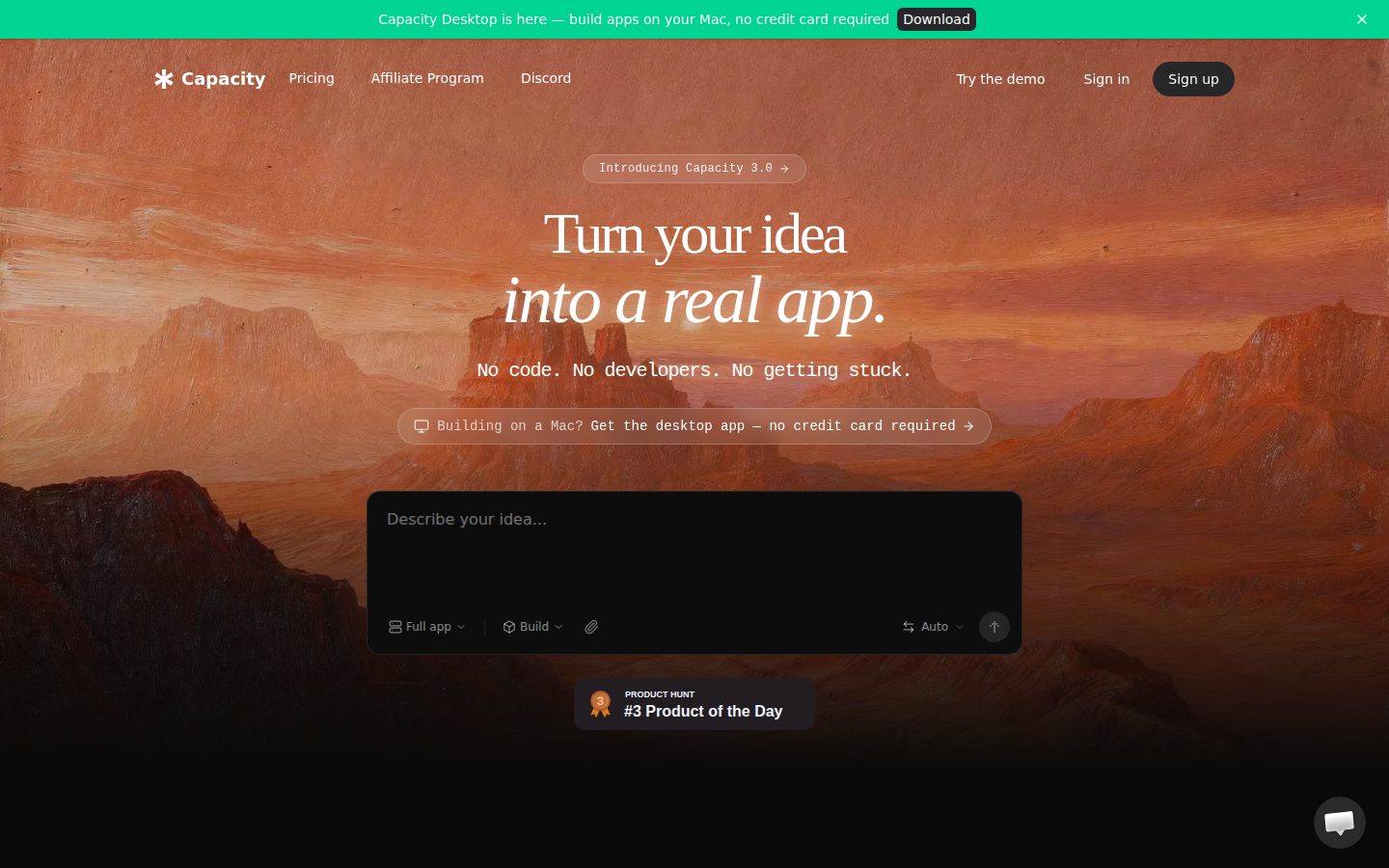
Capacity Desktop desktop previewCapacity Desktop mobile preview

Pricing Plans

Starter

$25/monthly

Build your first full app or MVP

  • 100 credits
  • Unlimited projects
  • Full Agentic mode access
  • Email support
Popular

Growth

$69/monthly

Build your first full app or MVP

  • 250 credits
  • Export full codebase
  • Custom domains
  • Dedicated support channel on WhatsApp

Professional

$129/monthly

For advanced builders and continuous development

  • 500 credits
  • Everything in Growth
  • Premium support
  • Early access to new features

Business

$299/monthly

For teams managing multiple products

  • 1,000 credits
  • Everything in Professional
  • Dedicated success manager
  • Custom integrations

AI Panel Reviews

The Decision Maker

The Decision Maker

Strategic bet, vendor viability, timing, adoption approval
7.6/10

No-code app builder that exports real code and doesn't trap your data.

Capacity turns plain-English prompts into apps with logins and payments, then lets you leave with the codebase. The pricing and lock-in terms are unusually clear for this category.

$25 a month, 100 credits, no credit card for the first app. That's a real freemium funnel, not a fake one.

Two things stand out. One: local-first storage, projects live as git repos on your machine, not locked in a cloud workspace. Two: the Growth tier at $69 includes full codebase export, so 'no lock-in' isn't just marketing copy. Bring-your-own-model support for Claude, GPT, and Gemini means you pay providers directly instead of marked-up credits, which is the right instinct.

The gap: credits don't expire, but nothing I could find says how many credits a real app costs to build or fix, so the unit economics are opaque until you're in it. Version snapshots and one-click restore cover you when the AI co-founder gets it wrong.

Pilot it for a real MVP, not a toy.

Competitive Positioning7.5

Bring-your-own-model billing at cost is a real differentiator versus the obvious credit-markup alternative.

Reputation Risk8.0

Local-first storage and codebase export at $69/mo directly address the lock-in question most no-code tools dodge.

Speed to Value8.0

One-click publish via GitHub/Vercel and a free first app get a working product live fast.

Strategic Fit7.0

Advances non-technical teams' ability to ship real apps rather than just cutting dev-tool cost.

Vendor Viability7.5

Docs, changelog, and a full pricing page with four tiers all present — looks actively maintained.

Pros

  • Full codebase export and local git storage avoid platform lock-in
  • Pay-at-cost AI model billing via bring-your-own-key
  • Free first app with no credit card required
  • One-click publish through GitHub and Vercel with custom domain support

Cons

  • Credit cost per build/fix isn't specified, so real usage economics are unclear
  • No free trial on paid tiers, only the single free app
  • Dedicated support and integrations gated behind $129-$299/mo tiers

Right for

Non-technical founders who want a real, exportable app with accounts and payments without hiring a developer.

Avoid if

Skip if you need predictable per-build cost before committing budget.

The Domain Strategist

The Domain Strategist

Craft and strategy in the product's domain — adapts identity per category, same lens
7.2/10

Local-first storage and real code export make this a no-code tool an engineer could actually defend.

Capacity generates full-stack apps from plain-language specs with git-backed local project storage and no lock-in. The architecture is unusually credible for the no-code segment, but the ceiling is still bounded by what an agentic spec-writer can reliably ship.

Local-first project storage as standard folders and git repos is the detail that matters here. Most no-code platforms trap you in a proprietary workspace; Capacity's own docs claim exportable codebase and 'no lock-in,' which means the three-year exit cost is a git clone, not a rebuild. That's the right architecture if you're worried about a non-technical founder painting themselves into a corner.

Bring-your-own-model support (Claude, GPT, Gemini, Grok, DeepSeek) plus a spend dashboard is a sane cost model, but it also means your generation quality is only as good as whichever model the user points at it that day. Version snapshots after every AI step give you a safety net, which is table stakes for agentic building but still worth crediting.

The credit system starts at $25/month for 100 credits, scaling to $299/month for 1,000 — fine for prototypes, unclear for teams shipping continuously. This is a strong on-ramp tool, not yet a system of record for production engineering teams.

Category Positioning7.0

Sits ahead of typical no-code tools by offering exportable code and BYO-model support, positioning it closer to a developer-friendly on-ramp than a locked SaaS builder.

Domain Fit6.5

Built for non-coders describing apps in plain language, which is a different workflow shape than how senior engineers actually build and review software.

Integration Surface6.5

One-click publish through GitHub and Vercel is a real integration point, but there's no API listed, which caps how far this plugs into an existing engineering pipeline.

Long-term Implications8.0

Local git storage and stated full codebase export at the Growth tier ($69/mo) genuinely limit lock-in risk over a 3-year horizon.

Strategic Depth7.5

Plain-English spec review before generation and one-click restore snapshots show real thought about agentic failure modes, not just demo polish.

Pros

  • Local-first git-based storage with stated full code export and no lock-in
  • Bring-your-own-model support across Claude, GPT, Gemini, Grok, DeepSeek with cost transparency
  • Version snapshots after every AI step for one-click restore

Cons

  • No public API listed, limiting integration into existing engineering workflows
  • Credit system ($25-$299/month) makes cost unpredictable for continuous iteration
  • Built for non-technical users, not a fit for teams that want code review in the loop

Right for

Non-technical founders who want a real, ownable codebase without hiring a developer for the first build.

Avoid if

You're an engineering team that needs API access and code review integrated into an existing CI pipeline.

The Finance Lead

The Finance Lead

Money, total cost of ownership, contracts, procurement math
6.9/10

$25 to $299 a month, credits that never expire, but no published credit-to-feature rate.

Four tiers, all priced on the page. The real cost variable is credit burn per app, and that's not quantified anywhere.

$25/month gets 100 credits. $69/month gets 250, plus full code export and custom domains — that's the tier procurement will actually want, since Starter locks out ownership until Growth. No stated cost-per-credit-per-feature. That's the gap. You can't model year-1 spend without knowing how many credits a real app burns.

TCO scenario: solo builder on Growth, $69 × 12 = $828/year. Add credit overage if 250 runs dry mid-project — unpriced. Year 3, assuming one tier bump to Professional at $129, lands near $2,500 cumulative, plus BYO model costs paid directly to Claude, GPT, or Gemini providers.

No mention of contract term or auto-renewal that I could find — monthly billing implied, no lock-in claimed. Local-first storage and full code export mean exit costs are near zero, rare in this category. Fine tradeoff: pricing transparency is strong, credit-burn transparency is not.

Billing & Procurement7.0

Simple SaaS billing, free first app with no credit card, low onboarding friction for non-technical buyers.

Contract Flexibility7.5

Monthly billing implied, credits never expire, and export/local-first storage removes lock-in risk.

Pricing Transparency8.0

All four tiers and prices visible on the pricing page, no sales call required.

ROI Clarity6.5

AI Spend Dashboard shows per-session cost, but no benchmark for credits-per-feature to size payback.

Total Cost of Ownership6.0

Credit-per-build cost isn't published, so 3-year spend can't be modeled precisely.

Pros

  • All four tiers and prices published, no sales call
  • Full code export and local-first storage remove lock-in
  • Credits never expire
  • Free first app with no credit card required

Cons

  • No published credit cost per feature or build
  • BYO model costs paid separately to providers, adding an unbudgeted line
  • Starter tier ($25) locks out code export until Growth ($69)

Right for

Non-technical founders who want a real app with logins and payments without hiring a developer.

Avoid if

You need a predictable per-project cost before committing budget.

The Domain Practitioner

The Domain Practitioner

Daily hands-on reality in the product's domain — adapts identity per category, same lens
6.8/10

Local-first git repos and BYO-model billing are the interesting parts, not the prompt-to-app pitch.

Capacity targets non-coders, but the architecture underneath — local folders, git, exportable code, per-provider AI billing — is clearly engineer-influenced. Whether that matters day-3 depends on how good the 'AI co-founder' actually is at diagnosing real breakage.

Version snapshots after every AI step with one-click restore is the feature I'd actually want in any agentic tool, not just a no-code one. Local-first storage as standard git repos is the other tell — someone building this has been burned by cloud lock-in before. That's a real differentiator versus the obvious alternative that keeps your project trapped in a hosted workspace.

But the target user is explicitly non-technical, so power-user depth is a question mark. Bring-your-own-model support for Claude, GPT, Gemini, Grok, DeepSeek is nice for cost control (spend dashboard shows actual provider cost, no credit markup), but that's an engineer's concern, not a founder-with-an-idea's concern. Credits at $25/mo for 100, non-expiring, is fine for prototyping, thin for iteration cycles.

Docs coverage exists (docs, blog, changelog) but nothing I could find shows depth on debugging the generated codebase once exported. 'Describe the bug in plain words' is a fine day-1 pitch. Day 3, when the AI co-founder can't parse an ambiguous fix request, that's where this either holds up or doesn't.

Day-3 Reality6.5

Snapshot/restore per AI step is a real safety net, but no evidence on how well the AI co-founder handles nontrivial bugs post-generation.

Documentation Practitioner-Fit6.5

Docs, blog, and changelog all exist per evidence, but no indication of depth on exported-code maintenance or troubleshooting.

Friction Surface7.0

One-click publish, automatic dev environment setup, and in-app live preview remove several manual setup steps most no-code tools leave in.

Power-User Depth6.5

BYO-model switching and full codebase export (Growth tier, $69/mo) suggest a path beyond beginner use, but scaling depth is largely unproven from what I can see.

Workflow Integration6.0

Local git repos and GitHub/Vercel publish flow are engineer-friendly, but the whole product assumes a non-coder's workflow, not an existing dev's.

Pros

  • Local-first storage as real git repos with full code export, no lock-in
  • Version snapshots after every AI step with one-click restore
  • Pay providers directly for AI usage with a visible spend dashboard instead of marked-up credits

Cons

  • Non-expiring credits still cap iteration at 100/mo on the $25 Starter tier
  • Custom domains and code export gated behind the $69/mo Growth plan, not Starter
  • No evidence on how the AI co-founder handles ambiguous or complex bug reports

Right for

A non-technical founder who wants a real, payment-capable app live fast without hiring a developer.

Avoid if

You're an engineer who wants full manual control over the generated codebase from day one.

The Power User

The Power User

Daily human experience, onboarding, polish, learning curve, reliability
7.4/10

Asks good questions before it builds anything, which is rarer than it sounds.

Capacity front-loads clarifying questions instead of just spitting out a wrong guess. That's a small thing that saves you a lot of frustrated re-prompting later.

Most of these prompt-to-app tools just guess and hope you fix it in chat. Capacity asks what the app's for, who uses it, how it should feel, before touching code. That's the kind of decision you only make if you've watched real non-technical people get lost on step one.

The stuff that matters at 3pm on day three is here too: version snapshots after every AI step, one-click restore if something breaks, an in-app preview so you're not tab-switching to see if your change landed. Local-first storage means your project's a real folder on your machine, not trapped in someone's cloud. That's a genuine trust signal for people who've been burned by lock-in before.

Where it gets complicated is money. $25/month for 100 credits sounds fine until you realize credits burn on every build and every change, and export/custom domains don't show up until the $69 Growth tier. Bring-your-own AI model is smart for cost control but adds a setup step non-coders may not expect. Solid tool, just don't expect the sticker price to be the real price.

Daily Polish7.6

Snapshot-per-step, in-app preview, and plain-English spec review show attention to the small daily friction points.

Learning Curve7.3

80+ templates and plain-language editing keep month-one approachable, but credit-based pricing and BYO-model setup add a layer to learn.

Mobile Parity6.5

Platforms listed are web and Mac only; evidence is silent on a dedicated mobile app experience.

Onboarding Experience8.0

Clarifying questions before building, free first app, and no credit card required lowers the homework feeling.

Reliability Feel7.5

One-click version restore and an always-on AI co-founder for bug fixes suggest real thought went into failure recovery.

Pros

  • Clarifying questions before building instead of guessing
  • Local-first storage means your code is actually yours, no lock-in
  • Version snapshots with one-click restore if a change breaks something

Cons

  • Credits burn on every build and edit, so cost is unpredictable
  • Export and custom domains locked behind the $69 Growth tier, not the $25 entry plan
  • No stated mobile app, platforms are web and Mac only

Right for

Non-coders who want a real, publishable app with logins and payments without hiring a developer.

Avoid if

You need a true mobile app or want predictable flat-rate pricing regardless of how much you tinker.

The Skeptic

The Skeptic

Contrarian. Watch-outs, deal-breakers, broken promises, category patterns
6.9/10

No-code with an export button — the exit story is doing the heavy lifting here.

Local-first storage and full codebase export at $69/month is the rare no-code claim with teeth. But 'AI co-founder' and 'real products, not demos' are the kind of superlative that ages poorly if the credit meter runs dry mid-build.

Bubble and Glide own this space historically, both burned users on lock-in. Capacity's pitch — export your code, own your data, local git repos — is the direct answer to that scar tissue. If the docs and changelog hold up, that's a real differentiator, not marketing.

Track record is harder to judge. Payments, logins, member accounts — all named, all plausible for AI-generated stacks. No mention of what happens at scale, or what breaks first. 'AI co-founder' fixing bugs 'day or night' is confident phrasing for a support feature with no incident history shown.

Credits don't expire, which is fair. But $25/month buys 100 credits with no stated cost-per-build, so the real price is foggy. Export exists on Growth ($69+) not Starter. That's a meaningful gate for the free-tier crowd this is aimed at.

Competitive Differentiation7.0

BYO-model billing and local git storage separate it from marked-up-credit no-code incumbents, though the core prompt-to-app flow is now category standard.

Exit Portability8.0

Local-first storage plus full codebase export on the Growth plan ($69/mo) is a genuinely clean exit path versus typical no-code lock-in.

Long-term Viability6.5

Docs, blog, and changelog present; no team size, funding, or user numbers given, which is expected but leaves viability unproven.

Marketing Honesty6.5

'Real app, no code required' and 'AI co-founder' are aspirational framing around what's still an AI app generator with guardrails.

Track Record Match6.5

Named capabilities (payments, logins, snapshots) are specific, but no evidence of build success rates or failure modes.

Pros

  • Full codebase export and local git storage — real exit path
  • Bring-your-own-model billing avoids credit markup games
  • Named full-stack features: logins, payments, member accounts

Cons

  • Export gated behind $69/mo Growth plan, not Starter
  • Credit-to-build cost ratio not disclosed
  • 'AI co-founder' bug-fixing claim has no visible track record

Right for

Non-technical founders who want a working MVP and a real exit if Capacity changes direction.

Avoid if

You need export or custom domains on the cheapest $25/month tier.

Buyer Questions

Common questions answered by our AI research team

Pricing

How does Capacity's pricing and credit system work?

You can start for free with no credit card required. Paid plans use credits that you spend when you build or change things, and those credits never expire.

Features

Do I need any coding experience to use Capacity?

No coding experience is needed at all. You describe your idea in plain words and Capacity handles the technical side, including all code, servers, and settings.

Features

Can apps built with Capacity include logins and payments?

Yes. Apps built with Capacity can include member accounts, logins, saved data, and payments, along with everything else a real product needs.

Setup

Can I connect a custom domain to my app?

Yes. You can connect your own custom domain name in minutes, with no setup or waiting required.

Features

What happens if my app breaks or has a bug?

Just describe the problem in plain words, like 'the button doesn't work,' and your AI co-founder finds and fixes it, explaining what happened in plain language, day or night.

Also in AI Coding Tools