AI photo and video editor for social content creators
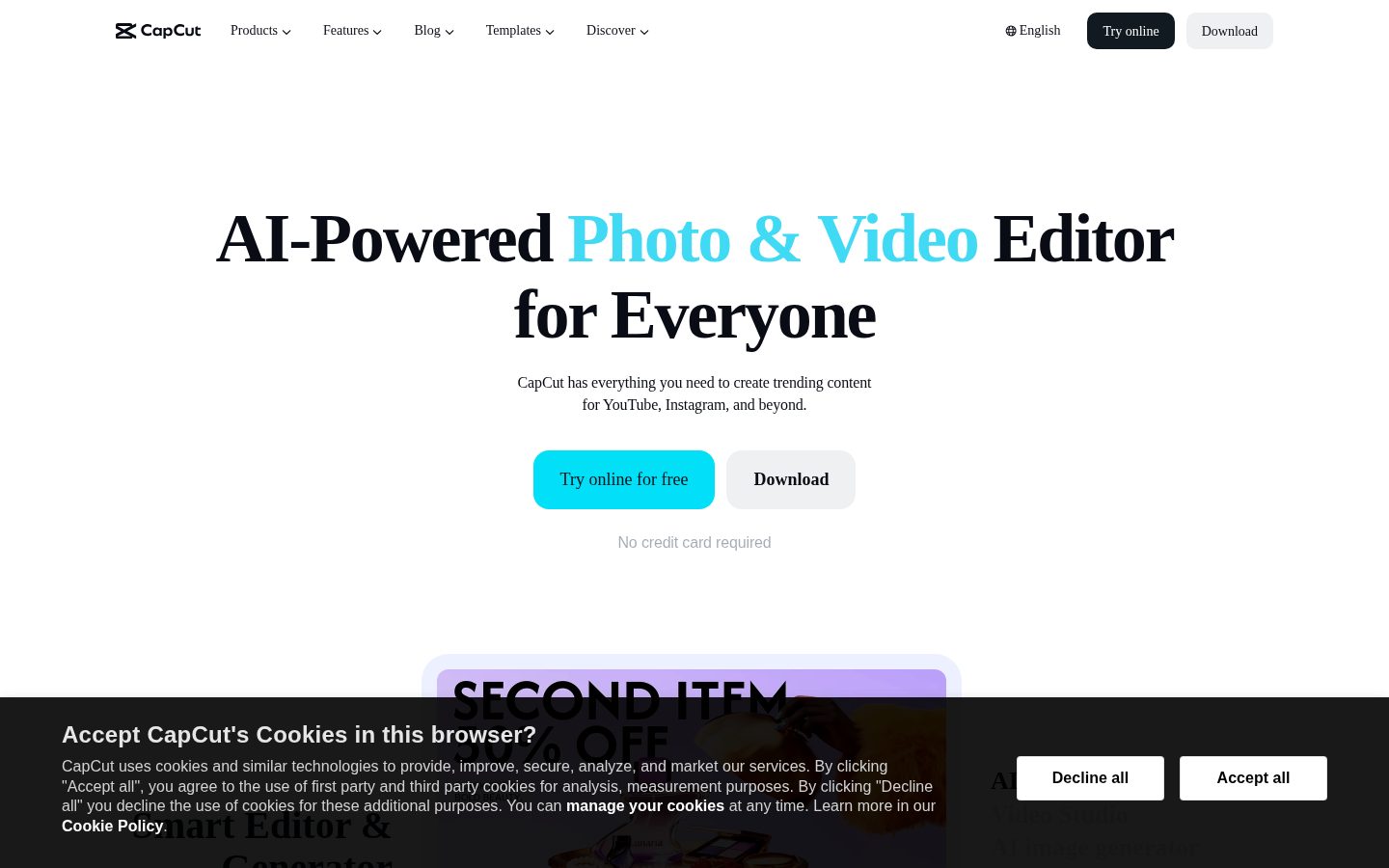
CapCut is an AI-powered photo and video editing platform for creators producing content for social media platforms.
AI Panel Score
6 AI reviews
Reviewed
Users access CapCut through a web browser or mobile app, where they can import video clips or photos and apply edits such as trimming, transitions, filters, and subtitle overlays. The AI video studio accepts a text description and generates a full video including style, avatars, and structure. Templates organized by format—Reels, TikTok, social media, and business—let users start from a pre-built layout rather than a blank canvas.
CapCut distinguishes itself with a broad set of AI-driven tools beyond basic editing. These include one-click image and video background removal, an image enhancer that upscales resolution, a text-to-image generator, a text-to-video generator using keyframes or reference images, audio extraction from video files, background noise removal, and voice enhancement. The platform also offers an AI Design tool that generates layouts for social media posts, covers, and marketing materials automatically.
CapCut is aimed at individual content creators, social media managers, and small businesses producing video for YouTube, Instagram, TikTok, and similar platforms. The platform offers a free tier with no watermark on several tools and no credit card required to start. Paid subscription tiers exist but specific pricing was not disclosed on the homepage. Competitors in the category include Adobe Premiere Rush, DaVinci Resolve, Canva Video, and InShot.
CapCut is available as a web application and as mobile apps for iOS and Android, with desktop downloads also offered. The platform reports over 100 million downloads and a 4.7 App Store rating, with support for 20 languages.

Automatically generates professional layouts for social media posts, covers, and marketing materials using AI.
Turns text descriptions or reference images into custom visuals using AI-powered image generation.
Converts text, images, or keyframes into generated videos using AI.
Enhances photo quality and resolution with AI to produce sharper, higher-quality images.
Uses AI to detect and remove background noise and static from audio in videos or recordings.
Converts written text into natural-sounding AI voiceovers suitable for narration, videos, and podcasts.
Builds a complete video from scratch—including style and avatar—based on a text prompt chat with CapCut's AI video editor.
Improves vocal clarity, boosts volume, and refines audio quality for videos, podcasts, and recordings using AI.
Automatically generates accurate captions for videos in multiple languages using AI.
Removes backgrounds from images or videos in one click using AI, with no watermark added.
A browser-based video editor that supports cutting, trimming, adding transitions, subtitles, and HD export without a watermark.
Provides ready-to-use templates for Reels, TikTok, social media, AI effects, and business content that users can customize with text, music, and effects.
Core video editing with auto-captions, templates, and basic AI effects. 10-minute caption length cap and watermark on certain exports.
Removes 10-minute caption cap, unlocks premium templates and audio, ~200 AI credits/month for avatar generation and text-to-video.
Annual billing — $59.99/year, billed once. Same Pro features as monthly plan at ~38% lower effective rate.
CapCut at $4.99/month is hard to argue with for social content teams.
“Broad AI toolset, no watermark on free tier, and 100M downloads says this isn't a flash in the pan. The ByteDance ownership is a real conversation you'll need to have before standardizing.”
100 million downloads and a 4.7 App Store rating. That's not a beta product. The Video Studio, Auto Subtitle Generator, and one-click background removal cover 80% of what a social media team needs without opening Premiere Rush or hiring an editor. At $59.99/year for Pro, the board won't even ask the question.
The ownership is ByteDance. That's not FUD — it's a governance conversation. Some industries can shrug at it. Regulated ones can't. No API access and no changelog in the evidence also means you're renting a black box, not integrating a platform.
Canva Video and InShot compete on simplicity. Adobe competes on depth. CapCut wins on AI breadth at this price point. The tradeoff: ~200 monthly AI credits on Pro means heavy text-to-video users will hit the ceiling fast.
At $4.99/month Pro, CapCut underprices Adobe Premiere Rush while matching or beating it on AI-native features for short-form content.
ByteDance ownership will raise eyebrows in regulated industries or government-adjacent orgs; neutral to positive everywhere else.
Free tier requires no credit card, no download, and delivers watermark-free exports — value starts on day one.
Auto subtitles, AI Design, and Video Studio genuinely accelerate social content output — this advances production speed, not just cuts costs.
ByteDance backing means deep pockets and no runway risk, but regulatory exposure in some markets is a real ceiling on longevity of access.
Social media managers and small content teams producing TikTok or Reels who need AI-assisted editing without the Adobe tax.
Your org has ByteDance/TikTok restrictions or you need API access for programmatic video workflows.
CapCut is a serious social content engine, not a serious creative system.
“At $4.99/month annually, CapCut packs more AI tooling than anything at this price point for short-form social. But it's optimized for output volume, not craft depth — a distinction that matters by year two.”
The feature breadth is real. Background removal, AI video generation, auto-subtitles, voice enhancement, text-to-image, AI Design layouts — that's a production toolkit, not a filter pack. The Video Studio building complete videos from a text prompt is genuinely useful for social managers running high-volume content calendars. 100 million downloads and a 4.7 App Store rating aren't vanity numbers at this scale.
The ceiling shows when you push it. ~200 AI credits monthly caps avatar and text-to-video work fast — 20-40 credits per avatar video means you're getting 5-10 polished AI pieces before you're rationing. No API surface, no changelog, no docs signal this isn't designed for workflow integration. Canva Video competes on the template layer; Adobe Premiere Rush owns the craft layer. CapCut sits between them, deliberately.
If we adopt this for a brand content team, in 3 years we have fast social output but no proprietary design system built on top of it. Templates are shared infrastructure, not brand architecture. Worth having in the stack for volume work — not as the primary creative environment.
At $59.99/year with a no-watermark free tier, CapCut is the clear price-to-feature leader for SMB and creator social content against Canva Video and InShot.
Auto-subtitles, format-specific templates for Reels and TikTok, and one-click background removal match exactly how social content teams actually move.
Web plus iOS/Android plus desktop is a solid access footprint, but no API and no documented integrations mean it stays isolated from any serious production stack.
No API, no changelog, and ByteDance ownership create both integration dead-ends and platform-risk questions worth tracking over a 3-year horizon.
Template-first architecture and credit-capped AI generation put a hard ceiling on craft complexity beyond short-form social output.
Social media managers and small brand teams producing high-frequency short-form content on tight budgets.
Your creative output requires brand-system consistency, pipeline integration, or craft depth beyond social formats.
$4.99/month annual locks in 50 users at $3K/year — pricing page exists, overage math doesn't
“CapCut publishes three tiers without a sales call. AI credits at ~200/month is the ceiling that matters.”
$4.99/month annual, $59.99/year billed once. 50 users × $59.99 = $3,000/year. No seat-based enterprise tier visible, so that math likely breaks at scale — but for a social media team of 5-10, this pencils cleanly. Compare to Canva Video at $120/year per seat: CapCut wins on price by a wide margin.
The credit model is the real TCO variable. Avatar generation runs 20-40 credits per video. Text-to-video clips cost 5-15 credits each. At ~200 credits/month, a team producing 10 avatar videos monthly hits the ceiling fast. No published overage rate. That's the number procurement can't model.
No changelog, no API, no pricing page deep-link — the docs indicator is N. Contract terms aren't published. Auto-renewal conditions, cancellation windows, and term length are opaque. ByteDance ownership adds a procurement layer some enterprise buyers won't clear. SMB and solo creators won't care. Finance teams at 50+ seats will.
Self-serve credit card checkout reduces friction for SMBs; no invoice or PO option visible, blocking enterprise procurement.
No published auto-renewal window, cancellation policy, or termination terms found on the pricing page.
Three tiers visible, prices published, but no overage rates and no enterprise pricing — credit ceiling math is unresolved.
Auto Subtitle Generator and Background Remover are measurable time saves; Video Studio output quality is harder to benchmark.
$59.99/year per seat is low, but 200 AI credits/month cap creates unpredictable cost at moderate production volume.
Solo creators and small social teams under 10 seats running TikTok, Reels, or YouTube on a sub-$600/year budget.
Your team generates high-volume AI video at scale and needs predictable monthly invoicing without a credit ceiling.
CapCut Wins the TikTok Edit, Loses the Serious Timeline
“At $4.99/month annual, CapCut is a genuine workhorse for social-first producers who live in short-form. The AI automation stack is broad, but the credit ceiling and opaque pricing will frustrate anyone scaling past casual use.”
Auto-captions, background removal, noise reduction, one-click background removal from video — CapCut has assembled the exact toolkit a social producer needs without making you stitch together five apps. The Video Studio's text-to-prompt generation is genuinely useful for client concept drafts. No watermark on free exports is a real differentiator versus Canva Video, which gates clean exports behind paid.
Day three is where the credit math surfaces. ~200 AI credits/month sounds fine until you're generating avatars at 20-40 credits each — that's 5 to 10 avatar videos maximum before the meter runs dry. The 10-minute caption cap on free is a legitimate daily fight for anyone cutting YouTube content. No public changelog means you're guessing what changed after updates.
For Reels-to-TikTok-to-Shorts producers, this workflow fits naturally. For anyone cutting multi-camera interviews or narrative work, DaVinci Resolve's timeline depth exposes CapCut's ceiling fast. The tradeoff: breadth of AI automation versus depth of editorial control.
Credit limits on avatar and text-to-video generation (~200/month) create real friction for daily AI-heavy workflows once the novelty settles.
No changelog and no API docs visible; the FAQ answers buyer questions but doesn't address editor-level workflow depth.
The 10-minute caption cap on free and undisclosed Pro pricing create recurring hesitation points across a working week.
AI effects and Video Studio are discoverable, but credit gating and no advanced timeline controls limit how far a power user can actually go.
Browser-based editor plus mobile apps covers the social producer's actual device split; templates organized by Reels, TikTok, and Shorts match real production formats.
Social media managers and short-form creators producing Reels, TikToks, and Shorts who need AI automation without a steep learning curve.
You're cutting anything longer than 10 minutes or need reliable editorial control beyond social templates.
CapCut packs a serious toolkit into a price that embarrasses the competition
“At $4.99/month annually, it's hard to argue with what's here. The no-watermark free tier alone beats most alternatives.”
100 million downloads and a 4.7 App Store rating aren't demo numbers — that's a product people actually kept. The free tier does real work: timeline editing, auto-captions, background removal, all without a watermark. That's not a teaser. That's generous. The $4.99/month annual plan unlocks premium templates and roughly 200 AI credits monthly, which covers text-to-video and avatar generation if you're not hammering it daily.
The AI Video Studio — text prompt in, complete video out — is legitimately impressive for social creators who'd otherwise spend an afternoon in Premiere Rush or Canva Video just building structure. Auto subtitles in multiple languages, one-click background removal, noise reduction. These aren't buried features. They're the whole pitch, and the docs suggest they surface well.
The tradeoff is credits. Avatar generation burns 20-40 credits per video. At ~200/month on Pro, power users will hit the ceiling fast. And no public changelog means you're flying a little blind on what's actually improving. But for most social creators? This thing clearly was built by someone who understood the workflow.
No-watermark exports across core tools and browser-based editing with no install required suggests a team that sweated the first-run experience.
Templates by use case and an AI studio that builds videos from prompts means beginners land quickly, though the credit system adds a layer of math power users will have to track.
iOS and Android apps alongside web and desktop, with a 4.7 App Store rating across 100 million downloads — mobile isn't an afterthought here.
Free tier requires no credit card, templates are organized by format (Reels, TikTok, business), and the AI Video Studio accepts plain-text prompts — that's a gentle ramp.
No changelog is public, which means reliability improvements are invisible to users; category norm for tools this size is at least a public roadmap.
Social creators and small businesses making consistent content for TikTok, Reels, or YouTube who want AI tools without a steep learning curve or steep price.
You need heavy production work or predictable AI output volume without watching a credit counter.
100M downloads, ByteDance parent, no pricing page — familiar story
“Genuinely capable free tier. The regulatory overhang on its ByteDance parentage is real and unaddressed in any public materials.”
Three flags before I go deeper. One: no changelog listed. Two: pricing page is absent from the homepage — had to find $4.99/month annual elsewhere. Three: no API, no docs. Classic consumer play, not platform play.
The feature breadth is legitimate. Auto subtitles, one-click background removal, text-to-video via Video Studio, noise reduction — all in a free tier with no watermark on several exports. Canva Video doesn't go that deep on audio. Adobe Premiere Rush doesn't hit that price. The ~200 AI credits/month on Pro at $7.99 monthly is honest if thin for heavy avatar generation at 20-40 credits per video.
The exit story worries me most. Your content, your edit history, your templates — all in a ByteDance-owned cloud with no API out. If CapCut gets regulatory action like TikTok did, migration is manual. That's not paranoia. That's recent history.
Free watermark-free exports plus audio AI tools in one package undercuts Canva Video and Adobe Premiere Rush meaningfully on price.
No API, no data export story visible in docs — if ByteDance faces regulatory action, your project history doesn't follow you out.
ByteDance ownership creates a platform-risk ceiling that no changelog cadence or App Store rating can neutralize given current regulatory climate.
"For Everyone" headline is vague; no pricing on the homepage forces users to dig — mildly misleading on accessibility claims.
100M downloads and 4.7 App Store rating match the pattern of successful freemium consumer tools, not vaporware.
Solo creators and social media managers who need fast, cheap video output and aren't worried about platform longevity.
You're in a regulated industry or building a content workflow that can't survive an abrupt platform shutdown.
Common questions answered by our AI research team
Yes. The Video Studio feature lets you describe what you want in a chat prompt, and CapCut's AI builds a complete video from scratch — including style and avatar.
Yes. CapCut's AI Auto Subtitle Generator automatically adds accurate captions to videos in multiple languages, with no watermark.
No download is required. CapCut's video editor runs directly in your browser — no installation needed.
Yes. CapCut's Remove Noise tool uses AI to clean up audio, reducing static and improving sound quality instantly, with no watermark.
No watermarks are added. Exported videos, converted files, and edited images are all described as watermark-free across CapCut's tools.