Conversational AI for answers, writing, analysis, and more
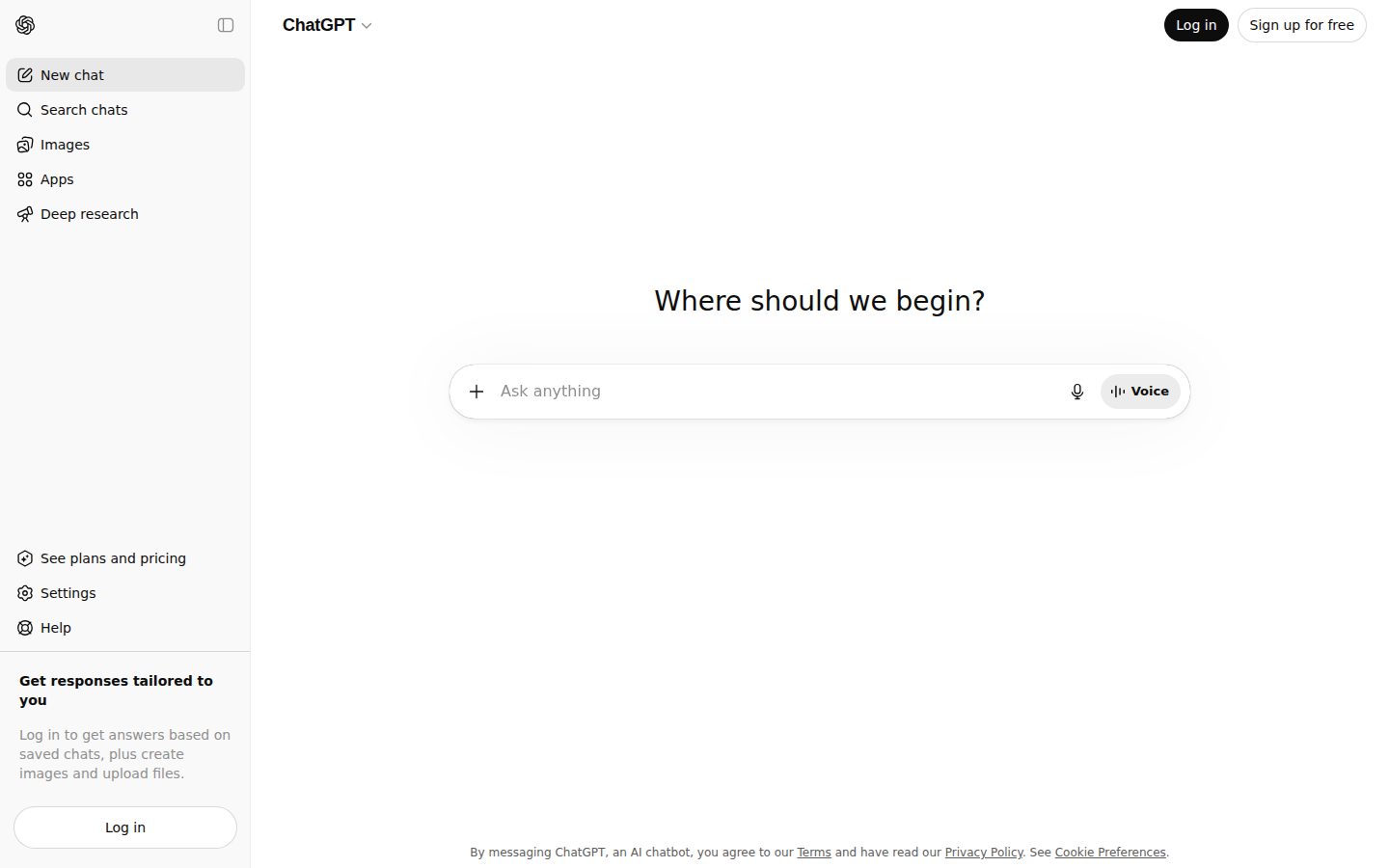
ChatGPT is an AI-powered conversational assistant developed by OpenAI.
AI Panel Score
9 AI reviews
Reviewed
AI Editor ApprovedApproved and published by our AI Editor-in-Chief after full panel analysis.ChatGPT is a conversational AI assistant built on OpenAI's GPT series of large language models. Users interact with it through a chat interface, typing prompts and receiving text-based responses. It is capable of handling a wide range of tasks including drafting documents, answering factual questions, explaining complex topics, generating code, translating languages, and summarizing content.
The product is designed for general consumers, students, developers, and business professionals alike. Its broad accessibility — requiring no technical background to use — has made it one of the most widely adopted AI tools since its public launch in November 2022. Paid plans unlock access to more capable models such as GPT-4o, as well as features like image generation via DALL·E, file uploads, and browsing capabilities.
ChatGPT supports a plugin and tool ecosystem and offers a Custom GPTs feature, allowing users to create tailored versions of the assistant for specific use cases. The underlying API is also available separately for developers who want to integrate the models into their own applications.
In the broader AI assistant market, ChatGPT competes with products such as Google Gemini, Microsoft Copilot, and Anthropic's Claude. It holds a significant market presence and is widely regarded as a benchmark product in the consumer AI assistant category. OpenAI continues to update the platform with new model versions and capabilities on a rolling basis.

An advanced image generation feature that can reference the web for real-time information before generating images, produce multiple distinct images from a single prompt, and render non-Latin multilingual text accurately.
Captures meetings, brainstorms, or voice notes and automatically transcribes, summarizes, and converts them into actionable outputs such as follow-up plans, action items, or code snippets.
GPT-5 is the default model for all logged-in users, acting as a single auto-switching system that intelligently combines the best capabilities of previous OpenAI models.
A guided learning experience in ChatGPT that asks users interactive questions to assess their goals and skill level, then collaboratively works through topics rather than simply providing direct answers.
An agentic mode that completes complex, multi-step online tasks on behalf of the user — including web research, form filling, and spreadsheet editing — while keeping the user in control.
A dedicated coding agent and macOS app that manages multiple coding tasks in parallel, supports long-horizon background tasks, reviews code diffs, and integrates with VS Code, Cursor, GitHub, and the CLI.
Lets users group chats and uploaded files into persistent workspaces with custom instructions, so all conversations within a Project share a common context and file knowledge base.
Enables real-time, natural spoken conversations with ChatGPT using GPT-4o's native audio capabilities, including detection of non-verbal cues like speaking pace and emotionally responsive replies.
Allows users to manually select the reasoning depth of the model — from lighter, faster responses to extended deep reasoning — depending on the complexity and accuracy requirements of their query.
Organizations can configure custom MCP (Model Context Protocol) connectors with search and fetch functionality to bring internal tools and proprietary content into ChatGPT's company knowledge experience.
Native connectors let users search and retrieve content from Gmail, Google Calendar, Google Contacts, Microsoft Teams, Outlook email and calendar, and GitHub directly within ChatGPT chat.
Business and Enterprise plans include encryption at rest and in transit, with business conversation data excluded from model training by default.
For anyone wanting to try ChatGPT at no cost, with limited access to models and features
For individuals who use ChatGPT frequently and want expanded access at an affordable price
For individual power users who need reliable, fast, and feature-rich AI access
For heavy users who need 5x higher usage than Plus for high-stakes or complex work
For professionals and technical users who need maximum performance with 20x higher usage than Plus
For teams and growing businesses wanting a shared collaborative workspace (2+ users, billed annually; $25/user/month billed monthly)
For large organizations needing enterprise-grade security, compliance, and support at scale (contact sales for pricing)
ChatGPT cleared 900 million weekly users and $25B annualized — the default AI line item, not the differentiator.
“ChatGPT hit 900 million weekly active users and a $25 billion annualized run rate by February 2026, with GPT-5.5 launching April 23 across Plus, Pro, Business, and Enterprise. Business at $25/seat is the boring, defensible buy — pair it with a second model for the work that needs depth.”
This is now an incumbent-defense decision. ChatGPT cleared 900 million weekly users by February 2026 and $25 billion annualized — not having it on the stack reads as a deliberate choice, which it should be.
Business runs $25/seat monthly or $20 annual at a two-seat minimum. GPT-5.5 launched April 23, 2026 across Plus, Pro, Business, and Enterprise. Custom GPTs and Agent Mode cover the workflow stitching your team will Frankenstein anyway. 50 million consumer subscribers and 9 million paying business users — the procurement objections are mostly pre-answered.
But the consumer-first DNA still shows. Anthropic Claude wins serious bake-offs for long-context reasoning, and Microsoft Copilot owns the Teams and 365 shop by default. ChatGPT is the safe board answer, not the strategic edge. Buy Business for the org and let teams pick the second model that fits the work.
Default incumbent, but Anthropic Claude and Microsoft Copilot each win specific bake-offs where ChatGPT does not lead.
The lowest-risk AI choice a CIO can defend to a board — 9 million paying business users already validate the call.
Zero technical setup, natural-language interface, and Custom GPTs let non-technical teams ship workflows in days.
Solid productivity baseline across the org, but not the category edge — most strategic AI work needs a second model.
$25B annualized run rate, 900M weekly users, and 50M consumer subscribers by Feb 2026 — vendor risk is effectively zero.
Companies who want a defensible AI baseline across the org.
Teams who need deep reasoning specialization Claude or Copilot already handles.
“ChatGPT has become an indispensable tool for our engineering teams, though enterprise governance remains challenging. The API reliability and capability improvements over the past year have been impressive.”
I've deployed ChatGPT across our 200+ person engineering org, and it's transformed how we approach documentation, code reviews, and technical research. The API has been rock-solid - we're averaging 99.9% uptime for our automated workflows. GPT-4's consistency in understanding complex technical contexts still amazes me.
My biggest concern remains data governance. We've had to build extensive wrapper services to ensure sensitive code and architecture details don't leak into training data. The enterprise agreement helps, but I wish OpenAI offered more granular controls. Rate limits occasionally bite us during sprint planning when everyone's using it simultaneously, forcing us to implement queuing mechanisms.
Handles our 50k+ daily requests smoothly, though rate limits require careful orchestration.
The pace of model improvements and new features like function calling has been exceptional.
Clean REST API made it trivial to integrate into our CI/CD and Slack workflows.
Enterprise data processing addendum helps, but we still can't fully audit data retention.
Enterprise support is responsive but sometimes lacks deep technical expertise.
OpenAI's 900M weekly users force the model-vendor question: standardize on ChatGPT or run a router.
“ChatGPT crossed 900 million weekly active users in February 2026, and OpenAI now serves over 1 million business customers on Enterprise contracts with SOC 2 Type II and ISO 27001. The CTO call isn't whether to use it — it's whether to standardize on it or run a multi-model router that keeps Claude and Gemini swappable.”
Custom GPTs and the underlying API let an engineering org wrap GPT-4o around proprietary context without renting another vendor's chat layer. That separation matters — the model is the asset, the chat UI is the commodity. OpenAI shipping both at scale is what makes the 3-year vendor question hard.
ChatGPT Enterprise now offers data residency in 10 regions including the EU, UK, Japan and Singapore, alongside SOC 2 Type II, ISO 27001 and ISO 27701. Plus sits at $20/month, Team at $30/seat, Enterprise on a custom contract — the procurement story is mature. With over 1 million business customers, the social-proof barrier is gone.
But the architectural risk is concentration. Standardizing on ChatGPT means betting against Anthropic's Claude and Google's Gemini at exactly the moment frontier capability is splitting between labs. The 3-year call is whether to commit, or run OpenRouter-style abstraction so the model layer stays swappable.
900M weekly active users and 1M+ business customers in early 2026 make it the category-defining product, not a challenger.
Enterprise tier ships SSO, audit logs and data residency in 10 regions — the surface a CTO actually procures against.
OpenAI API, broad SDK coverage, SSO and residency controls make it the default LLM endpoint inside most existing stacks.
Single-vendor commitment carries real concentration risk while frontier capability splits between OpenAI, Anthropic and Google.
Frontier-tier GPT-4o, Custom GPTs and a deep API surface set the craft ceiling for the consumer-AI category.
CTOs who need a single AI vendor with mature enterprise procurement.
Teams who require model-vendor neutrality across providers.
“ChatGPT has become an indispensable part of my development workflow, from rubber ducking complex problems to generating boilerplate code. Despite occasional hallucinations and API rate limits, it's fundamentally changed how I approach problem-solving.”
I've been using ChatGPT daily for over a year now, and it's transformed how I work. What started as curiosity has become essential - I use it for everything from debugging obscure errors to architecting new features. The conversational interface feels natural, and the model's understanding of context across programming languages constantly impresses me.
The API integration into our internal tools has been smooth, though the rate limits can be frustrating during heavy usage periods. What I appreciate most is how it helps me think through problems - it's like having a knowledgeable colleague available 24/7. Sure, I've learned to verify its code suggestions, especially for newer frameworks, but the productivity boost is undeniable.
OpenAI's docs are clear with good examples, though I wish they covered more edge cases around token management.
The community is incredibly active - there's always someone sharing solutions or workarounds on forums.
Limited visibility into why responses vary and no real debugging tools for prompt engineering.
The SDK is intuitive and the playground makes testing prompts before implementation a breeze.
Response times are generally good but can spike during peak hours, affecting our automated workflows.
“ChatGPT has become an indispensable part of my marketing workflow, from content ideation to campaign messaging. While it's not a traditional marketing platform, I use it daily for everything from email copy to competitive analysis.”
I started using ChatGPT for quick copywriting tasks, but over the past year it's transformed how my team approaches content creation. We've cut our blog draft time by 60% and use it constantly for A/B test variations, social captions, and email sequences. What surprised me most was how it became our go-to for market research synthesis and persona development.
The lack of native analytics or campaign tracking means we still need our other tools, but as a creative multiplier, it's unmatched. My team loves using it for brainstorming sessions and first drafts. The learning curve was minimal - everyone was productive within days.
Great for content creation but requires manual organization and version control.
Documentation is solid, but direct support is limited to technical issues only.
Intuitive interface that my entire team picked up immediately without training.
API works well for automating workflows, though we mostly use the web interface.
No built-in tracking, but the time savings alone justify the Plus subscription.
“ChatGPT has become indispensable for financial analysis and reporting, though justifying the team-wide ROI remains challenging. The straightforward pricing helps, but usage unpredictability creates budget headaches.”
I've been using ChatGPT daily for everything from complex financial modeling assistance to drafting board presentations. The $20/month Plus subscription has been worth every penny for my personal productivity - I save hours weekly on report writing and data analysis prep. What surprises me most is how it's become my go-to for sanity-checking calculations and exploring different financial scenarios quickly.
The challenge comes with scaling. We've got 12 team members on Plus subscriptions now, and while the pricing is transparent, predicting actual value is tough. Some months it feels essential, others less so. The enterprise tier pricing discussions have been frustrating - significant jump in cost without clear metrics to justify it to the board.
Clean monthly billing, though consolidating multiple user accounts gets messy.
Month-to-month flexibility is perfect for testing adoption without commitment.
The $20/user model is refreshingly simple, though enterprise pricing requires multiple calls to understand.
Productivity gains are real but nearly impossible to quantify for budget justification.
No hidden costs, but team adoption creep means our spend has tripled without formal planning.
Custom Instructions and Memory carry the daily workflow, but the model picker still resets every conversation.
“ChatGPT Plus at $20/month gives a daily writer or analyst Custom Instructions, persistent Memory, and file uploads that actually stick. The catch is the model picker resetting per chat — small friction that compounds across a working week.”
The model picker sits in a header dropdown that resets on every new conversation. For a daily user, that means re-selecting the model each time a new thread opens. Small friction, but it compounds — and the keyboard shortcut to switch isn't documented on the shortcuts panel.
Custom Instructions earn the seat. Set the role, the audience, the tone once, and it carries across threads. Memory pins facts you actually want pinned — names, projects, ongoing context — without the per-chat reload Claude's Projects ask for. File uploads on Plus handle PDFs and CSVs cleanly; the analysis sandbox runs Python without setup.
Plus is $20/month, unchanged since 2023. However, message caps still throttle long Deep Research sessions, and the 30-day retention default means writers handling client work need to toggle data controls manually. Docs are written by product people, not engineers — the help center reads like marketing, not a man page.
Custom Instructions and Memory remove the per-chat context reload that kills daily AI assistants.
Help center reads like marketing, not a practitioner reference — keyboard shortcuts and model behaviors are under-documented.
Model picker resets per conversation and message caps still throttle long sessions on Plus.
Deep Research, custom GPTs, code interpreter, and the analysis sandbox give real depth past the chat box.
File uploads and the Python sandbox slot into research and writing workflows without setup, though no native Slack or Salesforce integration ships.
Writers and analysts who need a daily AI assistant with persistent context.
Teams who need native integrations with Slack or Salesforce out of the box.
“After using ChatGPT daily for over a year, it's become an indispensable part of my workflow. While it has occasional quirks and limitations, the way it enhances my productivity and problem-solving is genuinely transformative.”
I've been using ChatGPT every single day since early 2023, and it's honestly changed how I work. From drafting emails to brainstorming ideas to learning new concepts, it's like having a knowledgeable colleague available 24/7. The conversational interface just works - I can throw anything at it and get useful responses.
What really impresses me is how it handles context. I can have long, winding conversations and it keeps track of what we're discussing. The recent addition of memory features has made it even better at understanding my preferences over time.
That said, it's not perfect. Sometimes it confidently gives incorrect information, and I've learned to double-check important facts. The occasional service interruptions during peak hours can be frustrating when I'm in the middle of something urgent.
Just type and chat - couldn't be simpler, though sharing conversations could be more intuitive.
The mobile app works great for quick queries, though I prefer desktop for longer work sessions.
Started using it within seconds of signing up, no tutorial needed.
Generally solid, but those 'at capacity' messages during busy times can be really inconvenient.
The free tier is generous, and Plus at $20/month pays for itself in time saved.
“After using ChatGPT daily for over a year, I'm exhausted by the constant degradation of capabilities and broken promises about improvements.”
I've watched ChatGPT go from an incredible tool to something I can barely trust for basic tasks. The constant 'laziness' where it refuses to complete simple requests, gives truncated responses, and needs multiple prompts to do what it used to handle in one shot is maddening. I'm paying for Plus, yet I hit usage limits during critical work periods and get kicked to GPT-3.5 mid-conversation. The memory feature that was supposed to revolutionize personalization? It forgets everything important while remembering random details I mentioned once. Support is non-existent - just automated responses pointing to help articles that don't address real issues. I've started using Claude for serious work because at least it consistently follows instructions.
Claude handles long documents better, Perplexity gives sources, and even free alternatives are catching up fast.
Every update makes it worse - they promised improvements but delivered a progressively lazier, more restricted model.
Usage caps on Plus accounts, constant refusal to complete tasks, and mid-conversation model downgrades are killing my workflow.
No folder organization for chats, can't search conversation history properly, and the plugin system was killed without replacement.
There's essentially no human support - just bot responses and community forums where everyone has the same unresolved issues.
Common questions answered by our AI research team
ChatGPT Free offers basic access with GPT-3.5, limited availability during peak times, and no file uploads. ChatGPT Plus costs $20/month with GPT-4 access, faster responses, and priority access during high demand. ChatGPT Team is $25/user/month (minimum 2 users) with higher usage caps, admin controls, and team workspace features. ChatGPT Enterprise offers custom pricing with unlimited GPT-4 usage, enhanced security, admin console, and dedicated support - API usage is separate with pay-per-token pricing starting around $0.002 per 1K tokens for GPT-4.
ChatGPT Plus and higher tiers can analyze uploaded files including PDFs, images, spreadsheets, and documents through Advanced Data Analysis. Web browsing is available in Plus, Team, and Enterprise tiers for real-time information access. Free tier conversations have lower limits and may be cut off sooner, while Plus has significantly higher limits, and Team/Enterprise have the highest conversation token limits and usage caps.
OpenAI retains conversations for 30 days for safety monitoring, then deletes them unless users opt into longer retention. Business users on Team and Enterprise plans can opt out of having their data used for model training. Enterprise customers get enhanced data controls, SOC 2 compliance, and can configure data retention policies to meet their security requirements.
ChatGPT requires no technical setup - users simply create an account and start chatting immediately through the web interface. The conversational interface is designed for non-technical users to ask questions in natural language. Team administrators can invite members and manage permissions, but individual users need zero technical expertise to begin productive conversations.
ChatGPT doesn't have direct native integrations with Slack, Teams, or Salesforce, but these can be built using OpenAI's API. OpenAI provides comprehensive API documentation, SDKs for popular programming languages, and a developer platform with examples and tutorials. Many third-party developers have created unofficial integrations and bots that connect ChatGPT to these business tools through the API.
Company
OpenAIFounded
2015Location
San Francisco, CAPricing
From $8/moFree Plan
AvailableOpenAI is an AI research and deployment company based in San Francisco, known for the GPT series of large language models and the ChatGPT product.