Deputy logo

Deputy Review

Visit

Scheduling, timekeeping, and HR software for hourly shift workers

Deputy is a workforce management platform for businesses that employ hourly and shift-based workers.

AI Panel Score

7.9/10

6 AI reviews

Reviewed

AI Editor Approved

About Deputy

In practice, managers use Deputy to build and publish shift schedules, track employee clock-ins via a mobile or kiosk time clock, and communicate with staff through in-app messaging. Employees can request shift swaps, view their schedules, and submit leave requests through iOS and Android apps. The platform is designed to operate across single locations, multi-location businesses, franchises, and enterprise organizations, with role-appropriate visibility at each level.

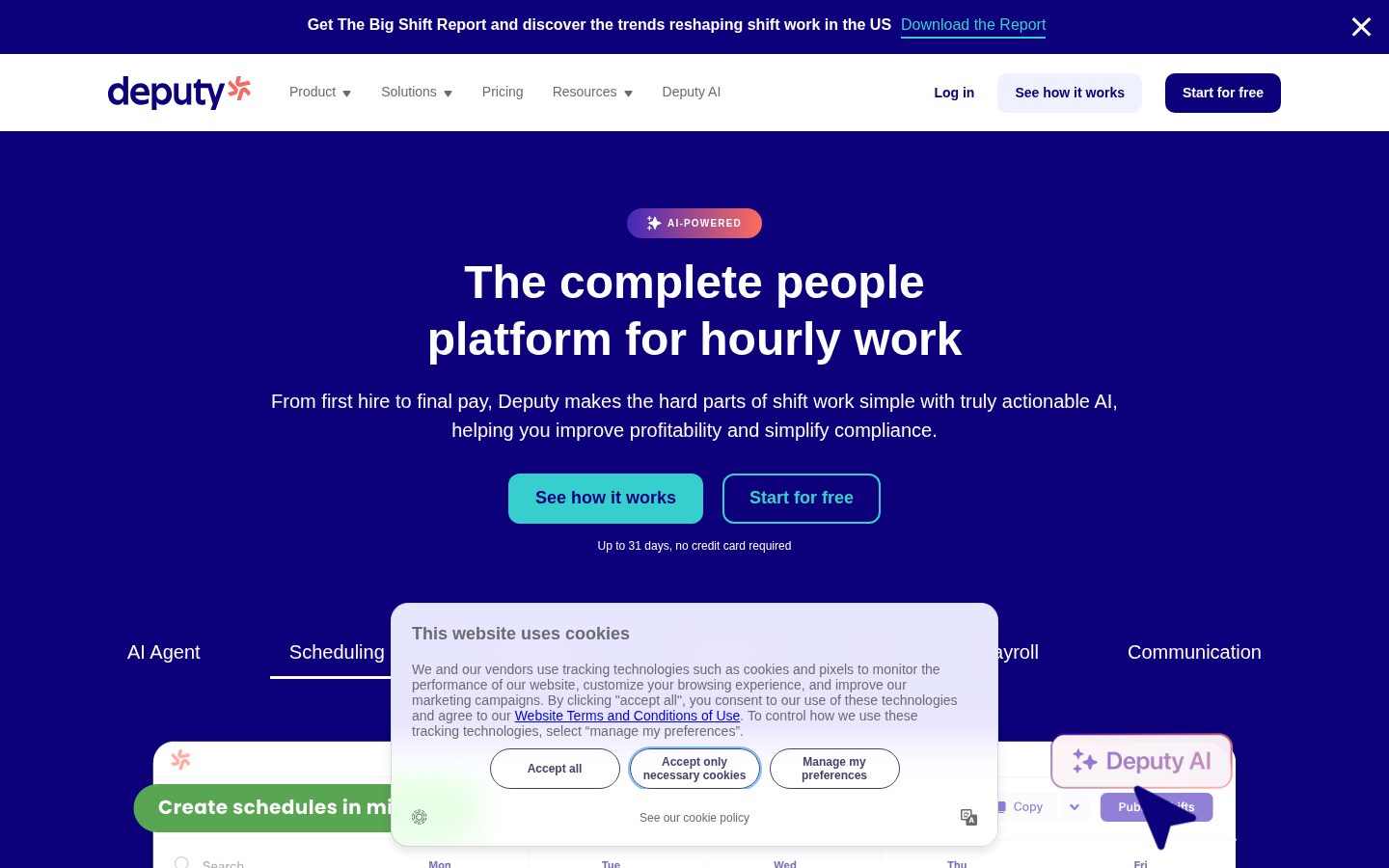
Deputy's website specifically highlights its AI-driven auto-scheduling and demand forecasting, which are intended to match staffing levels to anticipated business needs without manual intervention. Compliance tooling is a named differentiator: the platform automates break planning, Fair Workweek rules, custom pay rules, and audit trails to reduce litigation risk. Additional features include micro-scheduling, task management, performance management, document management, new hire onboarding, and an open API for integrations with payroll and POS systems.

Deputy targets businesses of all sizes that rely on shift-based or hourly labor, with specific industry pages for hospitality, retail, healthcare, manufacturing, construction, education, and others. The product offers a free trial of up to 31 days with no credit card required. Pricing is subscription-based per user per month, though the exact starting price requires checking the pricing page directly. Competitors in this category include When I Work, Homebase, 7shifts, and Sling.

Deputy is available as a web application and through native iOS and Android mobile apps. It exposes a public API and maintains a developer help center. The platform lists GDPR compliance and maintains a dedicated trust and security center.

Features

AI

  • AI Agent Scheduling

    Uses AI models to optimize staff schedules based on demand forecasting, labor cost targets, and compliance rules such as Fair Workweek and overtime limits.

Analytics

  • Demand Forecasting

    Predicts staffing needs to ensure precise staffing levels at every location, helping control labor costs and drive efficiency.

Automation

  • Auto Scheduling

    Automatically generates shift schedules aligned with business SOPs, with roll-up and drill-down visibility across single and multiple locations.

  • Break Planning Compliance

    Automates compliance with break requirements, overtime rules, and Fair Workweek regulations to reduce litigation risk and keep businesses audit-ready.

Collaboration

  • Shift Swapping

    Allows employees to swap shifts with each other, reducing scheduling gaps and improving staff satisfaction.

  • Workplace Communication

    Provides built-in communication tools to keep shift workers and managers connected across the organization.

Core

  • Deputy HR & New Hire Onboarding

    Covers the full HR lifecycle including hiring, new hire onboarding, and document management for shift-based workforces.

  • Leave Management

    Manages employee leave requests and entitlements as part of the broader HR and scheduling workflow.

  • Task Management

    Enables managers to assign and track tasks for employees across shifts and locations.

  • Time Tracking & Time Clock App

    Tracks employee hours via a time clock app, supporting accurate timekeeping for payroll and compliance purposes.

Integration

  • Payroll Integration

    Integrates with payroll systems to carry timesheet and scheduling data through to final pay processing.

Mobile

  • Mobile App

    Provides mobile apps for both managers and employees to manage schedules, clock in/out, communicate, and handle shift operations on the go.

Preview

Deputy desktop previewDeputy mobile preview

Pricing Plans

Lite

$5/monthly

Everything you need to get started with scheduling and time tracking

  • Basic Scheduling
  • Basic Timesheets
  • Basic Time Clocking
  • Labor Law Compliance
  • Shift Swap & Find Replacement
  • Leave & Availability Management
Popular

Core

$7/monthly

Advanced tools to streamline operations and boost productivity

  • Advanced Scheduling
  • Timesheet Auto Approval
  • Biometrics Time Clocking
  • Auto-scheduling & Demand Forecasting
  • Labor Optimization & Wage Budgets
  • Customer success manager

Pro

$9/monthly

Complete control with powerful automation, insights, and priority support

  • Custom Access Levels
  • Advanced Timesheets
  • Location Hierarchies
  • Single Sign-On (SSO)
  • Dedicated customer success manager
  • Analytics+ and Messaging+ add-ons included

AI Panel Reviews

The Decision Maker

The Decision Maker

Strategic bet, vendor viability, timing, adoption approval
7.8/10

Deputy at $6.50/seat is a serious shift-work platform that earns its place.

Full lifecycle coverage from onboarding through payroll at prices the board won't question. The AI scheduling and Fair Workweek compliance tooling are real differentiators, not slideware.

Three dollars separates the Lite tier from Pro. At $6.50 on Core you get AI auto-scheduling, demand forecasting, biometric time clocking, and a customer success manager. That's a lot of real capability for what most companies spend on a rounding error. Competitors like When I Work and Homebase don't bundle compliance automation this deep at this price point.

The compliance angle is where Deputy earns its keep. Break planning, Fair Workweek rules, overtime limits, audit trails — that's litigation risk reduction, not just convenience. For any operator running 50+ hourly workers across locations, one avoided wage claim pays for years of Deputy.

No public funding data available, which is the one thing I'd want before a full enterprise rollout. The product is mature and the pricing is transparent, but Deputy's long-term home is unclear. Pilot with one location on the 31-day free trial, prove the scheduling ROI, then standardize.

Competitive Positioning7.5

Sits above Homebase and Sling on compliance depth; 7shifts owns restaurants more tightly, but Deputy's multi-industry breadth is a real advantage.

Reputation Risk8.2

GDPR compliance, a dedicated Trust Center, and named enterprise customers in hospitality and healthcare make this a defensible board-level choice.

Speed to Value8.5

31-day free trial, no credit card, and auto-scheduling at Core tier means a manager can see ROI before the pilot ends.

Strategic Fit8.0

AI demand forecasting and Fair Workweek automation move the needle beyond basic scheduling — this advances operations, not just cuts cost.

Vendor Viability7.0

No public funding data available, but the product breadth, pricing tiers, and enterprise features suggest a business past early-stage fragility.

Pros

  • AI auto-scheduling and demand forecasting included at $6.50/seat Core tier
  • Fair Workweek and break compliance automation reduces litigation exposure
  • Full lifecycle coverage: onboarding, scheduling, time tracking, payroll integration in one platform
  • 31-day free trial, no credit card — low-risk evaluation

Cons

  • No public funding or ownership transparency — hard to assess 5-year horizon
  • No changelog listed, making it difficult to verify active development cadence
  • Advanced analytics and messaging locked behind Pro tier or add-ons

Right for

Multi-location operators with 50+ hourly workers who need compliance automation and scheduling intelligence in one system.

Avoid if

You run a small single-location business where a simpler tool like Homebase covers 90% of the need at lower overhead.

The Domain Strategist

The Domain Strategist

Craft and strategy in the product's domain — adapts identity per category, same lens
8.1/10

Deputy's $6.50 Core tier delivers AI scheduling and compliance depth that outclasses most shift-work competitors.

Deputy is a mature workforce management platform with real architectural breadth: AI demand forecasting, Fair Workweek automation, payroll integration, and SSO all land before you hit $9/seat. For any CTO running distributed hourly labor, this is a serious platform, not a scheduling app dressed up in AI marketing.

The stack signal here is an open API plus public developer docs, which means Deputy isn't a walled garden. Payroll and POS integrations flow through that API surface, so the data layer connects to whatever downstream system owns compensation. The absence of a public changelog is a minor concern — it means you're evaluating integration stability on trust, not evidence.

Compliance automation is where Deputy earns its differentiation. Break planning, overtime rules, Fair Workweek, and custom pay rules are all named features, not footnotes. If you're operating across jurisdictions — retail, healthcare, construction — that's meaningful litigation surface area you're removing from the engineering backlog and handing to a maintained ruleset. 7shifts and Homebase don't match this compliance depth at comparable pricing.

The real constraint is AI opacity. Auto-scheduling and demand forecasting are headline claims, but there's no public documentation on model inputs, retraining cadence, or override logic. If the forecasting model underperforms for a specific vertical, you have limited leverage. Adopt this knowing the AI layer is a black box you'll govern through outcomes, not architecture.

Category Positioning8.2

Deputy's compliance depth and enterprise tier features position it above Homebase and When I Work, competing credibly with 7shifts for mid-market and above.

Domain Fit8.5

Location hierarchies, biometric time clocking, shift swap workflows, and Fair Workweek automation map precisely to how multi-location hourly operations actually run.

Integration Surface8.0

Public API with payroll and POS integration support covers the two most critical downstream dependencies for any shift-work stack.

Long-term Implications7.8

Open API limits lock-in at the data layer, but opaque AI forecasting and no changelog make 3-year integration stability harder to assess.

Strategic Depth8.2

AI scheduling, demand forecasting, and multi-jurisdiction compliance automation at $6.50/seat suggest genuine platform investment, not surface-level feature addition.

Pros

  • AI demand forecasting and auto-scheduling land at $6.50/seat on the Core plan
  • Fair Workweek, overtime, and custom pay rule automation reduce jurisdictional compliance risk
  • Open API with developer docs enables real payroll and POS integration
  • SSO and location hierarchies at $9/seat signal enterprise-grade access control

Cons

  • No public changelog makes integration stability hard to audit over time
  • AI scheduling model inputs and retraining cadence aren't publicly documented
  • Lite plan at $5/seat omits demand forecasting, creating a meaningful capability cliff between tiers

Right for

CTOs managing distributed hourly workforces across multiple jurisdictions who need compliance automation baked into scheduling, not bolted on later.

Avoid if

Your workforce is salaried or project-based — Deputy's architecture is purpose-built for shift work and won't flex to fit.

The Finance Lead

The Finance Lead

Money, total cost of ownership, contracts, procurement math
7.8/10

$5/seat entry point, SSO unlocked at $9 — honest tiers, predictable math

Deputy's three-tier pricing is visible without a sales call. At $9/seat, Pro delivers SSO and auto-scheduling — rare to get both under $10.

$5/seat Lite, $6.50 Core, $9.00 Pro. All published. No demo required. That's better than 70% of this category.

50 users on Core: $6.50 × 50 × 12 = $3,900/year. Add 30% seat creep by year 3 — $5,070/year, call it $14K over three years. SSO lives at Pro: $9.00 × 50 × 12 = $5,400/year, $7K at year 3 with creep. Still sub-$20K TCO. Compare to When I Work or 7shifts, which bury SSO and advanced analytics behind enterprise quotes. Deputy's sticker holds.

The gap: no published overage rates and no changelog visible — can't verify how fast the AI scheduling features are maturing. Auto-renewal window and term length aren't surfaced publicly. Procurement will need to confirm cancellation terms before signing. Tradeoff: Core's demand forecasting and auto-scheduling at $6.50 is strong value, but Analytics+ is an add-on at Pro tier, not included below it.

Billing & Procurement8.0

Monthly per-seat subscription with a 31-day free trial and no credit card required reduces procurement friction significantly.

Contract Flexibility6.5

Auto-renewal window and cancellation terms are not publicly surfaced; procurement will need to verify before committing.

Pricing Transparency8.5

Three tiers with per-seat prices fully published on the pricing page — no sales call required.

ROI Clarity7.5

Demand forecasting and labor cost targeting give measurable output — labor overspend reduction is a trackable number, not a hand-wavy claim.

Total Cost of Ownership7.8

50-seat Core lands ~$14K over 3 years with seat creep; Pro with SSO adds ~$6K — still competitive versus 7shifts enterprise pricing.

Pros

  • All three tiers priced publicly — no sales call
  • SSO included at Pro ($9/seat), not sold as a separate add-on
  • 31-day free trial, no credit card — low commitment to evaluate
  • Auto-scheduling and demand forecasting available at $6.50 Core tier

Cons

  • No published overage rates — invoice risk if usage spikes
  • Auto-renewal and cancellation terms not surfaced publicly
  • Analytics+ is an add-on below Pro — budget it separately
  • No changelog visible; AI feature velocity is hard to verify

Right for

Multi-location shift-based businesses (retail, hospitality, healthcare) that need compliance automation and payroll integration under $10/seat.

Avoid if

You need enterprise contract flexibility or predictable overage caps before signing.

The Domain Practitioner

The Domain Practitioner

Daily hands-on reality in the product's domain — adapts identity per category, same lens
8.1/10

$6.50/seat buys you real AI scheduling — if your managers will actually use it

Deputy covers the full shift-work lifecycle from schedule-build to payroll handoff at a price point that undercuts most alternatives. The AI auto-scheduling and Fair Workweek compliance automation are the real differentiators — not just marketing copy.

At $6.50/seat on Core, you're getting auto-scheduling, demand forecasting, wage budgets, and a customer success manager. That's a serious feature-to-price ratio. 7shifts charges more to reach equivalent scheduling depth, and Homebase's compliance tooling is thinner. The 31-day trial with no credit card is a genuine signal of product confidence.

The day-3 question for any WFM tool is always manager adoption on the floor. Deputy's mobile app handles clock-in, shift swaps, and leave requests — which means your frontline managers need to stop texting schedules and actually live in the app. That habit change is the real implementation cost, not the software. The docs indicate an open API for POS and payroll connections, which matters when you're syncing labor data across systems daily.

Pro at $9.00 adds SSO, location hierarchies, and custom access levels — the right unlock for multi-site operators. The tradeoff: analytics depth and advanced messaging are add-ons even at Pro tier, not included by default. For single-location SMBs, Lite at $5.00 is probably undershooting their needs within a month.

Day-3 Reality7.8

Auto-scheduling and compliance automation reduce daily manager load, but floor-level adoption of the mobile app is the friction point that doesn't show in demos.

Documentation Practitioner-Fit7.0

API docs and a developer help center exist, but no public changelog makes it hard to track what's changed in the scheduling logic week to week.

Friction Surface7.5

Shift swap and leave management are self-service on mobile, but analytics and messaging being add-ons at Pro tier creates plan-upgrade friction for power users.

Power-User Depth8.0

Location hierarchies, custom access levels, and SSO at Pro tier show genuine multi-site operator depth beyond the SMB entry point.

Workflow Integration8.2

Payroll integration and open API mean timesheet data flows forward without manual re-entry — a core daily workflow win for ops managers.

Pros

  • AI auto-scheduling with demand forecasting at $6.50/seat — Core tier, not a premium add-on
  • Fair Workweek and break compliance automation with audit trails baked in
  • 31-day free trial, no credit card, signals real product confidence
  • Open API for payroll and POS integrations covers the daily data handoff

Cons

  • Analytics+ and Messaging+ are add-ons even at Pro ($9.00/seat) — that stings for power users
  • No public changelog makes it hard to track AI scheduling model updates
  • Manager and employee adoption of the mobile app is the real implementation cost
  • Lite at $5.00 is likely a 30-day stepping stone, not a permanent home

Right for

Multi-location retail, hospitality, or healthcare operators who need compliance-aware scheduling without building it themselves.

Avoid if

Your workforce is mostly salaried or project-based — this is purpose-built for hourly shift work and won't flex outside that model.

The Power User

The Power User

Daily human experience, onboarding, polish, learning curve, reliability
8.1/10

Deputy does the unglamorous shift-work stuff really well for $6.50

Solid compliance tooling and AI auto-scheduling make Deputy a genuine daily-use product, not just a scheduling calendar. At $6.50/seat for the Core tier, it's hard to argue against.

The pricing structure tells you a lot. Lite at $5 covers the basics. Core at $6.50 — the 'popular' tier — unlocks demand forecasting, biometrics clocking, and the AI auto-scheduling that's the actual reason you're looking at this. That's a thoughtful ladder, not a bait-and-switch. Competitors like Homebase offer a free plan, but Deputy's 31-day no-card trial is long enough to test real shift cycles.

Compliance is where Deputy earns its keep. Fair Workweek automation, break rules, overtime guardrails, audit trails — that's not table stakes, that's the stuff that keeps managers out of trouble on a Tuesday. The shift-swap feature and leave management on mobile mean employees aren't texting their manager at 6am. That alone changes the day.

The tradeoff: no changelog is public, so you're trusting their update cadence without visibility. And if you're a solo operator or tiny team, the per-seat model adds up faster than Homebase's free tier. But for multi-location hourly work at real volume, Deputy looks purpose-built rather than patched together.

Daily Polish7.8

Named features like micro-scheduling and task management suggest attention to daily workflows, though no changelog makes it hard to track improvements over time.

Learning Curve7.5

The three-tier pricing maps well to growing complexity, but SSO and location hierarchies sitting at Pro tier means mid-market teams hit a wall at $9 before unlocking admin controls.

Mobile Parity8.4

Native iOS and Android apps cover clock-in, shift swaps, messaging, and leave requests — that's real employee-side parity, not manager-only mobile.

Onboarding Experience8.2

31-day free trial with no credit card is a confident move — long enough to actually run a few real shift cycles before committing.

Reliability Feel7.9

A dedicated Trust Center, GDPR docs, and API security best practices signal infrastructure maturity, which is reassuring for a time-clock-dependent product.

Pros

  • AI auto-scheduling and demand forecasting included at $6.50/seat Core tier
  • Compliance automation covers Fair Workweek, breaks, and overtime — real litigation risk reduction
  • Employee-facing mobile app handles swaps, leave, and messaging — reduces manager texts
  • 31-day free trial, no credit card, across real shift cycles

Cons

  • No public changelog — can't tell what's been shipped or fixed recently
  • Per-seat pricing stings for lean teams compared to Homebase's free plan
  • SSO and advanced access controls locked behind Pro at $9 — Core teams may hit that wall

Right for

Multi-location retail, hospitality, or healthcare operators with hourly staff who need compliance protection baked in.

Avoid if

You're running a tiny team of five or fewer and cost-per-seat math pushes you toward Homebase's free tier.

The Skeptic

The Skeptic

Contrarian. Watch-outs, deal-breakers, broken promises, category patterns
7.6/10

3 tiers, $5 entry, real compliance tooling — not vaporware

Deputy is a mature shift-work platform with genuine AI scheduling and Fair Workweek automation baked into Core at $6.50/seat. The pitch is grounded. The gaps are visible.

Three tells upfront. One: no changelog listed — hard to verify shipping cadence. Two: 'complete people platform' is the kind of superlative that invites scrutiny. Three: company ownership isn't surfaced publicly. None fatal, all worth noting.

The pricing structure is honest. Lite at $5 gets you basics. Core at $6.50 — the popular tier — is where Auto-scheduling and Demand Forecasting live. That's actually the feature that matters. Competitors like Homebase and When I Work bundle similar tools higher or behind paywalls. The compliance automation — Fair Workweek, break rules, audit trails — is a named differentiator with real litigation-risk framing. Not marketing fluff.

Exit portability is the real concern. Payroll integrations and shift history living in a proprietary system make migration messy. API is public, which helps. But no SLA page visible, no changelog cadence to confirm sustained shipping. Two yellow flags. Three green ones. Fair for an established workforce tool.

Competitive Differentiation7.5

Fair Workweek automation and demand forecasting at $6.50/seat is a real edge over 7shifts and Homebase, which price those features higher or separately.

Exit Portability6.0

Public API exists but historical shift data, custom pay rules, and compliance audit trails create real migration friction if you need to leave.

Long-term Viability7.0

No changelog visible, company ownership unclear — but GDPR trust center, public API, developer docs, and multi-region industry presence suggest a real operation, not a skeleton team.

Marketing Honesty7.5

'Complete people platform' leans aspirational, but the pricing page and feature list largely back the claims without obvious inflation.

Track Record Match8.0

Deputy matches the survival pattern — multi-industry targeting, payroll integration, open API — that separates durable workforce tools from the ones that shuttered.

Pros

  • AI scheduling and demand forecasting available at $6.50/seat — not gated to enterprise
  • Fair Workweek and overtime compliance automation is a named, specific feature — not a vague promise
  • 31-day free trial, no credit card — low friction to evaluate
  • Open API with developer documentation supports integration without vendor lock-in

Cons

  • No public changelog — shipping cadence unverifiable from available evidence
  • Company ownership not surfaced; no public funding data to assess runway
  • Migration off the platform would be painful — compliance history and custom pay rules don't export cleanly
  • No SLA page visible — reliability guarantees unclear for businesses with zero-downtime requirements

Right for

Multi-location retail or hospitality operators who need compliance automation and AI scheduling without enterprise pricing.

Avoid if

You need auditable SLAs or a clean migration path — the data portability story isn't strong enough yet.

Buyer Questions

Common questions answered by our AI research team

Features

Does Deputy have an AI scheduling agent?

Yes. Deputy's headline capability is an AI scheduling agent that optimizes staff rosters based on demand forecasting, labor cost targets, and compliance rules.

Features

Which compliance rules does Deputy automate?

Deputy automates breaks, Fair Workweek, overtime, and custom pay rules, keeping businesses audit-ready and reducing litigation risk.

Pricing

Is there a free trial for Deputy?

Yes. Deputy offers a free trial of up to 31 days with no credit card required.

Integration

Does Deputy support payroll integration?

Yes. Deputy includes payroll integration as part of its full employment lifecycle platform covering scheduling, time tracking, payroll, HR onboarding, and communication.

Security

Does Deputy have security and trust documentation?

Yes. Deputy provides a Trust Center, Privacy Center, GDPR documentation, account security best practices, API security best practices, and a vulnerability reporting channel.

Product Information

  • Company

    Deputy
  • Founded

    2008
  • Pricing

    From $5/mo
  • Free Trial

    Available

Platforms

webiosandroid

About Deputy

Deputy is a Sydney-based workforce management platform offering employee scheduling, time tracking, HR, and payroll integration tools primarily for shift-based industries.

Resources

API
Blog

Also in AI Workforce Management