Google Antigravity logo

Google Antigravity Review

Visit

Agentic coding platform for orchestrating autonomous subagents

Google Antigravity is an agentic coding platform and CLI for orchestrating autonomous coding subagents and tasks.

AI Panel Score

7.1/10

6 AI reviews

Reviewed

About Google Antigravity

Google Antigravity centers on delegating coding tasks to agents rather than writing every line manually. A developer describes a task through the IDE, CLI, or SDK, and an agent plans the work, executes it, and produces artifacts — an implementation plan, a walkthrough, and screenshots or browser recordings — that the developer reviews before changes are accepted. Work can run in the foreground interactively or as scheduled background tasks managed through a command-center interface that shows the status of active agents.

The platform supports subagents that can be spawned to handle parallel pieces of work, along with MCP integrations, custom skills, rules, plugins, and hooks for extending agent behavior. Its browser-in-the-loop feature lets agents interact with a live browser to take screenshots or recordings for visual verification of frontend changes, and permission settings and allowlist/denylist controls govern what agents are allowed to access or execute. A Python SDK is available for developers who want to program custom agents, tools, and tasks directly rather than working through the IDE or CLI.

Antigravity is aimed at software developers and engineering teams, spanning individual frontend and fullstack work up to enterprise deployments with managed permissions and cloud-scale collaboration. It also documents specialized workflows for scientific research (integrating with databases and models like AlphaGenome) and for marketing use cases such as scheduled audits and parallel research pipelines. It competes with other agentic coding tools and AI-assisted IDEs such as Cursor, GitHub Copilot Workspace, and Claude Code. Pricing is based on credits and tiered plans, including an enterprise tier reachable through a request-access form.

The product ships as three main surfaces: the Antigravity IDE, a full development editor with integrated agent side panels and change review; the Antigravity CLI, a terminal-first interface for shell-based workflows available for macOS and Linux; and the Antigravity SDK for programmatic agent and MCP tool development. A graphical component, Antigravity 2.0, provides a command-center view for monitoring and managing background agents.

Features

AI

  • Autonomous Subagents

    Delegates coding work to autonomous subagents that can run independently and complete assigned development tasks.

  • Browser-in-the-Loop Verification

    Lets agents take screenshots and recordings inside a browser to visually confirm UI changes before handing off to a human reviewer.

Automation

  • Scheduled Tasks & Background Jobs

    Runs scheduled tasks and background jobs so agents can work asynchronously without direct supervision.

Collaboration

  • Enterprise Collaboration

    Offers secure permissions and cloud-scale collaboration features tailored for corporate teams working together on agentic development.

Core

  • Antigravity 2.0 Command Center

    Provides a graphical interface for monitoring and managing multiple active background agents at once.

  • Antigravity CLI

    A lightweight, terminal-first interface for developers who prefer to interact with agents from the shell.

  • Antigravity IDE

    A fully featured development editor that integrates agentic workflows with interactive artifact review directly in the coding environment.

  • Artifact-Based Grounding (Plans, Walkthroughs, Screenshots)

    Grounds agent work in verifiable artifacts like implementation plans, walkthroughs, and screenshots for review before acceptance.

  • Browser Recordings

    Captures browser session recordings so reviewers can watch how an agent verified UI behavior.

Customization

  • Skills, Rules, Workflows & Plugins

    Lets users configure custom skills, rules, workflows, and plugins to tailor agent behavior to specific projects.

Integration

  • Antigravity SDK

    A Python SDK for programming custom agents, tools, MCP integrations, and tasks.

  • MCP Support

    Supports Model Context Protocol integrations across the IDE, CLI, and SDK for connecting external tools and data sources.

  • Scientific Workflow Integrations

    Integrates with major scientific databases and frontier models like AlphaGenome to support specialized research workflows.

Security

  • Permissions & Sandbox Controls

    Provides configurable permissions and a sandbox environment to control what actions agents are allowed to perform.

Preview

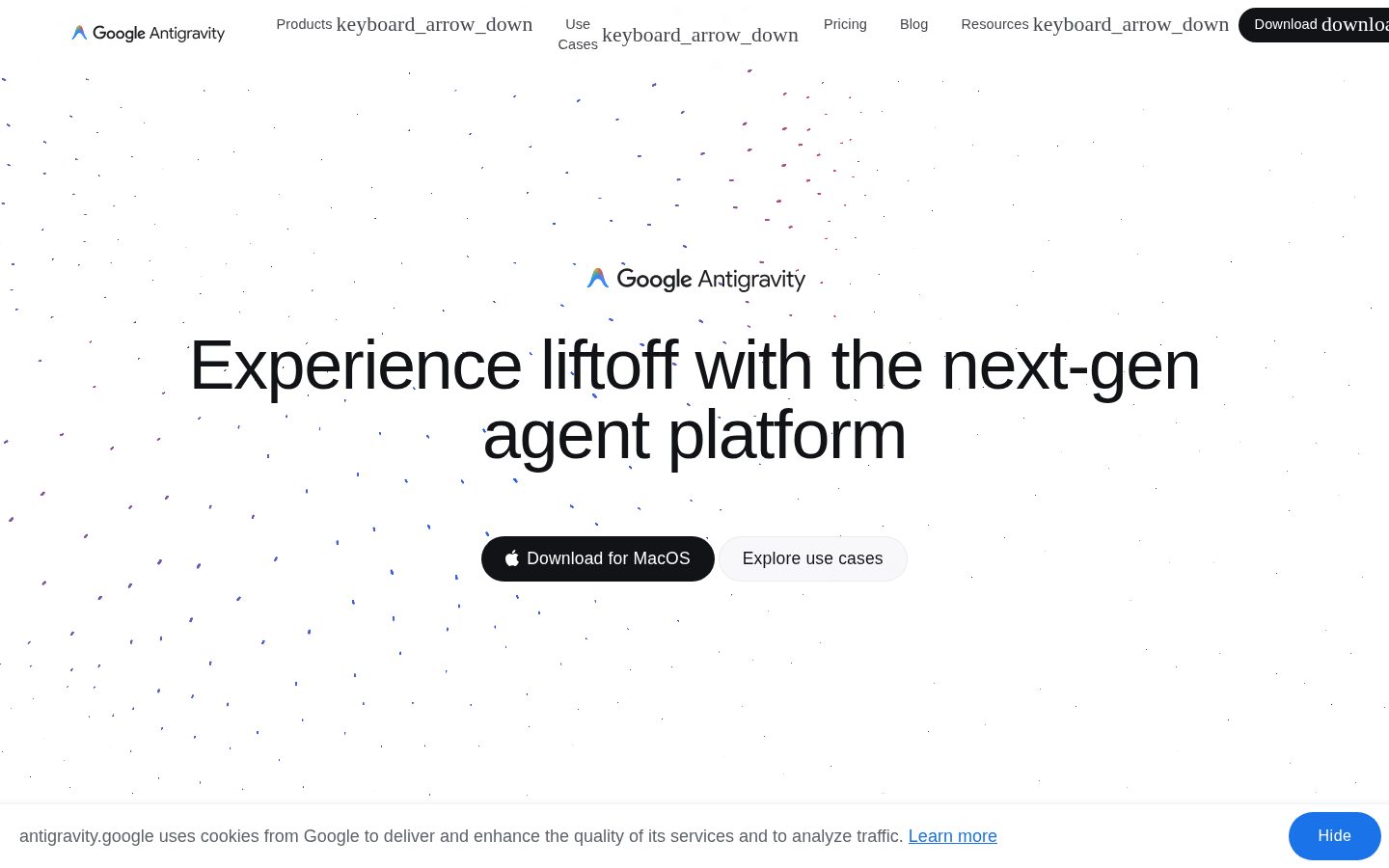
Google Antigravity desktop previewGoogle Antigravity mobile preview

Pricing Plans

Free

Free

For individual developers who want to try Antigravity's agentic IDE with rate-limited access to all supported models, no credit card required.

  • Access to all supported models (Gemini, Claude, GPT-OSS) with rate limits
  • Quota refreshes periodically (roughly every 5 hours)
  • Unlimited tab completions and basic editor features
  • Agent access to editor, terminal, and browser
Popular

AI Pro

$20/monthly

For developers who want Antigravity as a daily driver with higher access to Google's latest Gemini models.

  • Higher rate limits than Free tier
  • Access to latest Gemini models
  • Agent model access including Gemini 3 Pro, Claude Sonnet 4.5, GPT-OSS
  • Priority quota over free tier

AI Ultra

$100/monthly

For developers with lighter, but regular development needs who want more generous quotas than Pro.

  • Roughly 5x Pro quotas
  • More generous rate limits
  • Flexible AI credit pool
  • Everything in Pro

AI Ultra Max

$200/monthly

For power users and teams scaling up projects who need the highest quota to use Antigravity as their primary daily driver.

  • Roughly 20x Pro quotas
  • Highest rate limits available
  • Flexible AI credit pool
  • Everything in Pro and Ultra
  • Price cut from original $249.99/month to $200/month

Google Cloud / Enterprise

Contact sales

For Google Cloud customers and enterprises needing Antigravity 2.0 and CLI integrated with the Gemini Enterprise Agent Platform; pricing requires contacting Google Cloud sales.

  • Access under Google Cloud Terms of Service
  • Google Cloud Project Integration
  • Antigravity 2.0 and CLI access via Gemini Enterprise Agent Platform
  • Enterprise support

AI Panel Reviews

The Decision Maker

The Decision Maker

Strategic bet, vendor viability, timing, adoption approval
7.3/10

Google's balance sheet makes this an easy pilot, not yet an easy standard.

Antigravity brings real agentic depth — subagents, browser-in-the-loop verification, MCP support — backed by a vendor that isn't going anywhere. But it's brand new, and the board will ask why we're not just running Claude Code or Cursor.

Vendor risk isn't the question here. Google isn't disappearing in three years, full stop. That's rare in this category and it's worth something on its own.

The product itself is early. Browser-in-the-loop screenshots and the Antigravity 2.0 command center are genuinely differentiated versus Cursor or Copilot Workspace, but $20/month Pro tier and credit-based Ultra pricing at $100-$200 tells me they're still finding pricing-market fit. No changelog, no visible roadmap cadence in the evidence.

Two questions before I'd scale this: is anyone on our eng team already fluent in Gemini-based tooling, and does browser-verification actually cut review time or just add another artifact to read. Pilot with a five-person frontend team for 60 days. Don't let it replace Copilot org-wide yet.

Competitive Positioning7.0

Competes directly with Cursor and GitHub Copilot Workspace but lacks visible market share signals yet.

Reputation Risk7.5

Adopting a Google tool reads as safe to a board; adopting an unproven 2025-era product reads as early.

Speed to Value6.5

Free tier and CLI lower the trial cost, but background subagent workflows need setup time via skills, rules, and permissions before payoff.

Strategic Fit7.0

Advances agentic delegation beyond autocomplete, but overlaps with tools teams already run like Copilot or Claude Code.

Vendor Viability9.0

Google-backed, no funding risk, but the product itself is new with unclear release cadence.

Pros

  • Browser-in-the-loop verification with screenshots and recordings is a concrete differentiator
  • Free tier plus $20/month Pro tier keeps trial cost low
  • Backed by Google, removing existential vendor risk

Cons

  • No changelog or public roadmap evidence to gauge shipping velocity
  • Credit-based pricing up to $200/month adds budgeting complexity
  • Unproven against entrenched competitors like Cursor and Claude Code

Right for

Teams already in the Google Cloud ecosystem who want agentic delegation without vendor lock-in fear.

Avoid if

Skip it if your team has already standardized on Cursor or Claude Code and switching costs outweigh the upside.

The Domain Strategist

The Domain Strategist

Craft and strategy in the product's domain — adapts identity per category, same lens
7.6/10

Google's making a real infrastructure bet on autonomous agents, but you're locking into their model stack and credit economics.

Antigravity is Google's most serious agentic coding play, with genuine architectural depth in artifact-based grounding and browser-in-the-loop verification. The three-surface design (IDE, CLI, SDK) shows real platform thinking, not a bolt-on feature.

Artifact-based grounding — plans, walkthroughs, screenshots, browser recordings — is the right architecture for agent trust. If your team adopts this as the default review layer, in 3 years you've built review habits around Google's artifact schema, not an open one. That's a real dependency, not a hypothetical.

The permission/sandbox controls and allowlist/denylist model matter more than the demo screenshots. Compare that to Claude Code or Cursor's more editor-centric trust model — Antigravity is explicitly designed for background, unsupervised execution at scale, which is the harder engineering problem.

Pricing is credit-based with a $200/month Ultra Max tier and enterprise gated behind a sales form — that's a lock-in signal, not a self-serve one. The MCP support and Python SDK keep the integration surface open enough to avoid full vendor capture, but the model access (Gemini 3 Pro, Claude Sonnet 4.5) still routes through Google's quota system.

Category Positioning7.9

Directly competes with Cursor and Claude Code but differentiates on verifiable artifacts and multi-agent orchestration at scale.

Domain Fit7.5

Foreground/background task split and command-center view match how senior engineers actually delegate and audit work.

Integration Surface7.8

MCP support, Python SDK, and CLI for macOS/Linux keep it extensible, though enterprise deployment routes through Google Cloud Terms.

Long-term Implications7.0

Credit-based tiers up to $200/month and enterprise-only access create real cost and negotiation lock-in over time.

Strategic Depth8.0

Artifact grounding plus browser-in-the-loop verification is deeper craft than screenshot-only agent demos from competitors.

Pros

  • Artifact-based grounding gives reviewers real evidence, not just diffs
  • Sandbox permission controls fit enterprise governance requirements
  • Open extension surface via MCP, SDK, skills, and plugins

Cons

  • Credit-based pricing scales to $200/month with enterprise gated behind sales contact
  • Model access still routes through Google's quota system, limiting true multi-vendor flexibility
  • No Windows support listed, only macOS and Linux

Right for

Engineering teams already on Google Cloud who need auditable, permission-controlled autonomous agents at scale.

Avoid if

Avoid if your team needs model-agnostic flexibility or predictable flat-rate pricing without credit-based quotas.

The Finance Lead

The Finance Lead

Money, total cost of ownership, contracts, procurement math
6.8/10

Four tiers, $20 to $200. But quota math replaces seat math.

Free, Pro, Ultra, Ultra Max — all listed, no sales call needed. Enterprise still hides behind a form.

$0, $20, $100, $200/month. Four tiers, visible without a sales call. Rare in this category — procurement won't need to chase a rep for the base product.

But the real cost isn't the tier. It's credits and quotas. Pro gives higher rate limits, not unlimited ones. Ultra Max claims 20x Pro quota for $200 — that's a bet on usage patterns, not a fixed number. 50-dev team on Pro: $20 × 50 × 12 = $12K/year. Add Ultra upgrades when quotas run out mid-sprint, and year 3 is unpredictable, not $12K.

Compare to GitHub Copilot Workspace or Claude Code — similar credit-based ambiguity across the category. Enterprise tier requires a request-access form. No published overage rate anywhere in the evidence. That's the invoice risk, not the sticker.

Billing & Procurement6.2

Self-serve up to $200/month; enterprise onboarding routes through Google Cloud sales, adding friction.

Contract Flexibility6.0

Monthly plans imply low lock-in, but enterprise terms are undisclosed pending sales contact.

Pricing Transparency7.5

Four consumer tiers listed with prices; enterprise still gated behind a contact form.

ROI Clarity6.5

Artifacts like walkthroughs and screenshots give reviewable output, but no benchmarked productivity numbers provided.

Total Cost of Ownership5.8

Credit-based quotas make year-3 cost hard to forecast versus flat per-seat pricing.

Pros

  • Free tier plus three self-serve paid tiers, no credit card required to start
  • Browser-in-the-loop verification gives reviewable screenshots and recordings before handoff
  • Ultra Max price cut from $249.99 to $200/month shows some pricing flexibility

Cons

  • Credit/quota model makes 3-year cost harder to pin down than flat per-seat pricing
  • No published overage rate for exceeding quota
  • Enterprise pricing requires a sales form, same friction as competitors it's trying to undercut

Right for

Teams comfortable with usage-based billing who want multi-model access under one Google-run platform.

Avoid if

Avoid if your finance team needs a fixed per-seat number for budgeting, not a credit pool.

The Domain Practitioner

The Domain Practitioner

Daily hands-on reality in the product's domain — adapts identity per category, same lens
7.3/10

Command center for background agents, but rate limits will define your actual day-3 experience

Antigravity bets on artifact-based grounding — plans, walkthroughs, screenshots — to make agent output reviewable instead of a trust-fall. The IDE/CLI/SDK split is the right shape, but quota math on Free and Pro will bite fast.

Browser-in-the-loop verification is the standout: agents produce screenshots and recordings before handoff, which beats eyeballing a diff and hoping the CSS didn't break. That's a real answer to the 'trust the agent' problem Cursor and Claude Code still hand-wave.

Day-3 reality is quota-shaped. Free refreshes 'roughly every 5 hours' — vague language for something you'll hit mid-refactor. Pro at $20/month gets Gemini 3 Pro and Claude Sonnet 4.5 access but the jump to Ultra ($100) and Ultra Max ($200, cut from $249.99) suggests background subagents burn credits fast once you're running scheduled jobs instead of single prompts.

CLI is macOS/Linux only — no Windows path mentioned, a gap against Copilot Workspace's broader reach. MCP support and the Python SDK give real extensibility, but discoverability of skills/rules/plugins isn't evidenced beyond the feature list. Enterprise tier is contact-sales, standard but slows adoption for smaller teams.

Day-3 Reality7.0

Artifact review (plans, walkthroughs, screenshots) makes agent output auditable daily, but quota refresh cadence on Free/Pro is vague and likely to interrupt flow.

Documentation Practitioner-Fit6.5

Evidence shows no docs/changelog/blog capability flagged, so practitioner-authored depth is unverified from what's scraped.

Friction Surface6.8

Rate limits, credit-based tiers, and macOS/Linux-only CLI add friction not present in competitors like GitHub Copilot Workspace.

Power-User Depth7.8

Subagents, skills, rules, hooks, and a Python SDK give real headroom from single-task use to programmatic agent building.

Workflow Integration7.5

IDE, CLI, and SDK cover three real entry points developers already use, plus MCP for existing tool integrations.

Pros

  • Browser-in-the-loop screenshots and recordings make UI verification concrete, not trust-based
  • Three surfaces (IDE, CLI, SDK) fit different developer habits without forcing one workflow
  • MCP support and custom skills/rules give real extensibility for power users

Cons

  • CLI limited to macOS and Linux, no Windows story evidenced
  • Credit-based tiers scale steeply ($20 to $200/month) with vague quota refresh language
  • Docs/changelog capability not evidenced in scraped site, practitioner-fit unverified

Right for

Frontend and fullstack teams who want verifiable agent handoffs before merging UI changes.

Avoid if

You're a Windows-only shop or need predictable costs without credit-tier guesswork.

The Power User

The Power User

Daily human experience, onboarding, polish, learning curve, reliability
6.9/10

Google's letting agents run wild in your codebase, with screenshots as the leash.

Antigravity leans hard into background agents doing real work while you're off doing something else. Interesting idea, but there's no mobile story at all and macOS/Linux only on the CLI side.

The pitch here is delegation, not autocomplete. You describe a task, an agent goes and does it, and comes back with a plan, a walkthrough, screenshots, maybe a browser recording so you can actually see the UI change happened instead of trusting a changelog. That's a smarter handoff than most agentic tools bother with. Cursor and Claude Code mostly show you a diff and hope.

The pricing ladder is honest at least — free tier with rate limits, $20 Pro, up to $200 Ultra Max (already cut down from $249.99, which tells you they're still finding the right number). No credit card on the free tier is a nice touch for a first ten minutes that doesn't feel like homework.

But there's no mobile, no web app beyond the marketing site, and CLI is Mac/Linux only. This is a desktop tool for people who live in a terminal. Fine for now. Just don't call it 'always with you.'

Daily Polish6.8

Artifact-based grounding with screenshots and walkthroughs shows real care for the review moment, but no changelog or blog evidence to judge ongoing craft.

Learning Curve6.5

IDE, CLI, and Python SDK give three entry points, but skills, rules, hooks, and MCP integrations mean real mastery takes real time.

Mobile Parity2.0

Platforms listed are mac, linux, and web only — no mobile story exists for a tool meant to run agents around the clock.

Onboarding Experience7.5

Free tier with no credit card and rate-limited access to Gemini, Claude, and GPT-OSS models lowers the barrier to a real first look.

Reliability Feel6.5

Permissions, sandbox controls, and allowlist/denylist settings suggest guardrails, but autonomous background jobs are inherently harder to trust than synchronous edits.

Pros

  • Browser-in-the-loop verification with screenshots and recordings before human handoff
  • Free tier with no credit card, plus CLI, IDE, and Python SDK as separate entry points
  • Scheduled background jobs let agents work while you're doing something else

Cons

  • No mobile access at all
  • CLI limited to macOS and Linux
  • Enterprise pricing hidden behind a request-access form, competes against Cursor and Claude Code without clear differentiation on cost

Right for

Developers comfortable delegating real chunks of work to agents and reviewing artifacts instead of every line.

Avoid if

You need mobile access or want pricing transparency without contacting sales.

The Skeptic

The Skeptic

Contrarian. Watch-outs, deal-breakers, broken promises, category patterns
6.9/10

Google's third act in dev tools. Google Wave and Inbox say hi.

Feature-complete on paper, backed by Google's model stack. But no docs, no changelog, no pricing page detected — thin for something asking $200/month.

Three tells. One: no changelog visible. Two: no docs link in the scrape. Three: 'command center' branding for what's basically a background-job monitor — the kind of naming that shows up right before a rename.

The feature list is real, not vaporware. Browser-in-the-loop verification, artifact grounding, MCP support, a Python SDK — that's more surface area than most Cursor or Claude Code competitors ship at launch. Pricing is concrete too: free tier, $20 Pro, $200 Ultra Max, already discounted from $249.99. Discounting this early is itself a tell.

Exit portability is the real question. IDE lock-in plus SDK-level custom agents means real migration cost if Google shelves this like Google Domains or Stadia. Google's track record with dev tools is mixed — Cloud Platform stuck, Inbox didn't. Enterprise tier exists, which helps. Early, but not nothing.

Competitive Differentiation7.0

Browser-in-the-loop verification and AlphaGenome-integrated research workflows are genuinely distinct from Cursor and Claude Code.

Exit Portability5.5

SDK-level custom agents, skills, and MCP configs create migration cost beyond a typical IDE swap.

Long-term Viability7.5

Google Cloud enterprise tier and Gemini model backing suggest real resourcing, though shipping cadence is unverified here.

Marketing Honesty6.5

Feature claims match what's listed, but zero docs/changelog/pricing-page in the scrape makes verification hard.

Track Record Match6.0

Fits the agentic-IDE pattern of Copilot Workspace and Cursor, but Google's own dev-tool graveyard (Stadia, Domains) is a real precedent.

Pros

  • Free tier plus $20 Pro plan lowers trial cost
  • Browser-in-the-loop UI verification is a genuine differentiator
  • SDK and MCP support give real extensibility

Cons

  • No docs, changelog, or pricing page detected in scrape
  • Already discounted from $249.99 to $200 pre-maturity
  • Mac/Linux only for CLI — no Windows listed

Right for

Teams already on Google Cloud who want agentic coding tied to Gemini models.

Avoid if

You need a vendor with a public track record past one pricing cycle.

Buyer Questions

Common questions answered by our AI research team

Pricing

How much does Google Antigravity cost?

Google Antigravity is available at no charge for developers to download.

Features

What is Antigravity 2.0's command center for?

Antigravity 2.0 is a command center to manage multiple local agents in parallel, letting you group conversations into Projects, operate across multiple workspaces, and automate routine tasks with scheduled messages.

Features

Does Antigravity verify UI changes before handoff?

Yes. Antigravity uses browser-in-the-loop verification, allowing agents to take screenshots and recordings to visually confirm UI changes before handoff to a human reviewer.

Integration

Can I run Antigravity agents from the terminal?

Yes. Antigravity CLI is a lightweight, terminal-first surface for running autonomous coding agents, executing shell commands directly, and managing background subagents from your keyboard.

Setup

Is Google Antigravity available for Apple Silicon?

Yes. Google Antigravity offers separate downloads for Apple Silicon and Intel.

Also in AI Coding Tools