Hive logo

Hive Review

Visit

Project management, CRM, finance, and AI agents in one workspace

Hive is an AI-enabled project management and collaboration platform for teams managing projects, workflows, and operations.

AI Panel Score

7.6/10

6 AI reviews

Reviewed

AI Editor Approved

What is Hive?

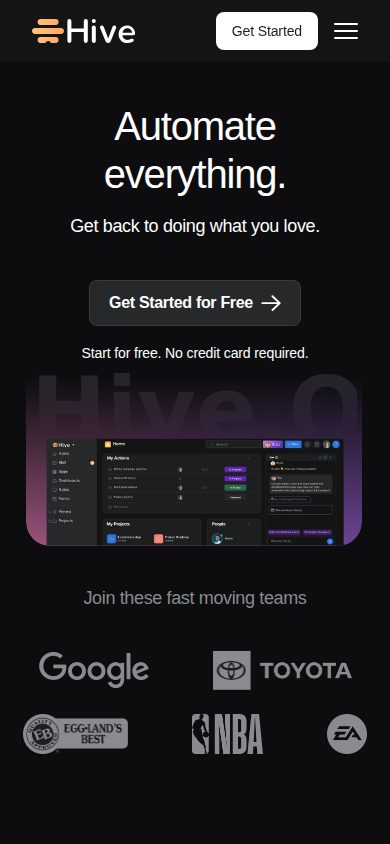
Hive is an AI-enabled project management and collaboration platform for teams managing projects, workflows, and operations. It combines task tracking with native in-app chat, collaborative notes, proofing and approvals, time tracking, and resourcing, connecting CRM, finance, and marketing operations into a single workspace so teams switch between fewer applications. Twelve project views, including Gantt, Kanban, Calendar, and Table, sit alongside the Buzz AI assistant, workflow automation, and more than 1,000 third-party integrations. Pricing starts at $12 per month for the Teams plan, with a free plan, a $5 Starter tier, and a free trial. TopReviewed's six-seat AI review panel scored it 7.6/10, praising the value density of time tracking, portfolios, and AI at $12 per seat while noting that SSO requires a paid add-on even on the Teams plan. It best fits mid-size ops or marketing teams replacing three or more disconnected tools.

About Hive

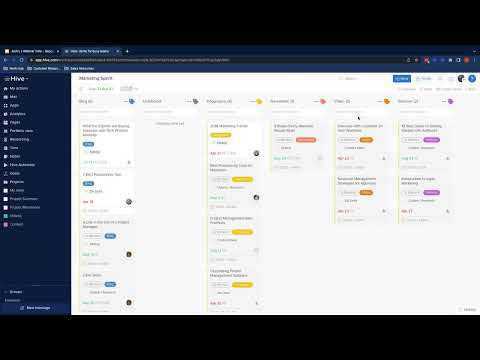
Users work within Hive by organizing projects into flexible views — including Gantt, Kanban, calendar, and table layouts — assigning tasks, setting dependencies, and tracking progress across teams. The platform supports real-time collaboration, file sharing, and in-app messaging alongside project workflows, so teams manage both communication and execution in the same interface.

Hive's distinguishing capabilities include AI agents that automate repetitive tasks and workflow steps, meeting intelligence that captures and summarizes discussions, and a built-in CRM for managing contacts and pipelines. A dedicated finance module handles budget tracking and financial operations, while Hive Buzz extends the platform into internal communications. The product also exposes a public API, enabling custom integrations with external tools.

Hive targets teams of varying sizes — from small groups to larger organizations — across marketing, operations, and project management functions. It competes with Asana, Monday.com, ClickUp, and Notion in the broader work management category. Hive offers a free plan, paid tiers starting at a monthly subscription rate, and a free trial on paid plans.

The platform is accessible via web browser and has native mobile apps for iOS and Android. A public API supports programmatic access and integration with third-party services.

Features

AI

  • Buzz AI Assistant

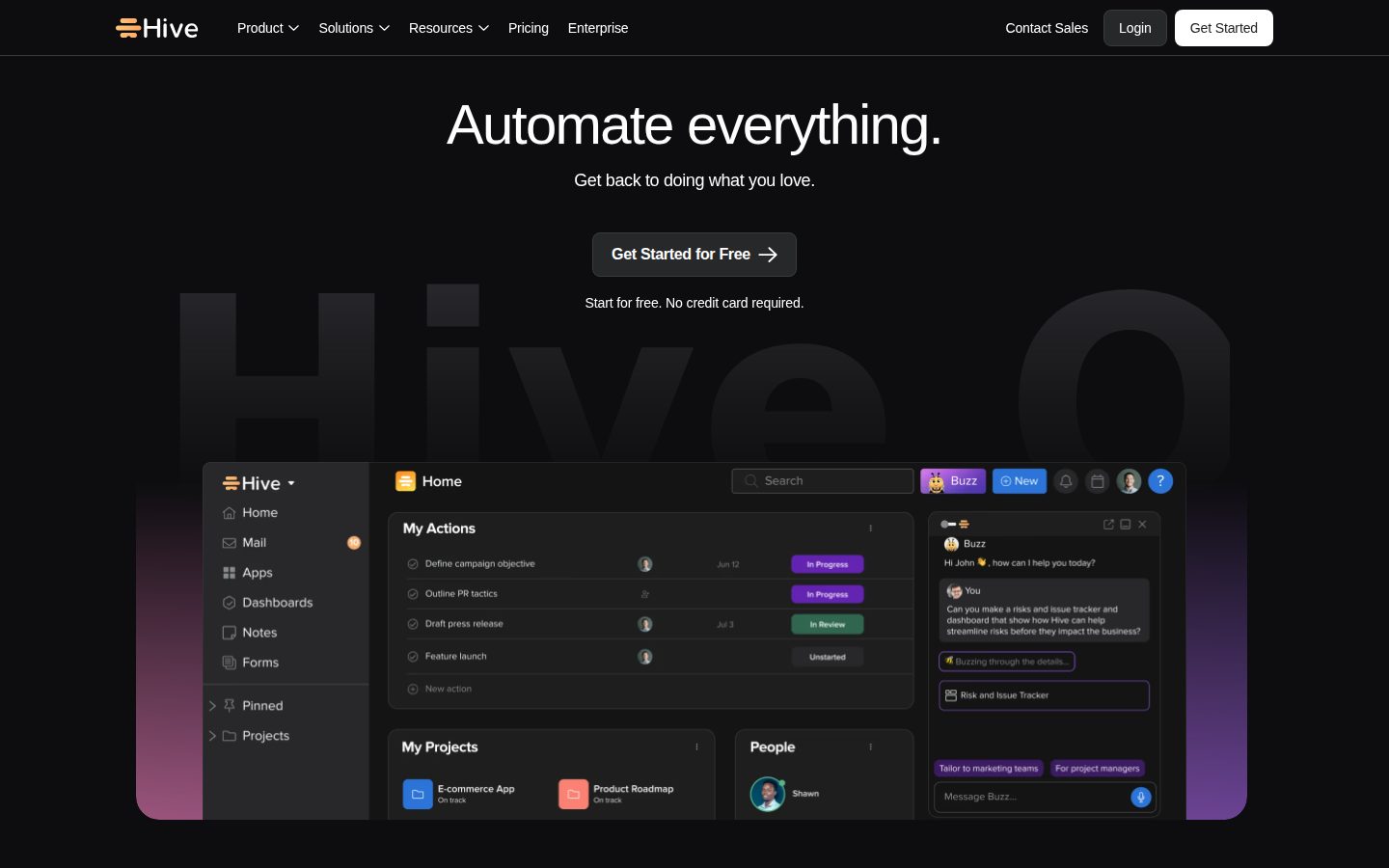
    Hive's AI assistant, Buzz, reads and replies to messages, books meetings, handles next steps, auto-creates tasks with owners and dates, and answers questions using actual workspace data.

Analytics

  • Time Tracking & Timesheets

    Teams can track time on individual action cards with a few clicks and transfer tracked time into timesheets submitted at a team or organizational level for project cost and resource reporting.

Automation

  • Workflow Automation

    Allows users to construct automated workflows inside Hive to handle recurring tasks, status updates, handoffs, and reminders, with pre-built workflow templates available to get started quickly.

Collaboration

  • Collaborative Notes & Docs

    A real-time collaborative document editor that teammates can edit together before, during, and after meetings, with unlimited notes available on all plans.

  • Native In-App Chat & Messaging

    Built-in chat allows teammates to message one-on-one or in groups, attach files, @mention colleagues, and start Zoom video calls directly from within Hive.

  • Proofing & Approvals

    Enables teams to proof, mock-up, and approve documents with internal or external users in two clicks, streamlining creative review workflows.

Core

  • Hive Goals

    A native app within Hive that lets users set objectives and track goals at the individual, team, and department levels from a centralized dashboard.

  • Multiple Project Views (Gantt, Kanban, Calendar, Table)

    Teams can manage projects using flexible layouts including Gantt charts, Kanban boards, calendar views, and table views to visualize work in the format that suits them best.

  • Portfolio & Summary View

    Combines any projects into one Summary View with filtering by owner, label, and more to give a birds-eye understanding of project and task status.

  • Resourcing & Team Availability

    Lets managers assign teammates to projects and visualize team availability throughout the project lifecycle to optimize resource allocation.

Integration

  • 1,000+ Third-Party Integrations

    Hive integrates with over 1,000 external tools including Salesforce, Slack, Dropbox, Zoom, and QuickBooks to consolidate work across platforms and prevent tasks from falling through the cracks.

Security

  • SSO & Enterprise Security Controls

    Enterprise and add-on plans include Single Sign-On (SSO) and enterprise-grade security and control features for organizations with advanced access management requirements.

Preview

Hive desktop previewHive mobile preview

Pricing Plans

Free

Free

Best for light project management.

  • 200MB storage
  • Up to 10 workspace members
  • Unlimited tasks
  • Unlimited collaborative notes
  • Native chat messaging
  • Email in Hive

Starter

$5/monthly

Entry-level plan for project management.

  • Unlimited storage
  • Up to 10 workspace members
  • Up to 10 projects
  • Gantt view
  • Cloud storage integrations
  • AI Assistant
Popular

Teams

$12/monthly

Work with no limits and customize your experience.

  • Unlimited workspace members
  • Shareable forms
  • Time tracking
  • Portfolios
  • Custom fields, labels and statuses
  • Flexible add-ons available

Enterprise

Contact sales

For teams needing more flexibility, extra support and security. Contact sales for pricing.

  • Flexible add-ons included
  • Enhanced security & permission controls
  • Unlimited onboarding
  • Dedicated Customer Success Manager
  • Enterprise API
  • Access to Professional Services

AI Panel Reviews

The Decision Maker

The Decision Maker

Strategic bet, vendor viability, timing, adoption approval
7.6/10

Hive's $12/seat all-in-one bet is credible, not category-defining.

Solid execution across project management, chat, and AI automation in one workspace. Competes squarely with ClickUp and Asana, without clearly beating either.

Twelve dollars a seat gets you Gantt, Kanban, time tracking, portfolios, and the Buzz AI assistant — that's genuine breadth for the price. The 1,000+ integrations list includes Salesforce, Slack, and QuickBooks, which means most teams won't hit a wall on day one. No public changelog makes it harder to assess shipping velocity, which matters when you're betting on a vendor for three years.

Two things give me pause. One: no public funding data, so runway is opaque. Two: the all-in-one pitch — CRM, finance, chat, PM — means Hive is competing on surface area, not depth. Monday.com and ClickUp play the same game with bigger brand recognition.

For a marketing or ops team that's stitching together four tools today, Hive simplifies the stack fast. SSO as a $5 add-on is slightly annoying but not a dealbreaker. Pilot it at the team level before you standardize.

Competitive Positioning7.0

Broader than Asana, cheaper than Monday.com at scale, but ClickUp covers similar ground and has stronger brand momentum.

Reputation Risk7.2

Hive Technology, Inc. is a known name in the category — adopting it won't raise board eyebrows, but it won't impress them either.

Speed to Value8.0

Free plan with no credit card and pre-built workflow templates means teams can show results inside 30 days.

Strategic Fit7.8

Buzz AI plus native workflow automation advances teams beyond basic task management toward actual operational leverage.

Vendor Viability6.8

No public funding data and no changelog — hard to confirm they're shipping at pace or have clear runway.

Pros

  • $12/seat Teams plan includes time tracking, portfolios, and AI assistant — strong value density
  • Buzz AI auto-creates tasks with owners and dates from actual workspace data
  • 12 distinct project views including Gantt, Kanban, and Timeline
  • 1,000+ integrations covering Salesforce, Slack, Zoom, and QuickBooks

Cons

  • No public changelog makes shipping velocity impossible to verify
  • No public funding data — runway is opaque
  • All-in-one breadth risks shallowness versus point solutions in CRM or finance
  • SSO requires a $5/month add-on even on the Teams plan

Right for

Mid-size ops or marketing teams replacing three or more disconnected tools today.

Avoid if

Your org already runs deep on Salesforce CRM or a dedicated finance platform.

The Domain Strategist

The Domain Strategist

Craft and strategy in the product's domain — adapts identity per category, same lens
7.8/10

Hive consolidates ops seriously, but the 10-member Starter cap will force early renegotiation.

Hive is a genuinely broad operational platform — project views, AI agents, CRM, finance, and internal comms in one workspace. At $12/seat on Teams, the price-to-capability ratio is strong for mid-size ops teams.

Twelve project views including Gantt, Portfolio, and Summary, plus native time tracking and resourcing tools — this is the stack breadth a COO actually needs to run cross-functional operations without five separate subscriptions. The Buzz AI agent auto-creates tasks with owners and due dates from workspace data, which is real workflow compression, not a chatbot wrapper. The 1,000-plus integrations including Salesforce, Slack, and QuickBooks mean this fits into existing stacks rather than demanding a rip-and-replace.

The constraint worth flagging: SSO isn't bundled on the Teams plan — it's a $5/seat add-on. For a 50-person org, that's a material line item that doesn't show in the headline price. And the Starter plan caps at 10 workspace members, which means fast-growing teams hit a forced upgrade conversation earlier than expected.

Versus Asana or Monday.com, Hive's native CRM and finance modules give ops leaders a tighter consolidation story. The risk is platform sprawl in reverse — buying depth you won't govern well if adoption stays siloed by team.

Category Positioning7.6

Hive sits between ClickUp's power-user density and Asana's enterprise polish — competitive but without a dominant moat yet.

Domain Fit8.0

Multiple project views plus native approvals and proofing map well to how cross-functional ops teams actually coordinate work.

Integration Surface8.2

Salesforce, Slack, QuickBooks, and Zoom are all named integrations; 1,000-plus total means the surface is wide enough for most enterprise stacks.

Long-term Implications7.5

If CRM and finance modules get adopted broadly, migration complexity grows significantly — plan for that data dependency before year two.

Strategic Depth8.1

Portfolio view, resourcing, time tracking, and goal-setting in one platform signals genuine operational depth, not a feature checklist.

Pros

  • Twelve project views plus Portfolio and Summary give ops leaders real visibility across teams
  • Native time tracking and resourcing at $12/seat is strong value versus point solutions
  • Buzz AI agent auto-creates tasks from workspace context — operational compression, not novelty
  • 1,000-plus integrations including Salesforce and QuickBooks fit existing enterprise stacks

Cons

  • SSO is a $5/seat add-on on Teams plan — real cost at scale, not a headline price
  • Starter plan caps at 10 workspace members, forcing early plan upgrades for growing teams
  • No changelog visible publicly, which makes it harder to assess release velocity and roadmap seriousness

Right for

Mid-size ops or marketing teams that want project management, CRM, and internal comms consolidated under one $12/seat contract.

Avoid if

You need SSO bundled at the base tier or are running a 5-person team that won't use the CRM and finance modules.

The Finance Lead

The Finance Lead

Money, total cost of ownership, contracts, procurement math
7.8/10

$12/seat Teams plan is clean — SSO add-on at $5 extra is the asterisk.

Hive publishes all three tiers without a sales call. SSO costs extra on Teams, which inflates year-3 math for mid-size orgs.

Starter at $5/seat, Teams at $12/seat. Free plan caps at 10 members. Pricing page is readable — no quote wall until Enterprise. Three tiers visible, comparable to Monday.com's transparency. Procurement won't fight the vendor onboarding here.

50 users × $12 × 12 = $7,200/year. Add SSO at $5/seat/month: $3,000/year more. That's $10,200 year 1. Apply 20% seat creep by year 3: closer to $14,500. Enterprise pricing is opaque — standard hostage contract risk if you migrate up.

Time tracking, Gantt, portfolios, and the Buzz AI assistant all land on Teams. The 1,000+ integrations claim includes Salesforce and QuickBooks — docs indicate no overage rate published. ROI story on AI agents is plausible but unverifiable without invoice data. Real risk is Enterprise migration, not the sticker.

Billing & Procurement8.0

Free trial requires no credit card; monthly billing available on Teams reduces commitment friction vs. annual-only competitors.

Contract Flexibility6.5

No public auto-renewal window or termination-for-convenience clause found in scraped evidence — category norm is 30-60 day notice.

Pricing Transparency8.2

All three paid tiers published with per-seat rates; SSO add-on cost of $5/seat/month is disclosed in FAQs, not buried.

ROI Clarity7.2

Time tracking and portfolio views support measurable output; Buzz AI agent ROI is asserted but no benchmark data published.

Total Cost of Ownership7.0

50-seat year-3 TCO lands ~$14,500 with SSO; Enterprise pricing opaque, creating migration cost risk.

Pros

  • Three tiers fully visible without a sales call
  • SSO add-on cost disclosed at $5/seat/month — rare category transparency
  • Time tracking and Gantt both included on $12 Teams plan
  • 1,000+ integrations including Salesforce and QuickBooks reduce stack switching costs

Cons

  • SSO isn't included in Teams — adds $3,000/year for a 50-seat org
  • Enterprise pricing requires sales contact, opaque by design
  • No published auto-renewal or cancellation terms in available evidence
  • AI agent ROI unverifiable — no published benchmark or case study data

Right for

Mid-size teams under 50 seats wanting Gantt, time tracking, and AI automation without paying enterprise rates.

Avoid if

Your org mandates SSO by policy and won't budget the $5/seat add-on on top of the $12 Teams plan.

The Domain Practitioner

The Domain Practitioner

Daily hands-on reality in the product's domain — adapts identity per category, same lens
7.8/10

Hive packs serious PM depth at $12/seat, but the all-in-one bet has a daily cost.

Hive is a feature-complete work management platform that competes squarely with ClickUp and Asana on breadth. The $12/seat Teams tier unlocks the features PMs actually need — portfolios, time tracking, custom fields — but the everything-in-one surface area means onboarding teams takes real effort.

Twelve views including Gantt, Kanban, Portfolio, and Summary is genuinely useful. Most PMs live in two or three of them, and switching layouts per project type without rebuilding anything is how you stay in flow. The Buzz AI assistant auto-creating tasks with owners and dates from meeting notes is the kind of automation that saves real recurring work — not a demo trick.

The consolidation play is also its friction source. CRM, finance module, Hive Buzz messaging, proofing, goals — that's a wide surface. Day three, newer team members are still figuring out which pane they should be in. ClickUp has the same problem. The Starter plan caps at 10 projects, which is a hard wall for any real team, so the $12 Teams tier isn't optional — it's the actual product.

SSO as a $5/month add-on on Teams is an annoying gate for mid-market orgs who treat SSO as baseline security. The 1,000+ integrations including Salesforce and Slack reduce the switching cost, but the changelog isn't public, so tracking what changed week-to-week requires trusting their communication cadence.

Day-3 Reality7.5

Multiple views and Buzz AI reduce daily grunt work, but the wide product surface — CRM, finance, messaging — creates navigation overhead once the demo glow fades.

Documentation Practitioner-Fit7.0

No public changelog is a red flag — PMs need to know what changed and when, and having to trust release emails isn't a system.

Friction Surface7.2

SSO gated behind an add-on fee and the Starter plan's 10-project cap are real weekly friction points for growing teams.

Power-User Depth8.2

Custom fields, labels, statuses, workflow automation with pre-built templates, and a public API give advanced users real room to build serious project operating systems.

Workflow Integration8.0

1,000+ integrations including Salesforce, Slack, and QuickBooks mean Hive can slot into existing stacks without forcing a full migration.

Pros

  • Twelve project views including Gantt, Portfolio, and Summary without rebuilding data structures
  • Buzz AI auto-creates tasks with owners and dates from actual workspace context
  • Workflow automation with pre-built templates reduces recurring PM admin
  • Time tracking and timesheets baked into the $12 Teams tier, not an upsell

Cons

  • Wide product surface — CRM, finance, messaging — creates onboarding overhead for new team members
  • SSO is a $5/month add-on, not included in the Teams plan
  • No public changelog makes it hard to track what's actually shipping
  • Starter plan's 10-project cap means most real teams must go straight to $12/seat

Right for

Mid-sized marketing or ops teams that want portfolios, automation, and time tracking in one place without stitching together five tools.

Avoid if

Your team needs SSO as a baseline and won't pay add-on fees on top of a per-seat subscription.

The Power User

The Power User

Daily human experience, onboarding, polish, learning curve, reliability
7.8/10

Hive packs a lot into $12 — just don't expect it all to feel seamless on day three

Hive is a genuinely capable all-in-one workspace with 12 project views, built-in AI, and a free entry point. The breadth is real, but breadth always costs something in polish.

Twelve project views. Built-in chat. AI that auto-creates tasks with owners and dates. A CRM. A finance module. That's a lot of surface area for $12 a seat, and honestly, Hive earns it more than you'd expect. The Buzz AI assistant isn't a renamed ChatGPT wrapper — the docs indicate it reads actual workspace data and books meetings, which is the difference between a party trick and a daily habit. At that Teams tier, you also get time tracking and portfolios, which ClickUp and Asana charge extra or tier up for.

The tradeoff is discoverability. This many features means the first week can feel like unpacking a moving truck. When you've got Goals, Portfolios, Resourcing, Proofing, and Buzz all asking for your attention, figuring out what to actually use first is work. SSO costs an extra $5/month add-on even on Teams — small friction, but the kind that adds up.

Mobile gets native iOS and Android apps, which is a real step above read-only. Whether it's full parity with the web experience is unclear from public materials. Day three, that gap tends to show.

Daily Polish7.5

Twelve view types and micro-features like Proofing & Approvals suggest care, but no public changelog makes it hard to see how fast rough edges get fixed.

Learning Curve7.4

Pre-built workflow templates help flatten the curve, but 12 project views plus CRM plus finance plus AI agents is a lot of map to learn before you can run.

Mobile Parity7.0

Native iOS and Android apps exist, which clears the minimum bar, but public materials don't confirm full feature parity with the web experience.

Onboarding Experience7.2

Free plan with no credit card is a low-friction start, but the sheer feature count — Goals, Buzz AI, Portfolios, CRM all at once — is a lot to orient around in the first ten minutes.

Reliability Feel7.6

No changelog visible on the site, which is a minor red flag for a platform this broad — can't verify how actively stability issues get addressed.

Pros

  • Teams tier at $12/seat includes time tracking, portfolios, and AI — features competitors gate higher
  • Buzz AI assistant uses real workspace data, not just generic prompts
  • 1,000+ integrations including Salesforce, Slack, and QuickBooks
  • Free plan with no credit card required is genuinely usable at up to 10 members

Cons

  • Feature breadth makes the first week feel overwhelming compared to focused tools like Asana
  • SSO costs an extra $5/month add-on even on the $12 Teams plan
  • No public changelog visible, which makes it harder to gauge how actively the product is maintained
  • Mobile parity with web is unconfirmed from public materials

Right for

Mid-size teams who want project management, chat, and AI automation without paying for four separate tools.

Avoid if

You want a simple, fast task manager and don't need CRM or finance features cluttering the sidebar.

The Skeptic

The Skeptic

Contrarian. Watch-outs, deal-breakers, broken promises, category patterns
6.8/10

Twelve bucks, twelve views, one pitch I've heard before

Hive packs real feature breadth — Gantt, Kanban, AI assistant, CRM, finance — into a $12/seat Teams tier. But the '#1 Project Management Software' headline is exactly the kind of superlative that ages poorly, and no changelog is visible.

Three tells upfront. One: H1 is 'Automate everything' — bold claim, zero proof on the page. Two: no changelog listed in the scraped evidence. Category norm for durable PM tools — Asana, Linear — is public shipping cadence. Dark here. Three: 'CRM, finance, and AI agents in one workspace' is the ClickUp 2021 pitch, almost word for word.

That said, the feature list has teeth. Buzz AI auto-creates tasks with owners and dates — named, specific, not vague. 1,000+ integrations including Salesforce and QuickBooks. SSO available as an add-on at $5/month on Teams, which is transparent pricing rather than buried upsell. Proofing and approvals is a real differentiator vs. Monday.com for creative teams.

The tradeoff: this is a wide platform, not a deep one. Teams wanting best-in-class Gantt go to Smartsheet. Teams wanting developer-grade workflows go to Linear. Hive wins on breadth for mid-market ops teams — maybe. Exit portability is murky; no public data export docs visible.

Competitive Differentiation6.5

Proofing and approvals plus built-in finance module are real gaps vs. Asana; everything else is table stakes in this category.

Exit Portability6.0

Public API exists, which helps, but no visible export documentation or data portability page in the scraped evidence.

Long-term Viability6.2

No funding data visible, no changelog, no SLA page — harder to judge shipping velocity than with Asana or Monday.com.

Marketing Honesty5.5

'#1 Project Management Software' with no citation and 'Automate everything' as H1 — aspirational to the point of meaningless.

Track Record Match6.5

The 'all-in-one' PM expansion pattern is the same path ClickUp took — which survived, but also the path Podio took, which quietly faded.

Pros

  • Twelve project views including Gantt, Kanban, and Timeline — genuinely flexible
  • Buzz AI creates tasks with owners and dates from workspace data — specific, not vague
  • SSO add-on transparently priced at $5/month rather than hidden in Enterprise
  • Public API enables custom integrations — exit isn't completely locked

Cons

  • No changelog visible — can't verify shipping cadence
  • No funding or team size signals — 3-year bet is speculative
  • All-in-one scope means nothing is best-in-class vs. dedicated tools
  • '#1' headline with no evidence is a credibility leak on page one

Right for

Mid-market ops or marketing teams who want one tool for projects, approvals, and light CRM without paying for five separate subscriptions.

Avoid if

Your team needs enterprise-grade Gantt depth or developer workflow precision — Smartsheet and Linear both go deeper for those use cases.

Buyer Questions

Common questions answered by our AI research team

Pricing

How much does Hive cost per user per month?

Hive starts at $5/user/month (Starter), $12/user/month (Teams), and a free plan at $0 forever. Enterprise pricing requires contacting sales.

Integration

Does Hive integrate with Salesforce and Slack?

Yes, Hive connects with Salesforce, Slack, and other tools like Email and Gong, pulling work into one unified workspace.

Features

What project views does Hive support?

Hive supports Calendar, My Actions, Portfolio, Summary, Kanban, Gantt, Timeline, Table, List, Label, Team, and Project views.

Setup

Can I try Hive free without a credit card?

Yes, Hive offers a free plan with no credit card required to get started.

Security

Is SSO available on the Teams plan?

SSO is available as a flexible add-on on the Teams plan at an extra $5/month, labeled 'SSO, enterprise security & control.'.

Product Information

Platforms

webiosandroid

About Hive Technology, Inc.

Hive is a New York-based project management SaaS founded in 2016, offering Kanban, Gantt, and calendar views alongside AI-powered workflow automation.

Resources

API
Blog

Also in Project Management