HubSpot ChatSpot logo

HubSpot ChatSpot Review

Visit

AI-powered chat assistant built for HubSpot CRM

ChatSpot is an AI chat assistant that connects to HubSpot CRM to help with sales, marketing, and data tasks.

AI Panel Score

7.8/10

6 AI reviews

Reviewed

About HubSpot ChatSpot

ChatSpot is an AI-powered assistant built by HubSpot and integrated directly with the HubSpot CRM platform. It allows users to perform CRM-related tasks through a conversational chat interface, using natural language instead of navigating menus or building reports manually. Users can ask questions, request summaries, create records, and pull data from their HubSpot account by typing plain-language prompts.

The tool is primarily aimed at sales representatives, marketing professionals, and business operations teams who already use HubSpot as their CRM. It lowers the barrier to accessing CRM data by eliminating the need to know where specific features are located within HubSpot's interface. This makes it useful for both experienced HubSpot users looking to work faster and newer users still learning the platform.

Key capabilities include prospecting assistance, contact and company record creation, deal pipeline summaries, drafting follow-up emails, and generating analytics reports. ChatSpot also includes templates for common prompts, allowing users to quickly perform recurring tasks without writing new queries each time. It leverages large language model technology combined with real-time access to a connected HubSpot account.

ChatSpot fits into a broader category of AI copilots for business software, similar to tools like Salesforce Einstein GPT or Microsoft Copilot for Dynamics. Its primary differentiator is its tight, native integration with HubSpot's existing data structures, meaning responses and actions reflect live CRM data rather than generic outputs. It operates as a web-based interface accessible separately from or alongside the main HubSpot platform.

As of its public availability, ChatSpot is offered at no additional cost to HubSpot users, though the depth of functionality may depend on the user's existing HubSpot subscription tier. It represents HubSpot's approach to embedding generative AI into its CRM workflow rather than offering AI as a standalone product.

Features

AI

  • CRM-Aware Contextual Assistance

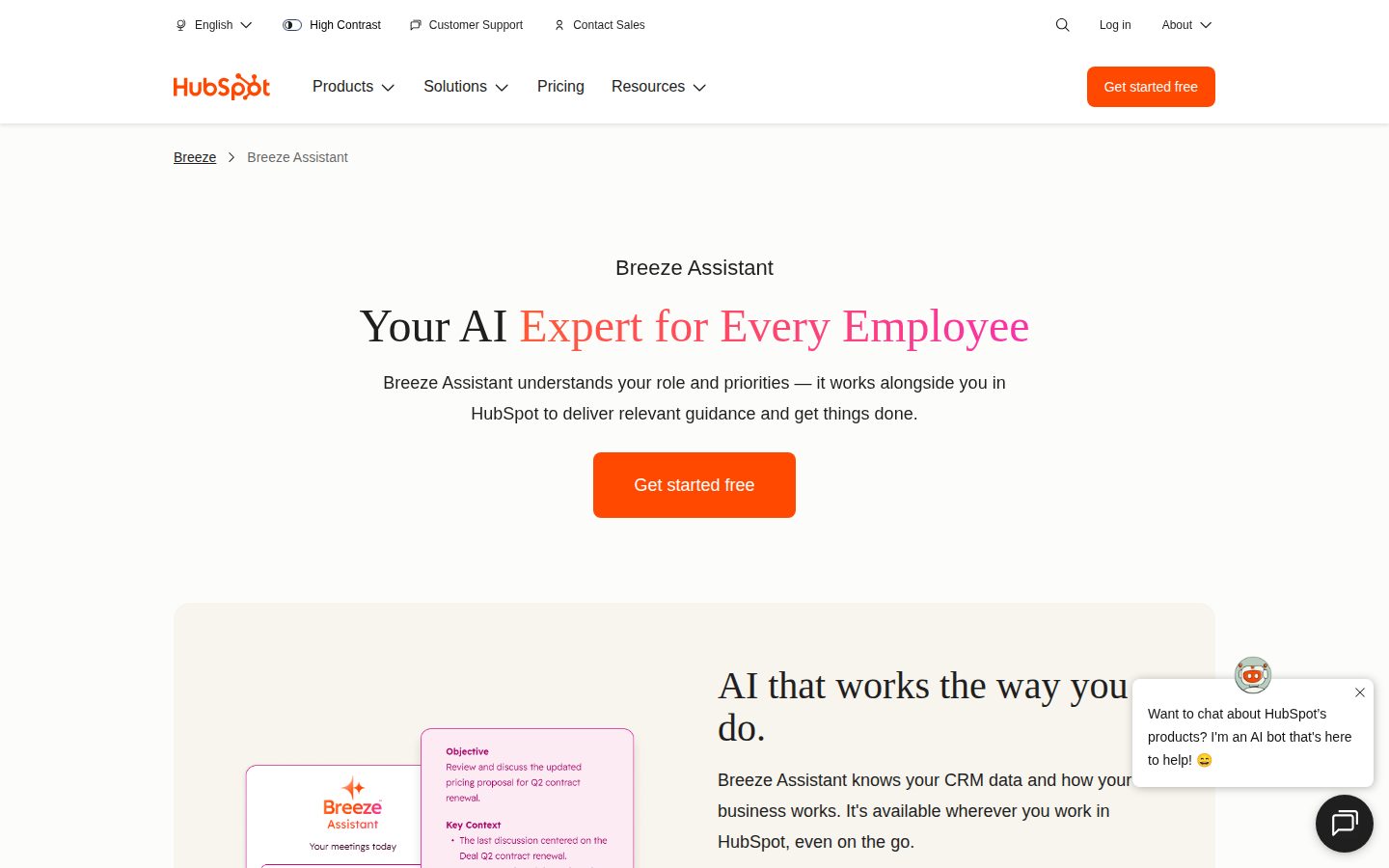
    Breeze Assistant understands what the user is working on and where they are in HubSpot, delivering answers and guidance that are always relevant to the current context.

  • Loop Marketing Campaign Planning

    Built-in Loop Marketing expertise lets users define audiences, analyze performance, get content strategy guidance, and pressure-test campaign ideas with personalized distribution channel recommendations.

  • Meeting Preparation Insights

    Pulls instant insights from customer records to help users get ready for meetings without manually reviewing CRM data.

  • Role-Based Guidance

    Delivers instant expertise tailored to the user's specific role — such as a marketer planning campaigns or a sales rep managing deals — rather than one-size-fits-all responses.

Collaboration

  • Prompt Library (Save, Share & Personalize)

    Gives users access to 60+ HubSpot-created prompts for marketing, sales, and service, with the ability to save their own prompts and share them across the team.

Core

  • No-Code Setup

    Breeze Assistant requires no configuration, training, or code to get started, allowing immediate use within HubSpot subscriptions at no additional cost.

Customization

  • Breeze Marketplace

    A centralized marketplace where users can discover, browse, build, and install AI agents and custom assistants for their specific business needs.

  • Custom AI Assistants (Breeze Studio)

    Allows users to create custom assistants trained on their company's specific knowledge via Breeze Studio, in addition to pre-built marketing, sales, and service assistants available out of the box.

Integration

  • Google Workspace, Microsoft 365 & Slack Integration

    Connects to emails, calendars, shared documents, and team conversations from Google Workspace, Microsoft 365, and Slack, making them accessible alongside CRM data in a single interface.

Mobile

  • Mobile Access (iOS & Android)

    Breeze Assistant is available on the HubSpot mobile app for iOS and Android, enabling AI-assisted work from anywhere.

Security

  • Enterprise-Grade Data Security & Privacy

    Breeze Assistant operates under HubSpot's strict enterprise-grade security and privacy standards, giving users control over how their CRM and workspace data is used.

Support

  • HubSpot Academy & Knowledge Base Q&A

    Provides how-to guidance and accurate answers by pulling from HubSpot Academy, the HubSpot knowledge base, and the user's own business data rather than returning generic advice.

Preview

HubSpot ChatSpot desktop previewHubSpot ChatSpot mobile preview

Pricing Plans

Included with HubSpot

Free

Breeze Copilot (formerly ChatSpot) is bundled with every HubSpot subscription at no additional cost. Not sold standalone.

  • Bundled with all HubSpot subscriptions
  • Works across Marketing Hub, Sales Hub, Service Hub
  • No additional charge
  • Custom assistants via Breeze studio (Beta)

AI Panel Reviews

The Decision Maker

The Decision Maker

Strategic bet, vendor viability, timing, adoption approval
8.4/10

A free CRM copilot from a public vendor that only pays off if you already run HubSpot.

HubSpot is public since 2014 and closed 2025 near $3.1B in revenue with roughly 289,000 customers. The catch is that ChatSpot only delivers value inside an existing HubSpot subscription.

HubSpot has been public since 2014 and closed 2025 near $3.1B in revenue with roughly 289,000 customers. No board asks whether this vendor survives three years.

The real call is whether ChatSpot advances you or just rebrands work you already do in HubSpot. It is now Breeze Assistant, bundled free across Marketing, Sales, and Service Hub, with a Prompt Library of 60+ ready prompts and Breeze Studio for custom assistants. Salesforce Einstein bundles similar copiloting, but ChatSpot acts on live CRM records, not generic text.

However, the value depends entirely on your HubSpot tier. Free seats cannot touch HubSpot Credits, and as of November 10, 2025 metered actions are required for the Prospecting Agent. Speed to value is real since setup is zero. If you already run HubSpot, switch it on.

Competitive Positioning7.9

Native live-CRM action differentiates it, though Salesforce Einstein offers comparable copiloting.

Reputation Risk8.6

A NYSE-listed CRM leader is an easy choice to defend to any board.

Speed to Value8.3

No-Code Setup means it works immediately within a HubSpot subscription at no extra cost.

Strategic Fit7.8

Advances existing HubSpot workflows but adds nothing for non-HubSpot stacks.

Vendor Viability9.2

HubSpot is public since 2014 with roughly $3.1B in 2025 revenue and 289,000 customers.

Pros

  • Bundled free with every HubSpot subscription, with no separate contract or setup.
  • Backed by a public, profitable vendor with near $3.1B in 2025 revenue.
  • Prompt Library and Breeze Studio let teams reuse and customize AI workflows.
  • Acts directly on live HubSpot CRM records rather than returning generic output.

Cons

  • Value is locked to your HubSpot tier and useless without a paid seat.
  • HubSpot Credits are metered and excluded from free and view-only seats.
  • Offers no reason to adopt unless HubSpot is already your CRM.

Right for

HubSpot customers who want faster CRM workflows at no extra cost.

Avoid if

Teams not on HubSpot who would have to migrate to use it.

The Domain Strategist

The Domain Strategist

Craft and strategy in the product's domain — adapts identity per category, same lens
8.0/10

ChatSpot is now a native layer of HubSpot, so the strategic bet is the platform, not the assistant.

ChatSpot has been folded into Breeze Assistant, a native AI layer across every HubSpot Hub. The craft is strong, but the architecture commits you fully to one CRM platform.

A RevOps leader scoping a CRM platform through 2029 should read the rebrand history first. HubSpot, founded in 2006, shipped ChatSpot in 2023, renamed it Breeze Copilot at INBOUND 2024, then Breeze Assistant at INBOUND 2025. The assistant is no longer a product — it is a layer of the platform.

The craft ceiling is real. CRM-Aware Contextual Assistance reads where you are inside HubSpot and answers against live records, while Breeze Studio lets teams build custom assistants trained on company knowledge. Against Salesforce Einstein, the integration carries far less configuration ceremony because there is nothing to wire — it ships inside the seat.

The catch is the metering. Breeze is bundled at no extra cost, however the HubSpot Credits model gates real AI actions, credits expire monthly, and free seats are locked out entirely. The three-year bet is HubSpot itself, not the chat box.

Category Positioning8.0

A credible native-CRM-copilot answer to Salesforce Einstein and Microsoft Copilot for Dynamics.

Domain Fit8.5

Native to how HubSpot RevOps teams already work, eliminating menu-hunting across Marketing, Sales, and Service Hubs.

Integration Surface8.0

Connects Google Workspace, Microsoft 365, and Slack alongside live CRM data in one interface.

Long-term Implications7.5

Adoption deepens commitment to the HubSpot platform with no portable path off it.

Strategic Depth8.0

CRM-aware context plus Breeze Studio custom assistants give real depth beyond a generic chat wrapper.

Pros

  • Native integration means zero configuration — Breeze Assistant ships inside the HubSpot seat.
  • CRM-Aware Contextual Assistance answers against live records, not generic outputs.
  • Breeze Studio lets teams build custom assistants trained on their own knowledge.
  • Bundled at no additional cost with every paid HubSpot subscription.

Cons

  • The HubSpot Credits model gates real AI actions and credits expire monthly without rollover.
  • Free and view-only seats are locked out of credit-based AI features entirely.
  • Value is fully tied to staying on HubSpot — no portability if you switch CRM.

Right for

RevOps teams already standardized on HubSpot as their CRM platform.

Avoid if

Teams that want a CRM-agnostic AI assistant they can carry across vendors.

The Finance Lead

The Finance Lead

Money, total cost of ownership, contracts, procurement math
7.7/10

ChatSpot is free, but HubSpot Credits at $0.010 each are the line item that grows.

The assistant itself costs nothing on any paid HubSpot seat. The real budget is HubSpot Credits, which expire monthly and reprice your account when you run over.

Sticker price on Breeze Copilot, formerly ChatSpot, is zero. It bundles into every paid HubSpot seat at no charge. Free and View-only seats are excluded, so the real cost is whatever Hub subscription you already carry.

The meter is HubSpot Credits. They expire monthly, no rollover. Overage runs $0.010 per credit, roughly $9 per 1,000 on an annual commitment. The catch is the default: hit your limit and the account auto-upgrades to the next capacity pack for the rest of the term. You must opt into pay-as-you-go to avoid the sticky upgrade.

ROI is legible if you watch the credit ledger. Compare to Salesforce Einstein, which prices AI as a paid add-on. HubSpot bundles the assistant; the credits are where the invoice moves.

Billing & Procurement8.2

No separate contract or vendor onboarding; it rides on the existing HubSpot invoice.

Contract Flexibility7.0

Credits expire monthly and the default auto-upgrade locks a higher capacity pack for the full term.

Pricing Transparency8.0

The assistant is openly free on paid seats, and the $0.010 credit overage rate is published.

ROI Clarity7.8

Credit usage is metered per action, so AI spend is auditable against output.

Total Cost of Ownership7.3

True cost is the underlying Hub subscription plus monthly credit consumption, which scales with AI use.

Pros

  • The assistant itself adds zero dollars to any paid HubSpot subscription.
  • No separate contract, so procurement faces no new vendor onboarding.
  • Credit consumption is metered per action, making AI spend auditable.
  • The $0.010 per-credit overage rate is published, not sales-gated.

Cons

  • HubSpot Credits expire monthly with no rollover, so unused capacity is lost.
  • Default auto-upgrade locks a higher capacity pack for the rest of the term.
  • Free and View-only seat users are excluded from HubSpot Credits entirely.

Right for

HubSpot customers on paid seats who want AI without a separate contract.

Avoid if

Free-tier HubSpot users who cannot access HubSpot Credits at all.

The Domain Practitioner

The Domain Practitioner

Daily hands-on reality in the product's domain — adapts identity per category, same lens
7.6/10

Breeze Assistant turns CRM lookups into plain English, but real AI work now meters against HubSpot Credits.

A sales rep can summarize a deal pipeline or draft a follow-up without leaving the chat. But credit metering and a paid-seat requirement gate the features that actually save time.

A sales rep judges a CRM copilot by the Tuesday standup where they need a deal pipeline summary, not the demo reel. Breeze Assistant — the tool formerly shipped as ChatSpot — answers in plain English instead of making you build a custom report. CRM-Aware Contextual Assistance reads where you are in HubSpot, so a record lookup skips the menu hunt.

The daily-workflow win is the Prompt Library: 60+ HubSpot-written prompts plus your own saved and shared across the team, so recurring tasks stop being rewritten. Salesforce Einstein still feels like a separate console; this lives inside the records you already work. No-code setup means it works the day your seat goes live.

The catch is metering. Since November 10, 2025 every account burns HubSpot Credits for Prospecting Agent and workflow AI actions, and free or view-only seats can't touch credits at all. Credits expire monthly with no rollover.

Day-3 Reality7.7

Plain-language lookups and pipeline summaries hold up past the demo, but credit limits surface fast on heavy days.

Documentation Practitioner-Fit7.6

The knowledge base spells out credit packs, overage rates, and the November 2025 policy clearly.

Friction Surface7.0

Monthly credit resets with no rollover and the paid-seat gate add recurring friction for mixed teams.

Power-User Depth7.5

Breeze Studio custom assistants and the Breeze Marketplace extend depth, though Studio is still Beta.

Workflow Integration8.2

CRM-Aware Contextual Assistance reads your in-app location, so it fits HubSpot work without new habits.

Pros

  • CRM-Aware Contextual Assistance answers from live records instead of generic output.
  • Prompt Library ships 60+ ready prompts plus team-shared saved prompts.
  • No-code setup means it works the moment a paid seat goes live.
  • Bundled with every HubSpot subscription at no separate charge.

Cons

  • AI actions meter against HubSpot Credits that expire monthly with no rollover.
  • Free and view-only seats cannot use credits, so they miss the time-saving features.
  • Breeze Studio custom assistants are still in Beta.

Right for

HubSpot users on paid seats who run daily sales or marketing tasks inside the CRM.

Avoid if

Teams on free HubSpot seats who expect full AI features without paying.

The Power User

The Power User

Daily human experience, onboarding, polish, learning curve, reliability
7.8/10

ChatSpot is now Breeze Assistant, and it works best when you forget the name changes

The assistant lives inside HubSpot now, so you ask questions where you already work. The catch is the new HubSpot Credits meter behind the "free" label.

ChatSpot barely exists as ChatSpot anymore. It became Breeze Copilot, then Breeze Assistant at INBOUND 2025 — two rebrands in about two years. If you bookmarked chatspot.ai you land somewhere else now. The upside: the assistant moved inside HubSpot, so you ask questions where you already work instead of tab-switching to a separate site.

Day three, the part that earns its keep is Meeting Preparation Insights — it pulls a customer record into a quick brief so you skip the manual scroll before a call. The Prompt Library, 60-plus HubSpot-written prompts, saves you from staring at a blank box. Salesforce Einstein feels heavier and slower to stand up. Breeze needs no setup at all.

The catch is HubSpot Credits. Free and view-only seats can't use them, and overage runs about $10 per 1,000 credits unless you opt into pay-as-you-go. "No additional cost" has a meter behind it now.

Daily Polish7.8

CRM-aware context and Meeting Preparation Insights surface useful detail where you already work.

Learning Curve7.6

The 60-plus prompt library shortens the climb, but two rebrands muddy what to search for.

Mobile Parity7.8

Breeze Assistant ships on the HubSpot iOS and Android app, not just web.

Onboarding Experience8.2

No-Code Setup means it runs immediately inside an existing HubSpot subscription.

Reliability Feel7.5

Native HubSpot integration means responses reflect live CRM data, not generic output.

Pros

  • Lives inside HubSpot, so you ask questions without leaving your CRM.
  • Meeting Preparation Insights builds a quick brief from a customer record automatically.
  • Prompt Library ships 60-plus ready-made prompts plus your own saved ones.
  • No-code setup and mobile apps for iOS and Android.

Cons

  • HubSpot Credits add a usage meter behind the "no extra cost" label.
  • Free and view-only seats cannot use credits for AI actions at all.
  • Two rebrands in two years make docs and bookmarks hard to trust.

Right for

HubSpot users who want CRM answers without hunting through menus

Avoid if

Free-seat users who expect AI features at no real cost

The Skeptic

The Skeptic

Contrarian. Watch-outs, deal-breakers, broken promises, category patterns
7.4/10

Renamed twice in two years, but backed by a public company that is not going anywhere.

ChatSpot became Breeze Copilot in 2024, then Breeze Assistant in 2025, all under a NYSE-listed parent. The product is safe; the catch is HubSpot Credits and total lock-in.

The product I'm asked to review no longer exists under that name. ChatSpot became Breeze Copilot at INBOUND 2024, then Breeze Assistant in 2025. Two renames in two years is its own tell.

The parent is the opposite of a graveyard risk. HubSpot has traded on the NYSE since 2014, founded 2006, and posted roughly $3.1B in revenue last year. The assistant ships fast — Breeze Studio for custom assistants, a 60+ Prompt Library, Google Workspace and Slack connections. It's bundled free with any paid HubSpot seat.

But "free" has a catch. AI actions now run on HubSpot Credits, which expire monthly and don't roll over, and overages auto-upgrade your pack. Exit portability is the real yellow flag — this only works inside HubSpot. Salesforce Einstein has the same lock-in, but at least it's a feature, not a moat.

Competitive Differentiation7.5

Native HubSpot CRM access is a real edge over Salesforce Einstein for HubSpot-committed teams.

Exit Portability5.5

Breeze Assistant runs only inside HubSpot, so prompts and custom assistants do not port anywhere.

Long-term Viability8.5

Founded 2006, NYSE-listed since 2014, with roughly $3.1B revenue and a fast shipping cadence.

Marketing Honesty7.0

The "free AI companion" pitch is mostly true but skips the HubSpot Credits metering behind AI actions.

Track Record Match7.0

HubSpot is a durable public company, but the assistant itself has been renamed twice since 2024.

Pros

  • Bundled free with any paid HubSpot seat, with no separate subscription.
  • Backed by a profitable NYSE-listed parent with roughly $3.1B in annual revenue.
  • Breeze Studio, a 60+ Prompt Library, and Slack and Google Workspace connections give it real depth.
  • Native HubSpot CRM access means responses reflect live data, not generic output.

Cons

  • Renamed twice in two years, signaling an unstable product identity.
  • AI actions consume HubSpot Credits that expire monthly and do not roll over.
  • Useless outside HubSpot, so there is no clean migration path off it.

Right for

HubSpot CRM customers who want AI help without paying for a separate tool.

Avoid if

Teams who want a portable AI assistant they can keep after leaving HubSpot.

Buyer Questions

Common questions answered by our AI research team

Pricing

Do unused HubSpot Credits roll over to the next month, or do they expire at the end of each usage period?

Unused HubSpot Credits expire at the end of each usage period and do not roll over to the next month. Credits reset every month, aligned with the start date of your usage period.

Features

Can free HubSpot users access ChatSpot and use HubSpot Credits for AI-powered features like Breeze actions?

Free users and View-only Seat users cannot use HubSpot Credits. Only users with paid seats (Core Seats, Sales Seats, Service Seats, and Commerce Seats) and Partner Seats can use HubSpot Credits.

Pricing

If I exceed my monthly HubSpot Credits limit, does my account automatically upgrade to a higher capacity pack, and can I switch to pay-as-you-go overages instead?

By default, when you reach your monthly credit limit, your account will automatically be upgraded to the next HubSpot Credits capacity pack for the remainder of your commitment term. You can switch to pay-as-you-go overages instead, where you are charged HubSpot's current overage rates for each credit used beyond your monthly limit, and on your reset date your account returns to your original monthly credit limit rather than staying at the higher tier.

Setup

Which HubSpot Hub subscriptions (Marketing, Sales, Service, etc.) include access to HubSpot Credits for AI features like the Prospecting Agent?

HubSpot Credits are available with Marketing Hub Starter, Professional, and Enterprise; Sales Hub Starter, Professional, and Enterprise; Service Hub Starter, Professional, and Enterprise; Data Hub Starter, Professional, and Enterprise; and Content Hub Starter, Professional, and Enterprise. As of November 10, 2025, all accounts are required to use HubSpot Credits for Prospecting Agent, AI actions in workflows, and Data Studio syncs.

Also in AI Agents & Assistants