IFTTT logo

IFTTT Review

Visit

Connect your apps and devices with no-code automated workflows

IFTTT is a no-code automation platform for connecting apps, devices, and services through trigger-based workflows.

AI Panel Score

7.2/10

6 AI reviews

Reviewed

AI Editor Approved

About IFTTT

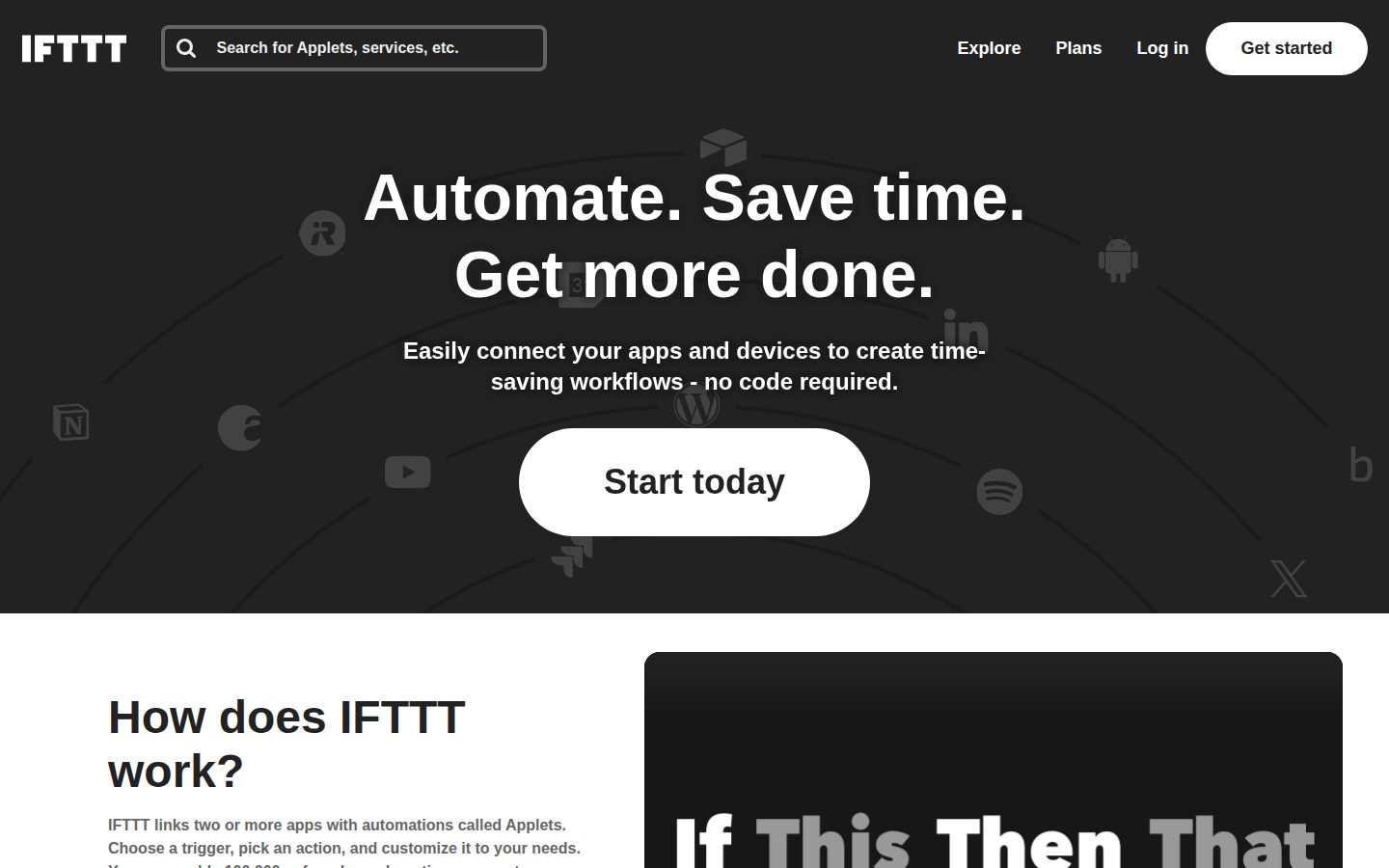
To use IFTTT, a user selects a trigger from a supported service — for example, a new RSS feed item, a location event, or a button press — and pairs it with one or more actions in another service, such as posting to X, logging to Google Sheets, or sending a mobile notification. This trigger-action pair is called an Applet. Users can enable ready-made Applets from a large public library or build their own through a guided interface without writing code.

Beyond basic trigger-action pairs, IFTTT supports multi-action Applets, conditional logic using filter code, delays, and queries for more advanced workflows. The platform includes integrations with AI services such as ChatGPT and Anthropic Claude for tasks like summarizing content, drafting social posts, or proofreading emails. Smart home integrations cover devices from brands including Philips Hue, Ring, Blink, LIFX, TP-Link Kasa, and Google Assistant, with support for location-based triggers.

IFTTT is used by individual consumers automating personal tasks, content creators managing social media distribution, and small business owners streamlining project and communication workflows. The platform offers a free plan and paid subscription tiers, with a free trial available for paid features. The app has been downloaded over 10 million times and is available in over 190 countries. Competitors in the no-code automation category include Zapier, Make (formerly Integromat), and Microsoft Power Automate.

IFTTT is available as a web application and through native iOS and Android apps. It supports over 1,000 services and devices, and developers and brands can integrate their own products via the IFTTT platform partner program.

Features

AI

  • AI Summarization & Transformation

    Uses AI tools to summarize, transform, translate, and improve content within automations, with support for ChatGPT, Claude, and IFTTT's own AI services.

Automation

  • Applets (Trigger + Action Automations)

    Links two or more apps or devices using a trigger-and-action model, allowing users to choose from hundreds of thousands of pre-built Applets or create custom ones in minutes.

  • Location-Based Automation

    Automatically triggers smart home actions—such as turning on lights, arming security systems, or adjusting thermostats—based on the user's geographic location.

  • Multi-Action Applets

    Allows a single trigger to execute multiple actions simultaneously, enabling more complex and productive automated workflows.

  • Productivity App Sync

    Synchronizes tasks, events, and deadlines across productivity tools like Google Calendar, Todoist, Google Sheets, and Microsoft To Do to streamline project and time management.

  • RSS Feed Automation

    Monitors RSS feeds and automatically triggers actions such as posting to social media, sending emails, or saving bookmarks when new items are published.

  • Social Media Cross-Posting

    Automatically reposts or adapts content across social platforms such as Instagram, X (Twitter), LinkedIn, Facebook, TikTok, and Discord when new posts are published.

Customization

  • Filter Code & Conditions

    Lets users refine Applet behavior using delays, queries, and filter code to control exactly when and how automations run.

Integration

  • 1,000+ Service Integrations

    Connects over 1,000 apps, services, and devices including Google, Slack, Spotify, Instagram, Todoist, Webhooks, Discord, and Telegram.

  • Voice Assistant Integration

    Connects Google Assistant and Siri to smart home devices and automations, enabling control through custom voice commands.

  • Webhooks Integration

    Allows users to trigger or receive Applet actions via HTTP webhooks, enabling custom integrations with any external system or service.

Mobile

  • iOS and Android Mobile Apps

    Provides dedicated iOS and Android apps that allow users to create, manage, and trigger Applets from anywhere, including a Button Widget for manual activation.

Preview

IFTTT desktop previewIFTTT mobile preview

Pricing Plans

Free

Free

Get started with automation at no cost.

  • 2 Applets
  • Standard Applet speeds
  • DIY or use published Applets
  • Unlimited Applet runs
  • Free mobile app access
  • 30-day onboarding support

Pro

$3/monthly

Tools for smart home and productivity enthusiasts.

  • 20 Applets
  • Fastest Applet speeds
  • Multi-action Applets
  • Webhooks
  • Twitter Applets
  • Exclusive triggers and actions
Popular

Pro+

$9/monthly

Limitless possibilities for small business owners and power users.

  • Unlimited Applets
  • AI services
  • Connect multiple accounts per service
  • Queries and filter code
  • Exclusive triggers and actions
  • Prioritized customer support

AI Panel Reviews

The Decision Maker

The Decision Maker

Strategic bet, vendor viability, timing, adoption approval
7.2/10

IFTTT still works — just don't confuse it with Zapier for serious business use.

Fourteen years in market, 10M+ downloads, $8.99/month for unlimited Applets. Solid for consumers and small business owners who need lightweight automation without an IT ticket.

IFTTT's been around long enough to have survived multiple automation waves. The free tier caps at 2 Applets, which forces a real decision fast, but Pro+ at $8.99/month unlocks unlimited Applets, AI services via ChatGPT and Claude, and filter code for conditional logic. That's a defensible price for what it does.

The honest tradeoff: this isn't Zapier or Make for complex multi-step business workflows. It's a consumer-grade tool that works beautifully for social cross-posting, smart home triggers, and RSS-to-action automations. Power users will hit the ceiling. IT leaders won't adopt this as a platform.

No public funding data to cite. That's the viability risk. They've survived long enough that it's probably fine, but I wouldn't build mission-critical workflows on it. Pilot it for personal productivity or a specific team use case, not company-wide automation infrastructure.

Competitive Positioning6.0

Zapier and Make are the enterprise defaults; IFTTT wins on price and simplicity, not capability depth.

Reputation Risk7.5

Well-known brand, 190+ countries, neutral-to-positive board optics for a lightweight productivity spend.

Speed to Value8.5

Applets configurable in under a minute, free plan available immediately — fastest time-to-value in the automation category.

Strategic Fit6.0

Saves time on existing tasks but won't advance competitive position — it's efficiency tooling, not transformation.

Vendor Viability6.5

No public funding data, but 14+ years in market and 10M+ downloads suggest they're not going dark tomorrow.

Pros

  • Pro+ at $8.99/month with unlimited Applets and AI integration is genuinely cheap
  • 1,000+ service integrations including Webhooks, Slack, Discord, and Google ecosystem
  • Mobile-first with iOS and Android apps plus Button Widget — good for on-the-go triggers
  • No-code barrier is real: trigger-action setup takes under a minute

Cons

  • Free plan's 2-Applet cap forces an immediate upgrade decision
  • Filter code and conditional logic are Pro+-only, limiting serious customization at lower tiers
  • No public changelog or funding transparency — harder to assess product velocity
  • Not built for complex multi-step enterprise workflows where Zapier or Make win

Right for

Small business owners and content creators who want cheap, fast automation across social media, smart home, and productivity tools.

Avoid if

Your team needs complex multi-step workflows or enterprise-grade reliability guarantees.

The Domain Strategist

The Domain Strategist

Craft and strategy in the product's domain — adapts identity per category, same lens
6.8/10

IFTTT at $8.99 runs personal automation well but stalls at team-scale operations.

IFTTT is the original consumer automation layer — 1,000+ integrations, zero code, and a public Applet library that genuinely shortcuts setup time. As a COO tool for coordinating business workflows across teams, its ceiling shows fast.

The Pro+ plan at $8.99/month unlocks unlimited Applets, filter code, and AI services via ChatGPT and Claude. For a solo operator or SMB owner managing social cross-posting and calendar sync, that's a real value proposition. But there's no multi-user management layer, no audit trail, no role-based access — the operational controls a COO depends on aren't in the product.

If we standardize on IFTTT for business workflows, in 3 years we have a patchwork of personal Applets owned by individual employees, not a governed automation architecture. Zapier and Make both offer team workspaces, version history, and execution logs. IFTTT's docs indicate none of that.

The Webhooks integration at the Pro tier does create custom integration surface, which matters. But filter code and conditional logic sit behind Pro+ and are still lightweight compared to Make's scenario builder. Consumer-grade depth, not operations-grade.

Category Positioning6.5

IFTTT pioneered consumer automation but Zapier and Make have structurally lapped it on business-grade workflow management.

Domain Fit5.0

No team workspace, no audit trail, no role-based permissions — the operational controls COOs actually need aren't present at any pricing tier.

Integration Surface7.5

1,000+ service integrations and Webhooks support give broad connectivity, covering Google, Slack, Todoist, and Notion out of the box.

Long-term Implications5.5

Adopting IFTTT at scale creates individually-owned Applets with no governance model, a real liability when staff turns over.

Strategic Depth5.5

Filter code and multi-action Applets exist but the logic layer is thin — Make's scenario builder runs circles around it for complex workflow design.

Pros

  • 1,000+ integrations covers most SMB stack needs without custom dev
  • $8.99 Pro+ pricing is the lowest entry point in the category for unlimited automations
  • AI summarization via Claude and ChatGPT is already embedded in the workflow layer
  • 10M+ downloads signals broad service reliability and integration maintenance

Cons

  • No team workspace or shared Applet management — not built for organizational use
  • Zero audit logging or execution history visible in public docs
  • Conditional logic ceiling is low compared to Make or Zapier's multi-step branching
  • Free plan caps at 2 Applets, which barely stress-tests the platform before a paywall

Right for

SMB owners or solo operators automating personal productivity and smart home workflows on a tight budget.

Avoid if

Your team needs governed, auditable, multi-user automation workflows at any meaningful operational scale.

The Finance Lead

The Finance Lead

Money, total cost of ownership, contracts, procurement math
7.2/10

$8.99/month buys unlimited Applets — cheapest real automation seat in the category

IFTTT's Pro+ tier at $8.99/month is hard to argue with for SMB and personal automation. Zapier's equivalent entry point runs 4-6x higher for comparable trigger volume.

Three tiers, all priced publicly, no sales call required. Free caps at 2 Applets — genuinely restrictive. Pro at $2.99/month unlocks 20 Applets and Webhooks. Pro+ at $8.99/month removes limits entirely and adds AI services, filter code, and multi-account support. 50-user team on Pro+ = $8.99 × 50 × 12 = $5,394/year. Year 3, add 20% seat creep: ~$6,500. Against Zapier's Teams plan at $19.99+/seat, that's a meaningful gap.

The tradeoff: IFTTT's filter code and conditional logic exist on Pro+ only, and they're shallower than Make or Zapier for complex multi-step workflows. Power users building branching logic will hit walls. AI Summarization via ChatGPT and Claude is a real differentiator for content teams — but gated at $8.99.

No public overage rate visible on the pricing page. Unlimited Applet runs on all tiers is a genuine cost floor — no surprise invoice. Auto-renewal terms aren't publicly detailed; confirm cancellation window before annual commit.

Billing & Procurement8.0

Self-serve monthly billing, free trial available, no vendor onboarding cost — procurement friction is near zero.

Contract Flexibility6.5

Auto-renewal terms aren't publicly detailed on the pricing page; annual commitment risk is unquantified.

Pricing Transparency8.5

Three tiers fully visible at $0, $2.99, and $8.99/month — no sales call, no quote request.

ROI Clarity6.8

Time-saved ROI is measurable for discrete tasks like RSS-to-social or Calendar sync, but no native analytics or run reporting visible in evidence.

Total Cost of Ownership8.2

50 seats × $8.99 × 36 months = ~$16,182 all-in; unlimited runs eliminate overage risk category norm ignores.

Pros

  • $8.99/month Pro+ with unlimited Applets is cheapest full-feature tier in category
  • Unlimited Applet runs on all tiers — no overage exposure
  • 1,000+ integrations including Webhooks, ChatGPT, Claude, Google, Slack
  • 10M+ downloads signals stable, maintained platform

Cons

  • Free plan caps at 2 Applets — barely functional for real use
  • Filter code and conditional logic shallower than Zapier or Make for complex workflows
  • Auto-renewal terms not publicly disclosed
  • AI services locked to Pro+ only

Right for

SMBs and content creators wanting low-cost trigger-action automation across 1,000+ services without Zapier pricing.

Avoid if

Your workflows require deep multi-step branching logic or enterprise SSO and audit trails.

The Domain Practitioner

The Domain Practitioner

Daily hands-on reality in the product's domain — adapts identity per category, same lens
7.2/10

IFTTT at $8.99/month is Zapier's little sibling — honest about its lane

For ops teams running lightweight personal or SMB automation, IFTTT delivers solid trigger-action coverage across 1,000+ services without touching code. The ceiling is real, but so is the value at the Pro+ tier.

Two Applets on the free plan is a hard stop. You hit it on day one, not day three. Upgrading to Pro at $2.99 unlocks 20 Applets and Webhooks — that's where real ops work starts. Pro+ at $8.99 adds filter code, queries, and AI services via ChatGPT and Claude. That's the tier you actually live in if you're syncing Google Calendar, routing RSS feeds, and cross-posting to five platforms.

Filter code gives you conditional logic, but it's JavaScript in a text box. Compared to Zapier's visual branching or Make's scenario canvas, this is a step backward for anything with real decision trees. Productivity App Sync covers Google Sheets, Todoist, and Microsoft To Do — enough for SMB ops, not enough for finance or HR workflows with strict SLAs.

The 1,000+ integrations are wide but shallow. Webhooks save you when native connectors fall short, and they're on Pro, not gated behind Pro+. That's the right call. Day-three reality: IFTTT runs smoothly for simple automation stacks, but the moment you need multi-branch logic or error handling visibility, you're looking at Zapier or Make.

Day-3 Reality6.8

The 2-Applet free cap forces an upgrade conversation immediately, and filter code depth is limited compared to Make's scenario builder.

Documentation Practitioner-Fit7.0

Docs and API reference exist, but the absence of a changelog is an ops red flag — you can't track what broke or changed.

Friction Surface6.5

No changelog listed on the site means silent service breakages are hard to diagnose; Applet speed tiers add latency uncertainty on lower plans.

Power-User Depth6.8

Filter code and Webhooks unlock real depth, but both require digging; discoverability is weaker than Zapier's guided advanced-mode prompts.

Workflow Integration7.5

Productivity App Sync with Google Calendar, Todoist, and Google Sheets maps directly to common ops toolchains without retraining.

Pros

  • Webhooks on the $2.99 Pro tier — not paywalled at the top
  • 1,000+ service integrations covers most SMB app stacks
  • AI summarization via Claude and ChatGPT built into Pro+ workflows
  • Mobile Button Widget for manual trigger ops is a practical daily tool

Cons

  • 2-Applet free plan is effectively a trial, not a usable tier
  • No visual logic branching — filter code is the only conditional tool
  • No public changelog makes debugging silent failures harder
  • Applet execution speed varies by plan tier, which matters for time-sensitive ops

Right for

SMB ops or solo operators automating straightforward multi-service workflows without needing complex branching logic.

Avoid if

Your workflows require multi-step conditional logic, error visibility, or audit trails that Zapier or Make handle natively.

The Power User

The Power User

Daily human experience, onboarding, polish, learning curve, reliability
7.8/10

IFTTT still earns its place — if you know what it's actually for

Thirteen-ish years in, IFTTT remains the easiest on-ramp to automation for normal people. The free plan's 2-Applet limit will push serious users toward Pro+ at $8.99/month pretty fast.

The Applet library is genuinely enormous — hundreds of thousands of pre-built flows across smart home, social media, productivity, and now AI via ChatGPT and Claude. For someone who just wants their Ring doorbell to text them or their Instagram posts to auto-share to Discord, this is the fastest path from zero to working. No Zapier pricing shock. No Make learning curve. You're running something real in under five minutes.

The ceiling shows up around month three. Filter code and multi-action Applets are locked to Pro+, and the free tier's 2-Applet cap is genuinely stingy. If your needs grow, you're at $8.99/month fast. Zapier and Make both go deeper on branching logic — IFTTT still mostly lives in one-trigger, linear-action world.

Mobile is a real product, not a read-only placeholder. 10M+ downloads, button widgets, location triggers — the phone feels like the primary device, not an afterthought. Daily polish is decent. Not obsessive, but not embarrassing either.

Daily Polish7.5

The guided Applet builder feels considered, but the free empty state — just 2 Applets allowed — creates friction before any momentum builds.

Learning Curve8.0

Easy entry via pre-built Applets, with a real skill ceiling available through filter code and Webhooks — the progression from beginner to power user is visible and navigable.

Mobile Parity8.8

Dedicated iOS and Android apps with Button Widgets, location-based triggers, and 10M+ downloads suggest mobile is genuinely first-class, not ported-over.

Onboarding Experience8.5

Pre-built Applet library plus a guided no-code creator means most users are running something real within minutes, backed by 30-day onboarding support on the free plan.

Reliability Feel7.2

Applet speed tiers (standard on free, fastest on Pro) publicly signal that trigger latency is a known variable, which isn't a confidence builder for time-sensitive workflows.

Pros

  • 1,000+ service integrations including Google, Slack, Spotify, Webhooks, and AI services like Claude
  • Genuinely no-code — Applets take under a minute to configure
  • Mobile experience is a full product with location triggers and home screen widgets
  • Pro+ at $8.99/month is affordable for what it unlocks

Cons

  • Free tier's 2-Applet cap is punishingly low — you'll hit the wall the same week you get excited
  • Branching logic and conditional depth can't match Zapier or Make for complex workflows
  • Trigger speed is tiered by plan, which matters for anything time-sensitive

Right for

Consumers and small business owners who want fast, no-fuss automation across smart home and productivity tools without a learning investment.

Avoid if

Your workflows need deep branching logic, multi-step conditional paths, or enterprise-level reliability — Zapier or Make will serve you better.

The Skeptic

The Skeptic

Contrarian. Watch-outs, deal-breakers, broken promises, category patterns
6.8/10

2 free Applets. That's the whole exit interview.

IFTTT is the original trigger-action platform — still alive, still relevant for smart home and light personal automation. But Zapier and Make have lapped it for business workflows.

Three tells. One: no changelog visible. Two: 'leading no-code automation platform' is the kind of claim that invites a fight they'd lose against Zapier's integration depth. Three: the free plan caps you at 2 Applets. Two. That's a demo, not a product.

What actually holds up: $2.99/mo for Pro is genuinely cheap. Smart home integrations — Philips Hue, Ring, TP-Link Kasa, location triggers — that's a real moat Zapier doesn't chase hard. 1,000+ services, 10M downloads, 190 countries. The install base is real. The AI layer (ChatGPT, Claude) looks like a catch-up move, but it's there.

Exit portability is mediocre. Applets aren't exportable to Make or Zapier — you rebuild from scratch. Not catastrophic, but not clean. This is a fine bet for smart home tinkerers and light personal automation. For business workflows at any scale, Make at comparable pricing does more.

Competitive Differentiation6.5

Smart home depth — Philips Hue, Ring, location triggers — is a genuine gap vs. Zapier, but business automation differentiation is thin.

Exit Portability5.5

Applet logic doesn't map to Zapier or Make structures; migration means manual rebuilds with no documented export path.

Long-term Viability6.0

No changelog, no public funding data, no SLA page — signals a lean operation; 10M downloads suggests staying power but not acceleration.

Marketing Honesty6.5

'Leading no-code automation platform' overstates vs. Zapier; the 2-Applet free plan is buried — that's a meaningful limitation left soft-pedaled.

Track Record Match7.5

IFTTT has survived since roughly 2011 where dozens of rivals died — longevity is real, even if growth has plateaued.

Pros

  • Smart home integration breadth (Philips Hue, Ring, LIFX, location triggers) is a real moat
  • Pro tier at $2.99/mo is hard to beat on price
  • 1,000+ service integrations with 10M+ app downloads — install base is legitimate
  • Webhooks + filter code at Pro+ ($8.99) unlocks real flexibility without coding

Cons

  • Free plan capped at 2 Applets — barely functional for real use
  • No changelog visible; shipping cadence is opaque
  • AI features (ChatGPT, Claude) look reactive, not native — category norm now
  • Exit is painful: no portable Applet format, full rebuild if you leave

Right for

Smart home enthusiasts and personal automation tinkerers who want cheap, reliable trigger-action workflows across consumer devices.

Avoid if

You're automating business processes at any real scale — Make or Zapier will outrun IFTTT's logic depth fast.

Buyer Questions

Common questions answered by our AI research team

Features

Can I use IFTTT without writing any code?

Yes, IFTTT requires no code. You simply choose a trigger, pick an action, and customize it — Applets can be created in under a minute.

Integration

How many services does IFTTT connect to?

IFTTT connects to over 1,000 apps, services, and devices, including RSS Feed, Google Calendar, Spotify, Slack, Notion, Todoist, and more.

Features

Does IFTTT work on both iOS and Android?

Yes, IFTTT has both iOS and Android apps, with 10M+ downloads across 190+ countries, letting you automate from anywhere, anytime.

Features

Can one Applet trigger multiple actions?

Yes, a single Applet can trigger multiple actions — the platform explicitly supports multiple actions so you get more done automatically.

Integration

Does IFTTT integrate with Google Calendar and Todoist?

Yes, both Google Calendar and Todoist are supported. Example Applets include creating Google Calendar events and adding iOS reminders to Todoist as tasks.

Also in AI Workflow Automation