Julius logo

Julius Review

Visit

AI data analyst that runs code, builds charts, and answers questions about your data

Julius is an AI-powered data analysis tool for individuals and teams who need to explore, visualize, and interpret data without writing code manually.

AI Panel Score

7.6/10

6 AI reviews

Reviewed

AI Editor Approved

What is Julius?

Julius is an AI-powered data analysis tool for individuals and teams who need to explore, visualize, and interpret data without writing code manually. Users upload datasets and ask questions in plain English, and the AI generates and executes Python code behind the scenes to produce answers, charts, and statistical summaries, exposing both the output and the underlying logic. Capabilities include multi-format file ingestion, automated data cleaning, predictive modeling and forecasting, database connectors for Snowflake, BigQuery, and Postgres, and reusable AI notebooks. Pricing starts at $20 per month for the Plus plan, with a free plan available and a Business tier at $450 per month. TopReviewed's six-seat AI review panel scored it 7.6/10, praising SOC 2 Type II certification with per-session data isolation while noting the lack of a public API keeps outputs isolated from other systems. It best fits business analysts needing database-connected analysis without writing Python.

About Julius

Users interact with Julius by uploading files — spreadsheets, CSVs, or connecting data sources — and then typing questions or requests in a chat interface. Julius generates Python code to process the data, runs it, and returns results such as tables, plots, or written summaries. Users can iterate conversationally, asking follow-up questions or requesting changes to charts without writing any code themselves.

Julius supports a range of analytical tasks including statistical analysis, data cleaning, regression modeling, and visualization using libraries like Matplotlib and Seaborn. It can handle multiple file uploads in a single session and allows users to download generated code or charts. The platform also supports PDF and image inputs, enabling analysis of documents beyond structured tabular data.

Julius is aimed at students, researchers, business analysts, and professionals who work with data regularly but may not have deep programming expertise. It offers a free plan with limited message credits per month, and paid plans starting around $20 per month for higher usage limits. It competes with tools like ChatGPT's Advanced Data Analysis feature, Code Interpreter alternatives, and dedicated analytics platforms like Observable or Akkio.

Julius runs entirely in the browser as a web application with no local installation required. Generated code is in Python, which users can copy and run in their own environments. The platform does not currently offer a public API or native mobile applications.

Features

AI

  • Multi-Model LLM Selection

    Users can choose between multiple underlying large language models—including GPT-4 Turbo, Claude 4.5 Sonnet, and Claude 4.5 Opus—via the Models Lab feature to tailor analytical responses to their needs.

  • Natural Language Data Querying

    Users can interact with their uploaded datasets by typing plain-English questions, and Julius interprets context and intent to return charts, tables, and textual insights without any coding required.

  • Predictive Modeling & Forecasting

    The platform builds machine learning models for trend analysis, demand forecasting, and risk assessment through natural language commands, selecting appropriate modeling techniques and explaining the results.

Analytics

  • Interactive Data Visualization

    The platform supports over 40 chart types—from bar plots and scatter charts to animated GIFs—with each visualization being interactive, customizable, and exportable as shareable links, PNG, PDF, or HTML.

  • Statistical Testing Engine

    Julius selects and performs appropriate statistical tests (regression analysis, correlation studies, hypothesis testing, and more) automatically, then explains results—including p-values and confidence intervals—in plain language.

Automation

  • AI Notebooks (Reusable Analysis Templates)

    Notebooks function as reusable, structured analysis workflows that combine text, data inputs, and analysis steps, allowing users to save and re-run the same analysis against new datasets without starting over.

  • Automated Data Cleaning

    Julius automatically identifies and fixes common data quality issues such as missing values, inconsistent formatting, outliers, and duplicates, preparing datasets for analysis without manual intervention.

Collaboration

  • Collaborative Workspaces

    Teams can co-edit projects in real time, manage roles, share datasets and visualizations securely within the organization, and collectively query data across spreadsheets, PDFs, and text files.

Core

  • Multi-Format File Ingestion

    Julius accepts a wide range of input formats including CSV, Excel, JSON, TXT, PDF, PNG, JPG, GIF, Python scripts, R scripts, and Jupyter notebooks for analysis.

  • Python, R, and SQL Code Generation

    Julius generates clean, executable Python, R, or SQL code for every analysis operation—using libraries like pandas, matplotlib, scikit-learn, ggplot2, and dplyr—running it in a secure sandboxed cloud environment.

Integration

  • Database & Cloud Data Source Connectors

    Julius connects directly to data warehouses and databases including Snowflake, BigQuery, Postgres, MySQL, and SQL Server, as well as cloud storage via Google Drive, OneDrive, and SharePoint.

Security

  • SOC 2 Type II Security & Data Isolation

    Julius is SOC 2 Type II and GDPR compliant; code executes in isolated per-session containers, uploaded files are not used to train underlying models, and enterprise plans add SSO, audit logs, and fine-grained permissions.

Preview

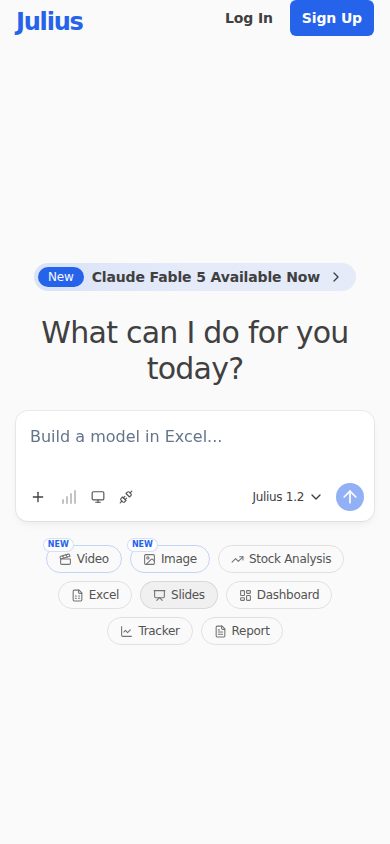
Julius desktop previewJulius mobile preview

Pricing Plans

Free

Free

For individuals to complete small projects and basic analysis

  • Access to Notebooks
  • Google Drive data connector
  • 2 GB of RAM
  • Free daily credits
  • CSV, XLSX, SAV file intake

Plus

$20/monthly

More access to advanced data analysis

  • 2,000 credits monthly (24,000/year on annual plan)
  • Access to frontier AI models like GPT-5.5 and Claude Opus 4.8
  • Export slides, HTML artifacts, charts, and images
  • Unlimited file storage formats
  • Unlimited charts
  • Email / community support

Pro

$45/monthly

For individuals with data needs that require advanced AI capabilities

  • 5,000 credits monthly (60,000/year on annual plan)
  • 32 GB of RAM
  • Expanded context window
  • Access to all frontier AI models
  • Priority email support
  • 3-hour extended session time

Max

$200/monthly

For AI power users who need the latest and most powerful models and maximum context

  • 25,000 credits monthly (300,000/year on annual plan)
  • Larger context window
  • Early access to advanced and unreleased features
  • Max members-only Slack channel with Julius team
  • Priority access at high traffic times

Ultra

$500/monthly

For the heaviest individual usage on Julius

  • 70,000 credits monthly (840,000/year on annual plan)
  • Access to the most powerful AI models
  • Permanent file storage
  • Early access to advanced and unreleased features
  • Priority access at high traffic times
Popular

Business

$450/monthly

For teams with data needs, up to 50 team members

  • 60,000 credits monthly (720,000/year on annual plan)
  • Up to 50 team members
  • Postgres, BigQuery, Snowflake + more data connectors
  • Unlimited Custom Agents
  • Unlimited Slack Agent use in public channels
  • Shared workspaces, files, notebooks, and threads

Enterprise

Contact sales

For organizations needing multiple internal teams, SSO, audit logging, fine-grained RBAC, and advanced security

  • Unlimited credits
  • 64 GB of RAM
  • Single sign-on (SSO/SAML)
  • Audit logs
  • Custom user roles and permissions
  • Tailored onboarding and priority support

AI Panel Reviews

The Decision Maker

The Decision Maker

Strategic bet, vendor viability, timing, adoption approval
7.8/10

Julius does the analyst work; the question is whether your team actually needs it.

Solid feature breadth at $20/month entry. Competes directly with ChatGPT's Advanced Data Analysis but wins on database connectors and SOC 2 Type II compliance.

Caesar Labs has built something genuinely useful: natural language querying against Snowflake, BigQuery, and Postgres, with Python code visible on every output. That's not a demo feature — that's a workflow. Forty-plus chart types and automated data cleaning mean a business analyst can move without waiting on a data engineer.

The tradeoff is context. Julius works beautifully for individuals and small teams. At $450/month for 50 Business seats, the per-seat math is fine. But no public API means it stays siloed — you can't embed its output into anything else you're building.

No changelog is public, and Caesar Labs' funding stage isn't disclosed. That's the real 36-month question. The SOC 2 Type II cert and GDPR compliance buy confidence, but I'd want to know their runway before committing at Enterprise scale.

Competitive Positioning7.5

Beats ChatGPT Advanced Data Analysis on native database connectors; loses on ecosystem integrations and API availability.

Reputation Risk8.2

SOC 2 Type II and GDPR compliance make this a defensible board conversation; no sketchy signals in the evidence.

Speed to Value8.5

Browser-only, no install, free tier live on day one — a business analyst can produce regression output before lunch.

Strategic Fit8.0

Direct database connectors to Snowflake and BigQuery plus AI Notebooks advance analytical capability, not just cost reduction.

Vendor Viability6.5

Caesar Labs has no public funding data and no changelog — hard to assess runway or shipping velocity.

Pros

  • SOC 2 Type II certified with per-session data isolation — enterprise teams can defend this
  • Native connectors to Snowflake, BigQuery, Postgres at the $450/month Business tier
  • Code transparency on every output — analysts can audit and export the Python
  • $20/month entry point removes procurement friction for team pilots

Cons

  • No public API means Julius stays isolated from anything else you're building
  • No public changelog makes it hard to assess how fast they're actually shipping
  • Credit-based pricing at higher tiers ($500/month Ultra) can surprise heavy users
  • No mobile app and web-only delivery limits field or on-the-go use cases

Right for

Business analysts and researchers who need database-connected AI analysis without writing Python.

Avoid if

You need to embed data analysis outputs programmatically into other internal tools.

The Domain Strategist

The Domain Strategist

Craft and strategy in the product's domain — adapts identity per category, same lens
7.8/10

Julius is a serious analyst accelerator, not a data platform replacement.

SOC 2 Type II compliance, live Python execution, and direct Snowflake/BigQuery connectors make Julius credible for real data work. The credit-based consumption model and no public API are the constraints a Head of Data will feel first.

The warehouse connectors are the tell. Snowflake, BigQuery, Postgres, and MySQL at the Business tier ($450/month, 50 seats) means Julius isn't positioning as a toy — it's positioning as an analyst layer on top of your existing stack. The per-session container isolation and SOC 2 Type II certification clear the basic enterprise bar. What's missing is a public API, which means Julius lives at the edge of your data mesh rather than inside it.

The multi-model selection — GPT-4 Turbo, Claude Sonnet, Claude Opus — plus 40+ chart types and AI Notebooks that rerun templated workflows against new datasets is genuine analytical depth. That's closer to what a senior analyst actually needs than what ChatGPT's Code Interpreter delivers. The 32GB RAM ceiling on Pro and 64GB on Enterprise handles most mid-size datasets without complaint.

The credit system is the three-year risk. If usage scales, you're repricing constantly, and there's no programmatic way to embed Julius outputs into downstream pipelines without manual export. Teams that outgrow it won't have a clean migration path for their Notebooks.

Category Positioning8.0

Julius sits meaningfully above ChatGPT's Advanced Data Analysis on warehouse connectivity and model choice, and beats Observable on accessibility for non-engineering analysts.

Domain Fit7.8

Direct warehouse connectors to Snowflake and BigQuery, plus Python/R/SQL code generation using pandas, scikit-learn, and ggplot2, map well to how mid-market data teams actually work.

Integration Surface7.6

Google Drive, OneDrive, SharePoint, and five warehouse connectors cover most enterprise data surfaces; the gap is downstream — no API, no webhook, no programmatic trigger.

Long-term Implications6.9

No public API means Julius can't be embedded in pipelines or data products — adoption stays ad hoc, and Notebooks don't export into orchestration tools like Airflow or dbt.

Strategic Depth7.5

AI Notebooks with reusable templated workflows and statistical testing automation (regression, hypothesis testing, p-values explained in plain language) show real analytical architecture, not just a chat wrapper.

Pros

  • SOC 2 Type II and GDPR compliance with per-session container isolation clears enterprise security review
  • Live Snowflake, BigQuery, and Postgres connectors at Business tier — no ETL workaround needed
  • Multi-model selection (GPT-4 Turbo, Claude Opus) lets analysts tune for cost vs. reasoning depth
  • AI Notebooks enable repeatable analysis workflows without rebuilding from scratch each sprint

Cons

  • No public API means Julius can't participate in orchestrated pipelines — outputs leave via manual export only
  • Credit-based pricing at scale gets expensive fast; 60,000 credits/month at $450 Business is a hard ceiling for active teams
  • No changelog listed publicly, which makes it hard to track model and feature stability over time

Right for

Mid-market data teams wanting to give business analysts direct warehouse access without writing Python.

Avoid if

You need Julius outputs to feed downstream pipelines or data products programmatically.

The Finance Lead

The Finance Lead

Money, total cost of ownership, contracts, procurement math
7.8/10

$450/month buys 50 seats and 60K credits — unusually honest pricing for the category.

Julius publishes six tiers with actual numbers. Business plan at $450/month for teams of 50 is $9/seat — hard to argue with that math.

Six tiers, all priced publicly. No sales call required. Free plan exists with real functionality — Google Drive connector, Notebooks, CSV intake. Plus at $20/month. Pro at $45. Business at $450/month covers up to 50 users: $9/seat/month, $108/seat/year. Compare to ChatGPT Advanced Data Analysis bundled in $20/month Plus — Julius wins on team pricing and database connectors (Snowflake, BigQuery, Postgres).

Credit model is the TCO wildcard. 50 users × Business plan = $450/month, $5,400/year. Year 3 with seat creep to that 50-user cap: still $5,400 — credits are pooled, not per-seat. But 60K credits for 50 active analysts may exhaust fast. Overage handling isn't published. That's the number you need before signing.

SSO lives at Enterprise, no public price. Category norm — but budget for it. No API, no mobile. Contract terms aren't published; auto-renewal window unknown. Annual plan discounts are visible (e.g., 24K vs 20K credits/month equivalent on Plus annual). Procurement friction is low for SMB; enterprise procurement will stall on the SSO gap.

Billing & Procurement7.8

Self-serve through Pro tier; Business plan is straightforward; Enterprise requires vendor engagement, which adds procurement friction.

Contract Flexibility6.0

Annual vs monthly pricing is visible, but auto-renewal windows and cancellation terms aren't published anywhere in the evidence.

Pricing Transparency8.5

All six tiers publicly priced with credit counts — no sales call needed, rare for this category.

ROI Clarity7.5

Code generation, 40+ chart types, and Notebooks give measurable productivity proxies; analyst hour savings are calculable against $9/seat.

Total Cost of Ownership7.2

Business at $450/month is clean, but unpublished overage rates and SSO-only-at-Enterprise add year-3 uncertainty.

Pros

  • Business plan: $9/seat/month for up to 50 users
  • All tiers publicly priced — no demo wall
  • Database connectors (Snowflake, BigQuery, Postgres) included at Business tier
  • Annual plan credit uplift is visible and quantified

Cons

  • Overage rate for credits not published — invoice risk
  • SSO and audit logs locked to Enterprise (no public price)
  • No API means no programmatic integration
  • Auto-renewal and cancellation terms not disclosed publicly

Right for

SMB data teams under 50 seats needing SQL/Python analysis without hiring a data engineer.

Avoid if

Your procurement requires SSO at a fixed budget or you need a public API for integration.

The Domain Practitioner

The Domain Practitioner

Daily hands-on reality in the product's domain — adapts identity per category, same lens
7.2/10

Julius runs real Python in the browser — but no API means it stays a sidecar tool

Julius generates and executes Python, R, and SQL against live database connectors including Snowflake and BigQuery, which puts it ahead of ChatGPT's Advanced Data Analysis for warehouse-connected workflows. No public API and no CLI mean it can't plug into any pipeline you'd actually ship.

Snowflake, BigQuery, Postgres, MySQL connectors on the Business plan at $450/month for 50 seats. That's a real data stack integration, not just CSV uploads. The code generation using pandas, scikit-learn, and ggplot2 shows someone thought about what analysts actually reach for. SOC 2 Type II with per-session container isolation matters when you're querying production data.

Day three looks like this: you've got a repeatable analysis and you want to automate it. No API. No CLI. The Notebooks feature gives you reusable templates, which softens the blow, but you can't trigger a Julius run from Airflow or dbt. It's conversational-only, browser-only. That's the hard ceiling for any data engineer trying to productionize something.

The credit model — 5,000/month on Pro at $45 — will burn fast on iterative EDA sessions. Context window expansion requires jumping to Pro or higher. Compared to Observable, Julius wins on accessibility; it loses on composability and version control.

Day-3 Reality6.5

Notebooks reduce repetition, but no API or CLI means every run is a manual browser session — a real daily fight for automation-minded practitioners.

Documentation Practitioner-Fit6.5

Docs exist and capabilities page is explicit about library support, but no changelog is a bad sign for a tool evolving this fast.

Friction Surface7.0

Multi-format ingestion and 40+ chart types reduce output friction, but credit limits on the $45 Pro plan will create interruptions during heavy EDA weeks.

Power-User Depth7.5

Multi-model selection across GPT-4 Turbo and Claude Opus, 32GB RAM on Pro, and code export give power users real headroom — the ceiling is API access, not compute.

Workflow Integration6.8

Direct Snowflake and BigQuery connectors help, but the absence of a public API blocks integration into any orchestration layer like Airflow or Prefect.

Pros

  • Direct connectors to Snowflake, BigQuery, Postgres, and MySQL — not just file uploads
  • Generated Python, R, and SQL is exportable and readable
  • SOC 2 Type II with isolated per-session containers for production data safety
  • Multi-model switching including Claude Opus gives flexibility on complex analytical tasks

Cons

  • No public API — can't trigger analyses programmatically from any pipeline
  • No changelog makes it hard to track model or feature changes in a fast-moving category
  • Credit-based pricing at $45/month Pro burns quickly during intensive EDA
  • Browser-only with no CLI; zero composability with dbt, Airflow, or Prefect

Right for

Business analysts and researchers who need warehouse-connected AI analysis without writing Python themselves.

Avoid if

You need to automate or schedule analyses inside an existing data pipeline.

The Power User

The Power User

Daily human experience, onboarding, polish, learning curve, reliability
7.8/10

Solid no-code data analyst that earns its $20 a month

Julius does the hard part — running real Python behind a chat window — without making you feel like you're borrowing someone else's IDE. The feature set is genuinely deep, though the web-only constraint will catch people off guard.

The pitch is honest. Upload a CSV, ask a question, get a chart. Julius generates Python using pandas and matplotlib, runs it in a sandboxed environment, and shows you the code alongside the output. That transparency is rarer than it should be. ChatGPT's Advanced Data Analysis does something similar, but Julius layers on 40-plus chart types, statistical testing with plain-English p-value explanations, and reusable Notebooks — which is a real feature for anyone who runs the same analysis every month against fresh data.

The pricing ladder makes sense up to a point. The Plus plan at $20 is a reasonable entry for a student or analyst. The jump to $45 for Pro is defensible if you need 32 GB RAM for bigger datasets. What's harder to defend: no free trial, just a daily credit drip on the free tier. That's a slow way to understand whether this tool fits your actual workflow.

No API, no mobile app. For a tool billing itself as always-available, web-only is a real constraint. Reading a chart on your phone during a meeting isn't the same as building one. If your data life lives partly on mobile or inside other apps, Julius currently asks you to work around it.

Daily Polish7.5

40-plus chart types, exportable as PNG, PDF, or HTML, and visible code output suggests a team that thought about the daily handoff between analysis and sharing.

Learning Curve8.2

Natural language querying lowers the floor dramatically, and the Notebooks feature gives power users a structured way to grow without hitting a ceiling.

Mobile Parity4.5

Web-only, no native mobile app listed anywhere in the evidence — for a data tool used across contexts, that's a meaningful gap.

Onboarding Experience8.0

Upload a file, type a question, get an answer — the changelog shows no onboarding friction gate, and the free plan includes Notebooks access from day one.

Reliability Feel7.2

SOC 2 Type II compliance and per-session isolated containers are good signals, but the credit-based model means session interruptions have a cost users will notice.

Pros

  • Real Python execution with visible code — not a black box
  • Reusable Notebooks for recurring analysis workflows
  • Database connectors to Snowflake, BigQuery, Postgres on Business plan
  • SOC 2 Type II and GDPR compliant with data isolation per session

Cons

  • No mobile app — web only, full stop
  • No free trial, just daily credit limits on the free tier
  • No public API for integrating Julius into other tools
  • Credit system means heavy sessions can feel metered and stressful

Right for

Researchers and business analysts who need real statistical analysis without writing Python themselves.

Avoid if

You need mobile access or want to pipe Julius outputs into other tools via API.

The Skeptic

The Skeptic

Contrarian. Watch-outs, deal-breakers, broken promises, category patterns
7.2/10

Six pricing tiers. No API. No changelog. Proceed with eyes open.

Julius has real depth — SOC 2 Type II, database connectors, 40+ chart types, multi-model LLM selection. But no public API and no changelog are two signals I can't ignore from a vendor asking $500/month at the top.

Three tells upfront. One: the meta description says 'Excel, Slides, Tasks' but the product is a Python-execution data analyst — that's a positioning mismatch. Two: no changelog listed in the capabilities scrape. Can't verify shipping cadence without one. Three: six pricing tiers from $0 to $500/month for individuals. That's a lot of ladder for one person to climb.

The honest positives: Snowflake, BigQuery, Postgres connectors on Business tier. SOC 2 Type II with per-session sandboxing. R and SQL code generation alongside Python — ChatGPT's Advanced Data Analysis doesn't touch R. The $20 Plus plan gets you GPT-5.5 and Claude Opus. That's real model access at a fair price.

Exit portability is actually decent. Generated code downloads. Python via pandas and scikit-learn runs anywhere. If Julius folds, you keep the code. The gap: no API means you can't embed this in your own workflow. Akkio has an API. Observable has one. That's a meaningful ceiling for power users.

Competitive Differentiation7.5

R code generation and multi-model LLM selection (Claude Opus, GPT-5.5) are real gaps vs. ChatGPT Advanced Data Analysis; SOC 2 Type II separates it from hobbyist alternatives.

Exit Portability8.0

Code downloads in Python, R, or SQL using standard libraries — pandas, scikit-learn, ggplot2 — so migration off Julius is mostly a copy-paste exercise.

Long-term Viability6.5

No public funding data, no changelog, but SOC 2 Type II certification and an Enterprise tier with SSO and audit logs suggest some organizational maturity.

Marketing Honesty6.0

Meta description pitches Excel and slides; the actual product is a Python-execution data analyst — that's real drift between marketing and product.

Track Record Match6.5

No changelog visible; can't confirm shipping cadence. Caesar Labs, Inc. is the entity — no public funding data to anchor a durability read.

Pros

  • SOC 2 Type II with per-session sandboxed execution — rare at this price point
  • R and SQL code generation alongside Python; ChatGPT Code Interpreter skips R entirely
  • Database connectors to Snowflake, BigQuery, Postgres on Business tier
  • Downloaded code runs in any environment — exit is clean

Cons

  • No public API — can't embed or automate, unlike Akkio or Observable
  • No changelog visible; shipping cadence is unverifiable
  • Six individual pricing tiers up to $500/month is aggressive for a solo-user product
  • Marketing copy mismatches the actual product — 'Excel and slides' undersells and misdirects

Right for

Researchers or analysts who need R support, database connectors, and SOC 2 compliance without writing code.

Avoid if

You need an API to embed analysis in your own product or workflow.

Buyer Questions

Common questions answered by our AI research team

Features

What programming language does Julius use to analyze data?

Julius uses Python to analyze data, generating and executing Python code behind the scenes in response to natural language queries.

Features

Can I query my dataset using plain English?

Yes, you can query your dataset using plain English. Julius interprets your questions and automatically generates and runs the appropriate code to produce answers.

Features

Does Julius show the underlying code it generates?

Yes, Julius shows the underlying code it generates alongside the output, so you can see both the results and the logic used to produce them.

Features

Can Julius generate charts from my data?

Yes, Julius can generate charts from your data as part of its output, alongside answers and statistical summaries.

Also in AI Data Tools