Looker logo

Looker Review

Visit

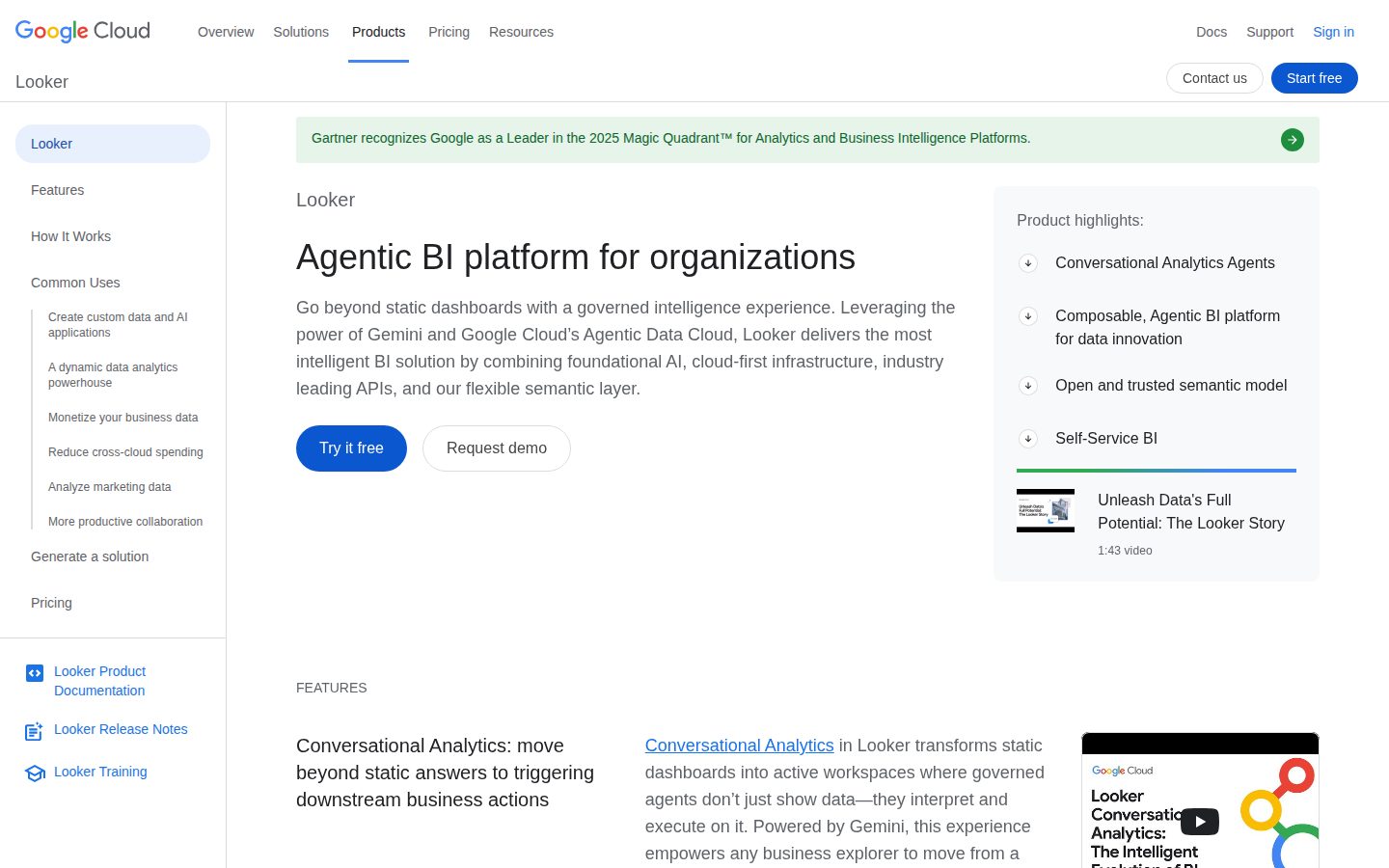
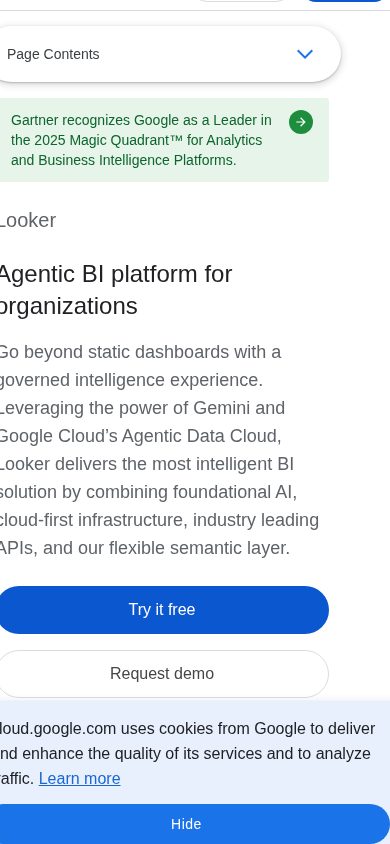
Business intelligence platform that transforms data into actionable insights

Looker is a business intelligence and data platform that helps organizations analyze and visualize data.

AI Panel Score

7.4/10

6 AI reviews

About Looker

Looker is a cloud-based business intelligence platform that enables organizations to explore, analyze, and share data insights. The platform provides data modeling capabilities, interactive dashboards, and embedded analytics tools. Users can create reports, visualizations, and data applications to support decision-making across departments.

Looker is a modern business intelligence and data platform designed to help organizations make data-driven decisions. The platform connects to various data sources and provides a unified view of business data through its web-based interface. Users can explore data, create visualizations, and build interactive dashboards without requiring extensive technical expertise. The platform is built around LookML, Looker's proprietary modeling language that allows data teams to define business logic and create a governed data layer. This approach ensures consistent metrics and definitions across the organization while enabling self-service analytics for business users. Looker supports integration with popular databases, data warehouses, and cloud platforms including BigQuery, Snowflake, Redshift, and others. Looker serves organizations of various sizes across industries including retail, healthcare, finance, and technology. The platform is particularly suited for companies that need to democratize data access while maintaining governance and consistency. Data analysts, business intelligence professionals, and business users utilize Looker to create reports, monitor KPIs, and perform ad-hoc analysis. Key capabilities include data modeling, visualization creation, scheduled reporting, embedded analytics, and API access for custom integrations. The platform also offers mobile access and collaboration features that allow teams to share insights and discuss findings. Looker competes in the business intelligence market alongside tools like Tableau, Power BI, and Sisense, positioning itself as a modern, cloud-native solution focused on data modeling and governance.

Features

Analytics

  • Advanced SQL Runner

    Built-in SQL IDE for power users to write custom queries, test performance, and explore database schemas.

Automation

  • Scheduled Data Delivery

    Automated delivery of reports and alerts via email, Slack, or other channels based on predefined schedules or data thresholds.

Collaboration

  • Git-based Version Control

    Integration with Git workflows for managing LookML projects, enabling collaborative development and deployment practices.

  • Real-time Data Sharing

    Ability to share live dashboards, reports, and insights across teams with automatic updates as underlying data changes.

Core

  • Interactive Dashboards

    Web-based dashboards that provide real-time data visualization with drill-down capabilities and customizable layouts.

  • LookML Modeling Language

    Proprietary modeling language that allows data teams to define business logic, metrics, and relationships in a centralized data model.

  • Self-Service Data Exploration

    Browser-based interface that enables business users to explore data and create ad-hoc queries without SQL knowledge.

Customization

  • Custom Visualizations

    Extensible visualization framework allowing developers to build custom charts and visual components using JavaScript.

Integration

  • Embedded Analytics

    White-label analytics capabilities that can be embedded directly into existing applications and workflows.

  • Multi-Database Connectivity

    Native connections to cloud data warehouses including BigQuery, Snowflake, Redshift, and traditional databases.

  • RESTful API

    Comprehensive API for programmatic access to dashboards, queries, users, and content management for custom integrations.

Security

  • Row-Level Security

    Granular access controls that restrict data visibility based on user attributes and business rules defined in the data model.

Pricing Plans

Popular

Looker (Google Cloud core BI)

Free

Enterprise business intelligence platform for data teams and analysts

  • Self-service analytics
  • Interactive dashboards
  • LookML modeling layer
  • Embedded analytics
  • API access
  • Enterprise security and governance
  • Data platform integrations

Looker Studio Pro

$9/monthly

Enhanced version of the free Looker Studio with additional features for teams

  • Team workspaces
  • Enhanced asset management
  • SLA support
  • Linking to Google Cloud databases
  • Enhanced enterprise features

Looker Studio

$0/monthly

Free data visualization tool for creating reports and dashboards

  • Connect to various data sources
  • Pre-built templates
  • Interactive dashboards
  • Collaboration tools
  • Basic data visualization
  • Google Workspace integration

AI Panel Reviews

The CTO

Independent AI Analysis
8.2/10

Looker has become our central analytics platform, delivering on its promise of governed self-service BI while giving us the technical flexibility we need. The Google Cloud acquisition has strengthened the product, though pricing and some architectural decisions remain pain points.

I've been running Looker as our enterprise BI platform for about 14 months now, and it's transformed how our teams consume data. The LookML modeling layer is brilliant - it lets us maintain a single source of truth while giving business users the freedom to explore. Our data team loves the Git integration and version control.

The architecture scales well - we're pushing several TB through it daily without issues. Security features like row-level permissions and OAuth integration checked all our compliance boxes. What really sold me was the API-first design; we've built custom embedded analytics into our products seamlessly.

My main gripes are the steep learning curve for LookML and the pricing model that can spiral quickly. Also, while the Google integration is improving, the transition period has been rocky with some features in flux.

Architecture & Scalability8.5

Handles our scale well, though the in-database architecture means you need robust underlying infrastructure.

Innovation & Roadmap7.8

Good momentum on AI/ML features, but some promised features have been delayed during the Google transition.

Integration Ecosystem8.0

Strong API and native integrations, though some third-party connectors feel neglected post-Google acquisition.

Security & Compliance9.0

Enterprise-grade security controls, SOC2 compliant, and granular permission models that satisfy our auditors.

Technical Support7.5

Support quality varies - excellent for technical issues, but response times have slowed recently.

Pros

  • LookML provides true semantic modeling with version control
  • API-first architecture enables seamless embedded analytics
  • Excellent performance with in-database processing

Cons

  • Steep learning curve for LookML developers
  • Expensive at scale with per-user pricing model
  • Some uncertainty around roadmap post-Google acquisition

The Developer

Independent AI Analysis
7.8/10

Looker has become our go-to BI platform, offering powerful modeling capabilities through LookML and a solid API, though the learning curve and occasional performance hiccups keep it from being perfect.

I've been using Looker daily for over a year, primarily working with the API to embed analytics into our SaaS product. The LookML modeling layer is genuinely brilliant - it enforces consistency across all our metrics and makes refactoring data models surprisingly painless. The API is well-designed and the SDK (we use Python) handles authentication smoothly.

What frustrates me most is the debugging experience. When a dashboard loads slowly, it's often a mystery whether it's our LookML, the underlying SQL, or Looker's own rendering. The error messages can be cryptic, especially when dealing with derived tables. That said, once you get past the initial learning curve, it's a powerful platform that has scaled well with our needs.

API & Documentation8.5

Comprehensive API docs with good examples, though some edge cases aren't well covered.

Community & Ecosystem8.0

Active community forum and good third-party tooling support, especially for CI/CD integration.

Debugging & Observability6.5

SQL runner is helpful, but tracking down performance issues in complex models remains challenging.

Developer Experience7.0

LookML is powerful but has a steep learning curve; the VS Code extension helps tremendously.

Performance7.5

Generally fast, but complex dashboards with many tiles can bog down unpredictably.

Pros

  • LookML provides version-controlled, reusable data modeling
  • Robust API with well-maintained SDKs
  • Excellent Git integration for collaborative development

Cons

  • Steep learning curve for LookML syntax and concepts
  • Debugging performance issues can be time-consuming
  • PDT (Persistent Derived Table) rebuilds can cause unexpected delays

The Marketer

Independent AI Analysis
8.5/10

Looker has transformed how we make marketing decisions - it's become our single source of truth for performance data across all channels. The learning curve was steep, but the payoff in data visibility and team alignment has been massive.

I've been using Looker daily for about 14 months now, and it's fundamentally changed how our marketing team operates. We went from scattered spreadsheets and siloed channel reports to having real-time dashboards that everyone actually uses. The LookML layer was intimidating at first - I'll admit I relied heavily on our data team for the first few months - but once we got our core marketing metrics modeled, it became incredibly powerful.

What I appreciate most is how it's democratized data access for my team. Our content marketers can now dig into attribution data themselves, and our demand gen folks build their own campaign performance views. The embedded analytics we've put into our weekly reports have saved me hours of manual work. That said, it's definitely not a plug-and-play marketing tool - you need technical resources to get the most out of it.

Campaign Management6.5

It's an analytics tool, not a campaign manager - we use it to analyze campaigns run elsewhere.

Customer Support8.0

Their team is knowledgeable and responsive, though sometimes solutions require more technical work than I'd like.

Ease of Use7.0

The interface is clean once you understand it, but there's a real learning curve for non-technical marketers.

Integrations9.0

Connects beautifully with our entire martech stack - Salesforce, Marketo, Google Analytics, even our custom databases.

ROI & Analytics9.5

The depth of analysis we can do now is game-changing - multi-touch attribution, cohort analysis, predictive models all in one place.

Pros

  • Incredibly powerful once your data model is set up correctly
  • Sharing dashboards and scheduling reports has streamlined our whole reporting process
  • The explore feature lets even non-technical users answer their own questions

Cons

  • Requires significant technical investment upfront - not something you can just start using
  • Pricing can escalate quickly as you add more viewers
  • Some seemingly simple marketing metrics required complex LookML that took weeks to get right
The Finance Lead
The Finance LeadMoney, total cost of ownership, contracts, procurement math
7.8/10

Looker has become indispensable for our financial reporting and analytics, though the pricing model takes some getting used to. After a year of daily use, I'd say it's worth the investment if you're willing to commit to proper implementation.

I've been using Looker every morning to check our key financial metrics and it's transformed how we approach data-driven decisions. The ability to create custom dashboards that our entire finance team can access has eliminated countless hours of Excel-based reporting requests. What really sold me was seeing our month-end close reporting time drop by 40%.

The pricing structure was a journey to understand. We started with what we thought was a reasonable budget, but quickly realized we needed more viewer licenses and additional modeling layers. Google's acquisition brought some welcomed enterprise features, but also meant navigating their broader ecosystem pricing.

My biggest appreciation is for the semantic layer - being able to define metrics once and have them consistent across all reports has been crucial for financial accuracy.

Billing & Invoicing8.0

Straightforward monthly invoicing with clear breakdowns, though reconciling usage-based components requires attention.

Contract Flexibility7.5

Annual contracts with some room to adjust user counts mid-term, though moving to Google's model added complexity.

Pricing Transparency6.5

Initial quotes were clear, but understanding the full cost implications of scaling users and usage took several conversations with their sales team.

ROI Measurability8.5

I can directly track time saved on reporting, reduction in data errors, and faster decision-making cycles.

Total Cost of Ownership7.0

Beyond licensing, we've invested significantly in training and a dedicated analyst, but the productivity gains have justified the spend.

Pros

  • Semantic layer ensures financial metrics stay consistent across all departments
  • Self-service capabilities reduced finance team's ad-hoc reporting burden by 60%
  • Strong audit trail and permission controls satisfy our compliance requirements

Cons

  • Per-user pricing model gets expensive fast when democratizing data access
  • Implementation costs were 2x our initial estimate due to data modeling complexity
  • Recent Google Cloud integration created some billing consolidation headaches
The Power User
The Power UserDaily human experience, onboarding, polish, learning curve, reliability
7.5/10

Looker has become my go-to for exploring our company data, though the learning curve was steeper than expected. Once you get it, the power is incredible, but I still occasionally struggle with more complex queries.

I've been using Looker daily for about 14 months now, mainly to track marketing metrics and customer behavior. The first month was rough - coming from simpler tools, I felt overwhelmed by all the options and terminology. But once I understood how explores and looks work together, it clicked. Now I can answer most data questions myself without bugging our analysts.

What I love most is how I can drill into any metric and follow the breadcrumbs to understand why numbers changed. The scheduled reports save me hours each week. My biggest frustration? Sometimes the interface feels over-engineered for simple tasks. Creating a basic chart shouldn't require three different menus.

Ease of Use6.5

Powerful once learned, but definitely not intuitive for non-technical users at first.

Mobile Experience7.0

The app works well for viewing dashboards, though I wouldn't try building anything on mobile.

Onboarding Experience5.5

The tutorial helped, but I needed significant hand-holding from our data team to really get going.

Reliability9.0

Rock solid - I can't remember the last time it was down or lost my work.

Value for Money8.0

Expensive, but the self-service aspect means fewer requests to our data team, which adds up.

Pros

  • Self-service data exploration without SQL knowledge
  • Scheduled reports and alerts keep me informed automatically
  • Drill-down capability makes understanding data changes easy

Cons

  • Steep learning curve for business users
  • Creating simple visualizations feels unnecessarily complex
  • Performance can lag with large datasets or complex queries
The Skeptic
The SkepticContrarian. Watch-outs, deal-breakers, broken promises, category patterns
4.5/10

After 18 months of daily Looker use, I'm exhausted by the constant performance issues and Google's abandonment of features we relied on. The modeling layer is still powerful, but everything else feels stuck in 2018.

I built our entire analytics infrastructure on Looker, training 30+ users across teams. The LookML modeling remains unmatched - version control, reusable dimensions, and proper data governance finally made sense. But Google's acquisition killed momentum. Performance degraded steadily, with dashboards timing out daily despite our DBA's optimizations. Support went from helpful engineers to ticket-closing bots.

The final straw was when they deprecated the API endpoints our automated reporting relied on, with 30 days notice. No migration path, just 'use the new Google Cloud APIs.' We're moving to dbt + Tableau now. Looker taught me what good data modeling looks like, but I can't recommend a product that's clearly being left to rot while Google pushes their own BI tools.

Better Alternatives7.0

dbt handles modeling better, while Tableau/PowerBI actually ship improvements.

Broken Promises8.5

Roadmap features from 2022 still marked 'coming soon' while core functionality degrades.

Deal Breakers9.0

Daily timeout errors on dashboards that worked fine a year ago killed user trust.

Missing Features7.5

No real mobile experience, primitive alerting, and scheduling that fails silently.

Support Nightmares8.0

Post-Google support is template responses and 2-week response times for critical issues.

Pros

  • LookML remains the best modeling language for complex data relationships
  • Git integration for version control is genuinely well-implemented
  • User permissions model is granular and actually works

Cons

  • Performance degradation makes dashboards unusable during business hours
  • Google clearly deprioritized Looker development post-acquisition
  • Pricing jumped 40% at renewal with zero new features to justify it

Buyer Questions

Common questions answered by our AI research team

Pricing

What are the licensing costs for Looker and how does pricing scale with the number of users and data volume in our organization?

Looker pricing is typically structured on a per-user basis with different tiers (Viewer, Standard, Developer) ranging from around $35-$200+ per user per month, though exact pricing requires contacting sales. Enterprise pricing scales based on user count and may include volume discounts, but data volume itself doesn't directly impact licensing costs since Looker connects to existing data warehouses.

Integration

Can Looker integrate with our existing data warehouse systems like Snowflake, BigQuery, or Redshift without requiring data migration?

Yes, Looker integrates natively with major cloud data warehouses including Snowflake, Google BigQuery, Amazon Redshift, Azure Synapse, and over 50+ other databases without requiring data migration. The platform connects directly to your existing data warehouse using secure connections and queries data in-place, maintaining your current data architecture.

Security

What data governance and access control features does Looker provide to ensure sensitive business data is only accessible to authorized users?

Looker provides comprehensive data governance through role-based access controls, row-level security, field-level permissions, and content access restrictions. Users can set up user attributes, groups, and model-level security to ensure sensitive data is only accessible to authorized personnel, with audit logging to track data access and usage.

Setup

How long does it typically take to implement Looker and what level of technical expertise is required from our team during setup?

Looker implementation typically takes 2-8 weeks depending on complexity, requiring moderate technical expertise for data modeling using LookML (Looker's modeling language). Your team will need SQL knowledge and someone to learn LookML for creating data models, though Looker provides training and support during onboarding.

Features

Does Looker support real-time data analysis and can it handle our expected query volume without performance degradation?

Looker supports near real-time analysis by querying live data from your warehouse and includes performance optimization features like caching, aggregate tables, and query optimization. Performance depends largely on your underlying data warehouse's capabilities, but Looker can handle high query volumes through features like query queuing and connection pooling.

Product Information

  • Company

    Google Cloud
  • Founded

    2008
  • Free Plan

    Available

Panel Scores

CTO8.2
Developer7.8
Marketer8.5
Finance Lead7.8
Power User7.5
Skeptic4.5

About Google Cloud

Enterprise ready, fully-managed, unified AI development platform. Access and utilize Vertex AI Studio, Agent Builder, and 200+ foundation models.

Resources

Documentation
API
Blog

Also in AI Analytics