Lovart logo

Lovart Review

Visit

AI design agent that turns a conversation into logos, packaging, and campaigns

Lovart is an AI design agent for creating visual content, from logos to full marketing campaigns.

AI Panel Score

6.9/10

6 AI reviews

Reviewed

About Lovart

Lovart works through a conversational interface: a user describes a brand or design need in natural language, and the system generates corresponding visual assets. Rather than requiring separate tools for different formats, the workflow is structured to move from a single input, such as a brand description, to a set of outputs that can include logos, packaging designs, social media content, and video advertisements within the same session.

The product's distinguishing feature is its aggregation of multiple third-party generative models under one interface. It integrates more than 16 image generation models (including Midjourney, GPT Image, Nano Banana, Seedream, and Flux) and more than 13 video generation models (including Kling, Seedance, Veo, and Hailuo), alongside 3D and audio generation capabilities. This model breadth is presented as a way to route different design tasks to whichever underlying model suits them, rather than relying on a single generative engine.

Lovart is aimed at individuals and teams who need visual design output, such as logos, packaging, social content, and marketing campaigns, without operating separate specialized design software for each asset type. The company states more than 100,000 creators use the product. It follows a freemium pricing model with a free tier providing 500 daily credits and no credit card requirement; paid plans are listed on the company's pricing page. Competing products in the AI design and creative generation category include tools such as Canva's AI features, Adobe Firefly, and other AI-assisted design platforms.

Lovart is delivered as a web-based application, accessible through a browser without a required local install. The platform's documentation and tools pages describe a large catalog of specific tools and features (the site references hundreds of individual tool and feature pages), reflecting granular support for particular design tasks alongside the general conversational workflow.

Features

AI

  • AI Design Agent (Autonomous Workflow)

    Lovart's core AI Design Agent autonomously researches, plans, designs, and executes complete branding and creative projects from a single brief with minimal human intervention.

  • MCoT Reasoning Engine

    Lovart uses a proprietary Multi-Chain-of-Thought (MCoT) engine that breaks down complex creative briefs into logical steps and selects the best underlying model for each task.

Automation

  • AI Video Background Removal

    Lovart's AI Video Background Remover extracts subjects and swaps in custom backgrounds instantly without requiring a green screen.

  • Batch Image Generation

    The platform supports batch-generating up to 40 images at once, speeding up production for teams that need multiple design variants quickly.

Core

  • AI Video Generation (Seedance)

    Lovart's Seedance model creates cinematic AI videos with native audio generation, character consistency across shots, and up to 2K resolution for ads, social media, and film.

  • Infinite ChatCanvas Workspace

    Users work on an infinite canvas combined with a conversational chat interface, allowing sketches, text prompts, and image annotations to be interpreted directly into designs.

  • Multi-Format Export

    Designs can be exported in production-ready formats including PNG, JPG, SVG, PDF, and PSD, with print-ready specs like bleeds and spine calculations for items such as book covers.

  • Touch Edit

    Touch Edit lets users click any element and describe a change to make targeted, precise edits without disturbing the rest of the composition or needing to re-prompt the whole design.

  • Vertical Design Templates

    Lovart provides specialized generators for structured business assets such as price lists, restaurant menus, product catalogs, book covers, magazine layouts, diplomas, and student ID cards.

Customization

  • Brand Kit

    Brand Kit locks in colors, fonts, voice, and style guidelines at the system level so every generated asset maintains consistent branding across a project or campaign.

  • Style Infusion / Reference Matching

    Users can upload existing brand assets or reference images and Lovart's Style Infusion and style-matching tools apply that visual style consistently across new designs.

Integration

  • Multi-Model Integration

    Lovart connects to a range of leading AI and design models/tools—including GPT-4o, Flux, Stable Diffusion, Kling, Veo 3, Sora, and Nano Banana Pro—choosing the right one for each creative task.

Preview

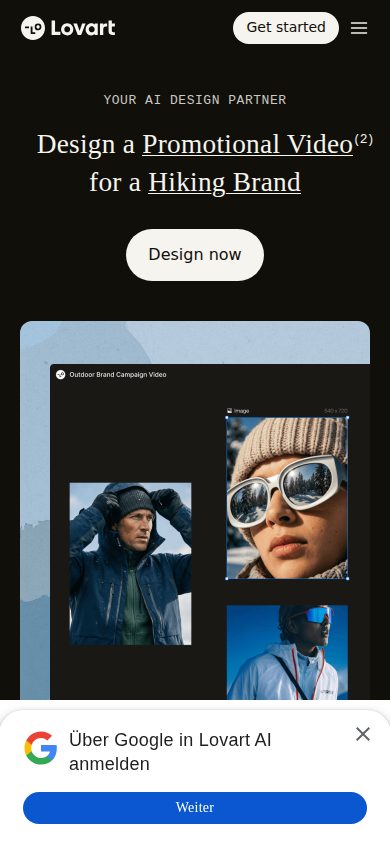
Lovart desktop previewLovart mobile preview

Pricing Plans

Free

Free

Individuals and casual users exploring the platform with basic AI design generation before committing to a paid plan.

  • 50 designs per month
  • No credit card required
  • Core AI design agent access

Starter

$19/monthly

Solo creators and freelancers who need professional, unique designs beyond free-tier limits.

  • Commercial usage rights
  • Print-ready exports (300 DPI, CMYK, bleed)
  • Brand kit for consistency
  • Unlimited or near-unlimited generations
Popular

Pro

$49/monthly

Freelance creatives and small teams needing AI video generation and multi-brand management.

  • Everything in Starter
  • AI video generation
  • Team collaboration for 3 users
  • Multi-brand management
  • Higher-resolution output

Advanced

$99/monthly

Small agencies (2-5 people) needing multi-seat, multi-brand, white-label capable design workflows.

  • Multi-brand management
  • Multi-seat access
  • White-label capability

Ultimate

$149/monthly

Enterprise marketing teams and agencies requiring IP indemnification, custom brand AI training, and dedicated support.

  • Everything in Pro/Advanced
  • IP indemnification
  • Custom brand AI training
  • White-label exports
  • SSO
  • Dedicated support

Enterprise

Contact sales

Studios, creative agencies, and businesses requiring high-volume generation with custom contracts; pricing requires contacting sales.

  • Custom credit allocations
  • Dedicated support
  • API rate limits
  • White-label options
  • Custom AI model training

AI Panel Reviews

The Decision Maker

The Decision Maker

Strategic bet, vendor viability, timing, adoption approval
6.8/10

A model aggregator, not a moat — 16 image models isn't a product, it's a routing layer.

Lovart bundles Midjourney, Flux, Kling and a dozen others behind one chat interface. Clever positioning, thin defensibility.

100,000 creators and a $19 starter tier. No public funding data, no team size, no named backers — I can't tell if this is a five-person wrapper or a funded platform play.

Two things matter here. One: their whole pitch depends on continued API access to Midjourney, Kling, Veo, and a dozen others staying cheap and available. Two: none of those vendors owe Lovart anything long-term.

Credits don't roll over, which is a Canva-style trap dressed as freemium. Against Adobe Firefly and Canva's AI suite, Lovart wins on breadth, loses on backing. Fine for a solo freelancer at $19/month. I wouldn't put a brand system on it.

Competitive Positioning6.5

Positioned against Canva and Adobe Firefly on breadth of 16+ image and 13+ video models, but neither has adopted this approach at scale.

Reputation Risk6.0

Aggregating third-party models like Midjourney and Kling under one brand raises questions about originality and IP if scrutinized.

Speed to Value7.5

Free tier with 50 designs/month and no card required lets teams test output within a day.

Strategic Fit6.5

Speeds up asset production but doesn't advance a differentiated design capability, mostly repackages existing models.

Vendor Viability5.0

No funding data, no team size disclosed — 100K users is the only durability signal we have.

Pros

  • 16+ image models and 13+ video models routed through one conversational interface
  • Touch Edit and Brand Kit give practical control most AI generators skip
  • Free tier with 500 daily credits, no credit card required

Cons

  • Entirely dependent on continued third-party API access it doesn't control
  • Credits reset monthly with no rollover, even on paid tiers
  • No visible funding, team size, or backer information

Right for

Solo freelancers and small teams who want fast multi-format output without juggling five tools.

Avoid if

Avoid if you need a design vendor with visible funding and a defensible model of its own.

The Domain Strategist

The Domain Strategist

Craft and strategy in the product's domain — adapts identity per category, same lens
7.6/10

A genuinely useful model-router for brand output, but it's an aggregator's ceiling, not a craft ceiling.

Lovart stitches 16+ image models and 13+ video models into one conversational workflow, which is genuinely useful for fast concepting. But the Brand Kit and Touch Edit tooling suggest a production layer that's still thinner than what a working studio needs long-term.

16 image models, 13 video models, one chat interface. That's not a design system, it's a routing layer — MCoT picks the best underlying model per task, which is clever engineering but means your output quality ceiling is whatever Midjourney or Seedream ships this quarter, not something Lovart owns. Brand Kit locks colors, fonts, and voice at the system level, which is the right instinct, but it's competing against Adobe Firefly's asset-level integration with an actual production suite behind it.

Touch Edit and the infinite ChatCanvas are the parts built by people who've actually shipped campaigns — targeted edits without re-prompting the whole composition is real workflow empathy.

Three years in, you've built brand assets inside someone else's model marketplace. If Midjourney or Kling change licensing terms, your pipeline shifts under you. Fine for freelancers at $19/month Starter; riskier as an agency's system of record at $99 Advanced tier.

Category Positioning7.5

A useful aggregator lane between raw model subscriptions and Adobe Firefly's production suite.

Domain Fit8.0

Touch Edit and the infinite ChatCanvas were built by people who've shipped campaigns — targeted edits without re-prompting is real workflow empathy.

Integration Surface7.5

Brand Kit locks colors, fonts, and voice at the system level — the right instinct for consistent output.

Long-term Implications6.5

Three years in, your brand assets live inside someone else's model marketplace; a Midjourney or Kling licensing change shifts your pipeline.

Strategic Depth6.5

MCoT model routing is clever engineering, but the quality ceiling belongs to Midjourney or Seedream, not Lovart.

Pros

  • 16+ image and 13+ video models routed through one conversational workflow
  • Touch Edit makes targeted changes without re-prompting the whole composition
  • Brand Kit enforces colors, fonts, and voice at the system level

Cons

  • Quality ceiling is whatever the underlying models ship this quarter
  • Licensing changes at Midjourney or Kling would shift your pipeline underneath you
  • Production layer is thinner than what a working studio needs long-term

Right for

Freelancers and small teams fast-concepting brand work across many models at $19/month.

Avoid if

Avoid if you're making it an agency's system of record — the $99 tier still sits on other vendors' models.

The Finance Lead

The Finance Lead

Money, total cost of ownership, contracts, procurement math
6.9/10

Six tiers, $19 to $149. Solo creator math is fine. Agency math gets messy.

Starter at $19/month covers one freelancer with print exports. Team collaboration doesn't show up until $49, and multi-seat access waits until $99.

$19/month gets Starter: commercial rights, print-ready exports, brand kit. Fine for one freelancer. Team collaboration for 3 users doesn't appear until Pro, $49/month. Multi-seat and white-label wait for Advanced, $99/month.

Run the math for a 5-person agency. Advanced tier × 12 = $1,188/year. Add credit packs, since unused credits don't roll over and reset every cycle. Year 3, closer to $4K-$5K once seat creep and overage packs stack. Competing against Canva's AI tools and Adobe Firefly, both cheaper at the entry tier.

No credit card on the free plan — 50 designs/month, honest limit. Six tiers, all visible on the pricing page, no sales call needed until Enterprise. That's rare and worth noting. Contract terms aren't published here; no stated renewal window, no stated term length. IP indemnification only shows up at $149. Procurement will want that in writing before signing anything above Starter.

Billing & Procurement7.0

Self-serve monthly billing through Ultimate tier; Enterprise requires sales contact for custom contracts.

Contract Flexibility5.5

No published renewal terms or cancellation process in the evidence provided.

Pricing Transparency8.0

Six tiers with specifics, priced from $19 to $149, visible without a sales call.

ROI Clarity6.5

100,000 claimed users but no measurable output-per-dollar metric beyond credit counts.

Total Cost of Ownership6.0

Credits reset monthly with no rollover, pushing real cost above sticker via credit packs.

Pros

  • Six pricing tiers fully published, no sales call for most buyers
  • Free tier with 500 daily credits, no credit card required
  • Credit packs available without forcing a plan upgrade

Cons

  • Credits reset monthly with zero rollover, penalizing uneven usage
  • Team collaboration locked behind $49/month, multi-seat behind $99
  • No stated contract term or renewal window in public materials

Right for

A solo freelancer or small team needing multi-model design output without separate software licenses.

Avoid if

Avoid if you're a 5-person agency comparing against Canva or Adobe Firefly on pure seat cost.

The Domain Practitioner

The Domain Practitioner

Daily hands-on reality in the product's domain — adapts identity per category, same lens
7.2/10

An infinite canvas that routes to 16 image models, but the layer discipline isn't there yet

Lovart's ChatCanvas plus Touch Edit is a real answer to the 'redo the whole prompt for one tweak' problem. But credits resetting monthly and a 2-session device cap make it feel built for solo sprints, not studio pipelines.

Touch Edit is the feature that matters day-to-day: click an element, describe a change, don't nuke the rest of the comp. That's the actual daily fight in AI generation tools — one edit forces a full regeneration and you lose what worked. Lovart's MCoT engine routing tasks across Midjourney, Flux, Seedream, Nano Banana is clever on paper, but as a working designer I want to pick my model sometimes, not always trust auto-routing.

Brand Kit locking colors and fonts at system level is the right instinct — Canva's brand kit does this too, just with less model variety underneath.

Real friction: credits don't roll over, batch caps at 40 images, and only 2 desktop sessions run per account. That last one kills true studio handoff. Export to PSD is there, which matters for finishing touches in Photoshop, but $19/month Starter still gates print-ready CMYK exports behind a paywall most freelancers hit fast.

Day-3 Reality7.0

Touch Edit solves re-prompting fatigue, but credit resets punish exploratory iteration mid-project.

Documentation Practitioner-Fit7.0

Hundreds of individual tool pages suggest granular docs, though marketing framing ('World's First AI Design Agent') dominates the surface.

Friction Surface6.8

Batch capped at 40 images and no credit rollover forces constant plan-tier math over a work week.

Power-User Depth7.8

16+ image models, 13+ video models, Style Infusion, and vertical templates give real range from logo to book-cover spine calc.

Workflow Integration6.5

PSD/SVG export bridges to Photoshop, but 2-desktop-session cap fights team handoff workflows.

Pros

  • Touch Edit enables precise, non-destructive edits without full re-prompts
  • Multi-model routing (Midjourney, Flux, Seedream, Nano Banana) avoids single-engine lock-in
  • Print-ready export specs including bleed and spine calculations for book covers

Cons

  • Credits reset monthly with no rollover, punishing bursty project work
  • Only 2 desktop sessions per account limits real team collaboration
  • Print-ready CMYK exports gated above the free tier, unlike Canva's more generous free export options

Right for

Solo freelancers and small studios who want one conversational workflow instead of juggling Midjourney, Kling, and Photoshop separately.

Avoid if

You need true multi-seat studio collaboration with unrestricted concurrent sessions.

The Power User

The Power User

Daily human experience, onboarding, polish, learning curve, reliability
6.9/10

Sixteen image models under one chat box, but nobody's promising a smooth mobile day.

Lovart throws a huge model buffet at you — Midjourney, Kling, Veo, Flux, all in one conversation. Whether that adds up to a calm daily tool is the open question.

Sixteen-plus image models and thirteen video models sitting behind one chat interface is genuinely wild for a $19 starter plan. Touch Edit and Brand Kit sound like the parts that actually matter three months in — clicking one element and fixing it without re-rolling the whole design is the difference between a tool you keep and one you abandon by week two. Batch generation up to 40 images is a real time-saver for teams, not just a demo trick.

But the mobile story worries me: one mobile web session per account, and tasks capped at two desktop sessions total. That's not 'always with you,' that's a tool you sit down for.

Credits reset monthly with no rollover, which is a normal SaaS move but still stings if you have a slow week. Against Canva or Adobe Firefly, Lovart's pitch is breadth of models, not polish of workflow — and breadth alone doesn't mean it feels calm by day three.

Daily Polish6.5

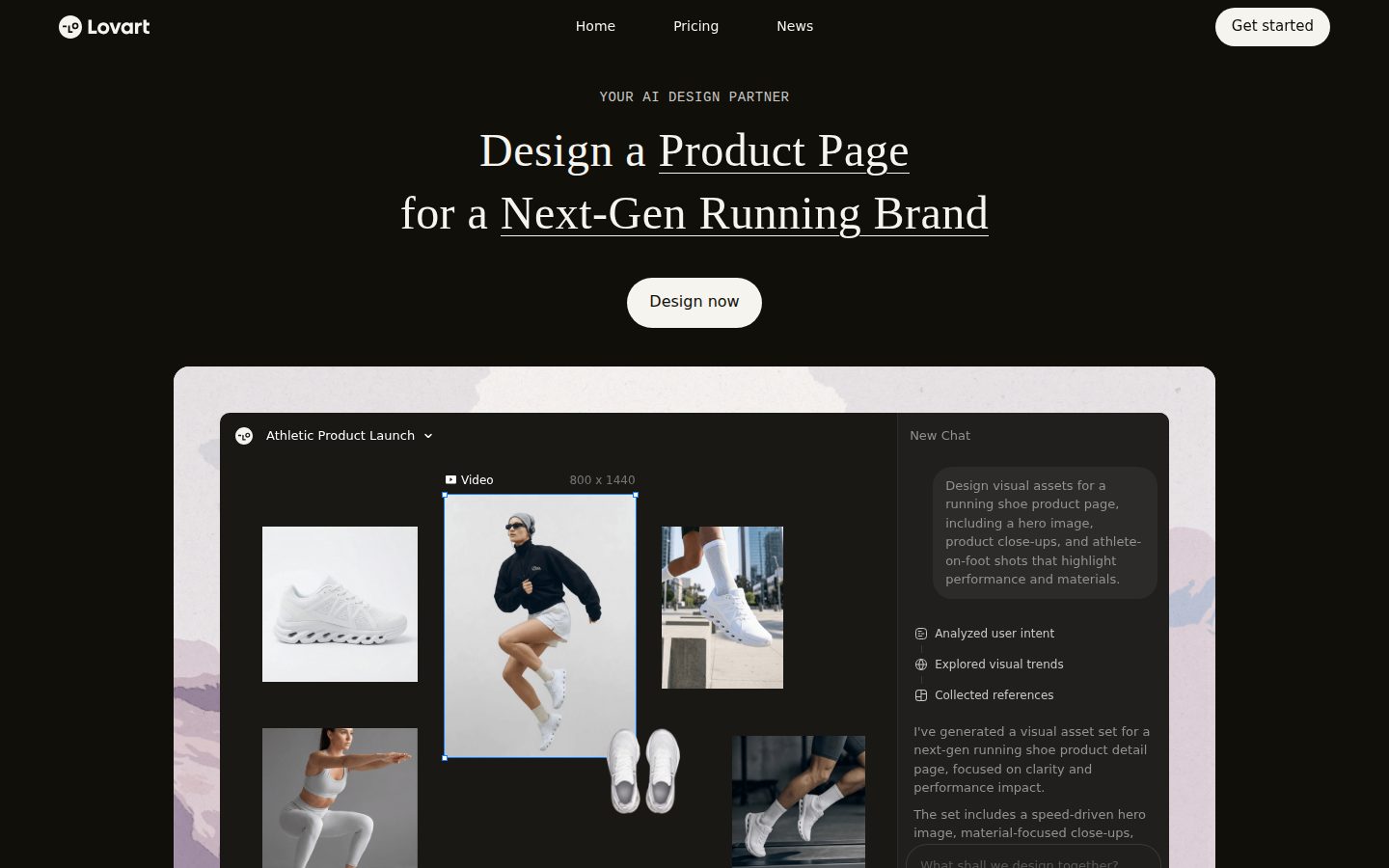
Touch Edit and Brand Kit suggest real craft, but the site's own H1 reading 'Design a Product Page(1)' hints at rough edges.

Learning Curve6.8

Hundreds of individual tool pages plus vertical templates for menus, book covers, and catalogs suggest depth, but that same sprawl takes time to map.

Mobile Parity4.5

Only one mobile web session per account allowed, which reads as an afterthought, not a real mobile product.

Onboarding Experience7.0

No credit card required and 500 daily free credits lower the barrier, though a single-input-to-many-outputs flow can feel like homework fast.

Reliability Feel6.5

Routing across 16+ third-party models via an MCoT engine is ambitious, but juggling that many providers is a lot of places for something to break.

Pros

  • 16+ image models and 13+ video models under one conversational interface
  • Touch Edit allows targeted fixes without re-prompting the whole design
  • Free tier gives 500 daily credits with no credit card required

Cons

  • Mobile capped at one web session, feels like a desktop-first afterthought
  • Unused credits don't roll over between billing cycles
  • Model breadth may overwhelm rather than simplify for casual users

Right for

Solo creators and small teams who want logo-to-video output without juggling Midjourney, Kling, and Canva separately.

Avoid if

Avoid if your work happens mostly on a phone or you need guaranteed multi-device team access.

The Skeptic

The Skeptic

Contrarian. Watch-outs, deal-breakers, broken promises, category patterns
6.2/10

16 image models, one wrapper. The moat question doesn't go away.

Lovart aggregates Midjourney, Flux, Kling, Veo and a dozen others behind a chat interface, which is impressive plumbing but not a defensible product on its own. The pricing ladder is real and detailed. The dependency risk is real too.

Three tells before I dug in. 'World's First AI Design Agent' — the kind of superlative every wrapper claims. 100K+ creators, no retention or churn number next to it. And an H1 that reads 'Design a Product Page(1)' — looks like a templated page, not proofread.

What's actually here: 16+ image models, 13+ video models, Touch Edit, Brand Kit, batch generation up to 40 images. That's real breadth. But breadth isn't moat. If Midjourney or Kling change API terms, Lovart's core pitch changes with it. I've seen this exact aggregator play before — some survive by adding proprietary layers (MCoT reasoning claims to be one), some don't.

Exit is fine — export to PSD, SVG, PDF means your files leave clean. Competitive gap versus Canva and Adobe Firefly is real for now: nobody else routes across 29+ models in one chat. Whether that gap survives three years is the open question.

Competitive Differentiation7.2

Routing across 16+ image and 13+ video models (Midjourney, Kling, Veo) in one chat is a real gap versus Canva AI and Adobe Firefly today.

Exit Portability7.0

Multi-format export (PNG, SVG, PDF, PSD) with print-ready specs means assets leave cleanly if you churn.

Long-term Viability5.3

No funding data, no named team, no API in evidence — docs and changelog exist but that's thin for a 6-tier pricing structure up to $149/mo.

Marketing Honesty5.5

'World's First AI Design Agent' is unverifiable superlative; feature list (Touch Edit, Brand Kit) is concrete and matches docs.

Track Record Match6.0

Aggregator-of-models pattern has both survivors and casualties; too early to place Lovart confidently in either bucket.

Pros

  • Genuinely broad model access (Midjourney, Flux, Kling, Veo, Seedream) under one interface
  • Clean export formats reduce lock-in risk
  • Free tier with 500 daily credits, no card required, is a low-risk trial

Cons

  • Core value depends on continued access to third-party models it doesn't own
  • No public funding or team info to gauge staying power
  • Credits don't roll over — casual users may find the free tier's 50 designs/month tight

Right for

Solo creators or small agencies who want one chat interface instead of juggling Midjourney, Kling, and Canva separately.

Avoid if

Avoid if you need guaranteed long-term platform stability over a specific proprietary design engine.

Buyer Questions

Common questions answered by our AI research team

Pricing

Do unused monthly credits roll over?

No. For both monthly and annual plans, unused credits do not roll over and reset automatically at the start of the next billing cycle.

Pricing

Can I buy extra credits without upgrading my plan?

Yes. You can purchase credit packs to get more generation capacity without changing your current subscription, and these credits are added instantly and never expire.

Features

What image models does Lovart support?

Lovart draws on 16+ image models, including Midjourney, GPT Image, Nano Banana, Seedream, and Flux.

Features

What is Touch Edit used for?

Touch Edit lets you make targeted changes exactly where you need them, preserving what's already working so every edit is precise and intentional without disrupting the rest of the design.

Setup

How many devices can run tasks on one account?

Tasks can run simultaneously on up to 2 desktop Web sessions and 1 mobile Web session per account. Teams needing multi-user access should use the Team Plan.

Also in AI Design Tools