Lucidchart logo

Lucidchart Review

Visit

AI-powered diagramming for systems, processes, and org structures

Lucidchart is a cloud-based diagramming tool for teams that need to create, share, and collaborate on visual documentation.

AI Panel Score

8.0/10

6 AI reviews

Reviewed

About Lucidchart

Users work on a browser-based canvas where they can place shapes, connect elements, apply conditional formatting, and organize content into layers. Diagrams can be built manually using shape libraries — including cloud architecture sets for AWS and others — or generated automatically by typing a text prompt into the Lucid AI feature. Data can be imported from external sources and linked to diagram elements so visuals update as underlying data changes.

Distinctive capabilities highlighted on the product site include: diagram-as-code input, UML and ERD markup, AI Prompt Flow for systems and architecture work, group view for org chart analysis, and conditional formatting tied to live data. The platform includes over 100 integrations, covering tools such as Jira, Confluence, Slack, Microsoft Teams, Google Workspace, Salesforce, Notion, Figma, and Asana. There are also MCP server connections for ChatGPT and Claude, and a Custom GPT that lets users generate Lucidchart diagrams directly from ChatGPT.

Lucidchart is used by technical teams (software engineers, architects, DevOps), business analysts, project managers, and HR teams building org charts. It offers a free plan with limited features, paid individual plans, and team or enterprise tiers. Competing products in the diagramming category include Microsoft Visio, draw.io (diagrams.net), Miro, Creately, and Mermaid-based tools.

The product runs entirely in the browser with no desktop client required, and supports real-time multi-user collaboration. It connects to cloud storage platforms including Google Drive, OneDrive, Dropbox, and Box. Authentication is supported via Google, Microsoft, Slack, SAML, Okta, and OneLogin.

Features

AI

  • AI Prompt Flow

    An integration feature that allows users to drive diagram creation and visualization through AI prompt-based workflows for systems and architecture use cases.

  • AI-Generated Diagrams

    Lets users save time by having AI automatically create and summarize diagrams based on user input, reducing manual diagramming effort.

  • Lucid AI

    Accepts text prompts to automatically generate diagram content on the Lucidchart canvas, and answers questions to help users get started with AI-assisted diagramming.

Automation

  • Data Imports

    Automatically generates visuals by importing external data, enabling users to build dynamic org charts and other diagrams directly from data sources.

  • Data Linking

    Links live data to diagram elements so that shapes and charts reflect real-time information from connected data sources.

Collaboration

  • Real-Time Collaboration

    Allows multiple users to work on the same diagram simultaneously or asynchronously to create a shared understanding through visual documentation.

Core

  • Cloud Shape Libraries

    Supplies pre-built shape sets for major cloud providers (such as AWS) so users can accurately visualize infrastructure and system architecture diagrams.

  • Diagram as Code

    Enables users to generate diagrams by writing code or markup (including UML and ERD markup), supporting developer-friendly diagramming workflows.

  • Layers

    Allows users to organize diagram content into separate layers, enabling complex technical diagrams to be structured and toggled for clarity.

  • Quick Diagramming

    Provides intuitive drag-and-drop tools and shortcuts that allow users to build process maps and flowcharts rapidly without starting from scratch.

Customization

  • Conditional Formatting

    Applies visual formatting rules to diagram elements based on data conditions, improving data visibility and clarity in technical diagrams.

Integration

  • Linking and Embedding

    Lets users embed and link Lucidchart diagrams directly into third-party tools like Confluence, Jira, Notion, and Microsoft Teams to centralize visual documentation.

Preview

Lucidchart desktop previewLucidchart mobile preview

Pricing Plans

Free

Free

Basic diagramming for individuals getting started

  • 3 editable Lucidchart documents
  • 60 shapes per document
  • 100 templates
  • Basic Visual Activities
  • Basic data linking
  • Presentation mode

Individual

Contact sales

Unlimited diagramming for individual users needing full features

  • Unlimited editable documents
  • Unlimited objects per document
  • Premium Visual Activities
  • 1 GB of storage
  • Visio import and export
  • Premium shape libraries and templates
Popular

Team

Contact sales

Best for teams that need real-time collaboration and integrations

  • Revision history with versioning
  • Visual Activities advanced controls
  • Password protected publishing
  • Microsoft 365, Confluence, Jira, LeanIX, and Ardoq integrations
  • Developer platform
  • Call others to me

Enterprise

Contact sales

Full suite for large organizations requiring advanced security, automation, and customization

  • Team hubs
  • Universal canvas
  • Includes Lucidspark for virtual whiteboarding
  • SAML authentication
  • Enforceable sharing restrictions
  • Salesforce integration and Enterprise Shield

AI Panel Reviews

The Decision Maker

The Decision Maker

Strategic bet, vendor viability, timing, adoption approval
8.1/10

Lucidchart is the safe, capable default for team diagramming at $9/seat.

Established category leader with real AI muscle and 100+ integrations. Not the scrappy underdog, but not a liability either.

Lucidchart has been around long enough that the board won't ask who they are. The AI layer — specifically Lucid AI and AI Prompt Flow — isn't vaporware. Text-to-diagram plus live data linking via Data Linking puts them ahead of draw.io and close to where Miro plays, but with sharper technical focus. MCP connections to Claude and ChatGPT show they're tracking where developers are going.

The tradeoff: the free plan caps you at three editable documents and 60 shapes each. That's tight. Enterprise pricing isn't published, which means procurement conversations get slow. Teams wanting quick wins should start at the Team tier and not wait for enterprise procurement to catch up.

Pilot this with your solutions architects and one BA team. Ninety days. Measure whether diagram-as-code adoption reduces Confluence clutter. If it does, standardize. If not, draw.io is free and close enough.

Competitive Positioning7.8

Ahead of Visio on collaboration and AI, ahead of draw.io on integrations, competitive with Miro for technical teams.

Reputation Risk9.0

Lucidchart is a board-safe name — peers are already using it, and the integration list covers every major enterprise stack.

Speed to Value7.5

Lucid AI and 100+ templates mean teams can produce useful diagrams on day one, but real ROI depends on adoption depth.

Strategic Fit7.8

AI Prompt Flow and live Data Linking advance documentation quality, not just cost; that's a meaningful upgrade over static diagramming.

Vendor Viability8.5

Long-tenured category player with enterprise customers and SAML/Okta/OneLogin support — this isn't a Series A bet.

Pros

  • Lucid AI generates diagrams from text prompts — meaningfully reduces manual effort for architects
  • 100+ integrations including Confluence, Jira, Slack, and MCP connections for Claude and ChatGPT
  • Data Linking keeps diagrams current without manual updates
  • Enterprise auth stack: SAML, Okta, OneLogin all covered

Cons

  • Free tier is nearly unusable at 3 documents and 60 shapes per doc
  • Enterprise pricing isn't published — expect slow procurement cycles
  • No desktop client, which matters in locked-down regulated environments
  • Changelog isn't public, so tracking AI feature velocity requires manual digging

Right for

Technical teams that need AI-assisted diagramming embedded inside Confluence and Jira workflows.

Avoid if

Your team only needs lightweight flowcharts and won't pay past the free tier's three-document cap.

The Domain Strategist

The Domain Strategist

Craft and strategy in the product's domain — adapts identity per category, same lens
8.1/10

Lucidchart is the diagramming default for ops-heavy organizations running complex integration stacks.

100+ integrations covering Jira, Confluence, Salesforce, Slack, and Microsoft Teams means this fits into almost any enterprise workflow without forcing a stack rebuild. The AI layer — text-to-diagram, data linking, live conditional formatting — reduces the coordination tax between technical and business teams.

The integration surface here is the real story. SAML, Okta, OneLogin, Google, and Microsoft auth cover every enterprise identity pattern; cloud storage hooks into Drive, OneDrive, Dropbox, and Box. For a COO managing cross-functional alignment across a 200-person org, that's documentation infrastructure that actually travels with the work instead of sitting in a silo.

Data Linking and conditional formatting tied to live sources is the capability that separates Lucidchart from draw.io and static Visio exports. Org charts that update from data imports, architecture diagrams that reflect real system state — that's process visibility without a manual update cycle. The free plan's 3-document cap and 60-shape limit means any real team lands on paid tiers fast.

If we adopt this at the team or enterprise tier, in 3 years we have a visual documentation layer embedded in every major workflow tool we already run. The constraint is vendor depth: Lucid's suite lock-in accelerates once you add Lucidspark at enterprise, which is a deliberate bundling choice, not an accident.

Category Positioning8.0

Sits above draw.io on collaboration depth and above Miro on structured diagramming precision; trails Visio only in legacy Windows-centric shops.

Domain Fit8.5

Group view for org chart analysis and data-linked diagrams match exactly how ops and HR leadership track structure and process change.

Integration Surface9.0

100+ integrations including MCP server connections for ChatGPT and Claude, plus SAML/Okta/OneLogin auth, covers virtually every enterprise stack pattern.

Long-term Implications7.8

Deep Confluence and Jira embedding creates durable workflow integration, but enterprise tier bundling with Lucidspark introduces suite dependency over time.

Strategic Depth8.2

AI Prompt Flow plus diagram-as-code plus UML/ERD markup signals genuine engineering investment, not a surface-level AI badge.

Pros

  • 100+ integrations covering every major ops tool — Jira, Confluence, Salesforce, Teams, Slack
  • Live data linking and conditional formatting eliminate manual diagram maintenance cycles
  • Enterprise auth stack (SAML, Okta, OneLogin) covers every identity pattern without custom work
  • AI-generated diagrams from text prompts reduce the bottleneck between technical teams and business stakeholders

Cons

  • Free plan caps at 3 documents and 60 shapes per document — teams hit paid tiers almost immediately
  • Enterprise tier bundles Lucidspark, accelerating suite lock-in whether you want it or not
  • No desktop client; fully browser-dependent, which is a risk for security-restricted environments

Right for

Operations and technical teams in mid-to-large organizations that need visual documentation embedded directly into their existing workflow tools.

Avoid if

Your team needs offline access or works in a locked-down environment where browser-only SaaS tools aren't approved.

The Finance Lead

The Finance Lead

Money, total cost of ownership, contracts, procurement math
7.8/10

$9/seat entry, but Team and Enterprise pricing require a sales conversation

Lucidchart's free tier caps at 3 documents and 60 shapes — functional for evaluation, not for production. Paid tiers list features but no prices beyond the Individual plan, which creates procurement friction at scale.

Free plan: 3 editable documents, 60 shapes each. Usable for a trial. Not usable for a team. Individual plan shows no published price beyond the $9 starting figure. Team and Enterprise tiers list features but zero dollar amounts — that's a sales call requirement baked in.

50 seats at $9 baseline = $5,400/year. Category norm puts SSO behind enterprise gates; Lucidchart's SAML auth is Enterprise-only, per the pricing page. That's the hidden jump. Add 30% seat creep over 3 years, the enterprise uplift for SSO, and year 3 lands closer to $18–22K. draw.io runs self-hosted for near-zero marginal cost — the TCO gap widens fast if SSO triggers an enterprise contract.

AI Prompt Flow and Data Linking are genuine differentiators. 100+ integrations including Jira, Confluence, and Slack reduce switching costs. No changelog visible, so version cadence is unverifiable. Contract terms aren't public — auto-renewal window and termination clause require direct vendor confirmation before signing.

Billing & Procurement7.5

Three visible tiers, self-serve entry, and broad SSO options (Google, Microsoft, Okta, OneLogin) reduce procurement friction at SMB scale.

Contract Flexibility6.0

No public auto-renewal window, termination clause, or term length — all require direct negotiation, category norm for enterprise SaaS but still a friction point.

Pricing Transparency6.5

Free and $9 Individual tiers are visible; Team and Enterprise show no prices, requiring a sales call per their pricing page structure.

ROI Clarity8.0

Data Linking and AI-Generated Diagrams tie directly to reduced manual documentation hours — measurable output per seat at known cost.

Total Cost of Ownership7.0

SAML/SSO locked to Enterprise tier means a significant price jump for any org with standard SSO requirements, inflating 3-year TCO materially.

Pros

  • $9 entry point is competitive vs. Visio's $5–15 range with far less browser-native capability
  • 100+ integrations including Jira, Confluence, Slack cut embedding costs
  • AI Prompt Flow and Data Linking are differentiated features, not table stakes
  • Free tier enables real evaluation before any budget commitment

Cons

  • SAML/SSO requires Enterprise tier — SSO tax is real here
  • Team and Enterprise prices unpublished; procurement can't self-serve a quote
  • No changelog visible; version cadence unverifiable
  • draw.io is free and self-hostable — TCO gap is significant for cost-sensitive buyers

Right for

Teams of 10–50 needing collaborative diagramming with Jira and Confluence integration at a sub-$15/seat entry point.

Avoid if

Your org mandates SAML SSO and can't absorb an enterprise contract uplift.

The Domain Practitioner

The Domain Practitioner

Daily hands-on reality in the product's domain — adapts identity per category, same lens
7.8/10

Lucidchart is where diagrams actually live — if you can stomach the free plan's 3-document cap.

Solid diagramming with real AI legs and deep integrations across the tools knowledge workers already live in. The free tier is genuinely restrictive, but Team and above is a serious daily driver.

The 3-document limit on free isn't a nudge — it's a wall. Hit it on day three and you're either paying or wrestling with workarounds. At $9/month for Individual, that's a reasonable jump, but the pricing page doesn't clearly show what Individual actually costs — it just says 'Free,' which creates confusion before you've even committed. That's friction before you've built a single diagram.

Where Lucidchart earns its keep: the Confluence and Jira embedding is genuinely workflow-native. Diagrams live where the documentation lives. Data Linking — tying live data to diagram shapes — means your org chart or architecture visual doesn't go stale the day after you publish it. That's the gap draw.io never closed. Lucid AI generating from text prompts is early but functional; the MCP connections to Claude and ChatGPT are the right direction.

The tradeoff is shape-library depth versus canvas freedom. Complex layered diagrams with conditional formatting take time to learn. Power users will find real depth — diagram-as-code, UML/ERD markup, developer platform. Casual users may never find any of it.

Day-3 Reality7.5

The free plan's 3-document cap and 60-shape-per-document limit become real blockers fast; paid tiers remove the friction but the upgrade moment isn't smooth.

Documentation Practitioner-Fit7.0

Blog and API docs are present but no public changelog, which makes it hard to track what actually changed week-to-week — a real gap for knowledge workers maintaining living documentation.

Friction Surface7.2

No desktop client and no changelog visible publicly; browser-only is fine until connectivity drops, and feature discoverability for advanced tools like diagram-as-code isn't obvious.

Power-User Depth8.2

Diagram-as-code, UML/ERD markup, conditional formatting tied to live data, and a developer platform signal genuine depth — not just a polished demo layer.

Workflow Integration8.5

Over 100 integrations including Jira, Confluence, Slack, Notion, and Microsoft Teams means diagrams can live natively inside the tools knowledge workers already use daily.

Pros

  • Data Linking keeps visuals current without manual refresh — a genuine advantage over static tools like draw.io
  • Confluence and Jira embedding is native, not an afterthought
  • AI prompt-to-diagram plus MCP connections for Claude and ChatGPT put it ahead of Visio on automation
  • Cloud shape libraries for AWS and others make architecture diagramming fast

Cons

  • Free tier's 3-document cap hits knowledge workers almost immediately
  • Pricing page lists paid tiers as 'Free' without clear per-seat numbers — confusing before you even sign up
  • No changelog makes it hard to know what's actually improving
  • Advanced features like diagram-as-code aren't surfaced for users who'd benefit most

Right for

Teams already living in Confluence, Jira, or Notion who need diagrams that stay connected to real data.

Avoid if

You need a free single-user tool with no document limits — draw.io is the honest answer there.

The Power User

The Power User

Daily human experience, onboarding, polish, learning curve, reliability
8.1/10

Lucidchart grew up — the AI layer is real, not decorative

For teams drowning in verbal documentation that should be visual, Lucidchart is the grown-up in the room. The AI-to-diagram pipeline and 100+ integrations put it clearly ahead of draw.io for any team that collaborates seriously.

Nine dollars a month gets you nothing — the pricing page lists Individual, Team, and Enterprise tiers all as 'Free' with no actual numbers attached, which is confusing in a way that'll make buyers suspicious before they even try it. The free plan caps you at 3 editable documents and 60 shapes each. That's not a trial, that's a taste. Day three, you'll hit the wall and have to decide fast.

The actual product though? Lucid AI generating diagrams from text prompts, conditional formatting tied to live data, diagram-as-code for UML and ERD — this isn't feature padding. These are things technical teams actually need. The Confluence and Jira integrations alone make it sticky for any team already in that ecosystem.

The gap that'll bother you: it's web-only, and mobile parity is basically nonexistent for real editing work. If you're a field person or someone who thinks on a tablet, this isn't your tool. Category norm for serious diagramming is desktop-first anyway, but calling it 'collaboration' while being read-only on mobile is a quiet contradiction.

Daily Polish7.8

Shape libraries, layers, conditional formatting, and Quick Diagramming shortcuts suggest a team that's sweated the canvas experience, though no changelog is public to verify ongoing refinement.

Learning Curve7.8

Drag-and-drop plus AI generation makes the first hour approachable, but diagram-as-code, layers, and data linking reward the people who put in the time to learn them.

Mobile Parity4.5

Web-only platform with no listed mobile app means real editing work on mobile is essentially off the table — a real gap for a tool marketing itself on collaboration.

Onboarding Experience7.5

100 templates and Lucid AI text-to-diagram lower the starting friction significantly, but the 3-document, 60-shape free plan means new users hit a paywall before they've really explored.

Reliability Feel8.0

Browser-based with real-time multi-user collaboration and cloud storage connections to Google Drive, OneDrive, and Dropbox suggests a stable, well-integrated infrastructure.

Pros

  • Lucid AI text-to-diagram is genuinely useful, not a checkbox feature
  • 100+ integrations including Jira, Confluence, Slack, and Notion cover most team stacks
  • Data linking means diagrams stay current without manual updates
  • Cloud architecture shape libraries (AWS and others) save real time for technical teams

Cons

  • Free plan's 3-document, 60-shape cap is too tight to fairly evaluate the product
  • Pricing page doesn't clearly show actual dollar amounts for paid tiers — confusing
  • Web-only, no mobile editing to speak of
  • No public changelog makes it hard to track how actively the product is improving

Right for

Technical teams and business analysts who need living, collaborative visual documentation inside tools like Confluence and Jira.

Avoid if

You need to diagram or edit seriously on mobile, or you're a solo user who'll bounce off the free plan's hard limits.

The Skeptic

The Skeptic

Contrarian. Watch-outs, deal-breakers, broken promises, category patterns
7.8/10

13 years old, still shipping — but the pricing page raises questions

Lucidchart is a legitimate category incumbent with real integrations and an AI layer that isn't just a badge. The pricing table shows all plans as 'Free,' which is either a scraping artifact or a tell.

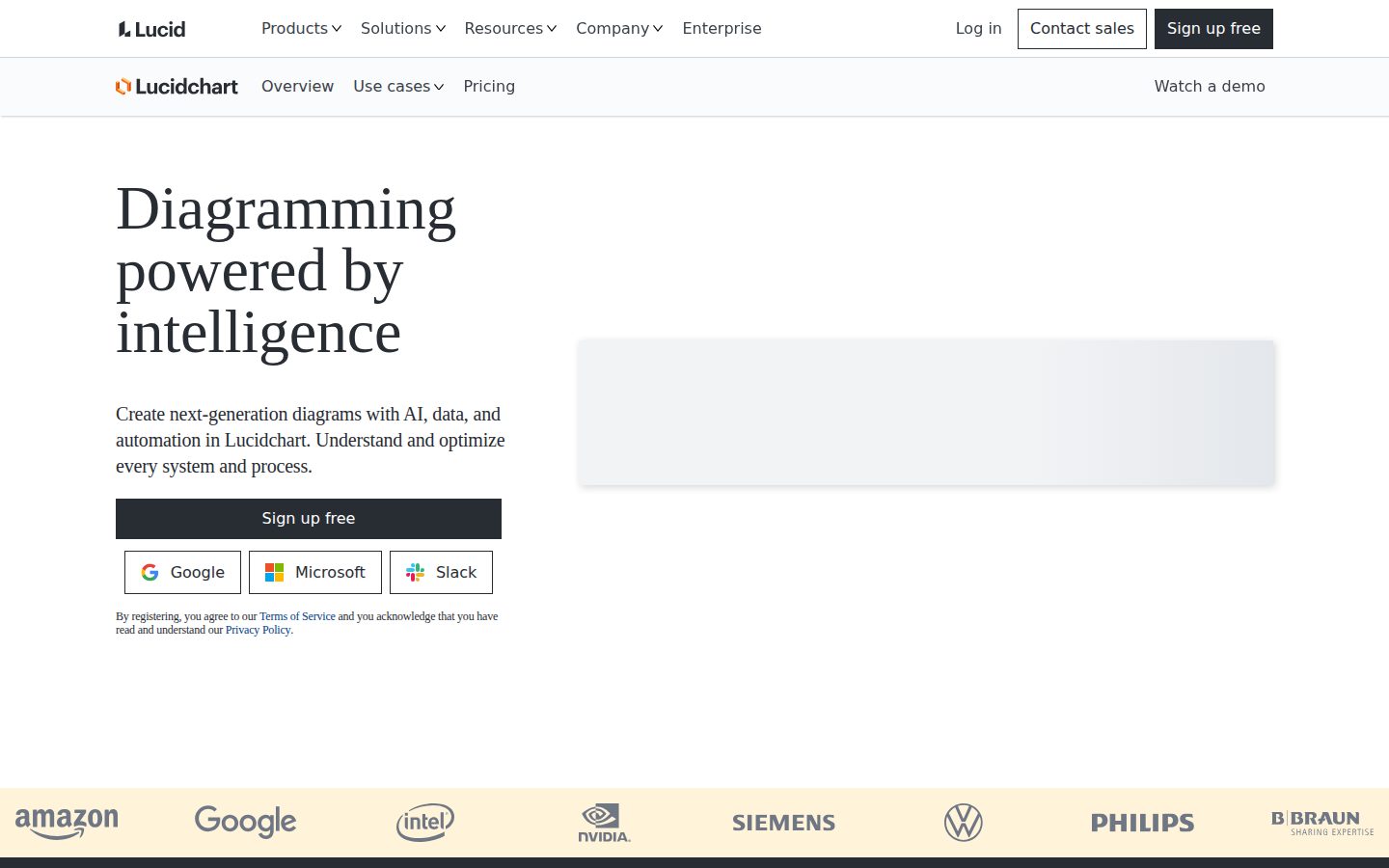
Three tells upfront. One: no changelog listed in the evidence — hard to verify shipping cadence. Two: pricing page scraped as all-$0, which is either broken data or obfuscation. Three: 'Diagramming powered by intelligence' is the kind of headline that aged draw.io out of relevance pitches, not Lucidchart itself.

The feature set is real. Diagram-as-code, UML/ERD markup, live Data Linking, 100+ integrations including Jira and Confluence embeds — that's not vaporware. The 3-document, 60-shapes-per-document free tier is genuinely restrictive, which is honest product design. They want you on paid.

Exit portability is decent. Visio import/export is listed on Individual tier. Draw.io exports open formats. Miro doesn't. That's a real differentiator. Viability concern: no public funding data visible, but category incumbents with enterprise SAML tiers and Salesforce integrations don't usually vanish quietly.

Competitive Differentiation7.2

AI Prompt Flow and live Data Linking are genuinely differentiated vs. draw.io, though Miro overlaps on collaboration and Creately is closing the AI gap.

Exit Portability7.5

Visio import/export on Individual tier and browser-based SVG-compatible canvas means migration to draw.io or Visio isn't a disaster.

Long-term Viability7.8

Enterprise SAML, Okta/OneLogin, Salesforce integration, and MCP server connections for Claude/ChatGPT suggest an active, resourced team — no public funding data visible but signals are stable.

Marketing Honesty6.5

Landing page leans aspirational — 'powered by intelligence' — and the pricing page data couldn't be cleanly scraped, which is a minor transparency flag.

Track Record Match8.5

Matches the pattern of durable diagramming incumbents — deep integrations, enterprise auth, layered pricing — not the pattern of tools that quietly shut down.

Pros

  • Live Data Linking keeps diagrams from going stale — genuinely useful for technical teams
  • 100+ integrations including Jira embed, Confluence, and Microsoft 365 cover most enterprise stacks
  • Visio import/export reduces migration lock-in vs. Miro
  • Diagram-as-code with UML/ERD markup is a real developer-workflow differentiator

Cons

  • Free tier cap at 3 documents and 60 shapes per doc is tight — functions more as a trial than a real free plan
  • No changelog publicly visible, so shipping cadence can't be independently verified
  • Pricing page data was unreadable in scrape — transparency could be better
  • AI features overlap increasingly with Miro AI and Creately, so the moat may narrow

Right for

Technical teams that need architecture diagrams, live data integration, and Confluence/Jira embeds in one place.

Avoid if

You want a generous free tier or you're a solo user who won't hit the collaboration and integration features.

Buyer Questions

Common questions answered by our AI research team

Features

Can Lucidchart generate diagrams from text prompts?

Yes. Lucid AI lets you type text prompts to generate diagrams automatically on the Lucidchart canvas. The AI layer can also summarize existing documents and automate diagram creation from data imports.

Integration

Does Lucidchart integrate with Confluence and Jira?

Yes. Confluence and Jira are both listed integrations. Lucidchart also offers Jira Embed, Lucid Cards for Jira, and Lucid Cards for Azure DevOps as dedicated integrations.

Features

Can multiple people edit a Lucidchart diagram at the same time?

Yes. Lucidchart supports real-time collaboration, allowing teams to work on diagrams simultaneously. Asynchronous collaboration is also supported for teams working across different time zones.

Integration

Does Lucidchart work with Microsoft Teams and Slack?

Yes. Microsoft Teams and Slack are both listed as integrations. Slack is also available as a sign-in option, and Slack Workflow Steps for Lucid is an additional dedicated integration.

Product Information

  • Company

    Lucidchart
  • Founded

    2010
  • Pricing

    From $9/mo
  • Free Plan

    Available

Platforms

web

About Lucidchart

Lucidchart is a web-based diagramming application based in South Jordan, Utah, used to create flowcharts, org charts, network diagrams, and other visual documentation.

Resources

API
Blog

Also in Collaboration Tools