Meshy logo

Meshy Review

Visit

AI-powered 3D model generation from text and images

Meshy is an AI-powered 3D content generation platform for game developers, 3D artists, and designers.

Meshy·Founded 2023·From $20/moFree PlanAI Creative ToolsAI APIsAI Image Generation

AI Panel Score

7.6/10

6 AI reviews

Reviewed

AI Editor Approved

About Meshy

Users generate 3D models by typing a text description or uploading reference images, including multiple views for better geometry accuracy. Meshy processes these inputs into a textured 3D mesh within minutes, which can then be refined using the platform's texture generator, remeshing tools, or animation system. Finished models can be exported directly to major 3D file formats or sent to connected applications like Blender, Unity, Unreal Engine, and Bambu Lab 3D printers through dedicated plugins.

Beyond core generation, Meshy offers texture healing and smart repair tools to fix imperfections in AI-generated materials, a low-poly mode for game-ready topology, and auto-rigging for bipeds and quadrupeds paired with a library of over 500 animation presets. The platform also provides free standalone tools, including a 3D file format converter and an in-browser 3D model viewer, alongside a developer API with SDKs for Python, JavaScript, and Unity covering text-to-3D, image-to-3D, retexturing, remeshing, and rigging/animation endpoints.

Meshy is used by game developers, 3D artists, VFX studios, product designers, and educators for tasks such as generating game assets, prototyping products, creating print-ready STL files, and building VR/AR content. It competes with other AI 3D generation tools such as Luma AI's Genie, Tripo3D, and Rodin. Meshy offers a free tier alongside paid subscription plans, and the company states it holds ISO 27001 and SOC2 certification for enterprise use.

Features

AI

  • AI Animation Generator

    Automatically rigs and animates 3D characters using one-click auto-rigging for bipeds and quadrupeds and 500+ motion presets, exporting to Unity, Unreal, and Blender.

  • AI Texture Generator

    Applies AI-generated PBR textures to any 3D model, including texture healing and smart repair tools to fix imperfections.

  • Image to 3D AI Converter

    Transforms 2D images, concept art, and photos into detailed 3D models, supporting single or multiple reference images for multi-view consistency.

  • Multi-Image-to-3D API

    Generates 3D models from multiple reference images, such as front, side, and back views, to improve geometry reconstruction accuracy.

  • Text to 3D AI Generator

    Generates production-ready 3D models with PBR textures from text descriptions, supporting low-poly mode for game assets and high-detail sculpting for cinematic quality.

Automation

  • Remesh API

    Optimizes and retopologizes 3D meshes by reducing polygon count while preserving detail, preparing models for real-time applications.

Core

  • Free 3D File Converter

    Converts 3D models between formats like FBX, OBJ, GLB, GLTF, STL, USDZ, and BLEND, with batch conversion and texture preservation.

  • Low Poly Mode & Multi-Color 3D Printing (Meshy-6)

    Adds cleaner geometry, sharper hard-surface details, a dedicated Low Poly Mode, and multi-color 3D printing support for production-ready assets.

  • Online 3D Model Viewer

    Lets users view and inspect 3D models directly in the browser, including geometry, textures, and animations, without installing software.

Integration

  • Bambu Lab 3D Printer Integration

    Sends AI-generated models directly to Bambu Studio for printing, with support for multi-color 3MF export.

  • DCC and Game Engine Plugins

    Official plugins for Blender, Unity, Unreal Engine, Godot, Maya, and 3ds Max allow generating and importing AI 3D models directly inside these editors.

  • Developer API

    Provides RESTful endpoints and SDKs (Python, JavaScript, Unity) for Text-to-3D, Image-to-3D, texturing, rigging/animation, and remeshing to integrate 3D generation into custom applications.

Preview

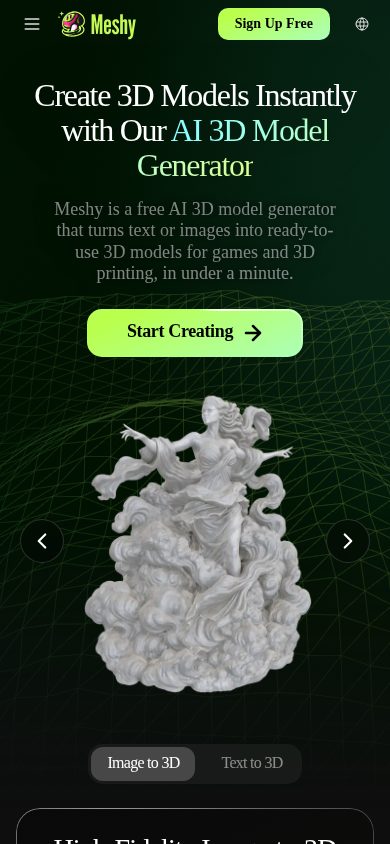
Meshy mobile preview

Pricing Plans

Free

Free

For individuals starting out with 3D generation, no credit card required

  • 100 credits/month
  • CC BY 4.0 licensed outputs (commercial use with attribution)
  • Lower queue priority
  • No credit top-ups available
Popular

Pro

$20/monthly

For individual creators wanting faster generation and private ownership of assets

  • 1,000 credits/month
  • 60% faster generation
  • API access
  • Private asset ownership
  • 10 concurrent tasks
  • Extra credits purchasable

Studio

$60/monthly

For power users and small teams needing higher credit volumes

  • Higher monthly credit allotment than Pro
  • Faster generation
  • API access
  • Private asset ownership
  • Extra credits purchasable

Enterprise

Contact sales

Custom pricing for enterprise workflows and teams; contact sales for details, wire transfer payment supported

  • Custom credit volumes
  • Team/enterprise workflow support
  • Wire transfer payment option
  • Dedicated support

AI Panel Reviews

The Decision Maker

The Decision Maker

Strategic bet, vendor viability, timing, adoption approval
7.6/10

Real product-market fit for game asset pipelines, priced to try cheaply and scale later.

Meshy solves a genuine bottleneck for small studios: fast, riggable 3D assets with real export paths. No public funding data, so viability rests on product traction alone.

20-30 second generation, Blender and Unity plugins, 500+ animation presets, exports to FBX/USDZ/BLEND. That's not a toy. That's a pipeline tool for teams who currently pay contractors for low-poly game assets.

Two questions: does the output quality hold up in production, and will Meshy still exist when your Unreal pipeline depends on it? No public funding data here, so I'm judging by feature depth and SOC2/ISO 27001 claims, which suggest they're courting enterprise deals, not just hobbyists.

$20/month Pro tier is a rounding error for any studio. Competes directly with Tripo3D and Rodin, and the plugin ecosystem (Blender, Unity, Unreal, Maya, 3ds Max) is wider than most rivals claim. Free tier lets you test real output before committing budget.

Competitive Positioning7.5

Competes with Tripo3D, Rodin, and Luma AI's Genie; wider plugin coverage (Maya, 3ds Max, Godot) is a differentiator.

Reputation Risk7.0

AI-generated 3D assets are still novel to boards; defensible if outputs ship in real products, not just demos.

Speed to Value8.2

20-30 second generation and $20 Pro tier mean a studio can validate value within a single sprint.

Strategic Fit7.8

Replaces contractor spend on low-poly assets and speeds prototyping, a real capability shift not just cost-cutting.

Vendor Viability6.5

No public funding data; SOC2/ISO 27001 claims and broad plugin investment suggest real revenue, not vaporware.

Pros

  • Fast iteration: 20-30 second text/image-to-3D generation
  • Deep plugin coverage: Blender, Unity, Unreal, Maya, 3ds Max, Bambu Lab
  • Free tier lets teams validate output quality before spending

Cons

  • No public funding data to gauge runway
  • Commercial ownership requires Pro tier ($20/mo), free tier requires attribution
  • Output quality for hero assets vs. background props is unproven from evidence

Right for

Small game studios or VFX teams needing fast, riggable prototype or background assets.

Avoid if

Skip if you need hero-quality, hand-finished character assets for a flagship title.

The Domain Strategist

The Domain Strategist

Craft and strategy in the product's domain — adapts identity per category, same lens
8.0/10

A real production pipeline for game-ready 3D, not just a novelty generator.

Meshy's plugin depth into Blender, Unity, Unreal, Maya, and 3ds Max signals a team building for studio pipelines, not just hobbyist prompt-to-mesh demos. The craft ceiling is genuinely competitive with Tripo3D and Rodin, though texture fidelity still needs a human pass before shipping.

500+ animation presets with one-click auto-rigging for bipeds and quadrupeds is deep asset-pipeline thinking, not a gimmick feature. Low Poly Mode plus the Meshy-6 update on hard-surface geometry shows they understand game topology constraints, which is where most text-to-3D tools fall apart.

The plugin surface — Blender, Unity, Unreal, Godot, Maya, 3ds Max, plus Bambu Lab printer export — means this slots into an existing DCC stack rather than living as an isolated web tool. That's the right shape for how studios actually work: generate, refine, retarget, ship.

At $20/month for Pro with private ownership and API access, this is accessible for solo artists but the free tier's CC BY 4.0 attribution requirement is a real constraint for teams building unbranded IP. Texture healing and smart repair tools are a tacit admission that AI textures still need cleanup — that's honest, but it's also labor you're still budgeting for.

The Finance Lead

The Finance Lead

Money, total cost of ownership, contracts, procurement math
7.6/10

$20 gets 1,000 credits. Real cost depends on how many models you throw away.

Three visible tiers, credit-based, no sales call required. The math hinges on a number Meshy doesn't publish: credits per generation.

Free tier: 100 credits/month, CC BY 4.0 output, no top-ups. Pro: $20/month, 1,000 credits, private ownership, API access. Studio: $60/month, more credits, same features. Enterprise: custom, wire transfer accepted.

TCO problem: credit cost per model isn't published here. A studio generating hundreds of assets monthly could blow past 1,000 credits fast, forcing the $60 tier or top-up purchases. 12 seats × $20 × 12 = $2,880/year at Pro alone — before overages. Compare Rodin or Tripo3D, similarly credit-metered; category norm is opaque consumption pricing, not just Meshy.

No stated contract term or auto-renewal language in the evidence — monthly billing implied, which is low-risk if true. ISO 27001 and SOC2 claims help procurement move faster. Real ROI: measurable in artist-hours saved on blockout assets, hard to measure on final production quality without testing your own asset pipeline first.

Billing & Procurement7.8

Wire transfer supported for Enterprise, SOC2/ISO claims ease vendor review.

Contract Flexibility7.0

Monthly billing implied, no stated lock-in term found in evidence.

Pricing Transparency8.0

Four tiers listed publicly, no sales call needed except Enterprise.

ROI Clarity7.0

Time-to-asset is measurable; final-quality yield rate is not disclosed.

Total Cost of Ownership6.5

Credit-per-generation cost undisclosed, making year-3 spend hard to project.

Pros

  • Pricing visible without sales contact, four clear tiers
  • Free tier gives 100 credits/month with commercial use rights
  • SOC2 and ISO 27001 claims reduce procurement friction

Cons

  • No published credit cost per generation, so real usage cost is a guess
  • No stated contract term or cancellation policy in evidence
  • Free tier has no credit top-ups, forcing upgrade under load

Right for

Solo artists and small studios needing occasional game-ready 3D assets at predictable low volume.

Avoid if

Avoid if your studio needs high-volume daily generation without a clear per-model cost forecast.

The Domain Practitioner

The Domain Practitioner

Daily hands-on reality in the product's domain — adapts identity per category, same lens
7.8/10

Solid mesh-out pipeline, but topology cleanup is still your job on day three

Meshy gets a workable textured mesh out fast, with real DCC plugins instead of just an export button. The gap between generated blob and game-ready asset is still yours to close.

First session is genuinely fun: type a prompt, get a textured mesh in the 20-30 second window they advertise. By week two, the questions change. Low Poly Mode helps, but retopology for anything beyond a hero prop still needs Blender's remesh tools or a pass in ZBrush, this isn't Rodin-level clean-mesh-out-of-the-box, it's a strong first draft generator.

The plugin story is the real win. Blender and Unity plugins mean I'm not exporting/importing FBX all day, and the Unreal, Maya, 3ds Max, and Godot coverage is wider than Tripo3D or Luma's Genie currently offer. Auto-rigging plus 500+ motion presets is a genuine time-save for background characters.

Credit economy is the daily friction: 100/month free, 1,000 on the $20 Pro tier, no top-ups on free. Burn through a batch of iterations testing a concept and you're queue-throttled until reset.

Day-3 Reality7.5

20-30 second generation holds up, but texture healing and remesh passes become routine manual steps.

Documentation Practitioner-Fit7.3

Docs and SDKs (Python, JS, Unity) cover real endpoints, though depth on rigging edge cases is thin.

Friction Surface7.0

Free tier's 100 credits/month with no top-ups forces workflow pauses mid-project.

Power-User Depth7.8

API access, remesh endpoints, and 500+ animation presets on Pro/Studio scale well beyond the free demo experience.

Workflow Integration8.2

Native Blender, Unity, Unreal, Maya, 3ds Max, Godot plugins mean minimal import/export friction versus competitors.

Pros

  • Wide DCC/game-engine plugin coverage beats Tripo3D and Luma's Genie on integration breadth
  • Auto-rigging plus 500+ motion presets meaningfully speeds character prep
  • Free tier outputs are commercially usable, not locked behind a paywall

Cons

  • No credit top-ups on free tier stalls iteration mid-session
  • Low Poly Mode helps but hand retopology is still often required for production assets
  • Enterprise pricing is opaque, contact-sales only

Right for

Solo game devs and small studios who want fast blockout assets and already work inside Blender or Unity.

Avoid if

You need clean, print-perfect topology straight out of generation with zero manual cleanup.

The Power User

The Power User

Daily human experience, onboarding, polish, learning curve, reliability
7.6/10

Turns a text prompt into a printable model in 20-30 seconds, which is genuinely wild

Meshy does the hard part fast and exports everywhere that matters. Whether it survives daily use past the demo depends on stuff the site doesn't show you.

Twenty to thirty seconds from prompt to textured mesh, per their own meta description. That's the headline and it's a real one — for anyone who's waited on a render, that speed is the whole pitch. Free tier gives you 100 credits a month, no card needed, which is a fair way to kick tires before the $20 Pro plan.

What I can't tell from the outside is the day-3 feel. Texture healing and smart repair tools exist, which tells me the AI output needs fixing often enough to justify building repair tools for it. That's not a knock, it's just honest about where generative 3D still is. Low-poly mode versus high-detail sculpting is a smart split for game devs vs VFX folks.

Plugins for Blender, Unity, Unreal, Godot, Maya cover the real workflows people actually work in, which beats Tripo3D on breadth. No mobile app listed, web/Windows/Mac only — for 3D work that's forgivable, nobody's rigging a character on a phone anyway.

Daily Polish7.5

Texture healing and smart repair tools suggest the team is actively patching rough AI output rather than ignoring it.

Learning Curve8.0

Plugins for Blender, Unity, Unreal, Godot, Maya, and 3ds Max mean it slots into existing workflows instead of demanding a new one.

Mobile Parity5.0

Platforms listed are web, Windows, Mac only — no mobile app at all, not even read-only.

Onboarding Experience8.0

Free tier with 100 credits/month and no credit card required is a low-friction first ten minutes.

Reliability Feel7.0

ISO 27001/SOC2 claims and AWS storage suggest solid backend, but no changelog visible to verify iteration cadence.

Pros

  • 20-30 second generation speed per their own metrics
  • Exports to FBX, OBJ, GLB, USDZ, STL, BLEND covering nearly every pipeline
  • Free tier lets you sell models you make, even without a paid plan

Cons

  • No mobile app of any kind
  • Texture healing tools imply AI output regularly needs manual fixing
  • No free trial on paid tiers, just the separate free plan

Right for

Game devs and 3D artists who want fast draft assets to refine, not final art out of the box.

Avoid if

You need mobile access or expect zero cleanup work on generated textures.

The Skeptic

The Skeptic

Contrarian. Watch-outs, deal-breakers, broken promises, category patterns
7.2/10

Six export formats and a real API. Still text-to-3D in a field full of it.

Meshy ships breadth — texturing, rigging, 500+ animation presets, plugins for Blender and Unity — that most competitors don't bundle. But 'easiest way to create 3D models' is the kind of superlative every player in this space uses.

H1 says 'The Easiest Way to Create 3D Models.' I've heard that from Luma's Genie pitch and Tripo3D's landing page too. Doesn't make it false. Means the differentiation has to live in the feature list, not the headline.

And it mostly does. Auto-rigging plus 500+ motion presets is a real bundle — most text-to-3D tools stop at the mesh. Bambu Lab printer integration is a nice specific touch, not vague 'ecosystem' talk. Free tier gives 100 credits/month with CC BY 4.0 licensing, Pro is $20 for 1,000 credits and private ownership.

Exit is fine — GLB, FBX, USDZ, all standard, no lock-in on the output side. What's missing: no changelog visible, no named funding, no team page in the evidence. ISO 27001 and SOC2 claims are good signals for enterprise trust, but I'd want shipping cadence proof before calling this a 3-year bet.

Competitive Differentiation7.0

500+ animation presets and Bambu Lab integration are real gaps vs. Luma's Genie, Tripo3D, and Rodin, which lean generation-only.

Exit Portability8.0

Exports to FBX, OBJ, GLB, USDZ, STL, BLEND — standard formats, low lock-in if you leave.

Long-term Viability6.8

ISO 27001/SOC2 claims help, but no changelog, no funding data, no team info visible in evidence.

Marketing Honesty6.5

'Easiest way' is a superlative every 3D-gen competitor also claims; feature list backs some but not all of it.

Track Record Match7.0

Bundling generation, texturing, rigging, and animation matches the pattern of tools that survive vs. single-feature ones that got acquired or died.

Pros

  • Auto-rigging plus 500+ motion presets covers a full pipeline, not just mesh generation
  • API with Python, JavaScript, Unity SDKs for real integration work
  • Free tier at 100 credits/month with commercial-use licensing

Cons

  • No changelog or funding data visible — hard to gauge shipping cadence or runway
  • Crowded field: Luma Genie, Tripo3D, Rodin all chasing the same text-to-3D wedge
  • Enterprise security certs claimed but no case studies or named customers shown

Right for

Game developers and 3D artists who need rigged, textured, export-ready assets without touching a full DCC pipeline.

Avoid if

You need proof of a multi-year roadmap before committing a production pipeline to it.

Buyer Questions

Common questions answered by our AI research team

Features

What 3D file formats can I export from Meshy?

Meshy exports 3D models in FBX, OBJ, USDZ, GLB, STL, and BLEND formats. For AI texturing, you can upload models in FBX, OBJ, STL, GLTF, and GLB formats (up to 50MB in the web app).

Integration

Does Meshy offer a Blender plugin?

Yes, Meshy offers a Blender plugin along with a Unity plugin, plus additional integrations for Bambu Studio and Creality Print.

Pricing

Do free users get credits every month?

Yes, free users receive 100 credits every month, which automatically reset at 00:00 UTC on the first day of each month. Extra credits can also be earned through other reward methods.

Features

Can I sell 3D models made with Meshy?

Yes. Premium subscribers fully own their generated models and can distribute and sell them freely. Free users can also sell their models but are asked to credit Meshy in their commercial page description.

Security

Is my uploaded data kept private and secure?

Yes. Web app data is stored securely with Amazon Web Services in the United States, and Meshy will not share your data or use it for training without your consent.

Also in AI Creative Tools