tl;dv logo

tl;dv Review

Visit

AI meeting recorder that transcribes, summarizes, and syncs notes to your tools

tl;dv is an AI meeting notetaker for teams using Zoom, Google Meet, and Microsoft Teams.

AI Panel Score

7.9/10

6 AI reviews

Reviewed

AI Editor Approved

About tl;dv

When a meeting starts on Zoom, Google Meet, or Microsoft Teams, tl;dv joins as a bot to record audio and video, transcribe the conversation in real time, and produce a structured summary upon completion. Users can review transcripts with speaker identification, navigate recordings by topic, and share clips or full summaries with teammates who were not in the meeting.

The platform includes AI coaching and playbooks that score sales reps against frameworks, a conversational intelligence layer that lets users query data across multiple meetings at once, and automated CRM updates that push notes and action items directly into tools like Pipedrive and Zoho. Workflow integrations extend to Slack, Discord, Google Docs, Google Drive, ClickUp, Miro, Greenhouse, Airtable, Dropbox, OneDrive, and Box. Meetings can also be summarized in over 30 languages, including Spanish, French, German, Japanese, Korean, Chinese, Hindi, and others.

tl;dv is positioned for sales, customer success, product, marketing, and leadership teams. It competes with tools such as Gong, Otter.ai, Fireflies.ai, and Fathom. The product is available on a freemium model, with a permanently free tier for basic recording and transcription and paid plans that unlock AI agents, coaching features, and deeper integrations.

tl;dv is accessible via a Chrome browser extension and a desktop application. Calendar integrations with both Google Calendar and Outlook Calendar allow automatic bot scheduling so recordings start without manual setup.

Features

AI

  • AI Coaching & Playbooks

    Scores sales reps against popular playbooks and provides personalized AI coaching scorecards to improve meeting performance.

  • AI Meeting Minutes & Notes

    Organizes AI-generated meeting minutes and notes using relevant topics or customizable templates.

  • AI Meeting Summaries

    Automatically generates AI-powered meeting summaries and notes in over 30 languages after each meeting.

  • AI Transcription

    Transcribes meeting recordings using AI across multiple languages, converting spoken conversation to searchable text.

Analytics

  • Conversational Intelligence

    Enables users to query AI for data insights across multiple meetings at once, eliminating the need to rewatch recordings.

Automation

  • AI Agents for Meetings

    Deploys AI agents that automate recording, transcription, summarization, and follow-up tasks across meetings without manual input.

  • CRM Auto-Fill

    Automatically populates CRM fields with AI-generated meeting notes and data, eliminating manual data entry for sales reps.

  • Calendar Integration

    Automatically triggers recording and transcription for meetings scheduled via Google Calendar or Outlook Calendar.

Core

  • Automatic Meeting Recording

    Automatically records meetings on Zoom, Google Meet, and Microsoft Teams in high quality without manual initiation.

  • Multilingual Support

    Supports transcription and summarization in over 30 languages, enabling cross-language meeting documentation.

  • Video to Text Transcription

    Converts video recordings — including meetings, lectures, and conferences — into text transcripts automatically.

Integration

  • Workflow Integrations

    Connects meeting recordings, transcripts, and AI notes to tools including Slack, Google Docs, ClickUp, Airtable, Pipedrive, Greenhouse, Miro, OneDrive, Dropbox, and Box.

Preview

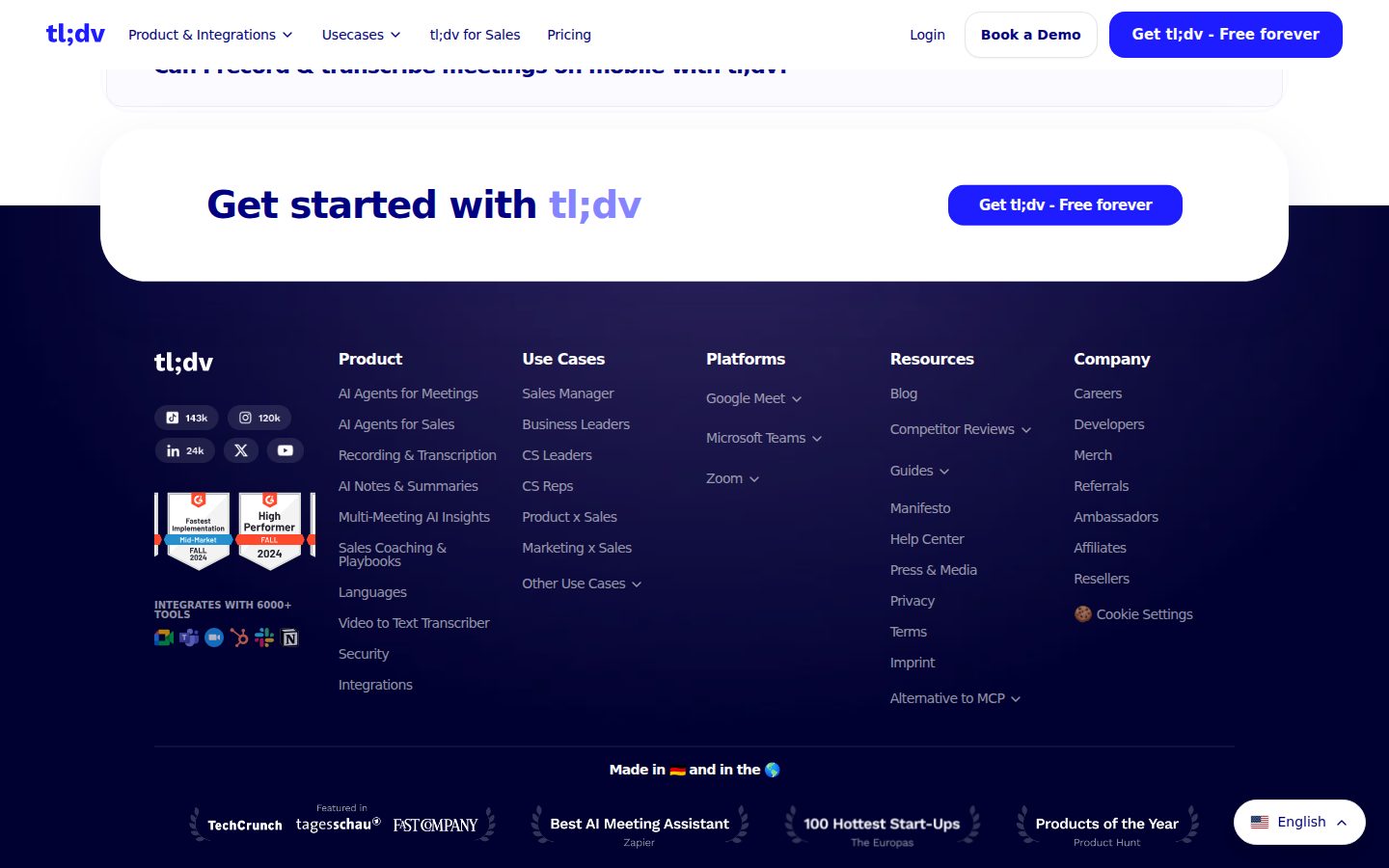
tl;dv desktop previewtl;dv mobile preview

Pricing Plans

Free

Free

For individuals trying AI meeting notes; recordings limited to 3-month retention.

  • Unlimited recordings (3-month retention)
  • 10 lifetime AI meeting summaries
  • Basic integrations (Slack, email, calendar)
  • Up to 40 recordings per week
  • No credit card required
Popular

Pro

$18/monthly

For professionals and small teams needing unlimited AI notes; $18/seat/mo billed annually (40% off the $29 monthly rate).

  • Unlimited AI meeting notes
  • Permanent recording storage
  • Searchable meeting library
  • Team folders
  • CRM sync via Zapier
  • Up to 120 recordings per week

Business

$59/monthly

For sales teams needing coaching and CRM intelligence; $59/seat/mo billed annually (40% off the $98 monthly rate).

  • Native Salesforce/HubSpot integrations
  • AI coaching with performance insights
  • Customizable sales playbooks
  • Objection and deal analysis
  • Claude AI integration

Enterprise

Contact sales

For organizations with 50+ users or strict security needs. Pricing requires contacting the vendor.

  • Private AI hosting
  • Dedicated Customer Success Manager
  • Customized billing
  • Priority support with SLA

AI Panel Reviews

The Decision Maker

The Decision Maker

Strategic bet, vendor viability, timing, adoption approval
7.8/10

Solid freemium bet for sales teams; not a Gong replacement yet.

tl;dv covers the full recording-to-CRM loop at $18/seat, which is hard to argue with. The Business tier at $59 adds real sales coaching, but that's where you're competing with heavier infrastructure.

The free tier alone justifies a pilot. Unlimited recordings, Slack integration, calendar auto-scheduling — no credit card. That's a low-friction way to get five reps using it before anyone asks for budget. The 10-summary lifetime cap is a real limit, but Pro at $18/seat clears that immediately.

The $59 Business tier is where it gets interesting. Native Salesforce and HubSpot sync, AI coaching playbooks, objection analysis — that's a real workflow, not just transcription. Gong charges multiples of that per seat. The tradeoff: tl;dv's coaching depth won't match Gong's conversation intelligence maturity.

SOC 2, GDPR, EU AI Act compliance, AES-256 encryption. The board won't cringe at this. No public funding data on tldx Solutions GmbH, which is the one thing I'd ask before a 50-seat rollout.

Competitive Positioning7.5

Sits well above Otter.ai on sales intelligence and well below Gong on pricing — that's a real gap in the market it occupies cleanly.

Reputation Risk7.5

SOC 2, GDPR, and ISO 27001-certified storage make this a defensible vendor choice; the board won't flag it.

Speed to Value8.5

Calendar integration auto-schedules the bot, CRM sync is native at $59/seat, and there's no credit card required on free — time-to-first-value is measured in hours, not weeks.

Strategic Fit8.0

CRM Auto-Fill and AI Coaching Playbooks push this beyond note-taking into actual sales workflow automation, which advances revenue teams rather than just cutting admin cost.

Vendor Viability7.0

No public funding data for tldx Solutions GmbH, but SOC 2 compliance and active feature development suggest a functioning operation — just verify runway before standardizing.

Pros

  • Free tier with unlimited recordings removes the pilot cost argument entirely
  • Native Salesforce and HubSpot sync at $59/seat undercuts Gong significantly
  • 30+ language support is a real differentiator for global teams
  • SOC 2, GDPR, and AES-256 compliance covers enterprise security questions

Cons

  • No public funding data on tldx Solutions GmbH — vendor longevity is an open question
  • Free plan caps AI summaries at 10 lifetime, which hits fast in real usage
  • AI coaching depth won't match Gong for mature sales orgs with complex playbooks

Right for

Sales and customer success teams who want CRM automation and coaching without Gong's price tag.

Avoid if

Your org already runs Gong and needs deep conversation intelligence at enterprise scale.

The Domain Strategist

The Domain Strategist

Craft and strategy in the product's domain — adapts identity per category, same lens
8.1/10

tl;dv closes the meeting-to-action gap that most ops stacks quietly ignore.

At $18/seat/month for Pro, tl;dv delivers reliable recording, multilingual transcription, and CRM auto-fill across Zoom, Meet, and Teams without requiring manual setup. The Business tier at $59/seat adds AI coaching and native Salesforce/HubSpot sync — the layer where revenue ops actually lives.

The operational architecture here is sound. Calendar-triggered recording, speaker-identified transcripts, and automatic CRM population mean meeting outputs flow into Pipedrive, Zoho, or HubSpot without a rep touching them. That's process discipline enforced by software, which is the only kind that sticks at scale. SOC 2 compliance plus ISO 27001-certified storage makes the enterprise conversation viable, not aspirational.

The conversational intelligence layer — querying insights across multiple meetings at once — is where tl;dv separates from Otter.ai and Fireflies.ai. That's an operational reporting capability, not just notetaking. If we're running QBRs or pipeline reviews, that cross-meeting query surface is genuinely useful for leadership, not just reps.

The real constraint shows up at Pro tier: CRM sync runs through Zapier, not native connectors. Native Salesforce and HubSpot integration requires jumping to $59/seat. For teams over 20 reps, that per-seat cost compounds fast — worth modeling before rollout.

Category Positioning8.1

Sits clearly above Otter.ai and Fireflies.ai on depth, below Gong on price and enterprise sales infrastructure — that mid-market gap is exactly where tl;dv is executing.

Domain Fit8.4

Calendar auto-scheduling, CRM auto-fill, and sales playbook scoring map directly to how sales, CS, and ops teams actually run their day-to-day meeting workflows.

Integration Surface8.0

5,000+ integrations via native connectors and Zapier covers the realistic ops stack; the Zapier dependency at Pro tier for CRM sync is a genuine friction point for mid-market teams.

Long-term Implications7.8

If we adopt this, in 3 years we have a searchable institutional knowledge base — but we're also dependent on their AI summarization quality and storage pricing as meeting volume scales.

Strategic Depth8.2

AI coaching playbooks plus cross-meeting conversational intelligence signals product thinking beyond basic transcription — closer to Gong's revenue intelligence model than a simple notetaker.

Pros

  • CRM auto-fill and calendar-triggered recording eliminate two manual ops failure points
  • 30+ language support makes this viable for globally distributed teams without a parallel solution
  • SOC 2 plus GDPR compliance clears most enterprise security reviews
  • Cross-meeting AI query is a real ops intelligence capability, not a demo feature

Cons

  • Native Salesforce/HubSpot sync locked behind $59/seat Business tier — Zapier dependency at Pro tier adds fragility
  • No public changelog or API docs visible, which limits custom workflow build-out
  • Per-seat pricing compounds quickly for large sales orgs moving from Pro to Business

Right for

Mid-market sales and CS teams that need CRM hygiene enforced automatically without adding headcount.

Avoid if

You're running a lean solo operation — the free tier's 10 lifetime AI summaries cap makes it effectively a trial, not a real free plan.

The Finance Lead

The Finance Lead

Money, total cost of ownership, contracts, procurement math
7.8/10

$18/seat Pro tier makes the free-to-paid math unusually honest for this category

Three tiers with visible pricing, no SSO tax in sight. Business at $59/seat is where the real CRM value lives.

Free tier is generous: unlimited recordings, 40/week cap, 3-month retention. That's a real evaluation window, not a 14-day clock. 10 lifetime AI summaries is the intentional squeeze — it pushes you to Pro. Pro at $18/seat/mo billed annually. 50 seats × $18 × 12 = $10,800/year. Add 25% seat creep by year 3: call it $13,500. Clean.

Sales teams will land on Business at $59/seat for native Salesforce/HubSpot and AI coaching playbooks. That's $59 × 50 × 12 = $35,400/year — versus Gong, which runs $100-$120/seat in most invoices I've seen. Half the price for comparable CRM auto-fill and coaching. Enterprise pricing is opaque, requires a call. Category norm, but watch the contract terms.

No published overage rates on recordings above 120/week at Pro. That gap matters. Auto-renewal window isn't disclosed publicly — confirm 30-day cancellation notice before signing. SOC 2 plus GDPR compliance is documented, which removes a procurement objection at 50+ seats.

Billing & Procurement8.0

No credit card required on free tier, SOC 2 and GDPR documented, reduces procurement friction at enterprise threshold.

Contract Flexibility6.5

Annual billing unlocks the 40% discount but auto-renewal window and cancellation notice period aren't disclosed in public materials.

Pricing Transparency8.5

Three paid tiers with hard numbers visible on the pricing page; Enterprise requires a call but that's standard above 50 seats.

ROI Clarity7.8

CRM Auto-Fill and AI Coaching Playbooks tie directly to sales rep time saved — measurable against rep count and average deal volume.

Total Cost of Ownership7.5

Pro at $18/seat is predictable; Business at $59/seat is roughly half Gong's invoice rate, but no overage pricing is published for the 120 recordings/week cap.

Pros

  • $18/seat Pro is below Otter.ai and Fireflies.ai for comparable feature depth
  • Native Salesforce/HubSpot at Business tier — no Zapier workaround required
  • SOC 2, GDPR, AES-256 documented — procurement objections pre-answered
  • Free tier with 40 recordings/week is a real pilot, not a demo

Cons

  • No published overage rate above 120 recordings/week at Pro — invoice risk
  • Auto-renewal and cancellation window terms not public — confirm before signing
  • Enterprise pricing requires a sales call — black box above 50 seats
  • 10 lifetime AI summaries on free is a hard paywall nudge, not a true trial

Right for

Sales and CS teams at 10-100 seats who need CRM auto-fill and coaching without Gong pricing.

Avoid if

Your team exceeds 120 meetings/week at Pro tier and you can't negotiate overage terms in writing.

The Domain Practitioner

The Domain Practitioner

Daily hands-on reality in the product's domain — adapts identity per category, same lens
8.1/10

Calendar hooks automatically, summaries land in Slack — tl;dv earns its place in the daily stack

tl;dv handles the full loop — record, transcribe, summarize, push to tools — without you touching it after setup. At $18/seat/month, it's a serious option for knowledge workers drowning in meeting debt.

Calendar integration auto-triggers the bot, so by day three you've already stopped thinking about it. The 30+ language transcription and speaker identification mean cross-functional or international standups don't require a human scribe. Conversational Intelligence — query across multiple meetings at once — is the feature that separates this from Otter.ai or Fathom. That's not a small gap.

The friction lives in the tiers. Free gives you 10 lifetime AI summaries. That's not a free plan for daily use — it's a trial disguised as freemium. Pro at $18/seat unlocks unlimited notes but CRM sync still runs through Zapier, not native connectors. Native Salesforce and HubSpot don't arrive until $59/seat. Knowledge workers who need CRM pushes but aren't on sales budgets will hit that wall fast.

Docs show no public changelog and no API listed. That's a discoverability problem for power users who want to build custom automations or audit what changed when behavior shifts.

Day-3 Reality8.2

Auto-scheduling via Google Calendar and Outlook means zero manual initiation — the daily habit forms itself.

Documentation Practitioner-Fit6.8

No changelog and no public API docs suggest documentation is marketing-led, not practitioner-led.

Friction Surface7.6

Free tier's 10 lifetime AI summary cap creates an artificial cliff that forces an upgrade decision too early.

Power-User Depth7.9

Conversational Intelligence and AI coaching playbooks offer real depth, but they're locked behind $59/seat Business tier.

Workflow Integration8.4

Slack, ClickUp, Google Docs, Airtable, and 5000+ integrations cover most knowledge worker stacks without new habits.

Pros

  • Auto-recording via calendar integration — zero manual setup after day one
  • Conversational Intelligence lets you query across meetings without rewatching
  • 30+ language support handles multilingual teams without extra tooling
  • SOC 2, GDPR, and AES-256 encryption — compliance box is checked

Cons

  • 10 lifetime AI summaries on free makes the free tier nearly useless for daily work
  • Native CRM connectors (Salesforce, HubSpot) require $59/seat — Pro sends you through Zapier
  • No public changelog makes it hard to track what the AI actually changed
  • No public API listed, limiting custom automation paths

Right for

Knowledge workers and small teams on Zoom or Meet who need automated summaries and Slack delivery without a dedicated ops budget.

Avoid if

You need native CRM sync without paying $59/seat or want API access to build custom workflows.

The Power User

The Power User

Daily human experience, onboarding, polish, learning curve, reliability
8.1/10

The free tier is real, and the $18 Pro plan actually earns its keep

tl;dv does the meeting-notetaker job well across all three major platforms with minimal fuss. The free plan's 10 lifetime AI summaries is stingy, but the freemium hook gets you in the door without a credit card.

Calendar connects, bot joins, transcript appears. That's the core loop and based on what the docs and pricing page show, it works without manual babysitting. Auto-scheduling via Google Calendar or Outlook is the kind of small thing that matters at 8:55am when you've got a 9am call. Fathom does this too, but tl;dv's 30-language support and the conversational intelligence layer — querying across multiple meetings at once — gives it more surface area for teams that actually span time zones and languages.

The $18 Pro tier looks solid: unlimited AI notes, permanent storage, searchable library. The free plan caps you at 10 lifetime AI summaries, which runs out fast. That's not generosity, that's a trial with extra steps. The $59 Business tier is where the real sales tooling lives — AI coaching, playbooks, native Salesforce and HubSpot. Worth it if you're running a sales floor. Overkill for a four-person product team.

No changelog visible, no public API docs. That's a mild flag for teams who like to vet what changed last Tuesday. Mobile isn't listed as a platform, which for a 'capture everything' tool is a quiet gap.

Daily Polish7.8

Speaker identification, topic navigation, and clip sharing suggest real daily-use thinking, but no changelog means you can't tell who's sweating the details over time.

Learning Curve8.0

The free-to-Pro path is clear, and AI Agents plus coaching playbooks reveal themselves gradually rather than overwhelming new users on day one.

Mobile Parity5.5

Web, Mac, and Windows are listed platforms — no iOS or Android, which is a real gap for a tool that's supposed to follow you everywhere.

Onboarding Experience8.2

No credit card required on the free plan and calendar auto-scheduling means you're recording your first meeting before the friction kicks in.

Reliability Feel7.9

SOC 2, GDPR, AES-256, ISO 27001-certified storage — the compliance stack suggests a team that takes uptime and data handling seriously.

Pros

  • Free plan requires no credit card — actually lets you try it
  • 30+ language support is genuinely useful for distributed teams
  • Conversational intelligence across multiple meetings saves real rewatch time
  • 5000+ integrations including Slack, ClickUp, Pipedrive, and HubSpot

Cons

  • 10 lifetime AI summaries on the free tier runs out embarrassingly fast
  • No mobile app — the evidence doesn't list iOS or Android anywhere
  • No public API docs or changelog visible, which makes vetting harder
  • Business tier at $59/seat is a significant jump for non-sales teams

Right for

Sales and customer success teams who want automated CRM updates and AI coaching without switching off Zoom or Teams.

Avoid if

You're a solo user or tiny team who just wants basic notes — the free cap will frustrate you and Fathom may cost you less.

The Skeptic

The Skeptic

Contrarian. Watch-outs, deal-breakers, broken promises, category patterns
7.2/10

Solid category player — but Fathom exists at $0 and Gong owns enterprise

tl;dv does the core job competently: records, transcribes, summarizes across Zoom, Meet, and Teams. The $18 Pro tier is fair. The competitive squeeze from both ends is real.

Three tells from the evidence. One: no changelog listed. In a category moving this fast, that's a yellow flag on shipping cadence. Two: 'AI agents' appears as a feature name — that's 2024 buzzword layering on top of what's basically auto-record. Three: the free tier caps lifetime AI summaries at 10. Not monthly. Lifetime. Read the fine print.

The differentiation story is actually partial credit. Sales playbook scoring and CRM auto-fill into Pipedrive and Zoho is a real step beyond Otter.ai or Fathom. Conversational intelligence across multiple meetings at once — if that holds up — is genuinely useful for CS and product teams. Business tier at $59/seat gets you native Salesforce/HubSpot. That's not nothing.

Exit portability is decent: transcripts are exportable text, recordings are video. No proprietary format lock-in visible. But no public API listed, which limits custom data pipelines. Gong beats them on enterprise depth. Fathom undercuts them on price. tl;dv lives in the middle — which can work, or can squeeze.

Competitive Differentiation6.8

AI coaching playbooks and cross-meeting conversational intelligence are real gaps vs. Otter.ai and Fathom, but Gong has owned that sales intelligence story for years.

Exit Portability7.5

Transcripts are text, recordings are video — no exotic lock-in format visible, though no public API means custom data pipelines are manual.

Long-term Viability6.5

No changelog, no public funding round, no API listed — tldx Solutions GmbH is the entity, which is fine, but runway signals are thin from public evidence.

Marketing Honesty6.5

H1 is vague ('just the beginning') and '5000+ integrations' via Zapier is a category norm dressed as a differentiator — most of that number is Zapier's catalog, not native builds.

Track Record Match7.0

SOC 2, GDPR, EU AI Act compliance listed plus ISO 27001 storage — signals a real team, not a weekend project; no funding data public though.

Pros

  • Genuine sales coaching layer with playbook scoring — not just transcription with a summary bolted on
  • 30+ language support for transcription and summaries is above average for the tier
  • $18/seat Pro is competitive; free tier requires no credit card
  • SOC 2 plus GDPR compliance reduces enterprise procurement friction

Cons

  • Free tier's 10 lifetime AI summaries is a bait-and-switch risk — most users won't notice until they hit the wall
  • No public API limits data portability for technical teams
  • No changelog visible — hard to assess shipping cadence in a fast-moving category
  • Fathom offers unlimited free recordings with no such lifetime caps, which undercuts the free-tier story

Right for

Mid-market sales and CS teams wanting CRM auto-fill and coaching playbooks without Gong's price tag.

Avoid if

You need a public API for custom data pipelines, or the free tier is your permanent plan.

Buyer Questions

Common questions answered by our AI research team

Pricing

Is tl;dv free to use?

Yes, tl;dv has a free forever plan.

Features

What languages does tl;dv support for transcription?

tl;dv supports transcription in 30+ languages, including English, Spanish, German, and Japanese.

Security

Is tl;dv SOC 2 compliant?

Yes, tl;dv is SOC 2 compliant, and also meets GDPR, EU AI Act, and EU-US Privacy Shield standards. Data is stored in ISO 27001-certified centers with AES-256 encryption.

Integration

How many tools does tl;dv integrate with?

tl;dv integrates with 5000+ tools, including CRMs, ticketing systems, and knowledge management platforms.

Setup

Does tl;dv require a bot to join meetings?

No bot is required for tl;dv to join and record meetings.

Product Information

  • Pricing

    From $18/mo
  • Free Plan

    Available

Platforms

webmacwindows

Connect

Resources

Blog

Also in AI Meeting Assistants