Vidu logo

Vidu Review

Visit

AI video and image creation from text, images, and references

Vidu is an AI video generation platform for creating videos from text prompts, images, and reference materials.

AI Panel Score

0 AI reviews

About Vidu

Vidu works by taking a text prompt, an image, or a set of reference images as input and producing a video output in one of several modes: Text to Video, Image to Video, or Reference to Video. Users upload source material through a web interface, optionally set first and last frame images to define a transition, and Vidu generates the motion in between. A feature called My References lets users save characters, props, and scenes so they can be reused across multiple video projects without re-uploading them each time.

The platform highlights several specific capabilities beyond basic generation. Multi-Reference Consistency allows up to 7 images to be uploaded so a person, object, or scene stays visually consistent throughout a generated video. Anime Art to Video is built specifically for animating anime-style artwork into character motion. Vidu Claw is a separate tool positioned for turning ideas into marketing content. The platform also offers pre-built templates for common video formats, such as kissing, hugging, and other effect-driven clips, and includes an Off-Peak Mode that allows unlimited video generation without consuming credits.

Vidu is aimed at independent creators, animation and film studios, and businesses producing marketing or advertising videos. It competes in the AI video generation category alongside tools like Seedance, which is referenced directly in user testimonials on Vidu's own site. Pricing is credit-based: new users receive free credits to generate videos, and additional usage or higher-resolution output is likely tied to paid plans, based on the presence of a public pricing page, though specific paid tier pricing is not detailed on the homepage.

The product is accessed through a web interface and supports resolution output up to 1080p. Vidu also maintains a Discord community for user support and product updates.

Features

AI

  • Anime Art to Video

    Transforms anime artwork into fluid animations with lifelike character motion.

  • Image to Video

    Converts a still image into a video with dynamic motion that aligns with the user's vision.

  • Multi-Reference Consistency

    Keeps people, objects, and scenes consistent throughout a video by combining up to 7 uploaded reference images.

  • Reference to Video

    Generates videos that align with uploaded reference subjects such as characters, objects, and scenes based on a text prompt.

  • Text to Video

    Generates high-quality videos directly from text prompts.

  • Vidu S1 Stream Model

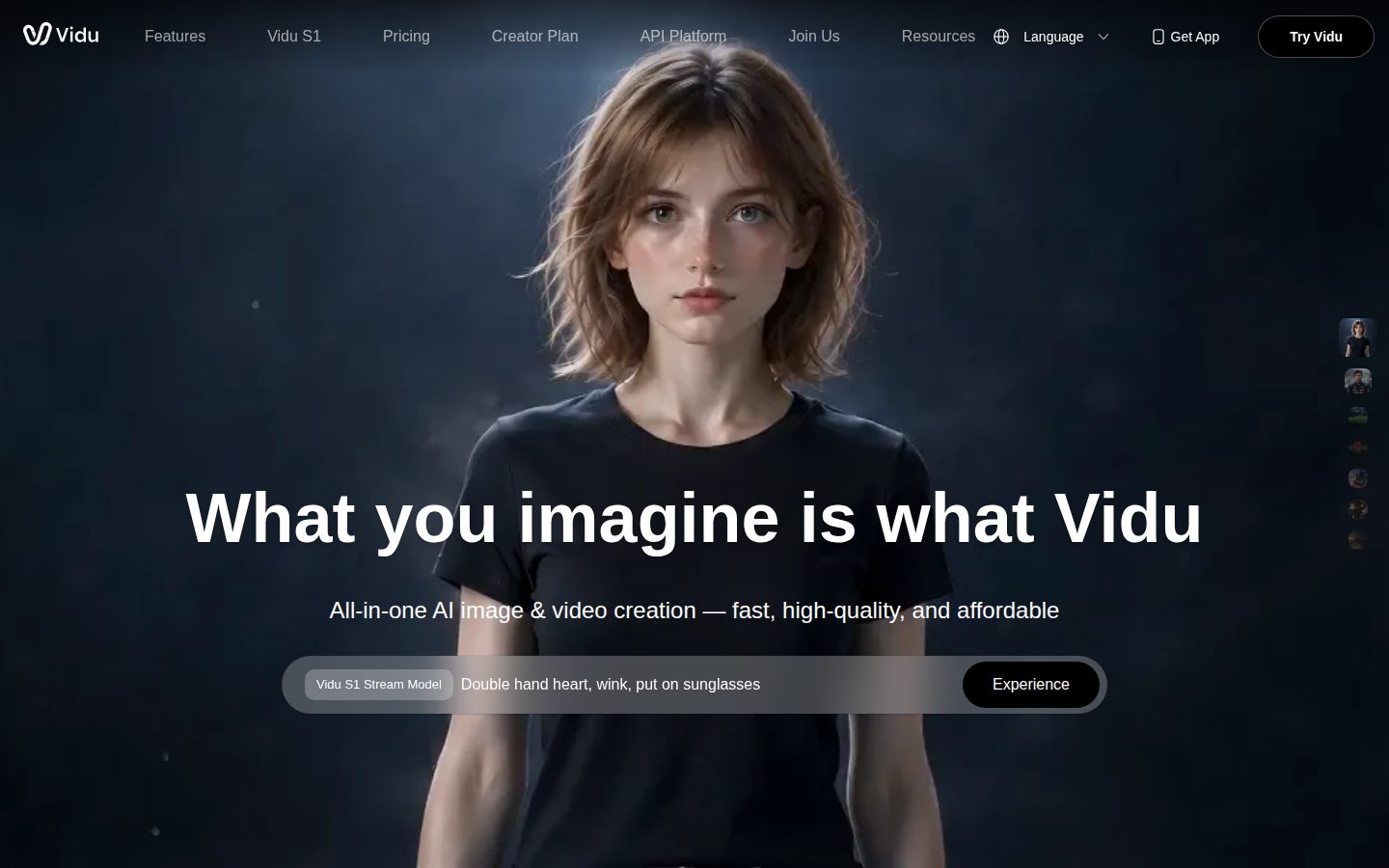
    An experimental streaming generation model showcased for creating fast, dynamic video content like gestures and expressions.

  • ViduClaw

    A tool that lets anyone turn ideas into marketing content by generating video output from prompts and references.

Core

  • Instant Video Creation

    Generates videos in as fast as 10 seconds from a given input.

  • Off-Peak Mode Free Generation

    Allows unlimited free video generation during off-peak hours without using credits.

Customization

  • First & Last Frames Control

    Lets users upload the first and last frame images so Vidu AI generates a smooth transition in between.

  • My References

    Saves characters, props, and scenes for effortless reuse across future video projects.

  • Templates

    Provides ready-made templates for viral video effects such as kissing, hugging, blossom effects, and AI outfits.

Preview

Vidu desktop previewVidu mobile preview

Pricing Plans

Free

Free

Entry-level access for trying out Vidu

  • 10 references/month
  • Basic video generation
  • Current plan default for new users

Standard

$8/monthly

For everyday lightweight creation

  • 800 credits monthly
  • Generate up to 200 videos
  • Dedicated fast generation channel
  • Subject creation quota: 50/month
  • Supports 3-16s video generation
  • Generated content can be used commercially
Popular

Premium

$28/monthly

Balanced plan for efficiency and advanced capabilities

  • 4000 credits monthly
  • Generate up to 1000 videos
  • Dedicated high-speed generation channel
  • Early feature access
  • Subject creation quota: 100/month
  • Generate up to 4 videos at once

Ultimate

$79/monthly

For high-volume creation and complete benefits

  • 8000 credits monthly
  • Free Off-Peak Mode: submit up to 200 videos daily
  • Dedicated ultra-fast generation channel
  • Unlimited Q2 1080p image generation
  • Full Agent access and early feature access
  • Subject creation quota: 300/month

AI Panel Reviews

AI panel reviews are being generated for this product.

Buyer Questions

Common questions answered by our AI research team

Features

How many reference images can Vidu use?

Vidu supports Multi-Reference Consistency using up to 7 uploaded images, keeping people, objects, and scenes consistent throughout a video.

Features

Does Vidu support first and last frame control?

Yes. Vidu's Image to Video feature lets you upload first and last frame images, and the AI creates smooth transitions between them.

Pricing

What are Vidu credits used for?

Credits are used for video generation. There are three types: Subscription Credits (valid 30 days), Purchased Credits (valid 2 years), and Bonus Credits earned through events or the Artist Program (valid 2 years).

Pricing

Does Vidu automatically charge my subscription?

Yes, if you subscribe through Stripe. Monthly plans are charged every month and annual plans are charged every year automatically.

Pricing

Can I get a refund from Vidu?

No. Vidu does not offer refunds, but their support team can help you cancel your subscription to prevent future automatic charges.

Product Information

  • Pricing

    From $8/mo
  • Free Plan

    Available

Platforms

web

Resources

Blog

Also in AI Video Generation