PixVerse logo

PixVerse Review

Visit

AI video generation models and tools for cinematic production

PixVerse is an AI video generation platform for creating clips, cinematic content, and interactive video workflows.

AI Panel Score

6.9/10

6 AI reviews

Reviewed

AI Editor Approved

About PixVerse

PixVerse generates video from text or image prompts using a set of proprietary models (PixVerse V6, C1, and R1), each described as tuned for different needs: precision control and native artistry, cinematic control with physics simulation, and high-fidelity portraits with kinetic aesthetics. Users can start from a prompt, an uploaded image, or a template, and the platform outputs finished video clips. An Agent interface lets users describe changes conversationally to refine motion and direction across a video sequence rather than re-writing prompts from scratch.

Beyond basic generation, PixVerse includes a Canvas tool for building video workflows as a node graph (connecting references, prompts, and motion into an editable, rerunnable pipeline), a Marketing Hub with guided workflows for producing ready-to-use ad videos without manual prompt tuning, and a Character feature for maintaining consistent characters across generations. Lip Sync adds voice and sound synchronization to generated video. A CLI is available for running generation jobs (prompt, aspect ratio, duration, batches) directly from the terminal, and an API exposes the same models for programmatic integration into external tools and pipelines. The company publishes benchmark comparisons (via Artificial Analysis) positioning PixVerse V6 against models like Kling, Veo 3.1, Sora 2, and Grok Imagine on quality (ELO), price per minute, and generation speed.

Regarding the site's benchmark claims, an example figure listed is $4.80 per minute for PixVerse V6 versus $24.00 per minute for Veo 3.1.

Features

AI

  • Agent

    A conversational interface that turns described creative intent into video generation, letting users refine motion and direction through dialogue.

  • Character

    Maintains consistent character appearance and identity across generated video clips.

  • Lip Sync

    Synchronizes voice, sound, and lip movement within generated video content.

  • PixVerse Models (V6, C1, R1)

    Proprietary foundation models powering clip generation, cinematic production, and real-time interactive worlds with distinct capabilities like precision control, physics simulation, and high-fidelity portraits.

Automation

  • CLI

    Lets users run prompts, references, output ratios, and batches from the command line to integrate video generation into existing workflows.

Core

  • Canvas

    A node-based visual editor for connecting references, prompts, motion, and outputs into an editable video production graph.

  • Marketing Hub

    Guided workflows that generate ready-to-use AI marketing and ad videos without manual prompt tuning.

  • Mini-Apps

    Offers quick, focused utility tools for specific video creation tasks.

  • Text & Image to Video

    Converts text prompts or input images into generated video output.

Customization

  • Template

    Provides ready-made creative starting points for generating videos without building from scratch.

Integration

  • PixVerse API

    A full-stack API built on proprietary video foundation models for scalable, production-ready video generation workflows.

Preview

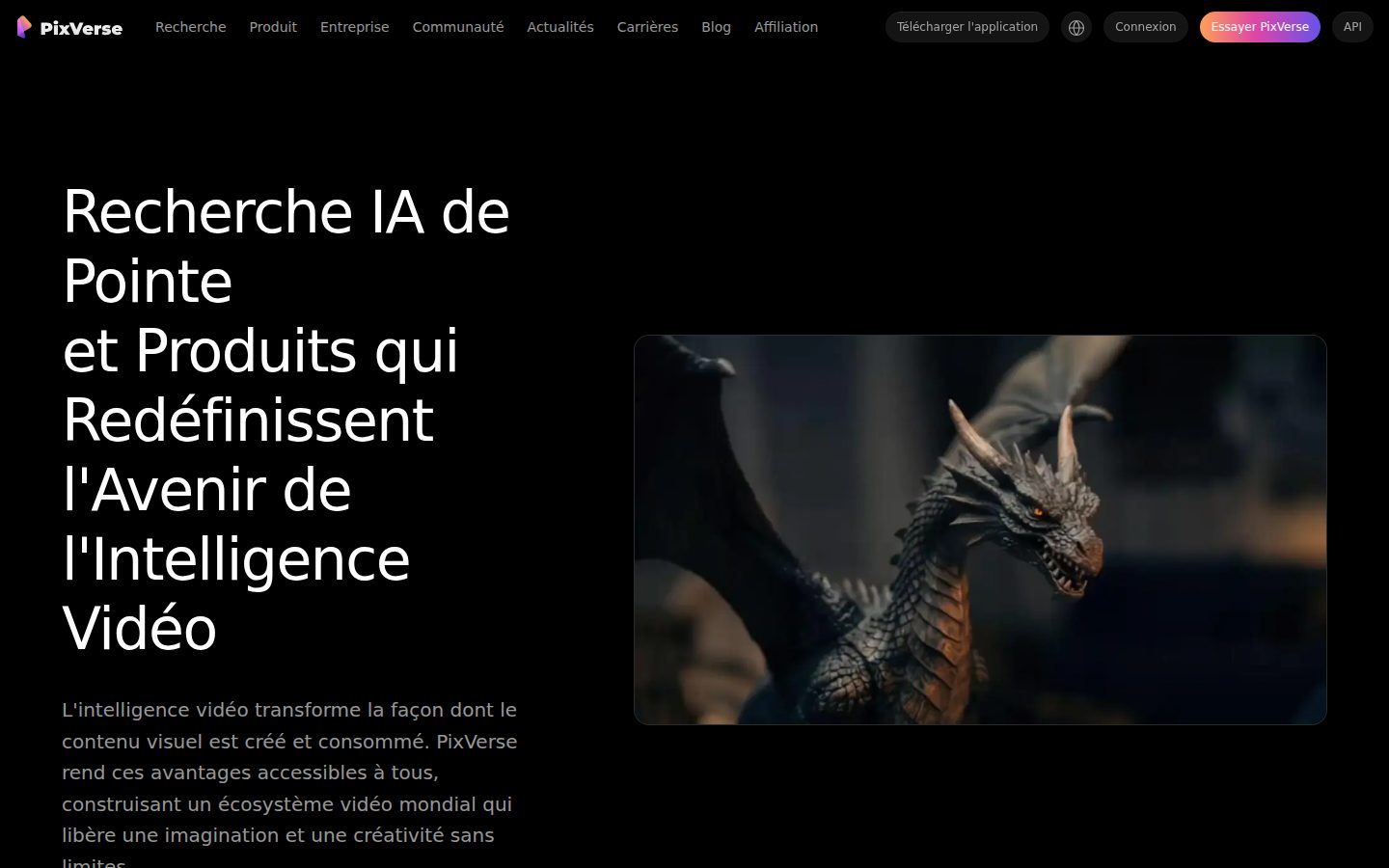
PixVerse desktop previewPixVerse mobile preview

Pricing Plans

Popular

Pay as you go / API

Contact sales

Usage-based API pricing for developers and teams building on PixVerse video generation models, priced per minute of generated video (e.g., PixVerse V6 at $4.80/min noted for comparison purposes).

  • Access to PixVerse V6, C1, and R1 models
  • Text & Image to Video generation
  • CLI, Agent, and Canvas workflow tools
  • Lip Sync and Marketing Hub tools
  • Near real-time generation
  • Free trial available

Enterprise

Contact sales

Enterprise-ready AI video foundational models and solutions for teams and large organizations needing custom deployment, support, and scale; contact sales for pricing.

  • Full-stack AI media generation platform and APIs
  • Enterprise-grade cost efficiency and speed
  • Robust template ecosystem
  • Production-ready, scalable workflows
  • Dedicated support via 'Get in touch'

AI Panel Reviews

The Decision Maker

The Decision Maker

Strategic bet, vendor viability, timing, adoption approval
6.8/10

Fast, cheap video generation with real tools — but no company behind the curtain

PixVerse undercuts Veo 3.1 on price and ships a genuinely deep toolset. The vendor picture is too thin to bet the roadmap on it.

$4.80 a minute versus $24 for Veo 3.1. That's the pitch, and it's a real number, not marketing fog.

The feature set backs it up: Canvas for node-based workflows, a CLI, an API, Lip Sync, Character consistency. That's more production tooling than most rivals bundle at this price point, and it beats Kling and Sora 2 on their own benchmark chart.

Here's my problem: no team size, no funding data, no pricing page even loads cleanly. I can't tell if this is 40 people or 400. Great tech, thin paper trail. Pilot it for a specific campaign, don't build a pipeline around it yet.

Competitive Positioning7.0

Benchmarked directly against Kling, Veo 3.1, Sora 2, and Grok Imagine, and wins on price per minute.

Reputation Risk6.0

AI video is scrutinized territory; adopting a vendor with no visible company info is a harder story to tell the board.

Speed to Value7.5

Templates, Marketing Hub, and near real-time generation point to fast first output, per the docs.

Strategic Fit7.0

API, CLI, and Canvas suggest real workflow integration, not just a cheaper version of what teams already do.

Vendor Viability5.0

No public funding data, no team size, no changelog — category norm for viability signals is missing here.

Pros

  • $4.80/min on V6 vs $24 for Veo 3.1, per their own benchmark
  • CLI, API, and Canvas give three distinct ways to build production pipelines
  • Lip Sync and Character tools add depth beyond basic text-to-video

Cons

  • No visible funding, team size, or company details anywhere in the evidence
  • No standard pricing page — plans are usage-based with fine print buried
  • Benchmark claims are self-published, not third-party verified beyond Artificial Analysis citation

Right for

Teams that want cheap, flexible video generation and can tolerate vendor-risk uncertainty.

Avoid if

Avoid if you need a vendor you can vouch for in a board deck eighteen months from now.

The Domain Strategist

The Domain Strategist

Craft and strategy in the product's domain — adapts identity per category, same lens
7.6/10

Three models, a node canvas, and a CLI — PixVerse is building a pipeline, not just a prompt box.

PixVerse ships production-grade scaffolding around generation: Canvas for repeatable workflows, an API and CLI for teams that live outside the browser. The craft ceiling is real, but the brand voice underneath the tools is still generic.

Three named models — V6, C1, R1 — each tuned toward a different creative job: precision control, physics-based cinematic motion, high-fidelity portraits. That's a materially different bet than Runway or Kling's single-model-does-everything approach. At $4.80/min for V6 against a cited $24/min for Veo 3.1, the economics let a studio iterate at volume instead of rationing generations.

Canvas is the real signal. A node graph for chaining references, prompts, and motion into a rerunnable pipeline is how a senior production team actually thinks — not one-shot prompting, but a versioned system. Character consistency and Lip Sync round out a genuine short-form production stack rather than a demo toy.

Where it thins out: the site itself reads as research-lab branding, not creative-tool branding, no visible pricing page, no template depth shown. Marketing Hub sounds like guardrails for teams without a creative director in the room at all.

Category Positioning7.4

Benchmarks itself directly against Kling, Veo 3.1, Sora 2, and Grok Imagine on price and ELO — a confident, comparative stance.

Domain Fit7.5

CLI, API, and Agent interfaces match how production teams integrate tools into pipelines, not just browser tabs.

Integration Surface7.7

API plus CLI plus batch generation via terminal is real automation surface, not marketing copy.

Long-term Implications7.0

Proprietary model lock-in via V6/C1/R1 means creative decisions get tied to PixVerse's roadmap, not an open standard.

Strategic Depth7.8

Three purpose-tuned models plus Canvas node workflow shows systems thinking beyond single-shot generation.

Pros

  • Canvas node-graph workflow supports rerunnable, editable production pipelines
  • Three distinct models targeting different creative needs (precision, physics, portraits)
  • CLI and API give engineering teams real integration paths
  • $4.80/min pricing on V6 undercuts premium competitors like Veo 3.1 by a wide margin

Cons

  • No visible pricing page beyond usage-based API tier and enterprise contact-sales
  • Marketing Hub's guided workflows risk flattening output to generic ad-video templates
  • Site branding leans research-lab, thin on creative-team storytelling

Right for

Production teams that want a scriptable, node-based video pipeline instead of one-off prompt generation.

Avoid if

You need a polished template library and clear self-serve pricing without contacting sales.

The Finance Lead

The Finance Lead

Money, total cost of ownership, contracts, procurement math
5.8/10

$4.80 per minute is the only real number on the page. Everything else needs a sales call.

No published seat pricing, no tiers beyond 'pay as you go' and 'contact sales.' Usage-based video generation is unpredictable spend by design.

$4.80/min for V6, per their own benchmark against Veo 3.1 at $24.00/min. Good comparison. But that's per-minute cost, not per-seat, not per-month. No published rate card beyond it.

Enterprise tier is 'contact sales.' Standard hostage-pricing pattern — no visible floor or ceiling on that spend. TCO at scale depends entirely on minutes generated. A team producing 100 minutes/month at $4.80 runs $480/month, $5,760/year. Double output, double cost. No volume discount published.

Compare to Kling and Sora 2, both named in PixVerse's own benchmarks. No pricing page found in the scrape — only usage examples. Procurement will ask for a rate card before signing anything. They won't get one without a call.

Billing & Procurement6.0

API/CLI usage billing is standard for dev teams, but no invoicing terms or payment window disclosed.

Contract Flexibility5.5

Pay-as-you-go API implies no lock-in, but Enterprise terms are undisclosed pending sales contact.

Pricing Transparency4.5

Only one price point published ($4.80/min); Enterprise tier is sales-gated with no visible numbers.

ROI Clarity6.5

Cost-per-minute vs. Veo 3.1 ($4.80 vs $24.00) gives a clean, measurable comparison metric — rare in this category.

Total Cost of Ownership5.0

Usage-based per-minute billing means 3-year cost scales unpredictably with output volume, no cap disclosed.

Pros

  • Published per-minute benchmark pricing against Veo 3.1, Kling, Sora 2
  • Usage-based API model avoids seat-count overhead
  • CLI and API support reduce integration friction for dev teams

Cons

  • No visible tier structure beyond 'pay as you go' and 'Enterprise'
  • Enterprise pricing is sales-gated, no numbers published
  • No volume discount or overage rate disclosed

Right for

Dev teams comfortable with usage-based billing and no fixed monthly line item.

Avoid if

You need a fixed, predictable monthly cost for budget approval.

The Domain Practitioner

The Domain Practitioner

Daily hands-on reality in the product's domain — adapts identity per category, same lens
7.6/10

Three models, a node canvas, and a CLI — this is built for people who actually deliver cuts, not just prompt and hope.

PixVerse gives producers real pipeline tools instead of a single prompt box. The gap between demo reel and dependable dailies still comes down to consistency across takes.

Canvas is the tell here. A node-based graph for chaining references, prompts, and motion into a rerunnable pipeline is how an editor actually thinks about a sequence, not a one-shot generation. Add CLI flags for ratio, duration, and batch, and you've got something scriptable into an existing render queue instead of a browser tab you babysit.

Day three is where character consistency and lip sync get tested hard. Runway and Kling both fight this same battle — keeping a face stable across ten takes while the client asks for 'just a little more energy' on take eleven. PixVerse's Agent claims conversational refinement without re-prompting from scratch, which if it holds up saves real turnaround time on revisions.

At $4.80/min for V6 versus a cited $24/min for Veo 3.1, the economics favor high-volume shops. No visible pricing page and no public free tier makes early budgeting a guessing game, though.

Day-3 Reality7.5

Canvas and Agent suggest real revision workflows, but consistency across takes is the unproven daily test.

Documentation Practitioner-Fit6.8

CLI example commands look practitioner-written, but no changelog and thin public docs beyond that.

Friction Surface7.0

No pricing page and usage-based-only billing means every job needs a cost estimate before you commit.

Power-User Depth8.0

Three distinct models (V6, C1, R1) plus Canvas node graph gives real headroom past basic text-to-video.

Workflow Integration7.8

CLI and API mean it can slot into a render pipeline rather than living only in a browser tab.

Pros

  • Node-based Canvas for rerunnable production pipelines, not one-off clips
  • CLI with prompt/ratio/duration/batch flags for scripted workflows
  • V6 priced at $4.80/min versus a cited $24/min for Veo 3.1
  • Three specialized models (V6, C1, R1) instead of one generic generator

Cons

  • No visible pricing page makes budgeting a job-by-job guess
  • No free plan, only a trial, raises the cost of evaluation
  • Character and lip-sync consistency across long sequences is unproven at scale
  • No changelog visible, so model updates are hard to track over time

Right for

Production teams who want scriptable, pipeline-integrated video generation across text, image, and lip sync in one platform.

Avoid if

You need transparent flat-rate pricing before committing budget to a shoot.

The Power User

The Power User

Daily human experience, onboarding, polish, learning curve, reliability
6.9/10

Three models, a CLI, an API, and a website that can't even show you a pricing page.

PixVerse gives power users a lot of doors in: CLI, API, Agent chat, Canvas nodes. But the front door — the actual marketing site — feels like nobody polished it for a first-time visitor.

Here's the split. Under the hood, PixVerse looks like a tool built by people who actually generate video for a living. Three models (V6, C1, R1), a node-based Canvas for rerunnable pipelines, a CLI where you can type duration and aspect ratio like a normal command instead of hunting through a web form. That's power-user thinking, not demo-glow thinking.

But the homepage title is literally a run-on about 'frontier AI research' with no pricing page and no changelog surfaced. For a usage-based product charging $4.80 per minute on V6 (vs their own quoted $24 for Veo 3.1), that's a strange thing to bury.

Three months in, I'd guess the CLI and API crowd sticks around happily — this is Kling and Sora 2 territory on paper. Everyone else has to survive week one first, and week one here reads like homework, not welcome. Mobile isn't mentioned at all, which for video is a real gap, not a footnote.

Daily Polish6.5

Deep feature set (Lip Sync, Character, Canvas) but no changelog or pricing page shown suggests thin front-end care.

Learning Curve7.5

CLI, API, Agent chat, and Canvas give multiple entry points that scale from simple prompts to complex node pipelines.

Mobile Parity3.5

Platforms listed as web only — no mobile mention at all for a video tool.

Onboarding Experience5.8

No free plan, no clear pricing page, and a jargon-heavy homepage make first contact feel like work.

Reliability Feel7.0

Published benchmark comparisons against Kling and Veo 3.1 suggest confidence in output quality, though no uptime or error-state evidence given.

Pros

  • CLI and API let generation slot into real production pipelines
  • Canvas node graph makes complex, rerunnable workflows possible
  • Aggressive pricing claim: $4.80/min vs $24/min for Veo 3.1

Cons

  • No visible pricing page or free plan despite usage-based billing
  • No mobile presence mentioned anywhere
  • Homepage copy reads like a research lab, not a product for new users

Right for

Developers and teams who want video generation wired into code or node-based pipelines, not a simple web form.

Avoid if

You want a free plan, a mobile app, or a five-minute onboarding without reading docs.

The Skeptic

The Skeptic

Contrarian. Watch-outs, deal-breakers, broken promises, category patterns
6.4/10

$4.80 a minute against Kling and Veo 3.1, but no pricing page to back it up.

The self-run benchmark math is the whole pitch. No independent verification listed anywhere on-site.

"Frontier AI Research" as an H1. That's the kind of superlative that ages poorly when your own comparison chart is the only source cited. The $4.80/min vs Veo 3.1's $24 stat comes from Artificial Analysis — fine, but it's PixVerse choosing which competitor and which metric to lead with. Kling isn't in that headline number.

Feature list is genuinely broad: CLI, API, Agent, Canvas, Lip Sync, three named models. That's more surface area than most year-two video startups ship. But no changelog, no pricing page, no visible funding data. Enterprise tier is 'contact sales' — standard, but tells you nothing about durability.

Exit story is average-to-bad. Node graphs in Canvas, character refs, prompt histories — none of that travels to Runway or Kling if PixVerse stalls. Usage-based pricing means no lock-in on spend, at least.

Competitive Differentiation6.5

Three distinct models (V6, C1, R1) and a Marketing Hub carve a niche, but Kling, Veo, and Sora 2 all crowd the same claim of cinematic quality.

Exit Portability5.0

Node-based Canvas workflows and character consistency data are proprietary constructs with no export path mentioned.

Long-term Viability6.5

No changelog, no public funding figures, but shipping cadence implied by CLI + API + Agent stack suggests active development.

Marketing Honesty5.5

"Redefine the future of video intelligence" headline, paired with a self-selected benchmark chart as the main proof point.

Track Record Match6.0

Broad tool spread (API, CLI, Agent, Canvas) mirrors well-funded players, but no team or funding info shown to match the ambition.

Pros

  • Wide interface options: API, CLI, conversational Agent, node-based Canvas
  • Named benchmark positioning against Kling, Veo 3.1, Sora 2, Grok Imagine
  • Free trial lowers first-touch risk on usage-based pricing

Cons

  • No pricing page, no changelog, no visible funding data
  • Benchmark claims are self-selected, not third-party audited in the evidence shown
  • Canvas workflows and character data don't appear portable to competitors

Right for

Teams comfortable with usage-based pricing who want API/CLI access to multiple video models under one roof.

Avoid if

You need transparent pricing pages and independently verified benchmarks before committing budget.

Buyer Questions

Common questions answered by our AI research team

Pricing

How much does PixVerse V6 cost per minute?

PixVerse V6 costs $4.80 per minute, with an ELO score of 1,343 based on Artificial Analysis image-to-video rankings.

Integration

Can I generate PixVerse videos from the command line?

Yes. The PixVerse CLI lets you run prompts, references, output ratios, and batches directly from the terminal, e.g. "pixverse generate --prompt 'A car driving on a highway.' --ratio 9:16 --duration 5".

Features

Does PixVerse support lip sync with voice?

Yes, PixVerse includes a Lip Sync tool for voice, sync, and sound as part of its video generation platform.

Features

What is PixVerse Canvas used for?

Canvas lets you connect references, prompts, motion, and output in one editable node-based graph, making it easier to plan, adjust, and rerun complex AI video production workflows.

Integration

Does PixVerse offer an API for developers?

Yes, PixVerse offers an API alongside CLI and conversational agent interfaces, built on proprietary video foundation models for production-ready, scalable video workflows.

Also in AI Video Generation