Vocemo logo

Vocemo Review

Visit

On-device AI dictation, transcription and document tools for Mac

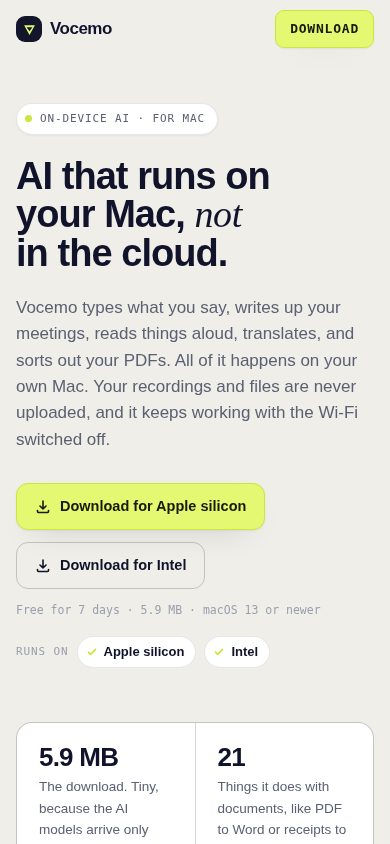
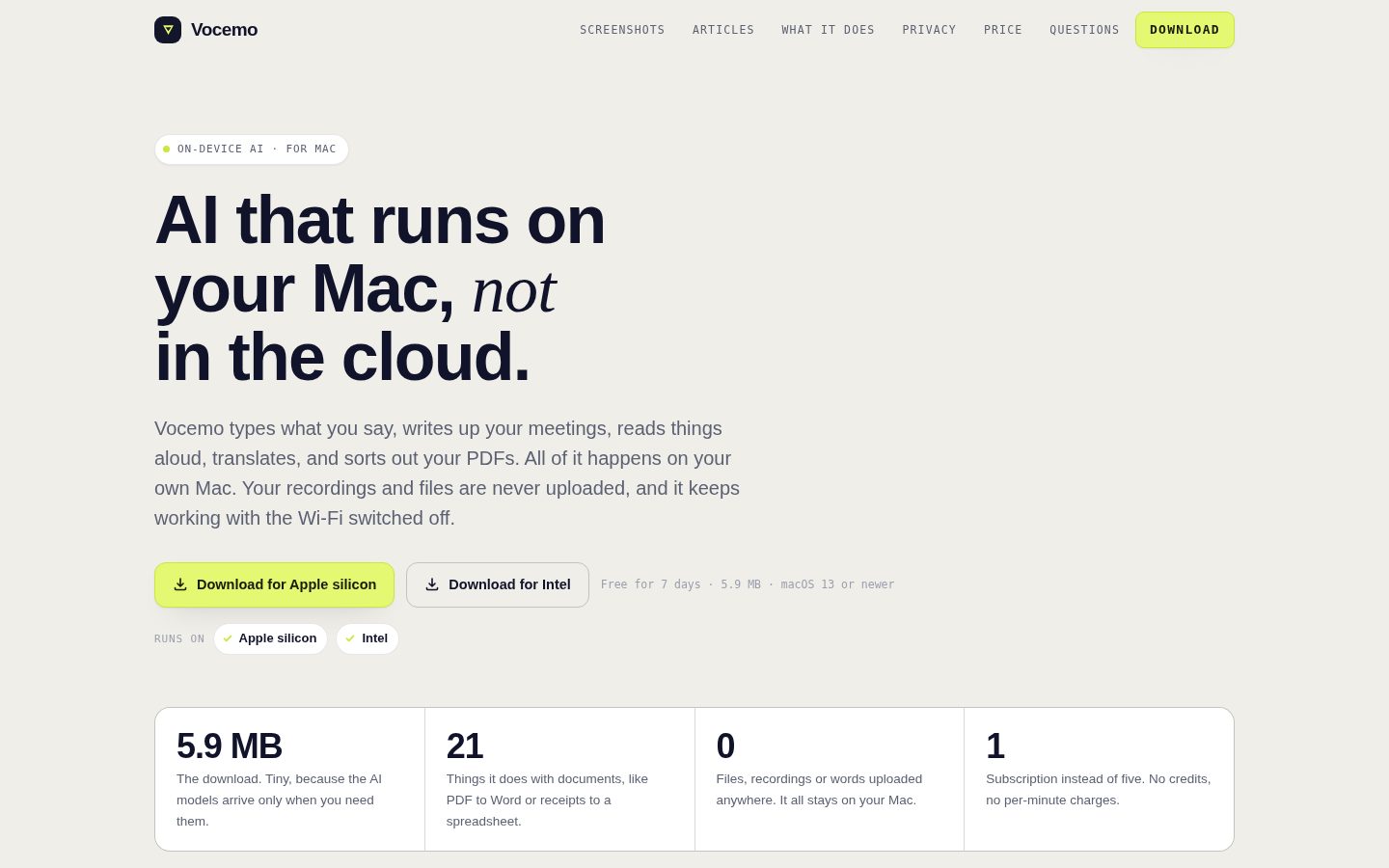
Vocemo is a native macOS application for dictation, meeting transcription, document conversion and translation that runs on-device.

AI Panel Score

7.7/10

6 AI reviews

Reviewed

About Vocemo

Vocemo runs its features locally on a Mac rather than sending data to a server. Dictation works by holding a key to talk into any app, with support for a custom vocabulary, spoken numbers rendered as digits, replacement rules, spoken snippets, and an optional local language-model cleanup pass. Meeting and recording transcription separates speakers and produces a summary with decisions and action items, capturing audio directly on the device rather than through a bot joining the call. A separate set of 21 document jobs covers conversions such as images to PDF, PDF to Word, video and audio conversion, OCR for scanned documents, bank statements to CSV, and receipts and invoices to CSV, alongside PDF operations like merging, splitting, compressing, signing and password protection.

The application makes only two kinds of network request: downloading a model pack the first time a feature needs one, and a daily licence check that sends a machine fingerprint, the computer's name, and the licence key. No audio, documents, text, screenshots or notes are transmitted, there is no account or sign-in, and no analytics are collected. Once a model pack is downloaded, the corresponding feature works entirely offline, and the licence carries a 14-day offline grace period. The 5.9 MB installer is small because it contains no inference engine or model weights; instead, Vocemo maintains 52 separate model packs stored in Application Support, downloaded only as needed, matched to the Mac's hardware (larger models load only on machines with 16 GB of memory or more), and shut down after 120 seconds of idle time.

Vocemo is built for macOS users who want dictation, transcription, document conversion or translation without uploading their data to a cloud service, including use cases like meeting notes, therapy or medical notes, and research interview transcription referenced in the product's articles. It is distributed as a subscription covering every feature, model and update on up to three Macs, with a 7-day free trial and no account required to start. Pricing is 144 USD per year (equivalent to 12 USD a month) or 15 USD billed monthly.

The app requires macOS 13.0 or later and runs on both Apple silicon and Intel Macs, with separate downloads for each architecture. It is signed with an Apple Developer ID and notarised by Apple, so it opens without additional security prompts beyond the standard one-time confirmation for apps downloaded from the internet.

Features

AI

  • Meeting Transcription with Speaker Separation

    Transcribes meetings and recordings captured directly on the device, separating speakers and producing a summary with decisions and action items, without a meeting bot joining the call.

  • Screen Questions

    Lets the user select a region of the screen and ask a question about its contents.

  • Translation

    Translates text and documents offline without sending content to a server.

Automation

  • Hardware-Matched Model Selection

    Matches model choice to the Mac's hardware, loading larger models only on machines with 16 GB of memory or more.

  • Idle Model Shutdown

    Automatically shuts down loaded models after 120 seconds of idle time to conserve resources.

Core

  • Dictation

    Hold-to-talk voice input into any app with a custom vocabulary, spoken numbers written as digits, replacement rules, spoken snippets, and an optional local language-model cleanup pass.

  • Document Conversion (21 jobs)

    Converts and manipulates documents on-device across 21 job types including images to PDF, PDF to Word, Office/Markdown to PDF, video/audio conversion, OCR for scans, and bank statements or receipts to CSV.

  • Live Captions

    Captions system audio in real time as it plays.

  • On-Device Model Pack Downloads

    Downloads only the specific model packs needed for features actually used, out of 52 available, instead of shipping an inference engine and model weights in the installer.

  • Read Aloud

    Uses on-device voices to read any text, web page or PDF aloud.

Security

  • No-Upload Data Handling

    Processes audio, documents, text, screenshots and notes entirely on the Mac, with no analytics and no transmission of user content.

  • Offline Licence Check with Grace Period

    Performs a daily licence check using a machine fingerprint, computer name and licence key, with a 14-day offline grace period and no account or sign-in required.

Preview

Vocemo desktop previewVocemo mobile preview

Pricing Plans

Popular

Yearly

$12/monthly

Single all-inclusive plan billed once a year at $144, includes a 7-day free trial

  • Voice typing in any app on your Mac
  • Meeting and recording transcripts, with names
  • 21 document jobs, from PDF to Word to receipts as a spreadsheet
  • Read aloud, translation, live subtitles, screen questions
  • Screen recording, with words and chapters written up
  • Every update, on up to three Macs

Monthly

$15/monthly

Single all-inclusive plan billed monthly, cancel anytime, includes a 7-day free trial

  • Voice typing in any app on your Mac
  • Meeting and recording transcripts, with names
  • 21 document jobs, from PDF to Word to receipts as a spreadsheet
  • Read aloud, translation, live subtitles, screen questions
  • Screen recording, with words and chapters written up
  • Every update, on up to three Macs

AI Panel Reviews

The Decision Maker

The Decision Maker

Strategic bet, vendor viability, timing, adoption approval
7.8/10

A 5.9 MB Mac app that bets everything on-device, priced like a serious tool.

Vocemo bundles dictation, meeting transcription and 21 document jobs into one subscription that never uploads your data. The pitch is narrow and Mac-only, but it's a coherent one.

$144 a year for dictation, meeting transcription with speaker separation, translation, and 21 document jobs — from bank statements to CSV to PDF signing. One price, three Macs, no account required. That's a clean pitch for anyone who's tired of subscription sprawl.

The on-device angle is the real story. No audio, documents or screenshots leave the Mac; the only network calls are model-pack downloads and a daily licence check with a 14-day offline grace period. For therapy notes or research interviews, that's a genuine architectural advantage over cloud transcription tools, not just a privacy checkbox.

The tradeoff: Intel Macs run local chat slower and lose voice cloning, and I couldn't find a changelog or public roadmap to gauge how fast this ships. Hardware-gated models (16 GB minimum for the larger ones) mean older Macs get a lesser experience. Still, for a single-developer-shaped tool, the feature list is unusually complete.

Competitive Positioning8.2

Capturing meeting audio on-device without a bot joining the call, plus 21 bundled document jobs, is a genuinely different architecture than server-side transcription tools.

Reputation Risk8.0

No-upload architecture, no analytics, no account requirement, and a 14-day offline grace period all reduce data-handling risk for sensitive use cases like medical notes.

Speed to Value7.8

A 5.9 MB installer and 7-day trial mean you're testing real features within minutes, not provisioning a cloud account first.

Strategic Fit7.5

Replaces multiple point tools (dictation, transcription, PDF utilities, translation) with one subscription, which is consolidation, not just cost-cutting.

Vendor Viability7.0

52 model packs and hardware-matched loading show real engineering, but I couldn't find a changelog or roadmap to confirm active shipping cadence.

Pros

  • On-device processing means no audio, documents or screenshots ever leave the Mac
  • One subscription covers dictation, transcription, translation and 21 document conversion jobs on three Macs
  • 5.9 MB installer with on-demand model downloads keeps the footprint small

Cons

  • Intel Macs lose voice cloning and run local chat slower than Apple silicon
  • Larger models require 16 GB of memory, so older or base-spec Macs get a reduced feature set
  • I couldn't find a changelog or roadmap to judge how actively the product is being extended

Right for

Mac users handling sensitive dictation or meeting notes who want zero cloud upload and one flat subscription.

Avoid if

Skip it if you're on Windows, an older Intel Mac, or need a multi-platform team-wide transcription tool.

The Domain Strategist

The Domain Strategist

Craft and strategy in the product's domain — adapts identity per category, same lens
7.9/10

A tightly built native tool with real craft, but a single-designer ceiling on the roadmap.

Vocemo treats the Mac as the whole design surface instead of a shell around a cloud API. That's a genuine architectural choice, not a marketing line.

52 model packs, downloaded on demand, matched to hardware, idled out after 120 seconds. That's the kind of restraint you only see when someone designing this actually cares about the machine, not just the feature checklist. Most dictation tools ship a bloated installer and call it done; a 5.9 MB install that fetches only what you use is a genuinely different design language.

The 21 document jobs and meeting transcription with speaker separation show real breadth, but breadth without a visible system is a risk. There's no component library equivalent here — no plugin architecture, no public roadmap, no changelog I could find — so I can't tell if this scales past one person's vision. That's fine at $12/month, less fine if you're depending on it in three years.

Compared to cloud dictation tools that phone home constantly, the no-upload, no-account model is the standout craft decision. The tradeoff: Intel Macs lose voice cloning and run local chat slower, so the experience isn't uniform across the fleet.

Category Positioning8.0

On-device processing at $144/year undercuts cloud-dependent transcription tools on both privacy and price.

Domain Fit8.0

Hold-to-talk dictation, custom vocabulary and spoken-number rendering match how people actually dictate into existing apps.

Integration Surface7.0

Works inside any Mac app via hold-to-talk, but I found no API or extension surface for teams building on top of it.

Long-term Implications7.3

A 14-day offline grace period and daily licence check are reasonable, but no visible roadmap or changelog makes 3-year planning a guess.

Strategic Depth8.2

Hardware-matched model selection and idle shutdown show engineering discipline beyond a typical wrapper app.

Pros

  • 5.9 MB installer with on-demand model packs keeps the footprint minimal
  • No-upload architecture with no account required is a rare privacy stance in this category
  • 21 document jobs plus dictation and transcription in one subscription at $12/month

Cons

  • No visible roadmap, changelog or public docs to gauge long-term direction
  • Intel Macs lose voice cloning and run local chat slower than Apple silicon
  • Daily licence check still requires periodic connectivity despite offline processing

Right for

Mac users doing dictation, meeting notes or document conversion who want their content to never leave the machine.

Avoid if

Avoid if you need team collaboration features, an API, or guaranteed long-term platform investment beyond a single app.

The Finance Lead

The Finance Lead

Money, total cost of ownership, contracts, procurement math
8.0/10

$144/year, one tier, three Macs. No per-seat games, no overage line to fear.

One plan, two billing cadences, both visible without a sales call. Math is simple: $12/month annual or $15/month, flat, for every feature.

$144/year or $180/year if billed monthly. That's the whole pricing page. One tier, all features included, up to three Macs. No seat tiers, no SSO tax, no usage meter to misread. Compare to server-side transcription tools charging per-minute overages — Vocemo has no published overage rate because there's nothing to overage. Processing happens on the Mac.

TCO at year 3: $432-$540 depending on cadence, flat, no seat creep because it's licensed per person, not per team. Cancel anytime on monthly. Annual presumably locks a year, though I couldn't find an explicit auto-renewal or termination clause.

14-day offline grace period on the licence check is a fair term — most subscription software gives you zero. No account required to start, no procurement onboarding, card-and-go. The tradeoff: no visible enterprise or team billing path, so a 50-seat rollout means 50 individual subscriptions, not a negotiated master agreement.

Billing & Procurement7.0

No account required and simple card billing lowers friction, but no team invoicing or multi-seat purchase path visible.

Contract Flexibility7.0

Monthly plan cancels anytime; I couldn't find explicit auto-renewal terms for the annual plan.

Pricing Transparency8.8

Both tiers and the full feature list sit on the page at $12/mo annual or $15/mo monthly, no sales call needed.

ROI Clarity7.2

Time saved on dictation and 21 document jobs is plausible but unmeasured — no usage dashboard or reporting mentioned.

Total Cost of Ownership8.2

Flat $144-$180/year per licence covering three Macs, no add-on tiers or per-minute charges to inflate year-3 cost.

Pros

  • Single flat price, no per-seat or per-minute charges
  • 14-day offline grace period is generous for a licence check
  • Covers three Macs per subscription, useful for desktop plus laptop

Cons

  • No visible team or multi-seat billing option for organizations
  • Annual plan renewal terms not clearly stated
  • No published enterprise or procurement contact for larger rollouts

Right for

A solo Mac user or small practice wanting flat-fee dictation and document tools without per-seat billing.

Avoid if

You need a negotiated multi-seat contract with centralized invoicing for a large team.

The Domain Practitioner

The Domain Practitioner

Daily hands-on reality in the product's domain — adapts identity per category, same lens
7.8/10

Local-only meeting transcription and dictation, but the model-loading dance costs you the first take every time

Vocemo bundles dictation, speaker-separated meeting transcription and 21 document jobs into a 5.9 MB installer that fetches model packs on demand. For sessions where you can't upload client audio to a server, that's a real workflow, not a gimmick.

No bot joins the call, no upload queue, no waiting on a cloud render — for meeting notes and interview transcription where client confidentiality matters, that's the whole pitch and it's a good one. Speaker separation plus a summary with decisions and action items covers the actual deliverable most producers need, not just a raw transcript dump.

Day-3 reality: the 120-second idle shutdown on loaded models means the first dictation or transcription pass after any break re-triggers a load. On Intel Macs specifically, chat features run slower and voice cloning isn't offered at all — a two-tier product depending on your hardware, which matters if your studio still runs older machines. The 52 separate model packs stored in Application Support are efficient on disk but opaque: no visible queue or progress indicator described anywhere I could find.

At $12/month annual ($144/year) or $15 month-to-month, covering three Macs and every feature including the 21 document jobs, the pricing is straightforward — no per-minute transcription fees like the cloud alternatives. The daily licence check and 14-day offline grace period are minor friction, easy to forget until you're on a plane past day 14.

Day-3 Reality7.5

On-device processing removes upload waiting, but idle model shutdown after 120 seconds means repeated load delays across a working day.

Documentation Practitioner-Fit6.5

I couldn't find a dedicated docs section or changelog, only product Q&A answers explaining licensing and offline behavior.

Friction Surface7.2

Daily licence check and Intel-vs-Apple-silicon feature gaps (no voice cloning, slower chat) add small but real inconsistencies.

Power-User Depth7.6

Custom vocabulary, replacement rules, spoken snippets and 21 document jobs give real depth, though advanced options aren't clearly surfaced beyond the feature list.

Workflow Integration7.8

Hold-to-talk dictation into any app and direct on-device meeting capture fit existing habits without requiring a bot or browser tab.

Pros

  • Meeting transcription with speaker separation and action-item summaries runs fully on-device, no bot joining the call
  • 21 document jobs (OCR, bank statements to CSV, PDF merge/split/sign) bundled into one subscription
  • Flat pricing at $144/year or $15/month covers three Macs, no per-minute transcription fees

Cons

  • Idle model shutdown after 120 seconds means reload delays after any pause in use
  • Intel Macs lose voice cloning and get slower local chat versus Apple silicon
  • No visible docs site or changelog found to verify update cadence or troubleshooting depth

Right for

A solo producer or researcher handling confidential interview or therapy-session audio who needs transcription that never leaves the Mac.

Avoid if

Avoid if you're running an older Intel Mac and need voice cloning or fast local chat as part of your daily edit.

The Power User

The Power User

Daily human experience, onboarding, polish, learning curve, reliability
7.6/10

A privacy-first Mac app that bundles dictation, meeting notes and 21 document jobs into one price.

Vocemo trades the usual cloud-transcription convenience for a Mac app that never uploads your stuff. That's a real feature if you've ever hesitated before dropping a therapy session or client call into some web tool.

The pitch is simple: everything runs on your Mac, nothing gets uploaded, and the installer is 5.9 MB because it grabs models only when you actually need them. That's a genuinely different design decision, not just marketing copy — most dictation tools ship the whole inference engine day one and phone home constantly.

Three months in, the question is whether the 52 model packs and hardware-matching (16 GB minimum for the bigger ones) stay invisible or become a thing you have to think about. Idle shutdown after 120 seconds is a nice detail for a laptop, though it means a small reload delay every time you come back to it.

At $12/month billed yearly, covering dictation, meeting transcription with speaker separation, translation, and 21 document jobs on three Macs, it's priced like a bet you make once and forget. No account, no sign-in, just a daily licence ping. Intel Macs lose voice cloning and run local chat slower — a real gap if you're not on Apple silicon.

Daily Polish7.5

Idle shutdown, hardware-matched models and hold-to-talk dictation into any app suggest real attention to the small daily frictions.

Learning Curve7.6

21 document jobs plus dictation, translation and live captions is a lot of surface area, though bundling it under one subscription keeps it from feeling like separate tools.

Mobile Parity5.0

This is a Mac-only app with no mobile version mentioned anywhere, so parity isn't attempted rather than botched.

Onboarding Experience7.8

No account, a 7-day trial, and a 5.9 MB install make the first ten minutes light, though downloading model packs per feature adds a wait before first use.

Reliability Feel7.2

Offline operation with a 14-day grace period reads solid, but I couldn't find detail on error handling if a model download fails mid-meeting.

Pros

  • On-device processing means no audio, documents or notes ever leave the Mac
  • One subscription covers dictation, meeting transcription, translation and 21 document jobs on three Macs
  • 5.9 MB installer with models fetched only as needed keeps the app lean

Cons

  • Mac-only, no mobile app to speak of
  • Intel Macs lose voice cloning and run local chat slower than Apple silicon
  • Daily licence check and 14-day offline grace period mean it's never fully account-free forever

Right for

Mac users who want dictation and meeting transcription without their recordings touching a server.

Avoid if

Skip it if you need this on a phone or you're running an older Intel Mac with under 16 GB of memory.

The Skeptic

The Skeptic

Contrarian. Watch-outs, deal-breakers, broken promises, category patterns
6.9/10

5.9 MB installer, 52 model packs, one daily phone-home. Interesting shape.

Vocemo's on-device pitch is unusually specific and mostly checks out against its own claims. The bundle is broad — maybe too broad for one small team to maintain long-term.

$144 a year for dictation, meeting transcription, 21 document jobs, translation and read-aloud in one app. That's a lot of surface area. Superhuman and Otter do meeting notes; Adobe and a dozen utilities do PDF conversion. Vocemo bundles all of it and processes locally, which is the actual differentiator, not the feature count.

The daily license check with machine fingerprint plus a 14-day offline grace period is honest about the tradeoff: it's not truly server-free, it's server-minimal. Fine, if it holds. No docs, no changelog, no blog I could find — could mean lean, could mean one person's side project. No public pages at all is a yellow flag for a subscription app you're trusting with therapy notes.

Exit portability is weak by category default: convert your documents out before you cancel, since converted files are yours, but 52 proprietary model packs mean no migration path, just a clean cutoff.

Competitive Differentiation7.5

On-device processing for meeting transcription and document conversion is a real gap against cloud-bot competitors, though the category for local Mac utilities isn't empty.

Exit Portability6.0

Converted files and CSVs are portable; the 52 model packs and dictation vocabulary are locked to the app with no stated export path.

Long-term Viability6.0

No changelog, docs or blog turned up, and no company name is listed, though the notarized Apple Developer ID signing is a small positive signal.

Marketing Honesty7.8

The 5.9 MB installer claim and no-upload architecture are specific enough to verify against behavior, not vague superlatives.

Track Record Match7.0

Named features (speaker separation, 21 document jobs, hardware-matched models) are concrete, but I found no independent usage evidence beyond the vendor's own Q&A.

Pros

  • On-device processing for audio and documents is verifiable, not just claimed
  • 21 document jobs plus dictation and transcription in one $12/month plan
  • Small installer footprint with model packs downloaded only as needed
  • Works fully offline after model download, including on planes

Cons

  • No changelog, docs page or company name I could find
  • Daily license check still requires network access despite the offline pitch
  • No migration path for the 52 proprietary model packs if you leave
  • Intel Macs lose local chat speed and voice cloning entirely

Right for

Mac users handling sensitive audio or documents who want dictation and transcription without cloud uploads.

Avoid if

You need a vendor with a visible track record, public docs, or a team behind the product before trusting it with medical or legal notes.

Buyer Questions

Common questions answered by our AI research team

Pricing

How much does Vocemo cost per month?

Vocemo costs $12/month billed yearly at $144 once a year (save 20%), or $15/month billed monthly with cancel anytime. One price includes everything: voice typing, meeting transcripts, 21 document jobs, read aloud, translation, live subtitles, screen questions, and use on up to three Macs.

Features

Does Vocemo work without an internet connection?

Yes. Once the required AI models have downloaded, Vocemo works fully offline, including with Wi-Fi off or on a plane. Your subscription stays valid for 14 days without an internet connection.

Security

Do my recordings ever get uploaded anywhere?

No. Dictation, meetings, and subtitles are all processed on your Mac and never uploaded. Vocemo only goes online to download an AI model the first time a feature needs one, and to check your subscription once a day using an anonymous device ID, computer name, and licence key.

Setup

Why is the Vocemo installer only 5.9 MB?

The 5.9 MB installer doesn't include an inference engine or model weights upfront. Vocemo fetches only the model packs needed for the features you actually use, storing them locally and shutting them down after two minutes idle to save memory.

Setup

Will Vocemo run on my Intel Mac?

Yes, Vocemo runs on Intel Macs with macOS 13 or newer, using a separate Intel download. On Intel, local chat runs slower and voice cloning is not offered, unlike on Apple silicon (M1 or newer).

Also in AI Voice & Speech