Whimsical logo

Whimsical Review

Visit

Collaborative whiteboard for diagrams, wireframes, and mind maps

Whimsical is a collaborative whiteboard app for technical teams to create flowcharts, mind maps, and wireframes.

AI Panel Score

7.7/10

6 AI reviews

Reviewed

AI Editor Approved

What is Whimsical?

Whimsical is a collaborative whiteboard app for technical teams creating flowcharts, mind maps, wireframes, and diagrams. It provides an infinite canvas with real-time multiplayer editing, comments, version history, a template library, and Whimsical AI for generating diagrams and brainstorming output from text prompts. The platform is optimized for speed and runs entirely in the browser, so there is nothing to deploy. A free plan is available, and paid pricing starts at $10 per month for the Pro tier with unlimited boards, while the $20 Business tier adds SOC 2 Type 2, SAML, and SCIM support. TopReviewed's six-seat AI review panel scored it 7.7/10, praising enterprise-ready compliance at a $20 per-seat price without an enterprise negotiation while noting the absence of a public API limits workflow automation for ops teams. It best fits product and engineering teams under 200 seats that want fast, self-serve diagramming at a predictable per-seat price.

About Whimsical

Whimsical operates as a browser-based infinite canvas. Users open a board and immediately begin placing diagrams, flowcharts, mind maps, or wireframe components using drag-and-drop interactions. Multiple collaborators can edit the same board simultaneously, and comments can be added directly to elements on the canvas rather than in a separate chat thread.

The platform includes several distinct content types: flowcharts for mapping interaction and process flows, mind maps for expanding and organizing ideas, wireframes with drag-and-drop UI components for product design, and general-purpose diagrams. Whimsical AI can generate diagrams and organize information from text prompts. Boards support embedded images, Loom videos, and YouTube links. Version history allows users to view and restore earlier board states.

Whimsical positions itself toward technical teams and product builders working on design and planning workflows. The product has a free plan and paid subscription tiers; pricing details are available on the Whimsical website. Competitors in the collaborative whiteboard and diagramming category include Miro, FigJam, Lucidchart, and Mural.

Whimsical runs entirely in the web browser with no desktop application required. It supports real-time multiplayer editing and is compatible with agent-based workflows, which the company highlights as an emerging use case for AI coding assistants.

Features

AI

  • Whimsical AI

    Generate diagrams, brainstorm ideas, and organize information automatically in seconds using AI assistance.

Collaboration

  • Comments

    Have focused conversations directly on the canvas where the work happens, without relying on external chat apps.

  • Multiplayer Editing

    Work together with teammates in real-time on the same board simultaneously.

Core

  • Diagrams

    Create eye-catching diagrams on an infinite canvas to capture ideas and build shared understanding across teams.

  • Flowcharts

    Build flowcharts to explore and validate interaction flows visually.

  • Infinite Canvas

    Work on an unbounded infinite canvas that can accommodate all ideas, diagrams, and wireframes without space constraints.

  • Mind Maps

    Expand and organize ideas using mind maps before refining a solution.

  • Templates Library

    Jump-start projects with a library of expert-created templates for diagrams, wireframes, and more.

  • Version History

    View previous versions of boards and restore them to an earlier saved state.

  • Wireframes

    Build wireframes with drag-and-drop components to explore and iterate on product ideas quickly.

Integration

  • Images and Video Embeds

    Upload images or embed videos from Loom, YouTube, and other sources directly onto the canvas to provide context.

Preview

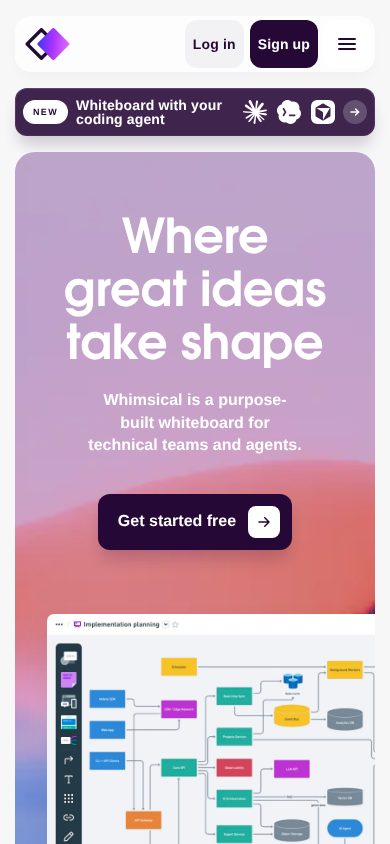
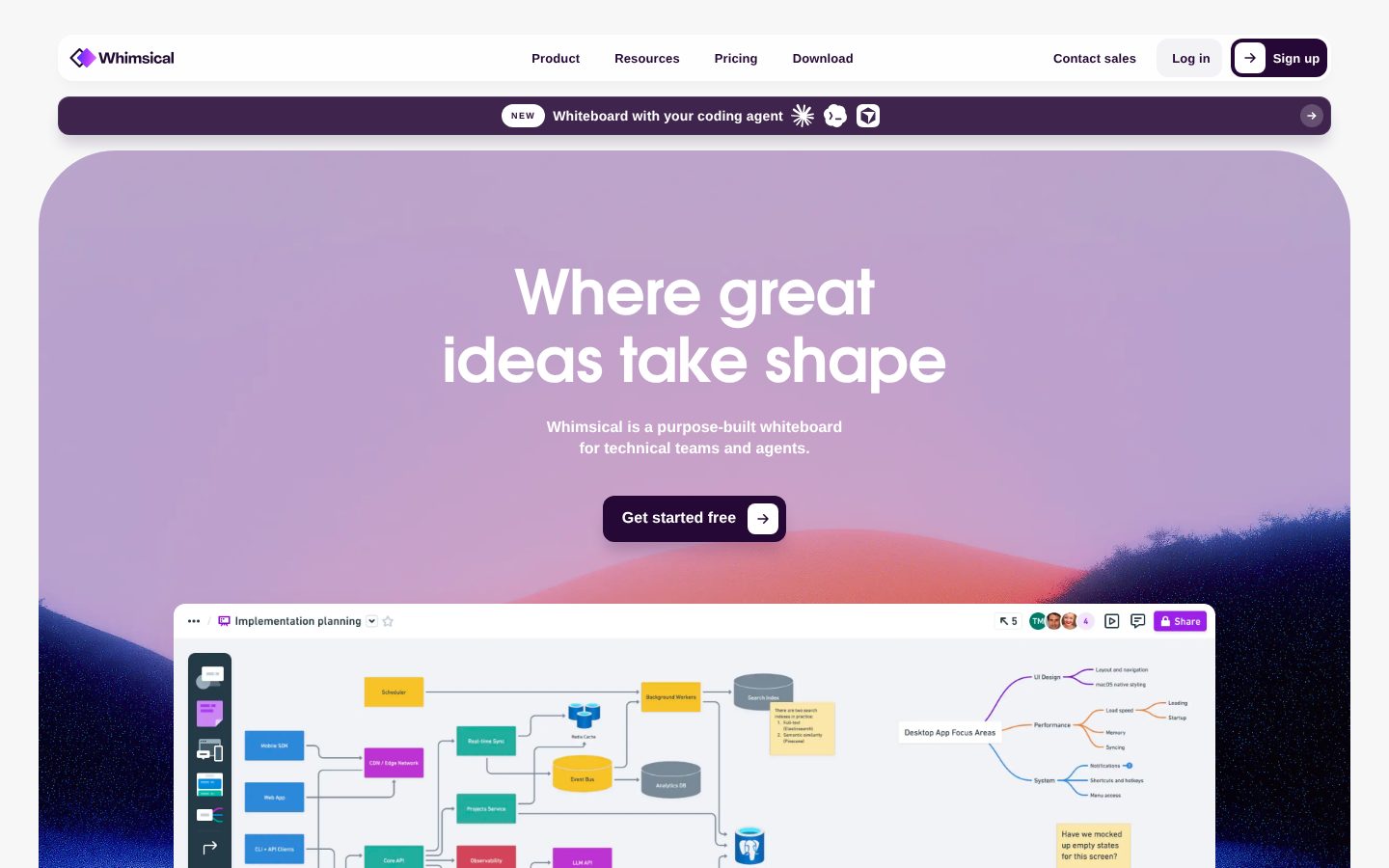
Whimsical desktop previewWhimsical mobile preview

Pricing Plans

Free

Free

For personal projects and flexible collaboration

  • Unlimited workspace members
  • 3 team boards
  • 3 teams
  • 10 guests
  • 20 AI credits per workspace (total)
  • 7-day version history
  • File uploads up to 5MB each

Pro

$10/monthly

For small-but-mighty teams or individuals

  • Unlimited team boards
  • Private teams
  • 6 teams
  • 50 guests
  • 50 AI credits per editor per month
  • 90-day version history
  • File uploads up to 1GB each
  • Admin roles

Business

$20/monthly

For large teams or entire organizations

  • SSO / SAML
  • SCIM and advanced security controls
  • Unlimited teams and 200 guests
  • 100 AI credits per editor per month
  • File uploads up to 10GB each
  • Unlimited version history
  • Dedicated success manager
  • Priority support

Contact Sales

Contact sales

Enterprise plan with custom pricing; contact sales for details. Mentioned alongside Business tier for large organizations needing negotiable MSA, flexible licensing, and enterprise-grade controls.

  • Custom pricing
  • Negotiable Master Service Agreement
  • Flexible payment terms
  • Invoice payment option
  • Custom security reviews
  • Flexible licensing

AI Panel Reviews

The Decision Maker

The Decision Maker

Strategic bet, vendor viability, timing, adoption approval
7.8/10

Clean, fast, and priced right — but Miro owns the enterprise conversation.

Whimsical is a focused diagramming tool that moves fast and prices honestly at $10/seat. It won't displace Miro in large orgs, but it doesn't need to.

SOC 2 Type 2 certified, free plan with real multiplayer editing, Pro at $10/seat. The pricing page doesn't trap you — unlimited boards at Pro, SSO and SCIM at $20 for Business. That's a clean ladder. No desktop app required, which removes an IT conversation entirely.

The AI diagram generation is a real differentiator against Lucidchart, which still feels like it was designed in 2014. The tradeoff: Whimsical is narrower than Miro. No deep workshop facilitation tooling, no marketplace, fewer integrations. If your team is doing product planning and flow work, that narrowness is a feature. If you need a platform for company-wide async collaboration, it isn't.

No public funding data, so I can't call the 36-month survival bet confidently. The changelog shows active shipping. $10/seat won't trigger a board question. Pilot it with a product squad before standardizing.

Competitive Positioning7.5

Cleaner and faster than Lucidchart, cheaper than Miro for focused diagramming use cases, though it lacks Miro's ecosystem and workshop depth.

Reputation Risk8.0

SOC 2, GDPR, CCPA, and SCIM on Business — this is a defensible vendor choice to any security-conscious board.

Speed to Value8.5

Browser-only, free plan with immediate multiplayer editing and a template library means a team can be productive same day, no IT ticket required.

Strategic Fit7.5

AI-assisted diagram generation and agent-compatible workflows position this beyond just cost savings on whiteboarding — it advances async product work.

Vendor Viability7.0

No public funding data available, but the changelog shows active shipping and SOC 2 Type 2 compliance signals an org that's invested in durability.

Pros

  • Pro tier at $10/seat with unlimited boards — pricing page doesn't hide the trap
  • Whimsical AI generates diagrams from text prompts, shipping now not roadmap
  • SOC 2 Type 2, SAML, SCIM at $20/seat — enterprise-ready without enterprise pricing
  • Browser-only removes deployment friction entirely

Cons

  • No public funding data — survival bet is unverifiable
  • Narrower ecosystem than Miro; no integration marketplace
  • Free plan caps at 3 team boards, which breaks quickly for any real team
  • No desktop app may frustrate offline-heavy users

Right for

Product and engineering teams that need fast, clean diagramming without paying Miro's platform tax.

Avoid if

Your org needs company-wide async facilitation with deep third-party integrations.

The Domain Strategist

The Domain Strategist

Craft and strategy in the product's domain — adapts identity per category, same lens
7.8/10

Whimsical is the lean, fast whiteboard for product teams who won't tolerate Miro's bloat.

At $10/editor/month on Pro, Whimsical delivers multiplayer diagramming, wireframing, and AI-assisted brainstorming without the operational overhead of heavier platforms. SOC 2 Type 2 compliance and SCIM on Business at $20/seat means it can actually graduate to org-wide rollout.

The compliance story is solid. SOC 2 Type 2, SAML/SSO, and SCIM all land on the Business tier at $20/seat — that's the trifecta IT needs to approve a tool for more than one team. The 90-day version history on Pro is workable; unlimited history on Business matters for regulated industries or any org that treats diagrams as decision artifacts.

The operational tradeoff is tool sprawl risk. Whimsical sits between FigJam (design-adjacent) and Lucidchart (process-heavy), claiming wireframes, flowcharts, and mind maps simultaneously. That breadth is a feature until cross-functional teams start diverging on which tool owns which workflow. Three years in, you may be running Whimsical alongside a dedicated wireframing tool anyway.

The AI credits model — 100/editor/month on Business — is a reasonable operational bet right now, but credits-based AI pricing tends to get renegotiated upward. The agent-based workflow positioning is early, but the changelog suggests they're moving deliberately toward that surface.

Category Positioning8.0

At $10-$20/seat with SOC 2 and SCIM, Whimsical undercuts Miro on price while matching it on core collaborative whiteboard functionality for most teams.

Domain Fit8.2

Multiplayer editing, canvas-native comments, and template library map directly to how product and engineering teams actually run planning sessions.

Integration Surface7.2

GitHub integration on Pro/Business is useful for technical teams; no public API listed in evidence limits deeper workflow automation options.

Long-term Implications7.0

If the team grows beyond product into design or compliance-heavy workflows, Whimsical's generalist canvas starts requiring supplemental tooling.

Strategic Depth7.5

Covers four distinct content types competently, but depth in any single one — especially wireframes — doesn't match dedicated tools like Figma.

Pros

  • SOC 2 Type 2 plus SCIM and SAML on Business tier — IT-approvable without an enterprise negotiation
  • $10/seat Pro tier covers unlimited boards and 90-day version history for small teams
  • Browser-native with no desktop install reduces IT deployment friction
  • AI diagram generation is a real workflow accelerator, not a demo feature

Cons

  • No public API limits stack integration for ops teams who want automation
  • 100 AI credits/editor/month on Business will feel thin as AI usage normalizes
  • Breadth across wireframes, flowcharts, and mind maps risks creating tool identity confusion across teams

Right for

Product and engineering teams under 200 seats who need a fast, compliant collaborative canvas without enterprise procurement overhead.

Avoid if

Your design team needs production-grade wireframing fidelity or your ops stack requires deep API-based workflow automation.

The Finance Lead

The Finance Lead

Money, total cost of ownership, contracts, procurement math
7.8/10

$10/seat Pro tier, SSO unlocks at $20 — clean stack for teams under 50

Three tiers fully visible without a sales call. SSO gating at Business is the only real procurement friction.

$10/editor/month Pro, $20/editor/month Business. All tiers published. No discovery call required. Procurement won't fight this one.

50 editors × $20 × 12 = $12K/year at Business. Add 20% seat creep: year 3 lands near $17.3K. SSO and SCIM require Business — category norm, but worth modeling upfront. Free plan caps at 3 team boards and 20 AI credits per workspace total. That's a hard ceiling for any real team.

Compare to Miro: starts at $10/editor but SSO is also enterprise-tier. Dollar-for-dollar similar. Whimsical's AI diagram generation is included in paid tiers — Miro charges add-ons. Tradeoff: Whimsical has no desktop app, web-only. Single point of failure for offline work. Version history unlimited only at Business; Pro gets 90 days. Know which you need before signing.

Billing & Procurement8.0

Invoice payment and negotiable MSA available at Enterprise tier; Pro and Business are self-serve with standard card billing.

Contract Flexibility7.0

Annual and monthly billing available per pricing page; no public termination-for-convenience or auto-renewal window details.

Pricing Transparency9.0

All four tiers published with feature breakdowns — no sales call needed, based on their pricing page.

ROI Clarity7.2

Wireframes, flowcharts, and AI diagram generation have measurable design-cycle impact, but no published benchmark data.

Total Cost of Ownership7.5

50 editors × $20 × 12 = $12K/year; SSO forces Business tier, which doubles per-seat cost vs Pro.

Pros

  • All pricing tiers visible without a sales call
  • SSO/SAML included at $20/seat — no separate add-on fee
  • AI diagram generation included in paid tiers, not an upsell
  • SOC 2 Type 2 certified, GDPR/CCPA covered

Cons

  • Free plan capped at 3 boards and 20 workspace AI credits total
  • SSO forces jump from $10 to $20/seat — doubles the bill
  • Web-only, no desktop app — connectivity dependency
  • No published auto-renewal or cancellation window terms

Right for

Teams of 10-50 needing diagrams, wireframes, and AI brainstorming in one self-serve tool at a predictable per-seat price.

Avoid if

Your procurement requires offline access or you need SSO on a sub-$15 per-seat budget.

The Domain Practitioner

The Domain Practitioner

Daily hands-on reality in the product's domain — adapts identity per category, same lens
7.8/10

Whimsical at $10/mo punches above its weight for planning-heavy teams

Clean infinite canvas with real AI diagram generation built in, not tacked on. The free plan's 3-board cap and 20 shared AI credits will push serious teams to Pro faster than they expect.

The multiplayer editing and canvas-anchored comments are the daily workflow wins here. Not having to ping someone in Slack with 'see the third box on the left' is a genuine time save. Flowcharts, mind maps, and wireframes coexist on the same board without mode-switching — that's the shape knowledge workers actually think in.

The friction shows at the free tier ceiling. Three team boards and 20 AI credits shared across the whole workspace isn't a trial — it's a demo. Pro at $10/editor/month unlocks unlimited boards and 50 AI credits per editor, which is livable. The 90-day version history on Pro versus unlimited on Business is a real decision point for anyone doing serious document archaeology.

Compared to Miro, Whimsical is lighter and faster to open — fewer layers of configuration before you're actually working. The tradeoff: Miro's integration depth and plugin ecosystem are significantly wider. If your team needs deep third-party connections, Whimsical won't match that. For focused planning and diagramming work, though, it won't get in your way.

Day-3 Reality8.0

Canvas-anchored comments and unified board types reduce context-switching friction, but the free plan's 3-board and 20 shared AI credit limits surface fast.

Documentation Practitioner-Fit7.0

Changelog exists and pricing page is detailed, but no public API docs suggest the docs lean toward end-user onboarding rather than power-user workflows.

Friction Surface7.8

Browser-only with no desktop app is a non-issue for most knowledge workers; the main friction is tier-gating features like SSO and unlimited version history behind $20/mo Business.

Power-User Depth7.5

AI diagram generation, template library, and version history show depth, but 100 AI credits/editor cap on Business and no desktop app limit advanced automation scenarios.

Workflow Integration7.5

Loom and YouTube embeds keep context on the canvas; GitHub integration on Pro/Business helps technical teams, but no API docs are public.

Pros

  • Canvas-anchored comments keep conversations in context without external chat
  • AI diagram generation is a named feature, not a wrapper — generates from text prompts
  • $10/mo Pro includes unlimited boards and 90-day version history
  • SOC 2 Type 2 compliant, GDPR and CCPA ready

Cons

  • Free plan's 3-board and 20 shared AI credits will frustrate even small teams quickly
  • No desktop app — browser-only creates dependency on stable connections
  • Integration ecosystem is thin compared to Miro
  • Version history capped at 7 days free, 90 days Pro — unlimited only at $20/mo Business

Right for

Product and technical teams doing regular planning, diagramming, and wireframing who want one fast canvas instead of three separate tools.

Avoid if

Your team needs deep third-party integrations or plugin extensibility that Miro's ecosystem provides.

The Power User

The Power User

Daily human experience, onboarding, polish, learning curve, reliability
8.0/10

Whimsical is the fast, clean whiteboard Miro wished it started as

At $10/month for unlimited boards and AI credits, it punches well above its price. Web-only is the real constraint — there's no desktop app and mobile parity is essentially nonexistent.

Whimsical has the feel of a tool someone actually planned to use every day. The infinite canvas loads fast, the flowchart and mind map tools snap into place without fiddling, and canvas-level comments mean you're not tab-switching to Slack mid-session. The Templates Library gets you moving in under two minutes. That's not nothing — Miro can feel like a kitchen drawer by day three.

The Whimsical AI feature at 50 credits per editor per month on Pro is a real differentiator for early-stage planning. Generate a diagram from a prompt, clean it up, done. Version history at 90 days on Pro covers most teams. The free plan's 3-board cap will hit fast for anyone doing real work, but $10/month is an easy yes.

The tradeoff: web-only. No desktop app. The docs suggest mobile exists but the evidence doesn't support calling it a real experience. For a product about thinking and planning, that matters more than it sounds.

Daily Polish8.5

Canvas-level comments, fast interactions, and consistent component behavior signal a team that sweated the daily feel.

Learning Curve8.0

Four distinct content types (flowcharts, mind maps, wireframes, diagrams) stay discoverable without getting in each other's way.

Mobile Parity4.5

Web-only platform — no desktop app listed and no evidence of a real mobile editing experience for an infinite-canvas tool.

Onboarding Experience8.5

Templates Library plus a drag-and-drop canvas gets most people productive in under ten minutes with no training needed.

Reliability Feel7.5

Version history and autosave behavior suggest solid fundamentals, though no public changelog detail on error states or offline handling.

Pros

  • Unlimited boards on Pro for $10/month — Miro charges multiples of that for equivalent access
  • Canvas-level comments keep conversation tied to the work, not a separate thread
  • Whimsical AI diagram generation at 50 credits/editor/month is genuinely useful for early planning
  • SOC 2 Type 2 compliance and SAML on Business at $20/month makes org adoption a real conversation

Cons

  • Web-only — no desktop app, mobile experience appears to be an afterthought
  • Free plan caps at 3 boards, which is a wall most real projects hit fast
  • No public API listed in the evidence, limiting custom integrations
  • 20 AI credits total on the free plan is barely a taste

Right for

Product and technical teams who want fast, clean collaborative diagramming without Miro's complexity or price.

Avoid if

Your team needs reliable mobile editing or a native desktop app as part of their daily workflow.

The Skeptic

The Skeptic

Contrarian. Watch-outs, deal-breakers, broken promises, category patterns
7.2/10

Solid mid-tier whiteboard. Three free boards is a real limitation.

Whimsical does the basics well — multiplayer editing, AI diagram generation, clean wireframe components. But it's entering a market where Miro has more integrations and FigJam has Figma gravity pulling designers in.

Three tells from the pricing page. One: free plan caps you at 3 team boards total. That's not a trial, that's a tripwire. Two: AI credits are workspace-scoped on free (20 total), per-editor on Pro ($10/month for 50 credits). Two different models — watch for confusion. Three: no API listed in the capabilities. That limits pipeline automation in ways Lucidchart handles better.

Where it holds up: $10/month for unlimited boards is genuinely fair. SOC 2 Type 2 with SCIM on Business ($20/month) is real enterprise signal, not marketing fluff. Changelog exists. That matters for longevity read.

The exit story is mediocre. Browser-based boards, no export spec listed publicly, no API. If Whimsical sunsets, you're screenshotting. That's the tradeoff worth naming. Not a dealbreaker for small teams. Real friction for anyone building process documentation at scale.

Competitive Differentiation6.5

Speed and simplicity vs. Miro's complexity is a real positioning angle, but FigJam owns the design-team segment and Lucidchart owns enterprise diagramming.

Exit Portability5.5

No public API, no documented export format — migration off this in 18 months means manual reconstruction.

Long-term Viability7.0

Changelog present, SOC 2 Type 2 certified, four pricing tiers including Enterprise — small but not obviously fragile.

Marketing Honesty7.5

'Where great ideas take shape' is soft but not dishonest — the feature list matches the pitch without obvious inflation.

Track Record Match6.8

Matches the Miro playbook from 2018 — freemium whiteboard, multiplayer, AI layer added late — a pattern with survivors and casualties both.

Pros

  • $10/month Pro tier includes unlimited boards — fair price for small teams
  • SOC 2 Type 2 plus SCIM on Business signals real security investment
  • AI diagram generation from text prompts is a genuine time-saver for planning workflows
  • Version history with restore included even on free (7-day)

Cons

  • No public API — automation and integrations are limited
  • Free plan's 3-board cap forces upgrade fast — barely usable for real teams
  • No desktop app, browser-only creates dependency on connectivity
  • Exit portability is weak; no documented export path visible in evidence

Right for

Small product or engineering teams who want fast wireframes and flowcharts without Miro's complexity overhead.

Avoid if

You need API access, robust export formats, or a deep Figma-adjacent design workflow.

Buyer Questions

Common questions answered by our AI research team

Pricing

How much does Whimsical Pro cost per month?

Whimsical Pro costs $10/month per editor (billed annually). Monthly billing is also available, and the Pro plan includes unlimited team boards, private teams, 50 AI credits/editor/month, and 90-day version history.

Security

Does Whimsical support SSO and SAML?

SSO/SAML and SCIM are available on the Business plan at $20/month per editor. These features are not included in the Free or Pro plans.

Features

Can I invite people outside my organization to edit?

Yes. On Pro, Business, and Enterprise plans, guests can be invited as editors, commenters, or viewers. The Free plan limits guests to view or comment access only.

Integration

Does Whimsical integrate with GitHub?

GitHub integration is included on the Pro and Business plans. It is not available on the Free plan.

Security

Is Whimsical SOC 2 compliant?

Yes, Whimsical is SOC 2 Type 2 compliant. It also supports GDPR and CCPA compliance requirements.

Product Information

  • Company

    Whimsical
  • Founded

    2017
  • Pricing

    From $10/mo
  • Free Plan

    Available

Platforms

web

About Whimsical

Whimsical is a San Francisco-based collaborative workspace tool for creating flowcharts, wireframes, mind maps, and sticky notes in a shared visual environment.

Resources

Blog
Changelog

Also in Collaboration Tools