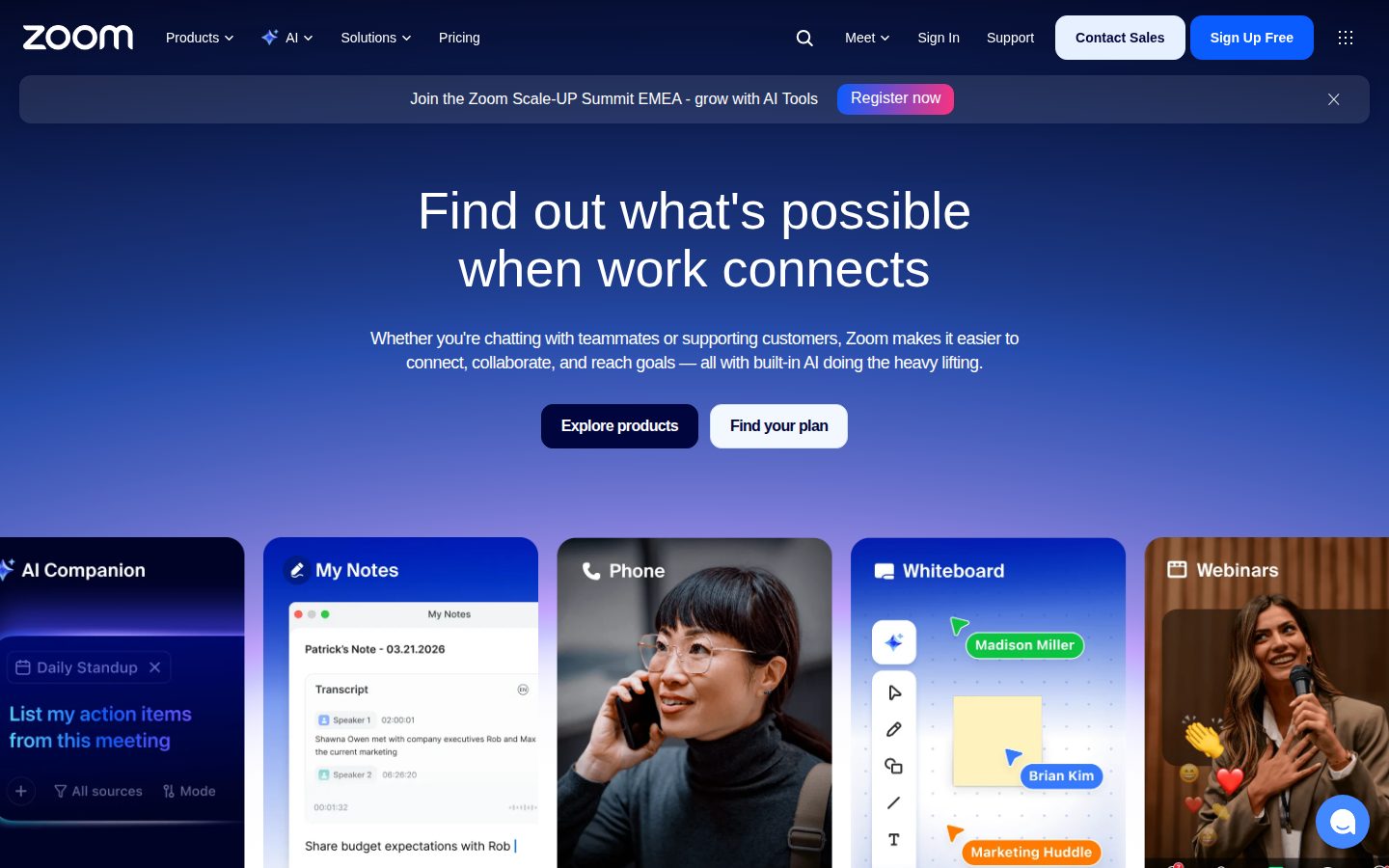
Video meetings, webinars, and team chat in one platform
Zoom is a cloud-based video conferencing and communication platform.
AI Panel Score
6 AI reviews
Reviewed
AI Editor ApprovedApproved and published by our AI Editor-in-Chief after full panel analysis.Zoom is a cloud-based communications platform developed by Zoom Video Communications, Inc. It enables users to host and join video meetings, audio calls, webinars, and chat conversations from a range of devices including computers, smartphones, and dedicated room hardware. The service operates across web browsers and native applications on Windows, macOS, Linux, iOS, and Android.
The platform is used across a broad range of sectors including corporate enterprise, education, healthcare, and government. Organizations use Zoom to facilitate internal team meetings, client calls, large-scale webinars, and hybrid work arrangements. Educational institutions commonly use it for virtual classrooms and remote learning sessions.
Key capabilities include HD video and audio conferencing, screen and content sharing, breakout rooms for splitting participants into smaller groups, session recording with optional cloud storage, virtual backgrounds, live transcription, and polling. Zoom also offers Zoom Phone, a cloud-based VoIP phone system, and Zoom Rooms, a software-defined conference room solution for physical meeting spaces.
Zoom integrates with a wide range of third-party tools including Google Workspace, Microsoft 365, Slack, Salesforce, and various calendar applications. Its API and SDK allow developers to embed video and communication features into custom applications.
In the video conferencing market, Zoom competes with Microsoft Teams, Google Meet, Cisco Webex, and other platforms. It offers a free tier with usage limitations alongside several paid subscription plans targeted at individuals, small teams, and large enterprises.
Built-in AI assistant that captures and summarizes conversations, turns meeting notes into docs and briefs, and automates prep and follow-up documentation.
AI note-taker that captures insights from Zoom meetings, in-person conversations, and third-party platforms automatically.
Converts meeting notes and insights into ready-to-use documents, briefs, and other content formats.
Digital whiteboard tool for visual collaboration that can be created directly from meetings.
Team chat tool for messaging and collaboration with teammates within the Zoom platform.
Short video clip creation tool that allows users to generate and share video clips from meetings.
Video meetings platform that enables real-time collaboration for client pitches, global all-hands, patient consults, and classrooms.
VoIP phone system integrated into the Zoom platform for voice calls.
Room-based meeting solution that extends Zoom collaboration capabilities to physical meeting spaces.
Webinar hosting product for broadcasting and marketing events to large audiences.
AI-powered virtual agent product for automated customer support interactions.
Customer support platform that integrates CRM connections, video transitions, and call handling into a single unified workflow.
Free tier with 40-minute meeting limit for groups; unlimited 1:1 meetings.
For small teams: removes the 40-minute cap, adds cloud recording and AI Companion.
For SMBs: SSO, managed domains, larger participant counts, and Zoom Scheduler.
Adds Zoom Phone (regional unlimited calling) and Workspace Reservation to the Business tier.
Custom-priced enterprise tier with unlimited cloud storage, large meetings, Workspace, Whiteboard, and dedicated success management. Contact sales for pricing.
Zoom Workplace is a profitable public company pivoting to AI Companion while Microsoft Teams squeezes the meetings core.
“Zoom (NASDAQ: ZM) trades at roughly one-seventh its 2020 peak but ships profitably and pulled in around $4.7B in revenue with 229 enterprise Contact Center logos above $100K ARR. The decision is whether AI Companion and Zoom Contact Center grow fast enough to offset bundled-Teams pressure on the seat business.”
The Microsoft Teams bundle is the durable headwind. Eric Yuan's response is a 2024 corporate rebrand — Zoom Workplace, dropping "Video" from the legal name — and an AI Companion that's free across paid tiers. That's the bet you're underwriting in 2026, not the 2020 reflex.
The Pro tier is $14.99/user/month, Business Plus $26.99 with Zoom Phone unlimited regional calling. AI Companion handles Meeting Summary, Smart Recordings, and in-meeting Q&A without a per-seat upcharge. Zoom Contact Center launched February 2022 and crossed 229 customers above $100K ARR by Q2 FY26 — up 94% year-over-year against Genesys and NICE.
But every Microsoft 365 E3 seat ships Teams at no marginal cost, and that arithmetic doesn't change. The tradeoff is best-in-class meeting UX and a credible AI add-on against a competitor giving the floor away. Standardize Zoom where meeting quality is non-negotiable. Defer the Workplace suite bet.
Contact Center growth at 94% YoY offsets but does not erase the Teams-bundled-with-M365 seat pressure.
A board-recognized name with a 2024 AI pivot; the safe defensible choice for meetings at scale.
Universal user familiarity and the cleanest install across Windows, macOS, iOS, and Android shortens rollout.
AI Companion and Zoom Workplace rebrand reframe the platform beyond video, but the suite story is still proving.
Public since April 2019, profitable, around $4.7B revenue, fifteen years in market under founder Eric Yuan.
Enterprises who prioritize meeting quality and global reliability.
Teams-standardized shops who do not need a second collaboration suite.
Zoom's bet is the Workplace bundle plus free AI Companion against Teams' M365 gravity.
“Zoom Workplace stretches a video-first brand into Phone, Chat, Whiteboard, Clips, and Contact Center, with AI Companion 3.0 bundled at no extra seat cost. The 3-year question for a Head of Workplace Tech isn't quality — it's whether bundled-anyway Microsoft Teams quietly absorbs the renewal.”
AI Companion 3.0 bundled free across paid tiers is the strategic anchor. Microsoft Copilot runs $30/seat on top of M365; Zoom folds meeting summary, in-meeting Q&A, and post-meeting docs into the $14.99 Pro plan. For a Head of Workplace Tech sizing a 3-year stack bet, that pricing call shifts the math.
The Mitel partnership rolling out February 2025 and the Workvivo acquisition in April 2023 signal Zoom Workplace's direction. Mitel's 70 million end-users get Zoom as exclusive UCaaS; Workvivo plugs the employee-experience gap. Zoom Contact Center plus AI Docs round out a real suite, not video-plus-extras.
But Microsoft Teams ships inside the M365 seat every knowledge worker already pays for, and Google Meet rides Workspace. Zoom's craft ceiling — video quality, free AI Companion, Workvivo's comms depth — has to defend against contract bundling, not feature gaps. The 3-year question is whether best-of-breed survives the renewal conversation.
Still the video category leader; Mitel exclusive UCaaS deal and Workvivo acquisition broaden the Workplace footprint.
Matches how Workplace Tech heads actually buy in 2026 — one bundled comms suite, not point tools wired together.
M365, Google Workspace, Slack, Salesforce, and calendar integrations are real; SDK and API surface lets Workplace embed cleanly.
Teams M365 bundling and Google Meet Workspace inclusion are the 3-year squeeze; Zoom must defend on quality plus AI Companion pricing.
Workplace suite has real depth across Meetings, Phone, Whiteboard, Clips, AI Docs, and Contact Center — not a thin re-skin.
Workplace tech leaders who want a bundled comms suite outside the Microsoft and Google contracts.
Teams who already pay for M365 Copilot or Google Workspace seats.
AI Companion ships free on every paid Zoom plan — that's a line item Copilot bills $30 for.
“Pro at $13.33/seat annual undercuts the standalone-tool category but loses to Microsoft Teams when M365 is already on the invoice. The AI Companion bundle is the real differentiator — competitors charge $10-30 per seat for equivalent meeting AI.”
AI Companion bundled free across Pro, Business, and Business Plus is the procurement headline. Microsoft 365 Copilot lists $30/seat. Standalone meeting-AI tools like Otter and Fireflies run $10-20. Zoom moved the meter to zero.
50 seats on Pro annual: $13.33 × 50 × 12 = $7,998/year. Same team on Business at $18.33 hits $10,998 — but Business carries a 10-user minimum and unlocks SSO, managed domains, and Zoom Scheduler. Business Plus adds Zoom Phone regional calling at $26.99 monthly.
The catch is the bundle math against Microsoft Teams. Teams ships inside Microsoft 365 Business Basic at $6/seat — three Zoom Pros for the price of one M365 seat that includes Teams, Exchange, and SharePoint. Zoom wins on call quality and webinar depth, but if M365 is already on the invoice, the second video bill is hard to defend.
Self-serve up through Business Plus with no sales call — procurement sees the sticker before signing.
Monthly billing offered alongside annual discount — rare in the category, no published auto-renewal horror stories.
Four paid tiers with published sticker — Pro $13.33, Business $18.33, Business Plus $26.99 — only Enterprise gates pricing.
Meeting minutes, transcription caps, and cloud recording allowances are all published per tier — usage is measurable.
AI Companion bundling lowers all-in cost, but standalone video billing is hard to justify when Microsoft 365 already carries Teams.
Teams that prioritize video quality and want bundled meeting AI.
Buyers already paying for Microsoft 365 with Teams.
Smart Recordings and AI Companion 3.0 carry weekly use, but Phone provisioning still demands carrier paperwork.
“Zoom Workplace pairs AI Companion 3.0 meeting summaries with Smart Recordings and Zoom Phone on the $14.99/month Pro tier. The catch is Phone number provisioning friction and a Custom AI Companion add-on at $12/user that gates the cross-platform features.”
AI Companion 3.0 is bundled at no extra cost on Pro and above — that decision matters to a comms admin tracking line-item creep. Meeting Summary writes the recap and surfaces action items without flipping a paid switch per seat. Otter charges per user for the same job.
Smart Recordings cut the hour-long all-hands into searchable chapters with speaker labels and highlights — the transcript becomes the source of truth, not the MP4. Whiteboard and Clips round out the asynchronous side, however Microsoft Teams still wins on deep Word and Excel co-authoring inside the call window.
Zoom Phone is the quiet workhorse — cloud PBX, SMS, voicemail transcription — but porting numbers means carrier paperwork and a multi-week window per region. The Custom AI Companion add-on at $12/user pulls notes from Google Meet and Teams; useful, but the meter bites at scale.
AI Companion 3.0 summaries and Smart Recordings run unattended after the first week of setup.
support.zoom.com covers admin runbooks, AI Companion enablement, and Phone provisioning step-by-step.
Zoom Phone number porting and the $12/user Custom AI Companion add-on are the recurring friction points.
Zoom Phone, Contact Center, Rooms, and the Apps Marketplace extend the platform well beyond meetings.
Calendar and Mail integrate with Google Workspace and Microsoft 365, but Teams owns the Office co-edit lane.
IT and comms admins who run hybrid meetings across mixed device fleets.
Teams that live inside Microsoft 365 documents during every call.
Zoom AI Studio gives admins real customization, but Custom AI Companion is a paid add-on, not bundled.
“The developer surface is real — 3,129 Marketplace apps, a Video SDK with usable free credits, and Custom Agents that wire into Asana and Jira through MCP. The asterisk is that Custom AI Companion sits behind a separate license, not the base Workplace plan.”
Zoom AI Studio is where the customization story actually lives — Custom Agents wired through MCP to Asana, Jira, and Confluence, Hero Prompts admins ship as starters, and Custom Dictionary so transcripts stop mangling product names. The Marketplace sits at 3,129 apps as of January 2026, which is a real ecosystem, not a screenshot.
The catch is that Custom AI Companion is a paid add-on on top of Workplace, not bundled. Microsoft Teams ships Copilot deeper into the M365 stack out of the gate, and that integration gravity matters if your org already lives in Outlook. Webhook event coverage is broad but the docs reward patience.
For builders, the Video SDK gives 20 free credits a month and $100 buys 28,571 session-minutes — generous for prototypes, predictable at scale. Mobile parity is the quiet win here; the iOS and Android clients are actual products, not afterthoughts. Three months in, the platform feels lived-in.
Years of iteration show in empty states, virtual backgrounds, and micro-copy across the Workplace surface.
First hour is trivial, but the admin console for SSO, managed domains, and AI Studio gets dense by month three.
iOS and Android clients are real products — meetings, chat, webinars, and AI Companion summaries all land on the phone.
First-run flow is well-trodden — join links and the Basic free tier with 40-minute group cap get users moving fast.
Known stable at scale through pandemic-era load; cloud recording, autosave, and failover behave as expected.
Admins who want customizable AI inside meetings.
Teams locked into the Microsoft 365 stack.
Stock down 86% from $588 peak, but FY26 revenue $4.87B grew 4.4% — survivor, not story.
“Zoom's stock fell 86% from its $588 October 2020 peak as FY26 revenue grew only 4.4% to $4.87B against Microsoft Teams and Google Meet bundling. But Enterprise revenue grew 6.5% to $2.93B with 4,468 customers spending over $100K annually — the brand stopped growing, it didn't die.”
Stock at $82 in April 2026. Was $588 in October 2020. That's 86% gone, and the FY26 revenue print of $4.87B grew just 4.4% year-over-year. Online segment up 1.2%. The pandemic darling is now a slow-grower.
Enterprise carried the quarter — $2.93B, up 6.5%, with 4,468 customers spending over $100K trailing twelve months. AI Companion 3.0 ships free with paid plans, and Workvivo (acquired April 2023, price undisclosed) is the employee-experience bet. But Microsoft Teams bundles into E3 and E5 contracts, and Google Meet rides Workspace — Zoom Workplace fights distribution it doesn't own.
The brand survives. Gross margin 77.0%, operating income $1.12B, no funding question. Exit story is decent — recordings export, phone numbers port. The catch is whether AI Companion bundled-free ever monetizes against incumbents giving away the same thing in suites already paid for.
Microsoft Teams and Google Meet bundle the same capability into suites buyers already pay for.
Recordings export, phone numbers port, and standards-based codecs mean migration costs are mostly retraining.
FY26 operating income $1.12B and 77.0% gross margin remove the funding question entirely.
Workplace rebrand felt forced but the FY26 revenue and margin claims match audited financials.
Profitable public incumbent since 2019, but growth pattern matches bundled-out commodity software.
Enterprises who already have Zoom rolled out broadly.
Buyers who get Teams or Meet bundled in existing contracts.
Common questions answered by our AI research team
Zoom AI Companion is included at no extra cost with eligible paid Zoom Workplace plans. As stated by Zoom CEO Eric Yuan, Zoom is making AI available at no extra cost.
Yes, the 'My Notes' feature captures insights from conversations on Zoom, in-person, and across third-party platforms, so users can focus on the discussion rather than documentation.
Zoom AI Companion may not be available for all regions or industry verticals. The content explicitly states it is available with eligible paid Zoom Workplace plans but notes geographic and vertical restrictions may apply.
Company
Zoom CommunicationsFounded
2011Pricing
From $15/moFree Plan
AvailableZoom is a San Jose-based video communications company providing meetings, phone, chat, contact center, and collaboration tools to more than 200,000 enterprise customers.