Colossyan logo

Colossyan Review

Visit

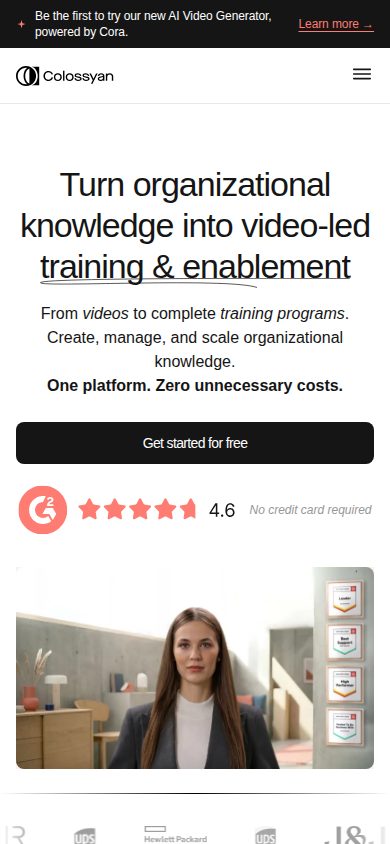
Turns documents and presentations into AI avatar training videos

Colossyan is an AI video generation platform for corporate training and enablement content.

AI Panel Score

7.6/10

6 AI reviews

Reviewed

About Colossyan

Colossyan Creator's core workflow starts with existing material: a document, a PowerPoint or PDF file, or a written prompt. Users import or type content, then select an AI avatar and voice to narrate it, arrange scenes on a timeline-based editor, and export a finished video. A screen recording tool is also included, letting users capture their screen and layer AI narration or an avatar presenter on top, which is aimed at product walkthroughs and software tutorials.

Beyond the basic avatar-and-voiceover pipeline, Colossyan's distinguishing features include custom avatars and voice cloning, which let organizations create a digital likeness of a specific employee or subject-matter expert for recurring training content. Automatic translation into more than 80 languages lets a single video be localized without re-recording. Interactive video features add clickable action buttons within a video, turning a linear video into a branching or quiz-style experience, and completed videos can be exported in SCORM format for tracking within a learning management system.

Colossyan targets organizations that produce recurring internal training and enablement content, including employee onboarding, compliance training, internal communications, sales enablement, customer education, and product explainer videos. It is used across industries such as healthcare, technology, professional services, education, manufacturing, and retail. The company positions itself against other AI video generation tools including Synthesia, HeyGen, and Articulate, publishing direct comparison pages against each.

Colossyan Creator is a web-based application accessed through a browser, with no desktop or mobile app listed. It offers a public API for programmatic video generation and lists SOC 2 and GDPR compliance on its security page, which is relevant for enterprise and regulated-industry buyers such as healthcare and financial services customers.
Features

AI

  • AI Avatars

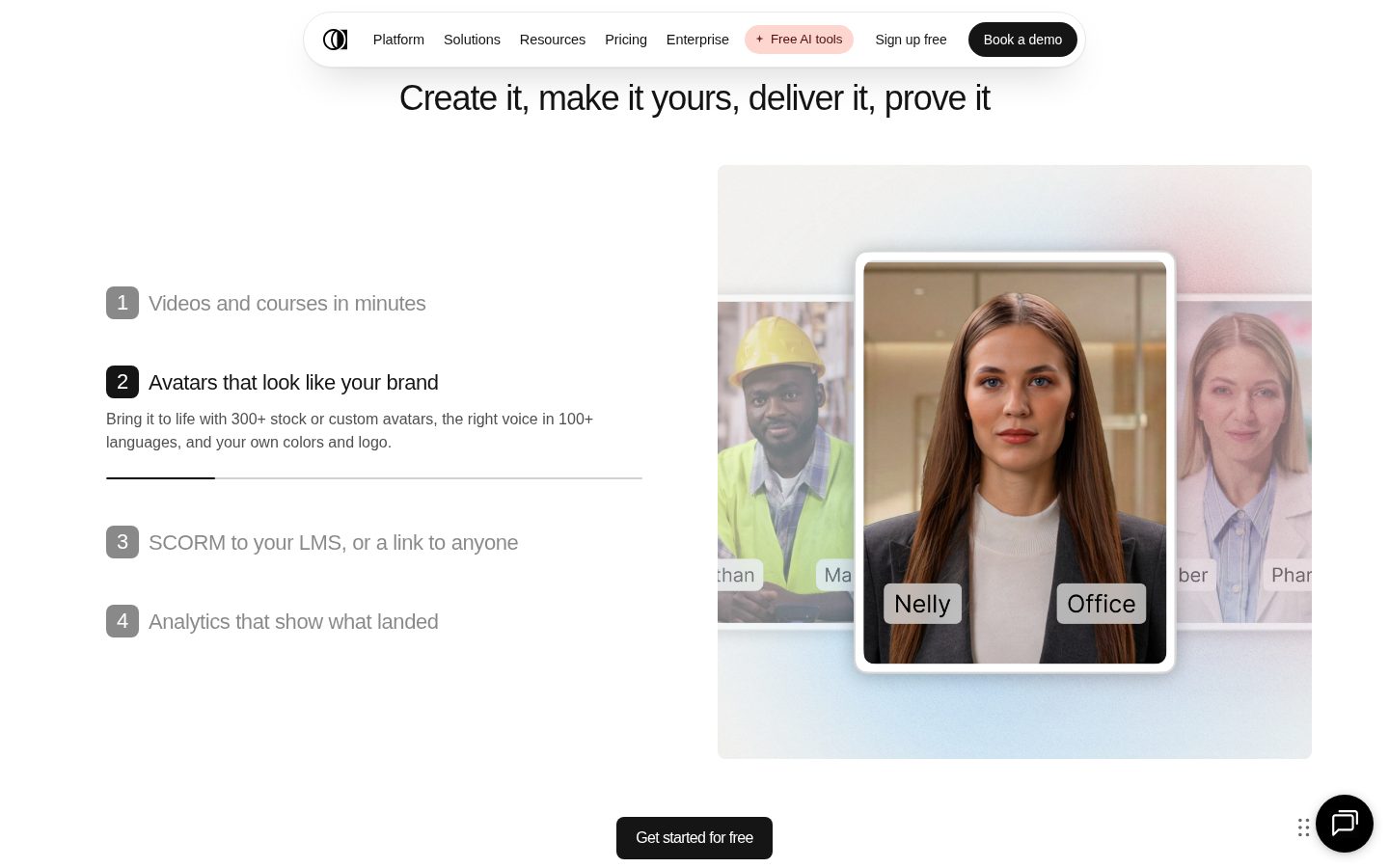
    Provides over 600 AI presenters that can be used as on-screen hosts in videos.

  • AI Video Creator (Document to Video)

    Converts PDFs, documents, and text prompts into fully produced videos featuring AI avatars.

  • AI Voiceovers

    Offers 600+ AI-generated voices to narrate video text content.

  • Auto Translation

    Automatically translates video content and narration into more than 80 languages.

Core

  • Interactive Video with Action Buttons

    Adds clickable action buttons to videos, making them interactive and measurable.

  • PPT Import

    Imports PowerPoint presentations directly into Colossyan for editing into video content.

  • Screen Recorder

    Records the user's screen and allows editing and adding narration to the recording.

Customization

  • Custom Avatars & Voice Cloning

    Lets users create a personalized digital avatar of themselves or clone their own voice for use in videos.

Integration

  • SCORM Export

    Exports videos as SCORM packages for deployment in Learning Management Systems (LMS).

Security

  • Security & Compliance Certifications

    Maintains SOC 2 and GDPR compliance to secure enterprise data and content.

Support

  • Enterprise Solutions

    Provides enterprise-specific plans and support tailored to large organization needs.

Preview

Colossyan desktop previewColossyan mobile preview

Pricing Plans

Enterprise

Contact sales

For large organizations needing custom video-led training and enablement solutions; public pricing not listed on this page, contact sales or book a demo for details.

  • 600+ AI avatars and voices
  • Custom avatars and voice cloning
  • Automatic translation into 80+ languages
  • Interactive, clickable, LMS-ready video with SCORM export
  • Security certifications (SOC 2, GDPR)

AI Panel Reviews

The Decision Maker

The Decision Maker

Strategic bet, vendor viability, timing, adoption approval
7.6/10

Solid pick for training video at scale, not a category-definer yet.

SCORM export and SOC 2 make this real for regulated buyers. The migration playbook from Synthesia and HeyGen suggests they know exactly who they're chasing.

600 avatars, 80+ languages, SCORM export, SOC 2 Type II. That's a feature-complete stack for compliance and onboarding video, not a toy.

Two things stand out. One: they publish direct comparison pages against Synthesia, HeyGen, and Articulate — that's a company that knows its category and isn't hiding from it. Two: the migration path is real, with a dedicated onboarding specialist auditing existing Synthesia or Camtasia content. Most teams productive in a week, per their own claim.

No public pricing beyond the free Starter tier is the tell. Enterprise is contact-sales, which means the board sees a black box on cost. This isn't the flashy pick — it's the safe one for L&D teams with an LMS already in place. Pilot it against your current tool before signing anything multi-year.

Competitive Positioning7.5

Direct migration tooling from Synthesia and HeyGen shows they're actively winning switchers, not just competing on features.

Reputation Risk7.5

SOC 2 and GDPR compliance make this defensible to a board; unpublished enterprise pricing invites scrutiny.

Speed to Value8.0

Free Starter plan with 20 video minutes and 15 auto-translations lets teams validate output before any spend.

Strategic Fit7.5

SCORM export and LMS compatibility (Workday, Cornerstone, Docebo) directly advance training workflows, not just cost-cutting on video production.

Vendor Viability7.0

No public funding data, but SOC 2 Type II, an API, and enterprise onboarding infra signal real operating maturity.

Pros

  • SCORM export with unlimited packages on Enterprise
  • 600+ avatars and 80+ language auto-translation in one workflow
  • SOC 2 Type II and GDPR compliance for regulated industries
  • Structured migration path from Synthesia, HeyGen, Articulate

Cons

  • No public Enterprise pricing forces a sales call before you know the real cost
  • Web-only, no desktop or mobile app
  • Interactive video and SCORM caps on lower tiers limit serious rollout without upgrading

Right for

L&D and enablement teams running recurring training content who already use an LMS.

Avoid if

Skip if you need transparent per-seat pricing before looping in procurement.

The Domain Strategist

The Domain Strategist

Craft and strategy in the product's domain — adapts identity per category, same lens
8.0/10

Colossyan Learn signals a curriculum platform in the making, not just another avatar clip generator.

Colossyan pairs document-driven video generation with Learn, a course layer that pushes it toward training infrastructure rather than clip production. Regeneration economics and a $22M Lakestar-led Series A make it a credible three-year bet, though its craft ceiling sits below scenario-driven tools.

A clip generator and a curriculum platform are different three-year bets, and Colossyan is making the second one. Colossyan Learn wraps generated video into courses with branching and quizzes — a move up the stack from media production toward learning infrastructure. For a training-first buyer, that's the right ambition.

The deeper argument is maintenance math. The source deck, not the footage, is the master, so a policy change means regenerating a module, not re-booking a studio — and refresh is what consumes an L&D budget by year three. Professional runs $59 a month on annual billing, based on their pricing page, and the $22M Series A Lakestar led in 2024 settles vendor durability.

But the craft ceiling is real: presenter-and-slides delivery fits compliance and onboarding, while scenario-driven soft-skills work belongs to Vyond's animated storytelling. And Learn will overlap an LMS you already own — plan that governance conversation before the pilot.

Category Positioning7.8

The $22M Lakestar round funds a credible training-first challenger position in avatar video.

Domain Fit8.4

The document-to-course workflow matches how L&D teams actually build and ship training programs.

Integration Surface7.9

A public API and broad LMS compatibility fit existing stacks, but the Learn layer can duplicate an LMS's job.

Long-term Implications7.8

Regenerating modules from updated source documents cuts the refresh cost that dominates a multi-year library.

Strategic Depth8.0

Learn's course layer with branching and quizzes shows curriculum thinking beyond clip generation.

Pros

  • Learn adds courses, branching, and quizzes on top of video generation.
  • Regenerating video from updated source documents keeps training libraries current cheaply.
  • Transparent $59/month Professional entry with a usable free tier.
  • $22M Lakestar-led Series A supports vendor durability.

Cons

  • Presenter-and-slides delivery caps the craft ceiling for scenario-driven soft-skills training.
  • Learn's course features overlap what an enterprise LMS already owns.
  • Generation minutes stay metered by monthly caps even on paid tiers, per their pricing page.

Right for

L&D teams who maintain recurring training libraries from internal documents.

Avoid if

Teams who need cinematic or scenario-driven storytelling for soft-skills training.

The Finance Lead

The Finance Lead

Money, total cost of ownership, contracts, procurement math
7.9/10

Colossyan's $59 Professional seat is honest; the $2.50-a-minute NEO2 add-on is the number to watch.

Colossyan Professional runs $59 a month, with extra editors at $30 and a cap of three. The real budget line is NEO2 output — 600 add-on minutes cost $1,500 a year.

Three editors on Colossyan Professional cost $119 a month. The first seat is $59; each extra editor is $30, capped at three. Past that, Enterprise is a sales call. The plan meters two engines: 30 NEO minutes a month, 10 on the newer NEO2.

NEO2 is where the invoice grows. The add-on runs $1,500 a year for 600 extra minutes — $2.50 per minute. A three-editor team leaning on NEO2 lands near $2,928 a year on monthly billing. Annual billing cuts 34% and pays the year upfront, per the pricing page.

Contract terms beat category norm. Accounts pause up to two months, free. Vyond's Starter lists at $699 a year and meters in credits instead — similar money, different math. Yellow flag: unused minutes don't roll over. Vendor risk reads low — a $22M Series A, led by Lakestar, closed 2024.

Billing & Procurement7.7

Self-serve card checkout on Professional; SOC 2 report and DPA available for enterprise vendor review.

Contract Flexibility8.2

Monthly billing, cancellation at term, and a rare free two-month pause option.

Pricing Transparency8.0

Starter and Professional prices are public, down to the $1,500 NEO2 add-on rate; only Enterprise is gated.

ROI Clarity7.8

SCORM tracking and interactive video analytics make training completion measurable against production cost.

Total Cost of Ownership7.6

Seat math is predictable, but metered NEO2 minutes with no rollover can inflate the year-one bill.

Pros

  • Professional pricing is public at $59 a month with no sales call.
  • Accounts can pause for up to two months free, a rare contract term.
  • Free Starter tier is generous enough to pilot before any spend.
  • Extra editor seats cost $30, roughly half the first seat.

Cons

  • NEO2 minutes run $2.50 each through the $1,500 annual add-on.
  • Unused video minutes don't roll over month to month.
  • Professional caps at three editors, pushing larger teams into Enterprise sales.

Right for

L&D teams who want published per-seat pricing for training video.

Avoid if

Teams who need more than three editors without a sales call.

The Domain Practitioner

The Domain Practitioner

Daily hands-on reality in the product's domain — adapts identity per category, same lens
7.6/10

Built for training video pipelines, not for producers chasing a hero shot.

Colossyan is a document-to-video machine tuned for L&D departments, not creative production. Solid for recurring compliance and onboarding runs, thin for anything needing directorial control.

Timeline editor sits on top of a document import, which tells you the real workflow: drop in a PPT, pick from 600+ avatars, ship. That's fast for a compliance refresh. It's a fight if you're trying to block shots or direct performance — there's no camera language here, just avatar placement and scene order.

Free Starter plan caps you at 20 NEO minutes/month and 10 interactive videos — fine for prototyping, tight for a real production slate. SCORM export (5/month on Professional, unlimited on Enterprise) and LMS compatibility with Workday, Docebo, Litmos are the real selling point, not cinematic polish. Auto-translation into 120+ languages with lip-sync is genuinely useful for localizing one master cut instead of re-shooting per region.

No desktop app, browser-only, which matches the target buyer — L&D teams, not video departments. Migration support from Synthesia and HeyGen suggests they know their competitive set well.

Day-3 Reality7.5

Document-in, video-out pipeline holds up for repeat training content but offers little for shot-level creative control.

Documentation Practitioner-Fit6.8

No public docs or changelog listed in capabilities, just a blog — leans marketing over practitioner reference.

Friction Surface7.0

Free tier's 20-minute cap and 10 interactive videos/month force early upgrade decisions mid-project.

Power-User Depth7.4

Voice cloning and custom avatars add depth, but the tool scales toward volume, not cinematic complexity.

Workflow Integration7.8

SCORM export and LMS compatibility (Workday, Docebo, Litmos) show real integration thinking for training teams.

Pros

  • Fast document/PPT-to-video conversion for recurring training content
  • SCORM export with unlimited exports on Enterprise for LMS deployment
  • 120+ language localization with lip-sync in a single workflow

Cons

  • No desktop or mobile app, browser-only
  • Free plan capped at 20 NEO minutes/month, forcing quick upgrade decisions
  • Thin public documentation compared to a practitioner reference library

Right for

L&D and enablement teams producing recurring onboarding, compliance, or product training videos at volume.

Avoid if

You need shot-level creative control or cinematic production value rather than a training-video pipeline.

The Power User

The Power User

Daily human experience, onboarding, polish, learning curve, reliability
7.4/10

A solid corporate-training video machine, but you live inside a browser tab all month

Colossyan turns your dusty onboarding PDF into an avatar video without a camera crew. The free Starter plan is generous enough to actually test the workflow before you commit.

Document-to-video is the whole pitch here, and it's a real workflow, not a gimmick: drop in a PPT or PDF, pick from 600+ avatars and voices, get a timeline editor. The free Starter plan gives you 20 video minutes a month plus 15 custom avatars, which is more than most freemium tiers bother with. That's a good sign someone thought about day one.

Three months in is where it gets interesting. SCORM export and 120+ language auto-translation with lip-sync mean this isn't a toy, it's built for LMS pipelines like Cornerstone and Docebo. Enterprise even has a migration specialist for teams jumping from Synthesia or HeyGen.

Web-only, no mobile app listed, so anyone reviewing training videos on their phone is out of luck. And enterprise pricing isn't public, so you're demoing before you know what it costs at scale. Fine for L&D teams, annoying for anyone comparison shopping.

Daily Polish7.2

Screen recorder plus avatar layering and brand kits show real feature depth, though nothing in the evidence speaks to micro-copy or empty states.

Learning Curve7.6

Dedicated onboarding specialists audit and migrate content from Synthesia, HeyGen, Articulate, or Camtasia, with most teams productive in a week.

Mobile Parity3.0

Web-based only with no desktop or mobile app listed, an apology for anyone doing review work off a phone.

Onboarding Experience7.8

Starter plan gives 20 video minutes, 15 custom avatars, and 10 interactive videos monthly free, letting new users actually build something before paying.

Reliability Feel7.5

SOC 2 Type II and GDPR compliance with EU/US data residency signal enterprise-grade infrastructure, though no changelog is listed to track stability over time.

Pros

  • Generous free Starter tier with 20 video minutes and 15 custom avatars
  • SCORM export works with major LMS platforms like Workday and Docebo
  • Auto-translation into 120+ languages with lip-sync included

Cons

  • No mobile app, browser-only limits on-the-go review
  • Enterprise pricing hidden behind a sales call
  • Interactive features and SCORM exports capped on lower tiers

Right for

L&D and enablement teams producing recurring training content who need SCORM-ready output for an LMS.

Avoid if

Avoid if you need a mobile app or want transparent enterprise pricing upfront.

The Skeptic

The Skeptic

Contrarian. Watch-outs, deal-breakers, broken promises, category patterns
7.2/10

600 avatars, 80+ languages, one big gap: no starting price anywhere on the page.

Solid feature depth against Synthesia and HeyGen, with a migration story that's oddly specific. But the pricing opacity is the kind of thing that makes me want a demo before I believe the roadmap.

Three tells worth noting. One: meta copy says 'real actors,' H1 says AI avatars — small inconsistency, but it's the kind of mismatch that makes me reread everything else twice. Two: no starting price listed, only 'Enterprise — Free' with contact-sales gating. Three: the Synthesia/HeyGen/Articulate migration answer is suspiciously detailed — 'most teams productive within their first week' — for a company with no changelog visible.

What's solid: SOC 2 Type II, GDPR, SCORM export to Workday and Cornerstone, a real free tier with 20 NEO minutes. That's not vaporware.

Exit story is fine — SCORM is a portable format, that's the point of the standard. Competitive differentiation is real but thin: everyone in this category clones voices and translates 80+ languages now. Category norm, not a moat.

Competitive Differentiation6.5

600+ avatars and 80+ languages are matched or exceeded by Synthesia and HeyGen; interactive buttons are the one real edge.

Exit Portability7.8

SCORM export to standard LMS platforms (Docebo, Litmos, Absorb) is genuinely portable — no lock-in on the output format.

Long-term Viability6.9

SOC 2 Type II and GDPR signal enterprise seriousness, but no funding data or changelog visible in the evidence.

Marketing Honesty6.8

Meta description says 'real actors' while H1 and product are AI avatars — a jarring mismatch.

Track Record Match7.0

Direct comparison pages against Synthesia and HeyGen match category norm, not a red flag but not distinctive either.

Pros

  • Free Starter tier with real usage limits, not just a trial
  • SCORM export works with major LMS platforms out of the box
  • SOC 2 Type II and GDPR compliance already in place

Cons

  • No visible starting price outside the free tier
  • Feature set (avatars, translation, cloning) mirrors Synthesia and HeyGen closely
  • No changelog listed — hard to gauge shipping cadence

Right for

Enterprise L&D teams needing SCORM-compliant training video at scale with compliance sign-off.

Avoid if

You want transparent self-serve pricing without a sales call.

Buyer Questions

Common questions answered by our AI research team

Pricing

What's included in the Colossyan free Starter plan?

The free Starter plan gives access to all Colossyan AI avatars, 20 video minutes/month with NEO, 15 custom avatars plus 3 voices, brand kits, 10 interactive videos/month, 15 auto translations/month, unlimited viewers, multilingual player, and unlimited course creation with Learn.

Integration

Does Colossyan support SCORM export for LMS?

Yes. Professional includes 5 SCORM exports per month, while Enterprise includes unlimited SCORM exports in both streaming and self-contained formats, compatible with any SCORM 1.2 or 2004 LMS such as Workday, Cornerstone, Docebo, Litmos, and Absorb.

Security

Is Colossyan SOC 2 and GDPR compliant?

Yes. Colossyan is SOC 2 Type II certified and GDPR compliant, with EU or US data residency available on Enterprise plans, and Enterprise customers can request a full security packet including the SOC 2 report and DPA.

Setup

Can I migrate content from Synthesia or HeyGen?

Yes. Enterprise plans include a dedicated onboarding specialist who audits content from Synthesia, HeyGen, Articulate, or Camtasia and plans the migration, with most teams productive within their first week.

Features

How many languages does Colossyan support?

Colossyan supports 120+ languages, with avatar narration, on-screen text, and interactive elements localizing together in a single workflow, including lip-sync in every language.

Also in AI Video Generation