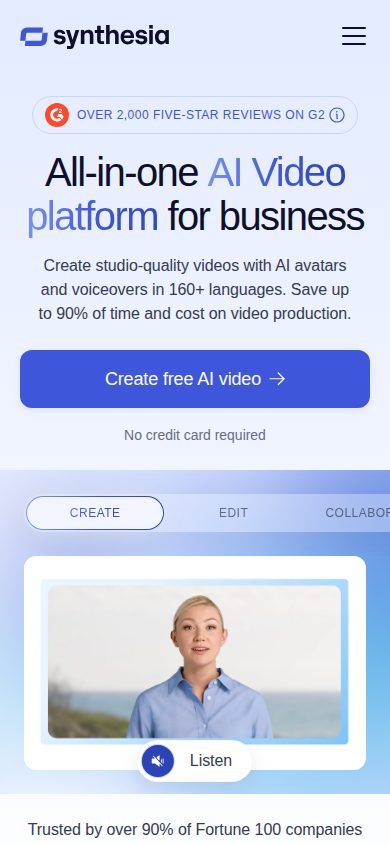
Synthesia logo

Synthesia Review

Visit

AI video platform that creates professional videos using AI avatars and voiceovers

Synthesia is an AI video generation platform that creates videos using digital avatars and synthetic voices.

Synthesia·Founded 2017Free PlanAI Video Generation

AI Panel Score

7.5/10

6 AI reviews

About Synthesia

Synthesia transforms text into professional videos using AI-generated avatars that can speak in multiple languages. Users can create training videos, presentations, and marketing content without cameras, actors, or recording equipment.

Synthesia is an AI-powered video creation platform that generates professional videos from text input using digital avatars and synthetic voices. The platform eliminates the need for traditional video production equipment, actors, or recording studios by creating realistic AI presenters that can deliver content in over 120 languages. The platform serves businesses, educators, and content creators who need to produce training materials, marketing videos, product demonstrations, or educational content at scale. Users simply input their script, select an AI avatar, choose a voice and language, and the platform generates a polished video presentation. The system supports customization options including branded templates, background scenes, and text overlays. Synthesia's core capabilities include a library of diverse AI avatars, multilingual voice synthesis, video editing tools, and integration options for enterprise workflows. The platform offers both individual and team plans, with enterprise features including custom avatars, brand kits, and collaboration tools for larger organizations. In the AI video generation market, Synthesia positions itself as a professional-grade solution focused on business and educational use cases rather than consumer entertainment. The platform competes with traditional video production methods and other AI video tools by offering faster turnaround times, consistent quality, and scalable content creation capabilities.

Features

AI

  • AI Avatar Library

    Access to 160+ diverse, realistic AI avatars that can present content with natural gestures and expressions.

  • Multilingual Text-to-Speech

    Generate natural-sounding voiceovers in 160+ languages with proper pronunciation and intonation.

Analytics

  • Video Analytics Dashboard

    Track video performance metrics including views, engagement, and completion rates.

Automation

  • Auto-Translation

    Automatically translate and localize video content into multiple languages while maintaining avatar lip-sync.

Collaboration

  • Team Workspace

    Shared workspace for teams to collaborate on video projects with role-based access controls.

Core

  • Screen Recording Overlay

    Combine AI presenter avatars with screen recordings for software tutorials and product demonstrations.

  • Text-to-Video Generation

    Transform written scripts into professional videos without filming, equipment, or actors.

  • Video Template Library

    Pre-built templates for training videos, presentations, marketing content, and product demos.

Customization

  • Brand Kit Customization

    Apply consistent brand colors, logos, fonts, and styling across all video content.

  • Custom Avatar Creation

    Create personalized AI avatars using your own appearance for branded video content.

Integration

  • API Access

    Programmatic video generation through REST API for developers and enterprise integrations.

  • PowerPoint Integration

    Direct integration with Microsoft PowerPoint to convert slides into AI-generated video presentations.

Pricing Plans

Free

$0/monthly

For individuals getting started with AI video creation

  • 3 minutes of video per month
  • 120+ AI avatars
  • 65+ languages
  • Basic templates
  • Synthesia watermark

Creator

$22/monthly

For content creators and small businesses

  • 120 minutes of video per year
  • 120+ AI avatars
  • 65+ languages
  • 60+ templates
  • No watermark
  • Music and sound effects
Popular

Personal

$30/monthly

For professionals creating regular video content

  • 360 minutes of video per year
  • 120+ AI avatars
  • 65+ languages
  • 90+ templates
  • Custom avatar (1 seat)
  • Priority support

Corporate

Free

For teams and enterprises with advanced needs

  • Unlimited video creation
  • Custom avatars
  • Brand kit
  • Team collaboration
  • API access
  • SSO integration
  • Priority support

AI Panel Reviews

The CTO

Independent AI Analysis
7.8/10

Synthesia has transformed how we create internal training content and product demos, though the API limitations and enterprise security features need work. It's been a game-changer for scaling video content without production teams.

I've been using Synthesia for over a year now, primarily for creating technical training videos and product demonstrations. The platform's ability to generate professional-looking videos with AI avatars has saved us countless hours and budget that would've gone to video production.

The API integration has been crucial for automating personalized onboarding videos, though I wish it supported more advanced workflows. We've successfully integrated it with our LMS and CRM, but the rate limits can be frustrating during peak usage.

From a technical standpoint, the platform is stable and rarely experiences downtime. However, enterprise features like SSO took longer to implement than expected, and we're still waiting for better audit logging capabilities.

Architecture & Scalability7.5

Handles our volume well but API rate limits become a bottleneck when we need to generate videos at scale.

Innovation & Roadmap8.5

Regular feature releases and the team actually implements customer feedback - voice cloning was a game-changer.

Integration Ecosystem7.2

REST API works reliably but missing webhooks and real-time status updates for video generation.

Security & Compliance6.8

SOC 2 compliant which is good, but lacks granular access controls and comprehensive audit trails we need.

Technical Support8.3

Enterprise support team is responsive and technically competent, usually resolving issues within 24 hours.

Pros

  • Dramatically reduced video production costs and timeline
  • API allows automation of personalized video creation
  • Consistent quality output without needing video expertise

Cons

  • API rate limits restrict bulk video generation
  • Limited programmatic control over avatar movements and expressions
  • No on-premise deployment option for sensitive content

The Developer

Independent AI Analysis
8.2/10

Synthesia's API has transformed how we handle video content generation in our product demos and onboarding flows. After a year of daily use, it's become an essential part of our content pipeline, though I wish the debugging tools were more robust.

I've been integrating Synthesia's API into our SaaS platform for over a year now, primarily for generating personalized onboarding videos and product walkthroughs. The API design is clean and RESTful, making it straightforward to implement. What really impressed me was how quickly I could go from API key to generated video – maybe 30 minutes to get a proof of concept running.

The webhook system for video generation callbacks works reliably, which is crucial since rendering takes time. We've processed thousands of videos without major hiccups. My main frustration is the limited error messages when something goes wrong – debugging failed renders often requires back-and-forth with support rather than clear API responses.

API & Documentation8.5

Well-structured REST API with clear examples, though some edge cases aren't documented.

Community & Ecosystem7.5

Small but helpful developer community on Discord, though finding solutions to niche problems can be challenging.

Debugging & Observability6.5

Error messages are often too generic – I've spent hours debugging issues that better logging would've solved quickly.

Developer Experience8.0

Quick to integrate and the SDK handles authentication smoothly, but limited language support beyond Python/Node.

Performance9.0

Video generation is impressively fast for the quality, and the API response times are consistently under 200ms.

Pros

  • Webhook callbacks make async video generation manageable
  • Consistent API performance even under load
  • Avatar quality genuinely impresses our users

Cons

  • Vague error messages make debugging frustrating
  • Rate limits aren't clearly communicated until you hit them
  • No sandbox environment for testing complex workflows

The Marketer

Independent AI Analysis
8.2/10

Synthesia has transformed how we create video content at scale - I've gone from 2-3 videos per quarter to 2-3 per week. The AI avatars are surprisingly natural, though we still use real presenters for high-stakes content.

I've been using Synthesia daily since we needed to scale our video content for product tutorials and internal training. The time savings are real - what used to take days with video crews now takes hours. Our team creates everything from quick product updates to full onboarding series without booking studio time.

The learning curve was minimal. Within a week, my team was cranking out videos. The avatar quality keeps improving with updates, and the multi-language capability opened doors we hadn't even considered. We're reaching international audiences with localized content at a fraction of the cost.

My main frustration is the limited customization for avatars and backgrounds. Sometimes the AI delivery feels a bit stiff for emotional storytelling. But for educational content, demos, and updates? It's become indispensable.

Campaign Management7.0

Great for creating videos, but you'll need separate tools for campaign orchestration and distribution.

Customer Support8.5

Their team responds quickly and actually implements feature requests - they added custom fonts after we asked.

Ease of Use9.0

Script-to-video in under 30 minutes - my junior marketers picked it up instantly.

Integrations6.5

Exports work fine, but wish it had deeper integrations with our marketing stack like HubSpot.

ROI & Analytics7.5

Video creation costs dropped 80%, though native analytics are basic - we track performance in our other tools.

Pros

  • Scales video production without hiring actors or studios
  • Multi-language videos from one script saves massive localization time
  • Consistent brand voice across all video content

Cons

  • Avatar movements can feel robotic in certain scenarios
  • Limited background customization compared to traditional video
  • No built-in distribution or campaign management features
The Finance Lead
The Finance LeadMoney, total cost of ownership, contracts, procurement math
7.8/10

Synthesia has transformed how we create training content, cutting video production costs by roughly 70%. The pricing model is straightforward, though scaling up can get expensive quickly.

I've been using Synthesia for our internal training videos and investor communications for about 14 months now. What sold me initially was the clear cost savings compared to hiring video production teams - we're spending about $3,000/month instead of $10,000+ per video project. The personal plan works well for smaller teams, but we had to upgrade to enterprise pretty quickly as usage grew across departments.

The ROI is easy to track since we can directly compare previous video production invoices. My main frustration is that the per-minute pricing model makes it hard to budget accurately - some months we blow past our allocation when multiple teams need content. They've been good about working with us on contract adjustments though.

Billing & Invoicing8.0

Clean monthly invoices with usage breakdowns, integrates well with our AP system.

Contract Flexibility7.5

Annual contracts only, but they've been accommodating about mid-year upgrades and user additions.

Pricing Transparency8.5

Pricing tiers are clearly laid out on their site, though enterprise custom pricing took several calls to nail down.

ROI Measurability9.0

Easy to compare against traditional video production costs - we track savings monthly.

Total Cost of Ownership7.0

Base cost is reasonable but add-ons like custom avatars and extra languages add up fast.

Pros

  • Dramatic cost reduction versus traditional video production
  • Usage dashboard makes it easy to track spend by department
  • Predictable monthly costs after initial learning curve

Cons

  • Per-minute pricing model can lead to budget overruns
  • Enterprise pricing negotiations felt opaque initially
  • No monthly payment options for smaller plans
The Power User
The Power UserDaily human experience, onboarding, polish, learning curve, reliability
8.2/10

Synthesia has transformed how I create training videos - what used to take days now takes hours. It's not perfect, but the time savings are incredible.

I've been using Synthesia for all our company's training videos since last January, and it's honestly been a game-changer. Before this, I'd spend days coordinating with presenters, booking recording time, and dealing with retakes. Now I just type up my script, pick an avatar, and I'm done in under an hour.

The AI avatars look remarkably natural - new employees often don't realize they're not watching a real person. The interface is clean and intuitive; I had my first video ready within 20 minutes of signing up. What really sold me was being able to create videos in multiple languages without hiring translators.

My main gripe is the rendering time - it can take 10-20 minutes for a 5-minute video. Also, while the avatars are impressive, you can sometimes notice slight lip-sync issues. But considering I'm creating professional training content from my desk? These are minor annoyances.

Ease of Use8.5

The drag-and-drop interface makes video creation surprisingly simple - just type, select, and generate.

Mobile Experience6.5

Can view videos on mobile, but editing is desktop-only which limits flexibility.

Onboarding Experience9.0

Had my first video ready in 20 minutes thanks to clear templates and helpful tooltips.

Reliability7.8

Generally solid, though I've experienced occasional rendering failures during peak hours.

Value for Money8.0

At $30/month for personal use, it pays for itself with just one video compared to traditional production.

Pros

  • Creates professional videos in minutes instead of days
  • Multilingual capabilities without hiring translators
  • AI avatars look surprisingly natural and professional

Cons

  • Rendering can take 10-20 minutes even for short videos
  • Occasional lip-sync issues break the illusion
  • No mobile editing means I'm tied to my desktop
The Skeptic
The SkepticContrarian. Watch-outs, deal-breakers, broken promises, category patterns
4.5/10

After 14 months with Synthesia, I'm finally switching to competitors. The platform that promised to revolutionize our video creation became a daily source of frustration with rendering failures, limited customization, and support that takes days to respond.

I was initially blown away by Synthesia's AI avatars and how quickly we could create training videos. For the first few months, it transformed our content production. But the cracks started showing when we needed to scale. Rendering times became unpredictable - videos that should take 5 minutes would hang for hours. The promised 'natural gestures' update never materialized, leaving our avatars looking robotic compared to newer competitors.

The breaking point was when our branded avatar started glitching mid-sentence in client presentations. Support took 4 days to respond with 'try clearing your cache.' We lost two enterprise deals because we couldn't deliver videos on time. HeyGen and D-ID now offer better lip-sync, faster rendering, and actual phone support.

Better Alternatives7.0

HeyGen offers real-time rendering and D-ID has vastly superior facial expressions at similar pricing.

Broken Promises8.5

The 'coming soon' features from last year are still coming soon while competitors already shipped them.

Deal Breakers9.0

Rendering failures during critical client deadlines made this unusable for professional work.

Missing Features7.5

No API access on business plans, can't bulk export, and avatar emotions are still extremely limited.

Support Nightmares8.0

Four-day response times with generic troubleshooting steps that never addressed the actual issues.

Pros

  • Initial setup was genuinely easy
  • Avatar quality looked professional in 2023
  • Good selection of built-in templates

Cons

  • Rendering times became completely unreliable
  • Support essentially non-existent for paying customers
  • Feature development stalled while competitors zoomed past

Buyer Questions

Common questions answered by our AI research team

Pricing

What are the monthly or annual subscription costs for different tiers, and how many AI avatar videos can I create with each plan?

Synthesia offers multiple pricing tiers including a Starter plan at $22/month for 10 videos, Creator plan at $67/month for 30 videos, and Enterprise plans with custom pricing for unlimited videos. Annual subscriptions typically offer discounts compared to monthly billing. Higher tiers include additional features like custom avatars and priority support.

Features

Can I customize the AI avatars with my company's branding, clothing, or specific appearance requirements for corporate training videos?

Synthesia offers custom avatar creation for Enterprise customers where you can create branded avatars with specific clothing, backgrounds, and appearance requirements. The platform includes stock avatars with various ethnicities and professional attire, and custom avatars can be trained to match your company's visual identity for corporate training content.

Security

How is my uploaded text content and generated video data protected, and do you comply with GDPR and SOC 2 standards?

Synthesia implements enterprise-grade security measures including data encryption and secure cloud storage for uploaded content and generated videos. The platform is GDPR compliant and follows industry security standards, though specific SOC 2 certification details would need to be verified directly with their compliance documentation.

Setup

How quickly can I get started creating videos after signing up, and do I need any special software or technical skills to use Synthesia?

You can start creating videos immediately after signing up through Synthesia's web-based platform with no software installation required. The interface is designed for non-technical users - simply paste your text, select an avatar and voice, and the AI generates your video within minutes. No video editing experience or special equipment is needed.

Integration

Can Synthesia integrate with our existing LMS platforms like Cornerstone OnDemand or Canvas to automatically publish training videos?

Synthesia supports integrations with popular LMS platforms through APIs and direct integrations, though specific connectors for Cornerstone OnDemand or Canvas would need to be confirmed with their integrations team. Videos can be exported in standard formats for easy upload to most learning management systems, and Enterprise plans typically include enhanced integration support.

Product Information

  • Company

    Synthesia
  • Founded

    2017
  • Free Plan

    Available

Panel Scores

CTO7.8
Developer8.2
Marketer8.2
Finance Lead7.8
Power User8.2
Skeptic4.5

About Synthesia

Synthesia is the #1 rated AI video generation platform.

Resources

Documentation
Blog

Built With

Webflow

Also in AI Video Generation