Kittl logo

Kittl Review

Visit

Design software for commerce: packaging, labels, merch, and product marketing

Kittl is a browser-based graphic design platform for product-based businesses and print-on-demand sellers.

AI Panel Score

7.4/10

6 AI reviews

Reviewed

AI Editor Approved

About Kittl

Kittl works through a browser-based infinite canvas where users build layouts, typography, packaging, labels, and product imagery in one workspace. Users typically start from a template, a mockup, or an AI generation tool, then edit within the Kittl Editor, applying brand kits and exporting files prepared for print or ecommerce use, including CMYK output for physical production.

The platform bundles several distinct toolsets under one account: Kittl AI covers image, video, and vector generation along with upscaling and background removal; the Vector Suite handles path editing, SVG workflows, and vector conversion for scalable print designs; and the Mockups system generates product visualizations for apparel, packaging, and merchandise. A content library of over 1,400 fonts plus illustrations, textures, icons, and patterns supports these workflows, and bulk editing and infinite-canvas collaboration are built in for teams managing multiple assets or brands at once.

Kittl is built for small business owners, Shopify and Etsy sellers, print-on-demand businesses, direct-to-consumer brands, freelancers, and agencies managing client brands, rather than general social media content creators. It competes in the graphic design software category alongside tools such as Canva and Adobe Express, differentiating itself with a commerce and print production focus. Pricing follows a freemium subscription model with a free plan and paid Pro, Expert, and Max tiers billed monthly or annually.

Features

AI

  • AI Background Remover & Upscaler

    AI-powered tools that remove image backgrounds and upscale image resolution for cleaner product and marketing visuals.

  • AI Vectorizer & Vector Generation

    Converts raster images into scalable vector graphics and generates new vector artwork directly from prompts.

  • Kittl AI

    An integrated AI system for generating and editing images, video, and vectors using models like Flux, Ideogram, Veo, Kling, Imagen, and SDXL through text-to-image, image-to-image, and text-to-video workflows.

Automation

  • Bulk Editing

    Enables editing and applying changes across multiple designs or SKUs at once to speed up multi-product workflows.

Collaboration

  • Collaborative Workspaces

    Shared workspaces and asset folders with role-based permissions and feedback links that let teams and clients co-edit and review designs.

Core

  • CMYK & Print-Ready Exports

    Export system supporting PNG, JPG, SVG, PDF, transparent, vector, CMYK, and batch exports for print and commercial production needs.

  • Content Library

    A built-in library of illustrations, icons, textures, patterns, and stock assets, with external integrations to sources like Unsplash and Flaticon.

  • Infinite Canvas Editor

    A browser-based, drag-and-drop design workspace supporting unlimited artboards for multi-SKU, campaign, and collection design workflows.

  • Mockup System

    An integrated mockup generation engine that visualizes designs on apparel, bottles, cans, candles, mugs, packaging, and other product categories.

  • Vector Suite

    A professional browser-based vector editing environment with SVG editing, path editing, and Boolean operations for precision, print-ready illustration workflows.

Customization

  • Brand Kits

    Reusable brand asset systems that store shared colors, typography, and logos to maintain visual consistency across products and campaigns.

  • Typography System

    Advanced typography tooling with 1,400+ fonts, curved text, distortion effects, and editable shadows for branding-focused text design.

Preview

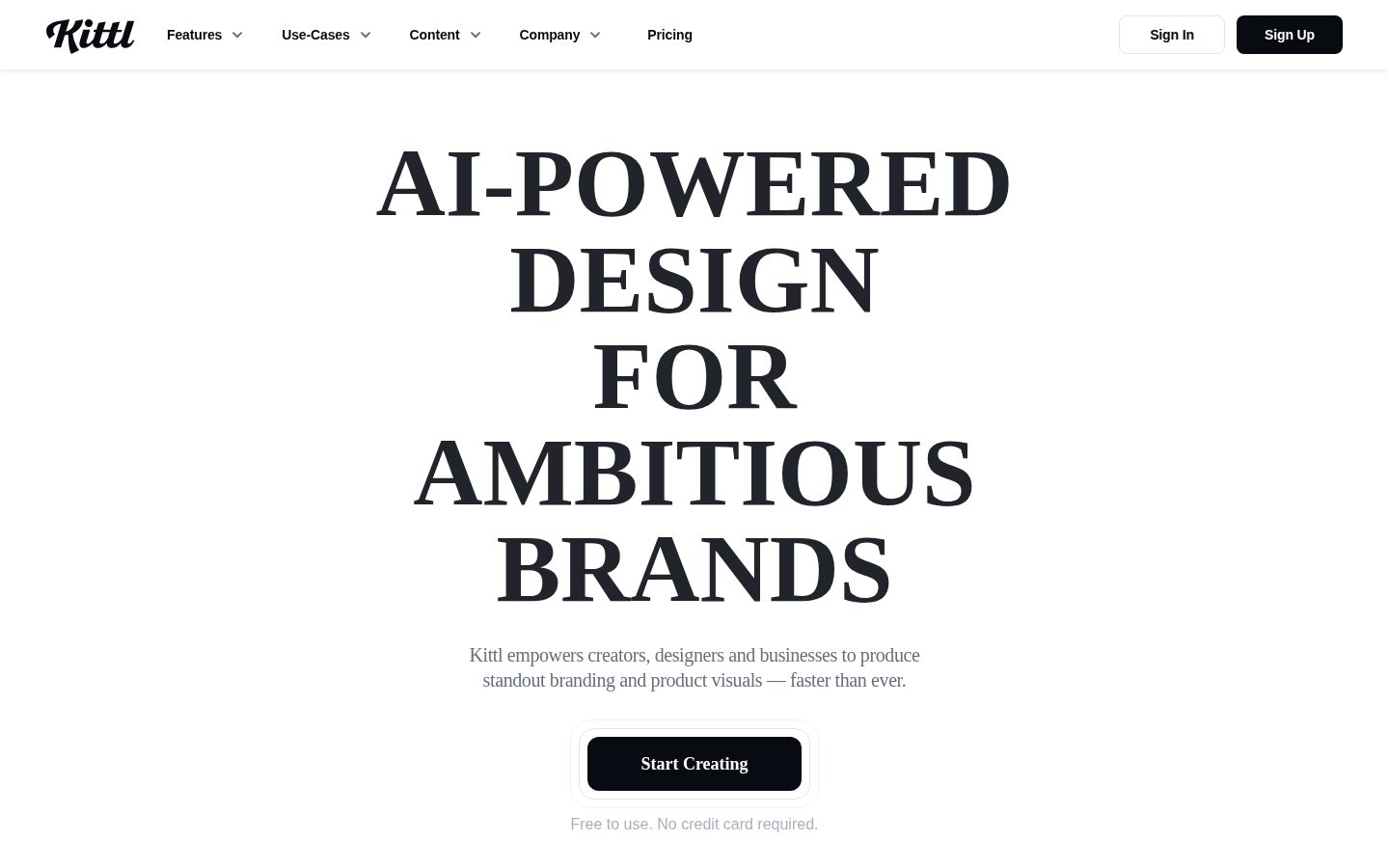
Kittl desktop previewKittl mobile preview

Pricing Plans

Free

Free

Entry-level plan for users starting out with basic design needs

  • Kittl Editor access
  • Limited template access
  • Basic content library
  • Browser-based design workspace
Popular

Pro

$14/monthly

For individual creators and small business owners needing expanded design and AI tools ($19/month billed monthly, $14/month billed annually)

  • Kittl AI suite access
  • Expanded template library
  • Vector Suite tools
  • Mockup generation
  • Access to 1,400+ fonts and asset library

Expert

$34/monthly

For power users, freelancers, and small teams needing advanced workflows ($45/month billed monthly, $34/month billed annually)

  • Advanced AI generation tools
  • Expanded mockup library
  • Priority feature access
  • Brand kit tools
  • Bulk editing workflows

Max

$65/monthly

For agencies and teams managing multiple brands with heavy usage needs ($85/month billed monthly, $65/month billed annually)

  • Highest usage limits
  • Full AI suite access
  • Advanced collaboration tools
  • CMYK export workflows
  • Priority support

AI Panel Reviews

The Decision Maker

The Decision Maker

Strategic bet, vendor viability, timing, adoption approval
7.2/10

Solid print-commerce niche tool, but not a company-wide platform bet.

Kittl does one thing well: turning designs into sellable, print-ready product assets. It's not trying to replace Canva for your marketing team, and that's fine.

$14/month gets you the Vector Suite, mockup generation, and Kittl AI. That's cheap enough to expense without a PO. No board deck needed.

No public funding data, no team size, German entity (GmbH), no changelog. Category norm for design tools is either heavy VC backing (Canva) or bootstrapped profitability. Kittl's docs page and API are both marked N — that's a thin footprint for a platform asking teams to build brand kits on top of it.

This isn't a Canva or Adobe Express replacement, it's a lane next to them for Etsy sellers and POD shops needing CMYK export and mockups. Good speed to value for that buyer. Weak case for anyone not shipping physical product SKUs weekly.

Competitive Positioning7.5

Differentiates from Canva and Adobe Express on print/commerce focus, a real gap those tools don't fill well.

Reputation Risk6.5

Neutral to peers — niche enough that most boards won't recognize it, unlike Canva.

Speed to Value8.0

Mockup system and CMYK export at $14/month mean a POD seller can ship saleable assets same-day.

Strategic Fit7.0

Advances commerce/print workflows specifically, not a general design cost-save unless you already sell physical product.

Vendor Viability6.0

No funding data, no team size, no changelog visible — thin public footprint for a paid subscription vendor.

Pros

  • Purpose-built mockup and CMYK export for physical product sellers
  • Pro tier at $14/month annually is low-risk to trial
  • Bulk editing supports multi-SKU workflows agencies actually need

Cons

  • No public funding, team, or roadmap data to gauge longevity
  • No API or docs page limits integration into broader design stacks
  • Token-based AI limits add pricing complexity buyers must dig for

Right for

Etsy and Shopify sellers or POD shops needing print-ready mockups and CMYK exports.

Avoid if

You need a general design tool for social content or client work outside physical products.

The Domain Strategist

The Domain Strategist

Craft and strategy in the product's domain — adapts identity per category, same lens
7.6/10

A print-production design system with real vector chops, priced right for solo sellers scaling into small teams.

Kittl builds its craft ceiling around commerce output — CMYK exports, mockups, vector suite — not social templates. That's a narrower but sturdier bet than Canva's breadth.

1,400+ fonts, a genuine Vector Suite with Boolean path operations, and CMYK export as a first-class citizen — that's a print-production stack, not a social-post generator. Most AI design tools chase content-calendar speed; Kittl is architected around SKUs, packaging, and mockups for apparel, bottles, cans. That's the right shape for a Shopify or Etsy seller, less so for an agency doing brand strategy across mediums.

Brand Kits and bulk editing at the Expert tier ($34/month) show they understand multi-product, multi-brand workflows — not just single-poster jobs. The token system, though, ties AI generation to consumption in a way that needs watching over a 3-year contract; it's a metering model, not a flat seat.

Against Canva and Adobe Express, Kittl's moat is print-readiness, not ubiquity. If you're building merch and packaging pipelines, that's the correct architecture. If you need broad brand-content versatility, the ceiling here is lower.

Category Positioning7.9

Positions against Canva and Adobe Express with a commerce/print niche rather than competing on breadth.

Domain Fit8.2

Mockup system and bulk editing directly match how POD sellers and small brands actually ship SKUs.

Integration Surface6.8

No API or docs listed, so it sits as a standalone workspace rather than a stack component.

Long-term Implications7.0

Token-based AI metering across paid tiers creates a variable cost model that needs monitoring at scale.

Strategic Depth7.8

Vector Suite with path/Boolean tools plus CMYK export shows real production depth beyond template-stacking.

Pros

  • Dedicated Vector Suite and CMYK export for genuine print production
  • Mockup system covers apparel, packaging, bottles, and cans natively
  • Brand Kits plus bulk editing support multi-SKU, multi-brand workflows

Cons

  • No public API or docs limits integration into a broader creative stack
  • Token-based AI access adds unpredictable cost at higher usage
  • No free trial on paid tiers, only a capped free plan

Right for

Print-on-demand sellers and small commerce brands who need mockups, vectors, and CMYK output in one workspace.

Avoid if

Avoid if you need API-level integration into an existing design pipeline or broad social-content templates.

The Finance Lead

The Finance Lead

Money, total cost of ownership, contracts, procurement math
7.4/10

$14/month annual, $19 monthly. Tokens complicate the real number.

Four tiers, all public, no sales call needed. Token-based usage adds a variable cost line procurement won't like.

$14/seat/month annual, $19 month-to-month. Standard 30% markup for flexibility — category norm. Free tier exists but locks Vector Suite and Mockups behind Pro. Real entry cost is $14, not $0.

Token system tied to paid plans. Rollover behavior sits in an FAQ, not the pricing page. That's a yellow flag — unclear consumption units mean unpredictable invoices at scale, same risk profile as any credits-based AI tool.

5 users at Expert ($34/mo) = $2,040/year. Compare to Canva Teams or Adobe Express — Kittl's print/CMYK focus is the differentiator, not price. Max tier at $65/month for agencies managing multiple brands is reasonable if token limits actually cover heavy generation use. No published overage rate. That's the invoice you can't model in advance.

The Domain Practitioner

The Domain Practitioner

Daily hands-on reality in the product's domain — adapts identity per category, same lens
7.6/10

CMYK export and a real vector suite make this the print-shop cousin of Canva

Kittl bundles vector editing, mockups, and AI generation into one browser canvas aimed at sellers, not social posters. The tradeoff shows up fast: token economics and tiered feature-gating create friction the moment you need bulk work.

Infinite canvas plus Boolean path operations in one browser tab is the pitch, and it mostly lands — the Vector Suite feels built by someone who's actually prepped a print file, not just a marketer chasing Canva parity. CMYK export on Pro at $14/month (annual) is the real differentiator versus Canva or Adobe Express, neither of which takes print production seriously.

Day-3 reality: tokens. Kittl AI generation runs on a token currency layered under three paid tiers, and the FAQ hedges on rollover behavior. That's the kind of metering that's invisible in a demo and annoying by Thursday when you're batch-generating mockups for 40 SKUs.

Bulk editing and brand kits are gated to Expert ($34) and Max ($65), so solo Etsy sellers hit a ceiling fast. Docs are thin — no changelog, no API, FAQ-level only — which hurts discoverability of advanced vector and mockup workflows for power users scaling past templates.

Day-3 Reality7.0

Token-based AI access adds a metering layer that's easy to miss in a first session, per the FAQ's own hedge on rollover.

Documentation Practitioner-Fit6.0

No public docs, no API, no changelog listed — only blog and pricing pages, thin for power-user onboarding.

Friction Surface7.0

Bulk editing and brand kits sit behind Expert/Max tiers ($34-$65/mo), forcing plan-hopping for multi-SKU sellers.

Power-User Depth7.7

Vector Suite with path editing and Boolean ops plus 1,400+ fonts gives real headroom beyond template-flipping.

Workflow Integration7.8

CMYK export and print-ready PDF/SVG output slot directly into POD and Shopify seller workflows, unlike Canva's social-first defaults.

Pros

  • CMYK and vector/SVG export built for physical production, not just screen use
  • Dedicated Mockup system covering apparel, packaging, bottles, and cans in one workspace
  • Brand Kits and bulk editing address multi-SKU/agency workflows Canva doesn't target

Cons

  • Token-based AI access with unclear rollover creates unpredictable per-month cost
  • Bulk editing and brand kits locked to $34+ tiers, pricing out solo sellers
  • No docs, API, or changelog listed — thin support for advanced workflow discovery

Right for

Etsy and Shopify sellers who need print-ready packaging and mockups without opening Illustrator.

Avoid if

Avoid if you need predictable AI generation costs or deep API-level documentation for team onboarding.

The Power User

The Power User

Daily human experience, onboarding, polish, learning curve, reliability
7.6/10

Canva with a print job to finish, and it mostly gets there.

Kittl bets on the messy middle between social graphics and real print production. Tokens complicate the pricing story, but the mockup and vector tools look genuinely built for sellers, not hobbyists.

Kittl's pitch is narrow and I like that. Not "design anything," but design the stuff you actually sell: mugs, labels, apparel mockups, CMYK exports. That's a real gap between Canva's social-first templates and Adobe Express's shallow toolkit. The Vector Suite with Boolean operations and SVG editing signals someone actually asked print sellers what they needed.

The token system worries me a little. Pro is $14/month billed annually, Expert jumps to $34, Max to $65, and generation tools eat tokens on top of that. No public docs page, no changelog listed, so I can't tell how token limits actually feel three months in when you're running bulk edits across twenty SKUs.

No free trial on paid tiers, just the free plan with limited templates, which means you're evaluating the good stuff with your wallet already out. Web-only too, so if you design on the go, that's not this tool. For a Shopify seller building one product line, it's a solid pick. For quick mobile mockups between errands, it isn't there yet.

Daily Polish7.5

Brand kits, curved typography, and a 1,400+ font library suggest real attention to repeat-use workflows.

Learning Curve7.8

Infinite canvas plus bulk editing across SKUs scales well once you're past the template stage, per the feature list.

Mobile Parity3.5

Platform is web-only per the evidence, no mobile app at all for a seller who might need quick mockup checks on the go.

Onboarding Experience7.0

Free plan lets you poke around immediately, but limited templates on free tier means the good stuff is gated fast.

Reliability Feel7.0

No changelog or docs page listed publicly, so bug fix cadence and stability track record are hard to verify.

Pros

  • Dedicated mockup system across apparel, packaging, bottles, and candles
  • CMYK export and Vector Suite built specifically for print production, not just social posts
  • Bulk editing for teams managing multiple SKUs or brands at once

Cons

  • No free trial on paid tiers, only a limited free plan
  • Token system adds a second cost layer on top of the $14-$65/month range
  • Web-only, no mobile app for sellers who need to check designs on the go

Right for

Etsy or Shopify sellers who need print-ready mockups and CMYK exports without hiring a designer.

Avoid if

Avoid if you need mobile design access or want to fully test paid AI tools before subscribing.

The Skeptic

The Skeptic

Contrarian. Watch-outs, deal-breakers, broken promises, category patterns
6.9/10

Tokens are the tell. Watch what happens when they run out.

Solid feature bundle for print-on-demand sellers, priced sanely against Canva. But the token economy and no API/docs page raise the usual lock-in questions.

Three tells before pricing. One: headline says 'AI-First Design Platform for Creators,' but the actual product pitch is commerce and print — packaging, CMYK exports, mockups. Mismatch between H1 and positioning. Two: 'tokens' as a currency, with rollover behavior buried in an FAQ. I've seen that pattern before — Jasper, early on, same complaint. Three: no docs, no changelog listed. Hard to gauge shipping cadence from outside.

What's real: CMYK export, Vector Suite with Boolean operations, a Mockup system across apparel and packaging, 1,400+ fonts. That's a genuine gap against Canva, which treats print as an afterthought. Adobe Express is cheaper but thinner on vector precision.

Exit portability is the open question. SVG and PDF exports are portable. Brand kits and bulk workflows, less so — those live inside Kittl's workspace, not a format you take with you.

Competitive Differentiation7.5

CMYK exports and a dedicated mockup engine for apparel/packaging is a real gap versus Canva and Adobe Express.

Exit Portability6.5

SVG/PDF/CMYK exports are portable; brand kits, tokens, and bulk workflows are not.

Long-term Viability6.5

No API, no docs, no changelog listed publicly — limited signal on shipping cadence despite a named entity (Kittl Technologies GmbH).

Marketing Honesty6.0

H1 markets 'creators' broadly while the actual differentiation is print/commerce — the positioning doesn't fully match the pitch.

Track Record Match7.0

Freemium-to-tiered-AI-suite is the Canva/Adobe Express playbook, a proven pattern, not an experimental one.

Pros

  • CMYK export and print-ready pipeline missing from most social-first design tools
  • Mockup system covers apparel, packaging, bottles, cans — genuinely commerce-focused
  • Vector Suite with Boolean operations for real print precision
  • Pricing undercuts Adobe's ecosystem at $14/month Pro tier annual

Cons

  • Token-based AI usage system with unclear rollover terms
  • No public API or docs page limits enterprise/agency trust
  • Landing page copy leans generic 'creator' language despite niche positioning

Right for

Etsy and Shopify sellers who need print-ready packaging and mockups without an Adobe subscription.

Avoid if

You need guaranteed API access or plan to build automated pipelines around your design tool.

Buyer Questions

Common questions answered by our AI research team

Pricing

Is Kittl free to use?

Yes, Kittl offers a free plan that gives you access to curated templates and tools, ideal for trying out the editor, learning to design, or working on passion projects. Paid plans unlock more when you're ready to sell designs or scale campaigns.

Pricing

Can I sell designs made with Kittl?

Yes, Kittl designs can be used commercially, though some templates and features are reserved for paid plans.

Features

Does Kittl have a mockup generator?

Yes, Kittl includes a dedicated mockup system for creating product visuals across apparel, packaging, and merchandise.

Setup

Can I invite teammates to my workspace?

Yes, Kittl workspaces support inviting teammates to collaborate.

Features

What are tokens used for in Kittl?

Tokens are a currency within Kittl tied to paid plans, used to access premium features and generation tools; unused tokens' rollover behavior is addressed in Kittl's FAQ.

Also in AI Design Tools