Devin Desktop logo

Devin Desktop Review

Visit

Agent command center and full IDE for running local and cloud coding agents

Devin Desktop is Cognition's agent-first code editor for individual developers and enterprise engineering teams, renamed from Windsurf in June 2026.

Windsurf·Founded 2021·From $20/moFree PlanAI Coding ToolsAI Agents & AssistantsAI DevOps

AI Panel Score

8.2/10

6 AI reviews

Reviewed

AI Editor Approved

What is Devin Desktop?

Devin Desktop is Cognition's agent-first code editor for individual developers and enterprise engineering teams, renamed from Windsurf in June 2026. It opens on the Agent Command Center — a Kanban board moving agents through Running, Waiting for review and Done — with the full IDE behind it. Devin Local, a Rust rewrite of the earlier Cascade harness, is the agent new tabs start on, and Agent Client Protocol runs Codex CLI, Claude Agent, Gemini CLI, OpenCode and Junie as first-class tabs on Pro and above. Pricing is free to start, $20 per month on Pro and $200 on Max, with Teams at $80 per month plus $40 for each full developer seat and Enterprise quote-only. TopReviewed's six-seat AI review panel scored it 8.2/10, crediting the multi-agent workspace while flagging that sessions lock read-only while their agent runs and that free SWE-2 in Desktop and CLI ends on 10 October 2026. It best fits developers running several coding agents at once inside a real IDE.

About Devin Desktop

Devin Desktop is Cognition's coding environment, renamed from Windsurf on 2 June 2026 and delivered to existing users as an over-the-air update that carried over accounts, plans, extensions and keybindings. It opens on the Agent Command Center rather than an editor canvas — a Kanban board moving agents through Running, Waiting for review and Done — with the full IDE, including syntax highlighting, autocomplete and debugging, sitting behind it.

The organising idea is that one workspace drives many agents. Devin Local, a Rust rewrite of the earlier Cascade harness, is the agent new tabs start on when no preferred agent is set, and it adds subagents that share tools and codebase context with the parent while keeping their own conversation chain. Cascade has not been removed: new conversations never start on it, existing Cascade conversations remain reachable from history and the sidebar, and a "Devin: Open Cascade Migration Wizard" command carries workflows and memories across. Enterprise administrators can disable the legacy agent outright. Where Devin Local is unavailable, a tab falls back to the first selectable ACP agent.

Agent Client Protocol support lets third-party agents run as first-class citizens in the same editor, and Spaces share context and Git worktrees between them. Fast Context retrieves relevant files from the codebase, Supercomplete predicts edits, and SWE-2 is Cognition's own coding model. Windsurf for JetBrains remains available separately for IntelliJ IDEA, PyCharm and WebStorm.


Features

core

  • Agent Client Protocol (ACP)

    Runs third-party agents as first-class citizens in the same editor; also the fallback when Devin Local is unavailable.

  • Agent Command Center

    Default view: a Kanban board tracking agents through Running, Waiting for review and Done, with the full IDE behind it.

  • Cloud agents

    Cloud-run Devin agents alongside local ones, available from the Pro tier.

  • Devin Local

    Rust rewrite of the Cascade harness and the agent new tabs start on when no preferred agent is set. Adds subagents that share tools and codebase context with the parent while keeping their own conversation chain.

  • Fast Context

    Retrieves relevant files from the codebase during an agent run.

  • Spaces

    Shares context and Git worktrees across agents working in the same workspace.

editor

  • Supercomplete

    Edit prediction in the editor.

integration

  • MCP Servers

    Connects external tools and data sources; the vendor lists 16+ integrations including Slack, Linear, Notion, Figma, Stripe, Datadog and Atlassian.

migration

  • Cascade Migration Wizard

    Command-palette command that carries Cascade workflows and memories over to Devin Local. Existing Cascade conversations stay reachable from history and the sidebar.

model

  • SWE-2

    Cognition's own coding model, included with all plans.

platform

  • Windsurf for JetBrains

    Separate JetBrains plugin covering IntelliJ IDEA, PyCharm and WebStorm.
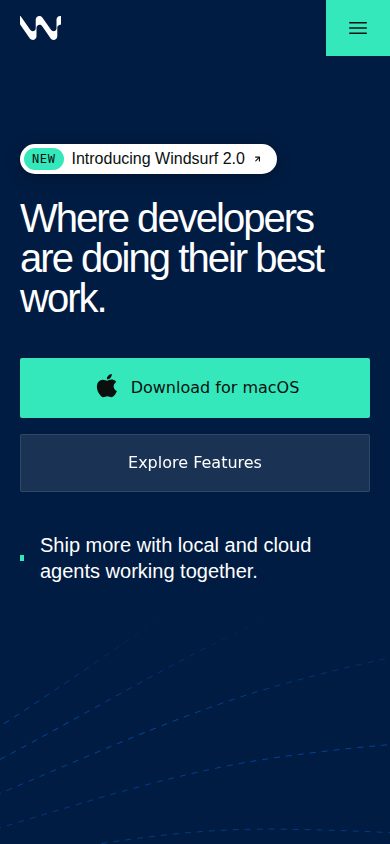
Preview

Devin Desktop desktop previewDevin Desktop mobile preview

Pricing Plans

Free

Free

Light quota to code with agents, limited model access, unlimited inline edits and unlimited Tab completions. Single member.

  • Unlimited inline edits
  • Unlimited Tab completions
  • Limited model access
  • 1 member
Popular

Pro

$20/monthly

Increased quotas plus frontier and open-source model access, cloud agents, and API overages at standard pricing. Single member.

  • Increased quotas
  • Frontier model access
  • Cloud agents
  • SWE-2 in Desktop and CLI
  • API overages at standard pricing
  • 1 member

Max

$200/monthly

Everything in Pro with significantly higher quotas. Single member.

  • Significantly higher quotas
  • Everything in Pro
  • 1 member

Teams

$80/monthly

80/month base plus 40/month per full developer seat — the base alone is not the cost of a seat. Unlimited members, sharing and collaboration, centralised billing, admin dashboard with analytics, priority support.

  • $80/mo base plus $40/mo per developer seat
  • Unlimited members
  • Centralised billing
  • Admin dashboard with analytics
  • Priority support

Enterprise

Contact sales

Quote-only. Highest priority support, dedicated account management, SAML/OIDC SSO, centralised admin controls, dedicated deployment option and custom terms.

  • SAML/OIDC SSO
  • Dedicated deployment option
  • Dedicated account management
  • Custom terms

AI Panel Reviews

The Decision Maker

The Decision Maker

Strategic bet, vendor viability, timing, adoption approval
8.3/10

Devin Desktop puts a Kanban board of agents where the editor was, at $80 plus $40 per seat.

“Devin Desktop opens on the Agent Command Center, a Kanban board tracking local and cloud agents through Running, Waiting for review and Done. Teams pricing is $80 a month for the plan plus $40 per full developer seat, with quotas metered on top.”

The editor isn't what opens first. The Agent Command Center is — a Kanban board moving agents through Running, Waiting for review and Done, with the full IDE behind it. That reorders the day: engineers review agent output instead of typing it.

Spaces shares context and Git worktrees across agents, and Agent Client Protocol lets third-party agents run in the same window as first-class citizens. So you're not buying one vendor's agent — you're buying the place your engineers watch all of them. That's a different purchase from the single-agent assistant most teams already pay for.

But the seat price isn't the ceiling. Teams is $80 a month for the plan plus $40 per full developer seat — ten engineers is $480 before a line of code — and quotas meter on top with extra usage billed at API rates. Pilot one squad, watch the admin dashboard for 60 days, then decide.

Competitive Positioning8.4

Agent Client Protocol runs third-party agents as first-class citizens in the same editor and Spaces shares Git worktrees between them.

Reputation Risk7.6

SAML and OIDC SSO, SCIM, customer-managed keys and IP access lists are all documented, but Enterprise is quote-only and I couldn't find published cancellation terms.

Speed to Value8.3

A free tier and a $20 Pro plan let a squad start this week, and the Cascade Migration Wizard carries existing workflows and memories over to Devin Local.

Strategic Fit8.2

Running local and cloud agents from one command center changes how engineering work gets reviewed, not just what autocomplete costs.

Vendor Viability8.7

The docs carry an API reference, release notes and a full enterprise section, and the pricing page publishes five tiers with figures on four of them.

Pros

  • The Agent Command Center tracks local and cloud agents on one Kanban board, with the full IDE sitting behind it.
  • Agent Client Protocol runs third-party agents as first-class citizens, so the workspace isn't tied to one vendor's agent.
  • Spaces shares context and Git worktrees across agents working the same codebase.
  • The enterprise docs cover SAML and OIDC SSO, SCIM provisioning, customer-managed keys, IP access lists and a dedicated deployment option.
  • Teams ships an admin dashboard with analytics, so a pilot produces numbers rather than anecdotes.

Cons

  • Teams is $80 a month for the plan plus $40 per full developer seat, so ten developers is $480 before any usage.
  • Every paid tier runs on quotas with extra usage billed at API rates, so the seat price isn't the ceiling.
  • Free, Pro and Max are single-member plans, so any team sharing means moving to the Teams plan.
  • Enterprise is quote-only, and I couldn't find published contract or cancellation terms.

Right for

Engineering teams who run several coding agents at once.

Avoid if

Solo developers who want a plain editor with autocomplete.

The Domain Strategist

The Domain Strategist

Craft and strategy in the product's domain — adapts identity per category, same lens
8.6/10

The editor runs rival coding agents as first-class tabs, but Cognition's terms stop at that boundary.

“Devin Desktop runs Codex CLI, Claude Agent and Gemini CLI next to Cognition's own Devin Local, with Spaces sharing Git worktrees across all of them. Agent neutrality is real here, but it moves privacy terms and billing for those agents outside Cognition's contract.”

The agent selector lists Codex CLI, Claude Agent, Gemini CLI and Junie alongside Cognition's own. An editor vendor that puts rival agents one dropdown away is betting the workspace outlasts whichever model wins.

Devin Local is the substrate under that: a Rust rewrite of the Cascade harness, up to 30% fewer tokens per the docs, with subagents that share codebase context but keep separate conversation chains. Spaces shares Git worktrees across those agents, which makes orchestration a workspace primitive rather than a per-agent feature. Cascade isn't gone — old conversations stay in the sidebar, and a migration wizard carries workflows and memories over.

The catch is where liability lands. Run a third-party agent and Cognition's privacy policy and legal terms don't apply, and billing sits directly with that provider. Teams is $80 a month base plus $40 per developer seat, so size the fleet before you sign.

Category Positioning8.4

Positioning the workspace as agent-neutral rather than model-locked is a different bet from editors that ship only their own agent.

Domain Fit8.5

Opening on a Kanban board of Running, Waiting for review and Done matches how leads supervise a fleet rather than a single chat.

Integration Surface8.6

The vendor lists 16-plus MCP integrations including Slack, Linear, Figma and Datadog, plus a separate JetBrains plugin for IntelliJ and PyCharm.

Long-term Implications8.5

Agent Client Protocol keeps the model choice reversible, though third-party agents sit outside Cognition's legal terms and billing.

Strategic Depth8.7

Devin Local is a full Rust rewrite of the Cascade harness with subagents, sandboxing and worktrees, and the docs claim up to 30% fewer tokens.

Pros

  • Third-party agents including Codex CLI, Claude Agent, OpenCode, Junie and Gemini CLI run as first-class tabs rather than plugins.
  • Spaces shares context and Git worktrees across agents, so orchestration lives at the workspace level.
  • Devin Local subagents keep their own conversation chains while sharing the parent agent's tools and codebase context.
  • Devin Local is a Rust rewrite of the Cascade harness, up to 30% fewer tokens per the docs.

Cons

  • Third-party ACP agents fall outside Cognition's privacy policy and legal terms, with billing handled by that provider.
  • ACP agents need a Pro, Max or Teams plan, so the free tier cannot run them.
  • Teams costs $80 a month base plus $40 per developer seat, which the headline base price hides.
  • The third-party agent binary must already be installed on the machine; the editor will not fetch it.

Right for

Engineering leads who want one editor to run agents from several vendors.

Avoid if

Teams who need every agent covered by a single vendor contract.

The Finance Lead

The Finance Lead

Money, total cost of ownership, contracts, procurement math
7.9/10

Teams isn't $80 a month — it's $80 plus $40 per full developer seat, every month.

“Teams bills an $80 monthly base on top of $40 per full developer seat, so twenty developers cost $880 a month. Pro and Max sit at $20 and $200 for a single member, with API overages billed on top.”

Teams is two numbers, not one. An $80 monthly base, then $40 per full developer seat. Twenty developers: 80 + 20 × 40 = $880 a month. $31,680 over three years. Category norm is a flat seat rate. The base makes it $44 a head at twenty, $41.60 at fifty.

Pro is $20. Max is $200 — everything in Pro at ten times the price, for quotas I couldn't find a figure against. However, Pro bills API overages at standard pricing, so the sticker isn't the ceiling. SWE-2 is free in Desktop and CLI through 10 October 2026.

Unlimited members. The $40 attaches to full developer seats, so the bill tracks seats, not headcount. SAML/OIDC SSO sits on Enterprise, quote-only. SSO costs a call. Existing Cascade work carries over through the Cascade Migration Wizard — a command, not a project.

Billing & Procurement7.5

Teams centralises billing for unlimited members, but SAML/OIDC SSO sits on the quote-only Enterprise tier.

Contract Flexibility7.0

Every published tier is quoted monthly, though I couldn't find stated renewal, term or cancellation language.

Pricing Transparency8.4

Free, Pro, Max and Teams all carry public prices, and the Teams tier states the $80 base plus $40 per developer seat outright.

ROI Clarity7.8

The Agent Command Center tracks agents through Running, Waiting for review and Done, and Teams adds an admin dashboard with analytics.

Total Cost of Ownership7.2

Seat cost is computable at any headcount, but API overages and unnumbered quotas leave the usage half of the bill unmodellable.

Pros

  • Four of the five tiers carry a public price, including the Teams base-plus-seat formula.
  • The free tier is permanent rather than a trial, with unlimited Tab completions and inline edits.
  • Teams allows unlimited members and bills only full developer seats.
  • SWE-2 is included with every plan instead of being sold as a model add-on.
  • The Cascade Migration Wizard carries existing workflows and memories over as a command-palette step.

Cons

  • No tier publishes the quota its price buys, so usage cannot be modelled before purchase.
  • Pro bills API overages at standard pricing, making $20 a floor rather than a cost.
  • SAML/OIDC SSO appears on Enterprise, which is quote-only.
  • Free SWE-2 use in Desktop and CLI is dated to 10 October 2026.

Right for

Engineering teams who want one invoice for every developer seat.

Avoid if

Two-developer teams who would rather not pay $80 a head.

The Domain Practitioner

The Domain Practitioner

Daily hands-on reality in the product's domain — adapts identity per category, same lens
8.2/10

The upgrade moves your default view and default agent; workflows and memories need the Cascade Migration Wizard.

“Devin Desktop opens on the Agent Command Center now, with new tabs starting on Devin Local instead of Cascade. Old Cascade conversations stay reachable, but workflows, memories and anything scripted against the old agent need a deliberate pass.”

The upgrade arrives over the air and opens somewhere new. Not the editor canvas every other IDE starts on — the Agent Command Center, a Kanban board moving agents through Running, Waiting for review and Done. The full IDE is one pane back. Muscle memory pays for that first.

New tabs start on Devin Local, a Rust rewrite of the Cascade harness, with subagents that share tools and codebase context but keep their own conversation chain. Cascade isn't retired; old conversations stay in history and the sidebar. Workflows and memories don't follow on their own — that's the "Devin: Open Cascade Migration Wizard" command, once per developer.

The catch is everything that names the old agent outside the app. CI steps and wrapper scripts — none of that migrates itself, so grep for it before rollout. Teams pricing is $80/month base plus $40 per developer seat; the base alone isn't a seat.

Day-3 Reality7.8

The default view is a Kanban board and new tabs default to Devin Local, so the first week goes on relearning where things live.

Documentation Practitioner-Fit8.5

The docs name the exact migration command, the ACP fallback when Devin Local is unavailable, and the admin control for switching the legacy agent off.

Friction Surface7.5

Running the Cascade Migration Wizard is per-developer work, and scripts naming the old agent don't come along with it.

Power-User Depth8.4

Subagents are defined as markdown files under an agents/ directory, and Fast Context plus the SWE-2 model come on every plan.

Workflow Integration8.3

Agent Client Protocol runs third-party agents in the same editor, Spaces shares Git worktrees between them, and a separate plugin covers IntelliJ IDEA, PyCharm and WebStorm.

Pros

  • The Agent Command Center puts running, review-ready and finished agent work on one board instead of a row of terminals.
  • Agent Client Protocol treats third-party agents as first-class in the same editor, and Spaces shares context and Git worktrees between them.
  • Existing Cascade conversations stay reachable from history and the sidebar after the switch.
  • Subagents can be defined as markdown files under an agents/ directory, so team conventions live in the repo.
  • Fast Context and the SWE-2 model are included on every plan, free tier included.

Cons

  • Workflows and memories only carry over if each developer runs the Cascade Migration Wizard.
  • Anything in CI or wrapper scripts naming the old agent has to be updated by hand.
  • Teams runs $80/month base plus $40 per developer seat, so the base price understates a small team's bill.
  • Where Devin Local is unavailable a tab falls back to whichever ACP agent happens to be first in the list.

Right for

Existing Cascade users who will run the migration wizard on every developer machine.

Avoid if

Solo developers who want an editor that opens straight onto code.

The Power User

The Power User

Daily human experience, onboarding, polish, learning curve, reliability
8.2/10

Opens on a Kanban board instead of a file, then locks the session you most want to touch.

“Devin Desktop puts the Agent Command Center first, so running several agents at once is the default shape of the day. Sessions lock while their agent runs, which is the friction you will feel by week two.”

The first thing on screen isn't a file. It's a board — Running, Waiting for review, Done — with your code behind it. The job here is minding four agents at once, not typing. Everything else in this category opens on a file.

The Agent Command Center puts local and cloud sessions in the same lanes, and one OS notification fires when a session finishes or needs you. Spaces share context and Git worktrees across agents. But a session goes read-only while its agent runs — greyed out until it finishes — so the run you want to redirect is the one you can't type into.

Month three, you're spawning background subagents off Devin Local and losing track of which asked what. Old Cascade threads stay in the sidebar and a migration wizard moves your workflows, so nothing broke. Pro is $20; Teams is $80 plus $40 per developer seat.

Daily Polish8.6

Running sessions grey out and lock, and a single OS notification covers local, cloud and third-party agents alike.

Learning Curve7.8

Subagents, Spaces and third-party ACP agents give month three real depth, while the agent selector keeps the first hour simple.

Mobile Parity7.5

It ships for macOS, Windows and Linux, and mobile is not part of this job, so I am scoring it neutral.

Onboarding Experience8.2

A free tier plus the Cascade Migration Wizard mean the first session starts from workflows you already had.

Reliability Feel7.7

The docs describe concrete state handling — read-only running sessions, and an ACP agent as the fallback when Devin Local is unavailable.

Pros

  • The Agent Command Center is the default view, so local and cloud sessions sit on one Kanban board instead of scattered tabs.
  • Spaces share context and Git worktrees across agents, which keeps parallel runs from stepping on each other.
  • Devin Local spawns subagents in the foreground or background that share tools and codebase context with the parent.
  • One OS notification per session finish or input request, covering every agent in the board.
  • The rename arrived as an over-the-air update that carried accounts, plans, extensions and keybindings across.

Cons

  • Sessions are greyed out and read-only while their agent runs, so you cannot redirect a run mid-flight.
  • Teams is $80/month base plus $40/month per developer seat, so the headline number is not the seat price.
  • The free tier is a light quota, so real daily use starts at the $20 Pro plan.
  • Driving several agents at once means tracking several conversation chains, and that gets noisy fast.

Right for

Developers who run several coding agents at once.

Avoid if

Developers who mostly type their own code.

The Skeptic

The Skeptic

Contrarian. Watch-outs, deal-breakers, broken promises, category patterns
7.9/10

Free SWE-2 in Desktop and CLI ends October 10, and Teams is $80 plus $40 a seat.

“Devin Desktop's dated free-model term and a Teams price that stacks a base on top of per-seat charges are the two numbers worth reading twice. What I could verify holds up — release notes are still shipping, and Cascade stayed reachable when Devin Local took over as the default agent.”

SWE-2 is free in Devin Desktop and the CLI through October 10, 2026. A date on a free model is a price with a timer on it. I'd want to know what it costs on the 11th.

Most of what's checkable holds up. Release notes were still landing in September 2026. Cascade wasn't deleted when Devin Local became the default agent — old conversations stay reachable from history, and a Cascade Migration Wizard command carries workflows and memories across. Manual, but it's there.

The catch is the pricing page. Free is a 'light quota' with no number attached. Pro mentions API overages at standard pricing and never says what standard is. Teams is $80 a month for the plan, plus $40 per developer seat — the headline number isn't the seat.

Competitive Differentiation8.0

Opening on a Kanban board of running agents instead of an editor canvas, with local and cloud agents in one workspace, is a specific position rather than another completion tool.

Exit Portability7.5

Code stays on your machine and Agent Client Protocol keeps third-party agents first-class, though the default agent changed on its own and workflows move across by wizard.

Long-term Viability8.5

Release notes were dated to September 2026, the docs carry an API reference, and support routes through a named email address and Slack Connect.

Marketing Honesty7.0

The pricing page states the Teams base-plus-seat structure plainly, but the product page still reaches for 'the only IDE designed for you to close your laptop'.

Track Record Match8.2

The docs back the agent command center pitch with specifics: Devin Local spawning subagents, an ACP agent taking over when Devin Local is unavailable, Spaces sharing Git worktrees.

Pros

  • Release notes were still landing in September 2026, and the docs carry an API reference plus named support channels.
  • Agent Client Protocol runs third-party agents as first-class citizens in the same editor, which loosens lock-in rather than tightening it.
  • Cascade conversations stay reachable from history, and a Cascade Migration Wizard command carries workflows and memories over to Devin Local.
  • The vendor lists 16+ MCP integrations, Slack, Linear, Notion and Datadog among them.
  • Windsurf for JetBrains keeps IntelliJ IDEA, PyCharm and WebStorm users on the product without changing editors.

Cons

  • The Free tier is described as a light quota with no number attached to it.
  • Free SWE-2 in Desktop and the CLI runs only through October 10, 2026, and I couldn't find a stated price after that.
  • Pro lists API overages at standard pricing without saying anywhere what standard pricing is.
  • Teams costs $80 a month plus $40 per full developer seat, so the headline figure understates a team bill.

Right for

Developers who run several coding agents from one workspace.

Avoid if

Teams who need a firm monthly number before they commit.

Buyer Questions

Common questions answered by our AI research team

Pricing

What is included in the Devin Desktop Pro plan?

Pro is $20/month for a single member, adding increased quotas, frontier and open-source model access, and cloud agents. API overages bill at standard pricing. SWE-2 is free in Desktop and CLI through 10 October 2026.

Pricing

How much does Devin Desktop cost for a team?

Teams is $80/month base plus $40/month for each full developer seat, so ten developers come to $480/month. That covers unlimited members, centralised billing, an admin dashboard with analytics and priority support.

Features

Is Cascade still available in Devin Desktop?

Yes. New conversations never start on Cascade, but existing Cascade conversations stay reachable from the history and sidebar. The "Devin: Open Cascade Migration Wizard" command carries workflows and memories over to Devin Local.

integrations

Can Devin Desktop run coding agents from other vendors?

Yes, through the Agent Client Protocol. The vendor documents Codex CLI, Claude Agent, Gemini CLI, OpenCode and Junie as ACP agents, available on Pro, Max and Teams. Devin Desktop does not download them — the agent binary must already be installed.

platforms

Is Devin Desktop available for JetBrains IDEs?

Not directly. Windsurf for JetBrains remains a separate product covering IntelliJ IDEA, PyCharm and WebStorm. Devin Desktop itself is the standalone editor built around the Agent Command Center.

Security

Who is liable when an ACP agent runs in Devin Desktop?

The third-party provider. The vendor states that for external ACP agents its own privacy policy and legal terms do not apply, and billing is directly between the user and that agent provider.

Alternatives to Devin Desktop

Who Devin Desktop competes with, and how each one differs

Also in AI Coding Tools