ChatCut logo

ChatCut Review

Visit

AI video editor that turns chat instructions into editable cuts on a multi-track timeline

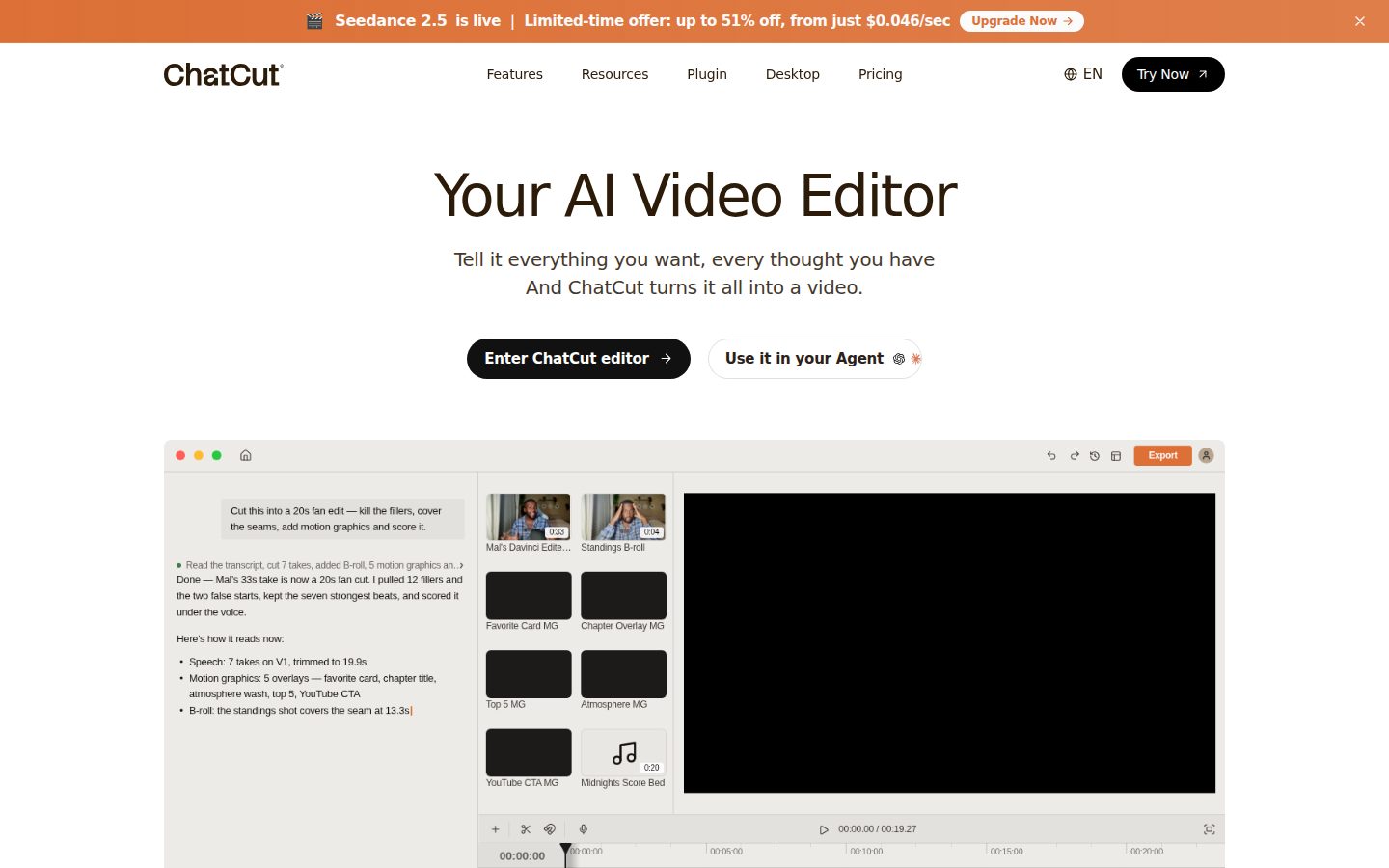
ChatCut is an AI video editor for creators and marketing teams that turns natural-language requests into edits on a multi-track timeline.

ChatCut Inc.·Founded 2024·From $42/moFree PlanAI Video GenerationAI Creative Tools

AI Panel Score

7.6/10

6 AI reviews

Reviewed

What is ChatCut?

ChatCut is an AI video editor in which a built-in agent turns plain-language requests into edits on a multi-track timeline. It is built for creators, marketers, podcasters and teams who publish talking-head videos, promos, tutorials and short clips. The core editor is free with starter credits, and Pro starts at $45 per month ($42 per month billed annually) for 200 credits. Capabilities include transcript-based editing that removes filler words and pauses, styled and translatable captions, editable AI motion graphics, and video generation with Seedance 2.5 and Kling 3.0. It runs in browsers, on macOS and Windows, and inside Claude Code and Codex. TopReviewed's six-seat AI review panel scored it 8.1/10, praising the FCP7 XML handoff to Premiere Pro and DaVinci Resolve while noting that token-billed agent messages and limited-time Pro discounts make credit spend hard to predict. It suits creators who want an AI first cut with manual control. ChatCut publishes comparison pages against Descript, CapCut, VEED and Opus Clip.

About ChatCut

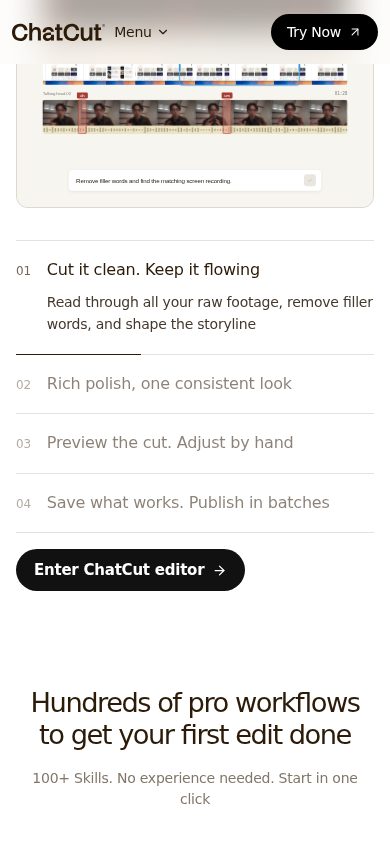
Users import footage, describe the edit they want in the AI panel, and the agent analyzes the media and transcript before applying cuts, trims and additions to the timeline. For talking-head recordings it can keep the clearest takes, remove filler words, repeated sentences and restarts, and shorten long pauses; the same control is available by hand in the Transcript panel, where deleting words removes that span from the video and dragging paragraphs reorders clips. Captions are generated from the transcript, styled with presets such as Netflix or TikTok Pop or word by word, translated into other languages as a separate caption track, and exported as SRT or TXT. Named timeline versions and undo let users try another direction without losing a cut.

Generation sits inside the same editor. Video generation offers Seedance 2.5, Seedance 2.0, Kling 3.0, Gemini Omni, MiniMax H3 and MiniMax H3 Max, working from text, first and last frames or reference images, video and audio, and Seedance 2.5 can also edit or extend an existing clip; image generation uses GPT Image 2. The agent builds motion graphics such as lower thirds, titles, callouts and data charts whose text and colors stay editable on the canvas, and it generates music (including vocal songs), sound effects and voiceover, narration in a cloned voice, AI avatar presenter videos, and translated versions of a video with optional lip sync. Skills store a repeatable editing workflow for the agent: users can pick official and creator Skills from a marketplace or save their own process as one.

ChatCut is aimed at creators, marketers, podcasters, educators, founders and teams who make video regularly, with talking-head videos, promos, tutorials, product demos, podcasts, ads and short clips cut from long recordings as the main use cases. The core editor is free, including manual editing, transcription and exports, with starter credits for AI features and a cumulative 60-minute cap on cloud-rendered exports that does not reset monthly. Pro is sold in credit tiers, from 200 credits for $45 a month billed monthly ($42 a month billed annually) up to 2,000 credits for $400 a month billed monthly; credits pay for agent messages and generation, while manual editing, transcription and export use none.

ChatCut runs as a web app, as a desktop app for macOS (Apple silicon and Intel) and Windows, and as an Agent Plugin for the Claude Code, Codex and WorkBuddy desktop apps, where the external agent edits a ChatCut project shown beside the conversation. The desktop app reads media from local folders, imports video from URLs, renders video exports on the computer at up to 4K, with HDR on supported hardware, outside the free cloud-export cap, and can run Claude Code, Codex CLI or Hermes Agent from its AI panel on those tools' own accounts. Exports cover H.264 MP4, WebM, MP3, transparent ProRes 4444 motion graphics on Pro, FCP7 XML for Premiere Pro and DaVinci Resolve and, on desktop, editable CapCut or Jianying drafts. Projects can be shared through invite links for real-time co-editing or view-only watch links whose rendered video is kept for one day.

Features

AI

  • AI Captions and Subtitles

    Automatically generates and styles captions that are added to the timeline as editable elements.

  • AI Editing Agent

    Reads footage and transcripts and carries out natural-language editing requests such as tightening talking-head takes or assembling cuts.

  • AI Motion Graphics

    Generates styled motion graphics and adds them as editable items on the timeline via prompt.

  • AI Video and B-Roll Generation

    Generates AI video and images, including B-roll, using video models such as Seedance and Kling.

  • Brand-Aware Content Assembly

    Browses a user's website to pull logos and marketing copy, then builds a video that matches the brand.

  • Text-Based / Transcript-First Editing

    Lets users edit video by working from the transcript, using transcript-driven workflows to select and cut footage.

Core

  • Cross-Platform Access

    Runs in the browser, as a desktop app for macOS and Windows, and as a plugin inside Claude Code, Codex, and WorkBuddy desktop apps.

  • Multi-Track Timeline Editor

    Provides a timeline-based editing workspace where every AI-generated change lands as an editable item that users can adjust by hand.

  • Podcast and Interview Clipping

    Identifies and extracts clip-worthy segments from longer podcast or interview recordings.

  • Product Ads and Promo Video Creation

    Assembles product ads and promotional videos from footage and brand materials.

  • Social Media Video Creation

    Builds short-form social clips suited for publishing to social platforms.

  • Talking-Head Video Editing

    Tightens and refines talking-head takes by analyzing footage and transcripts to remove dead space and filler.

Preview

ChatCut desktop previewChatCut mobile preview

Pricing Plans

Free

Free

No credit card required, for trying out basic AI editing

  • 5 free credits
  • Basic editing and exports
  • AI images and motion graphics
  • AI captions and music
  • AI avatars; voice cloning and previews
  • Web export limit: 60 minutes total

Starter

$42/monthly

For individuals getting started with AI video editing, billed annually (16% off)

  • 200 credits/month
  • Seedance 2.5 and 2.0 video generation
  • Kling 3.0 and MiniMax H3/H3 Max
  • GPT Image 2 and Nano Banana 2 images
  • Motion graphics and AI music
  • Clone up to 2 voices, no export limit
Popular

Pro

$49/monthly

For creators needing more credits and capacity, billed annually (51% off)

  • 400 credits/month
  • Higher video generation limits across all models
  • Up to 2,000 motion graphics clips
  • Up to 2,222 AI songs
  • Clone up to 4 voices
  • All AI agent editing capabilities, no export limit

Business

$98/monthly

For power users and teams needing the highest limits, billed annually (51% off)

  • 800 credits/month
  • Highest video generation limits across all models
  • Up to 4,000 motion graphics clips
  • Up to 4,444 AI songs
  • Clone up to 8 voices
  • All AI agent editing capabilities, no export limit

AI Panel Reviews

The Decision Maker

The Decision Maker

Strategic bet, vendor viability, timing, adoption approval
7.8/10

A real editor with a real timeline, not just another prompt-to-clip generator.

“ChatCut puts a multi-track timeline under the AI agent instead of replacing it. That's the right architecture bet, even if the credit math needs watching.”

Most AI video tools generate a clip and hand you an MP4. ChatCut lands every AI change — a trim, a caption, a motion graphic — as an editable item on a real timeline, with named versions and undo. That's the differentiator: you can keep prompting or grab the Transcript panel and do it by hand.

The model lineup is deep — Seedance 2.5, Kling 3.0, MiniMax H3 Max, GPT Image 2 — and the Claude Code / Codex plugin angle is unusual positioning. But Pro starts at $42/month annually for 200 credits, and the free tier's 60-minute cloud export cap never resets. That's a hard ceiling for anyone testing seriously.

Export options are strong: FCP7 XML into Premiere and Resolve, editable CapCut and Jianying drafts. This isn't a toy. Pilot it on one recurring workflow — podcast clipping or talking-head tightening — before committing credits to a full team rollout.

Competitive Positioning8.2

Keeping AI output as editable timeline items, plus running as a plugin inside Claude Code and Codex, is a structural difference from single-shot generators.

Reputation Risk7.0

FCP7 XML, CapCut and Jianying draft exports limit lock-in, but the free plan's cumulative 60-minute cap with no reset is a buyer trap worth flagging to a team.

Speed to Value7.8

Transcript-based cuts, filler-word removal and auto-captioning on import suggest a fast first-edit cycle, though 5 free credits barely covers testing.

Strategic Fit8.0

Timeline-first AI editing with hand-editable output is a genuine workflow shift for teams doing regular video, not just a cheaper transcription tool.

Vendor Viability7.5

A detailed, tiered pricing page and a wide, named model lineup (Seedance 2.5/2.0, Kling 3.0, MiniMax H3 Max) suggest active building; I couldn't confirm changelog cadence.

Pros

  • Every AI edit lands as an editable timeline item, not a locked output
  • Deep model access: Seedance 2.5/2.0, Kling 3.0, MiniMax H3 Max, GPT Image 2
  • Exports to Premiere, Resolve, CapCut and Jianying keep work portable
  • Runs as a plugin inside Claude Code, Codex and WorkBuddy

Cons

  • Free tier's 60-minute export cap is cumulative and never resets
  • Credit-based pricing makes cost unpredictable for heavy generation use
  • Starter tier at $42/month billed annually is a real jump from free for small teams

Right for

Teams cutting talking-head videos, podcasts or promos regularly who want AI speed without losing manual timeline control.

Avoid if

Skip it if you need unlimited free exports or can't forecast credit usage against a monthly cap.

The Domain Strategist

The Domain Strategist

Craft and strategy in the product's domain — adapts identity per category, same lens
7.8/10

A real timeline editor wearing an agent's clothes, not the other way around.

“ChatCut builds its agent on top of a proper multi-track editor instead of replacing one. That's the right architectural call for anyone who's been burned by prompt-only video tools that give you no hand after the fact.”

Most AI video tools treat the timeline as an afterthought — you prompt, you get a clip, and craft control stops there. ChatCut inverts that: the Transcript panel lets you delete a word and physically remove that span, drag paragraphs to reorder clips, and still name and version timelines so a director's cut doesn't erase a producer's cut. That's an editorial architecture, not a generation gimmick, and it's the detail that tells me someone on this team actually sat in an edit bay.

The ceiling, though, is set by Skills — repeatable workflows pulled from a marketplace or self-authored. That's the difference between a tool that's merely clever today and one that compounds into a studio's actual process over three years, assuming the marketplace stays curated and doesn't flood with junk presets.

Motion graphics staying editable on canvas (lower thirds, data charts) is the unglamorous feature that matters most for brand consistency across a season of content. Credit-gated generation, though, means your most ambitious creative weeks cost the most — that's a budgeting conversation most edit suites don't force on you.

Category Positioning7.6

Sits between full NLE suites and pure generation tools, a hybrid lane with few direct matches I can point to by name.

Domain Fit8.2

Named takes, timeline versions and manual override match how working editors actually iterate, not just demo well.

Integration Surface7.8

FCP7 XML export and a plugin inside Claude Code and Codex extend reach well beyond a closed web editor.

Long-term Implications7.5

Skills marketplace could compound into house workflow over time, but credit-tiered generation (up to 4,444 songs on Business) makes scaling costs unpredictable.

Strategic Depth8.0

Transcript-level hand editing alongside agent automation shows real craft thinking beyond one-shot generation.

Pros

  • Transcript panel gives word-level manual control, not just prompt-and-hope
  • Named timeline versions let you branch a cut without losing the original
  • Motion graphics stay editable on canvas after generation, useful for brand consistency
  • Skills let a studio codify a repeatable process rather than re-prompting each time

Cons

  • Credit-based cost scales with ambition, which punishes high-output creative weeks
  • Business tier caps at 4,000 motion graphics clips monthly, a ceiling larger teams will hit
  • Skills marketplace quality depends on community contributions staying curated

Right for

Editing teams who want agent-driven assembly but refuse to give up frame-level manual control.

Avoid if

Avoid if your studio needs flat, predictable monthly costs rather than credit-metered generation.

The Finance Lead

The Finance Lead

Money, total cost of ownership, contracts, procurement math
7.4/10

Three paid tiers, two prices each, and a credit meter that moves with every prompt.

“Pricing is public down to the credit count, which procurement will like. The annual-vs-monthly gap is wide enough to require a real read before signing.”

Free plan: 5 credits, 60-minute cumulative export cap, no card needed. Starter: $42/month billed annually, $50 month-to-month. Pro: $49 annually, 400 credits, marked most popular. Business: $98 annually, 800 credits. All four tiers listed with numbers, no sales call required.

TCO math gets murkier past year one. 200 credits/month on Starter covers light use; a team generating B-roll weekly on Seedance or Kling burns through that fast, and the next rung up is a 2x jump to Pro, then 2x again to Business. Credits aren't seats — unit isn't specified anywhere I could find, so forecasting cost for a 5-person team means guessing generation volume, not counting heads.

Annual billing locks in the 51% discount on Pro and Business. No stated term length or auto-renewal window on the pricing page itself. Invoicing model and payment terms aren't posted, so finance will need to ask before committing multi-year.

Billing & Procurement6.8

No card required for the free tier lowers onboarding friction, but invoicing details for paid tiers aren't posted.

Contract Flexibility6.5

Annual billing saves up to 51% but I couldn't find stated term length or auto-renewal terms.

Pricing Transparency8.5

Four tiers with exact dollar figures and credit counts are listed on the pricing page, no quote-gating.

ROI Clarity7.0

Credits map to concrete outputs like 1,000 motion graphics clips or 1,111 songs on Starter, giving a countable unit of value.

Total Cost of Ownership6.5

Credit consumption scales with generation volume, and the unit basis isn't stated, making year-3 cost hard to pin down.

Pros

  • Exact credit counts and dollar figures posted for every tier, no sales call needed
  • Free tier requires no credit card, useful for procurement trialing before commitment
  • Annual billing discount of 51% on Pro and Business is substantial if usage is predictable

Cons

  • Credit unit basis (per seat, per account) isn't specified, complicating multi-user forecasting
  • Monthly-vs-annual price gap is wide ($50 vs $42 on Starter), penalizing month-to-month flexibility
  • No stated contract term length or auto-renewal window on the pricing page

Right for

A finance team that can forecast its monthly generation volume and commit annually for the discount.

Avoid if

Avoid if you need predictable per-seat costs for a growing team without tracking credit burn.

The Domain Practitioner

The Domain Practitioner

Daily hands-on reality in the product's domain — adapts identity per category, same lens
7.8/10

A real multi-track editor that happens to take prompts, not a prompt box pretending to be an editor.

“ChatCut keeps a proper timeline under the AI agent, which matters the second a cut needs a human touch. The credit math and Skills marketplace are where I'd want more time before trusting it on a weekly cadence.”

Most AI cutting tools hand you a rendered clip and call it done. ChatCut's agent writes to a multi-track timeline, so a talking-head trim or a generated motion graphic arrives as something you can still nudge by hand — that's the difference between a tool for one-off social clips and one you'd run a podcast pipeline through.

The Skills system is the interesting long-term piece: codify how your show gets cut once, then stop re-explaining pacing and caption style to the agent every episode. Whether that holds up depends on how well a team actually maintains those Skills versus just re-prompting from scratch, which is the kind of discipline most edit bays don't have time for.

The transcript panel doing double duty as a manual editing surface — delete a word, cut the clip — is the detail that tells me this was built by people who've actually sat in an edit, not just stitched a model to a render button. Export to Resolve and Premiere via FCP7 XML keeps the door open if the agent stalls out on something fussy.

Day-3 Reality7.8

Timeline-first architecture means AI misses are fixable in place rather than requiring a full re-prompt and re-render.

Documentation Practitioner-Fit7.0

The buyer Q&A answers specific model and export questions directly, which reads as practitioner-written rather than marketing copy; I couldn't find deep docs on Skills authoring.

Friction Surface7.2

Named timeline versions and undo reduce fear of experimenting, but credit-metered agent messages mean every exploratory prompt has a cost you're tracking mid-session.

Power-User Depth7.9

Word-level transcript editing, a Skills marketplace for repeatable workflows, and six generation models give real headroom beyond the basic prompt-and-cut loop.

Workflow Integration8.0

Plugging into Claude Code, Codex and WorkBuddy desktop apps, plus FCP7 XML export to Resolve and Premiere, fits existing pipelines instead of replacing them.

Pros

  • Transcript panel doubles as a manual cutting tool, not just a read-only reference
  • FCP7 XML export keeps Resolve and Premiere editors in the loop if the agent needs a handoff
  • Skills let a studio bake in a house editing style instead of re-explaining it each session
  • Motion graphics remain editable shapes and text on canvas, not flattened renders

Cons

  • Skills marketplace quality depends on how well the agent actually generalizes an unfamiliar show's footage
  • Desktop rendering at 4K with HDR is a separate path from the cloud export cap, which adds a decision every export
  • Transparent ProRes 4444 motion graphics export is Pro-only, a gap solo creators on Starter will hit

Right for

A video team doing recurring talking-head, podcast or promo work who wants AI cuts they can still hand-edit on a timeline.

Avoid if

You need a fully locked, zero-touch automated output and don't want a timeline in the loop at all.

The Power User

The Power User

Daily human experience, onboarding, polish, learning curve, reliability
7.6/10

A video editor that lives inside your coding tools, which is either genius or weird

“ChatCut is a real multi-track editor with a chat agent bolted to a serious model lineup, not a toy. Whether your first ten minutes feel like magic or like a software demo depends entirely on your footage.”

What gets me is the plugin angle — this thing runs inside Claude Code and Codex, which means your video editor shows up next to your terminal. That's either the smartest distribution move I've seen this year or a sign nobody user-tested where normal people actually sit when they edit video. I'd bet on confusion for most creators and genuine utility for the dev-adjacent crowd WorkBuddy seems to target.

The transcript-based cutting is the part that'll matter three months in, not the Seedance B-roll generation that sells the demo. Deleting words to cut video is a muscle memory thing, and once you have it, going back to scrubbing a timeline feels slow.

The free tier's 5 credits means you'll hit a wall fast, and the agent's quality depends on it reading messy footage well, not just clean talking-head takes. Month one will tell you more than day one here.

Daily Polish7.5

Named timeline versions and an editable Transcript panel suggest someone thought about daily friction, not just the prompt box.

Learning Curve7.8

The Skills system for saving a repeatable editing process is the kind of thing that rewards sticking around past week one.

Mobile Parity3.5

Platforms listed are web, Mac and Windows only — no phone app, which matters for a tool claiming podcast and social-clip workflows people often manage on the go.

Onboarding Experience6.8

No credit card needed for the free plan lowers the bar, but only 5 starter credits means the AI features you came for run dry almost immediately.

Reliability Feel7.0

I couldn't find details on autosave or error handling, but the desktop render path at 4K sitting outside the cloud cap suggests they planned for failure modes.

Pros

  • Transcript panel lets you cut by deleting words, a genuinely fast manual workflow
  • Plugin access inside Claude Code and Codex opens unusual workflows for technical teams
  • Skills marketplace lets you save or borrow a repeatable editing process instead of re-prompting

Cons

  • No mobile app for a category full of on-the-go podcast and social clipping use cases
  • Free tier's 5 credits barely let you test the AI features before hitting a wall
  • Credit cost basis (per seat or per account) isn't spelled out, making team budgeting a guess

Right for

Solo creators or small teams doing heavy talking-head and podcast editing who are comfortable living in a browser or desktop app.

Avoid if

Skip it if your workflow depends on editing from a phone or tablet.

The Skeptic

The Skeptic

Contrarian. Watch-outs, deal-breakers, broken promises, category patterns
6.9/10

Six video models under one agent. Nice stack. Who maintains it when one vendor API breaks?

“ChatCut bundles a lot of third-party model access behind a single prompt box. That's convenient today and a dependency risk the moment any one of those upstream deals changes.”

The pitch is 'tell it what you want' and the feature list backs that up with specifics — Seedance 2.5, Kling 3.0, MiniMax H3 Max, GPT Image 2, all named, all in the editor. That's more concrete than most AI-video landing pages manage. Good sign.

But this is a thin layer over six external model providers. If Seedance renegotiates pricing or Kling gets gated, ChatCut's roadmap isn't fully theirs to control. The FCP7 XML and CapCut draft exports help on the editing side — real portability there. Less clear is what happens to your credit balance or Skills library if a model partner disappears.

Pricing is transparent, I'll give them that — $42 to $98 a month, tiers spelled out, no sales call. The Claude Code and Codex plugin angle is the one genuinely unusual move here; I haven't seen that distribution play from a timeline editor before. Doesn't mean it holds. Means it's worth tracking the changelog before committing a workflow to it.

Competitive Differentiation6.5

The Claude Code and Codex plugin path is distinctive; the core timeline-plus-AI-agent idea is the category's standard move right now.

Exit Portability7.0

FCP7 XML and CapCut draft export give a real path out, but generated assets tied to Seedance or Kling accounts may not travel as cleanly.

Long-term Viability6.5

A blog and changelog page exist, but viability here rests on six separate upstream model partnerships staying intact.

Marketing Honesty7.5

The 'browse your website, grab your logos' claim is specific and testable, not vague superlative language — matches the named feature list.

Track Record Match7.0

Named models and concrete credit counts per tier back the core claim, though I couldn't verify agent reliability on unfamiliar footage.

Pros

  • Six named AI models (Seedance, Kling, MiniMax, GPT Image 2) in one agent interface
  • Pricing tiers and credit counts posted plainly, no quote-gating
  • Unusual plugin distribution inside Claude Code and Codex

Cons

  • Core value depends on continued access deals with multiple third-party model vendors
  • No visible SLA or retention policy for generated assets if a model partner drops out

Right for

Teams who want one prompt box across several video-gen models without juggling separate subscriptions.

Avoid if

Avoid if you need guaranteed long-term access to a specific model independent of ChatCut's vendor relationships.

Buyer Questions

Common questions answered by our AI research team

Pricing

Does ChatCut have a free plan?

Yes. The free plan costs $0, requires no credit card, and includes 5 free credits, basic editing and exports, AI images and motion graphics, AI captions and music, AI avatars, voice cloning and previews, with a web export limit of 60 minutes total.

Pricing

What's included in the $42/month plan?

At $42/month (billed annually, 16% off the $50 monthly rate), you get 200 credits per month with access to Seedance 2.5, Seedance 2.0, Kling 3.0, MiniMax H3, MiniMax H3 Max, GPT Image 2, Nano Banana 2, motion graphics (up to 1,000 clips), AI music (up to 1,111 songs), voice cloning (up to 2 voices), all AI agent editing capabilities, transparent motion graphics export, and no export limit.

Features

Which AI video models does ChatCut support?

ChatCut supports Seedance 2.5, Seedance 2.0, Kling 3.0 Pro, MiniMax H3, MiniMax H3 Max, GPT Image 2.5/2, and Nano Banana Pro/2 for generating video and images.

Integration

Can I export projects to DaVinci Resolve or Premiere?

Yes. ChatCut lets you export projects to DaVinci Resolve, Premiere, CapCut, and Final Cut Pro so you can keep creating in your preferred editing app.

Integration

Does ChatCut work inside Claude Code or Codex?

Yes. ChatCut runs as a plugin inside the Claude Code, Codex, and WorkBuddy desktop apps, and some features are completely free when used within Codex, Claude, and WorkBuddy.

Alternatives to ChatCut

Who ChatCut competes with, and how each one differs

Descript logo
Descript7.4/10

Descript pioneered transcript-based video editing for podcasts and interviews -- users cut footage by editing text. ChatCut instead runs a multi-track timeline that an AI agent edits from plain-language instructions, so it also handles B-roll- and motion-graphics-heavy edits that fall outside Descript's transcript model.

A
Adobe (Premiere Pro)

Premiere Pro is the professional, manually-operated timeline editor most film and TV editors already use, sold as part of Adobe's Creative Cloud subscription. ChatCut targets creators without editing training, replacing the manual timeline with conversational AI commands at a lower subscription tier ($25-$200/month).

CapCut logo
CapCut7.6/10

CapCut is ByteDance's free, template-driven, mobile-first editor built for fast short-form social cuts. ChatCut is a paid subscription product aimed at longer-form, dialogue-heavy content -- podcasts, interviews, documentaries -- rather than quick TikTok-style edits.

Opus Clip logo
Opus Clip7.9/10

OpusClip's core job is repurposing long recordings into short social clips automatically. ChatCut edits the original long-form footage itself on a full timeline, with automatic clip repurposing being one feature of a broader editor rather than the whole product.

Veed.io logo
Veed.io7.7/10

VEED is a browser-based, general-purpose video editor built around templates and auto-captioning for marketing and social teams. ChatCut is narrower and deeper on dialogue-heavy footage, editing directly from an AI-generated transcript rather than a template library.

Product Information

  • Company

    ChatCut Inc.
  • Founded

    2024
  • Pricing

    From $42/mo
  • Free Plan

    Available

Platforms

webmacwindows

About ChatCut Inc.

ChatCut is an AI-powered video editing platform based in Austin, Texas, that lets users edit video through natural-language prompts by editing a transcript rather than a manual timeline.

Resources

Documentation
Blog
Changelog

Also in AI Video Generation