Veed.io logo

Veed.io Review

Visit

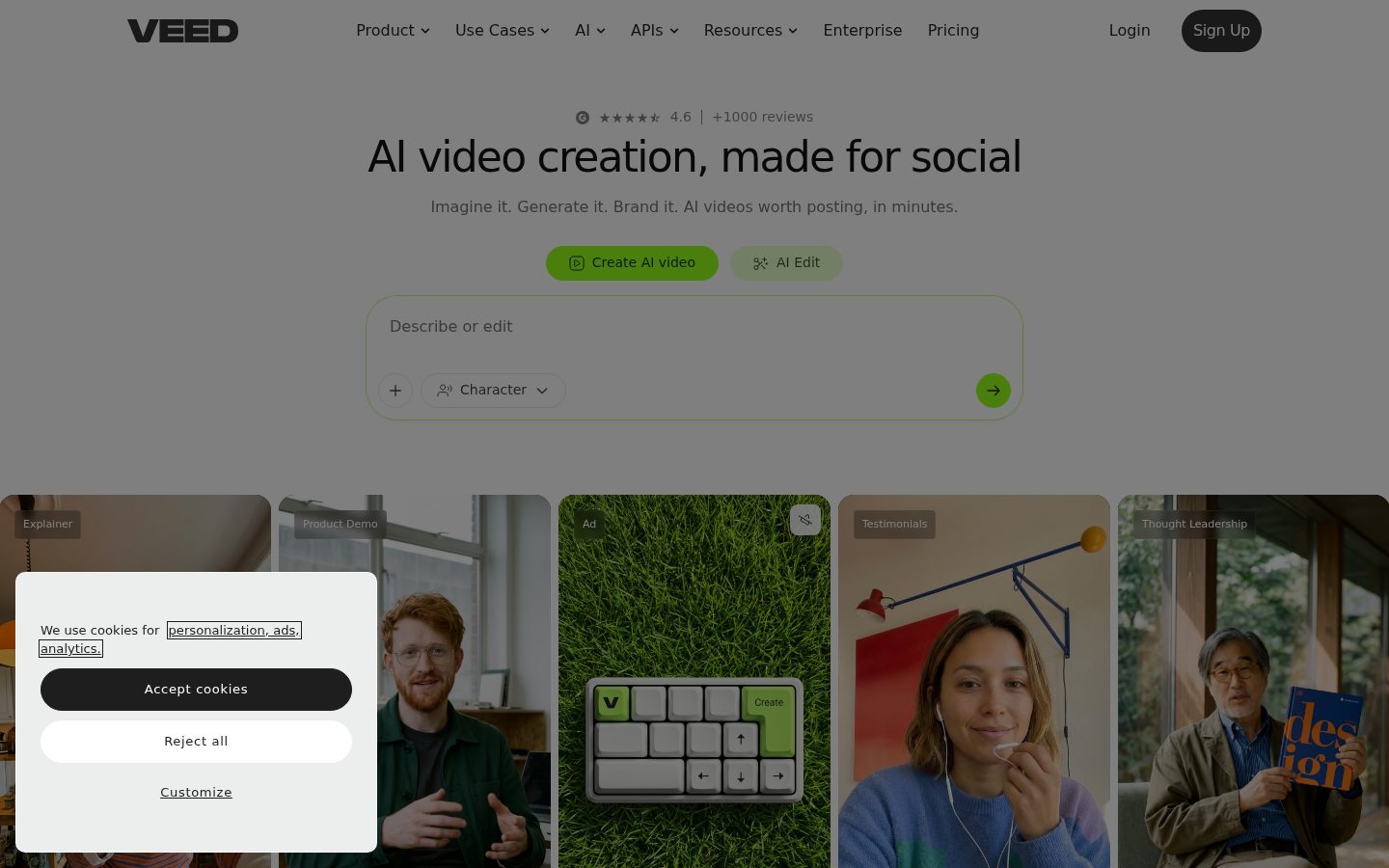
AI video creation and editing tools built for social media content

Veed.io is a browser-based AI video creation and editing platform for marketers, creators, and social media teams.

AI Panel Score

7.7/10

6 AI reviews

Reviewed

AI Editor Approved

About Veed.io

In practice, users open Veed.io in a browser, then either type a prompt to generate a video from scratch or upload existing footage to edit. The editor provides a timeline-based interface where subtitles, captions, background music, and visual elements can be added or adjusted. AI-generated videos can be created without a camera using avatar characters and text-to-speech narration, while existing recordings can be cleaned up with noise reduction and eye contact correction tools.

The platform emphasizes a set of specific AI-powered features that the company markets as differentiators: automatic subtitle and caption generation, dynamic subtitles designed for social feed formats, AI dubbing and video translation for multi-language output, a teleprompter tool, screen recording, video background removal, and integration with generative video models including Sora 2, Veo 3.1, Kling AI, and its own Fabric 1.0. Brand kits allow teams to save and auto-apply visual identity settings across all video exports.

Veed.io targets social media managers, demand generation marketers, content creators, and small business owners who need to produce video content without professional production resources. It competes in the same category as Descript, CapCut for Business, Opus Clip, and Adobe Express. The platform operates on a freemium model with a permanently free tier and paid subscription plans; specific plan pricing is not disclosed on the homepage.

Veed.io runs entirely in the browser with no desktop installation required, making it platform-agnostic for Windows, Mac, and Linux users. The product has been recognized as G2's Best AI Software Company for 2026 according to its homepage, and the company states it serves millions of teams globally.

Features

AI

  • AI Avatars

    Generates AI-powered video avatars that can appear in and present videos without requiring a human on camera.

  • AI Clip Generator

    Automatically generates short clips from longer video content for use in social media or other short-form formats.

  • AI Text to Speech

    Converts written text into spoken audio using AI-generated voices for use in videos.

  • AI Video Generator

    Turns any text idea or prompt into a ready-to-post video without requiring a camera or footage.

  • Automatic Subtitle Generator

    Automatically generates subtitles for videos, designed to keep viewers watching and make videos unskippable.

  • Background Noise Removal

    Removes unwanted background noise from audio and video recordings to produce cleaner, more professional sound.

  • Dubbing AI

    Translates and dubs video content into other languages using AI-generated voice synchronization.

  • Eye Contact AI

    Corrects the speaker's eye contact in recorded video so they appear to look directly into the camera even when they don't.

  • Video Background Remover

    Removes or replaces the background in video footage without requiring a green screen.

Core

  • Screen Recorder

    Records the user's screen directly in the browser for creating tutorials, demos, or presentations.

  • Video Translator

    Translates video content into multiple languages, enabling creators to reach international audiences.

Customization

  • Brand Kit Application

    Applies a user's colors, fonts, logos, and voice to every video instantly and consistently so content always looks on-brand.

Preview

Veed.io desktop previewVeed.io mobile preview

Pricing Plans

Free

Free

Basic video editing with limited features and watermark

  • Up to 10 minute video export length
  • 720p export quality
  • 2GB storage
  • 1GB upload file size
  • Auto subtitles (2 min/month)
  • Up to 12 sec/month Gen-AI Studio videos

Creator

$11/monthly

Watermark-free social videos with AI tools for individual creators

  • No watermark exports
  • 1080p export quality
  • 5GB storage
  • Unlimited auto subtitles
  • 6,000 credits/year for AI video generation
  • Full audio & video catalog
  • Up to 4 hr/year AI voice (Text to Speech)
Popular

Pro

$23/monthly

On-brand pro-level videos with AI for professionals

  • Everything in Creator
  • 4K export quality
  • 50GB storage
  • Multiple Brand Kits
  • Translate to 50+ languages (6 hr/year)
  • Up to 144 hr/year AI voice
  • 30,000 credits/year
  • Up to 5 min/month Gen-AI Studio videos

Studio

$37/monthly

AI video generation at scale for power users and growing teams

  • Everything in Pro
  • Unlimited storage
  • Custom Templates
  • 12 hr/year subtitle translation & AI dubbing
  • Up to 960 hr/year AI voice
  • 180,000 credits/year
  • Up to 5 editors
  • Up to 30 min/month Gen-AI Studio videos

Enterprise

Contact sales

Scale your entire team's video creation with custom pricing and dedicated support

  • Custom AI credits
  • Centrally manage teams and data
  • Review mode for videos
  • Privacy controls
  • Single sign-on (SSO)
  • Customer success, onboarding & training
  • Unlimited editors and reviewers

AI Panel Reviews

The Decision Maker

The Decision Maker

Strategic bet, vendor viability, timing, adoption approval
7.8/10

Browser-native video stack at $10.75 that social teams can ship from day one.

Veed.io is a feature-complete browser video platform built for social creators and marketers who can't afford a production team. G2's Best AI Software 2026 badge plus integrations with Sora 2 and Veo 3.1 suggest they're keeping pace with the category.

The Creator tier at $10.75/month gets you watermark-free 1080p exports, unlimited auto subtitles, and 6,000 AI credits annually. That's a real toolkit, not a trial. For a social media manager producing five to ten videos a week, the ROI case writes itself in week one.

The feature depth is genuine — Eye Contact AI, AI Dubbing to 50+ languages, brand kit application, and avatar-based video generation without a camera. Descript owns the podcast-and-transcript crowd, but Veed.io is clearly targeting the faster, social-first workflow. The tradeoff: serious post-production teams won't find the depth of a desktop editor here.

No public funding data, but "millions of teams globally" and the G2 recognition suggest they're not a garage project. Pilot it with one social team before rolling org-wide.

Competitive Positioning7.8

Sits ahead of CapCut for Business on brand controls and translation depth; behind Descript on transcript-native editing for teams that work that way.

Reputation Risk7.5

Freemium with a free watermarked tier could raise eyebrows at the board level, but the Pro plan at $23.17 removes that signal cleanly.

Speed to Value8.5

Entirely browser-based, no installation, auto subtitles and brand kits apply instantly — a creator is exporting branded 1080p video on day one.

Strategic Fit8.0

AI avatars, dubbing to 50+ languages, and brand kits directly advance content velocity — this advances output, it doesn't just reduce costs.

Vendor Viability7.5

No public funding data, but G2's Best AI Software 2026 and stated global scale suggest a stable business, not a pre-revenue bet.

Pros

  • Auto subtitle generation is unlimited on Creator tier — that alone justifies the $10.75/month for social teams
  • AI dubbing and translation to 50+ languages at the Pro tier opens international reach without a localization budget
  • Integrations with Sora 2, Veo 3.1, and Kling AI mean the generative video models are current, not lagging
  • Fully browser-based — no IT ticket, no install, works on any OS

Cons

  • Free tier caps AI video generation at 12 seconds per month — not enough to evaluate the core AI workflow before buying
  • AI voice is credit-limited even on Pro (144 hr/year), so high-volume dubbing teams will hit ceilings fast
  • No changelog or API documentation visible, which limits custom workflow integration options

Right for

Social media teams and solo marketers who need branded, multilingual video content without a production setup.

Avoid if

Your team needs deep timeline editing or transcript-driven workflows that Descript handles natively.

The Domain Strategist

The Domain Strategist

Craft and strategy in the product's domain — adapts identity per category, same lens
7.8/10

A complete social video system with real brand architecture baked in.

Veed.io has built a genuinely coherent production pipeline for social-first teams — brand kit, AI avatars, auto-subtitles, dubbing, and generative model integrations all in one browser tab. The ceiling is social media, and it knows it.

Brand Kit Application with multi-kit support on the Pro plan ($23.17/month) is the feature that separates Veed.io from CapCut for Business in a real way. Most competitors treat brand consistency as an export setting. Veed treats it as a system — colors, fonts, logos, and voice applied across every output automatically. That's closer to how a design system actually functions.

The generative model roster — Sora 2, Veo 3.1, Kling AI, and their own Fabric 1.0 — signals someone paying close attention to the model layer. Eye Contact AI and AI dubbing to 50+ languages are the kinds of post-production corrections that used to require an editor or a reshoot. For a small content team, that's real leverage.

The tradeoff: 30 min/month of Gen-AI Studio video on the Studio tier ($37.33/month) will hit a ceiling fast for teams producing at volume. And Descript still owns the transcript-based editing workflow for anyone who thinks in text first. Veed's craft ceiling is social — deep there, limited beyond it.

Category Positioning8.0

G2's Best AI Software 2026 and model-layer partnerships put Veed ahead of Opus Clip and Adobe Express, though Descript holds the transcript-editing lane firmly.

Domain Fit8.2

Timeline editor, brand kit, dynamic subtitles, and avatar-based talking heads map directly to how social content teams actually produce at scale.

Integration Surface7.0

No API or docs surface in evidence; brand kit and template system work internally but external stack connectivity is unclear.

Long-term Implications7.2

If we adopt this, in 3 years we're locked into a browser-only pipeline — powerful for social but limiting if production scope expands to broadcast or long-form.

Strategic Depth8.0

Multi-model generative integration (Sora 2, Veo 3.1, Fabric 1.0) plus Eye Contact AI shows real craft investment, not just feature checklisting.

Pros

  • Brand Kit Application treats visual identity as a system, not a setting
  • Multi-model generative roster (Sora 2, Veo 3.1, Kling AI) is category-leading
  • Eye Contact AI and AI dubbing eliminate common reshoot and post-production costs
  • Freemium entry at $0 with a clear Pro upgrade path at $23.17/month

Cons

  • Gen-AI Studio capped at 30 min/month even on Studio tier — volume teams will feel this fast
  • No API surface documented, limiting integration with broader martech stacks
  • Descript owns transcript-based editing; Veed doesn't compete there
  • Storage on Creator tier (5GB) is thin for teams managing a real asset library

Right for

Social media teams and demand-gen marketers who need branded, multilingual video output without a production crew.

Avoid if

Your workflow is transcript-driven editing or your production scope reaches beyond social formats.

The Finance Lead

The Finance Lead

Money, total cost of ownership, contracts, procurement math
7.8/10

$10.75/seat entry with SSO held at Enterprise — clean math until the credits run out.

Four public tiers, all priced without a sales call. Credit-based AI generation adds a usage layer that complicates year-3 TCO.

$10.75/month Creator, $23.17 Pro, $37.33 Studio. All visible on the pricing page without procurement friction. SSO held for Enterprise — category norm, but budget accordingly. Compare to Descript at $24/month: Veed's Pro tier is cheaper and adds 4K exports, 50-language dubbing, and Brand Kits.

50-seat team on Pro: $23.17 × 50 × 12 = $13,902/year. Add 20% seat creep — year 3 lands near $20K. The real variable is credits. Pro includes 30,000 credits/year. Heavy AI video generation teams will burn through that. No published overage rate on the pricing page. That's the invoice risk.

Free tier caps Gen-AI Studio at 12 seconds/month — real ceiling. Auto subtitles locked to 2 min/month on Free. Useful for evaluation only. The Creator-to-Pro jump from $10.75 to $23.17 is a 2.15× step — notable for solo users watching the bill.

Billing & Procurement8.2

Browser-only, freemium entry, self-serve signup — procurement friction is near zero for teams under 5 editors on Studio tier.

Contract Flexibility6.5

No public auto-renewal window, cancellation terms, or termination-for-convenience clause visible on the pricing page.

Pricing Transparency8.5

All four paid tiers published with feature breakdowns; Enterprise is the only call-required tier.

ROI Clarity7.5

Subtitle generation, eye contact correction, and dubbing have measurable output proxies; AI credit consumption is harder to forecast.

Total Cost of Ownership6.8

Credit caps at every tier (6,000/30,000/180,000/year) with no published overage rate creates unpredictable year-3 cost.

Pros

  • All tiers publicly priced — no discovery call required
  • $10.75 entry with watermark-free 1080p exports is low friction
  • Brand Kit and multi-language dubbing (50+ languages) on Pro at $23.17
  • Free tier enables real evaluation before any commitment

Cons

  • No published overage rate for AI credits — the invoice risk
  • SSO gated to Enterprise — adds cost for security-conscious teams
  • Credit model (6,000 vs 30,000 vs 180,000/year) punishes heavy AI generation users at lower tiers
  • Contract terms not publicly visible

Right for

Social media teams of 2-10 needing browser-based AI video, subtitles, and dubbing without a production stack.

Avoid if

Your team will generate AI video at volume and needs predictable monthly billing without credit ceilings.

The Domain Practitioner

The Domain Practitioner

Daily hands-on reality in the product's domain — adapts identity per category, same lens
7.6/10

Veed.io Gets Social Video Out the Door Without a Studio — But Credits Run Out Fast

Browser-native AI video production with solid auto-subtitles, eye contact correction, and brand kits built for social teams. Credit caps and annual AI voice limits will frustrate anyone pushing volume.

The timeline editor, subtitle generator, and brand kit application are clearly built for people who ship three to five social clips a week, not for narrative editors cutting a documentary. Auto-subtitles feel genuinely production-ready — Veed markets them hard, and the docs suggest they land better than Descript's default captions for short-form formats. Eye Contact AI and background noise removal on the same browser timeline is a real convenience for solo creators recording in imperfect conditions.

Credit architecture is the daily fight. At Pro ($23.17/month), you get 30,000 credits/year and 5 min/month of Gen-AI Studio video. That's tight if you're generating AI avatar content at any real cadence. The 144 hr/year AI voice sounds generous until you're dubbing weekly long-form into 50+ languages. Annual caps on per-month budgets create awkward pacing decisions mid-campaign.

No changelog is publicly visible, and docs appear marketing-authored rather than practitioner-written — thin on edge cases, heavy on feature positioning. For social teams needing brand-consistent, camera-free video at $10.75/month entry, it's genuinely competitive. Power users running high-volume AI generation will hit ceilings and start doing math.

Day-3 Reality7.5

Browser timeline is functional and brand kit application removes real daily setup friction, but credit caps create rationing decisions that don't exist in the demo.

Documentation Practitioner-Fit6.2

No public changelog and marketing-heavy docs suggest the writing is aimed at buyers, not at producers troubleshooting at 2pm on a deadline.

Friction Surface6.9

Annual credit and AI voice hour limits (e.g., 4 hr/year on Creator) introduce budgeting friction that accumulates across a working week of video production.

Power-User Depth7.2

Integration with Sora 2, Veo 3.1, Kling AI, and Fabric 1.0 signals serious generative depth, but 30 min/month Gen-AI Studio cap at Studio tier limits what power users can actually render.

Workflow Integration7.8

Prompt-to-post workflow with brand kit auto-apply fits social media manager routines well; no desktop install means no IT friction for distributed teams.

Pros

  • Auto-subtitle generation and dynamic captions are production-ready for social formats
  • Eye Contact AI plus background noise removal in one browser session removes a two-tool workflow
  • Brand kit auto-application saves real time across multi-video campaigns
  • $10.75/month Creator entry is genuinely accessible for solo producers

Cons

  • Annual AI voice hour caps (4 hr/year on Creator, 144 hr/year on Pro) create awkward mid-campaign rationing
  • Gen-AI Studio capped at 5 min/month on Pro — low for anyone testing generative formats at volume
  • No public changelog makes it hard to track model updates or reliability changes
  • Docs read like feature marketing, not practitioner guidance

Right for

Social media teams and content marketers who need branded, camera-optional video shipped fast without touching a desktop app.

Avoid if

You're generating high-volume AI video content weekly and need predictable, uncapped rendering capacity.

The Power User

The Power User

Daily human experience, onboarding, polish, learning curve, reliability
7.8/10

Browser-based video production that actually delivers on the social media promise

Veed.io packs a surprising amount into a freemium model starting at $10.75/month. Eye contact correction and auto-subtitles alone justify the Creator tier for most social teams.

The feature list here is genuinely dense — AI avatars, eye contact correction, background noise removal, dubbing into 50+ languages, Brand Kit, integrations with Sora 2 and Veo 3.1. That's not a wishlist, that's a working toolkit. The $10.75 Creator plan gets you unlimited auto-subtitles and 1080p exports, which is the bread-and-butter ask for most social content workflows. Compare that to Descript, which charges more for a steeper learning curve.

Where it gets real is three months in. The credit system — 6,000/year on Creator, 30,000/year on Pro — will start to feel like a gas gauge you're always watching. Gen-AI Studio is capped at 12 seconds a month on Creator. That's not a feature, that's a teaser.

The web-only model is both the strength and the soft spot. No install is genuinely nice. But the docs show no mobile editing — web-only means desktop-only in practice, and for a tool built around social content, that's an awkward gap. Still, the daily polish on subtitle generation and Brand Kit suggests someone on this team actually uses it.

Daily Polish8.1

Brand Kit auto-application and dynamic subtitle styling show real attention to the daily repetitive tasks social teams grind through.

Learning Curve7.8

Timeline editor plus layered AI features scales reasonably, though the credit system adds a management overhead layer that gets annoying over time.

Mobile Parity5.5

Platform listed as web-only with no mobile app — for a social-first product, that's a real daily limitation.

Onboarding Experience8.0

Browser-based, no install, free tier available — the friction floor is low and the prompt-to-video path is well-marketed as a fast on-ramp.

Reliability Feel7.2

No changelog is public, which makes it hard to assess patch cadence — a minor confidence gap for a browser-dependent tool.

Pros

  • Unlimited auto-subtitles on Creator tier at $10.75/month is genuinely competitive
  • Eye Contact AI and noise removal are real differentiators for talking-head content
  • Brand Kit handles the boring consistency work so you don't have to think about it
  • No install, runs anywhere — Windows, Mac, Linux without a second thought

Cons

  • Gen-AI Studio capped at 12 sec/month on Creator — barely enough to evaluate it
  • Credit system creates usage anxiety that compounds over time
  • No mobile editing for a platform explicitly built for social content creators
  • No public changelog makes it hard to trust the velocity of improvement

Right for

Social media managers and solo marketers who need fast, on-brand video output without touching a desktop editor.

Avoid if

You're a mobile-first creator who needs to edit and post on the go.

The Skeptic

The Skeptic

Contrarian. Watch-outs, deal-breakers, broken promises, category patterns
7.2/10

Solid social video stack, but three pricing caps will catch you mid-project

Veed.io has real differentiated tooling — eye contact correction, AI dubbing, Sora/Veo integrations — and a pricing ladder that works for individual creators. The caps are aggressive enough to sting at Pro tier.

Three tells upfront. One: 'best subtitles on the internet' is the kind of superlative that ages poorly. Two: no changelog visible, so shipping cadence is opaque. Three: the free tier caps Gen-AI Studio at 12 seconds per month — that's a taste, not a tool.

The differentiation story is actually credible. Eye Contact AI and AI dubbing to 50+ languages at $23.17/month puts it ahead of CapCut for Business on polish. The Sora 2 and Veo 3.1 integrations suggest they're licensing actively rather than coasting. Brand Kit at Pro tier is a real workflow win for small marketing teams.

Two flags though. Exit portability is mediocre — browser-only, no API docs visible, no stated export standard beyond file download. And 6,000 credits/year at Creator sounds generous until you hit a dubbing project. Descript remains the cleaner long-form alternative if your use case drifts past social clips.

Competitive Differentiation7.5

Eye Contact AI, AI dubbing at $23.17/month, and live integrations with Sora 2 and Veo 3.1 are concrete gaps vs. CapCut for Business and Adobe Express.

Exit Portability5.5

No API docs visible, browser-only architecture, and no stated open export format makes migration off-platform awkward.

Long-term Viability7.0

G2 2026 award and 'millions of teams' claim suggest real scale, but no funding data and no changelog makes the runway hard to read.

Marketing Honesty6.0

'Best subtitles on the internet' and 'unskippable' are claims with no third-party backing on the homepage.

Track Record Match7.5

Browser-based freemium video editors with social focus have survived — Canva, CapCut — and Veed's pattern resembles the survivors more than the casualties.

Pros

  • Eye Contact AI and background noise removal are genuinely useful for solo creators without studio setups
  • AI dubbing to 50+ languages at Pro tier ($23.17/month) undercuts enterprise dubbing tools significantly
  • Sora 2 and Veo 3.1 integrations show active vendor relationships, not a static feature set
  • Brand Kit at Pro tier solves a real workflow problem for small teams

Cons

  • 12 seconds/month Gen-AI Studio on free tier is too thin to evaluate the core AI generation pitch
  • No API docs visible — locks you into their browser workflow with no programmatic escape
  • Credit caps at Creator (6,000/year) will surprise users who run dubbing or translation projects
  • No changelog publicly visible, so shipping cadence is unverifiable

Right for

Social media managers and solo creators who need a fast, browser-based video workflow with AI cleanup tools and don't need deep programmatic integration.

Avoid if

Your team needs API access, heavy AI generation volume, or a clear migration path off the platform in 18 months.

Buyer Questions

Common questions answered by our AI research team

Setup

Does Veed.io work entirely in the browser?

Yes, Veed.io runs entirely in the browser — no software download needed. You can generate, edit, and brand videos from a text prompt or existing footage directly in your browser.

Features

Can Veed.io automatically add subtitles to videos?

Yes, Veed.io features an Automatic Subtitle Generator. It's described as the best subtitles on the internet, designed to make videos unskippable and keep viewers watching.

Features

Does Veed.io support AI avatars?

Yes, Veed.io supports AI Avatars. They are listed as a core tool and can be used to generate videos without needing to appear on camera yourself.

Features

Can I apply my brand colors and fonts across all videos?

Yes, Veed.io's Brand Kit applies your colors, fonts, logos, and voice instantly across every video, ensuring consistent brand identity without manual setup each time.

Features

Does Veed.io fix eye contact in recorded videos?

Yes, Eye Contact AI (Eye Contact Correction) automatically fixes eye contact in recorded videos. It's highlighted as a key feature especially useful for UGC ads to improve ROI.

Product Information

  • Company

    VEED
  • Founded

    2018
  • Pricing

    From $11/mo
  • Free Plan

    Available

Platforms

web

About VEED

VEED is a London-based online video editing platform offering tools for subtitles, dubbing, AI avatars, and screen recording, aimed at marketers and content creators.

Resources

Blog

Also in AI Video Generation