Fotor logo

Fotor Review

Visit

Online photo editor with AI tools for everyone

Fotor is a web-based photo editor and AI image platform for casual users and designers.

AI Panel Score

7.8/10

6 AI reviews

Reviewed

AI Editor Approved

About Fotor

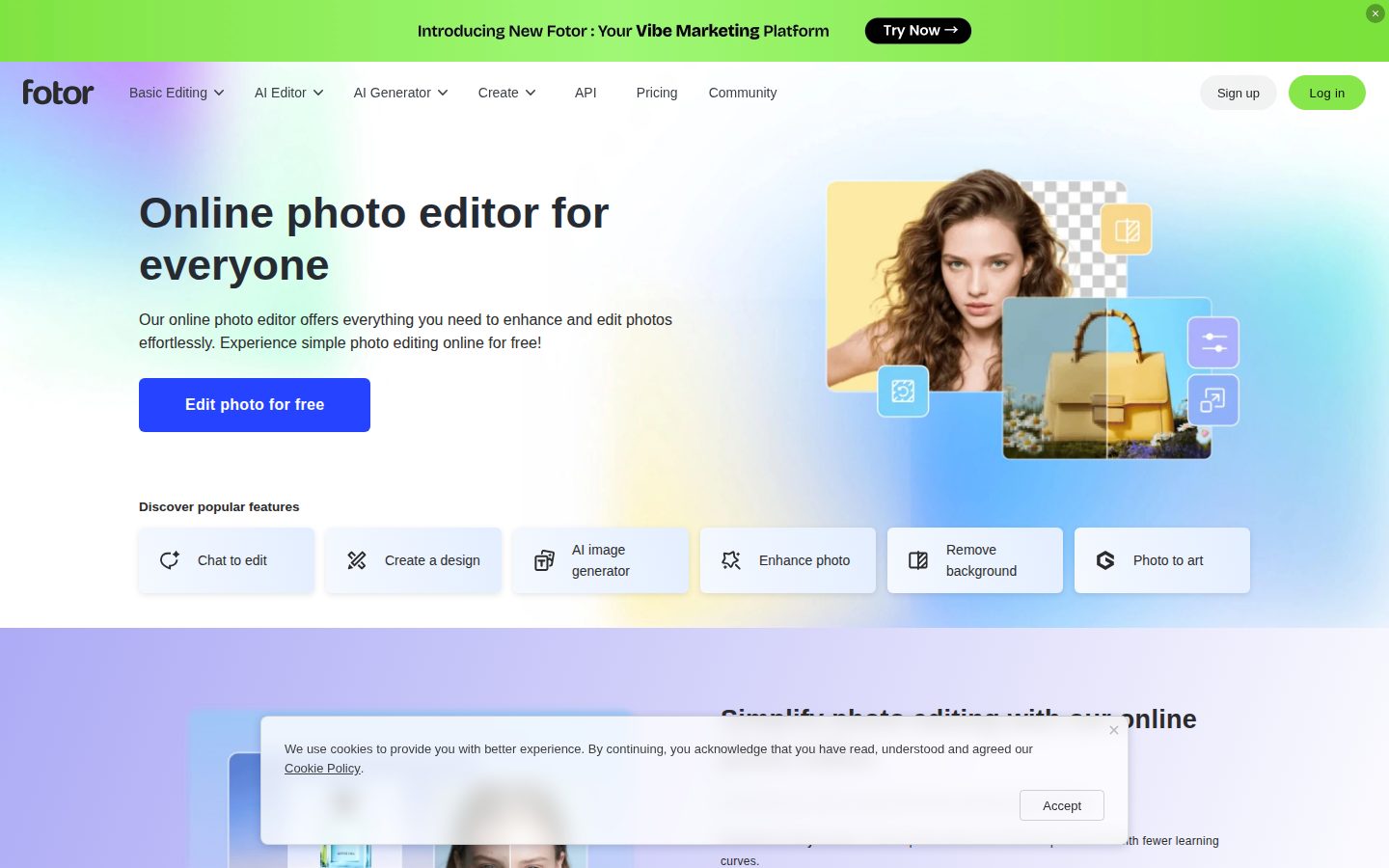
Users open Fotor in a browser or through its Windows, Mac, iOS, or Android app, upload one or more photos, and pick a tool from the sidebar. Common workflows include cropping and color correction, retouching portraits, removing or replacing backgrounds, generating images from text prompts, and converting photos into anime, cartoon, sketch, or painting styles. Edited files export as JPG, PNG, or PDF, with the free plan applying a watermark to exports.

The platform bundles a range of AI tools the site itself lists: AI Image Generator, AI Photo Enhancer, Background Remover, Object Remover, AI Replacer for adding objects via text prompt, AI Image Extender for outpainting, AI Avatar Generator, AI Video Generator, and an AI Presentation Maker. Fotor also exposes an AI Agent called Sisi for chat-driven editing requests, and supports batch editing for processing multiple photos at once. Design utilities such as a collage maker, poster maker, logo maker, and YouTube thumbnail creator sit alongside the editing tools.

Fotor targets amateurs and small businesses who want Photoshop-style results without learning Photoshop, and positions itself as a simpler alternative to Adobe Photoshop. Pricing is freemium: a free tier (Fotor Basic) gives limited credits, 1 concurrent generation, 2 chats with the AI agent, 512MB cloud storage, and watermarked exports; Fotor Pro starts at $8.99/month on annual billing ($12.99 month-to-month) and removes watermarks plus raises credit and storage limits; Fotor Pro+ at $19.99/month adds 30 concurrent generations, 100GB storage, and batch tools. Competitors in the same space include Canva, Adobe Photoshop Express, Pixlr, and PicMonkey.

Fotor is available as a web app, native Windows and Mac desktop apps, and iOS and Android mobile apps, with files synced through the user's Fotor cloud storage account.

Features

Design

  • Collage Maker

    Combines multiple photos into customizable collage layouts.

  • Design Templates

    Provides template-driven creation for logos, posters, flyers, business cards, YouTube thumbnails, and social media graphics.

Editing

  • Background Remover

    Removes photo backgrounds instantly to produce clean transparent PNGs.

  • Remove Object

    Erases people, text, date stamps, and other unwanted objects from photos.

Generative AI

  • AI Headshot Generator

    Creates custom professional AI headshots in a variety of styles.

  • AI Image Generator

    Convert text prompts into AI-generated images across multiple styles.

Image Enhancement

  • AI Image Enhancer

    Automatically improves colors, lighting, and overall image quality in one click.

  • AI Image Upscaler

    Enlarges images up to 4K resolution without quality loss.

  • Photo Restoration

    Restores faded, scratched, or damaged old photos using AI.

Stylization

  • AI Style Transfer

    Transforms photos into cartoon, anime, sketch, watercolor, or Ghibli-style art.

Video

  • AI Video Enhancer

    Upscales, denoises, and brightens videos with AI, including 4K conversion.

  • AI Video Generator

    Generates shareable videos from a script or prompt, including image-to-video conversion.

Preview

Fotor desktop previewFotor mobile preview

Pricing Plans

Free

Free

Basic editing tools with limited AI credits and watermarked exports. Standard 1080p exports.

  • Basic photo editing tools
  • Limited AI credits (watermarked)
  • ~2,000 templates
  • 1 background removal per day (watermarked)
  • Standard 1080p exports
Popular

Pro (Annual)

$9/monthly

Annual billing ($107.88/year). Unlimited AI editing, HDR processing, 4K exports, and a commercial license for individuals processing 100–300 images per month.

  • Unlimited AI enhancement & background removal
  • Batch processing up to 100 images
  • RAW support and 4K exports
  • 50,000+ premium templates
  • 1GB cloud storage and commercial license

Pro (Monthly)

$13/monthly

Month-to-month billing of the Pro plan. Same features as Pro Annual without the yearly commitment.

  • Unlimited AI enhancement & background removal
  • Batch processing up to 100 images
  • RAW support and 4K exports
  • 50,000+ premium templates
  • 1GB cloud storage and commercial license

Pro+ (Annual)

$20/monthly

Annual billing ($239.88/year). For high-volume creators needing AI image generation, larger batches, and API access.

  • 500-image batch processing & priority speed
  • AI image generation (500/month)
  • 10GB cloud storage
  • API access (1,000 calls/month)
  • Up to 10 brand profiles, TIFF/CMYK exports

Pro+ (Monthly)

$25/monthly

Month-to-month billing of the Pro+ plan. Same high-volume features as Pro+ Annual without the yearly commitment.

  • 500-image batch processing & priority speed
  • AI image generation (500/month)
  • 10GB cloud storage
  • API access (1,000 calls/month)
  • Up to 10 brand profiles, TIFF/CMYK exports

AI Panel Reviews

The Decision Maker

The Decision Maker

Strategic bet, vendor viability, timing, adoption approval
7.9/10

Fourteen years independent, $8.99/month Pro, AI stack good enough — Fotor is the SMB default.

Founded in 2012 in Chengdu and still independent, Fotor packs the photo editor, AI generators, and design templates into a $8.99/month Pro plan. It won't replace Photoshop for pros, but it's the cheapest credible Canva alternative for image-heavy SMB workflows.

Fourteen years and still independent. That matters in a category Adobe and Canva are happy to consolidate. Everimaging shipped Fotor in 2012 out of Chengdu and never raised growth equity.

The Pro plan lands at $8.99/month annual, and the AI stack covers what most SMBs need — AI Image Generator, Background Remover, AI Image Extender, plus an agent called Sisi for chat-driven edits. Canva owns the design-first buyer. Fotor sits underneath at roughly half the price.

But the catch is bundle versus depth. Pro+ at $19.99/month adds 500-image batches and 1,000 API calls, but serious retouchers still leave for Photoshop on RAW workflows. Pilot Pro across one marketing team for 60 days before standardizing.

Competitive Positioning7.5

Sits between Canva and Adobe Photoshop Express at roughly half the price, with neither category dominance nor a unique moat.

Reputation Risk7.5

A consumer-grade brand at $8.99/month carries no procurement scrutiny but won't earn board points either.

Speed to Value8.2

Browser-based onboarding plus native Windows, Mac, iOS, and Android apps means a team is producing on day one.

Strategic Fit7.5

Covers SMB photo and design workflows without transforming them — a cost play, not a strategic leap.

Vendor Viability8.0

Fourteen years independent under Everimaging signals durable, profitable execution without growth-equity dependency.

Pros

  • Fourteen years of independent operation signals durable execution in a consolidating category.
  • $8.99/month Pro undercuts Canva Pro and Adobe Photoshop Express on AI-tool breadth.
  • Native apps on Windows, Mac, iOS, and Android plus browser cover every endpoint.
  • Sisi AI agent and 500-image batch on Pro+ handle volume workflows without scripting.

Cons

  • No published funding or revenue data makes vendor risk hard to size for finance.
  • Free tier watermarks every export, so the trial-to-paid funnel is aggressive.
  • RAW handling and pro retouching depth still favor Photoshop for studio workflows.

Right for

Marketing teams who need AI photo edits at SMB pricing.

Avoid if

Studios who need RAW retouching depth.

The Domain Strategist

The Domain Strategist

Craft and strategy in the product's domain — adapts identity per category, same lens
8.0/10

Fotor's 'every tool, no opinion' design scales to 800M users — not to senior creative teams.

Founded 2012 in Chengdu by Tony Duan, Fotor now serves 800 million users with a one-stop toolbox spanning AI Image Generator, Background Remover, and the Sisi AI Agent. The catch is craft ceiling — competing with Canva for SMB seats, not with Figma or the Adobe CC pipeline.

Fotor's design philosophy is "one toolbox, every tool, no opinion." That fits the 800 million users announced May 2026, but it's the opposite of how senior visual teams operate. Sisi, the AI Agent, makes that bet explicit — prompt your way to a thumbnail instead of building a system.

The AI Image Extender, AI Headshot Generator, and Background Remover share one credit pool. Good consumer plumbing. But Pro+ caps brand profiles at 10 and cloud storage at 10GB. For an agency running 30 client brands, that's an architectural ceiling, not a starting line.

The tradeoff is positioning. Founded 2012 by Tony Duan out of Chengdu, Fotor competes with Canva and Adobe Photoshop Express for the SMB seat — not Figma or the Adobe CC pipeline. The craft ceiling is "fast and good enough," not best-in-class.

Category Positioning8.2

Sits cleanly between Canva (design-first) and Adobe Photoshop Express (edit-first) at $8.99/month annual — a defensible SMB niche.

Domain Fit7.5

Shape fits the SMB and casual creator, not how senior visual teams architect design systems.

Integration Surface7.8

Web plus native Windows, Mac, iOS, Android apps with cloud sync; Pro+ adds 1,000 API calls/month for light automation.

Long-term Implications8.0

14-year operating history with 800M users (May 2026) signals durable adoption — low rebuild risk for an SMB bet.

Strategic Depth7.5

Broad toolbox with real consumer craft — the AI Image Extender and Sisi agent ship, but the ceiling is consumer-tier not best-in-class.

Pros

  • Cross-platform reach across web, Windows, Mac, iOS, and Android with cloud sync built in.
  • AI Image Extender, Background Remover, and the Sisi AI Agent share one credit pool inside a single editor.
  • Pro at $8.99/month annual is aggressive against Pixlr Premium and Adobe Photoshop Express.
  • 14-year operating history (founded 2012) and 800M users signal a durable consumer brand.

Cons

  • Pro+ caps brand profiles at 10 and cloud storage at 10GB — thin for agency-scale workflows.
  • Watermarked free tier limits exports for casual evaluators comparing against Canva's free plan.
  • Craft ceiling sits at "fast and good enough" — no deep design-system primitives for senior teams.

Right for

Small businesses who want one app for AI edits and social graphics.

Avoid if

Senior design teams who run shared component libraries and brand systems.

The Finance Lead

The Finance Lead

Money, total cost of ownership, contracts, procurement math
7.8/10

Freemium with a 7-day refund window and watermarks until you pay — pricing is honest, recovery is not.

Three tiers visible without a sales call, anchored at $8.99/month Pro on annual billing. The catch is the refund posture — 7 days on annual, none after, and cancellation only stops renewal.

Fotor's rate card is on the page — rare in this category. Pro runs $8.99/month on annual billing, $107.88/year. Pro+ jumps to $19.99/month, $239.88/year. Month-to-month adds $4-5. Founded 2012 in Chengdu under Everimaging. Procurement won't fight this one.

The catch is the refund posture. 7 days on annual, then nothing — cancellation stops renewal but doesn't claw back the unused term. Compare Canva Pro at $120/year — similar sticker, similar policy. Pro+'s 1,000 API calls/month and 500-image batches signal this tier targets shops, not hobbyists.

Commercial license on Pro covers freelance billing. Sisi, the AI Agent, trims Photoshop hours but doesn't replace it. Ask about credit overages and what happens at the next renewal — the rate card hides both.

Billing & Procurement8.0

Self-serve credit-card checkout, no sales call, native apps across web and four OS platforms.

Contract Flexibility6.8

7-day refund window on annual then nothing; cancellation only stops renewal, no termination-for-convenience refund.

Pricing Transparency8.5

All three tiers and both billing cadences sit on the public pricing page with no sales gate.

ROI Clarity7.6

Commercial license on Pro makes freelance billing measurable, but per-tool AI credit burn is opaque.

Total Cost of Ownership7.8

Pro at $107.88/year is predictable, but credit allotments and unpublished overage rates create variance at Pro+.

Pros

  • Three tiers visible without a sales call, starting at $8.99/month on annual billing.
  • Commercial license bundled in Pro covers freelance and small-business output.
  • Pro+ exposes API access at 1,000 calls/month for shops automating workflows.
  • Native apps on web, Windows, Mac, iOS, and Android — no platform-specific upcharge.

Cons

  • 7-day refund window on annual; nothing after that, cancellation only stops renewal.
  • Credit overage rates aren't published, only per-tier credit allotments.
  • Free tier watermarks every export — not a true try-before-you-buy path.

Right for

Freelancers who need a self-serve Photoshop alternative.

Avoid if

Buyers who need flexible refund terms after the 7-day window.

The Domain Practitioner

The Domain Practitioner

Daily hands-on reality in the product's domain — adapts identity per category, same lens
7.6/10

Sisi handles chat-driven edits and templates feed the editor, but batch tools sit behind Pro+.

Fotor stacks an AI agent (Sisi), Background Remover, AI Image Extender, and 50,000+ templates across web, desktop, and mobile. The catch is a watermarked free tier and batch processing locked behind the $19.99/month Pro+ plan.

Quick crop, background swap, social-graphic export before 4pm — that's the rhythm Fotor is built for. Background Remover ships one-click on the free tier, but stamps a watermark on the PNG. Canva runs the same play without watermarking basic exports.

Sisi is the chat-driven agent Fotor launched in 2025 — voice or text prompt, iterative edits, context retained between turns. AI Image Extender handles outpainting; AI Replacer fills objects from text. Pro at $8.99/month annual unlocks RAW imports and 4K exports.

But batch processing — the feature that flips this from hobby tool to daily driver — sits behind Pro+ at $19.99/month. Docs read marketing-flavored, not workflow-flavored. Curves and Color Picker exist but live two clicks deeper than they should.

Day-3 Reality7.6

One-click Background Remover and templates keep daily editing fast, but free-tier watermarks interrupt the export step.

Documentation Practitioner-Fit6.8

The site reads as marketing pages and template galleries; no docs portal or changelog surfaces practitioner-level guidance.

Friction Surface7.2

Watermarks, limited free credits, and a 1-image background-removal daily cap on free add up over a working week.

Power-User Depth7.4

RAW support, 4K exports, and API access (1,000 calls/month) exist on Pro+, but advanced controls like Curves live deeper than the templated UI suggests.

Workflow Integration7.8

Native Windows, Mac, iOS, and Android apps sync through Fotor cloud, so a phone capture lands on the desktop editor.

Pros

  • Sisi AI Agent runs chat-driven, context-retaining edits across image and video in one interface.
  • Pro at $8.99/month annual unlocks RAW imports, 4K exports, and a commercial license — a fair line for client work.
  • Native apps on Windows, Mac, iOS, and Android with cloud sync cover the full capture-to-export loop.
  • AI Image Extender, AI Replacer, and Background Remover stack the common practitioner edits without leaving the canvas.

Cons

  • Free-tier exports carry watermarks and batch processing is gated behind Pro+ at $19.99/month.
  • Documentation reads marketing-flavored; no changelog, no docs portal, no public API reference outside the Pro+ tier.
  • Advanced controls like Curves and precise masking live two clicks deeper than the template-first UI suggests.

Right for

Amateurs and small-studio designers who need quick edits across web and mobile.

Avoid if

Designers already paying for Adobe Creative Cloud who need deep masking and layer work.

The Power User

The Power User

Daily human experience, onboarding, polish, learning curve, reliability
7.8/10

Twelve AI tools and a chatty agent called Sisi, but Fotor's freemium runs on watermarks and credit limits

Fotor bundles a 12-tool AI editing suite, a chat-driven AI Agent named Sisi launched August 2025, and design templates into one freemium app across web, desktop, and mobile. Free exports carry a watermark; Pro starts at $8.99/month annually and Pro+ at $19.99/month for batch and API access.

Free tier exports stamp a watermark on every JPG. That's the freemium tell — Fotor wants you feeling friction before paying $8.99/month.

The catalog is enormous. Twelve AI tools on the sidebar — AI Image Generator, AI Image Extender, Background Remover, and Sisi, the chat-driven AI Agent Fotor launched in August 2025 that remembers edits across sessions. Twelve years old now, originally HDR Darkroom from Everimaging back in 2012. Canva goes wider on layouts; Photoshop Express goes deeper on mobile. Fotor splits the difference and adds video generation.

But the credit math gets tiring. Free gives you 1 concurrent generation and 2 chats with Sisi. Pro at $8.99 raises limits but caps batches at 100 images — Pro+ at $19.99 is the real workhorse tier. Day three you love the one-click background remover; day thirty you watch credits tick down and wonder if Canva would have been simpler.

Daily Polish7.6

Sidebar UX is consistent across twelve AI tools but watermark and credit toasts add daily friction on the free tier.

Learning Curve7.7

Shallow discovery for editing basics, but Sisi prompt phrasing and the twelve-tool sprawl take a week to settle into.

Mobile Parity8.0

Native iOS and Android apps with cloud sync across web, Mac, and Windows — not a stripped-down read-only afterthought.

Onboarding Experience7.8

Tools are labeled plainly with thumbnail previews; the first ten minutes feels like a guided tour, not homework.

Reliability Feel7.5

Native exports and cloud sync work cleanly, but credits running out mid-edit is the freemium tell.

Pros

  • Twelve AI tools cover image generation, enhancement, removal, and outpainting in one app.
  • Native apps for web, Windows, Mac, iOS, and Android with cloud sync across all five.
  • Pro tier at $8.99/month annual is cheaper than Adobe Creative Cloud Photography for casual users.
  • Sisi AI Agent remembers context across sessions so iterative edits do not require re-uploading.

Cons

  • Free tier watermarks every JPG, PNG, and PDF export and caps you at 1 concurrent generation.
  • Credit caps on Pro force an upgrade to $19.99 Pro+ for serious batch processing.
  • Twelve overlapping AI tools can feel like a maze on first launch.

Right for

Hobbyists and small business owners who want Canva-style breadth with stronger photo enhancement

Avoid if

Designers who already pay for Adobe Photoshop or Lightroom

The Skeptic

The Skeptic

Contrarian. Watch-outs, deal-breakers, broken promises, category patterns
7.4/10

Modest funding and fourteen-year survival in a category full of graveyards — the longevity story is what to watch.

Fotor is a 2012-founded browser photo editor and AI image platform from Chengdu, with Pro at $8.99/month and Pro+ at $19.99/month adding 30 concurrent generations. The catch is roughly $7.6M total disclosed funding from Legend Capital and Lenovo Capital — thin against Canva and Adobe in a category that mostly got acquired and shuttered.

$7.6M total disclosed funding across one round. Legend Capital, Lenovo Capital. That's thin for a vendor competing against Canva's billions and Adobe Photoshop Express. Makes the longevity story more interesting than the funding story.

Founded 2012 by Tony Duan in Chengdu. The 2026 lineup leans on the Sisi AI Agent layered over the classic Background Remover, plus AI Image Extender for outpainting and an AI Video Generator. Pricing reads honestly: $8.99/month Pro on annual, $19.99 Pro+ for 30 concurrent generations. Free tier watermarks exports — fair freemium ladder, not a bait-and-switch.

But credit-metered AI is the yellow flag. Costs scale with usage, and the AI Agent gets two free chats before paywall. Picnik died, Aviary got absorbed, Fotor stayed. Exit is clean for your JPGs. The AI workflows don't port to Pixlr.

Competitive Differentiation6.5

Sisi AI Agent is a real wrinkle, but the lane is crowded by Canva, Adobe Photoshop Express, and Pixlr.

Exit Portability7.5

Exports as standard JPG, PNG, PDF — files port cleanly, but AI workflows do not.

Long-term Viability6.8

Roughly $7.6M disclosed funding from Legend Capital and Lenovo Capital is modest against well-funded incumbents.

Marketing Honesty7.8

Pricing tiers, watermark policy, and AI tool list are concrete and verifiable on the site.

Track Record Match8.0

Fourteen years of continuous shipping while Picnik and Aviary were acquired and shuttered is real signal.

Pros

  • Fourteen years of continuous shipping in a category where Picnik and Aviary got acquired and shuttered.
  • Transparent freemium pricing at $8.99/month Pro and $19.99/month Pro+ with no hidden tier-jump.
  • Broad AI toolset bundled — Sisi AI Agent, AI Image Extender, and AI Video Generator under one subscription.
  • Native apps across web, Windows, Mac, iOS, and Android with cloud sync between them.

Cons

  • Roughly $7.6M total disclosed funding looks thin against Canva and Adobe in a billion-dollar category.
  • Credit-metered AI usage means costs creep with volume, not a flat-rate guarantee.
  • Free tier applies watermarks to all exports, so the free-forever framing has a real cost.

Right for

Casual creators who want one-click AI edits without learning Photoshop.

Avoid if

Teams who need API access or a guaranteed long-term roadmap.

Buyer Questions

Common questions answered by our AI research team

Pricing

How much does Fotor Pro cost?

Fotor Pro is $8.99/month billed annually ($107.88/year) or $12.99 month-to-month. Pro+ runs $19.99/month for higher AI credits and 30 concurrent generations.

Pricing

Does Fotor have a free plan?

Yes. Fotor Basic is free forever with limited AI credits, 512MB cloud storage, 1 concurrent generation, and watermarked JPG/PNG/PDF exports. Pro removes watermarks and unlocks HD exports.

Features

What AI tools does Fotor include?

Fotor bundles an AI Image Generator, AI Photo Enhancer, background remover, object remover, image upscaler, AI avatar generator, AI clothes changer, image extender (outpainting), and AI video generator.

Setup

Can I use Fotor on mobile and desktop?

Fotor runs in the browser and ships native apps for iOS, Android, Windows, and Mac. Pro and Pro+ subscriptions sync across all platforms with cloud storage.

Features

Does Fotor have a background remover?

Yes. Fotor includes a one-click AI background remover that strips backgrounds instantly, plus an object remover for unwanted elements and a watermark remover. Pro+ adds batch background removal and replacement.

Also in AI Image Generation