Pixlr logo

Pixlr Review

Visit

Free online AI photo editing and image generation in the browser

Pixlr is a browser-based AI photo editor and image generator for creators, small businesses, and everyday users.

AI Panel Score

7.8/10

6 AI reviews

Reviewed

AI Editor Approved

What is Pixlr?

Pixlr is a browser-based photo editor and AI image generator that runs without installation, with companion apps for iOS, Android, and Windows desktops. It suits casual users, social media creators, and small businesses that need quick edits or AI-generated visuals without professional software. An ad-supported free tier covers basic editing, and paid plans start at $2.49 per month for Plus, with Premium at $9.99 and Ultra from $24.99 adding larger AI-credit allowances and access to every image, video, and audio model; annual billing cuts prices by about 20%, and education use is free. Core capabilities include a layer-based editor, one-click background and object removal, generative fill and expand, face swap, and text-to-image, video, and audio generation powered by models such as Flux, Kling AI, Google Veo, and ElevenLabs. It fits fast, everyday creative work better than deep professional retouching; alternatives include Adobe Photoshop, Canva, Fotor, and Photopea.

About Pixlr

Pixlr runs entirely in the browser through two main apps: Pixlr Express for quick, template-driven edits and Pixlr Editor for layer-based work closer to a traditional desktop editor. A typical session starts by uploading a photo or generating one from a text prompt, then applying adjustments, retouch tools, or one of the AI quick actions such as background removal or generative fill. Basic editing works without creating an account, and finished images are exported straight from the browser.

The AI toolset covers generative fill, generative expand, generative transform, object and noise removal, Super Scale upscaling, face swap, colorize, backdrop replacement, and a sticker maker, alongside media generation modes for text-to-image, image-to-image, text-to-video, image-to-video, text-to-speech, speech-to-text, and text-to-music. Pixlr routes generation through third-party models including Flux, Kling AI, Recraft, Google Veo, Qwen, Stable Diffusion, Seedance, and ElevenLabs, and meters usage with a monthly AI-credit system. An Instruct Editor and AI Assistant apply edits from natural-language instructions.

The platform is aimed at casual users, social media creators, educators, and small businesses rather than professional retouchers. It is freemium: an ad-supported free tier covers the core editor and entry-level use of the AI tools, while paid plans run from Plus at $2.49 per month through Premium at $9.99 to Ultra from $24.99 and Ultra MAX at $49.99, with roughly 20% discounts on annual billing; Pixlr is free for education. It competes with Adobe Photoshop and Photoshop Express, Canva, Fotor, and Photopea in online photo editing and AI design.

Pixlr is available as a web app, as mobile apps for iOS and Android, and as a desktop app for Windows and Chromebooks. One subscription applies across all platforms through a Pixlr account, and subscriptions purchased on mobile are billed through the device's app store.

Features

AI Editing

  • AI Assistant (Instruct Editor)

    Applies edits to an image from natural-language instructions.

  • AI Face Swap

    Swaps faces in photos and videos from an uploaded source image.

  • Background Remover

    Removes image backgrounds in one click with clean subject isolation.

  • Generative Expand

    Extends image boundaries in any direction with coherent AI outpainting.

  • Generative Fill

    Select an area and describe what to generate to add, replace, or reimagine content inside an image.

  • Generative Transform

    Moves, resizes, and rotates objects within a photo while AI fills the exposed background.

  • Object Remover

    Erases unwanted objects from photos after drawing around them.

Editing

  • Layer-Based Online Editor

    Pixlr Editor offers layer-based, desktop-style editing in the browser while Pixlr Express covers quick one-tap fixes.

Enhancement

  • Super Scale Upscaler

    Upscales images to higher resolution with AI, alongside Remove Noise and Super Sharp enhancement tools.

Generation

  • AI Audio Generator

    Produces audio via text-to-speech, speech-to-text, and text-to-music modes with models such as ElevenLabs and ACE-Step.

  • AI Image Generator

    Creates images from text prompts or reference images using models such as Flux, Recraft, Qwen, and Stable Diffusion.

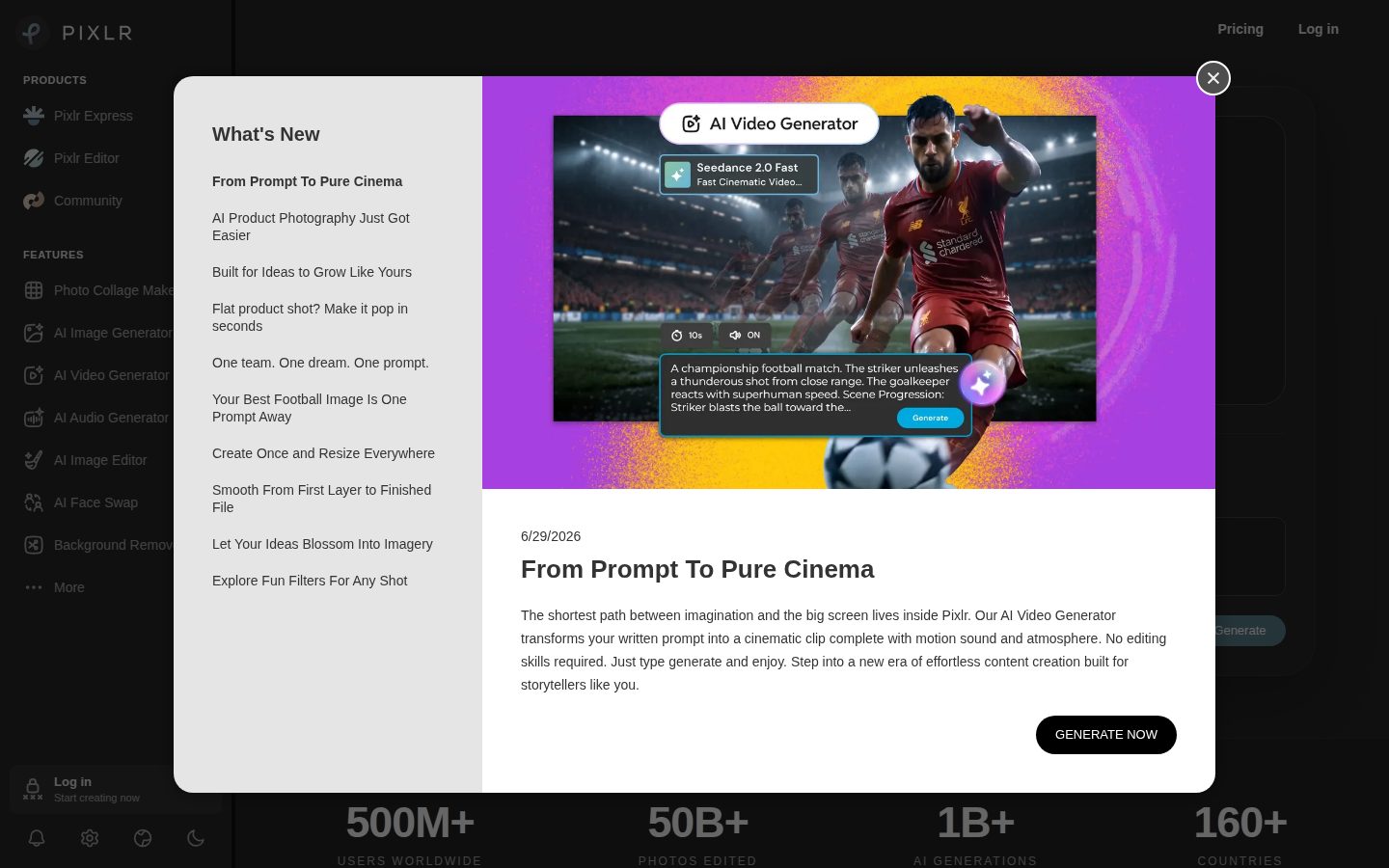
  • AI Video Generator

    Generates and animates video clips from text prompts or still images with models such as Kling AI, Google Veo, and PixVerse.

Preview

Pixlr desktop previewPixlr mobile preview

Pricing Plans

Free

Free

Ad-supported free tier; core editing and entry-level AI tools run in the browser, with basic editing available without an account.

  • Online photo editor (Express and Editor)
  • Basic AI tools
  • Ad-supported
  • No account required for basic editing

Plus

$2/monthly

Entry plan for ad-free basic editing with a small AI-credit allowance; $1.99/month when billed yearly.

  • Ad-free
  • Unlimited saves
  • 1 concurrent AI generation
  • 80 monthly AI credits (960/year on annual billing)
Popular

Premium

$10/monthly

Full access to premium features across web, desktop, and mobile; $7.99/month when billed yearly.

  • Access to all image, video and audio models
  • 4 concurrent AI generations
  • 1,000 monthly AI credits
  • Private mode for AI generations
  • Library of fonts, templates, elements and animations

Ultra

$25/monthly

Maximum AI plan for professionals; from $19.99/month when billed yearly.

  • Unlimited fast image generations (fair use)
  • 8 concurrent AI generations
  • 5,000 monthly AI credits
  • Private and mature content
  • Priority AI generation queue
  • Extended high-res exports

Ultra MAX

$50/monthly

Ultra with double the monthly AI credits (10,000 instead of 5,000); $39.99/month when billed yearly.

  • Everything in Ultra
  • 10,000 monthly AI credits
  • 8 concurrent AI generations
  • Priority AI generation queue

AI Panel Reviews

The Decision Maker

The Decision Maker

Strategic bet, vendor viability, timing, adoption approval
8.1/10

A durable, dirt-cheap browser editor that saves money on quick work but won't anchor your design stack.

Pixlr is a low-risk, low-cost pick for social and marketing edits backed by an 18-year-old vendor. It's a tactical buy, not the platform your design team standardizes on.

Eighteen years online and two owners deep — Autodesk had it, Inmagine runs it now beside 123RF. Vendor-death risk is close to zero, which is more than most AI-editor startups can say.

Where I'd hesitate is strategic weight. Pixlr saves money on quick edits and social assets; it isn't a platform bet. Canva owns the team-workflow story and Adobe owns the pro ceiling. Generative Fill and Super Scale are genuinely useful, but they route through Flux and Kling AI — models Pixlr licenses, not owns.

Premium at $9.99 a month clears any expense threshold without a signature, and the free tier lets people trial it first. The catch is that same model dependence: if Flux reprices, Pixlr's economics move with it. Pilot it with marketing, not as a design standard.

Competitive Positioning7.6

Solid, but peers default to Canva and Adobe for team design.

Reputation Risk7.8

A widely used 18-year brand is a defensible, low-eyebrow choice.

Speed to Value8.5

Browser-based with a free tier means value the same afternoon.

Strategic Fit7.3

It saves money on quick assets but doesn't move core company direction.

Vendor Viability8.8

Two-owner survival under Autodesk then Inmagine makes three-year viability near-certain.

Pros

  • Eighteen years online under Autodesk then Inmagine signals rare vendor durability.
  • Free, no-account browser editing removes every barrier to a team trial.
  • Premium at $9.99 a month clears expense thresholds without procurement.
  • Generative Fill, Super Scale, and background removal cover most everyday AI edits.

Cons

  • AI generation leans on third-party models like Flux and Kling AI that Pixlr doesn't control.
  • Lacks the team-workflow depth that makes Canva a company standard.
  • Not a substitute for Photoshop on professional retouching.

Right for

Marketing teams who need quick, low-cost image edits.

Avoid if

Design orgs standardizing on one professional creative platform.

The Domain Strategist

The Domain Strategist

Craft and strategy in the product's domain — adapts identity per category, same lens
7.7/10

Pixlr's model-router design keeps a studio on the frontier, but brand-system depth stays shallow against Adobe.

Pixlr aggregates frontier image, video, and audio models behind one browser editor and one credit pool. It's a sharp tactical layer for small studios, but not the governed brand pipeline an agency needs.

What's interesting here is what Pixlr chose not to build: its own models. It's a routing layer — Flux and Recraft for stills, Kling AI and Google Veo for motion, ElevenLabs for audio — all metered through one credit pool. For a creative team, you inherit the frontier without betting on a single lab.

The craft ceiling is where I'd temper expectations. Pixlr Editor gives you real browser layers, closer to Photopea than to a toy, and the Instruct Editor takes plain-language edits. But brand-system depth — shared libraries, locked palettes, asset governance — is thin next to Adobe Firefly inside Creative Cloud.

Over three years the routing bet cuts both ways: you stay current as models improve, but you're exposed whenever a provider changes terms. At $9.99 for Premium with every model unlocked, it's a strong tactical layer for a small studio, and a supplement — not the spine — for a brand-governed agency.

Category Positioning8.0

A credible aggregation play in a market led by Adobe and Canva.

Domain Fit7.6

The Express-plus-Editor split fits solo creators and small studios well.

Integration Surface7.4

One cross-platform account is convenient, though team asset governance is thin.

Long-term Implications7.5

Routing over Flux and Kling AI keeps you current but creates provider-term exposure.

Strategic Depth7.3

Layer editing is real, but the craft ceiling trails Photoshop-grade retouch and brand tooling.

Pros

  • Routing layer over Flux, Recraft, Kling AI, and Google Veo keeps a studio on current models.
  • Pixlr Editor delivers genuine layer-based work in the browser with no install.
  • One $9.99 Premium plan unlocks every image, video, and audio model.

Cons

  • Brand-system tooling like shared libraries and palette locks trails Adobe Creative Cloud.
  • Dependence on third-party model providers creates pricing and continuity exposure.
  • Not built for managing brand consistency across many clients.

Right for

Small studios who want frontier AI tools without lab lock-in.

Avoid if

Agencies who need governed brand consistency across many clients.

The Finance Lead

The Finance Lead

Money, total cost of ownership, contracts, procurement math
8.3/10

Every tier is public and cheap, from $2.49 to $49.99 — only AI-credit burn resists a forecast.

Pixlr's pricing is fully public and cheap, with no seat tax or SSO upcharge. The one unforecastable cost is AI-credit consumption, since there's no published overage rate.

The whole price list is public — no "contact sales" wall anywhere. That alone puts Pixlr ahead of most creative suites on procurement. Plus starts at $2.49; the ceiling is Ultra MAX at $49.99.

Annual billing cuts about 20% — Premium drops to $7.99. Run a 10-seat team on Premium: 10 × $9.99 × 12 = $1,200/year, or near $960 annual. Against Canva Teams or an Adobe Creative Cloud seat, that's a fraction of the spend.

Usage is metered in AI credits — every Generative Fill or Kling AI clip draws the pool down. Premium includes 1,000 a month; Ultra MAX gives 10,000. Heavy work burns those fast, and there's no published overage rate to forecast against. But no seat tax and no SSO upcharge, which is rare. The sticker is honest; only the credit burn resists a forecast.

Billing & Procurement8.2

No seat minimums or SSO tax keeps procurement nearly frictionless.

Contract Flexibility7.8

Monthly or annual with about a 20% annual discount, plus app-store billing on mobile.

Pricing Transparency9.0

All four paid tiers plus the free plan are public with no sales call.

ROI Clarity7.6

Value is clear for volume edits, fuzzier once credit consumption spikes.

Total Cost of Ownership8.0

Cheap sticker, but AI-credit burn with no overage rate adds forecast risk.

Pros

  • All four paid tiers and a free plan are public — no sales call.
  • Entry pricing at $2.49 undercuts nearly every AI-editor competitor.
  • No per-seat tax or SSO upcharge keeps procurement simple.
  • Roughly 20% annual discount lowers committed spend.

Cons

  • No published AI-credit overage rate makes heavy usage hard to forecast.
  • Mobile purchases bill through the app store, adding a markup layer.
  • Credit pools, not unlimited generation, cap output on lower tiers.

Right for

Budget owners who want cheap, transparent creative tooling.

Avoid if

Teams doing heavy AI generation needing predictable overage pricing.

The Domain Practitioner

The Domain Practitioner

Daily hands-on reality in the product's domain — adapts identity per category, same lens
7.6/10

Pixlr Editor's browser layers are the real deal, but the AI credit meter nags every edit.

Pixlr gives designers genuine layer-based editing and clean one-click AI tools in the browser. The daily friction is credit metering and ads on the free tier, plus thin precision for pro retouch.

For a designer, the tell is the Pixlr Editor layer panel — real, not decorative. Layers, masks, blend modes, adjustments, all in a browser tab. Photopea got this right too, and Pixlr matches it with a cleaner UI.

The friction shows up around the AI tools. Background Remover is one click and genuinely clean. Generative Fill and Object Remover work, but they draw on credits — Premium's 1,000-a-month pool — so the free tier means watching a counter and dodging ads mid-edit. On Photoshop you never think about a per-action meter.

The other daily fight is precision. Masking handles social crops fine, but hair-edge compositing and fine retouch thin out fast against a desktop editor. For the job most people actually open this for — resize, clean up, drop a background, export — Pixlr Express gets there in under a minute.

Day-3 Reality7.5

Once the demo glow fades, the credit counter and ads become the daily hum.

Documentation Practitioner-Fit7.5

Feature docs and the FAQ are clear and task-oriented for everyday edits.

Friction Surface7.2

Ads on free plus a per-action credit draw add small recurring friction.

Power-User Depth7.6

Pixlr Editor scales into layers and masks but stops short of desktop retouch depth.

Workflow Integration7.8

Browser-based, no-install access fits a quick-turn social workflow naturally.

Pros

  • Pixlr Editor delivers true layers, masks, and blend modes in a browser tab.
  • Background Remover and Object Remover give clean one-click results.
  • Pixlr Express turns everyday resize-and-export jobs around in under a minute.

Cons

  • AI actions draw on a credit pool, so the meter is always in view.
  • The free tier carries ads that interrupt the edit flow.
  • Precision masking and fine retouch trail desktop editors like Photoshop.

Right for

Designers who need fast browser edits without opening Photoshop.

Avoid if

Retouchers who need pixel-perfect masking and compositing.

The Power User

The Power User

Daily human experience, onboarding, polish, learning curve, reliability
7.9/10

No account, no download, just start editing — that's the part Pixlr absolutely nails.

Pixlr's no-account, no-install start is genuinely refreshing for quick edits. The free tier's ads and credit counter are the friction, but $9.99 Premium clears most of it.

The best thing about Pixlr is you can just start. Open pixlr.com, drop in a photo — no account, no download, no "sign up to continue" wall three clicks in. For a quick crop or a background swap, that lack of friction is the whole ballgame, and most tools forgot it.

Background Remover is the daily hero — one click, clean edges, done. Less charming is the free tier: ads, plus a credit counter ticking down every time you touch Generative Fill. It works, but watching a meter while you edit wears on you. Canva does free with a lighter touch.

Three months in, Pixlr respects your time more often than not. Premium at $9.99 kills the ads and hands you 1,000 credits — plenty for a casual creator. It's not Fotor-slick everywhere, and mobile is the smaller sibling, but for free browser editing that just opens and works, it earns its spot.

Daily Polish7.8

One-click tools feel finished, though the credit counter intrudes on free.

Learning Curve7.9

Express is instant while Editor scales up gently for deeper work.

Mobile Parity7.2

iOS and Android apps exist but feel secondary to the web experience.

Onboarding Experience8.6

No account and no download is among the friendliest first ten minutes anywhere.

Reliability Feel7.7

The browser editor loads fast and exports cleanly in everyday use.

Pros

  • Basic editing needs no account and no download — you just start.
  • Background Remover delivers clean one-click cutouts.
  • Premium at $9.99 removes ads and adds 1,000 monthly credits.

Cons

  • The free tier shows ads and a credit counter that nags mid-edit.
  • Mobile apps feel like the smaller sibling to the web version.

Right for

Casual creators who want quick edits without signing up.

Avoid if

People who want a permanently free, ad-free editor.

The Skeptic

The Skeptic

Contrarian. Watch-outs, deal-breakers, broken promises, category patterns
7.2/10

Clean exit and a real track record, but the AI runs on models Pixlr only rents.

Pixlr's generative tools run on rented models like Flux and Kling AI, and its "500 million" claim outruns reality. But the 18-year track record and clean, standard-image exit are real green flags.

The generative half of Pixlr isn't really Pixlr's. Flux, Kling AI, Google Veo — rented engines, all of them. Seen this pattern before: the wrapper is only as stable as the models underneath, and those terms change without warning.

Then the marketing. The site says "500 million people." Active users look closer to tens of millions — the kind of superlative that ages poorly. And no published overage rate on AI credits, so heavy users can't model the bill.

Now the fair part. Eighteen years, survived Autodesk, now profitable under Inmagine — that's a survivor, not a flameout. And exit is clean: it's a browser editor, files export as standard images, so leaving costs far less than escaping Adobe Creative Cloud. A durable, cheap tool, but watch the credit economics, not the odds of it disappearing.

Competitive Differentiation6.6

Free browser editing plus AI is crowded ground shared with Fotor and Photopea.

Exit Portability7.8

Standard image exports from a browser editor make leaving essentially free.

Long-term Viability7.2

A profitable parent supports a three-year bet, model dependence aside.

Marketing Honesty6.6

The "500 million people" claim overstates what active-user numbers support.

Track Record Match7.8

Eighteen years through Autodesk and Inmagine matches survivors, not flameouts.

Pros

  • Eighteen-year track record through Autodesk and Inmagine signals real durability.
  • Exit is clean, with standard image exports and no lock-in.
  • Transparent, cheap pricing with a genuine free tier.

Cons

  • The "500 million people" marketing claim outruns active-user reality.
  • Generative features depend on rented models like Flux, Kling AI, and Google Veo.
  • No published AI-credit overage rate.

Right for

Skeptical buyers who want a proven, low-lock-in editor.

Avoid if

Buyers who need Pixlr to own its models.

Buyer Questions

Common questions answered by our AI research team

Pricing

How much does Pixlr cost per month?

Paid plans start at $2.49 per month for Plus, with Premium at $9.99, Ultra from $24.99, and Ultra MAX at $49.99. Annual billing cuts each price by about 20%, and a free ad-supported tier exists.

Features

Which AI models does Pixlr use for image generation?

Pixlr routes generation through third-party models including Flux, Recraft, Qwen, and Stable Diffusion for images, Kling AI and Google Veo for video, and ElevenLabs for audio. Premium plans and higher unlock all image, video, and audio models.

Setup

Do I need to install Pixlr to edit photos?

No install is needed — Pixlr Express and Pixlr Editor run in the web browser, and basic editing works without an account. Desktop apps for Windows and Chromebooks plus iOS and Android mobile apps are also available.

Integration

Does a Pixlr subscription work across web and mobile?

One subscription covers every platform: subscribing to Plus or Premium unlocks the same access on web, desktop, and mobile through your Pixlr account. On mobile apps, payment is processed through the device's app store.

Security

Does Pixlr have a private mode for AI generations?

Yes. Premium and higher plans include private mode for AI generations, and Ultra adds private and mature content plus a priority generation queue. The Free and Plus tiers do not include private mode.

Also in AI Design Tools