ImgGen AI logo

ImgGen AI Review

Visit

AI image editing for background removal, upscaling, and photo restoration

ImgGen AI is a browser-based AI image editing platform for background removal, upscaling, and photo restoration tasks.

AI Panel Score

7.0/10

6 AI reviews

Reviewed

AI Editor Approved

About ImgGen AI

ImgGen AI groups its functionality into a collection of dedicated tools rather than a single all-purpose editor: users upload a photo to a specific tool page, such as background remover, watermark remover, or unblur image, and receive a processed result, typically within seconds. The AI object remover works by having the user brush over an unwanted element, such as a person, power line, or blemish, with generative inpainting reconstructing the background behind it at full resolution. The AI background generator and blur tools offer style presets, such as Studio, Lifestyle, and Gradient backdrops, or adjustable bokeh intensity levels from Subtle to Max.

Several tools include specific configurable options: the image restoration tool has separate Auto and Colorize modes for general repair versus black-and-white-to-color conversion, the shadow generator offers three shadow styles (Soft, Drop, Long) aimed at product photography, and the HD photo converter outputs at three defined resolutions (HD 1280x720, Full HD 1920x1080, and 4K). The image compressor runs entirely in-browser without uploading files to a server, supports JPG, PNG, WebP, and AVIF formats, and reports that lossy WebP produces files roughly 25-34% smaller than JPEG while AVIF is roughly 50% smaller. A REST API is also available, with documented endpoints for background removal, background generation, photo brightening, and HD conversion, each accepting an image URL and returning a processed PNG.

Features

  • AI Background Generator

    Removes, replaces, or generates new photo backgrounds via prompt-to-backdrop or preset Studio/Lifestyle/Gradient styles in under 10 seconds.

  • AI Blur Background

    Automatically detects the subject and blurs the background with adjustable bokeh intensity (Subtle/Medium/Strong/Max).

  • AI Face Enhancer

    Enhances portrait photos by smoothing skin, removing blemishes, sharpening facial features, and boosting resolution while preserving a natural look.

  • AI Image Upscaler

    Upscales images up to 8K resolution using AI without losing quality.

  • AI Photo Enhancer

    Automatically boosts detail, color, and clarity in any photo in one click, with API access via POST /v1/photo-enhancer.

  • AI Shadow Generator

    Adds realistic studio-quality shadows to product photos using Soft, Drop, or Long shadow styles.

  • AI Unpixelate Images

    Removes pixelation from blocky, low-quality images by reconstructing edges, textures, and fine detail.

  • Background Remover

    Removes image backgrounds in one click and outputs a transparent PNG with no watermark.

  • Color Correction

    Fixes exposure, white balance, and color grading in photos.

  • Image Restoration

    Restores old or damaged photos by repairing scratches, tears, stains, water damage, fading, and blur, with Auto and Colorize modes.

  • Image Text Remover

    Erases text overlays and captions from photos.

  • Retouch Photo

    Performs AI-powered skin retouching and general photo enhancement.

  • Sharpen Image

    Enhances facial and image detail in blurry or soft photos.

  • Unblur Image

    Sharpens and deblurs photos using AI.

  • Watermark Remover

    Removes watermarks from images using AI.

Preview

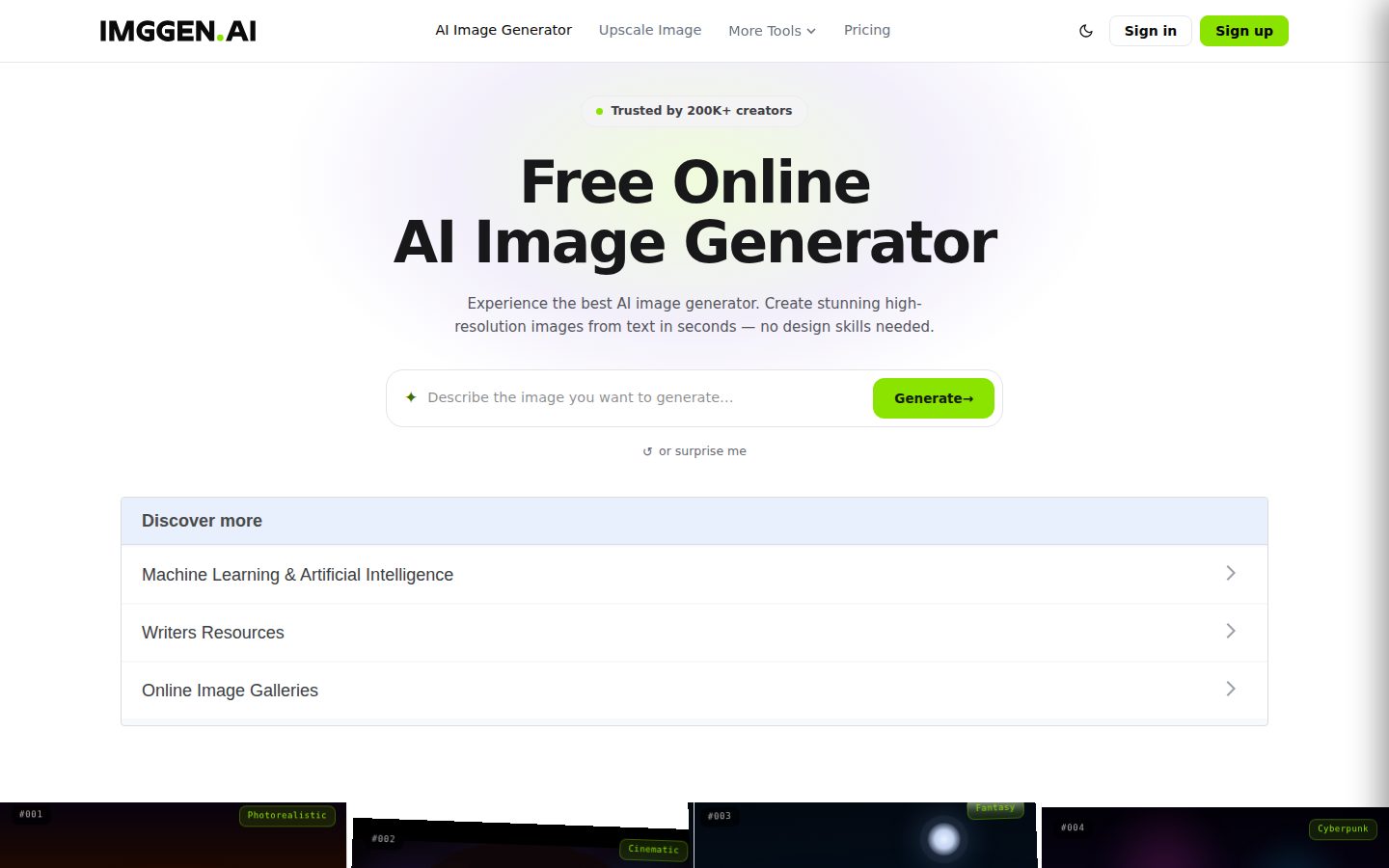
ImgGen AI desktop previewImgGen AI mobile preview

Pricing Plans

Free

Free

For casual users trying out AI image editing with no credit card required

  • 50 one-time credits (no monthly renewal)
  • Limited tool access
  • Full commercial rights, no watermark
  • No credit rollover

Starter

$10/monthly

For individuals who need regular access to all AI tools with rollover credits

  • 400 credits/month
  • Credits roll over and accumulate while subscribed
  • Access to all AI tools
  • Bulk mode
  • API access: 5,000 calls/month
Popular

Pro

$30/monthly

For power users and businesses needing higher volume and priority support

  • 1,400 credits/month
  • Everything in Starter, plus priority support
  • API access: 10,000 calls/month
  • Credits roll over and accumulate while subscribed

Enterprise

Contact sales

Custom plan for large organizations needing dedicated infrastructure and support; contact support@imggen.ai for pricing

  • Custom volume limits
  • Dedicated infrastructure
  • SLA guarantees
  • Dedicated account manager

AI Panel Reviews

The Decision Maker

The Decision Maker

Strategic bet, vendor viability, timing, adoption approval
6.9/10

Fifteen single-purpose photo tools bundled into one subscription, priced like a utility, not a platform.

ImgGen packages background removal, upscaling to 8K, and restoration into separate tool pages instead of one editor. Solid for one-off fixes, thin on evidence it's building toward anything bigger.

Fifteen named tools: background remover, unblur, shadow generator with Soft/Drop/Long styles, HD converter capped at 4K. Most run under 10 seconds, no watermark, up to 10MB files. That's a real toolset, not a landing page with one demo.

$9.99 gets you 400 rolling credits and API access at 5,000 calls a month. Free tier gives 50 one-time credits, no card required — fine for testing, not for a workflow. The in-browser compressor avoiding server uploads is a nice privacy detail buried in a page mostly selling text-to-image.

Two things bother me. One: the homepage title and meta are all about text-to-image generation, while the actual product depth is in editing tools — that's either a rebrand in progress or confused positioning. Two: no changelog, no company name that I could find, so I can't tell if this is one person or a team shipping weekly.

Competitive Positioning7.0

8K upscaling and a client-side compressor (WebP 25-34% smaller, AVIF ~50%) are specific differentiators against a generic one-tool alternative.

Reputation Risk6.5

Full commercial rights and no-watermark confirmed for free and paid tiers; no security/compliance detail given for the API.

Speed to Value8.0

Sub-10-second processing across tools like background removal and unblur means near-instant payback on single tasks.

Strategic Fit6.5

Saves cost on existing photo-editing tasks rather than opening new capability, per the tool list provided.

Vendor Viability6.0

Docs and API exist with documented endpoints, but no changelog and homepage copy contradicts the product description.

Pros

  • 400-1,400 monthly credits with rollover on paid tiers
  • Client-side compressor avoids server uploads for privacy
  • API access included starting at the $9.99 tier

Cons

  • Homepage metadata pitches text-to-image, not the editing suite it actually sells
  • No changelog or company details to judge shipping cadence
  • Free tier's 50 credits are one-time, not renewing

Right for

Freelancers or small shops needing quick background, restoration, or upscale fixes without a full editor.

Avoid if

Skip if you need proof of a stable roadmap before committing budget.

The Domain Strategist

The Domain Strategist

Craft and strategy in the product's domain — adapts identity per category, same lens
7.2/10

Fifteen single-purpose tools, no real editing layer — a utility drawer, not a design system.

ImgGen is a fast, cheap toolkit for background removal, upscaling, and restoration, priced at $9.99 for 400 credits with rollover. It's built for volume production, not for anyone who needs layered creative control.

Fifteen dedicated tools — background remover, shadow generator, unblur, colorize — each solving one job in under 10 seconds. That's a production-line architecture, not a creative one. There's no canvas, no compositing, no way to chain background generation into shadow work into color correction without exporting and re-uploading between tool pages.

The shadow generator's three presets (Soft, Drop, Long) and the HD converter's three fixed resolutions show real product thinking for e-commerce photo ops. But style depth stops at presets — Studio, Lifestyle, Gradient backdrops are fine for catalog work, thin for anyone building distinct brand backdrops at scale.

Three years in, this is a utility subscription, not a creative stack anchor. The API (5,000 calls/month on Starter, 10,000 on Pro) makes it embeddable into a pipeline for bulk retouching, which is the real value. But it's a tool you plug into a workflow, not one that shapes how a creative team thinks about image production.

Category Positioning7.5

Sits as a fast, cheap utility layer against the obvious alternative of full-featured editing suites, trading depth for speed and price.

Domain Fit7.0

Matches high-volume e-commerce and restoration workflows well but has no fit for iterative creative direction or layered compositing.

Integration Surface7.5

REST API with documented endpoints (background removal, brightening, HD conversion) at 5,000-10,000 calls/month is genuinely embeddable.

Long-term Implications6.8

Credit rollover (400-1,400/month) and API access support production pipelines, but the tool locks you into single-purpose task-by-task processing.

Strategic Depth6.5

Fifteen single-task tools with fixed presets (Soft/Drop/Long shadows, three HD resolutions) — solid execution, low creative ceiling.

Pros

  • API access with documented endpoints makes it embeddable into existing production pipelines
  • Free tier (50 credits, no card) lets a team trial before committing $9.99/month
  • Fast single-purpose tools (sub-10-second processing) suit high-volume e-commerce and restoration work

Cons

  • No unified canvas or compositing layer — tools operate independently, not as a connected editing suite
  • Style presets (Studio/Lifestyle/Gradient) are shallow compared to what a brand-consistent design system needs
  • 10MB file cap limits use on high-resolution source photography common in professional workflows

Right for

E-commerce teams and photo restoration shops needing fast, cheap, high-volume single-task processing.

Avoid if

Avoid if your team needs layered creative control or a unified editing canvas rather than isolated point tools.

The Finance Lead

The Finance Lead

Money, total cost of ownership, contracts, procurement math
7.2/10

Credits, not seats. $9.99 for 400/month, rollover included. Math is clean.

Three visible tiers, credit-based, no sales call required. Free tier is one-time credits, not monthly — read that line twice.

$9.99/month gets 400 credits, all tools, 5,000 API calls. $29.99 jumps to 1,400 credits and 10,000 calls. Free tier: 50 credits, once, no renewal — not a real ongoing free plan, more like a trial with a different name.

TCO at 15 tools per month, Starter tier: $9.99 × 12 = $120/year. Credits roll over while subscribed — stop paying, presumably lose them. No published overage rate if you blow through 400 credits mid-month. That's the real risk, not the sticker.

Enterprise pricing is a contact-support black box, standard for that tier. No stated contract term, no mention of annual discount or auto-renewal window — evidence is silent, so score neutral there. Compressor running client-side is a genuine cost-saver: no server upload, no bandwidth line item to worry about.

Billing & Procurement7.0

Self-serve credit card checkout for two paid tiers; Enterprise requires email contact.

Contract Flexibility6.5

Monthly billing implied, but no stated cancellation terms or renewal window that I could find.

Pricing Transparency8.0

All four tiers with credit counts and API limits published, no demo gate.

ROI Clarity7.0

Sub-10-second processing per tool makes time saved measurable, but no baseline comparison given.

Total Cost of Ownership7.5

$9.99-$29.99/month is low base cost, but credit overage pricing isn't published.

Pros

  • Full pricing and credit counts published for all tiers
  • Low entry price at $9.99/month with rollover credits
  • API access included from the Starter tier at 5,000 calls/month

Cons

  • Free tier is 50 one-time credits, not a recurring free plan
  • No published overage rate if credits run out mid-cycle
  • No stated contract term or auto-renewal disclosure

Right for

Individuals or small teams needing occasional background removal, upscaling, or restoration without per-seat software.

Avoid if

Avoid if you need predictable high-volume batch processing without credit-cap uncertainty.

The Domain Practitioner

The Domain Practitioner

Daily hands-on reality in the product's domain — adapts identity per category, same lens
6.9/10

A toolbox of single-purpose utilities, not a canvas you live in

ImgGen splits everything into separate tool pages instead of one workspace, which is fine for one-off jobs but breaks flow on anything multi-step. Fifteen-plus named tools, credit-based pricing, and a 10MB file cap define the ceiling here.

No layer panel, no canvas, no undo history across tools. Each function — background remover, unblur, shadow generator — lives on its own page, so a job needing three fixes means three uploads and three exports. That's the opposite of Photoshop's single-document workflow, and it shows on repeat jobs, not the demo.

The object remover with brush-based inpainting and the shadow generator's Soft/Drop/Long presets are genuinely useful shortcuts for product shots. But 10MB file limits and JPG/PNG/WEBP-only input will bounce anyone working off raw exports or layered PSDs. Free tier gives 50 one-time credits, non-renewing — enough to evaluate, not enough for a real week of client work.

Pricing scales sanely: $9.99 gets 400 rollover credits and full tool access, $29.99 doubles API calls to 10,000/month. Fine for solo freelancers batch-processing product photos. Anyone doing compositing or multi-layer retouching will hit the ceiling fast — this is a utility drawer, not a design surface.

Day-3 Reality6.5

Single-purpose tool pages are fast for isolated jobs but force repeated upload/export cycles on compound edits.

Documentation Practitioner-Fit6.8

Docs cover REST endpoints like POST /v1/photo-enhancer concretely, though evidence shows no changelog for tracking model updates.

Friction Surface6.5

10MB file cap and JPG/PNG/WEBP-only input add friction for anyone working from high-res or PSD sources.

Power-User Depth7.2

API access scaling from 5,000 to 10,000 calls/month and bulk mode on Starter give real headroom beyond the free tier's 50 credits.

Workflow Integration6.0

No canvas or layered editing means it sits outside a normal design pipeline rather than plugging into one.

Pros

  • Object remover uses brush-based inpainting at full resolution
  • Shadow generator's three presets suit product photography specifically
  • Rollover credits on paid plans avoid the use-it-or-lose-it trap

Cons

  • No unified canvas — every tool is a separate upload/export cycle
  • 10MB file size limit blocks high-res source files
  • Free tier's 50 credits are one-time, not renewing

Right for

Freelancers or small shops running repetitive single-step edits like background removal or upscaling.

Avoid if

Avoid if your workflow needs layered, multi-step compositing in one continuous session.

The Power User

The Power User

Daily human experience, onboarding, polish, learning curve, reliability
7.2/10

Fifteen single-purpose photo tools that actually do one thing well, for ten bucks a month.

ImgGen splits background removal, upscaling, and restoration into separate tool pages instead of one bloated editor. That's smart for clarity, less smart for anyone who wants one continuous workflow.

The pitch here isn't a swiss-army editor, it's fifteen sharp knives: background remover, unblur, watermark remover, shadow generator with Soft/Drop/Long presets. Most claim under 10 seconds, no watermark, up to 10MB files. That's a real day-3 test — if the background remover actually nails hair and fur edges consistently, this earns a bookmark. If it's 80% there like most of these tools, you'll be back to Photoshop for the tricky ones.

Free tier gives 50 one-time credits, no card required, which is a fair try-before-you-buy. Starter at $9.99/month gets you 400 credits that roll over plus API access — 5,000 calls a month is generous for the price.

No mobile app, browser-only, which the FAQ spins as a feature. Fine for occasional use, less fine if you're doing volume on a phone. The image compressor running client-side is a nice, quiet privacy touch most competitors skip.

Daily Polish7.0

Specific presets (Soft/Drop/Long shadows, HD/Full HD/4K outputs) suggest real attention, but no evidence of empty-state or error handling detail.

Learning Curve7.5

Fifteen dedicated single-task tools are easy to grasp individually, though switching between them for one job adds friction.

Mobile Parity5.5

No dedicated app; runs in browser on any device per FAQ, which is a workaround not a real mobile product.

Onboarding Experience7.8

50 free credits, no credit card, single-purpose tool pages — low friction to first result.

Reliability Feel6.5

Sub-10-second processing claims are promising but evidence is silent on error states or uptime.

Pros

  • 15 dedicated tools covering removal, upscaling to 8K, restoration, and colorization
  • Free tier with 50 credits and no credit card required
  • API access starts at 5,000 calls/month on the $9.99 Starter plan
  • Client-side compressor keeps files off the server for privacy

Cons

  • No dedicated mobile app, browser-only on any device
  • Separate tool pages mean no single unified editing workflow
  • No free trial on paid tiers, just the one-time free credit pool

Right for

Someone who needs quick, specific fixes like background removal or old photo restoration without learning a full editor.

Avoid if

You want one continuous editing canvas or need serious mobile-native editing.

The Skeptic

The Skeptic

Contrarian. Watch-outs, deal-breakers, broken promises, category patterns
6.6/10

Fifteen single-purpose tools, one page title that doesn't match any of them.

The H1 says 'text to image' but the feature list is background removal, upscaling, and restoration. That mismatch is the whole review.

Title tag reads 'AI Image Generator Free Online — Text to Image.' Nowhere in the fifteen listed tools is there a text-to-image generator. That's either stale copy or a landing page doing double duty for SEO. Either way, it's the kind of gap that makes me check everything else twice.

What's actually documented checks out better: background remover, 8K upscaler, unblur, colorize, shadow generator with three named styles. Specific limits are stated — 10MB file cap, under-10-second processing, 50 free credits, no rollover on the free tier. That specificity is a good sign. Vague tools don't publish shadow style names.

Credits-as-currency is the exit risk. $9.99 gets you 400 credits with rollover; cancel and unused credits likely die with the subscription, standard for this pricing shape. Output is PNG/JPG/WEBP, so files themselves port fine — the workflow and API calls don't. Crowded category: background removal and upscaling are commodity features everywhere. Nothing here screams differentiated, but the breadth in one place has some value.

Competitive Differentiation6.0

Background removal and upscaling are commodity tools industry-wide; breadth of bundled single-purpose tools is the main pitch.

Exit Portability6.0

Output files (PNG/JPG/WEBP) are portable; credit-based billing and API integration are not.

Long-term Viability6.5

Docs and a blog exist per capabilities scan, but no changelog listed and company identity is unknown.

Marketing Honesty5.5

H1 promises text-to-image generation; nowhere in the 15 listed tools does that feature actually appear.

Track Record Match7.5

Specific claims — 10MB limits, under-10-second processing, named shadow styles — back up the tool descriptions well.

Pros

  • 15 named single-purpose tools covering restoration, upscaling, background work in one place
  • Concrete limits stated: 10MB uploads, sub-10-second processing, no watermarks on any tier
  • REST API documented with specific endpoints and monthly call caps

Cons

  • Landing page H1 advertises text-to-image generation that isn't in the actual feature set
  • Credit system with no rollover on free tier limits real testing before paying
  • Crowded field of background/upscale tools with no clearly named advantage over alternatives

Right for

Someone who wants restoration, upscaling, and background tools bundled under one subscription instead of five separate apps.

Avoid if

Skip if you came for text-to-image generation, because that's not actually here despite the headline.

Buyer Questions

Common questions answered by our AI research team

Pricing

How many free credits do I get on ImgGen?

Free users get 50 one-time credits to use across ImgGen's AI tools, with no credit card required.

Pricing

Do paid plans offer more monthly credits?

Yes, paid plans unlock 400–1,400 credits per month with rollover, priority speed, and full tool access.

Features

Are AI-generated images watermark-free?

Yes, all AI-generated images from ImgGen are watermark-free, on both the free and paid plans.

Features

Can I use generated images for commercial projects?

Yes, images generated on ImgGen are yours to use for both personal and commercial projects with full commercial rights.

Setup

Is there a mobile app for ImgGen?

ImgGen doesn't have a dedicated downloadable app, but it runs directly in your browser on any device, letting you generate images on the go.

Product Information

  • Company

    ImgGen AI
  • Pricing

    From $10/mo
  • Free Plan

    Available

Platforms

web

About ImgGen AI

ImgGen AI is a web-based text-to-image generation tool that creates images from written prompts.

Resources

Documentation
API
Blog

Also in AI Image Generation