Jamie logo

Jamie Review

Visit

AI meeting assistant that takes notes so you can stay present

Jamie is an AI meeting assistant for professionals who want automated summaries and action items from their calls.

AI Panel Score

7.8/10

6 AI reviews

Reviewed

What is Jamie?

Jamie is an AI meeting assistant that records, transcribes, and summarizes calls on any conferencing platform without sending a bot to join the meeting. It generates structured notes with decisions and action items extracted automatically, and its privacy-focused processing avoids sending audio to third-party servers during the call. The tool targets recruiters, consultants, and sales teams who need clean records of sensitive calls without bot announcements. Pricing starts at $24 per month for the Standard plan, with a free trial available; Pro and Team tiers cost $47 and $39 per month. Key capabilities include bot-free audio capture that also works for in-person meetings, semantic search across meeting history, speaker identification, support for over 100 languages, and GDPR-compliant EU data residency. TopReviewed's six-seat AI review panel scored it 7.8/10, praising the bot-free capture that keeps meetings natural while noting Standard's 20 monthly meeting credits run out fast for daily meeting attendees.

About Jamie

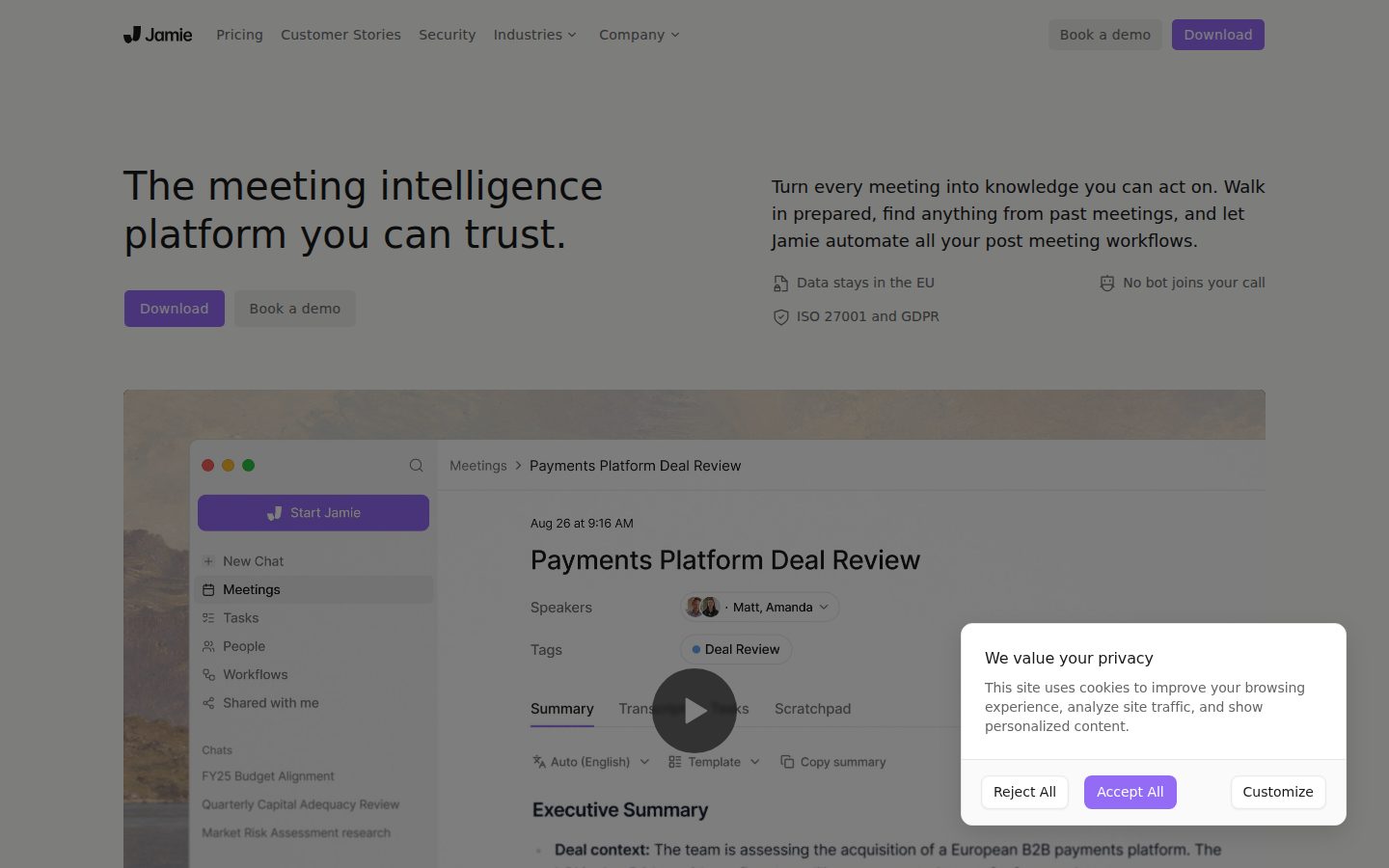
Jamie works by running as a background application on your computer, detecting when a meeting is in progress and capturing audio locally. After the meeting ends, it generates a structured summary that includes key topics discussed, decisions made, and action items assigned. Users can then search past meeting notes, ask follow-up questions about meeting content, and share summaries with teammates — all from a desktop interface without needing to retrofit existing calendar or conferencing setups.

A highlighted capability is that Jamie does not join meetings as a visible bot participant, which distinguishes it from tools like Otter.ai or Fireflies.ai that insert a bot into the call. It supports any meeting platform — Zoom, Google Meet, Microsoft Teams, or even in-person conversations — because it captures system audio directly. The product also offers customizable summary templates tailored to specific meeting types such as sales calls, interviews, or standup syncs, and includes a chat interface for querying past meeting content.

Jamie is aimed at individual professionals, sales teams, recruiters, and consultants who attend high volumes of meetings and need reliable records without manual note-taking. Pricing starts at around $24 per month on a subscription basis, with a free trial available. Competitors in the AI meeting assistant category include Otter.ai, Fireflies.ai, Notion AI meetings, and Fathom.

The application is available for macOS and Windows. Summaries are generated in over 15 languages, and the product stores meeting notes in a searchable personal library accessible through the desktop app.

Features

AI

  • AI Executive Assistant Sidebar

    A keyboard-shortcut-accessible sidebar powered by GPT and Claude models that lets users ask questions about past meetings, draft follow-up emails, and brainstorm ideas without leaving their workflow.

  • Automated Meeting Summaries & Transcripts

    Jamie automatically generates comprehensive meeting notes, full word-for-word transcripts, and structured summaries within minutes after a recording stops.

  • Speaker Identification

    Jamie uses AI to recognize and label distinct voices during a meeting, separating speakers and allowing users to manually assign names to each identified voice.

Automation

  • Automatic Action Item & Task Extraction

    Jamie automatically identifies and extracts action items, decisions, and to-dos with assignees and context links from meeting conversations.

  • Webhooks & Make.com Automation

    Jamie can trigger Make.com scenarios and any webhook-compatible automation from meeting events to fully automate post-meeting workflows.

Collaboration

  • Team Workspace & Note Sharing

    Users can create or join team workspaces, store notes privately or share them with teammates, and apply workspace-wide templates for consistent formatting across teams.

Core

  • 100+ Language & Multilingual Support

    Jamie auto-detects language and generates transcripts, summaries, and action items in 100+ languages, including mixed-language (code-switching) conversations.

  • Bot-Free Audio Capture

    Jamie records meetings by capturing system audio directly from the device without joining calls as a visible bot participant, keeping conversations natural and distraction-free.

  • Semantic Search Across Meeting History

    Users can query their entire archive of meeting notes using natural language to find specific details, decisions, or patterns across past conversations within seconds.

Customization

  • Custom Vocabulary

    Users can teach Jamie industry-specific terms, product names, and acronyms so that transcripts spell them correctly every time, with learning stored per account only.

Integration

  • MCP Integration for AI Tools

    Jamie connects to Claude, ChatGPT, Cursor, and other AI tools via the Model Context Protocol, enabling users to query meeting notes directly from inside those tools.

  • Tool Integrations & Note Syncing

    Jamie connects to Notion, Google Docs, OneNote, HubSpot, Google Calendar, and Outlook to automatically sync notes, transcripts, and meeting reminders.

Mobile

  • iOS Mobile App

    A native iOS app allows users to record in-person meetings, review transcripts, ask Jamie about past meetings, and share notes directly from their iPhone.

Security

  • GDPR Compliance & EU Data Residency

    All data is hosted and processed exclusively on servers in Germany, audio is permanently deleted after transcription, and user data is never used for AI model training.

Pricing Plans

Free

Free

Ideal for exploring Jamie and testing AI note-taking. Best for individuals who want to try the platform before upgrading.

  • 10 meeting credits per month
  • 30-minute meeting duration limit
  • 20 AI assistant messages per day
  • Highly accurate transcription
  • Speaker identification
  • AI chatbot assistant sidebar
  • One-click sharing
  • Custom words
  • Decision detection
  • Automatic topic detection
  • Works offline and online
  • No meeting bot required

Standard

$24/monthly

Great for freelancers and small teams looking to streamline their meetings with more credits and longer meeting support.

  • 20 meeting credits per month
  • 3-hour meeting duration limit
  • 40 AI assistant messages per day
  • Priority customer support
  • All Free plan features
Popular

Pro

$47/monthly

Suited for power users who run frequent or longer meetings. Includes CRM integrations and higher usage limits.

  • 50 meeting credits per month
  • 3-hour meeting duration limit
  • 100 AI assistant messages per day
  • Salesforce, HubSpot, Dynamics 365, and Pipedrive integrations
  • Priority customer support
  • All Standard plan features

Executive

$99/monthly

For heavy individual users who need unlimited meetings and messages, plus dedicated account management and customized onboarding.

  • Unlimited meeting credits per month
  • 3-hour meeting duration limit
  • Unlimited AI assistant messages per day
  • Dedicated account management
  • Customized onboarding
  • All Pro plan features

Team

$39/monthly

Designed for collaborative teams needing shared workspaces and streamlined workflows. Priced per member per month.

  • Unlimited meeting credits per month
  • 3-hour meeting duration limit
  • Advanced collaboration and shared workspaces
  • Workspace templates for team-wide consistency
  • Attio native integration
  • Team-shared tags across meetings
  • All Pro plan features

Enterprise

Contact sales

Tailored for large organizations with custom needs, advanced security, and dedicated support. Pricing requires contacting Jamie sales.

  • Custom meeting credits and usage limits
  • SSO (Microsoft Entra ID and Google Workspace)
  • Advanced security and compliance
  • Workspace templates (team-wide)
  • Dedicated account management
  • Custom onboarding
  • All Team plan features

AI Panel Reviews

The Decision Maker

The Decision Maker

Strategic bet, vendor viability, timing, adoption approval
7.8/10

Bot-free, privacy-first meeting notes at $24 — real differentiation, real credit limits.

Jamie's no-bot capture and EU data residency are genuine differentiators against Otter.ai and Fireflies.ai. Credit-based pricing at the Standard tier creates friction for heavy users before they realize it.

Jamie runs as a background app, captures system audio locally, and never drops a bot into the call. That's not a small thing. Anyone who's watched a recruiter or client visibly react to a bot joining knows the cost. GDPR compliance with German servers and audio deleted post-transcription gives privacy-conscious buyers a real answer for procurement.

The pricing structure deserves scrutiny. Standard at $24 buys you 20 credits monthly — that's one meeting a workday for a single user. Power users hit the Pro tier at $47 fast, and the Executive at $99 before they expect it. Team at $39 per seat with unlimited credits is actually the clean buy for growing teams.

The MCP integration connecting Jamie to Claude and ChatGPT is a forward-looking call. The changelog isn't public, so shipping velocity is hard to verify. Wespond UG is a small German operation — no public funding data — which is the one thing I'd want answered before an enterprise rollout.

Competitive Positioning7.8

No-bot capture and 100+ language support differentiate clearly from Otter.ai and Fireflies.ai, though Fathom competes hard on the free tier.

Reputation Risk8.2

GDPR-compliant, EU-hosted, audio deleted post-transcription — that's a clean procurement story the board won't second-guess.

Speed to Value8.5

Structured summaries and action items generated within minutes of a call ending; no calendar retrofit or bot setup required.

Strategic Fit8.0

Bot-free capture and semantic search across meeting history advance how teams operate — not just cost reduction on existing note-taking.

Vendor Viability6.8

No public funding data for wespond UG; product exists and ships features like MCP integration, but runway is opaque for a small German operation.

Pros

  • No bot joins the call — keeps meetings natural and removes the 'who's that?' problem
  • GDPR-compliant with German data residency and audio deletion post-transcription
  • MCP integration connects meeting notes directly into Claude and ChatGPT workflows
  • Supports any conferencing platform plus in-person via system audio capture

Cons

  • 20 meeting credits at Standard tier runs out fast for daily meeting attendees
  • No public funding data — vendor viability is a real question for enterprise buyers
  • No public changelog makes it hard to verify shipping cadence

Right for

Recruiters, consultants, and sales teams who need clean private meeting records without a bot announcement.

Avoid if

Your team averages more than one meeting daily per person and won't budget past $24 per seat.

The Domain Strategist

The Domain Strategist

Craft and strategy in the product's domain — adapts identity per category, same lens
7.8/10

Bot-free privacy architecture solves a real operational headache for meeting-heavy teams.

Jamie's on-device audio capture eliminates the consent friction that makes Fireflies.ai awkward in sensitive client calls. At $39/seat/month for the Team plan, it's priced competitively for what it operationally delivers.

The bot-free capture model isn't a marketing angle — it's an operational unlock. Procurement calls, board prep, recruiting debriefs: these are exactly the meetings where a visible bot participant creates friction or gets blocked entirely. Jamie sidesteps that by capturing system audio locally, which means zero calendar permission dependencies and no awkward 'a bot has joined' notifications derailing tone.

The integration surface is solid for a product at this price point. Webhooks, Make.com triggers, HubSpot, Salesforce, and MCP support for Claude and ChatGPT means post-meeting workflows can actually be automated, not just documented. The 20-meeting-credit cap on the Standard plan at $24/month is a real constraint for anyone running 5+ calls a week — teams will hit the $39 Team plan fast.

The 3-year concern is ceiling on team-scale governance. SSO lives only at Enterprise, custom onboarding requires the $99 Executive tier for individuals, and there's no public changelog — making it hard to predict the product roadmap. Strong operational fit today; enterprise readiness still maturing.

Category Positioning7.8

Privacy-first bot-free positioning carves clear differentiation from Otter.ai and Fireflies.ai, though Fathom offers a comparable no-bot experience with a free tier.

Domain Fit8.2

Customizable templates per meeting type — sales calls, standups, interviews — maps directly to how ops and GTM teams actually structure their meeting cadence.

Integration Surface8.0

Webhooks, Make.com, HubSpot, Salesforce, Notion, and MCP protocol support give ops leaders real automation surface without heavy IT lift.

Long-term Implications7.0

SSO and advanced security gated at Enterprise with custom pricing creates a governance cliff for scaling teams past ~20 seats.

Strategic Depth7.5

Bot-free architecture and GDPR-native EU data residency show genuine product thinking, but no public changelog makes roadmap depth hard to assess.

Pros

  • Bot-free audio capture works across any platform including in-person — no calendar permissions required
  • GDPR-compliant EU data residency with audio deleted post-transcription — procurement-safe
  • Make.com and webhook triggers enable real post-meeting workflow automation
  • 100+ language support with code-switching detection handles global team realities

Cons

  • Meeting credits are capped at 20/month on Standard — a 5-meeting-a-week professional hits the ceiling in a week
  • SSO requires Enterprise tier with custom pricing — mid-market IT teams won't love that
  • No public changelog makes product trajectory opaque for 3-year planning
  • Free plan's 30-minute cap and 10 credits make it genuinely exploratory, not a real operational pilot

Right for

Sales, recruiting, or consulting teams running high-volume sensitive calls who need clean records without bot consent friction.

Avoid if

Your org requires SSO and security controls on a predictable per-seat price before you can roll out to 50+ users.

The Finance Lead

The Finance Lead

Money, total cost of ownership, contracts, procurement math
7.5/10

$24/month entry, but 20 meeting credits caps real value fast

Jamie's pricing page is fully visible — four paid tiers, no sales call required. Credit limits at Standard and Pro create predictable overage pressure for high-volume users.

Five tiers published. No NDA required to see the numbers. Standard at $24/month buys 20 meeting credits. Pro at $47/month gets 50. Executive at $99/month unlocks unlimited. Team plan at $39/seat/month also hits unlimited — that's the math procurement needs to see early. For a 10-person team: $39 × 10 × 12 = $4,680/year. Add 20% seat creep and year 3 lands near $6,700.

SSO lives at Enterprise, pricing unpublished. Category norm — Otter.ai and Fireflies.ai do the same gate. Budget teams hitting that wall should model it before signing. CRM integrations (Salesforce, HubSpot, Pipedrive) require Pro at $47/month minimum — not Standard. That's a real tier trap for sales teams who buy in on sticker.

No published overage rate for credit overages — that's the open risk. Audio deletion post-transcription and EU data residency are genuine procurement wins for GDPR environments. Contract terms aren't public. Auto-renewal window unknown. Verify before quarter-end.

Billing & Procurement7.0

SSO gated at Enterprise with no published price; GDPR compliance and EU data residency reduce legal review friction for European buyers.

Contract Flexibility6.0

Auto-renewal window and cancellation terms aren't publicly documented — standard procurement risk.

Pricing Transparency8.0

All five paid tiers published with feature breakdowns — no sales call needed, though Enterprise pricing requires contact.

ROI Clarity7.5

Bot-free capture and automated action item extraction map directly to meeting-hour savings, though per-meeting credit math complicates ROI modeling.

Total Cost of Ownership7.0

Credit limits at Standard (20/month) and Pro (50/month) create realistic upgrade pressure; year-3 team cost climbs materially with seat creep.

Pros

  • All paid tier prices visible without a sales call
  • No bot join requirement — simpler procurement story than Otter.ai or Fireflies.ai
  • GDPR-compliant, EU data residency reduces legal overhead
  • Team plan at $39/seat includes unlimited credits

Cons

  • SSO requires Enterprise — price unpublished
  • CRM integrations locked to Pro ($47/month) minimum
  • No published overage policy for credit limits
  • Auto-renewal and cancellation terms not public

Right for

Sales teams and consultants on Pro or Team tier who need CRM sync and run more than 20 meetings per month.

Avoid if

Your team needs SSO and can't absorb an unquoted Enterprise contract.

The Domain Practitioner

The Domain Practitioner

Daily hands-on reality in the product's domain — adapts identity per category, same lens
8.1/10

No bot, no awkward join requests — Jamie earns its keep quietly

Jamie's bot-free capture is a genuine daily-life win that Otter.ai and Fireflies.ai can't match without workflow gymnastics. At $24/month for Standard, it's priced for the solo knowledge worker who lives in back-to-back calls and needs notes without thinking about it.

The bot-free audio capture is the whole pitch, and it holds up under scrutiny. No awkward 'Otter.ai is joining your call' notifications, no asking the client if it's okay, no fumbling with bot permissions in Teams. Jamie runs in the background and just works. For anyone doing external calls — recruiting, consulting, sales — that invisibility is worth real money.

The 20-meeting credit cap on the $24 Standard plan is the daily friction point that'll bite you by week three. Twenty credits sounds fine until you count your standup, three client calls, a weekly sync, and two ad-hoc Slack huddles. Pro at $47 gets you 50. Heavy users will feel that ceiling. The 3-hour meeting duration limit on paid plans is fine for most knowledge workers but worth flagging for all-day workshops.

The AI Executive Assistant Sidebar with GPT and Claude access, semantic search across your full meeting archive, and Make.com webhook triggers signal genuine power-user depth — not just a note-dumper. Compared to Fathom, which is more polished on the consumer end, Jamie leans harder into automation and integrations.

Day-3 Reality8.2

Bot-free background capture removes the biggest daily annoyance category; credit limits are the friction that surfaces by week one.

Documentation Practitioner-Fit7.2

API and docs availability confirmed, but no public changelog listed — makes it harder to track how fast the product is actually evolving.

Friction Surface7.5

No bot join is a massive friction reduction, but the 20-meeting-credit ceiling on Standard and manual speaker name assignment add back low-grade weekly overhead.

Power-User Depth8.3

MCP integration for Claude and ChatGPT, semantic search across meeting history, and webhook-triggered automations give real depth beyond basic summarization.

Workflow Integration8.0

Notion, HubSpot, Google Calendar, and Outlook sync plus Make.com webhooks means it plugs into existing knowledge worker stacks without forcing new habits.

Pros

  • Bot-free system audio capture works across every platform including in-person — no platform lock-in
  • Semantic search across full meeting archive makes past decisions actually findable
  • 100+ language support with code-switching detection is rare in the category
  • Make.com webhooks and MCP integration for AI tools enable serious post-meeting automation

Cons

  • Standard plan's 20-meeting credits/month runs short for anyone in back-to-back calls all week
  • No free plan that scales — free tier caps at 10 credits and 30-minute meetings, pushing real users to paid quickly
  • Speaker identification still requires manual name assignment, which adds friction after every new call
  • No public changelog makes product velocity opaque

Right for

Consultants, recruiters, and sales professionals who run external calls where a visible bot joining would create friction or distrust.

Avoid if

You're on the Standard plan and consistently run more than 20 meetings per month — the credit ceiling will frustrate you within two weeks.

The Power User

The Power User

Daily human experience, onboarding, polish, learning curve, reliability
8.1/10

No bot in the room, no audio leaving your machine — Jamie actually thought this through.

Jamie solves the meeting notes problem without the awkward bot-joins-the-call moment that Fireflies.ai normalized. Privacy-first design plus 100+ language support makes this a serious daily-driver for anyone who lives in back-to-back meetings.

The bot-free capture is the whole pitch, and it's a real one. Every time Fireflies drops into a meeting like an uninvited intern, someone has to explain it. Jamie doesn't do that — it captures system audio directly, no participant list cameo, no awkward consent negotiation. That's not a small thing for consultants or recruiters running sensitive conversations. GDPR compliance with EU data residency and audio deleted post-transcription means this isn't just marketing language.

The $24 Standard plan gives you 20 meeting credits a month, which is thinner than it sounds if you're in daily standups. The $47 Pro jumps to 50 credits and adds HubSpot and Salesforce sync — that's where the value math actually works for sales teams. Credit limits at mid-tier plans are the honest friction point here.

The iOS app is real, not read-only. Semantic search across your whole meeting history is the feature that pays off at month three — when you can't remember who agreed to what in November.

Daily Polish8.2

Keyboard-shortcut sidebar, custom vocabulary, and structured summary templates suggest a team that thought about the daily repetition, not just the demo.

Learning Curve8.0

Semantic search and the AI sidebar via MCP integrations are month-three payoffs that reward continued use without demanding a steep initial climb.

Mobile Parity7.5

Native iOS app supports recording in-person meetings and querying past notes — that's a real mobile product, though Android isn't listed in the evidence.

Onboarding Experience7.8

Free plan with 10 meeting credits lets you try before committing $24, and bot-free setup means no calendar permissions wrestling on day one.

Reliability Feel7.9

On-device audio capture removes the network-dependency failure mode that plagues cloud-only tools, though no public changelog makes it hard to track fix cadence.

Pros

  • No bot joins the call — genuinely invisible to other participants
  • 100+ language support including mixed-language conversations
  • Semantic search across your full meeting history gets more valuable over time
  • Audio deleted post-transcription, EU data residency, GDPR-compliant

Cons

  • 20 meeting credits at $24/month is tight for daily meeting schedules
  • No Android app based on available evidence
  • No public changelog makes it hard to know how actively bugs get fixed
  • CRM integrations locked behind the $47 Pro tier

Right for

Consultants, recruiters, or sales reps who run high-volume meetings and want private, bot-free notes without rebuilding their existing stack.

Avoid if

You're on Android, or your team needs more than 20 meetings a month without stepping up to Pro pricing.

The Skeptic

The Skeptic

Contrarian. Watch-outs, deal-breakers, broken promises, category patterns
7.2/10

Bot-free angle is real. 20 credits/month at $24 is the catch.

Jamie's no-bot approach is a genuine differentiator vs. Fireflies and Otter.ai. Credit caps at the Standard tier will frustrate anyone running more than 20 meetings a month.

Three things I noticed fast. One: 'privacy-first' is in the meta, the about, and the feature list — that's either conviction or a crutch. Two: the free plan exists despite the pricing page showing $0, but the product description says no free plan. Minor, flags attention to detail. Three: 'wespond UG' — German legal entity, EU data residency. That part actually holds up.

The bot-free capture is the real story. Fathom requires call access. Fireflies.ai drops a visible bot. Jamie captures system audio directly — offline meetings included. That's a legitimate gap. MCP integration with Claude and Cursor is surprisingly forward-leaning for a $24 product.

The credit model is the exit risk. Standard gets 20 credits/month. Power users hit the $99 Executive tier fast. No changelog visible publicly, and no funding data surfaced. Could go either way on 3-year survival.

Competitive Differentiation8.0

Bot-free system-audio capture plus offline support is a concrete gap vs. Fireflies.ai and Otter.ai; 100+ language support and MCP integration add real distance.

Exit Portability7.0

Notes sync to Notion, Google Docs, and HubSpot, so data isn't hostage; no proprietary format trap, but semantic search history stays locked in their desktop app.

Long-term Viability6.2

No public funding data, no blog, no changelog — the API and webhook support suggest active dev, but the signal set is thin for a 3-year bet.

Marketing Honesty7.5

Privacy claims are substantiated by EU data residency and GDPR specifics, but 'on-device processing' language is soft — audio still goes to German servers post-call for transcription.

Track Record Match6.8

No public changelog, no named funding round — matches pattern of solid early-stage tools that plateau; category has Otter.ai survivors and Chorus.ai acqui-hire cautionary tales both.

Pros

  • Bot-free capture works for in-person meetings — Fireflies.ai and Otter.ai can't say that
  • EU data residency and audio deletion post-transcription are verifiable, not just marketing copy
  • MCP integration with Claude and Cursor at $24/month is genuinely ahead of category norm
  • Webhook and Make.com support means post-meeting automation without enterprise pricing

Cons

  • 20 meeting credits/month on Standard ($24) is tight — active users hit the $99 Executive ceiling fast
  • No public changelog and no visible funding round make viability a real question
  • Speaker identification requires manual name assignment — not seamless calendar-based auto-labeling
  • 'On-device processing' claim needs a closer read — audio still transits to German servers after the call

Right for

Privacy-conscious consultants or recruiters who attend 15-20 meetings monthly and need clean summaries without a visible bot.

Avoid if

You run 30+ meetings a month on a budget — the credit model will push you to $99/month faster than the pricing page implies.

Buyer Questions

Common questions answered by our AI research team

Features

Does Jamie require a bot to join meetings?

Jamie does not require a bot to join meetings. It records and transcribes across any conferencing platform without a bot joining the call.

Integration

Which conferencing platforms does Jamie support?

Jamie supports any conferencing platform. No specific platform names are listed, but it works across all of them without a bot.

Security

Is audio sent to third-party servers during a call?

Audio is not sent to third-party servers during a call. Jamie uses on-device processing to keep audio local while the meeting is in progress.

Features

What does Jamie include in its meeting notes?

Jamie's meeting notes include decisions and action items, structured into organized summaries transcribed from the meeting.

Security

Does Jamie process data on-device?

Yes, Jamie processes data on-device. This privacy-focused approach ensures audio stays local and is not transmitted to external servers during calls.

Product Information

Platforms

macwindows

About jamie (wespond UG)

Jamie is a Berlin-based AI meeting assistant that transcribes and summarizes meetings without joining calls, operating across online and offline meetings in 20+ languages.

Resources

Documentation
API

Also in AI Meeting Assistants