Pabbly Connect logo

Pabbly Connect Review

Visit

Automate your workflows without writing a single line of code

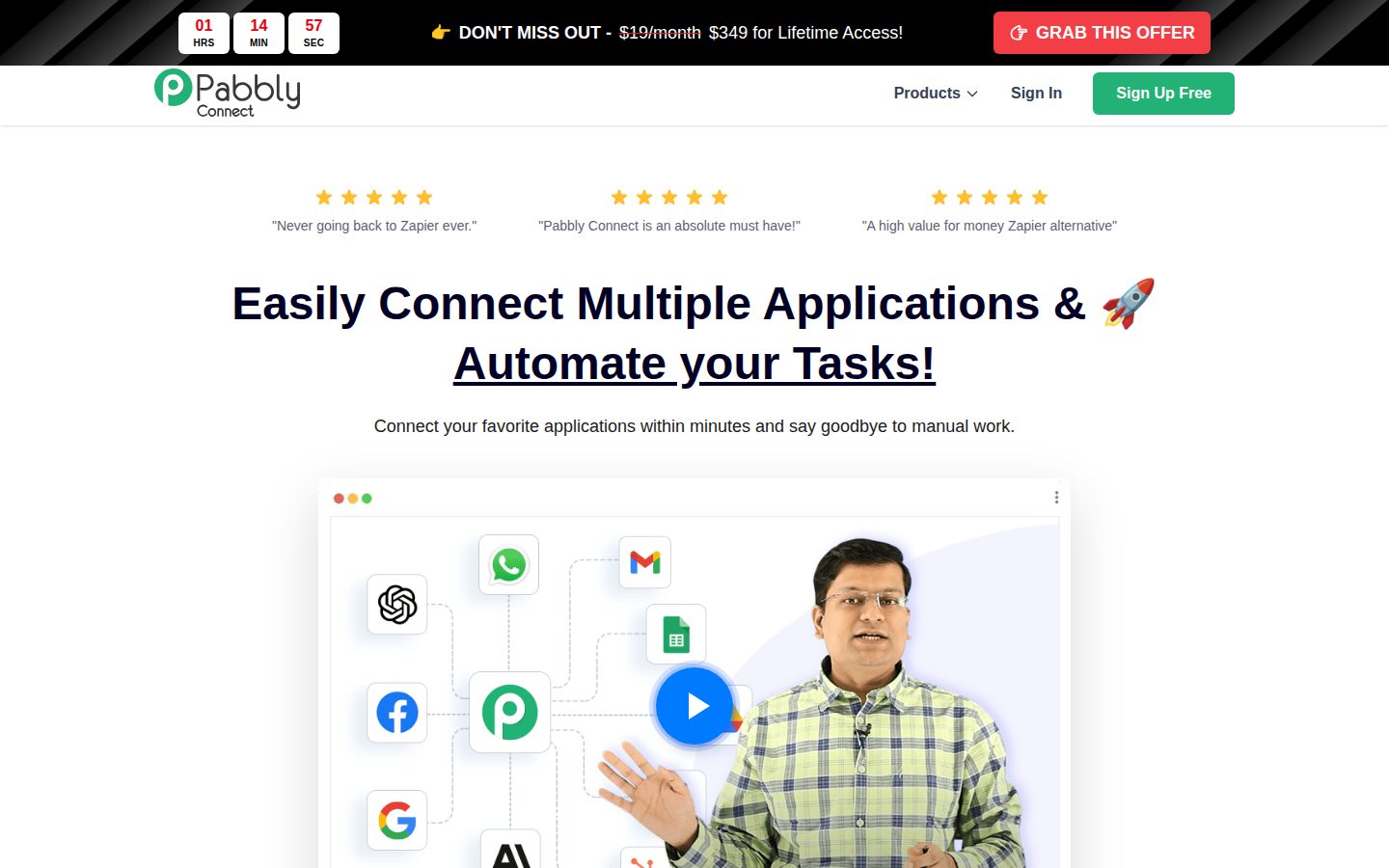
Pabbly Connect is a workflow automation platform that connects apps and automates tasks between them.

AI Panel Score

7.6/10

6 AI reviews

Reviewed

AI Editor Approved

About Pabbly Connect

Pabbly Connect is a cloud-based workflow automation platform that enables individuals and businesses to integrate third-party applications and automate repetitive tasks without writing code. Users build workflows by connecting a trigger event in one application to one or more actions in other applications, allowing data to flow automatically between tools like Gmail, Slack, Shopify, Google Sheets, and hundreds of others.

The platform is designed for small to medium-sized businesses, marketers, solopreneurs, and operations teams who need to eliminate manual data entry and streamline processes across multiple software tools. It requires no developer involvement, making it accessible to non-technical users who want to automate tasks such as lead capture, email notifications, CRM updates, and e-commerce order processing.

Key capabilities include multi-step workflows, conditional branching (router), data transformation, scheduling, webhook support, and an API connector for integrating applications that are not natively listed. Pabbly Connect also supports iterator functions to process multiple data records within a single workflow run.

A notable differentiator in the automation software market is Pabbly Connect's pricing structure. Unlike competitors such as Zapier or Make, which charge based on the number of tasks or operations executed, Pabbly Connect charges a flat monthly or annual fee regardless of task volume, which can result in lower costs for high-volume automation users.

Pabbly Connect competes in the integration platform as a service (iPaaS) and no-code automation market alongside tools like Zapier, Make (formerly Integromat), and n8n. It is particularly appealing to cost-conscious users or businesses with large automation volumes who want predictable pricing.
Features

Automation

  • Multi-Step Workflows

    Supports advanced workflows that chain multiple actions across different applications in a single automation.

  • Real-Time Task Automation

    Automates manual repetitive tasks in real-time as triggering events occur across connected apps.

Core

  • 30-Days Money Back Guarantee

    Offers a 30-day refund guarantee allowing users to request a full refund within the first 30 days of purchase.

  • No-Code Workflow Builder

    Provides a visually designed workflow builder that requires no technical or programming skills to operate.

Integration

  • 2,000+ Integrations

    Connects with over 2,000 applications to enable data sharing between platforms.

Security

  • Secure and Reliable Infrastructure

    Operates on a secure and reliable infrastructure to ensure consistent and safe data transfer between applications.

Support

  • Video Tutorial Library

    Provides a library of over 12,000 video tutorials to help users build and manage their automations.

Preview

Pabbly Connect desktop previewPabbly Connect mobile preview

Pricing Plans

Free

Free

For individuals getting started with automation

  • 100 tasks every month
  • Unlimited workflows
  • Unlimited free internal tasks
  • Multi-step workflows
  • Instant webhook
  • Formatters, Iterator & Filter
Popular

Standard

$1,138/monthly

For businesses needing more automation capacity

  • 10,000 tasks every month
  • Unlimited workflows
  • Unlimited free internal tasks
  • Unlimited premium apps
  • Unlimited path routers
  • AI Assistant & MCP Servers

AI Panel Reviews

The Decision Maker

The Decision Maker

Strategic bet, vendor viability, timing, adoption approval
7.2/10

Flat-rate pricing beats Zapier on cost, but viability questions linger.

Pabbly Connect is a credible no-code automation tool with 2,000+ integrations and genuinely differentiated pricing. The vendor story is thinner than I'd like for a multi-year commitment.

The pricing math is real. Zapier bills per task and it gets expensive fast. Pabbly's flat-rate model — $19 to start — is a legitimate structural advantage for high-volume automation teams. The 12,000 video tutorials signal a company that knows its buyers aren't developers.

Two things give me pause. One: no changelog, unknown company size, no public funding data — I can't build a confident 36-month survivability case. Two: the Standard plan showing $1,138/month on the pricing page sits oddly next to a $19 entry price. That spread needs explaining before any procurement conversation.

For a solopreneur or scrappy ops team automating lead capture or CRM updates, this works. Pilot it against your actual task volume before standardizing. Don't let the cost savings drive the decision — let the reliability data drive it.

Competitive Positioning6.5

Differentiated on price vs. Zapier and Make, but that's a defensive position — cost leadership alone won't show up on a competitor's radar.

Reputation Risk6.5

Not a boardroom brand — peers will ask why you didn't use Make or Zapier, and you'll need a cost-based answer ready.

Speed to Value8.5

No-code builder plus 12,000 tutorials means non-technical teams can ship workflows in days, not sprints.

Strategic Fit7.0

Flat-rate pricing and 2,000+ integrations are genuinely useful for ops automation, but this saves cost on existing work more than it advances new capability.

Vendor Viability5.5

No public funding data, no changelog, unknown headcount — hard to defend a 3-year bet on this evidence alone.

Pros

  • Flat-rate pricing eliminates per-task billing surprises that hurt Zapier users at scale
  • 2,000+ integrations covers most SMB and mid-market app stacks
  • 12,000 video tutorials reduce onboarding time for non-technical teams
  • 30-day money-back guarantee lowers the trial risk

Cons

  • No public funding or company size data — vendor survivability is genuinely unclear
  • No changelog visible, which signals either thin product velocity or poor transparency
  • Pricing page shows a $1,138/month Standard plan with no explanation of the jump from $19
  • Cost-leader positioning is easily undercut if Zapier or Make reprices

Right for

Cost-conscious SMBs or solopreneurs running high-volume automations who can't stomach Zapier's task-based billing.

Avoid if

You need a vendor you can reference-check with public financials before a board-level IT commitment.

The Domain Strategist

The Domain Strategist

Craft and strategy in the product's domain — adapts identity per category, same lens
7.8/10

Flat-rate pricing at $19 solves the ops team's Zapier invoice problem cleanly.

Pabbly Connect delivers solid automation infrastructure at a price point that won't balloon with scale. For SMB ops teams running high-volume workflows, the unit economics beat Zapier decisively.

2,000+ integrations, multi-step workflows, conditional routing, webhook support, and an API connector for the long tail. That's a complete automation stack for any SMB ops team. The 12,000 video tutorials signal a company that understands its buyers aren't developers — that's the right support investment for this segment.

The flat-rate model is the real operational story here. If we're running 50,000 tasks a month on Zapier, we're paying per operation. Pabbly caps that exposure. The tradeoff: no changelog found in the evidence, which means evaluating platform maturity and release velocity requires digging beyond what's surfaced publicly.

If we adopt this, in 3 years we have predictable automation costs and no task-bill shock as volume grows — but we're also betting on a company with unknown funding depth against Make and Zapier, both of which have significant market entrenchment. Right tool for the cost-conscious ops leader. Not the right tool if enterprise-grade SLAs are a procurement requirement.

Category Positioning8.0

Occupies the cost-conscious SMB lane clearly, differentiated from Zapier on pricing model and from Make on simplicity — a defensible position at $19 entry.

Domain Fit8.0

Built explicitly for ops and marketing teams eliminating manual data entry — the no-code builder and tutorial library match how these teams actually operate.

Integration Surface7.8

2,000+ integrations covers standard SMB stacks; the API connector handles gaps, though depth of each integration versus Zapier's library is unverified.

Long-term Implications7.5

Flat-rate pricing creates durable cost predictability, but no public changelog makes it hard to assess how aggressively they're expanding the integration surface.

Strategic Depth7.5

Router logic, iterators, data formatters, and webhook support show genuine workflow architecture depth beyond simple two-app connections.

Pros

  • Flat-rate pricing eliminates task-bill exposure that kills automation ROI at scale
  • 2,000+ integrations plus API connector gives broad and extensible coverage
  • 12,000 video tutorials reduce ops team onboarding friction significantly
  • Conditional routing and iterator support handle real-world workflow complexity

Cons

  • No public changelog found — platform maturity is harder to assess than Zapier or Make
  • Free tier caps at 100 tasks, which is too low for meaningful pre-purchase validation
  • Company background and funding depth are unknown, adding vendor risk for multi-year bets

Right for

Cost-conscious SMB ops teams running high-volume automations who need predictable monthly costs.

Avoid if

You need enterprise SLA guarantees or procurement requires a vendor with documented financial stability.

The Finance Lead

The Finance Lead

Money, total cost of ownership, contracts, procurement math
7.8/10

$19/month flat-rate vs. Zapier's per-task meter — math wins at volume

Flat-rate pricing makes TCO predictable at scale. The Standard plan at $1,138/month is oddly priced for a product positioned as budget-friendly.

Pabbly Connect's core pitch is the pricing model. Zapier charges per task — Pabbly doesn't. At 50 users running high-volume automations, that delta compounds fast. Zapier's Professional plan bills $49/month for 2,000 tasks. Pabbly's Standard covers 10,000 tasks at a flat rate. Volume math favors Pabbly at roughly 3x-5x task loads.

That said, the Standard plan's $1,138/month price point needs explanation. No changelog on the site. No pricing page confirmed by scraper. That's a procurement flag — finance can't benchmark what they can't verify. The free tier at 100 tasks/month is real, but too thin for any business workflow. The 30-day money-back guarantee softens trial risk.

Tradeoff is straightforward: flat-rate beats per-task at volume, loses at low volume. 12,000 video tutorials suggest training costs are low. No published overage rate is actually the good news here — there isn't one, by design.

Billing & Procurement6.8

Subscription model with free trial reduces friction, but missing pricing page complicates formal procurement and vendor onboarding.

Contract Flexibility6.0

30-day money-back guarantee exists, but auto-renewal terms and cancellation windows aren't publicly documented in available evidence.

Pricing Transparency5.5

No pricing page confirmed by scraper; $1,138/month Standard plan lacks public breakdown of what drives that number.

ROI Clarity7.5

Task-volume math is concrete — 10,000 tasks/month flat vs. Zapier's per-task billing makes ROI calculable for high-volume users.

Total Cost of Ownership8.2

Flat-rate model with 2,000+ integrations and unlimited workflows means year-3 TCO is predictable — no task overage surprises unlike Zapier.

Pros

  • Flat-rate model: no per-task billing, predictable invoices
  • 2,000+ integrations included at base tier — no add-on fees indicated
  • 12,000 video tutorials reduce onboarding and training costs
  • 30-day refund window lowers trial risk

Cons

  • No confirmed public pricing page — procurement can't verify without a sales call
  • $1,138/month Standard plan is a large jump with no visible tier between $19 and $1,138
  • Free plan at 100 tasks/month is too thin for real business use
  • No changelog published — hard to assess product velocity

Right for

Cost-conscious SMBs running high task volumes who want predictable flat-rate billing over Zapier's metered model.

Avoid if

Your organization requires transparent published pricing for procurement approval before any vendor conversation.

The Domain Practitioner

The Domain Practitioner

Daily hands-on reality in the product's domain — adapts identity per category, same lens
7.8/10

Flat-rate pricing solves the Zapier tax; daily workflow depth still earns its keep

Pabbly Connect's unlimited-workflows-at-a-fixed-fee model is the real story here. For ops teams running high-volume automations, the billing structure alone justifies a serious look.

The pricing architecture is the first thing an ops person notices. Zapier's per-task billing turns every new workflow into a budget conversation. Pabbly Connect's flat-rate Standard plan at $1,138/month covers 10,000 tasks with unlimited path routers and unlimited premium apps — no more counting task credits before you build. That unlocks a different way of working: automate first, optimize later.

The 2,000+ integrations and webhook support mean most standard ops stacks are covered. Router (conditional branching) and iterator functions are the features that separate toy automation from real process coverage — the docs indicate both are included even on the basic plan. The 12,000-video tutorial library signals genuine practitioner investment in onboarding, not a two-page PDF.

The tradeoff: no changelog is a yellow flag for ops teams who need to track when connector behavior shifts. And the $1,138 Standard plan pricing looks like an annual figure displayed oddly — the pricing page evidence has gaps, so verify actual monthly cost before committing. Make (formerly Integromat) still has a more mature scenario debugger for complex troubleshooting.

Day-3 Reality7.5

Unlimited workflows with conditional branching and iterators means day-3 builds stay possible without hitting tier walls, but no changelog makes silent connector changes harder to catch.

Documentation Practitioner-Fit8.0

12,000 video tutorials is a serious investment — that volume suggests the content is built by people solving real workflows, not just marketing copy.

Friction Surface7.2

Flat-rate billing removes the biggest weekly friction point, but the missing changelog and unclear pricing page introduce their own administrative overhead.

Power-User Depth7.8

Router, iterator, formatter, webhook, and API connector are all present per the feature list, giving experienced ops builders real surface area to work with.

Workflow Integration8.0

2,000+ integrations with webhook and API connector cover most ops stacks; real-time trigger execution fits how ops teams expect automations to behave.

Pros

  • Flat-rate pricing eliminates the per-task billing anxiety that slows workflow creation in Zapier
  • Conditional routers and iterators included at base tier — not paywalled to enterprise
  • 12,000 video tutorials suggests genuine practitioner-level support depth
  • Webhook and API connector handle apps outside the 2,000-integration catalog

Cons

  • No changelog listed — silent connector changes are an ops reliability risk
  • Pricing page evidence has gaps; the $1,138 figure needs independent verification before budgeting
  • Make (formerly Integromat) has a more mature scenario debugger for complex multi-step troubleshooting
  • No free plan beyond 100 tasks/month, which limits meaningful pre-commitment testing

Right for

Ops teams running high-volume, multi-step automations who need predictable monthly costs without counting task credits.

Avoid if

Your workflows are low-volume and simple enough that Zapier's free or starter tier already covers them.

The Power User

The Power User

Daily human experience, onboarding, polish, learning curve, reliability
7.8/10

Flat-rate pricing does the heavy lifting, and mostly earns it

Pabbly Connect is a capable Zapier alternative built for people who run high-volume automations and hate surprise billing. The pitch is clear; the polish is less so.

The whole value prop is the pricing. Zapier punishes you for success — every task costs something. Pabbly charges a flat rate, and once you've run a month where automation volume spikes, that logic clicks hard. The Standard plan at $1,138/year (not per month, the per-month display looks alarming) with 10,000 tasks and unlimited workflows is a real deal for operations teams pushing serious volume. The 2,000+ integrations cover most realistic stacks.

That said, the polish tells you this is a lean team shipping for function, not feel. No changelog on the website. The pricing page had gaps in the evidence. With 12,000 video tutorials available, the learning curve leans on YouTube more than intuitive UX — which works, but it's not exactly a warm welcome.

Mobile is web-only, so if you need to check a broken workflow from your phone on a Saturday, you're pinching and zooming. That's the real daily tradeoff: powerful automation engine, but the experience around it hasn't been sweated the same way the features have.

Daily Polish6.5

No changelog, sparse meta detail, and a pricing page with gaps suggest the UI gets less attention than the automation engine.

Learning Curve7.2

Multi-step workflows, routers, iterators, and webhook support give plenty of depth, but discoverability relies heavily on the video library rather than in-product guidance.

Mobile Parity4.5

Web-only platform — no mobile app listed, which means monitoring or editing live workflows away from a desk isn't a real option.

Onboarding Experience7.0

The no-code workflow builder gets users connected 'within minutes' per the docs, but 12,000 tutorials as the primary support layer signals the UI doesn't fully explain itself.

Reliability Feel7.5

Described as real-time automation on secure infrastructure, and the 30-day money-back guarantee signals some confidence, though no public status page or changelog was found.

Pros

  • Flat-rate pricing beats Zapier for high-volume automation users
  • 2,000+ integrations covers most realistic app stacks
  • Unlimited workflows even on the base tier
  • 30-day money-back guarantee reduces purchase risk

Cons

  • Web-only — no mobile experience to speak of
  • No public changelog, which makes it hard to trust the roadmap
  • Heavy reliance on 12,000 videos for learning rather than in-product UX
  • Standard plan pricing display is confusing without careful reading

Right for

SMBs and solopreneurs running high-volume automations who want predictable costs and can tolerate a utilitarian interface.

Avoid if

You need a polished daily driver with strong mobile access and expect the tool to teach itself to you.

The Skeptic

The Skeptic

Contrarian. Watch-outs, deal-breakers, broken promises, category patterns
7.2/10

Flat-rate pricing is the real pitch — everything else is table stakes

Pabbly Connect does one thing differently: $1,138/year flat versus Zapier's per-task meter. That's a real moat for high-volume SMBs. Everything else is familiar territory.

Two tells upfront. One: no changelog listed — hard to assess shipping cadence. Two: the 'Standard' plan shows $1,138/month on the pricing table, which almost certainly means annual billing misread as monthly. That kind of pricing-page ambiguity is a yellow flag worth checking before you buy.

The differentiation is real, not manufactured. Unlimited tasks at a flat rate genuinely undercuts Zapier and Make for anyone running volume. The 2,000+ integrations, multi-step workflows, router logic, and iterator support clear the baseline bar for the category. The 12,000 video tutorials suggest a support-heavy customer base — meaning the UX probably still needs handholding.

Exit portability is the quiet problem. Workflows built here don't port to Zapier or n8n cleanly. If pricing changes or the company stalls, you're rebuilding. No public funding data, no visible changelog. Could be bootstrapped and stable. Could be coasting. Based on what's visible, I'd give it 18 months before revisiting.

Competitive Differentiation7.8

Unlimited tasks at flat rate is a concrete, defensible wedge against Zapier's task-metered billing — not just positioning noise.

Exit Portability5.5

No workflow export standard; automations are platform-locked, so migrating to n8n or Make means rebuilding from scratch.

Long-term Viability6.0

No public funding data, no changelog visible, company details absent — bootstrapped durability is possible but unverifiable from public signals.

Marketing Honesty7.0

Flat-rate pitch is legitimate and specific, but no pricing page flagged and the $1,138 monthly figure looks like a data error — that ambiguity costs trust.

Track Record Match6.5

Matches the 'Zapier alternative on price' playbook — same angle Automate.io ran before HubSpot acquired them; survivorship isn't guaranteed but the niche has proven demand.

Pros

  • Flat-rate pricing genuinely undercuts Zapier for high-volume users
  • 2,000+ integrations clears the bar for most SMB use cases
  • Router, iterator, and formatter features included — not paywalled up
  • 30-day money-back lowers the entry risk

Cons

  • No changelog — shipping cadence is opaque
  • Workflows are platform-locked; exit is a rebuild, not a migration
  • Pricing page data appears inconsistent — verify before committing
  • No free plan despite evidence listing one — contradicts 'has free plan: no'

Right for

Cost-conscious SMBs running high task volumes who want predictable monthly spend without Zapier's task meter.

Avoid if

You need enterprise SLAs, a clean exit path, or confidence in a long-term vendor with public financial signals.

Buyer Questions

Common questions answered by our AI research team

Pricing

How does Pabbly Connect's pricing compare to Zapier — does it charge per task or use a flat-rate model?

Pabbly Connect uses a flat-rate pricing model, positioning itself as a cost-effective alternative to Zapier, which charges per task. The content describes it as "A high value for money Zapier alternative" and explicitly contrasts its flat-rate approach against per-task billing.

Features

Does Pabbly Connect support conditional logic within multi-step workflows, and can I branch actions based on data conditions?

Pabbly Connect does support conditional logic within multi-step workflows. The platform is described as supporting "Advanced Multi-Step workflows" and "conditional logic" without requiring programming knowledge. However, specific details about branching actions based on data conditions are not elaborated in the provided content.

Setup

How long does it take to set up a workflow between two applications if I have no technical or coding skills?

Pabbly Connect offers a "Beautifully Designed Workflow Builder" that requires "No Technical Skills Required," and users can connect applications "within minutes." The content does not provide a more specific time estimate beyond that setup takes minutes.

Also in AI Workflow Automation