Tactiq logo

Tactiq Review

Visit

Live meeting transcription for Zoom, Google Meet, and MS Teams

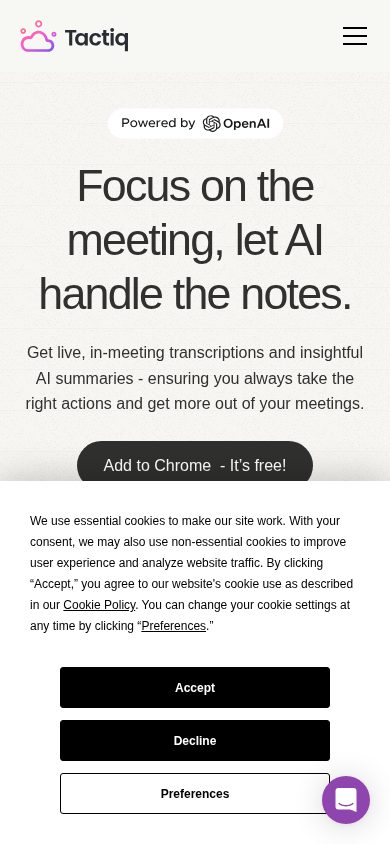
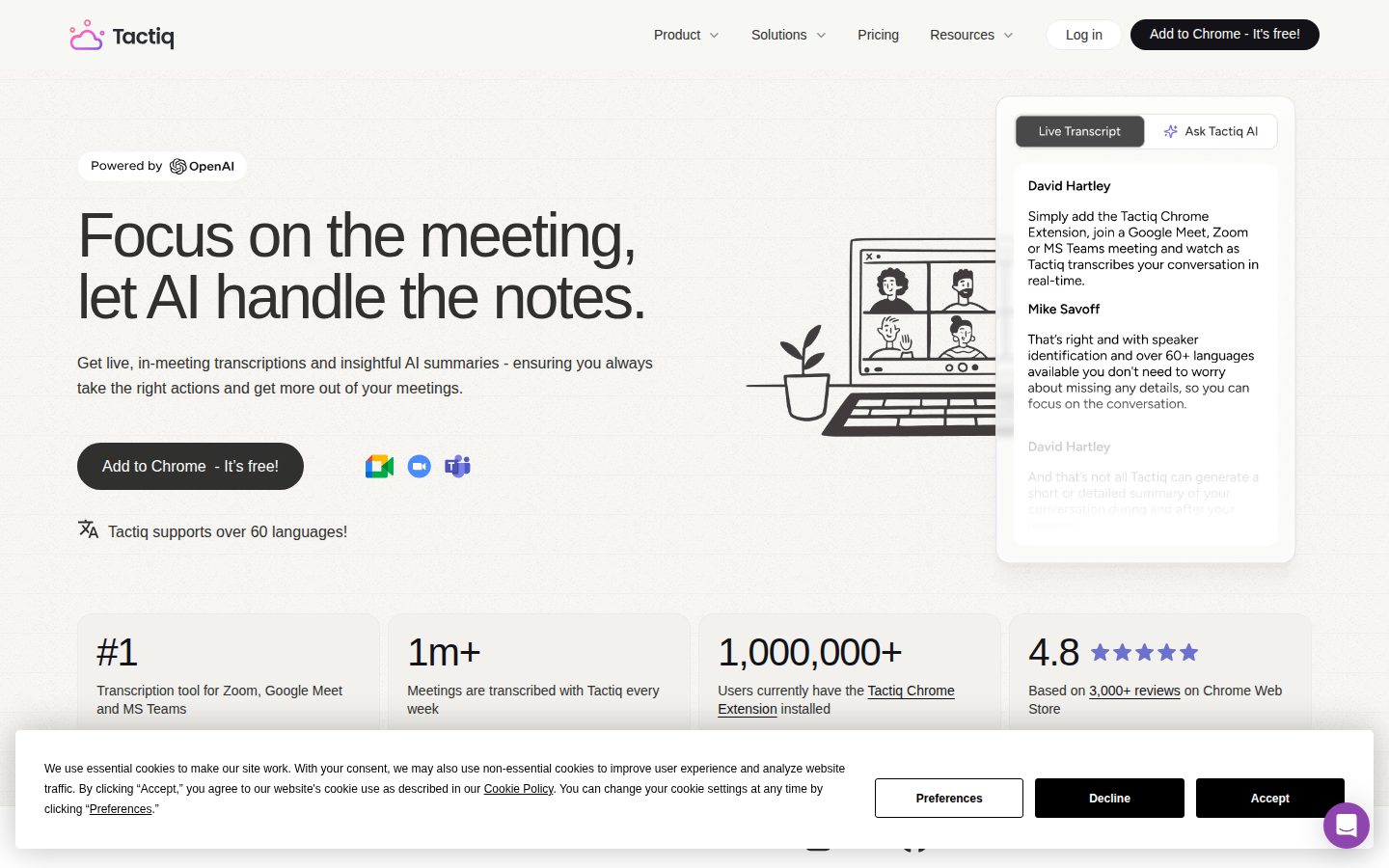
Tactiq is a Chrome extension for live meeting transcription and AI-powered note summarization across Zoom, Google Meet, and Microsoft Teams.

AI Panel Score

7.8/10

6 AI reviews

Reviewed

AI Editor Approved

About Tactiq

Tactiq works as a Chrome extension that listens to meetings on Zoom, Google Meet, and Microsoft Teams, producing a live text transcript visible only to the installing user. As the meeting progresses, AI-generated summaries and action items are built in real time, so the user has a complete record ready before the call ends. Users can also ask custom questions against the transcript during or after the meeting.

Beyond basic transcription, Tactiq supports speaker identification, 60-plus languages, and custom AI prompts that can be saved and reused across future meetings. Workflow automations allow transcripts and summaries to be pushed automatically to tools including Slack, Notion, Linear, and HubSpot. The product uses OpenAI's enterprise API rather than the consumer ChatGPT product, and audio is not recorded or stored — only the text transcript is saved.

Tactiq is used by individual professionals and teams who attend frequent meetings and need structured follow-up without manual note-taking. It is positioned against other AI meeting tools such as Otter.ai, Fireflies.ai, and Otter-connected bots, differentiating itself by operating without a visible bot participant. The Chrome extension is free to install, and the product operates on a freemium model with paid plans for higher AI usage and team features.

The product is deployed exclusively as a Chrome browser extension, making it platform-agnostic across operating systems but limited to the Chrome browser. Security credentials include ISO 27001 certification, SOC 2 Type II attestation, and GDPR and HIPAA compliance.

Features

AI

  • Action Item Generation

    Automatically extracts and assigns action items from the meeting transcript, making follow-up responsibilities immediately clear.

  • Ask AI Custom Questions

    Allows users to ask custom questions about their meeting transcript and receive AI-generated answers directly from the meeting content.

  • Automatic Meeting Summaries

    Generates a full meeting summary in real time so users have notes ready before the meeting even ends.

  • One-Click AI Actions

    Provides pre-built AI actions such as generating follow-up emails or summaries that can be triggered with a single click from the transcript.

Automation

  • Meeting Workflow Automations

    Enables users to build automated workflows that trigger after meetings to share context, summaries, or action items without manual effort.

Collaboration

  • Team Workflow Sharing

    Allows users to share workflow automations with their team so meeting follow-up processes are standardized across the organization.

Core

  • Live Meeting Transcription

    Captures and transcribes meetings in real time on Zoom, Google Meet, and MS Teams without a bot joining the call.

  • Multi-Language Support

    Transcribes meetings in 60+ languages, enabling use across multilingual and international teams.

  • Speaker Identification

    Identifies and labels individual speakers throughout the transcript so it's clear who said what.

Customization

  • Reusable Custom Prompts

    Lets users save custom AI questions as reusable prompts so the same analysis can be applied consistently across future meetings.

Integration

  • Third-Party Integrations

    Connects with tools including Slack, Notion, Linear, and HubSpot to automatically push meeting outputs to where teams already work.

Security

  • Enterprise Security & Compliance

    Provides ISO 27001 certification, SOC 2 Type II attestation, and full GDPR and HIPAA compliance to protect meeting data privacy and security.

Preview

Tactiq desktop previewTactiq mobile preview

Pricing Plans

Free

Free

For 1 user, free forever with no credit card required

  • 5 AI credits / mo
  • 10 transcripts / mo
  • AI generated insights
  • Share & export transcripts
  • In-meeting AI

Pro

$8/monthly

For 1 pro user, billed annually ($12/mo if billed monthly)

  • 10 AI credits / mo
  • Unlimited transcripts
  • Disable transcript notification
  • Pause automatic transcription
  • Everything in Free
Popular

Team

$17/monthly

For 1–20 users, billed annually ($20/mo if billed monthly)

  • Unlimited AI credits
  • Unlimited transcripts
  • Priority customer support
  • Auto-share transcripts with teams
  • Everything in Pro

Business

$29/monthly

For 20–200 users, billed annually ($40/mo if billed monthly)

  • Unlimited AI credits
  • Advanced Data Retention
  • SAML SSO
  • Customer success manager
  • Tactiq MCP (beta)
  • Tactiq Claude Connector (beta)

Enterprise

Contact sales

For 200+ users, custom pricing — contact sales

  • Unlimited AI credits
  • Curated Data Processing Agreement
  • Customizable in-meeting notification
  • Customizable SAML SSO
  • Dedicated account manager
  • Everything in Business

AI Panel Reviews

The Decision Maker

The Decision Maker

Strategic bet, vendor viability, timing, adoption approval
7.8/10

Bot-free transcription at $8/seat that actually solves the meeting tax.

1 million users, SOC 2 Type II, and no bot crashing your calls. Tactiq does one thing well and doesn't pretend otherwise.

No public funding data, but 1 million users and a full compliance stack — ISO 27001, SOC 2 Type II, HIPAA — suggests a real operation, not a side project. The changelog is active. That's enough to place a bet on a $8-17/seat tool without losing sleep.

The no-bot approach is the real differentiator against Otter.ai and Fireflies. Sensitive calls, external stakeholders, regulated industries — a ghost bot in the room creates friction. Tactiq sidesteps it entirely. The reusable custom prompts and workflow automations into Slack, Notion, and HubSpot push this past basic transcription.

Two things give me pause. One: it's Chrome-only, so anyone not on Chrome is locked out. Two: the Pro tier gets only 10 AI credits monthly — thin if you're in meetings all day. Team tier at $16.67/seat unlocks unlimited AI credits and that's where real value starts.

Competitive Positioning7.5

Bot-free transcription is a real edge over Fireflies and Otter.ai in client-facing or regulated meeting contexts.

Reputation Risk8.5

SOC 2 Type II, ISO 27001, and HIPAA compliance make this defensible to any board or security team on day one.

Speed to Value9.0

Chrome extension install, no onboarding, AI summaries ready before the meeting ends — payback is measured in hours, not weeks.

Strategic Fit8.0

Workflow automations pushing to Slack, Notion, Linear, and HubSpot turn meeting output into operational data, not just notes.

Vendor Viability7.5

1 million users and full enterprise compliance stack signal durability, but no public funding data means runway is opaque.

Pros

  • No bot joins the call — material advantage in sensitive or external meetings
  • SOC 2 Type II, ISO 27001, HIPAA compliance at $8/seat is a strong deal
  • Reusable custom prompts and workflow automations extend well beyond basic transcription
  • 60+ languages covers most global team scenarios

Cons

  • Chrome-only deployment excludes non-Chrome users entirely — no workaround
  • Pro tier's 10 AI credits monthly is too thin for heavy meeting loads
  • No public funding or team size data makes long-term vendor confidence harder to establish

Right for

Teams in regulated industries or client-facing roles who need clean transcription without a visible bot.

Avoid if

Your org runs on Firefox, Safari, or non-Chrome browsers and can't standardize on Chrome.

The Domain Strategist

The Domain Strategist

Craft and strategy in the product's domain — adapts identity per category, same lens
7.8/10

Bot-free transcription with real compliance depth — a serious ops tool at $16.67/seat.

Tactiq solves the meeting overhead problem without the awkward bot-in-the-room dynamic that kills adoption of Fireflies.ai and similar tools. SOC 2 Type II, ISO 27001, and HIPAA together signal a security posture built for organizations that face actual compliance scrutiny.

The no-bot architecture is the right operational bet. When a bot joins a call, participation quality drops and external participants notice — that's a real friction point I'd hear about from every department head. Tactiq's Chrome extension approach sidesteps that entirely, and the 1 million user count suggests the market has validated the tradeoff.

The workflow automation layer — pushing summaries to Slack, Notion, Linear, and HubSpot automatically — is where the operational leverage actually lives. Reusable custom prompts plus Team Workflow Sharing means a COO can standardize how meeting outputs flow across the org, not just hope individual contributors remember to follow up. At $16.67/seat/month for the Team plan, that's a defensible line item.

The three-year constraint is Chrome-only deployment. If the org shifts to Safari-first, or if a browser policy locks down extensions, the entire workflow dependency breaks. That's not a hypothetical — it's an IT governance conversation waiting to happen. Business plan SAML SSO and data retention controls partially de-risk the enterprise story, but the extension dependency is structural.

Category Positioning7.9

The no-bot differentiator is durable against Otter.ai and Fireflies.ai, and the compliance trifecta (SOC 2 II, ISO 27001, HIPAA) opens doors that consumer-grade competitors can't enter.

Domain Fit8.2

Auto-share, team workflow standardization, and speaker ID map directly to how ops teams actually run recurring standups, 1:1s, and cross-functional syncs.

Integration Surface8.0

Native connectors to Slack, Notion, Linear, and HubSpot cover the core ops stack; Tactiq MCP beta on the Business plan at $29.16/seat hints at deeper programmatic access ahead.

Long-term Implications6.8

Chrome-only architecture creates a platform dependency that compounds as the org scales — a single browser policy change breaks the entire meeting data pipeline.

Strategic Depth7.5

Reusable prompt library and workflow automations show product thinking beyond basic transcription, but the changelog indicates incremental iteration rather than platform-level ambition.

Pros

  • No bot joins calls — removes adoption friction and preserves meeting dynamics
  • SOC 2 Type II plus HIPAA means it can clear procurement in regulated industries
  • Team Workflow Sharing standardizes follow-up ops across the organization
  • $16.67/seat Team plan is a low-risk budget ask for meaningful productivity lift

Cons

  • Chrome-only deployment is a single point of operational failure
  • 10 AI credits/month on the Pro plan ($8) is tight for heavy meeting schedules
  • Free plan caps at 10 transcripts/month — too limited to drive real team adoption
  • No public API listed, which constrains custom integration work for technical ops teams

Right for

Ops and business teams running 10-plus meetings weekly who need structured follow-up without adding bot overhead or compliance risk.

Avoid if

Your org enforces strict browser policies or is moving toward a non-Chrome standard environment.

The Finance Lead

The Finance Lead

Money, total cost of ownership, contracts, procurement math
7.8/10

$16.67/seat Team plan — no SSO tax until Business at $29.16

Tactiq prices honestly: 4 tiers, all visible, no sales call required. Chrome-only constraint is the real procurement risk.

$8/seat Pro, $16.67/seat Team, $29.16/seat Business — billed annually. SSO lands at Business tier, not gated behind Enterprise. That's better than Otter.ai's pattern. 50-user Team scenario: 50 × $16.67 × 12 = $10K/year. Add 20% seat creep, year 3 lands near $14.5K. No published overage rate on AI credits at lower tiers — 10 credits/month on Pro is the ceiling that could force upgrades.

Chrome-only deployment is the tradeoff procurement will flag. IT can't push this to non-Chrome users. GSuite orgs are fine; mixed-browser shops face a real gap. Audio not stored — only text transcript saved — satisfies most legal review. SOC 2 Type II and HIPAA reduce enterprise procurement friction meaningfully.

No free trial; free plan caps at 10 transcripts and 5 AI credits monthly. That's enough to evaluate. Contract terms and auto-renewal windows aren't published — procurement should confirm before signing annual.

Billing & Procurement8.0

Self-serve through Business tier, SAML SSO included at $29.16 — procurement friction is low for most buyers.

Contract Flexibility6.5

Annual billing discounted vs. monthly, but auto-renewal windows and termination terms aren't publicly documented.

Pricing Transparency8.5

All 4 paid tiers published with exact per-seat rates and annual vs. monthly delta — no sales call needed.

ROI Clarity7.8

Action item generation and workflow automations to Slack and Notion create measurable time-saved-per-meeting math.

Total Cost of Ownership7.5

50 seats × $16.67 × 12 = $10K year 1; unpublished AI credit overage policy creates year-3 forecast uncertainty.

Pros

  • All tiers priced publicly — no discovery call required
  • SSO included at Business tier, not Enterprise-only
  • No bot joins calls — reduces meeting friction and participant objections
  • SOC 2 Type II plus HIPAA clears most security review cycles

Cons

  • Chrome-only — hard block for non-Chrome environments
  • AI credit caps at Pro (10/month) will push cost-sensitive users to upgrade
  • Auto-renewal and cancellation terms not publicly stated
  • Enterprise pricing requires sales contact — no self-serve above 200 seats

Right for

Google Workspace teams under 200 seats that need bot-free transcription with clean compliance credentials.

Avoid if

Your org standardizes on browsers other than Chrome.

The Domain Practitioner

The Domain Practitioner

Daily hands-on reality in the product's domain — adapts identity per category, same lens
8.1/10

No bot, no drama — Tactiq's Chrome extension quietly handles the notes.

Tactiq transcribes live without dropping a bot into your call, which matters more than it sounds. At $8/month for Pro, it's a low-friction entry into structured meeting follow-up.

The no-bot architecture is the real differentiator. Fireflies.ai and Otter.ai both send a visible participant into your calls — clients notice, executives bristle. Tactiq runs silently through Chrome, transcript visible only to you. For anyone in client-facing or sensitive internal meetings, that's not a nice-to-have.

Day-three reality: the Free tier's 10 transcripts and 5 AI credits per month will feel tight by Wednesday of week two. You'll hit the ceiling mid-sprint and either upgrade or context-switch to export manually. The Team plan at $16.67/seat unlocks unlimited credits and auto-sharing, which is where the workflow automations to Slack and Notion actually become worth building. Reusable custom prompts are the sleeper feature — save a 'decisions + owners' prompt once, run it every standup.

Chrome-only is the real constraint. No Firefox, no Safari, no native app. If your company standardizes on Edge or someone's on a managed Mac without Chrome, Tactiq simply doesn't exist for them. SOC 2 Type II and HIPAA compliance cover the security question for most teams, but the platform dependency is a harder conversation to have with IT.

Day-3 Reality7.8

Free tier's 5 AI credits/month forces an upgrade decision before the tool becomes habit.

Documentation Practitioner-Fit6.8

Changelog is present but no public docs or API — help content appears shallow based on available evidence.

Friction Surface8.2

No bot join removes the biggest daily social friction; Chrome-only dependency introduces a different kind for mixed-browser teams.

Power-User Depth8.0

Reusable custom prompts and workflow automations give real depth; Business tier's MCP and Claude Connector betas suggest the ceiling is still rising.

Workflow Integration8.5

Automations pushing to Slack, Notion, Linear, and HubSpot mean outputs land where work already happens without manual copy-paste.

Pros

  • No bot joins the call — critical for sensitive client or executive meetings
  • Workflow automations to Slack, Notion, Linear, and HubSpot work without manual effort
  • Reusable custom prompts let you standardize analysis across every recurring meeting
  • SOC 2 Type II, ISO 27001, and HIPAA compliance on record

Cons

  • Chrome-only — a hard blocker for non-Chrome users or IT-managed environments
  • Free tier's 5 AI credits/month is exhausted fast for anyone in back-to-back meetings
  • No public API or docs page — harder to evaluate depth before committing
  • Pro plan's 10 AI credits/month is still modest; Team at $16.67/seat is where it actually unlocks

Right for

Knowledge workers in frequent client-facing or cross-functional meetings who need structured follow-up without a bot on the call.

Avoid if

Your team isn't standardized on Chrome or you need more than 10 AI-processed meetings monthly without paying for Team tier.

The Power User

The Power User

Daily human experience, onboarding, polish, learning curve, reliability
8.1/10

No bot, no drama — Tactiq is the meeting tool that stays invisible

A Chrome extension that quietly transcribes your meetings without dropping a robot into the call. At $8/month for unlimited transcripts, it's priced right for people who just want to stop taking notes.

The no-bot angle is real. Otter.ai sends a participant into your meeting. Tactiq doesn't. That one difference changes the energy of every call you're on, and after a few weeks of meetings you'll stop thinking about the tool at all — which is exactly what you want. Live transcription, action items building in real time, summaries ready before you hang up. The reusable custom prompts are the sleeper feature: set one up for your weekly standups and the whole workflow basically runs itself.

The tradeoff is Chrome-only. Windows, Mac, Linux — doesn't matter, you're living in Chrome. Not a dealbreaker for most office workers, but if your team runs Firefox or you need to transcribe a phone call, you're stuck. Mobile parity is essentially nonexistent. This is a desktop tool that knows it's a desktop tool.

The free tier caps you at 10 transcripts and 5 AI credits a month, which is honest about what "free" means. Team plan at $16.67/seat unlocks unlimited AI credits and auto-sharing, which is where the workflow automations get genuinely useful. SOC 2 Type II and HIPAA compliance at that price point is not nothing.

Daily Polish8.0

One-click AI actions and in-meeting summaries suggest careful attention to the moments that matter most in a live call.

Learning Curve8.2

Reusable custom prompts and workflow automations reward month-three users without overwhelming day-one users who just need a transcript.

Mobile Parity3.5

Chrome extension only means there's no real mobile experience; this is a desktop-first product with no apparent mobile path.

Onboarding Experience8.5

Chrome extension install with no bot setup and a free-forever tier means first 10 minutes is basically just install and join a meeting.

Reliability Feel7.8

Audio isn't stored — only text transcript — which reduces failure surface area, though Chrome extension reliability is always environment-dependent.

Pros

  • No bot joins the call — transcription stays invisible to other participants
  • Unlimited transcripts at $8/month Pro tier, reasonable for heavy meeting schedules
  • Workflow automations push to Slack, Notion, Linear, HubSpot without manual work
  • SOC 2 Type II, HIPAA, ISO 27001 — serious compliance stack for a $16.67/seat tool

Cons

  • Chrome-only — no Firefox, no Safari, no mobile
  • Free tier caps at 10 transcripts and 5 AI credits per month, which runs out fast
  • Pro plan only bumps AI credits to 10/month — Team plan required for unlimited
  • 60+ language support is listed but accuracy evidence across non-English languages isn't documented publicly

Right for

Individual professionals and small teams who attend back-to-back meetings and want clean follow-up without a bot sitting in the room.

Avoid if

Your team works outside Chrome or needs a mobile-native experience that goes beyond reading old transcripts.

The Skeptic

The Skeptic

Contrarian. Watch-outs, deal-breakers, broken promises, category patterns
7.2/10

1 million users, no bot, real compliance stack — but Chrome-only is a real wall

Tactiq has a genuine differentiator: no bot joins the call. The security stack — SOC 2 Type II, ISO 27001, HIPAA — is serious for an $8/mo product.

Three things that made me look twice. One: 1 million users isn't a vanity claim when the Chrome extension is verifiable. Two: the compliance stack at this price point is unusual — Fireflies.ai charges more for equivalent coverage. Three: the no-bot angle is real friction solved, not a marketing spin.

Two flags though. Chrome-only is a structural ceiling. Anyone on Safari, Firefox, or a locked-down enterprise browser is out. No workaround visible in the docs. Also: Pro tier gets only 10 AI credits/month. That's thin for daily meeting users. Forces upgrade to Team at $16.67/mo faster than the Free tier implies.

Exit portability is decent — transcripts export, integrations push to Notion and Slack, no proprietary format lock visible. No API listed, which limits custom pipelines. Changelog exists. Funding data is absent. Category has survivors — Otter.ai is still standing — but also corpses. Tactiq's moat is narrow. If Otter or Fireflies copies the no-bot approach cleanly, the differentiation compresses fast.

Competitive Differentiation7.2

No-bot transcription is a genuine gap vs. Fireflies.ai and Otter.ai, but it's a one-feature moat that a well-funded competitor could replicate without a major architectural shift.

Exit Portability7.5

Transcripts are exportable and integrations push to standard tools; no proprietary lock visible, though the absence of a public API limits custom migration paths.

Long-term Viability6.5

Changelog exists and compliance stack is mature, but no public funding data, no named investors, and Chrome-only distribution caps the addressable ceiling.

Marketing Honesty7.8

'#1 transcription tool across all three platforms' is the kind of claim I'd want sourced, but the rest of the landing page is grounded and feature-specific rather than vague.

Track Record Match7.0

1 million users and a changelog signal real traction, but no public funding data and Chrome-only distribution matches patterns of products that plateau rather than scale.

Pros

  • No bot joins the call — genuinely solves a real meeting friction
  • SOC 2 Type II, ISO 27001, and HIPAA at $8/mo is unusually strong for the price
  • 60+ languages and speaker identification included in base tiers
  • Workflow automations to Slack, Notion, Linear, and HubSpot reduce manual follow-up

Cons

  • Chrome-only — hard wall for Safari, Firefox, or locked enterprise browsers
  • Pro tier's 10 AI credits/month is tight for frequent meeting users; upgrade pressure is real
  • No public API listed, limiting custom integrations or data pipelines
  • No visible funding data; long-term runway is opaque

Right for

Chrome-based teams in regulated industries who need clean transcription without a bot appearing on the call.

Avoid if

Your organization standardizes on non-Chrome browsers or needs a public API for downstream data workflows.

Buyer Questions

Common questions answered by our AI research team

Features

Does a bot join the meeting when using Tactiq?

No bot joins the call. Tactiq delivers live, real-time transcriptions directly through a Chrome extension without any bot entering the meeting.

Integration

Which video conferencing platforms does Tactiq support?

Tactiq supports Zoom, Google Meet, and Microsoft Teams, and is the #1 transcription tool across all three platforms.

Security

Is Tactiq HIPAA and SOC 2 compliant?

Yes. Tactiq holds SOC 2 Type II attestation, ISO 27001 certification, and is fully HIPAA and GDPR compliant.

Integration

Can Tactiq automatically share meeting summaries to Slack or Notion?

Yes. Tactiq's workflow automations can automatically trigger and share meeting content to Slack, Notion, Linear, HubSpot, and more.

Setup

How do I install Tactiq for my entire team?

Contact your GSuite admin to deploy Tactiq across your team. Instructions for organization-wide installation are available in Tactiq's help documentation.

Also in AI Meeting Assistants