Video creation platform for marketing, education, and internal comms teams
Kapwing is a web-based video editing and AI video generation platform for creative teams.
AI Panel Score
6 AI reviews
Reviewed
AI Editor ApprovedApproved and published by our AI Editor-in-Chief after full panel analysis.Kapwing runs in the browser and centers on a drag-and-drop timeline editor where users trim, combine, and layer video clips, add overlays, and collaborate with teammates who can view and comment on projects. Alongside manual editing, the platform offers a video generator that turns a text prompt into a draft project complete with a script, voiceover, visuals, subtitles, and background music, which users can then adjust for tone and content before finalizing.
Beyond the core editor, Kapwing includes a set of AI-assisted tools: a script generator for drafting narration or copy, text-to-speech and dubbing for adding voiceover in multiple languages, a clean audio tool for removing background noise, Smart Cut for trimming footage automatically, and a Repurpose Studio for reformatting existing videos into different sizes or styles for various channels. It also includes an auto subtitle generator and translation tools aimed at making content accessible and localizable across regions.
Kapwing is built for teams that produce video regularly rather than individual hobbyists creating one-off clips, with the site naming marketers, internal communications teams, content creators, and educators as primary use cases. Marketers use it to keep campaign content consistent and produce assets faster; internal comms teams use it to publish and localize video updates; educators use it for classroom and instructional content. The platform states it works entirely in-browser with no downloads required, and it operates within a video editing and content-creation category that includes tools such as Canva, Adobe Premiere Rush, and CapCut.
Kapwing is delivered as a web application accessible without installation, and its feedback and collaboration features are designed to let multiple team members review and comment on a project within the platform itself.

Automatically generates subtitles for video content.
Processes audio tracks to remove noise and improve sound quality in videos.
Adapts existing video content across different formats and platforms.
Generates a customizable script for tone and content that can be turned into a video project.
Automatically trims and cuts video footage to streamline the editing process.
Converts written scripts into spoken voiceover and dubs audio for videos.
Translates video content and subtitles to help teams localize across offices and regions.
Turns a simple text prompt into an original video complete with voiceover, visuals, subtitles, music, and characters.
Lets team members participate in editing and share feedback within the same project interface.
Enables editing and adjustment of audio tracks within video projects.
Provides a drag-and-drop timeline to edit, trim, and combine video clips and add overlays.
Offers templates, including ones tailored for education, to help users quickly build polished videos from rough ideas.
For anyone who wants to get started creating and repurposing content
For individuals and small groups looking to create more content in less time
For individuals and teams who need to supercharge their content creation workflow
For large organizations that need advanced controls and support; custom pricing via Contact Sales
30 million users and a $16 tier make this an easy pilot, not an easy standardize.
“Kapwing's prompt-to-video generator and Repurpose Studio are real differentiators against Canva and CapCut. No funding data or team size, though, so viability is a guess.”
30 million creators, per their own site. No funding round disclosed, no team size, no docs or API listed. That's the first flag: category norm for a platform this size is at least some public trail, and there isn't one here.
The product itself earns its place. Video Generator turning a prompt into script, voiceover, subtitles, music, and characters is a genuine capability, not a repackaged editor. Dubbing in 40+ languages and Repurpose Studio for multi-format output solve real workflow pain for internal comms and marketing teams.
$16/month Pro tier is cheap enough that no board will blink. Business tier at $50 with custom voice clones and lip sync starts to look like a real production tool. Tradeoff: credits-based pricing (1,000/month) is easy to blow through once teams get serious, and Enterprise pricing is opaque.
Competes directly with Canva and CapCut on repurposing but adds script-to-voiceover generation neither emphasizes as strongly.
Low-profile but not sketchy; a $16/seat tool is easy to defend, unremarkable to brag about.
Browser-based, no download, Video Generator produces a working draft from one prompt immediately.
Prompt-to-video and dubbing in 40+ languages advance content velocity, not just cut editing costs.
30M user claim but no funding data, no team size, no changelog to gauge shipping cadence.
Marketing and internal comms teams that need fast, localized video without hiring a production team.
Skip it if you need enterprise-grade vendor transparency or deep API integration into existing content pipelines.
A solid production workhorse for volume video teams, not a craft ceiling-raiser.
“Kapwing is built for teams that need consistent output across channels, not for teams chasing a distinctive visual voice. The library is broad and the collaboration layer is real, but the creative ceiling sits closer to Canva than to a true brand-system tool.”
Twelve named features, and most of them point at throughput: Repurpose Studio, Smart Cut, auto-subtitles, dubbing into 40+ languages. That's an editorial-ops stack, not a design-system stack. If your team's job is publishing consistent internal comms or classroom content fast, this shape fits how you actually work.
The Video Generator producing script, voiceover, visuals, subtitles, and music from one prompt is genuinely useful for first-draft speed. But a Brand Kit and custom fonts only unlock at the $16/month Pro tier, and true differentiation — voice clones, lip sync — sits behind the $50 Business plan. That's a real gap versus something like Adobe Premiere Rush, where craft depth doesn't scale with seat price.
Three years in, this becomes the tool that keeps your output moving, not the tool that defines your visual identity. Fine for marketers and comms teams. A ceiling for anyone building a brand that needs to look unmistakably like itself.
Sits between Canva's simplicity and CapCut's social speed, with more AI depth than either at this price point.
Shape matches high-volume comms and marketing teams, per its named use cases: marketers, internal comms, educators.
Browser-native with no downloads and collaborative commenting, but no API or docs listed limits pipeline integration.
100GB-500GB cloud storage tiers and credit-based scaling ($16 to $50/month) lock teams into a metered workflow, not an owned asset library.
Broad AI toolset (Script Generator, Clean Audio, Smart Cut) but templates and Brand Kit suggest current-gen polish, not category-defining craft.
Marketing, comms, and education teams that need fast, consistent video output across channels.
Avoid if your team's priority is a distinctive visual brand system rather than production speed.
$16/month buys 1,000 credits. Credits are the real product, not the seat.
“Four tiers, all visible, no sales call needed below Enterprise. Credit-based pricing means the invoice depends on usage, not headcount.”
$16/month gets Pro: 1,000 credits, 4K export, 100GB storage. Business jumps to $50 for 4,000 credits and dubbing up to 200 mins/month. That's a 3x price jump for 4x credits — roughly linear, at least the math holds.
Team of 50 doesn't map cleanly here. Kapwing prices per-user tiers, not per-seat licensing like Canva. Multiple editors sharing one Business account is plausible, which helps TCO but complicates procurement — no clear multi-seat SSO story below Enterprise.
Free plan caps exports at 1 minute, 720p, watermarked. Fine for evaluation, not for production. Enterprise is quote-gated: custom credits, custom billing, SSO. Standard hide-the-enterprise-price move. Compare to Adobe Premiere Rush or CapCut — Kapwing's credit model is more transparent than most, but credit consumption per video generation isn't published. That's the invoice risk: not the sticker, the burn rate.
Self-serve up to Business tier; Enterprise reintroduces sales-cycle friction with custom billing and dedicated account manager.
Monthly billing implied at $16-$50/month, no stated term lock, but no cancellation terms published either.
Three paid tiers with full feature lists published; Enterprise alone requires sales contact.
Repurpose Studio and Video Generator save producer hours, but no benchmark metrics given to size the savings.
Credit consumption per generation isn't disclosed, so scaling cost at year 3 is a guess.
Marketing or comms teams producing regular video who can forecast credit usage monthly.
You need SSO and predictable per-seat billing without an Enterprise sales call.
Fast draft-to-cut pipeline, but the credit meter is always ticking in the background
“Kapwing's prompt-to-project generator gets you a rough cut with voiceover and subtitles before your coffee's cold. The daily friction shows up in credits, exports, and how much you'll actually rebuild by hand.”
Prompt in, draft project out — script, voiceover, visuals, subtitles, music, all timed. That's a real win for internal comms teams who need a localized update out the door by Friday, not a polished spot. Repurpose Studio cutting one video into platform-sized clips is the feature that actually saves a Tuesday.
Day three, the credit system starts to bite. Free tier gives 10 credits and caps exports at a minute with a watermark — fine for testing, not for a real weekly cadence. Pro at $16/month unlocks 4K and removes the watermark, but 1,000 credits/month disappears fast once Smart Cut, dubbing, and translation are all running on the same project.
No public API, no docs page, no changelog listed — that's a gap next to CapCut's template ecosystem or Adobe Premiere Rush's project portability. Collaboration is in-browser comments, not deep version control. Fine for a marketing team, thin for anyone scaling output past a few videos a week.
Draft generation is fast, but credit consumption on Smart Cut, dubbing, and translation stacks quickly per project.
No docs page or API listed in evidence, only a blog and pricing page — thin for troubleshooting mid-project.
Free tier watermark, 1-minute export cap, and 10-min subtitle limit force an early upgrade decision.
Custom voice clones and lip sync at $50/month Business tier show real depth beyond the prompt-to-video entry point.
Browser-based, no install, collaborative comments fit marketing and comms teams already working in shared docs.
Marketing and internal comms teams who need fast, localized video drafts without opening Premiere.
Avoid if you need deep manual color, audio mixing, or version control depth found in Premiere Rush.
Prompt-to-video is the hook, but the credit meter is where the real relationship starts.
“Kapwing turns a text prompt into a full draft video, which is genuinely useful for teams that need volume. The credit system and per-tier limits mean you'll feel the pricing model more on day 30 than day 1.”
The Video Generator is the headline feature, and it's a good one on paper: prompt in, script and voiceover and subtitles and music come out. That's real time saved for a marketing or comms team pumping out weekly content. But the free plan gives you 10 credits and a watermark, and even Pro at $16/month caps you at 1,000 credits and 4K exports. Credits-as-currency always means a learning curve nobody mentions in the demo — you don't know what things cost until you've spent some.
Repurpose Studio and the 40+ language dubbing are the kind of features that matter more in month three than hour one, once you're actually pushing content across channels and regions.
Compared to Canva or CapCut, Kapwing leans more into AI generation than pure editing polish. No mobile info in the evidence at all, which for a video tool in 2024 is a real gap if true. Collaboration is in-app comments, not much more detailed than that.
Credit system and tiered limits (10 vs 1,000 vs 4,000) suggest a metered feel rather than a smooth flat experience.
Templates and script generator ease entry, but Smart Cut, dubbing, and Repurpose Studio take time to actually master.
Platforms listed as unknown, and evidence only confirms browser-based desktop use.
Prompt-to-draft-video is a genuinely low-friction first step, per the Video Generator feature description.
No changelog or docs listed in evidence, so no visible track record of fixing or communicating issues.
Marketing or internal comms teams producing regular video content who want AI drafts to start from.
You're a hobbyist making occasional clips and don't want to think about credit budgets.
30 million users claimed, no funding round named. Read the fine print.
“Kapwing's feature list is real and priced sanely at $16/month. But the credits system and no-changelog site raise the usual questions about what happens when growth slows.”
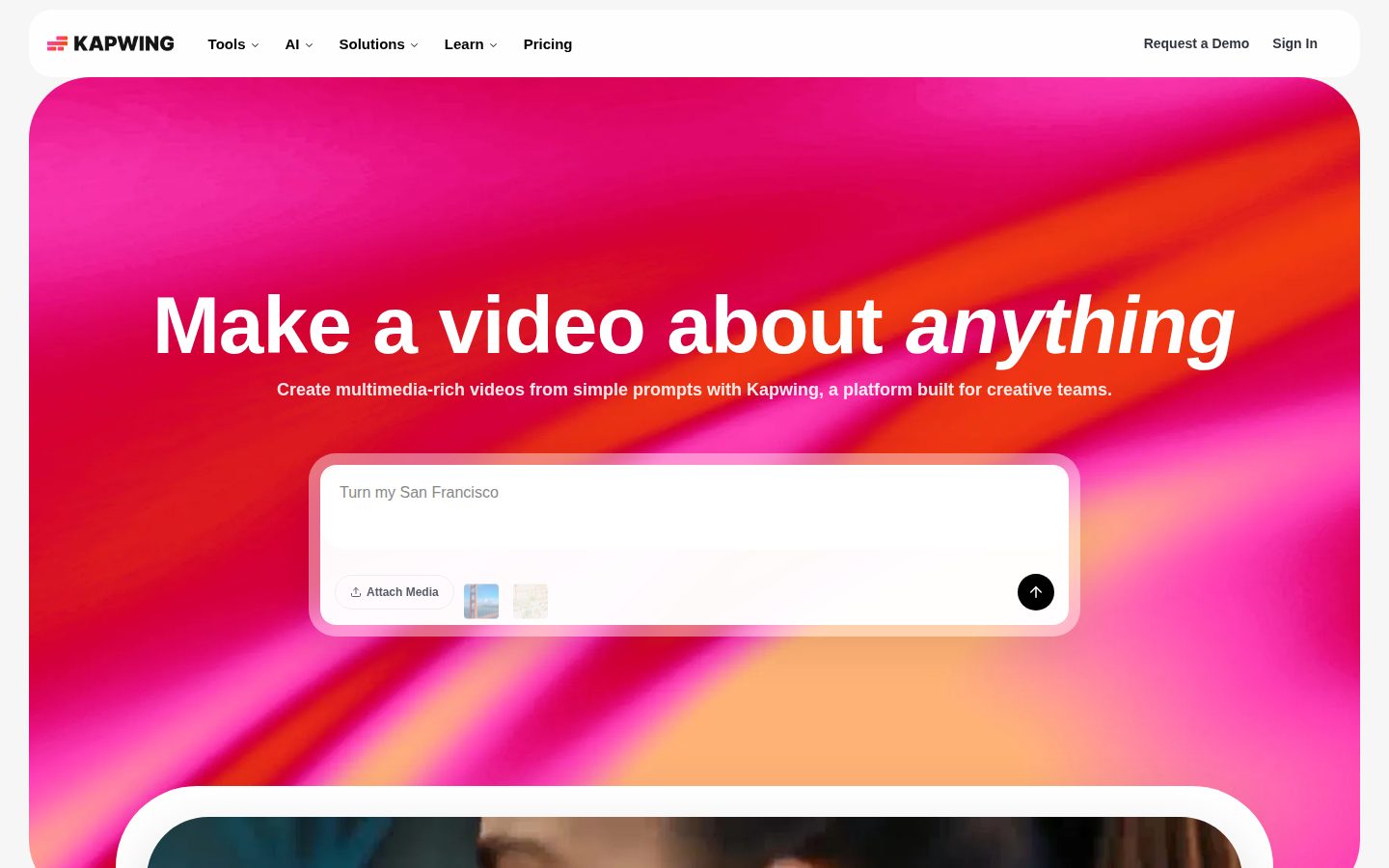
Three tells. One: 'make a video about anything' is the kind of headline every text-to-video tool ships in 2024. Two: no docs, no API, no changelog listed. Three: credits-based pricing — 1,000 credits on Pro, 4,000 on Business — which is the model that lets a vendor quietly reprice later without touching the sticker price.
What's solid: the feature list is specific, not vaporware. Auto-subtitling, 40+ language dubbing, Repurpose Studio, Smart Cut — these are named, described, and priced tier by tier. That's more concrete than most AI-video pitches I see.
The competitive set is Canva, CapCut, Adobe Premiere Rush. All three have deeper pockets and broader distribution. Kapwing's edge is the prompt-to-full-project generator, which is real but not exclusive for long. Exit is fine — it's browser-based, exports are standard video files, no lock-in trap visible.
The prompt-to-full-project generator is a real edge, but not one Canva or CapCut can't copy soon.
Browser-based with standard video file exports; no lock-in trap visible beyond unspent credits.
No docs, no API, no changelog listed — thin public signal against deeper-pocketed Canva, CapCut, and Adobe.
'Make a video about anything' is generic text-to-video copy, though the tier-by-tier feature list underneath is specific and real.
30 million users claimed with no funding round named — growth-story signals without the verifiable backing.
Creators who want prompt-to-full-project video generation at a sane monthly price with a clean exit path.
You need public proof of momentum — funding, changelog, shipping cadence — before betting on a credits-metered vendor.
Common questions answered by our AI research team
Yes. Kapwing's Video Generator turns a simple text prompt into a full video complete with visuals, voiceover, subtitles, music, timing, and even characters, with a customizable script.
Kapwing's Dubbing tool translates dialogue into 40+ languages.
No. Kapwing runs in the browser with no downloads or installations needed — users have noted it "just works" right away.
The Repurpose Studio turns a video into social-ready clips, making it easy to adapt one piece of content into multiple formats for different platforms.
Yes. The Video Editor has a collaborative interface that lets team members take part in editing and share feedback on the same project.
Founded
2017Pricing
From $16/moFree Plan
AvailableKapwing is a browser-based video editing platform based in New York that lets teams create, edit, and repurpose video content for social media.