Playground AI logo

Playground AI Review

Visit

AI design tool for logos, graphics, mockups, and social media

Playground is a browser-based AI design platform for marketers, creators, and small businesses.

AI Panel Score

7.5/10

6 AI reviews

Reviewed

AI Editor Approved

About Playground AI

Users start by either selecting from a library of templates (refreshed daily with hundreds of new designs) or opening a blank canvas in the design editor. From there, they can add text using a 2,000+ font library with natural-language search, place vector shapes, stack image layers, apply AI-generated imagery, and export in PNG, JPEG, WebP, AVIF, or other formats. Free standalone tools for background removal, upscaling, resizing, logo generation, mockup creation, and file conversion are accessible directly from the browser without signing in.

Playground's precision editing is built on SAM3 (Segment Anything Model), which generates pixel-level masks from a single click on any object, person, or text region inside an image — removing the need for manual lassoing or selection tools. AI image generation supports multiple models including Playground v3, Nano Banana, Nano Banana Pro, Seedream, and GPT-Image. The mockup generator produces photorealistic product scenes for t-shirts, hoodies, mugs, phone cases, and more, which is particularly useful for print-on-demand sellers listing on platforms like Merch by Amazon, Printful, Printify, Etsy, and Redbubble.

Playground targets marketers, social media creators, e-commerce sellers, and small business owners who need design output without the learning curve of tools like Figma or Adobe Photoshop. The free tier covers most core workflows with no sign-up required; paid tiers (Pro and Pro Plus) unlock higher-resolution exports, additional credits, and access to advanced AI models. Competitors in the browser-based design category include Canva and Adobe Express.

The platform is entirely web-based with no desktop application required. It supports print-ready PNG exports at high DPI for DTG, DTF, sublimation, and screen printing workflows, and is compatible with Cricut Design Space for Print Then Cut and sublimation projects.

Features

AI

  • AI Image Generation

    Generates images from text prompts using multiple AI models including Playground v3, Nano Banana, Nano Banana Pro, Seedream, and GPT-Image directly within the design editor.

  • AI Image Resizer

    Resizes images to new dimensions using AI to intelligently fill or adjust content, beyond simple cropping or scaling.

  • AI Logo Generator

    Generates a logo from a text description of a brand name, style, and color palette, delivering a high-resolution PNG — free with no account required.

  • Background Removal

    Automatically removes the background from any uploaded image using AI, producing a transparent PNG — free and usable without a sign-up.

  • Image Upscaler

    Upscales and enhances low-resolution images using AI to produce higher-quality output suitable for print or large-format use.

  • Mockup Generator

    Places user artwork onto photorealistic product scenes including t-shirts, hoodies, mugs, phone cases, tote bags, and business cards for use in product listings and ad creatives.

  • Precision Object Editing (SAM3)

    Lets users click any object, person, or text region inside an image to generate a pixel-level mask via SAM3 (Segment Anything), enabling editing, recoloring, replacing, or removing that element without manual selection.

Core

  • File Type Converter

    Converts images between formats including PNG, JPG, WebP, AVIF, HEIC, and HEIF directly in the browser with no account required.

  • Layer-Based Design Editor

    Provides a full canvas editor with stacked image, text, vector, and shape layers that are each independently editable, groupable, maskable, and non-destructive.

  • Natural-Language Font Search

    Allows users to search a library of 2,000+ fonts using plain-language descriptions (e.g., 'chunky retro serif' or 'clean tech sans') to find the right typeface for a design.

  • Template Library

    Offers a searchable library of customizable design templates refreshed daily with hundreds of new designs covering current trends, seasonal moments, and platform-specific sizing across categories like logos, posters, t-shirts, stickers, and more.

Integration

  • Print & Fulfillment Store

    Allows users to order physical products such as posters and shirts printed from their Playground designs, with Playground handling fulfillment.

Preview

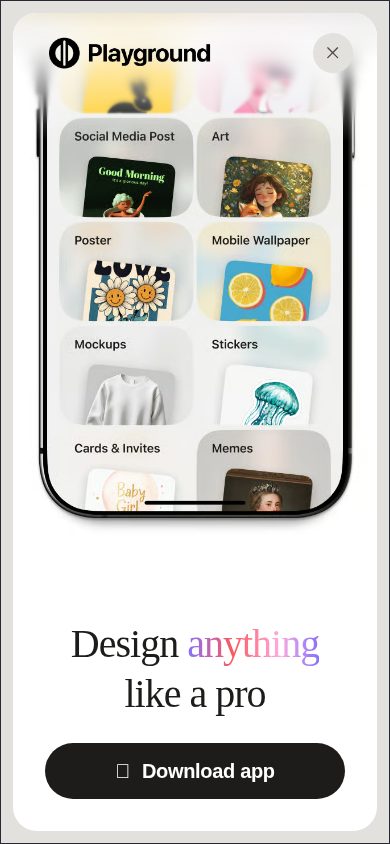
Playground AI desktop previewPlayground AI mobile preview

Pricing Plans

Free

Free

For exploring and casual creation

  • Up to 10 images every 3 hours
  • 3 monthly generations across Nano Banana, GPT Image 2, and Seedream
  • Limited model access
  • Non-commercial use only
  • Slower generation during peak hours

Pro

$12/monthly

For serious creators

  • Up to 75 images every 3 hours
  • 150 monthly credits across Nano Banana, GPT Image 2, and Seedream
  • Unlimited access to premium template library
  • Upscaling and background removal included
  • Up to 2K AI image editing (2048×2048 with GPT Image 2)
  • Worldwide royalty-free commercial license
Popular

Pro Plus

$36/monthly

For professionals who need the best model, unlimited generations, and zero compromises

  • Unlimited image generations with no caps
  • 1,000 monthly credits across all models including Nano Banana Pro
  • Unlimited upscaling and background removal
  • Up to 4K AI image editing (3840×2160 with GPT Image 2)
  • Worldwide royalty-free commercial license
  • Priority support, API access, and exclusive shopping discounts

AI Panel Reviews

The Decision Maker

The Decision Maker

Strategic bet, vendor viability, timing, adoption approval
7.6/10

Canva's scrappier rival ships SAM3 precision editing at $12 and means it.

Playground punches above its weight for print-on-demand sellers and social creators who need real AI editing without Canva's price creep. The free tier is genuinely useful — no account, no friction, no excuses.

No public funding data and unknown team size are real flags. But the feature velocity is visible: SAM3 precision editing, five named AI models, daily template refreshes. That's not a zombie product. It's shipping.

The $12 Pro tier is hard to argue with. Background removal, upscaling, 2K exports, commercial license — all in. Canva charges more for less control on the AI side. The tradeoff: free tier caps at 10 images per 3 hours with non-commercial-only rights, which will frustrate anyone trying to validate before buying.

For a small e-commerce team listing on Printful or Merch by Amazon, this pays back inside a week. For an enterprise design org, it won't replace Adobe. Know which problem you're solving.

Competitive Positioning7.2

SAM3 object editing differentiates from Canva and Adobe Express, but Canva's ecosystem and brand recognition still own the default enterprise decision.

Reputation Risk7.5

Browser-based, no-account free tools read as credible and low-risk; GPT-Image integration adds legitimacy with the board.

Speed to Value8.5

Background removal and mockup generation require zero onboarding — no account, no install, first output in minutes.

Strategic Fit7.8

SAM3 precision editing and integrated mockup generation advance print-on-demand workflows rather than just substituting a cheaper Canva.

Vendor Viability6.5

No public funding data, unknown headcount — daily template refreshes and multi-model AI suggest active investment, but runway is unverifiable.

Pros

  • SAM3 precision editing removes manual masking entirely — click-to-select on any object
  • Free tier requires no account for background removal, upscaling, and mockup generation
  • $12 Pro includes commercial license and 2K AI exports — strong value density
  • 2,000+ font library with natural-language search is a genuine time-saver

Cons

  • No public funding or team size data — viability beyond 24 months is a guess
  • Free tier is non-commercial only, which limits real evaluation before buying
  • No changelog or API docs visible publicly — hard to assess roadmap discipline
  • No desktop app; fully browser-dependent is a risk for offline or bandwidth-constrained teams

Right for

Small e-commerce sellers and social creators who need fast, AI-assisted design output without Adobe's learning curve.

Avoid if

Your team needs enterprise SSO, audit trails, or a vendor with verifiable funding and SLA commitments.

The Domain Strategist

The Domain Strategist

Craft and strategy in the product's domain — adapts identity per category, same lens
7.2/10

Solid SMB design engine, but the craft ceiling reveals itself fast.

Playground combines genuine AI capability — SAM3 precision editing, 2,000+ fonts, multi-model image generation — into a no-friction browser tool that non-designers can actually use. For senior creative ops or agency work, the depth isn't there yet.

The layer-based editor with SAM3 object masking is legitimately impressive for a free-tier product. Click-to-mask without manual lassoing is design-system-adjacent thinking — someone understood how real editing workflows break down. The template library refreshing daily with trend-chasing designs signals volume-over-craft, which tells you the intended user isn't a senior art director.

At $36/month for Pro Plus, the value math is strong for small business and POD sellers. But the absence of a changelog, no API docs on the public site, and non-commercial restrictions on the free tier all point to a platform optimized for casual volume, not controlled brand systems. Canva has 4+ years of design system depth on them; Adobe Express has the asset licensing infrastructure.

If you're building a creative workflow for a brand with real equity, Playground won't hold your component library or enforce your visual language. It's a strong standalone production tool, not a design system backbone.

Category Positioning7.5

Sits clearly between Canva and Adobe Express with a stronger AI-native editing story, particularly the SAM3 precision tool, which neither competitor matches at this price point.

Domain Fit6.0

Built for marketers and POD sellers — the daily template refresh and mockup-first workflow don't reflect how senior creatives actually structure repeatable brand production.

Integration Surface6.8

API access only on the $36 Pro Plus tier, and Cricut Design Space compatibility is a genuine differentiator for POD workflows, but no native integrations with brand management or DAM platforms.

Long-term Implications7.0

If adopted for SMB or social content workflows, Playground locks you into a browser-only, credit-based model; no desktop app and no changelog visibility makes 3-year planning harder.

Strategic Depth6.5

Multi-model AI generation and SAM3 masking show real craft investment, but no design token system, component management, or brand kit infrastructure limits ceiling for serious creative work.

Pros

  • SAM3 click-to-mask editing is genuinely best-in-class at this tier
  • No-account free tools lower the barrier for client handoffs and one-off projects
  • 2,000+ font library with natural-language search is a standout for non-designers
  • $12/month Pro tier delivers commercial licensing at a price Canva can't beat

Cons

  • No brand kit, design tokens, or component system — brand consistency has to live outside the tool
  • Free tier is non-commercial only, which limits real business use without upgrading
  • No changelog or public roadmap visibility makes long-term adoption a bet
  • Template-first architecture optimizes for volume, not craft control

Right for

SMB owners, social media creators, and print-on-demand sellers who need fast, polished output without a design background.

Avoid if

Your brand has established visual systems that require component-level governance or multi-designer consistency enforcement.

The Finance Lead

The Finance Lead

Money, total cost of ownership, contracts, procurement math
7.8/10

$12/seat Pro tier, zero SSO tax, three tiers fully visible before login

Playground AI prices cleanly: $0, $12, $36 monthly, all published. Free tier is genuinely functional — no account required for background removal, upscaling, and mockups.

Three tiers, all priced on the page. $12/month Pro, $36/month Pro Plus. No sales call, no "contact us for pricing." Canva Pro runs $15/seat/month — Playground undercuts it by 20%. Background removal and mockup generation are free with no sign-in. That's real, not marketing copy.

50-user team on Pro: $12 × 50 × 12 = $7,200/year. Add 20% seat creep — year 3 lands around $10,400. Pro Plus at $36 hits $25,920 at year 3 with same creep. No published overage rate on credits beyond the 150/month Pro cap, but the free tools absorb casual volume. Training cost is near zero — browser-based, template-first.

The tradeoff: Free tier limits to 3 monthly AI generations on premium models and restricts commercial use. That's a real constraint for e-commerce sellers on Printful or Redbubble. Pro fixes it. No API on Pro — that's Pro Plus only at $36. Contract terms aren't published; auto-renewal window is unknown.

Billing & Procurement8.0

Monthly billing, self-serve signup, no procurement friction — procurement teams won't fight this one.

Contract Flexibility6.5

Auto-renewal window and cancellation terms aren't publicly documented — standard SaaS risk, but unverified.

Pricing Transparency9.0

All three tiers — $0, $12, $36 — are fully published with feature breakdowns, no sales gate required.

ROI Clarity7.5

Mockup generation and background removal replace point tools charging $5-10/month each; ROI is measurable for print-on-demand workflows.

Total Cost of Ownership8.2

$12 × 50 × 12 = $7,200/year base; no SSO tax or mandatory add-ons found; credit overage terms not published.

Pros

  • $12 Pro tier undercuts Canva Pro by $3/seat
  • Free tools require no account — zero onboarding cost for casual use
  • SAM3 precision editing replaces manual selection workflows
  • 2,000+ font library with natural-language search included at all tiers

Cons

  • Free tier: only 3 premium model generations/month, non-commercial only
  • API access locked to $36 Pro Plus — doubles cost for automation workflows
  • Auto-renewal and cancellation terms not publicly documented
  • No desktop app — browser-only is a dependency risk

Right for

SMBs and print-on-demand sellers who need Canva-grade output at $3 less per seat.

Avoid if

Your team needs API access or automation pipelines below the $36 Pro Plus tier.

The Domain Practitioner

The Domain Practitioner

Daily hands-on reality in the product's domain — adapts identity per category, same lens
7.6/10

SAM3 precision editing is genuinely useful; daily layer work reveals Canva-level ceiling

Playground packs real AI muscle into a browser-based editor that non-designers can survive. Power users will bump the ceiling before end of week one.

SAM3 click-to-mask is the standout feature here. One click, pixel-level selection, no manual lassoing. For quick object removal or recoloring inside a mockup, that's a legitimate workflow win — something Canva still can't touch at this fidelity. The 2,000+ font library with natural-language search is a quiet daily convenience; searching 'chunky retro serif' and getting relevant results beats scrolling a dropdown.

The layer panel is where day-three reality hits. It's non-destructive and supports grouping and masking, which is more than most tools in this tier. But there's no public changelog and no API docs on the free tier — the Pro Plus at $36/month unlocks API access, which tells me the power-user toolchain isn't fully open. Free tier caps at 10 images per 3 hours and restricts commercial use entirely. That's a hard stop mid-workflow.

For print-on-demand sellers and social media creators, this is feature-complete and honestly priced. For a working designer doing client deliverables with complex layer hierarchies, the ceiling shows fast. The mockup generator and SAM3 justify the Pro tier at $12. The missing changelog and absent docs are friction that compounds weekly.

Day-3 Reality7.5

SAM3 and natural-language font search hold up daily, but the 10-image/3-hour free cap and non-commercial restriction create hard stops that force tier decisions fast.

Documentation Practitioner-Fit5.5

No changelog, docs availability flagged as N in evidence — what exists reads like marketing copy, not practitioner guidance.

Friction Surface7.2

No changelog and no public docs mean troubleshooting is guesswork; layer depth limitations will surface weekly for anyone doing complex compositions.

Power-User Depth7.0

SAM3, multi-model AI generation, and 4K editing at Pro Plus show real depth, but API access locked behind $36/month and no advanced docs limits the ceiling for serious workflows.

Workflow Integration7.8

Browser-based with no install, no-account background removal, and direct mockup export to Printful/Etsy workflows fit print-on-demand pipelines without new habits.

Pros

  • SAM3 click-to-mask removes the most tedious selection work in quick edits
  • Natural-language font search across 2,000+ fonts is a genuine daily convenience
  • Mockup generator covers t-shirts, hoodies, mugs, and phone cases with photorealistic output ready for Merch by Amazon or Printify
  • Background removal and file conversion free with no account — low barrier entry

Cons

  • Free tier blocks commercial use entirely — hits real creators immediately
  • No changelog published, docs flagged absent — debugging is opaque
  • Layer hierarchy depth unclear; likely hits limits on complex multi-layer compositions
  • API access locked to $36/month Pro Plus, fragmenting serious workflow integration

Right for

Print-on-demand sellers and social media creators who need fast mockups and AI-assisted editing without Photoshop's learning curve.

Avoid if

You're doing client design work requiring deep layer hierarchies, version history, or scriptable export pipelines.

The Power User

The Power User

Daily human experience, onboarding, polish, learning curve, reliability
7.8/10

Canva's scrappier cousin — free enough to hook you, smart enough to keep you

Playground punches above its $12/month price with genuinely useful AI editing and a no-account-required free tier. The free tier limits hurt, but the SAM3 precision editing and mockup generator are legitimately good.

Ten images every three hours on the free tier. That's not generous — that's a leash. But the hook is real: background removal, mockups, upscaling, file conversion, all free, no sign-in. Most tools make you create an account to do anything useful. Playground doesn't. That's a decision made by someone who knew the first-touch experience mattered.

The SAM3 precision editing is the thing that earns this product its score. Click an object, get a pixel-level mask, edit it. No lasso tool. No selection gymnastics. Compared to Canva's basic remove-and-replace, this is a different class of workflow. The 2,000+ font library with natural-language search — 'chunky retro serif' — is the kind of small feature that makes a long day shorter.

The tradeoff: Pro Plus at $36/month unlocks unlimited generations and 4K output, but that free tier non-commercial restriction means hobbyists hit a wall fast. Web-only is fine. The iOS app exists per the docs, but mobile parity on canvas tools is historically rough. Day three, you'll know if the generation limits fit your pace.

Daily Polish7.5

Natural-language font search and daily template refreshes show real craft; no changelog visible to track ongoing polish.

Learning Curve8.0

SAM3 click-to-edit removes the steepest part of the learning curve; the template library gives beginners a starting point without homework.

Mobile Parity6.5

iOS app exists per buyer FAQ but the product is web-first, and layer-based canvas editors rarely feel equal on mobile.

Onboarding Experience8.5

No account required for core tools is a genuinely low-friction entry that most competitors including Canva don't match.

Reliability Feel7.0

Slower generation during peak hours on the free tier is a disclosed limitation, which is honest but still annoying at 2pm.

Pros

  • SAM3 precision object editing requires zero manual selection — genuinely faster than Canva or Adobe Express
  • Free tier with no account needed for background removal, mockups, and upscaling
  • 2,000+ font library searchable in plain English
  • Print-on-demand mockup output compatible with Merch by Amazon, Printify, and Etsy workflows

Cons

  • Free tier capped at 10 images every 3 hours with non-commercial use only
  • No desktop app and mobile canvas parity is unproven
  • No public changelog — hard to know if polish is ongoing
  • Pro Plus at $36/month is a steep jump from $12 if you need 4K and unlimited generations

Right for

Print-on-demand sellers and social media creators who need fast, AI-assisted mockups and object editing without a design background.

Avoid if

You need guaranteed mobile-first design workflows or enterprise-volume generation without hourly caps.

The Skeptic

The Skeptic

Contrarian. Watch-outs, deal-breakers, broken promises, category patterns
6.8/10

Canva with sharper AI edges — but I can't find who's running this thing

Solid free-tier hooks and SAM3 precision editing are genuinely differentiated. No changelog, no company name, no funding signal — that's three missing things I'd want before a 12-month commitment.

Three flags before the feature list. One: no H1 on the homepage — odd for a product this mature. Two: no changelog. I can't verify shipping cadence. Three: company name listed as 'unknown'. That's not a minor gap. That's a due-diligence wall.

The product itself is more honest than most in this category. Free tools — background removal, upscaling, mockup generation — genuinely require no account. The SAM3 precision editing is a real differentiator vs. Canva, which still makes you lasso. At $12/month for Pro, the 75-image cap per 3 hours and commercial license is priced fairly. Pro Plus at $36 unlocks API access — good if it holds.

Tradeoff worth naming: free tier is 'non-commercial use only' and just 3 monthly generations on premium models. Heavy creators hit that ceiling fast. Canva's free tier is more generous for volume. Playground wins on precision; Canva wins on ecosystem depth.

Competitive Differentiation7.2

SAM3 click-to-edit and the print fulfillment integration are meaningful gaps vs. Canva and Adobe Express, which lack equivalent precision object editing.

Exit Portability7.8

Exports to standard formats (PNG, WebP, AVIF) with no proprietary lock-in; designs can be downloaded and recreated elsewhere with low friction.

Long-term Viability5.2

No identifiable parent company, no public funding data, no changelog — three missing viability signals that I'd expect from any product asking for $36/month.

Marketing Honesty7.5

Free tool claims hold up — background removal and mockups genuinely require no sign-up, per the pricing page and buyer FAQ evidence.

Track Record Match5.5

No changelog, unknown company, no public funding — matches patterns from tools that quietly sunset, not from durable category players.

Pros

  • SAM3 precision editing is a real differentiator — click any object, no lasso required
  • Genuinely free tools with no account: background removal, upscaling, mockup generation
  • 2,000+ font library with natural-language search is a strong UX detail
  • Print fulfillment integration is useful for POD sellers on Printful, Etsy, Merch by Amazon

Cons

  • No changelog visible — can't verify shipping cadence or active development
  • Free tier caps at 3 monthly premium model generations and bans commercial use
  • No company identity, no funding signal, no SLA page — opaque operator
  • No API on Pro tier; API only unlocks at $36/month Pro Plus

Right for

Print-on-demand sellers and social media creators who need free precision editing tools without a Canva subscription.

Avoid if

You need a vendor you can vet — org, funding, support SLA — before committing to a paid workflow.

Buyer Questions

Common questions answered by our AI research team

Setup

Do I need an account to use Playground AI?

Most tools require no account. You can use background removal, image upscaling, mockup generation, and file conversion for free without signing up.

Features

Can Playground AI remove image backgrounds for free?

Yes, background removal is free and requires no account.

Features

How does the precision object editing tool work?

The precision editing tool is powered by SAM3 (Segment Anything). Click any object in an image to edit, replace, recolor, or remove it — no manual selection needed.

Setup

Is there a Playground AI app for iPhone?

Yes, Playground AI has an iOS app available for iPhone.

Features

What types of designs can I make with Playground AI?

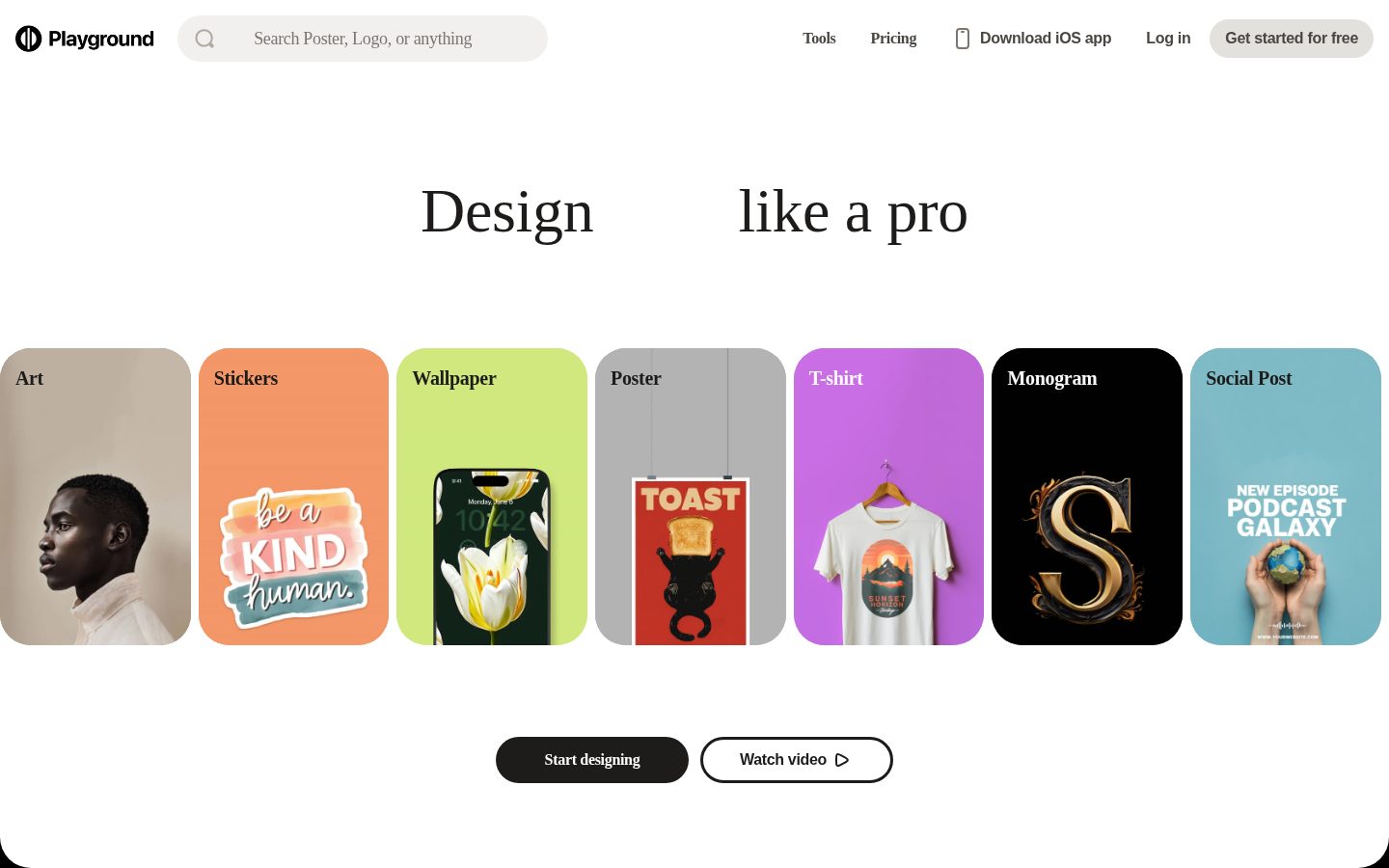
You can create logos, social media graphics, posters, t-shirts, product mockups, stickers, wallpapers, monograms, e-book covers, cards & invites, patterns, and memes.

Also in AI Design Tools