Taiga logo

Taiga Review

Visit

Open-source agile project management platform for development teams

Taiga is an open-source project management platform designed for agile software development teams.

Taiga·Founded 2014·From $5/moFree PlanFree TrialProject ManagementCollaboration ToolsCommunication Tools

AI Panel Score

7.7/10

6 AI reviews

Reviewed

AI Editor Approved

What is Taiga?

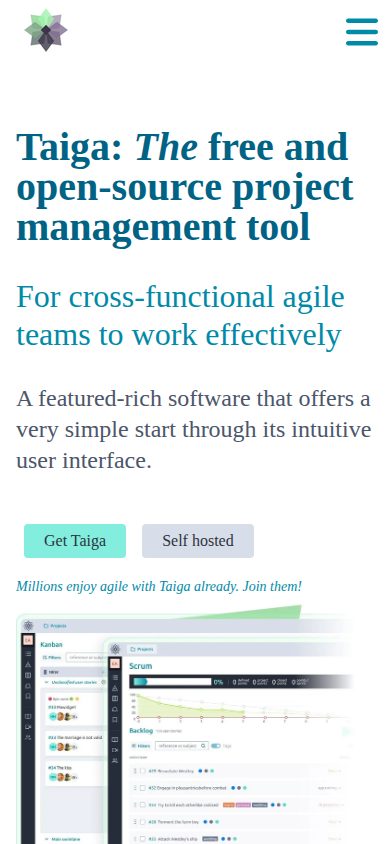
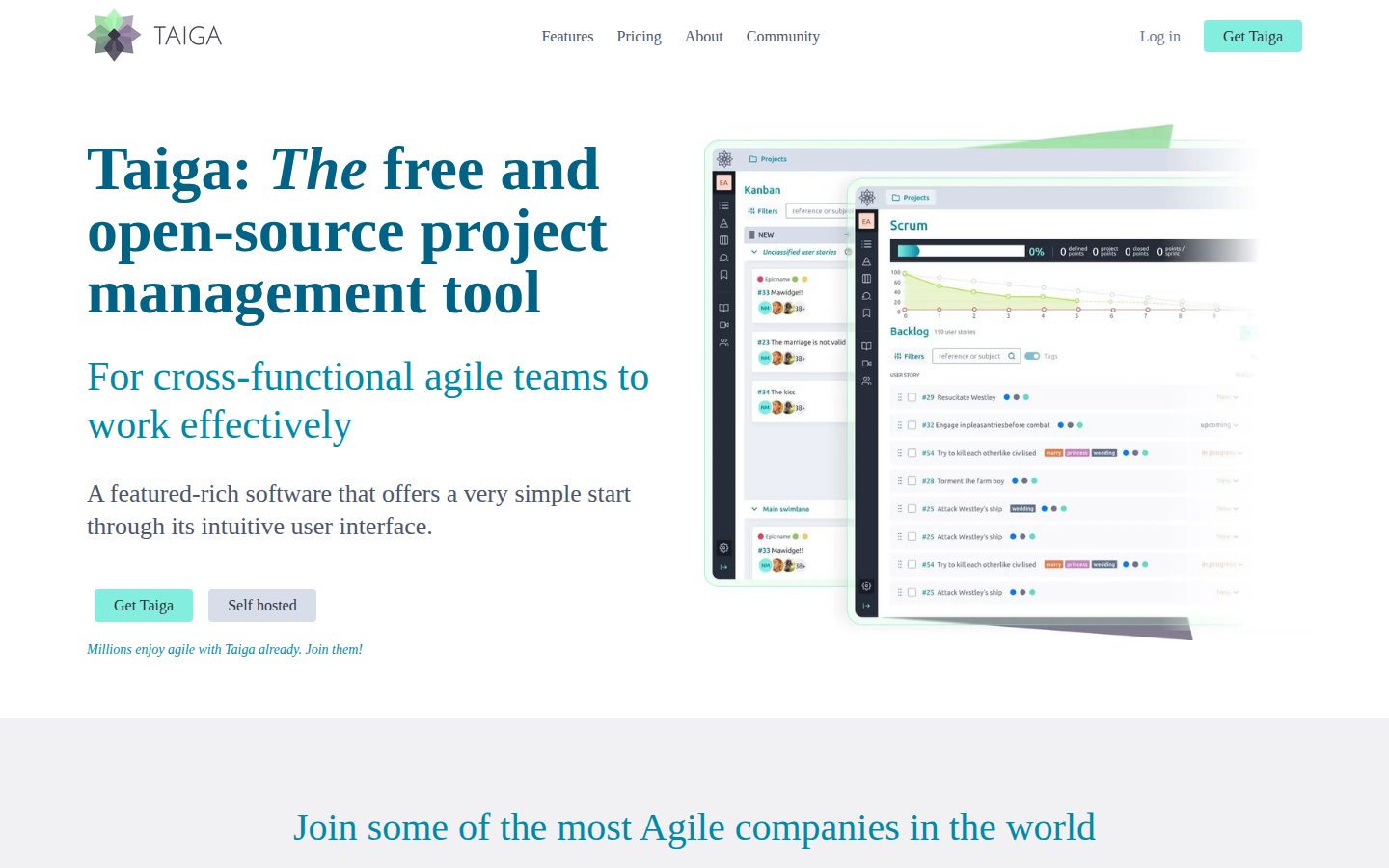
Taiga is an open-source project management platform designed for agile software development teams of various sizes. It provides kanban boards, scrum tooling with backlogs, epics, estimations, and burn-down charts, issue tracking, a wiki, and custom real-time reports, and runs either self-hosted on your own servers or in Taiga's cloud. The self-hosted edition is fully open source and free, giving teams complete data ownership, while the cloud edition offers a free tier and a paid path at $5 per user per month. Additional capabilities include custom roles and permissions, team performance dashboards, project import and export, and Zapier integrations. TopReviewed's six-seat AI review panel scored it 7.7/10, praising a self-funded vendor with no exit clock since 2014 while noting self-hosting puts installation, updates, and security on your own team. It best fits agile software teams that have the engineering capacity to run and maintain their own server.

About Taiga

Taiga is an open-source project management platform specifically designed for agile software development workflows. It provides comprehensive tools for managing projects using methodologies like Scrum and Kanban, featuring user stories, tasks, sprints, and burndown charts.

The platform includes issue tracking, wiki functionality, and team collaboration features. Teams can organize work through customizable boards, track progress with various charts and reports, and manage backlogs with drag-and-drop interfaces. Taiga supports role-based permissions and integrates with version control systems.

Targeted primarily at software development teams and organizations practicing agile methodologies, Taiga offers both cloud-hosted and self-hosted deployment options. The self-hosted version is completely free and open-source, while the cloud version operates on a freemium model.

Taiga competes in the project management space alongside tools like Jira, Trello, and Asana, but distinguishes itself through its open-source nature and specific focus on agile development practices. Its customizable interface and API make it suitable for teams that need flexibility in their project management workflows.

Features

Analytics

  • Burn Down Chart

    Displays burn down charts at both the project level and individual sprint level to track progress over time.

  • Custom Real-Time Reports

    Generates custom real-time reports in a user's own data editor accessible via a CSV URL link.

  • Team Performance Dashboard

    Provides a team performance dashboard including a team health Iocane function and full auditability with a project timeline.

Collaboration

  • Wiki Function

    Built-in wiki function for documenting project information and sharing knowledge within the team.

Core

  • Epics and Sub-tasks

    Supports EPICS and sub-tasks within both Kanban and Scrum workflows for hierarchical task organization.

  • Issue Tracking

    Integrated bug and issue tracking with customizable issue types, priorities, severities, and the ability to promote issues to user stories or add them to sprints.

  • Kanban Board

    Intuitive Kanban board with customizable workflows, swim lanes, WIP limits, extensive filter options, zoom levels, and user story archive function.

  • Scrum Boards

    Complete set of boards for sprint planning including backlog management, EPICS, sub-tasks, estimations per role, sprint task board with swim lanes, and burn down charts at project and sprint level.

Customization

  • Custom Roles and Permissions

    Allows definition of team roles and permissions along with customization of stages, colors, close definitions, and custom tags and fields.

Integration

  • Project Import and Export

    Supports importing and exporting projects to facilitate migration and data portability.

  • Zapier Integrations

    Provides various third-party integrations, partly through Zapier, to connect Taiga with other tools and services.

Security

  • Self-Hosted / On-Premise

    Offers a 100% open-source on-premise hosting option with full data control, custom installation, and security management for larger or multiple small teams.

Preview

Taiga desktop previewTaiga mobile preview

Pricing Plans

Taiga Cloud (Free/Freemium)

Free

Free cloud-hosted option for agile teams using Taiga's online service

  • Kanban board with customization and WIP limits
  • Scrum with backlog, sprint planning and burn down charts
  • Integrated issues/bug tracking
  • Dashboards and reporting
  • Custom roles, permissions, tags and fields
  • Various integrations including Zapier

Taiga Self Hosted (Open Source)

Free

100% open-source on-premise hosting for larger teams or those needing full data control and customization

  • All data on your own servers
  • Easy to update
  • Community contributions of your choice
  • Translated to 20+ languages
  • Customize your installation
  • Unparalleled security and control

AI Panel Reviews

The Decision Maker

The Decision Maker

Strategic bet, vendor viability, timing, adoption approval
7.9/10

Taiga is a low-risk agile tool for dev teams, but momentum trails its funded rivals.

A 2014 open-source project from a self-funded Madrid shop, with no exit clock to worry a board. The catch is a community roadmap that moves slower than a venture-backed competitor.

Taiga has shipped since 2014, built by Kaleidos, a Madrid software shop founded in 2011. No venture funding to burn through and no exit clock ticking. That is a different kind of bet than a Series B startup.

The product is genuinely useful. Scrum Boards give you backlog, EPICS, and burn down charts at the sprint level, and the Self-Hosted edition runs 100% open-source on your own servers. Jira covers more enterprise ground, but it does not match the cost story or the data control a self-hosted install gives you.

The catch is momentum, not capability. An open-source project on a freemium model rarely moves at the pace of a funded competitor, and the roadmap leans on community contributions. Self-host with one team, confirm the agile workflow fits, then decide whether to scale or pay $5 per user for the cloud.

Competitive Positioning7.6

Jira and Asana own mindshare; Taiga moves you forward only on cost and data control, not market signal.

Reputation Risk8.0

An established open-source project is an easy choice to defend to a board in an 18-month review.

Speed to Value7.7

The free self-hosted edition pays back fast, but install and maintenance fall on your own team.

Strategic Fit7.8

Purpose-built Scrum and Kanban boards fit dev teams practicing agile, less so general-purpose project work.

Vendor Viability8.0

Shipping since 2014 from a self-funded Madrid shop means no runway clock, though no funding cushion either.

Pros

  • Self-Hosted edition is 100% open-source and free, with all data on your own servers.
  • Scrum Boards cover backlog, EPICS, estimations, and burn down charts at project and sprint level.
  • Self-funded since 2014, so there is no exit clock or runway question hanging over the vendor.
  • Cloud tier at $5 per user offers a low-commitment paid path once a pilot succeeds.

Cons

  • Community-driven roadmap moves slower than venture-funded competitors like Jira.
  • Self-hosting puts installation, updates, and security on your own team.
  • Built for agile software workflows, not general-purpose or non-technical project management.

Right for

Software teams who want a free self-hosted agile tool with full data control.

Avoid if

Buyers who need fast roadmap velocity and deep enterprise governance.

The Domain Strategist

The Domain Strategist

Craft and strategy in the product's domain — adapts identity per category, same lens
7.7/10

Taiga is a durable open-source agile platform whose biggest asset is also its frontend liability.

Taiga gives agile teams a self-hostable Scrum and Kanban substrate with full data ownership. The architecture is sound for engineering orgs, but the AngularJS frontend is the three-year risk.

Standardizing on Taiga is a bet on an open-source codebase that has survived since 2014, built by the Madrid studio Kaleidos. For a CTO choosing project tooling through 2029, the self-hosted, source-available deployment matters: you own the data, the install, and the migration path in a way Jira Cloud never grants.

The craft signal is workflow depth. Scrum Boards carry backlog, EPICS, per-role estimation and project-level burn-down charts, and a project can switch between Scrum and Kanban without rebuilding. That is genuine agile substrate, not a relabeled task list, and it undercuts Trello on methodology while staying free at the self-hosted tier.

But the catch is the stack. Taiga's frontend runs on AngularJS, a framework Google ended support for in 2022, so a three-year commitment inherits a rewrite-or-stagnate question on the layer your team touches daily. Cloud plans start near $5 per user monthly, but the strategic value here is the on-premise option, not the hosted one.

Category Positioning7.9

A credible open-source alternative to Jira and Trello with a defensible self-hosted moat since 2014.

Domain Fit8.0

EPICS, sub-tasks and Scrum/Kanban switching match how engineering teams actually run sprints.

Integration Surface7.4

A documented API and Zapier connectors cover most stacks, though native integrations are thinner than Jira's.

Long-term Implications7.0

Self-hosting gives data ownership, but the AngularJS frontend carries a rewrite-or-stagnate risk through 2029.

Strategic Depth7.8

Scrum Boards with per-role estimation and burn-down charts show real agile craft, not a relabeled task list.

Pros

  • 100% open-source self-hosted deployment gives full data ownership and control.
  • Genuine agile depth: EPICS, per-role estimation, sub-tasks and burn-down charts.
  • Projects can switch between Scrum and Kanban without rebuilding.
  • Durable since 2014 with an active GitHub codebase under Kaleidos.

Cons

  • AngularJS frontend lost vendor support in 2022, raising long-term maintenance risk.
  • Native integrations are thinner than Jira's, leaning on Zapier for many connections.
  • Cloud tier is functional but the real strategic value sits in self-hosting.

Right for

Engineering teams who want a self-hosted agile platform with full data ownership.

Avoid if

Teams who need a polished hosted SaaS with no infrastructure overhead.

The Finance Lead

The Finance Lead

Money, total cost of ownership, contracts, procurement math
8.0/10

Self-hosting drops the per-seat line to zero, so the only real cost is the server.

Taiga's self-hosted edition is fully open-source and free at any team size. Cloud Premium runs roughly $5 to $7 per user, but the savings move the bill to infrastructure and engineering time.

Taiga has two price paths. Self-Hosted is 100% open-source and free, no seat count. Cloud Premium runs about $5 to $7 per user per month, billed annually.

TCO math. A team of 50 on Cloud Premium lands near $5 x 50 x 12 = $3,000/year. Self-hosting that same team is $0 in license. But budget a server and roughly 10 hours a month of engineering upkeep. "Free" just moves the cost off the invoice. Compare Jira, which meters seats and gets expensive past 50 people.

ROI is measurable. Burn Down Charts and the Team Performance Dashboard tie sprint output to plan. Project Import and Export means data portability, so no lock-in. Kaleidos formed Taiga Agile in 2014, so vendor risk is low.

Billing & Procurement7.5

Cloud billing is simple per-user annual, and self-hosting needs no procurement at all.

Contract Flexibility8.5

Open-source self-hosting has no contract, term length, or auto-renewal to negotiate.

Pricing Transparency8.5

Self-hosted is openly free and Cloud Premium tiers are visible without a sales call.

ROI Clarity7.8

Burn Down Charts and the Team Performance Dashboard tie sprint output to plan.

Total Cost of Ownership7.5

Zero license on self-hosting, but server and engineering upkeep move the cost off the invoice.

Pros

  • Self-hosted edition is fully open-source and free at any team size.
  • Cloud Premium at roughly $5 per user is cheap against Jira-class pricing.
  • Project Import and Export gives clean data portability and no lock-in.
  • Open-source license means no contract terms or auto-renewal to negotiate.

Cons

  • Self-hosting shifts cost to server budget and ongoing engineering upkeep.
  • Cloud support is thin until the $70/month supported tier.

Right for

Agile teams who have engineering capacity to run their own server.

Avoid if

Non-technical teams who need a fully managed tool with vendor support.

The Domain Practitioner

The Domain Practitioner

Daily hands-on reality in the product's domain — adapts identity per category, same lens
7.6/10

Taiga keeps the agile board honest with Epics and Sub-tasks, but the AngularJS stack is aging.

Taiga gives a dev team a clean Scrum and Kanban board with native estimation per role. But the frontend runs on AngularJS, a framework end-of-lifed in 2022.

A board tool earns its keep on the messy sprint, not the empty backlog. Taiga handles that case well: Epics and Sub-tasks give you real hierarchy inside the Kanban board, and estimations are tracked per role, so a designer and a backend dev on the same story do not fight over one number. Switching a project between Scrum and Kanban is a setting, not a migration.

The workflow fit is genuine for a small engineering team. Burn Down Charts render at sprint and project level, and Custom Real-Time Reports expose a CSV URL you can poll from a script. Jira buries the same data behind JQL and a slower UI. Taiga loads fast and the issue-to-story promotion keeps bug triage in one place.

The catch is the stack. Taiga ships on Python, Django, and AngularJS, and AngularJS hit end-of-life in 2022. The self-hosted build is genuinely free and the docs are written by people who run it, but the dated frontend means snappier interactions land slowly.

Day-3 Reality7.7

Epics, Sub-tasks and per-role estimation hold up once a sprint gets busy and stories nest.

Documentation Practitioner-Fit7.8

Self-hosted install docs read like they were written by people who actually run the stack.

Friction Surface7.2

Fast loads help, but the end-of-lifed AngularJS frontend makes interactions feel dated.

Power-User Depth7.5

Custom Real-Time Reports expose a CSV URL for scripting, plus custom roles, fields and tags.

Workflow Integration7.8

Scrum/Kanban switching is a setting and issue-to-story promotion keeps triage in one tool.

Pros

  • Epics and Sub-tasks give real task hierarchy inside both Kanban and Scrum boards.
  • Per-role estimation lets mixed-discipline teams size one story without arguing over a number.
  • Self-hosted build is 100% open-source and free at any team size.
  • Custom Real-Time Reports expose a CSV URL you can poll from scripts.

Cons

  • Frontend runs on AngularJS, which reached end-of-life in 2022.
  • Third-party integrations lean on Zapier rather than native connectors.

Right for

Small agile dev teams who want a free self-hosted board.

Avoid if

Teams who need a polished modern UI and deep third-party integrations.

The Power User

The Power User

Daily human experience, onboarding, polish, learning curve, reliability
7.6/10

Taiga gives agile teams a clean board for free, if the AngularJS stack does not scare you off.

A genuinely tidy Scrum and Kanban tool you can self-host at zero cost. The catch is the front end runs on a framework that stopped getting updates years ago.

The thing that earns trust here is the lack of a paywall. Self-hosted Taiga is 100% open-source and free at any team size, and the cloud Basic tier is free too. So you can sit with the actual product before anyone asks for $5 a seat. Jira does not let you do that.

Day to day, it feels considered. The Kanban Board carries WIP limits, swim lanes, and a user story archive, and switching a project from Kanban to Scrum and back is a real supported move, not a migration. Burn Down Charts show up at both project and sprint level. It is not flashy, but the small things are mostly handled.

The yellow flag is the tech underneath. Their stack lists AngularJS, a framework retired in 2021, so the front end can feel a step behind newer tools. Taiga has been around since 2014 and still works well, but it shows its age in spots.

Daily Polish7.8

Kanban Board has WIP limits, swim lanes, and a story archive; the small touches are mostly handled.

Learning Curve7.8

Switching between Kanban and Scrum on one project keeps it approachable as teams grow.

Mobile Parity7.5

Platform is web-only with no dedicated mobile app, scored neutral for a dev workflow tool.

Onboarding Experience7.5

Free cloud Basic and free self-hosting let you try the real product with no signup friction.

Reliability Feel7.4

Mature since 2014 and stable, but the AngularJS front end can feel dated in places.

Pros

  • Self-hosted version is fully open-source and free at any team size.
  • Kanban Board includes WIP limits, swim lanes, and a user story archive.
  • Projects can switch between Kanban and Scrum without a migration.
  • Burn Down Charts available at both project and sprint level.

Cons

  • Front-end stack runs on AngularJS, retired since 2021.
  • No dedicated mobile app; the product is web-only.

Right for

Agile development teams who want a free self-hosted board.

Avoid if

Teams who expect a polished mobile app and a modern front end.

The Skeptic

The Skeptic

Contrarian. Watch-outs, deal-breakers, broken promises, category patterns
7.4/10

An AGPL-licensed agile tool that has quietly outlived most of its 2014 cohort.

Taiga launched in 2014 and the self-hosted edition is genuinely free under AGPL-3.0. The catch is a small team and a thin commercial story behind it.

The agile-tool graveyard is full. Taiga is not in it. Launched October 2014 by Madrid-based Kaleidos, twelve years shipping, still here. The AGPL-3.0 license is the real asset — self-hosted runs on your servers for nothing.

The product is honest about its scope. Scrum Boards carry backlog, EPICS, and per-role estimations; the Burn Down Chart runs at project and sprint level. Cloud Premium is $5 per user per month billed annually. But Taiga sells to teams who outgrew Trello and refuse to pay for Jira — and against Jira it lacks the integration depth and roadmap tooling.

The yellow flag is the commercial story. A small team, no public funding data, and a thin cloud business propping a free product. Exit is clean — Project Import and Export plus an open API mean you can leave. Just price the bus factor before betting a roadmap on it.

Competitive Differentiation6.8

Open-source and agile focus differentiate it, but Jira and Trello own the broader market.

Exit Portability8.0

Project Import and Export plus an open API and self-hosting make leaving clean.

Long-term Viability6.5

A small team with no public funding data leaves the 3-year bet uncertain.

Marketing Honesty7.8

The site claims "free and open-source" and the AGPL-3.0 self-hosted edition genuinely delivers that.

Track Record Match7.5

Twelve years shipping since the 2014 launch puts it among survivors, not the failed cohort.

Pros

  • Self-hosted edition is genuinely free under the AGPL-3.0 license.
  • Twelve years of shipping since 2014 marks it as a category survivor.
  • Project Import and Export plus an open API keep exit clean.
  • Cloud Premium at $5 per user per month is honestly priced for its segment.

Cons

  • A small team and no public funding data raise long-term viability questions.
  • Integration depth and roadmap tooling trail Jira.

Right for

Agile teams who want a free self-hosted alternative to Jira.

Avoid if

Organizations who need deep third-party integrations and vendor support guarantees.

Buyer Questions

Common questions answered by our AI research team

Features

Can I switch between Kanban and Scrum on the same project without losing my data?

Yes, Taiga explicitly supports switching between Kanban and Scrum and vice versa on the same project. Both the Kanban and Scrum feature descriptions mention the 'Possibility to switch over to Scrum and vice versa' and 'Possibility to switch over to Kanban and vice versa,' though the content does not specifically address data retention during the switch.

Setup

Does the self-hosted option allow me to customize the installation and choose which community contributions to include?

Yes, the self-hosted option explicitly includes 'Your choice of community contributions' and 'Customize your installation' as listed features. It also notes it is 'Easy to update' and offers 'Unparalleled security and control.'

Security

What kind of security and data control does the on-premise hosting option provide compared to the cloud version?

The content describes the on-premise option as offering 'Unparalleled security and control' and notes it is ideal for teams that 'need to have all data on their own servers.' However, no specific comparison to the cloud version's security or data control is provided.

Pricing

Is Taiga completely free for self-hosted deployments, or are there paid tiers for larger teams?

The content describes Taiga as 'The free and open-source project management tool' and the self-hosted option is presented without mention of paid tiers. However, the content does not explicitly confirm whether larger self-hosted teams have paid tiers or if it remains entirely free at all scales.

Product Information

  • Company

    Taiga
  • Founded

    2014
  • Pricing

    From $5/mo
  • Free Trial

    Available
  • Free Plan

    Available

Platforms

web

About Taiga

Taiga is an open-source agile project management tool built by Kaleidos in Madrid, supporting Scrum and Kanban workflows for cross-functional teams.

Resources

Documentation
API
Blog
Changelog

Also in Project Management