Quinyx logo

Quinyx Review

Visit

Workforce management for frontline industries

Quinyx is an AI-powered workforce management platform for frontline industries like retail, hospitality, and logistics.

AI Panel Score

7.1/10

6 AI reviews

Reviewed

AI Editor Approved

About Quinyx

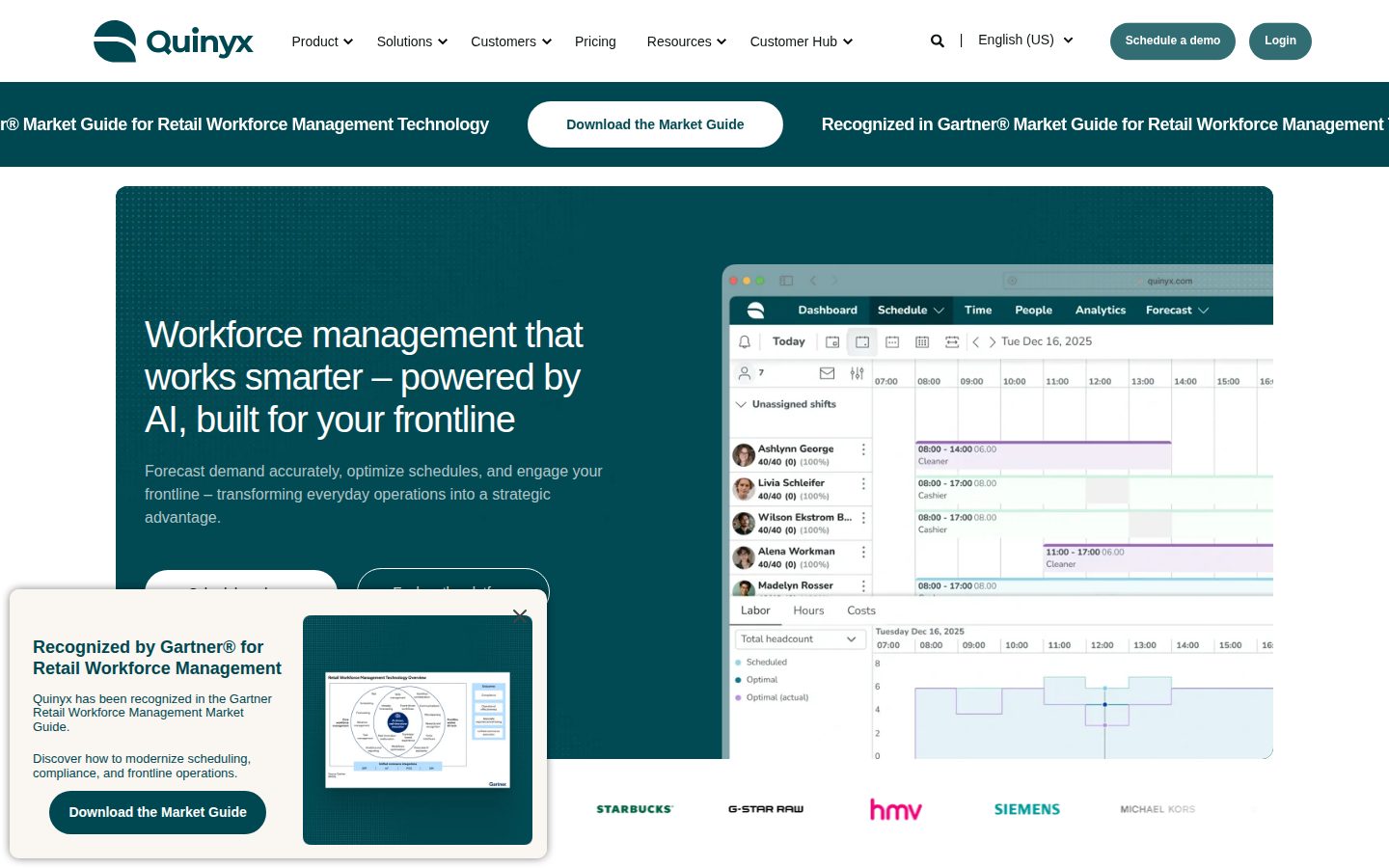
Quinyx centers on building and managing employee schedules for businesses with frontline, shift-based workforces. Managers use the platform to create schedules, track time and attendance, and forecast labour needs against demand data, while employees access their shifts, swap requests, and workplace communication through a mobile app. The workflow connects planning decisions directly to business metrics like labour cost and compliance risk rather than treating scheduling as a standalone task.

The platform is organized around three areas: managing the workforce (scheduling, time and attendance), optimizing the business (labour cost forecasting and demand-based planning), and engaging the frontline (an employee hub for communication and self-service). Quinyx has added an AI assistant into the platform to support scheduling and planning decisions. It also offers industry-specific configurations for retail, warehousing and logistics, hospitality and quick-service restaurants, facility management, and healthcare, along with integrations to connect with other business systems.

Quinyx is built for mid-size to large organizations with hourly, shift-based workforces across retail, hospitality, logistics, healthcare, and facility management. Pricing is not publicly listed and requires contacting sales, following a quote-based model typical of enterprise workforce management software. It competes with other workforce management platforms such as Deputy, When I Work, UKG, and Legion.

Features

AI

  • AI-Powered Demand Forecasting

    Predicts labor needs by analyzing historical sales and operational data combined with real-time trends to determine optimal staffing levels.

  • Labor Optimization and Strategic Planning

    Uses AI-driven functions for strategic workforce planning and labor optimization to reduce costs while maintaining near-perfect scheduling accuracy.

Analytics

  • Labor Cost and Performance Analytics

    Delivers continuous, real-time insight into labor expenses and workforce performance to help businesses monitor and manage payroll budgets.

Automation

  • Automated Schedule Creation

    Automatically generates compliant, cost-efficient shift schedules in seconds based on employee skills, availability, service levels, and budgets.

  • Labor Law Compliance

    Builds regulatory compliance directly into scheduling and shift creation so labor law requirements are automatically supported rather than manually checked.

Collaboration

  • Employee Communication and Newsfeed

    Provides direct messaging, announcements, and newsfeeds so managers can share updates and communicate directly with frontline staff.

  • Employee Hub

    A unified frontline portal combining task management, news, and communications into one integrated, modern interface for deskless workers.

  • Shift Swapping and Availability Management

    Allows employees to view schedules, swap shifts, and request time off in real time from desktop or mobile devices.

Core

  • Task Management

    Enables managers and frontline staff to manage and track tasks alongside schedules, with an overview of events on a daily, weekly, and monthly basis.

  • Time and Attendance Tracking

    Automates clock-in/clock-out processes and tracks labor spend, overtime, and attendance to support accurate payroll and reduce manual errors.

Integration

  • HR and Payroll Integrations

    Integrates with HR, payroll, and other business applications, including biometric time-tracking devices, to create a best-of-breed workforce management solution.

Mobile

  • Mobile Workforce App

    Offers mobile-first applications so employees can manage schedules, tasks, and communication from their phones.

Preview

Quinyx desktop previewQuinyx mobile preview

Pricing Plans

Standard (Per-User Pricing)

$5/monthly

Entry-level pricing for small businesses (1-10 users) seeking Quinyx's workforce management platform, including scheduling, time tracking, and absence management. Quinyx uses per-employee-per-month (PEPM) pricing that varies by company size and modules selected; no self-serve checkout is available and final pricing requires contacting sales.

  • Employee scheduling
  • Shift swapping
  • Time tracking / clock in-out
  • Leave and absence tracking
  • Mobile app access
Popular

Enterprise (Volume Discount)

Contact sales

Larger organizations with hundreds to thousands of users, where per-user cost decreases with scale (e.g., as low as $3/user/month at 100 users, dropping further at 1,000+ users). Exact enterprise pricing requires a custom quote from Quinyx sales.

  • Labor forecasting
  • Staffing cost visibility in rota planning
  • Payroll export and API integrations
  • Advanced analytics
  • Messenger / team communication

Contact Sales

Contact sales

Quinyx does not publish a fixed pricing page or self-serve plans; pricing is quote-based and depends on employee count, selected workforce management modules, and deployment complexity. Prospective buyers must contact Quinyx sales for a custom quote.

  • Custom quote based on employee count and modules
  • Optional implementation/onboarding services
  • Higher-tier support plans available at added cost

AI Panel Reviews

The Decision Maker

The Decision Maker

Strategic bet, vendor viability, timing, adoption approval
7.3/10

Solid frontline scheduling bet, but pricing opacity means the board will ask hard questions.

Quinyx does the fundamentals well: forecasting, compliance-built-in scheduling, mobile shift swaps. No visible pricing or funding data is the catch.

Quinyx AB, Swedish, been at this a while. Automated schedule creation, labor law compliance baked in, one customer citing zero violations post-adoption. That's a real number, not marketing fluff.

Two things worry me. No pricing page numbers, no funding disclosure, no team size. Enterprise quote-based pricing is category norm here, but it means every deal is a negotiation, and I can't benchmark it against Deputy or UKG without picking up the phone.

Competes against Deputy, When I Work, UKG, Legion. Feature set is complete: task management, payroll integrations, biometric time clocks. This isn't a growth bet, it's a cost-and-compliance tool for shift-based ops. Fine reason to buy, just don't call it strategic.

Competitive Positioning7.2

Sits alongside Deputy, When I Work, UKG, Legion — credible field, not the default leader.

Reputation Risk7.5

Named use in retail, logistics, healthcare is neutral-to-safe; no red flags in evidence.

Speed to Value7.8

Automated schedule creation 'in seconds' and one customer's zero-violation compliance result point to fast payback.

Strategic Fit6.5

Solves scheduling and compliance cost, not a growth lever — advances operations, not market position.

Vendor Viability6.8

No public funding data or team size disclosed, but long market presence and industry-specific configs suggest staying power.

Pros

  • Compliance built into scheduling, not bolted on after
  • Mobile-first app covers shift swaps and communication in one hub
  • Industry-specific configs for five named verticals

Cons

  • No published pricing, every deal starts with a sales call
  • No funding or team size data to judge long-term runway
  • No free trial to de-risk a pilot

Right for

Mid-size to large employers with hourly, shift-based frontline workforces needing compliance-driven scheduling.

Avoid if

Skip if you need transparent pricing or a self-serve trial before committing budget.

The Domain Strategist

The Domain Strategist

Craft and strategy in the product's domain — adapts identity per category, same lens
7.6/10

Solid workforce-scheduling core with genuine compliance automation, but integration depth is unproven from public docs.

Quinyx is a credible enterprise WFM play built around demand forecasting and compliance-by-design. The unknowns are architectural: no public API docs, no changelog, quote-only pricing.

Twelve named features, three organized pillars — manage, optimize, engage. That's a real product architecture, not a feature dump. Automated Schedule Creation plus Labor Law Compliance built into the scheduling engine (not bolted on as a checklist) is the differentiator that matters at 3-year scale, since compliance drift is what kills WFM rollouts in healthcare and logistics.

What's missing from the evidence: no public docs, no API reference, no changelog. If I'm integrating this against Workday or an existing HRIS, I need to know API shape and versioning cadence before I sign — Deputy and UKG both compete here, and UKG in particular has a deeper enterprise integration story.

Quote-only pricing with no free trial means procurement can't sandbox this against Legion or When I Work before committing. That's a real cost — POCs get slower, vendor lock-in risk goes up. Reasonable bet for a company that already runs frontline-heavy, compliance-sensitive shifts.

Category Positioning7.9

Sits credibly alongside Deputy, When I Work, UKG, and Legion as an enterprise-focused frontline WFM player.

Domain Fit8.2

Industry-specific configs for retail, healthcare, and logistics match how frontline ops teams actually segment work.

Integration Surface6.8

No public API docs or changelog in evidence, only listed HR/payroll and biometric integrations.

Long-term Implications7.0

Compliance-by-design reduces long-run legal risk, but quote-only pricing and no trial make exit costs hard to model upfront.

Strategic Depth7.8

AI-driven forecasting and near-perfect scheduling accuracy claims show real investment beyond basic rostering.

Pros

  • Compliance built into scheduling engine, not a manual add-on layer
  • Mobile-first architecture across iOS and Android for deskless workers
  • Industry-specific configs across five verticals including healthcare and logistics

Cons

  • No public API docs or changelog to assess integration maturity
  • No free trial or published pricing tiers slows procurement evaluation
  • Competes against UKG's deeper enterprise integration ecosystem

Right for

Mid-size to large frontline employers who need compliance-first scheduling and can commit to a sales-cycle procurement process.

Avoid if

Avoid if you need to sandbox integrations against your existing HRIS stack before signing a contract.

The Finance Lead

The Finance Lead

Money, total cost of ownership, contracts, procurement math
5.8/10

Zero pricing. Zero trial. Full sales cycle required before you see a number.

No published tiers, no free trial, quote-only. Procurement gets a black box until legal is already involved.

No pricing page numbers. No tiers. Contact sales, every time. Compare to Deputy and When I Work, both of which publish per-user rates. Quinyx sits with UKG and Legion in the quote-only bracket — enterprise norm, but it front-loads procurement risk.

TCO math is guesswork here. 50-seat frontline team, no visible per-user rate, no overage schedule, no stated implementation fee. Year 3 cost depends entirely on what sales quotes you in month one, and whether biometric time-tracking integrations carry add-on fees.

Compliance automation and demand forecasting are real, named features — that's the ROI pitch. One customer cited zero compliance violations post-adoption. Fine story, thin sample. No free trial means you can't validate the automated scheduling claim before signing. Contract terms — renewal window, term length — aren't disclosed anywhere in the evidence.

Billing & Procurement4.5

No free trial, sales-cycle-gated onboarding, typical enterprise friction with UKG and Legion.

Contract Flexibility4.0

No auto-renewal or term-length data disclosed anywhere in evidence.

Pricing Transparency2.5

No pricing plans published; quote-only model confirmed by buyer Q&A.

ROI Clarity6.5

Compliance and forecasting features are named and specific, but only one customer data point cited.

Total Cost of Ownership4.5

No per-seat rate, no add-on schedule for integrations like biometric time-tracking devices.

Pros

  • Compliance built into scheduling, not bolted on as a separate check
  • Industry-specific configs for retail, healthcare, logistics, QSR
  • Mobile-first app covers shift swaps and communication in one place

Cons

  • No pricing published anywhere, full sales cycle required
  • No free trial to validate AI scheduling claims pre-contract
  • Contract terms — renewal, length — entirely undisclosed

Right for

Mid-size to large frontline employers who can absorb a full enterprise sales cycle before seeing a quote.

Avoid if

You need a number today or want to test-drive before procurement gets involved.

The Domain Practitioner

The Domain Practitioner

Daily hands-on reality in the product's domain — adapts identity per category, same lens
7.3/10

Solid frontline scheduling engine, but you'll be flying blind on cost until sales calls back.

Quinyx covers the core scheduler-plus-time-clock-plus-employee-app loop competently, with compliance rules baked into shift creation instead of bolted on after. The real friction shows up before you even log in: no pricing page, no trial, no docs site to self-serve answers.

Managers building weekly schedules get automated shift creation against skills, availability, and budget in seconds, per the feature list. That's the daily grind workflow this category lives or dies on, and it's there. Shift swaps, clock-in/out, and the Employee Hub newsfeed cover the frontline side without forcing staff into a separate app for messaging.

Where it gets shaky: no public docs, no changelog, no API listed in the scraped capabilities. For a manager troubleshooting a scheduling conflict at 6am before a shift, that means opening a support ticket instead of searching a help center — a real gap against Deputy or When I Work, which lean self-serve for smaller ops teams.

Enterprise-quote pricing with zero published tiers means procurement friction before day one, not day three. Fine if you're UKG's target buyer already used to that dance. Frustrating if you wanted to trial it Friday and staff Monday's shifts with it.

Day-3 Reality7.5

Automated schedule creation and time/attendance tracking are core, repeatable workflows, not demo tricks.

Documentation Practitioner-Fit5.5

Scraped capabilities show no docs page and no changelog — a gap versus Deputy's self-serve help content.

Friction Surface6.8

No free trial and quote-only pricing add friction before a manager ever touches a schedule.

Power-User Depth7.6

Labor cost analytics and demand forecasting suggest headroom past basic scheduling for strategic planners.

Workflow Integration7.2

HR/payroll and biometric device integrations suggest it slots into existing stacks rather than replacing them.

Pros

  • Compliance rules built into schedule creation, not a manual add-on step
  • Employee Hub bundles tasks, news, and communication in one mobile app
  • Industry-specific configs for retail, healthcare, hospitality, and logistics

Cons

  • No published pricing tiers or trial — every evaluation starts with a sales call
  • No visible docs site or changelog for self-serve troubleshooting
  • No public API listed, limiting how much a practitioner can extend or automate around it

Right for

Mid-size to large frontline employers ready for a quote-based enterprise buying process.

Avoid if

Avoid if you need to trial and staff a schedule within the week without a sales cycle.

The Power User

The Power User

Daily human experience, onboarding, polish, learning curve, reliability
7.6/10

Solid scheduling engine for shift work, but you'll never see a price until sales calls you back.

Quinyx bundles scheduling, time tracking, and compliance into one mobile-first tool for shift-based teams. No published pricing and no free trial means you're doing homework before you even see the product.

No pricing page numbers, no free trial, nothing to poke at before a sales call. That's standard for enterprise workforce software but it's still a wall between you and the product. Compare that to Deputy or When I Work, where you can start clicking around same day.

What's actually there looks reasonable. Automated Schedule Creation building in labor law compliance instead of bolting it on after is the kind of thing that saves a manager's Friday afternoon. The Employee Hub combining tasks, news, and shift swaps into one app matters for deskless workers who won't dig through five tabs on a cracked phone screen.

The tradeoff: this is built for mid-size to large orgs, so a 15-person cafe is overpaying for muscle they don't need. If you're running hundreds of hourly staff across retail or logistics though, the AI forecasting and compliance automation earn their keep fast.

Daily Polish7.0

Feature set (newsfeed, task management, analytics) suggests real daily-use thought, but no UI evidence to confirm micro-details.

Learning Curve7.5

Automated schedule generation and built-in compliance reduce manual setup, though industry-specific configs suggest real depth to learn over time.

Mobile Parity8.0

Mobile-first claim backed by iOS and Android apps handling shift swaps, clock-in, and communication, not just read-only schedules.

Onboarding Experience6.0

No trial, no self-serve pricing, means first contact is a sales call not a product tour.

Reliability Feel7.5

One customer reported zero compliance violations post-adoption, a decent proof point for solidity even without technical uptime data.

Pros

  • Compliance built directly into scheduling rather than a manual check
  • True mobile app for shift swaps, not just a viewer
  • Industry-specific setups for retail, healthcare, logistics, and QSR

Cons

  • No published pricing, every deal starts with a sales conversation
  • No free trial to test fit before committing
  • Overkill for small teams under a few dozen staff

Right for

Mid-size to large companies managing hourly shift workers across retail, logistics, or healthcare.

Avoid if

Avoid if you run a small team and want self-serve pricing or a free trial before buying.

The Skeptic

The Skeptic

Contrarian. Watch-outs, deal-breakers, broken promises, category patterns
6.7/10

Quinyx AB has been doing this since before 'AI-powered' was mandatory. That's the good sign.

No pricing page, no docs, no changelog — standard for enterprise WFM, but it means you're buying blind. The category fit looks real, the marketing less so.

"Near-perfect scheduling accuracy" is the kind of superlative that ages poorly, and it sits right next to a real feature: automated schedule creation using skills, availability, and budget. Compliance built-in with one customer citing zero violations is a fine data point, singular. Not a pattern yet.

No docs page, no API listed, no changelog. For enterprise WFM that's category norm, not a red flag by itself — UKG and Legion play the same contact-sales game. But it does mean exit portability is a question mark: schedules, time and attendance history, payroll integrations, all locked behind whatever migration Quinyx's sales team wants to offer you in year two.

Deputy and When I Work serve the same frontline scheduling need cheaper and more transparently. Quinyx's pitch is industry-specific depth — healthcare, QSR, logistics configs — which is a real differentiator if it holds up in a live implementation, not just a sales deck.

Competitive Differentiation6.5

Industry-specific configs for healthcare and logistics stand out versus Deputy or When I Work, but UKG and Legion cover similar ground.

Exit Portability5.5

No API or docs listed publicly; payroll and time-tracking data migration depends entirely on sales-negotiated terms.

Long-term Viability7.0

Named company, blog cadence, multi-industry customer base suggest stability, though no funding or team signals are visible here.

Marketing Honesty6.0

"Near-perfect scheduling accuracy" is unverifiable; the rest of the copy stays close to concrete features like clock-in/clock-out automation.

Track Record Match7.0

Enterprise WFM with industry-specific configs is a proven pattern, not a novel bet — Quinyx AB has been around long enough to fit it.

Pros

  • Compliance built into scheduling logic, not bolted on as a checklist
  • Industry-specific configs across five named verticals
  • Mobile-first app covers shift swaps and communication in one place

Cons

  • No public pricing — quote-only, standard for the category but zero transparency
  • No docs or API listed, raising exit portability questions
  • Crowded field with Deputy, When I Work, UKG, Legion all fighting for the same buyer

Right for

Mid-size to large frontline employers who need industry-specific compliance logic and can handle a sales-driven procurement process.

Avoid if

You want transparent pricing or a self-serve trial before committing budget.

Buyer Questions

Common questions answered by our AI research team

Pricing

How is Quinyx pricing structured?

Quinyx doesn't publish fixed pricing tiers. It offers tailored solutions based on your business needs — you share your requirements and Quinyx contacts you to discuss the best options for your environment.

Features

Does Quinyx offer mobile access for frontline staff?

Yes, Quinyx is mobile-first, giving frontline employees mobile tools for shift management, instant communication, and real-time access to schedules and hours.

Features

Can Quinyx handle shift swaps between employees?

Yes, Quinyx enables shift swaps between employees as part of its manager and team empowerment features, alongside instant communication and mobile-first access.

Features

Does Quinyx support labor law compliance automatically?

Yes, compliance is built into Quinyx rather than added on, automatically supporting labor law requirements across schedules and shifts. One customer reported zero compliance violations after adoption.

Features

Which industries does Quinyx specialize in?

Quinyx specializes in retail, warehousing & logistics, hospitality & QSR, facility management, and healthcare, tailoring scheduling, forecasting, and compliance to each industry's operational demands.

Also in AI Workforce Management